



Continuing to break down high traffic youtube pop-ups for you allAI Video, I hope everyone finds the right AI video track for them.
Today's dismantled case has a low difficulty index, fifteen minutes to complete, perfect for newbies to use to get into AI videos. Different from the kind of pure AI video, with the combination of real photos and AI, just five seconds, up to youtube can get ten million plays.
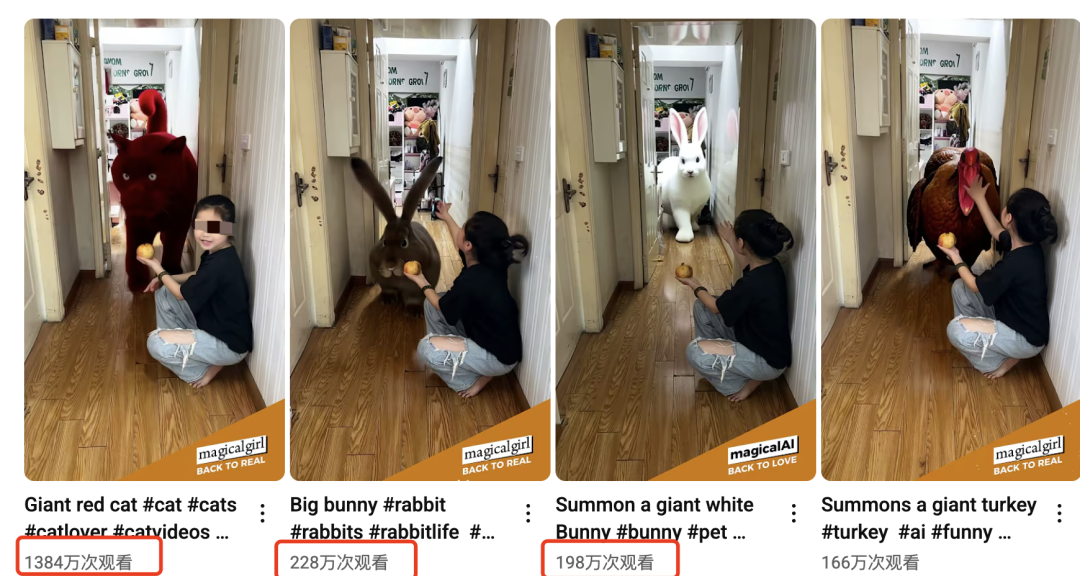
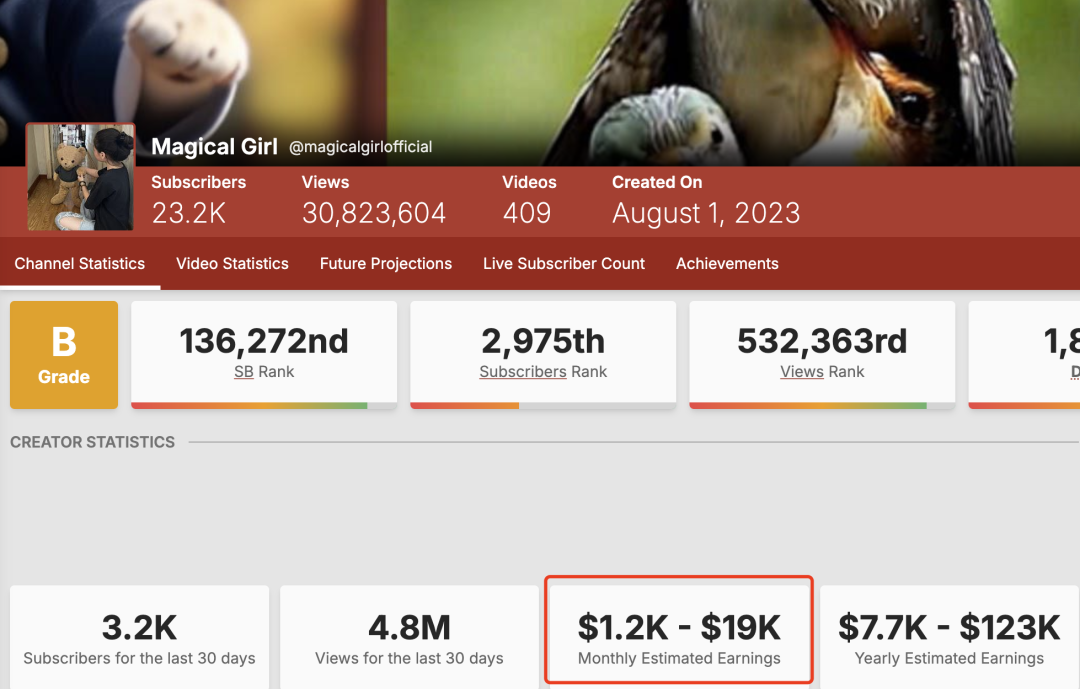
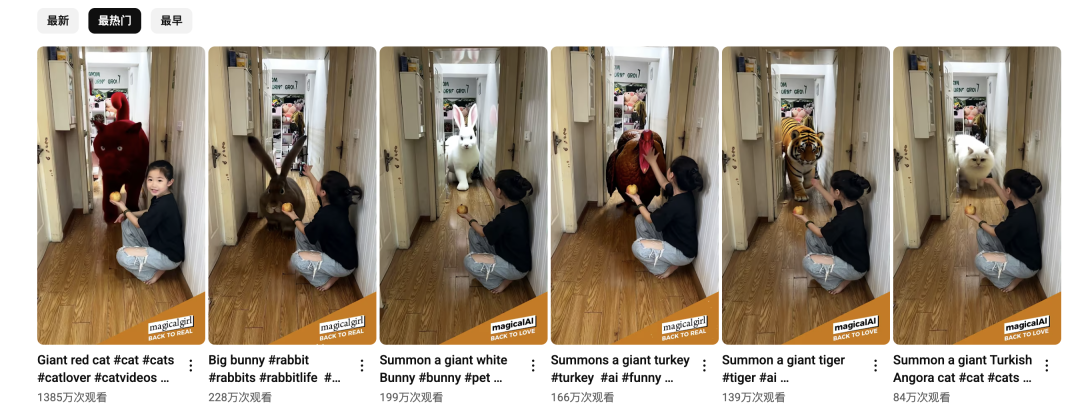
This account is the one that keeps mass-producing this creative, hunted AI animal interacting with real little girls in five-second oil pipe shorts with the same realistic photo, disliking 400+ of them, and currently earning $1.2k US per month from the oil pipe YPP.
Let's take a look at this one that played at 1384W on the tube and analyze the elements of the video explosion.
The very everyday scene with the girl in it creates a natural sense of familiarity. However, when the user is still immersed in this sense of familiarity in the first two seconds, a magical animal, which is both real and fake, suddenly comes out and the girl interacts with it, completely satisfying the audience's curiosity.
The next step is to take you by the hand to make this kind of realistic photo and AI combination of explosive short video, believe me, just follow it, there are hands!
Production Process
1️⃣ Scene Photo Realization
2️⃣ Toussaint Video
3️⃣ Clip Video
I. Choose the right scene to shoot
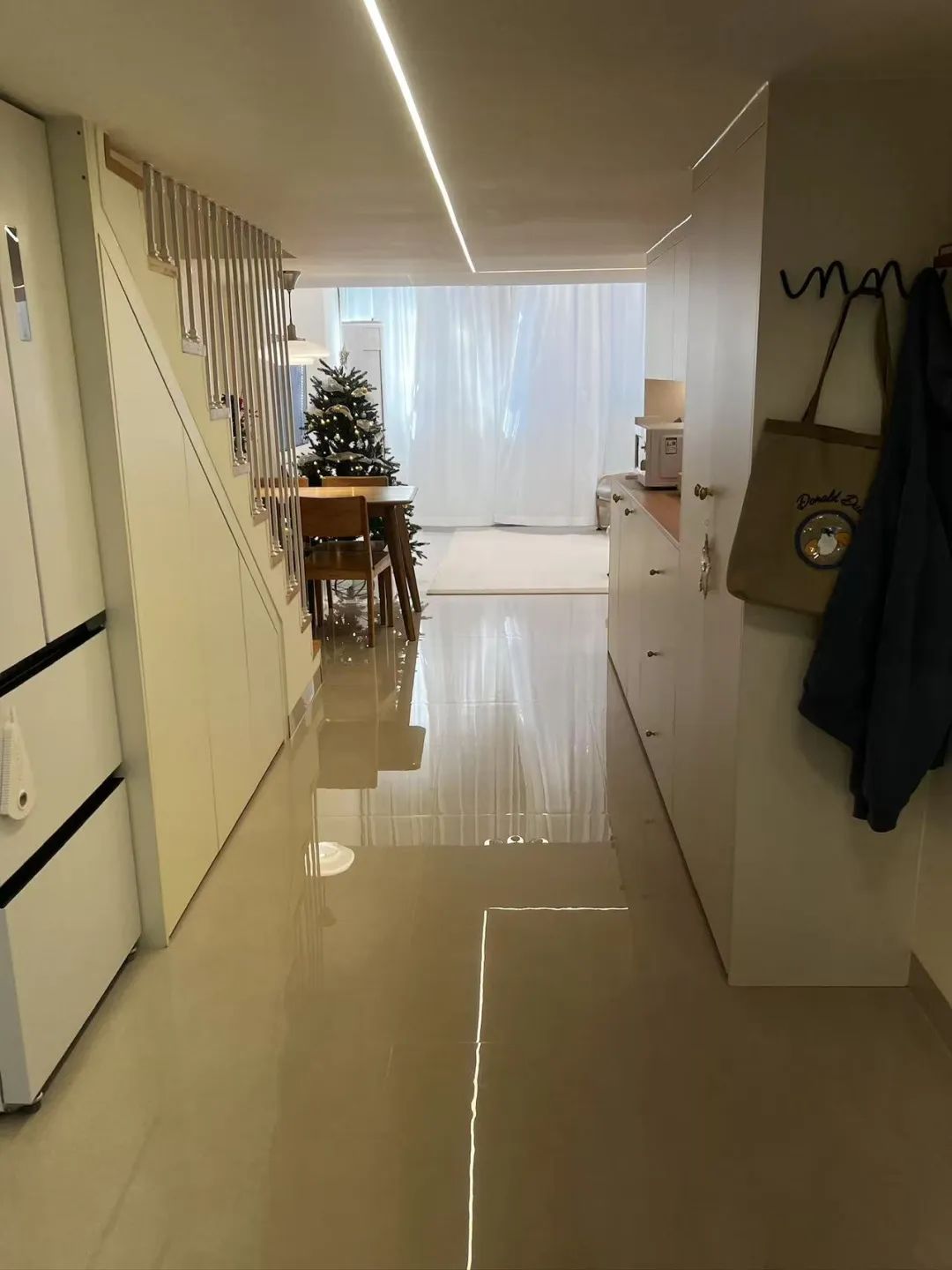
We see cases are a room door photos go everywhere, we recommend that you choose the room door, home door and so on the scene, the role of the appearance will be better, it is best to have a real person like the case video, so that the account has a certain IP attributes.
Since it's in the nature of disassembling the project and showing the process, I just went with a picture I took at home earlier:
Second, figure to video
- Tool: Kerin International Edition
- Website: https://app.klingai.com/global
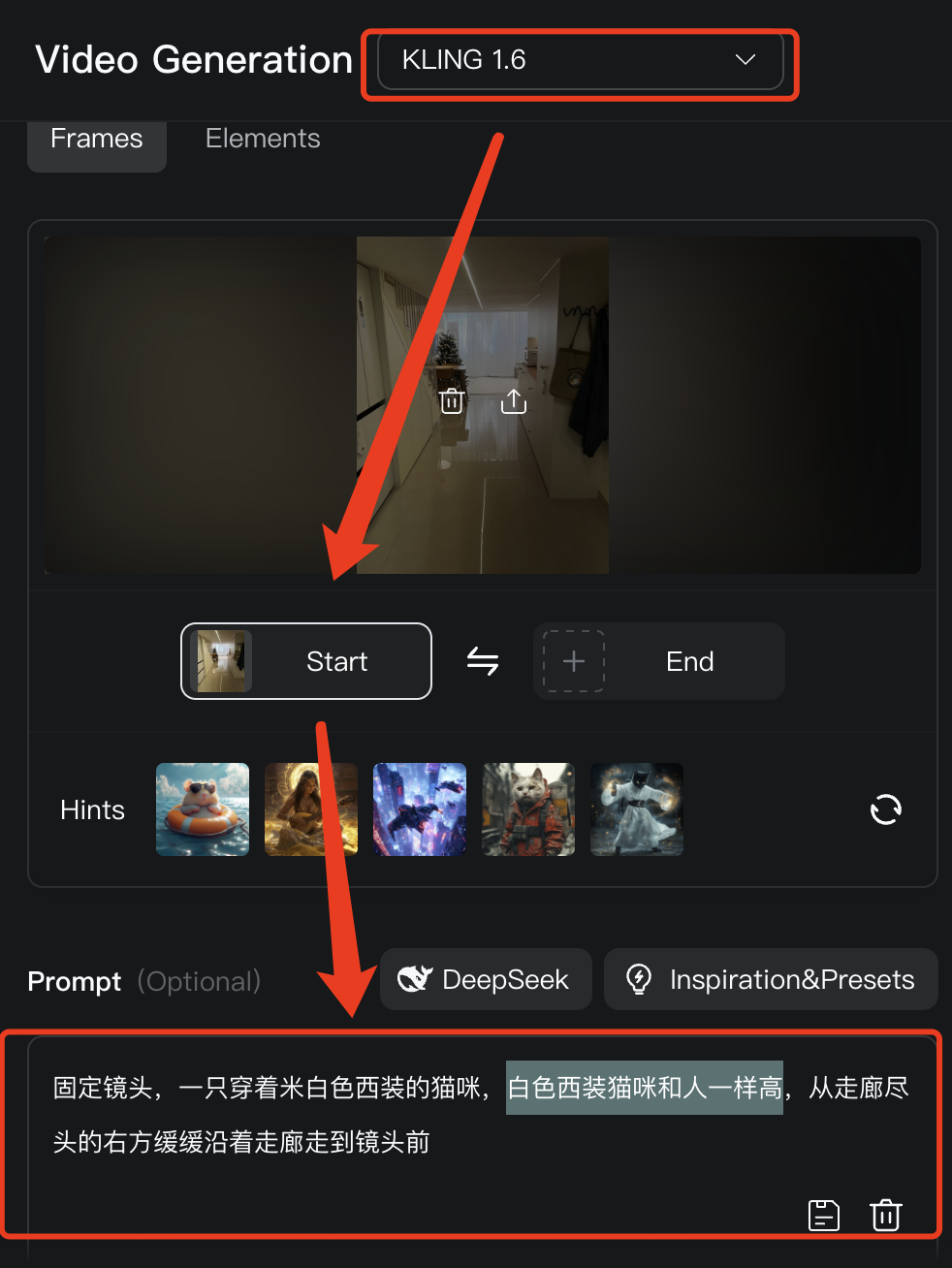
1️⃣ Open KLING and select KLING 1.6 model ➡️ upload image ➡️ enter command
- Cue word: Fixed shot of a cat in a beige suit, white suit cat as tall as a person, walking slowly down the hallway from the right at the end of the hallway to the camera
Enter the negative prompt word ➡️10s➡️Generate
- Negative Cue Words: redundant characters. Cat movement distortion. Cat opens mouth to speak. Cat moves too fast. Dynamic blur. Camera movement.
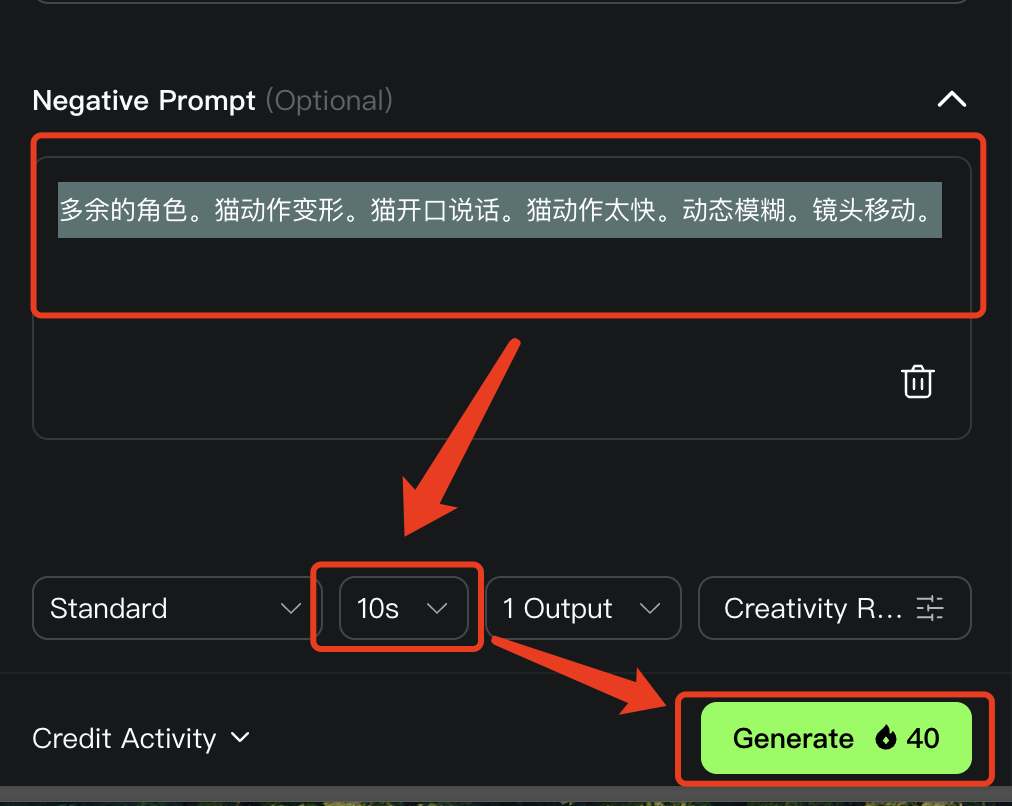
We use the method of unlimited white johns in the international version of the Korin, in the morning hours faster, about two or three times to draw the card can come out ah!
There's nothing wrong with this video cat's light changes and reflections, it's the walking posture that could be a bit more natural, as well as the curtains behind it that could move with the wind that would be more effective. If you make an account, you can pursue more of this kind of detail and draw cards a few more times.
Third, use cut screen editing video
1️⃣ We open the cutout and start creating.

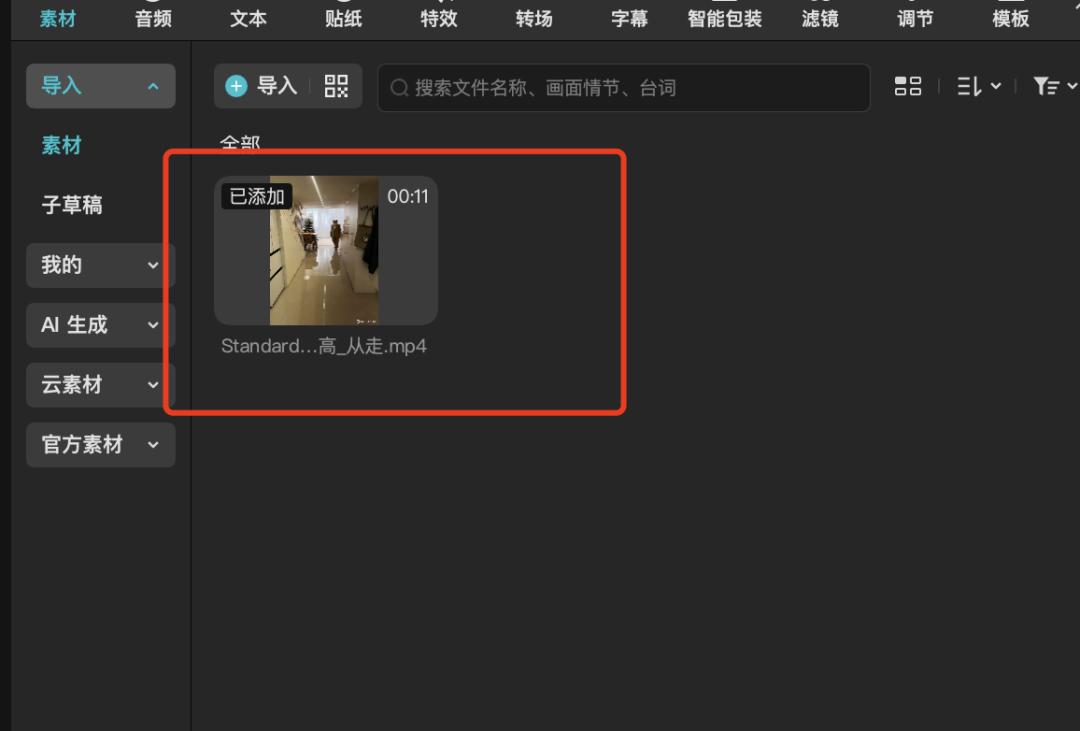
2️⃣ Import the video.
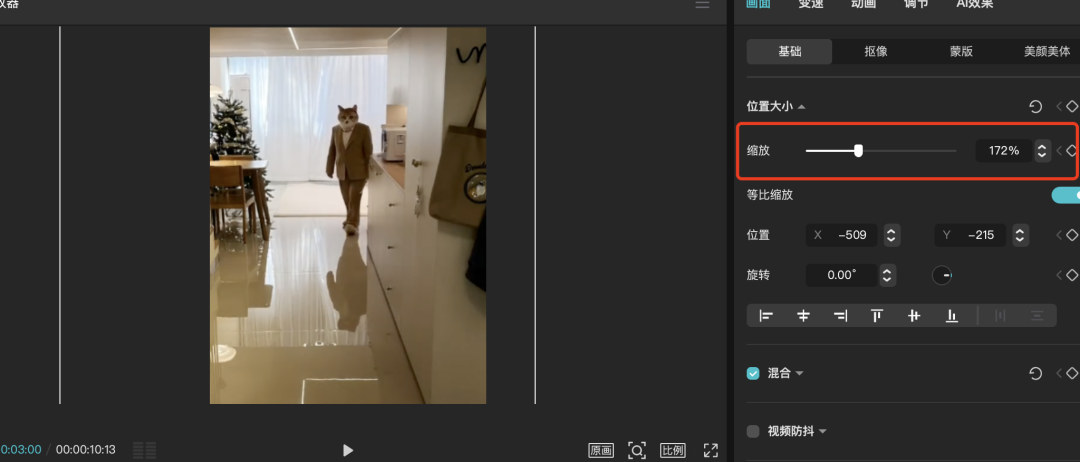
3️⃣ The screen zoom pulls a bit to remove the watermark of the korin as well as make the cat's physical screen take up a bit more space.
4️⃣ Add sound effects such as OMG, walking sounds, BGM, cat purring and more.
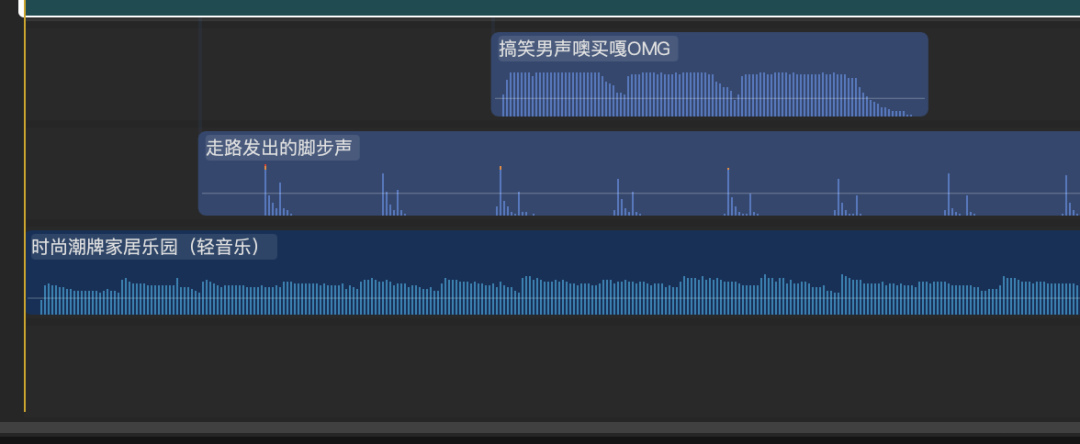
5️⃣ Export Video

This is completed, and then if the speed up, fifteen minutes to produce a mass production, large quantities of fuel pipe to give the flow on the line!
The dismantling of the case is here, immediately on the practice up!
Final Thoughts
We ordinary people may not have the kind of ability or aesthetic to create high-quality AI videos for film and television, but live action combined with AI like the ones shared in recent installments of thisCreative VideoDirection, not requiring too much specialized video ability, perhaps an opportunity that belongs to the average person?
I believe that the market for low-quality, low-picture-quality AI videos will gradually shrink, and hopefully we can create more quality content with AI, and in 2025, we'll all do something cool with AI together!