



Have you ever had such regrets?
The old house in the background in the family photo is just a blurry gray shadow ...... Those images that carry youth and nostalgia are slowly "disappearing" with time.
In fact, there is no need to worry! Now it's easy to fix with AI!Old photosThe black-and-white can be tinted to natural color and evenLet the person in the photo blink and smile gently, and it's like time has come alive again!
The whole thing can be operated from a cell phone.Zero threshold and free of charge.This article gives you a ready-made "Restoration Reminder Template", follow the steps and even a novice can turn an old photo into a "postcard of time"~!
Look at the effect first!
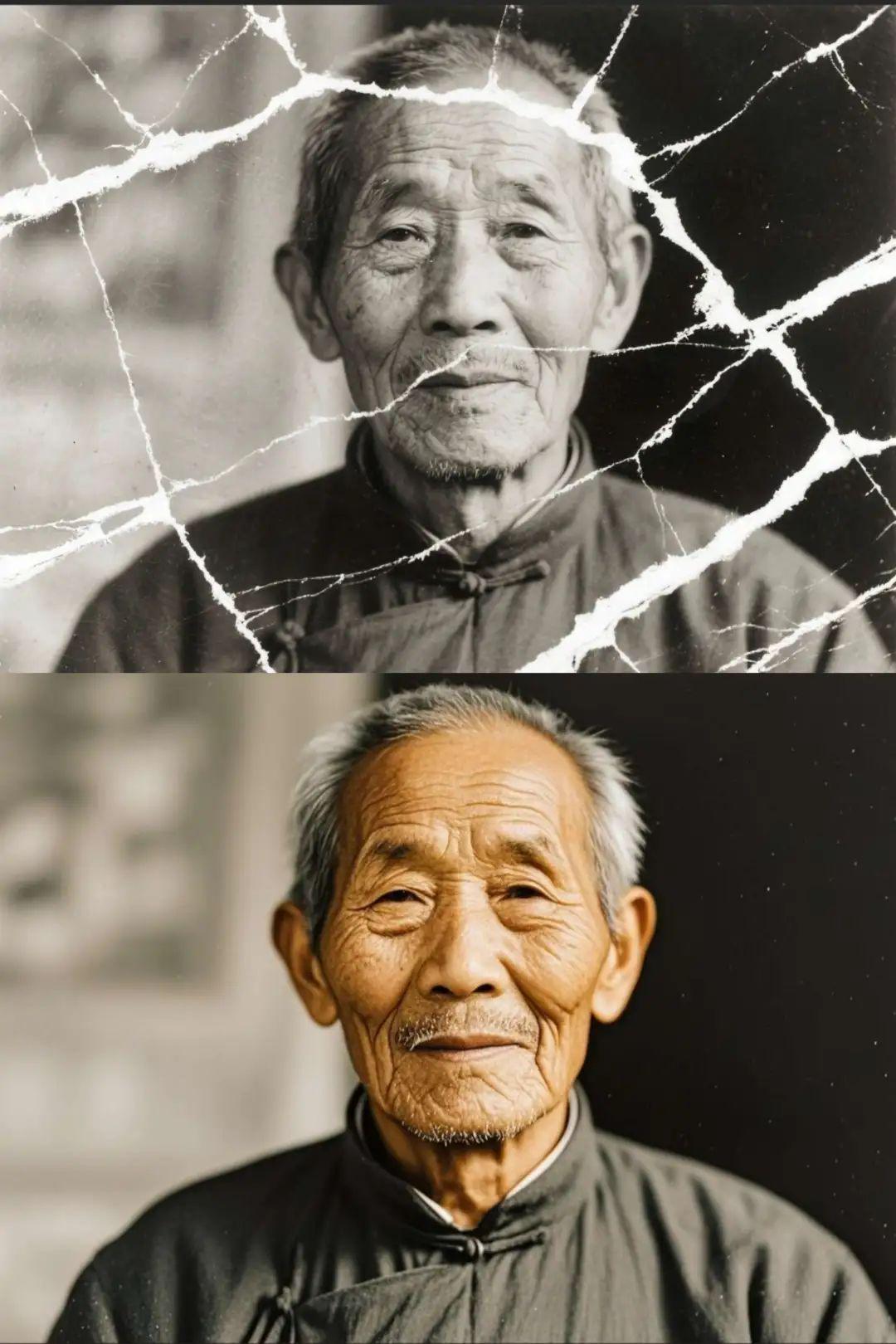
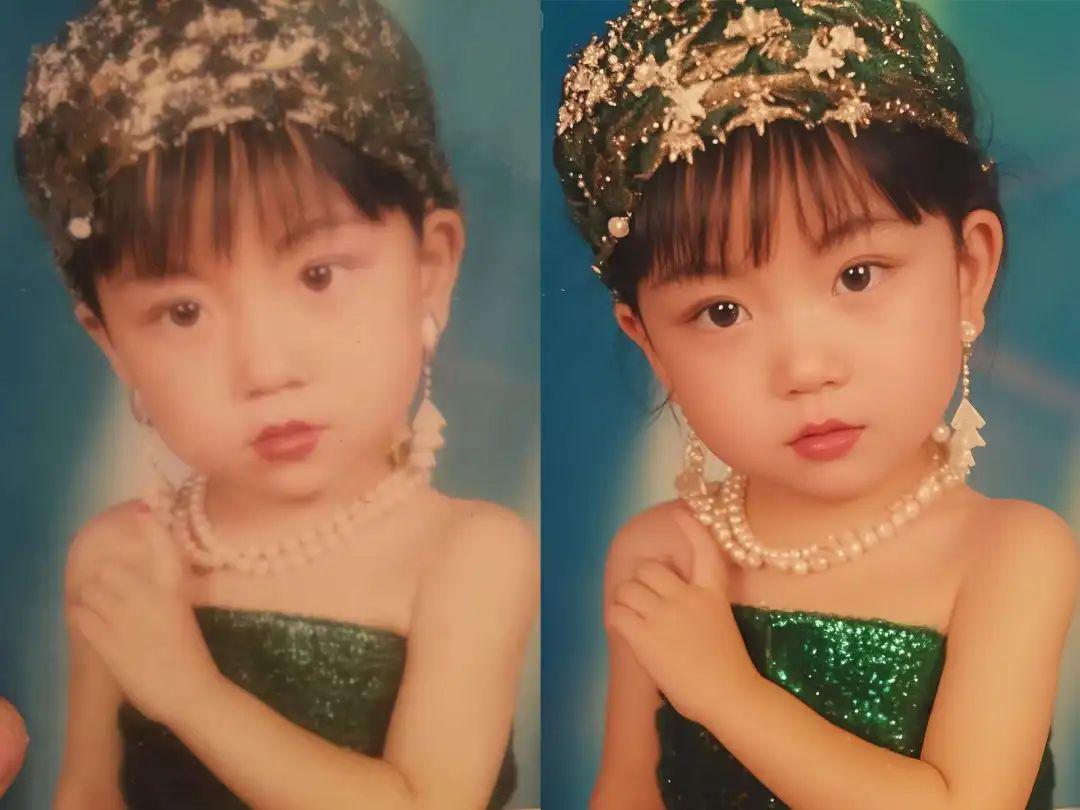
Ready to learn?
4 Steps to Make Old Photos High Definition + Mobilization
Tool preparation (all free, cell phone can be operated)
✅ Repair Tool:Dream AI(under Shakeology, with delicate restorations for novices)
✅ Video Tools: i.e. Dream AI 3.0/Vidu/Keling
3-Step Fix! Turn blurry photos into HD color in seconds
- Import Reference Chart: Upload the first step of a real old photo and turn on the "smart reference" function (locking the subject and the scene).
- Enter the repair prompt word:
- Common Cues
- Cue word 1: Restoration of old photographs, high definition, color, rich in detail, restoration of scarring white line marks, high quality.
- Cue word 2: Restoration of old photographs, high definition, color, rich in detail, complete restoration of restoration scarring white line marks in the image, high quality.
- Cue word 3:Restore old photos, remove white scratches and spots, restore facial details, color HD.
- Detail Enhancement:: "Replenish missing clothing textures (e.g., cloth folds in a Chinese mountain dress) and fix the wooden door carvings in the background to add layers of light and shadow"
- Style preservation: "Retain 80's film grain, adjust skin tones to natural yellow tones and avoid over-whitening"
Yee didn't have any old photos, so I dug out a photo of me when I was 5 years old for the demo... 20+ years have passed, time~!
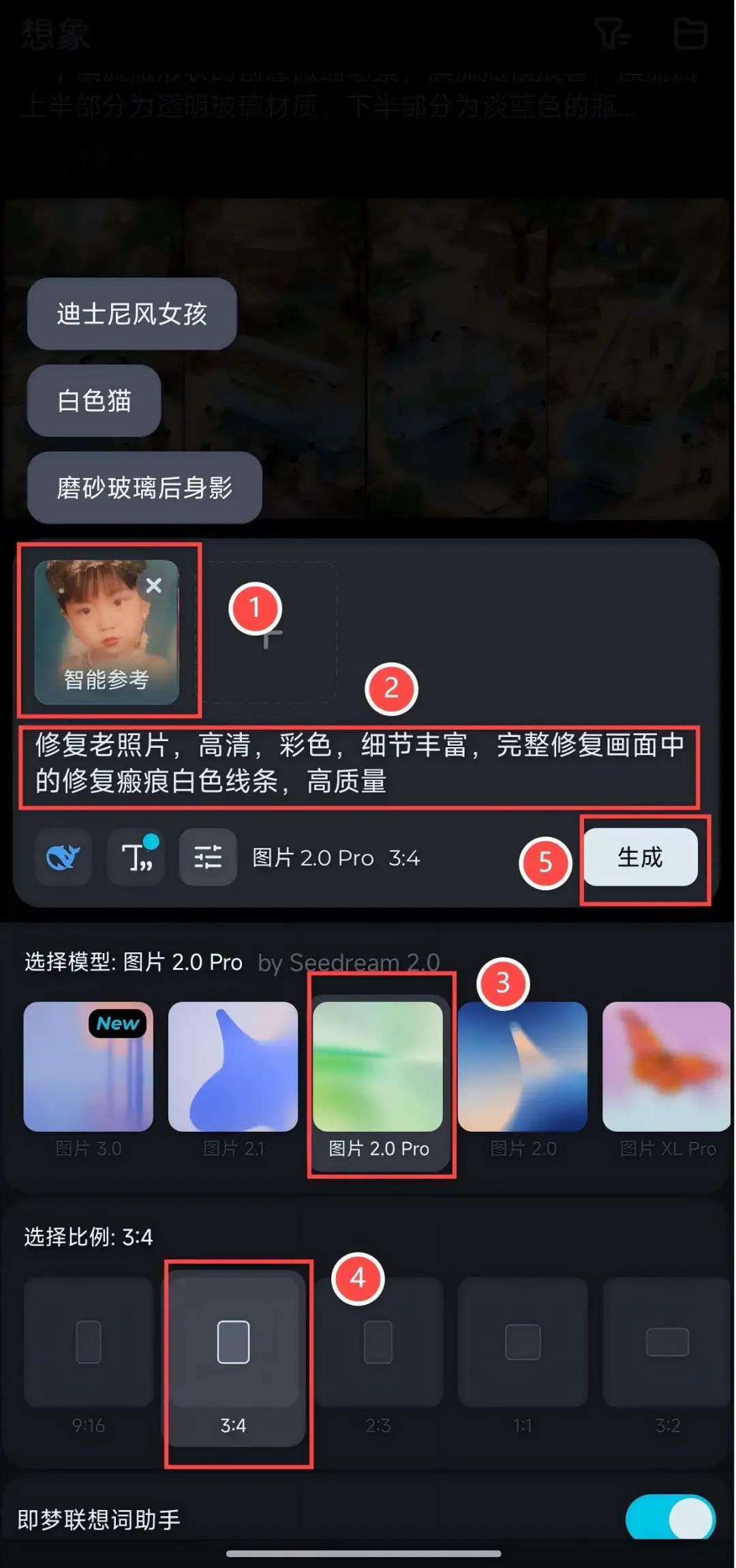
- Export settings: Select "HD High Definition" + "No Watermark" to save the restored image.
Seriously, 4 super easy ways to remove watermarks, there is always 1 for you (recommended collection)
Character Dynamics
- manipulateOpen Imagine AI → upload restored photos → select "Video from Picture" → input prompt word → select 3.0 model, the screen ratio is defaulted to the picture ratio.

Cue word keyDesignated Moves + Emotional Atmosphere
For example: "The photo shows a grandpa slowly looking up and smiling with a gentle light in his eyes, the overall image is warm and nostalgic, duration 5 seconds"
Guide to avoiding the pit
- Clear description of the location of the damage: If the prompt specifies "Triangular tear on the upper left corner" and "3 folds on the right side of the face", the AI will prioritize the repair of the specified area.
- Retaining Historical TextureAvoid over-pursuing "perfect HD" and retain "film grain" and "slight yellowing" to make the restored photos more age-appropriate.
- Multiple Generation Comparison: Generate the same photo 3-5 times with different cues, choosing the version with the most detail (e.g. the one with the most vivid eyes of the character)