



Today, we'll teach you how to use the full range of hand-held Kimi fulfillmentsplit-screen scriptThe creation of the film, as well as the subsequent text-to-diagram, video-to-diagram, and even background music creation are all unlocked, realizing the full-process production of Wong Kar-wai style movies.
From script to finished movie in 6 steps:
Step 1: Kimi Bio Ingredient Script
Kimi's website:https://www.1ai.net/3878.html
Let's start by tuning Kimi so that it generates split scripts that are more in line with what we want.
First let it understand the style of Wong Kar-wai's movie "I want to reproduce the style of director Wong Kar-wai's movie to make a video clip, please sort out the style of director Wong Kar-wai's movie, so that I can reproduce it more accurately".

Then have it suggest replicating the content of the movie "If I were to replicate the short film, what would you suggest to me", setting the stage for the next step of having it replicated (suggesting itself).
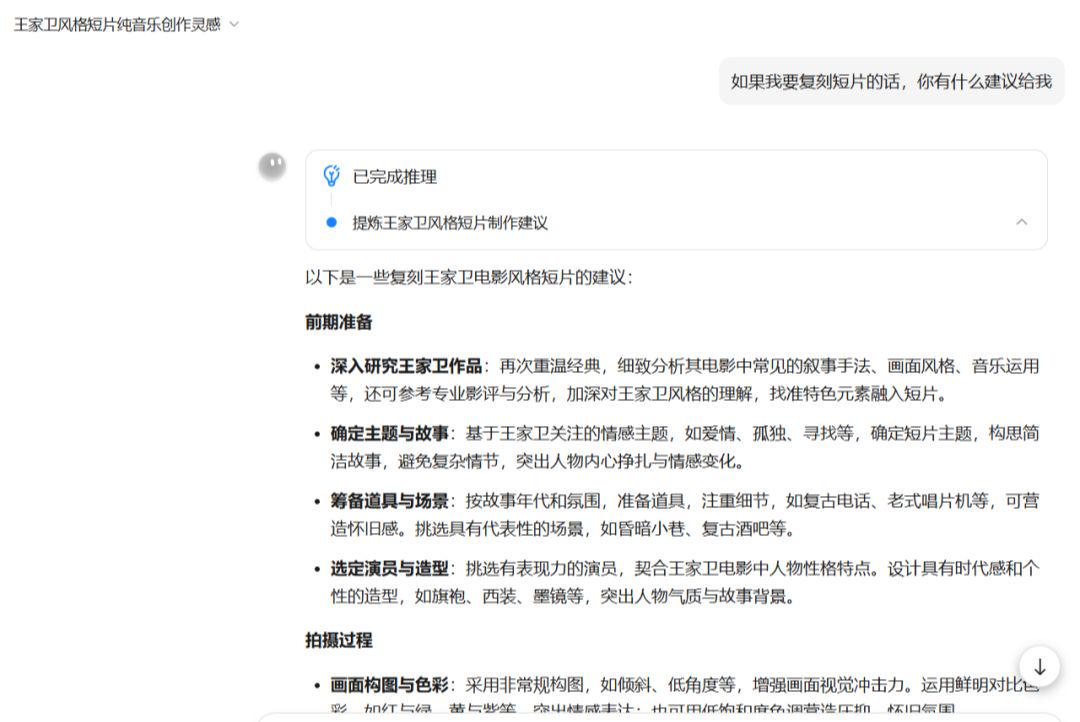
Finally, come on really, let it give us the design of the split-screen script: "Please help me design a 30-second movie split-screen script according to the above content, the plot should not be too obscure, straightforward, the content of the screen needs to increase the description of the style of Wong Kar-wai's movies, so that I can directly use AI graphic software to generate the picture, the content of the split-screen script includes the shot number, the scene, the view, the duration, screen cue words, running cue words, lines, sound effects and music. length, screen cue words, transport cue words, lines, sound effects and music."
Below is the content of the generated split-script, which I'm posting here in its entirety:

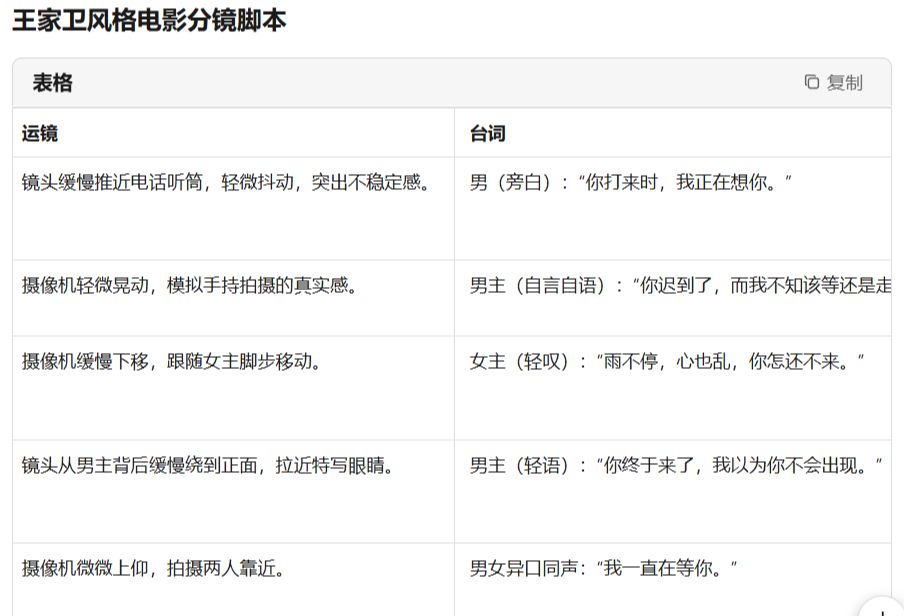
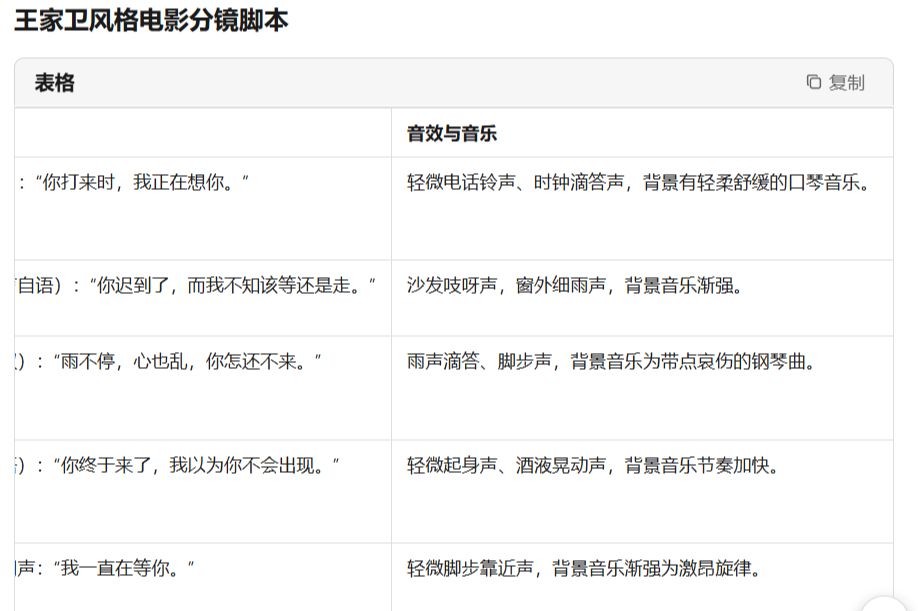
Just like that, Kimi has generated the full split script for us, and the first step is complete!
The second step, that is, the dream Wen Shengtu
A demonstration of the operation of the Vincennes diagram follows.
Cell phone app store download namely dream AI software, jitterbug authorization login can be used, daily login can receive 60-100 points, completely free enough to use.
https://www.1ai.net/10005.html
I'm going to demonstrate it here directly from the computer side:
Go to the website, log in, and click on Image Generation:
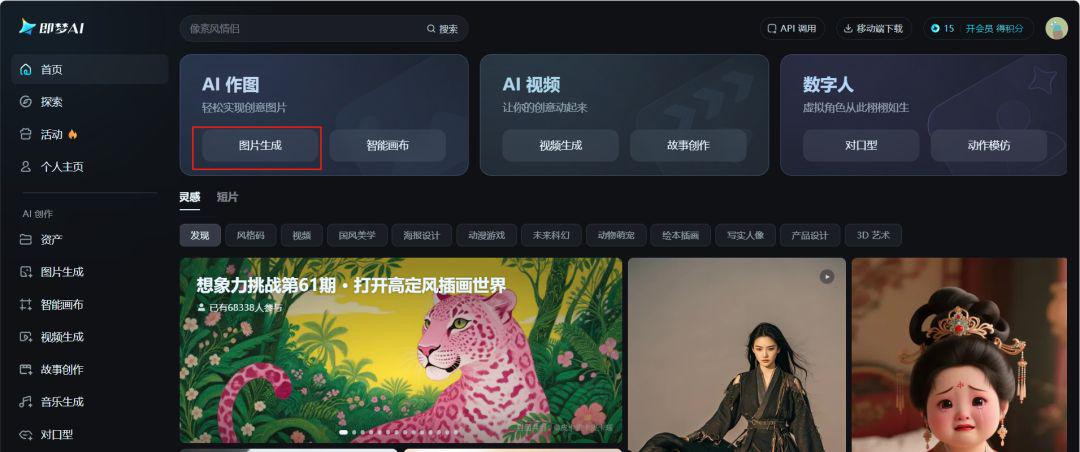
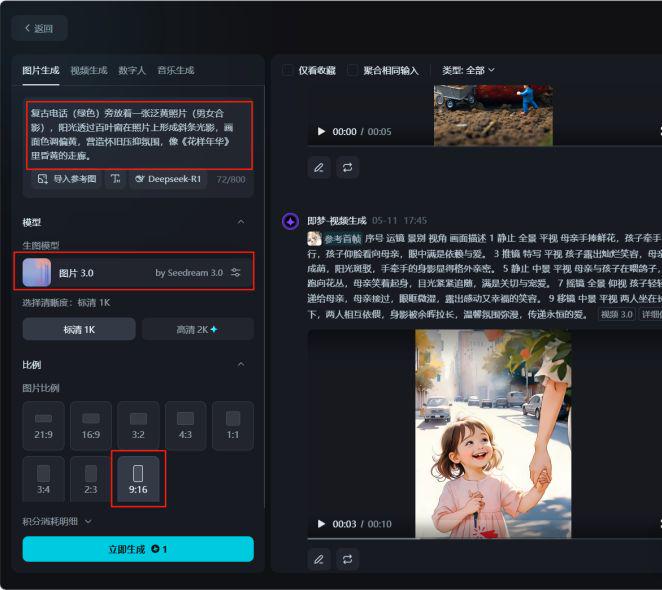
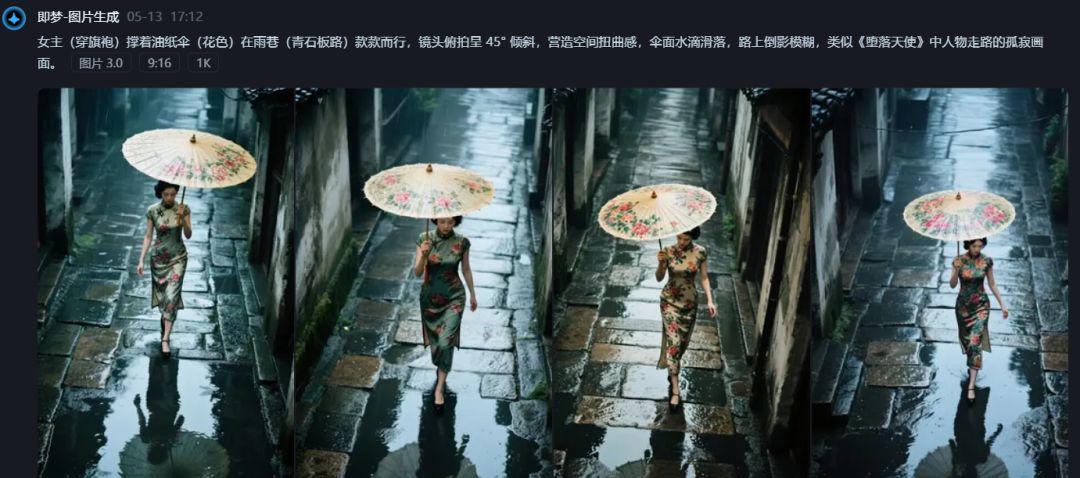
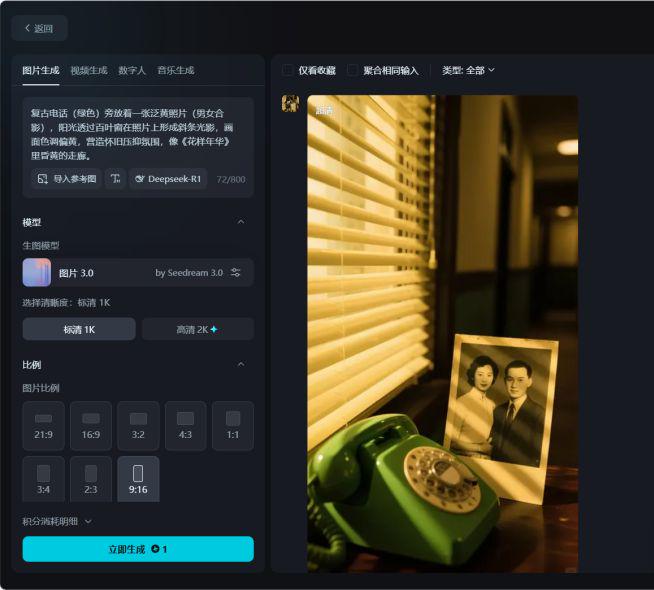
Copy the contents of the screen in the Kimi Ingredient Script to the prompt word input box in order, select 3.0 for the image model and 9:16 for the ratio, click "Generate Now" and wait for the image to be generated.
From the generated images, choose a favorite image, I chose the third one and clicked on the image.

Click on "Ultra HD".
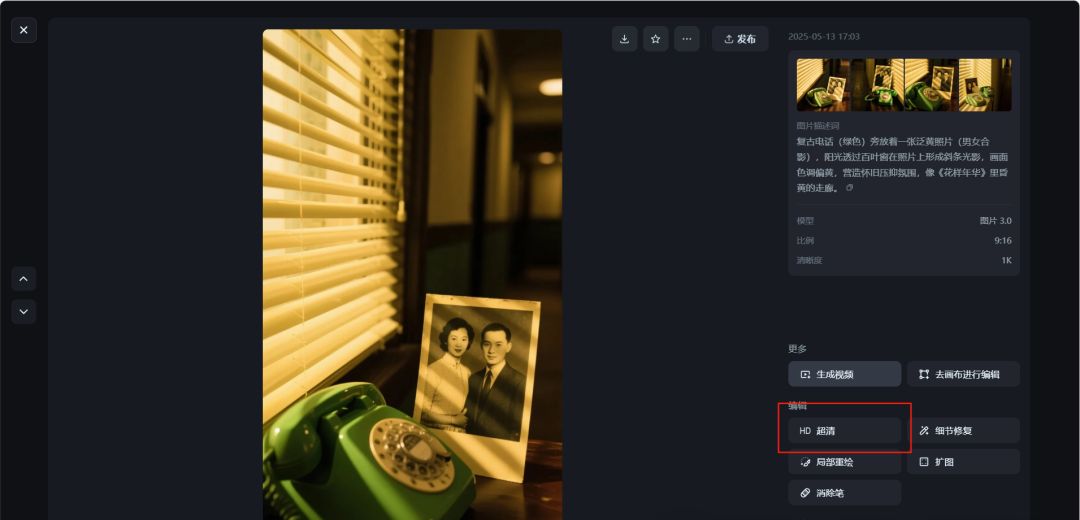
This generates an Ultra HD image of the first split screen.
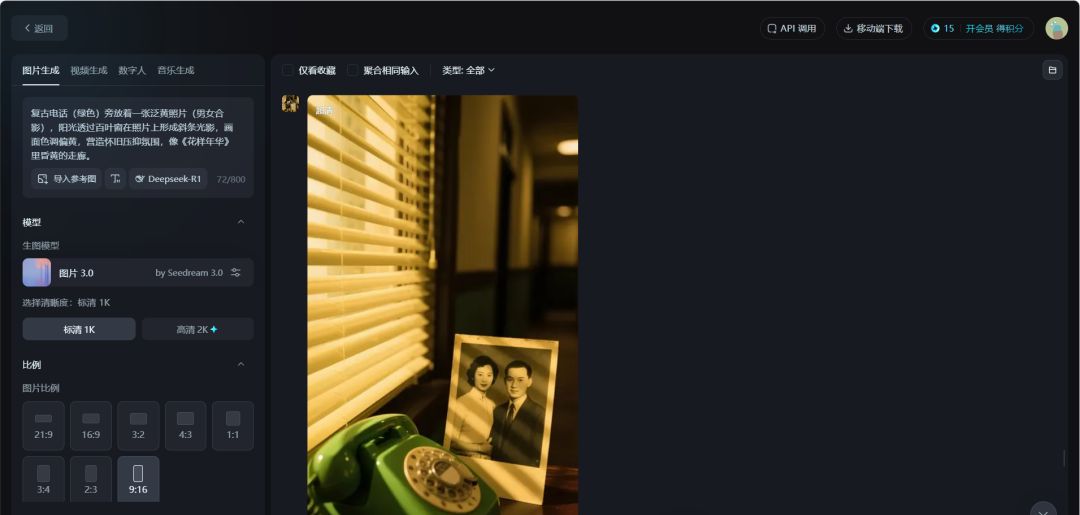
The other images follow the same way for the text raw images.
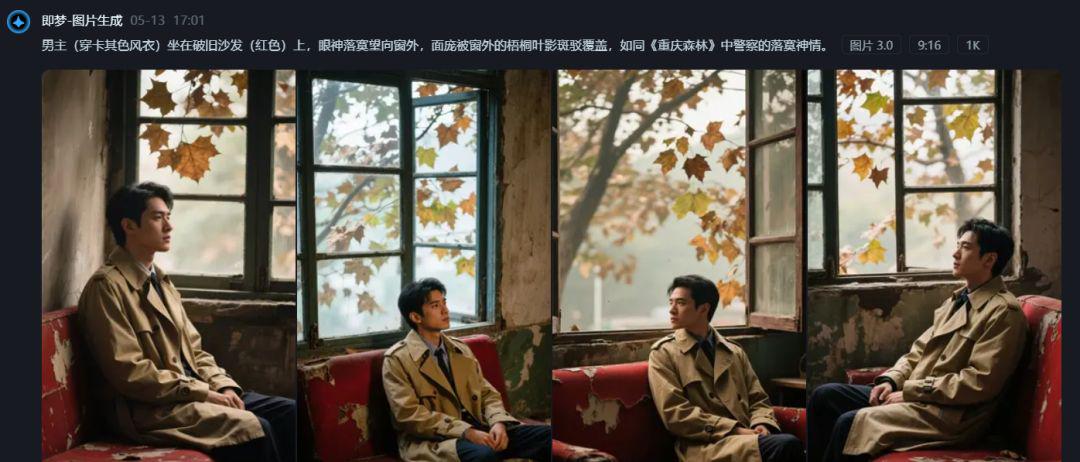
Step 3, i.e. dream map raw video
Next is the picture of the video, I still use the dream to generate, after all, free more fragrant, that dream is very pro-people, the latest video 3.0 effect is very good. If you want to use other tools to generate, you can click on the super-clear picture, click on "go to the canvas for editing", and then export and download to unlock the watermark-free picture.
Then use Instant Dreams for a graphic raw video:
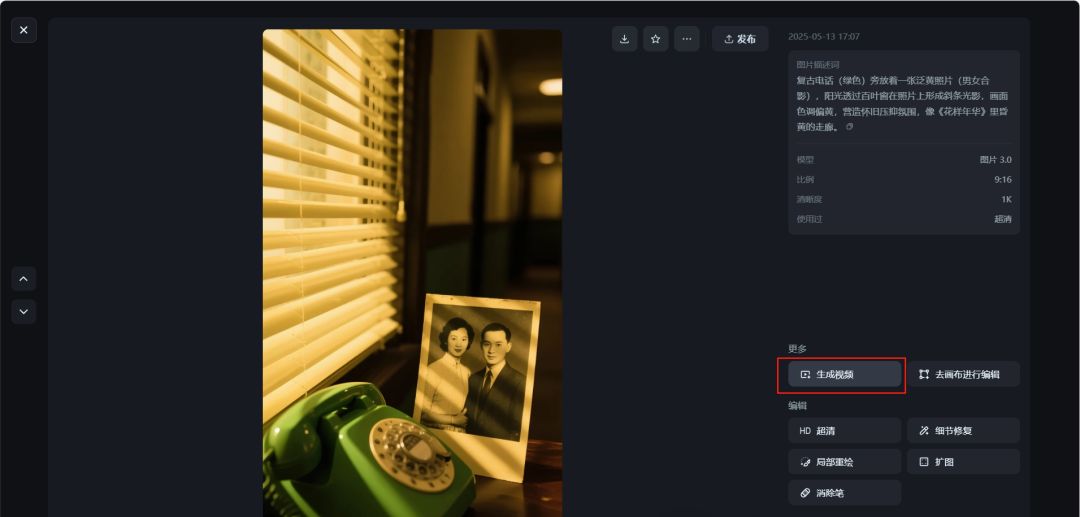
Click on the Ultra HD image.
Click "Generate Video" to jump to the video interface, which will automatically take the picture as the reference picture.
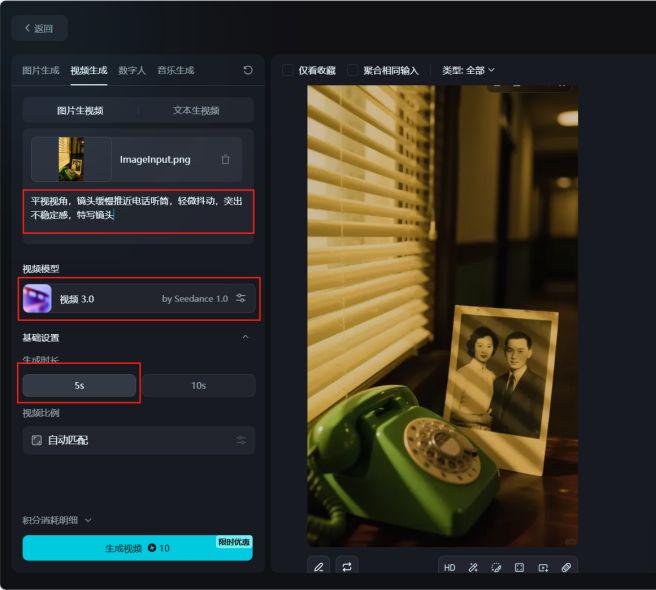
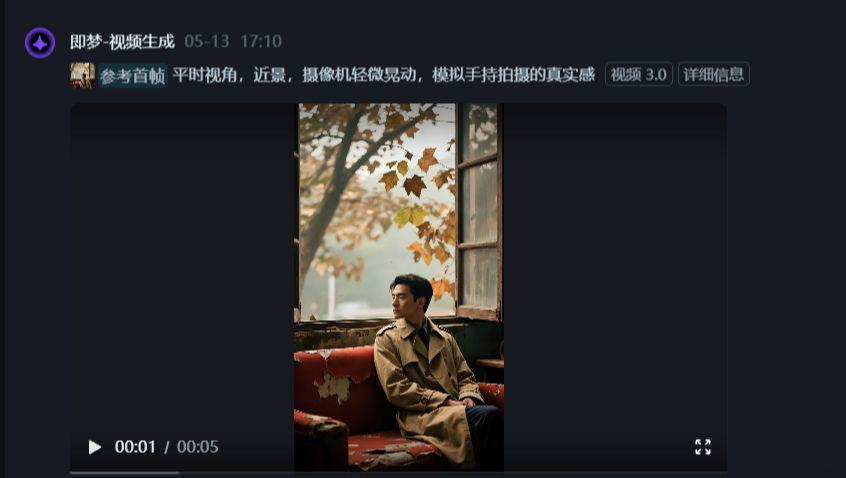
Copy the corresponding content of the Kimi's script to the prompt word input box, here is a tip, that is, there are perspective and scene in the script, these two can make the video rendering more cinematic, if necessary, you can also add, select the model 3.0, the length of time according to the length of the script to set up, less than 5 seconds to choose 5 seconds, more than 5 seconds to choose 10 seconds, click on the "Generate Now", wait for the generation.
This way the video is generated.
Then it is to download this video, directly click on the download button that dream, there will be a watermark, here I directly use the plug-in to download the watermark-free video, I have shared before, do not know you can click the link below:
Remove watermarks from images or videos generated by Dream, these two methods will help you get it done easily!
The other split videos are generated in the same way and then just download them all.
Step 4: Kimi generates musical inspiration
Continuing with Kimi's help in generating musical inspiration "Please use the above movie script as a basis and help me design the inspirational descriptions for the songwriting, which I will be composing with sponge music, with a word limit of 300 to 500 words, as long as it's pure music and no lyrics."
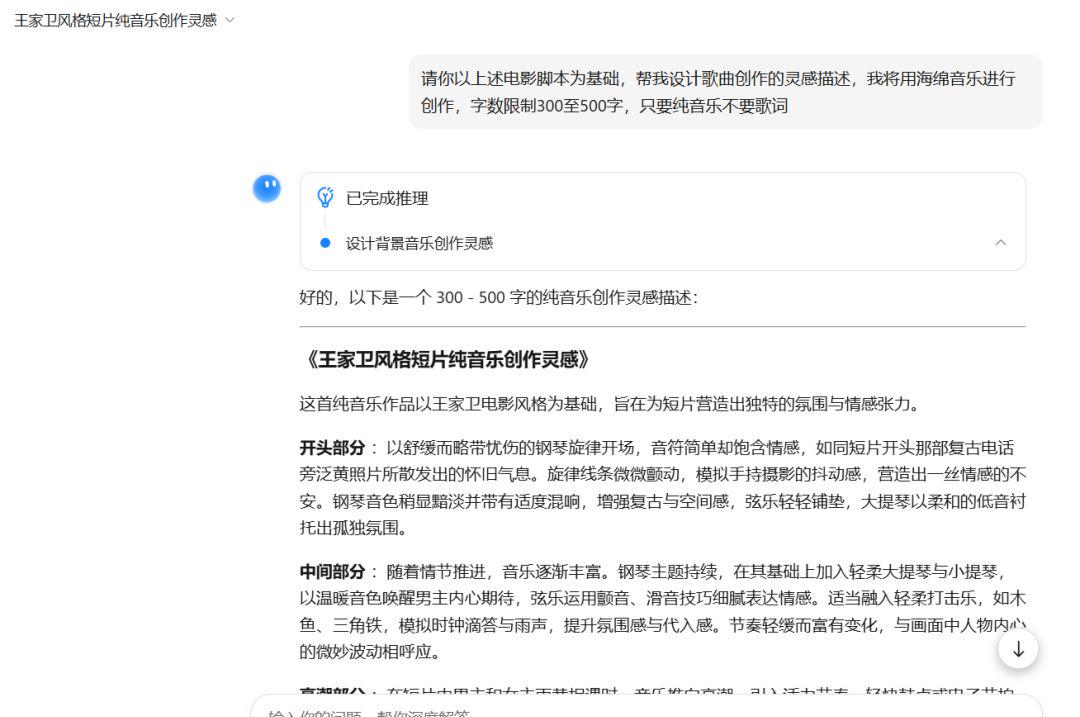
In this way, musical inspirations are generated, and then these creative inspirations can be given to the music generating software to generate background music.
Step 5, sponge music original background music
I chose Sponge Music for the creation of the site here:https://www.1ai.net/17012.html
Just go to Sponge Music and log in using the Jitterbug swipe.
Paste the inspiration description into the input box, remember to click on "Pure Music", click on "Generate Music" and wait for the generation.
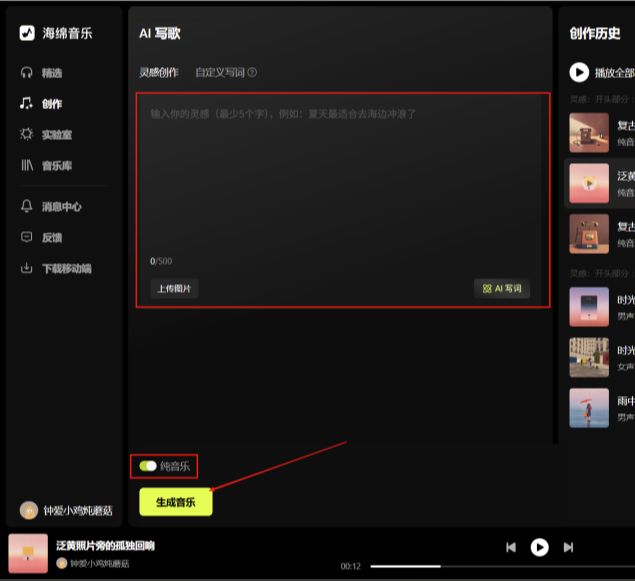
3 music will be generated at a time, you can choose as you like, I choose the second one here.
Mouse over the share button next to the music and click "Download Audio" to save the music.
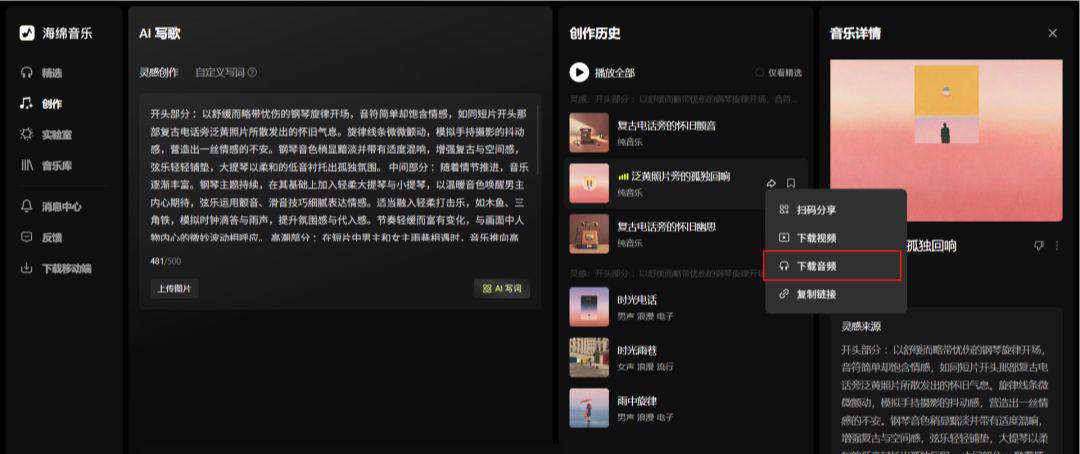
Here's the generated audio so you can listen to it:
And just like that, we're done with original music, isn't that kind of awesome?
Step 6: Cut the video
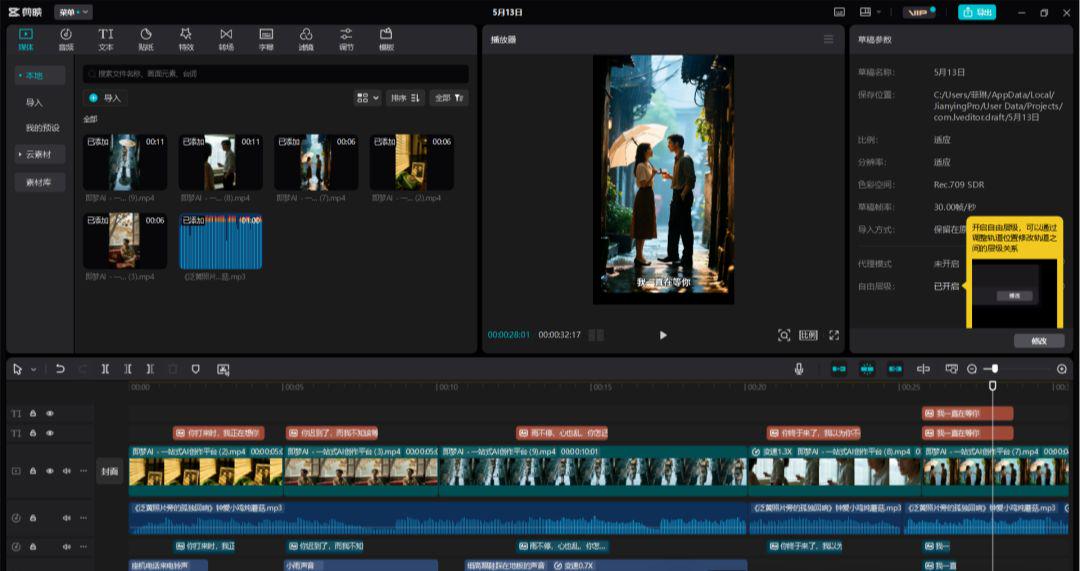
The last thing is to import all the video clips in order to the cut screen, press the split screen script, add lines subtitles select tone reading, add sound effects, add original background music, details optimization, and finally click export to finish.
The above is the content of today's sharing, is not very simple and very powerful, have you learned? Hurry up to try it!