



You want to make text seconds a natural sound? Just read it! Today we recommend five for freeAI Dubbing ToolYou don't have to pay for a subscription, your voice can get pregnant in your ears! Whether it's a short video, a sound book, or a class transcript
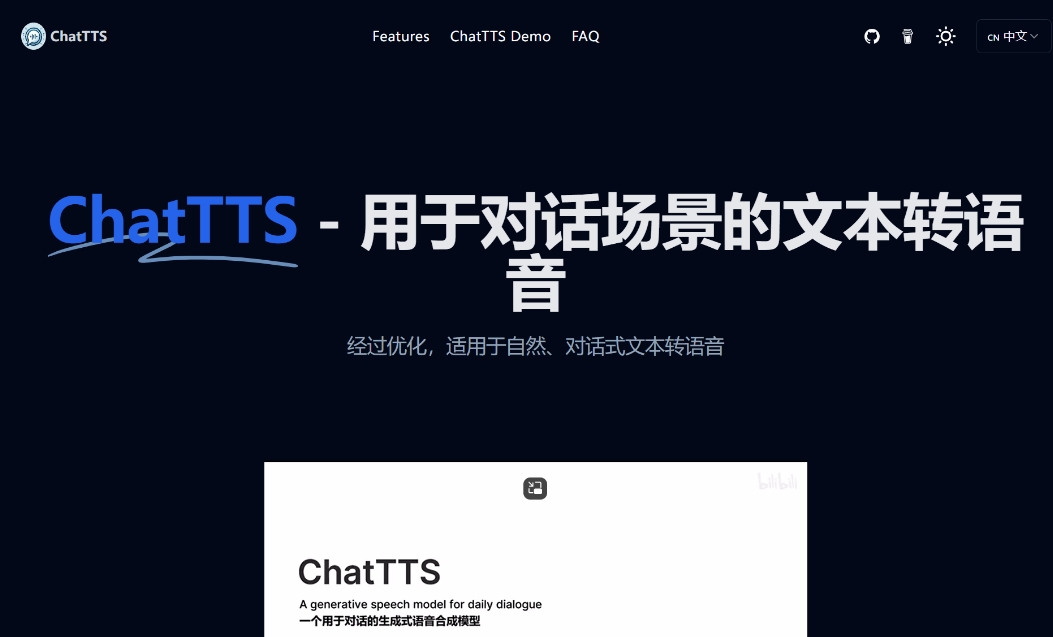
1. ChatTTS
address:https://www.1ai.net/11978.html
Core Features
- Bilingual fluent conversion: supporting Chinese, English-language transliteration, natural pronunciation to real people
- Fine-particle voice control: can manually add laughter, pause, speech, and automatically generate reasonable pauses and speech。
- Sound customisation: high-personalized voice is achieved by modulating the assigned sound by parameters to support the sound cloning
- REAL-TIME VOICE CONVERSATIONS: REAL-TIME VOICE INTERACTIONS, WITH AI'S ASSISTANT TALKING
Usage scenarios
- Smart passenger service: automatic response to electrician/bank passenger service
- Education support: audio-reading, course transcription
- Advertising: voice advertising
- Entertainment creation: audio books, play chords, short videos
Tutorial
1. Enter text selection language/parameters
2. Dot " Generate voice" and play or download directly。
2. TextToSpeech
address:https://www.1ai.net/44711.html
Core Features
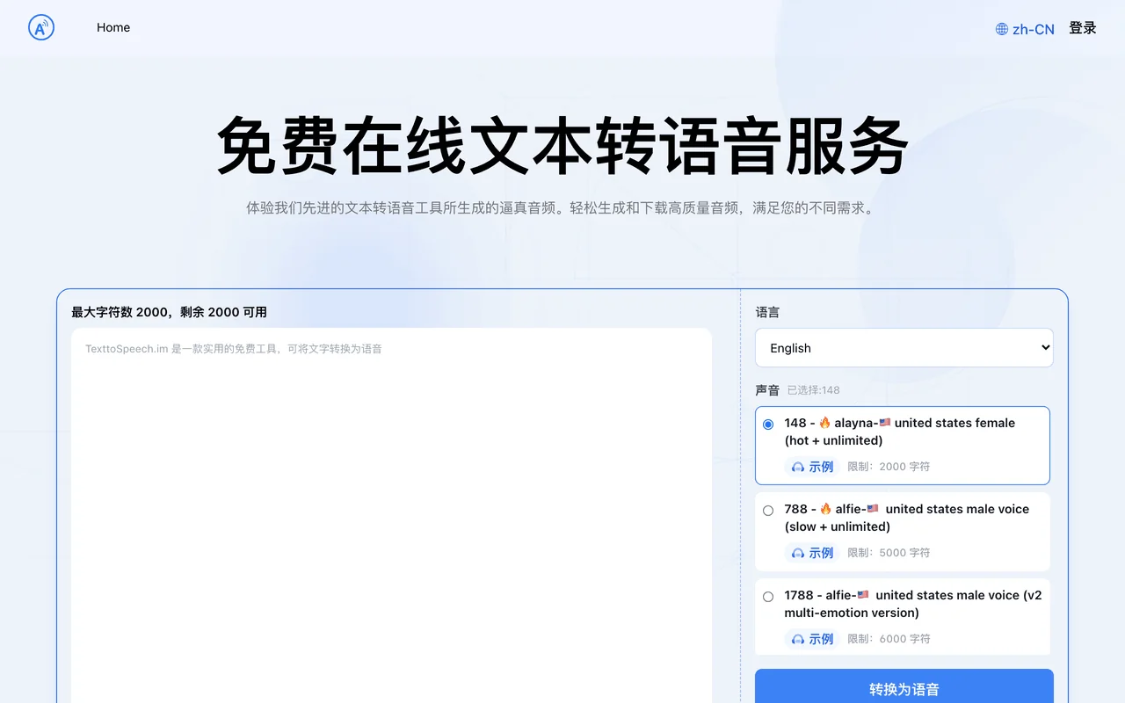
- Multilingual and multisound support: support 50+ languages (e.g. Chinese, English, Japanese) and 8,000+。
- Voice parameter reconciliation: speech speed (0.1-2.0 times), tone (0.1-2.0), volume。
- Cross-platform compatibility: PC, mobile browser and Android equipment are supported without additional software。
Usage scenarios
- In the field of education: production of audio material, classroom audio
- Media and entertainment: Generating audio books, podcasts, video games
- Commercial services: smart passenger service, telephone voice navigation, advertising
- Accessibility: access to information for persons with visual or reading impairments
- Personal application: voice notes, electronic reading, voice alarm
Tutorial
- Open the official network and can be used without login。
- Select language and sound, adjust parameters
- ENTER THE TEXT, CLICK THE CONVERT BUTTON, AND THEN DOWNLOAD THE MP3/WAV AUDIO。
3. Awareness
address:https://www.1ai.net/1880.html
Core Features
- Real-time voice transfer: supporting events such as meetings, courses, interviews, etc., can distinguish between speakers。
- PODCAST LINK: ENTER A LINK TO RSS SUBSCRIPTION, WITHOUT DOWNLOADING, TO EXTRACT THE CONTENT OF THE PODCAST。
- Multilingual simultaneous translation: support for translation between Chinese and English, as well as Japanese, French, German, Italian, etc。
Usage scenarios
- Working scenes: minutes of meetings, follow-up of missions, sound recordings
- Learning scenes: classroom notes, academic studies
- Content creation: Video subtitle production, podcasting
- Special events: telephone recording, accessibility
Tutorial
1. Access the platform and select the functionality to be used。
2. Sets parameters, edits and amends text after transliteration has been completed, and supports export into multiple formats。

4. TTSMAKER
Website:https://www.1ai.net/1942.html
Core features:
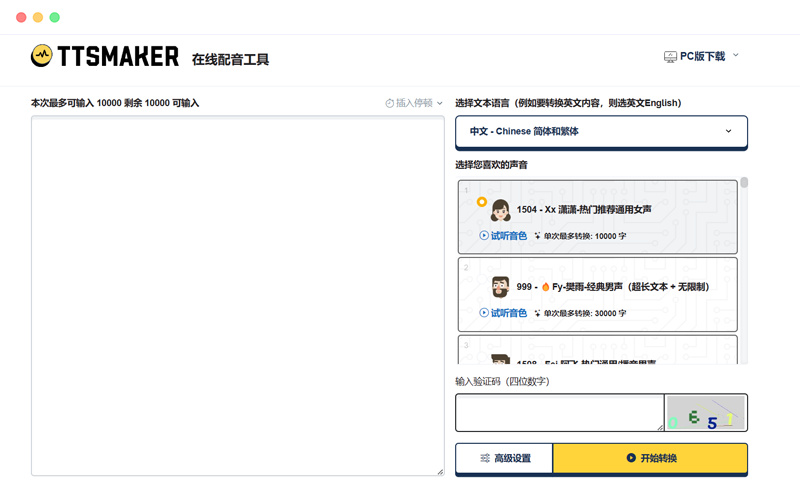
- 50+language: Chinese, English, French, Chinese... even Sichuan
- 300+speaker: From standard to cartoon, everything
- Commercial free: Audio generated is free of charge, no infringement
Use scenarios:
- Advertising voice: promotional video required
- Course production: foreign language hearing material
- The game explains:
Usage Tutorial:
1. Enter text to select language to pick sound
2. Moderate/volume dot generation
DOWNLOAD! SUPPORT MP3/WAV FORMAT
5. Text-to-speech assistant
Website:https://www.1ai.net/44713.html
Core Features
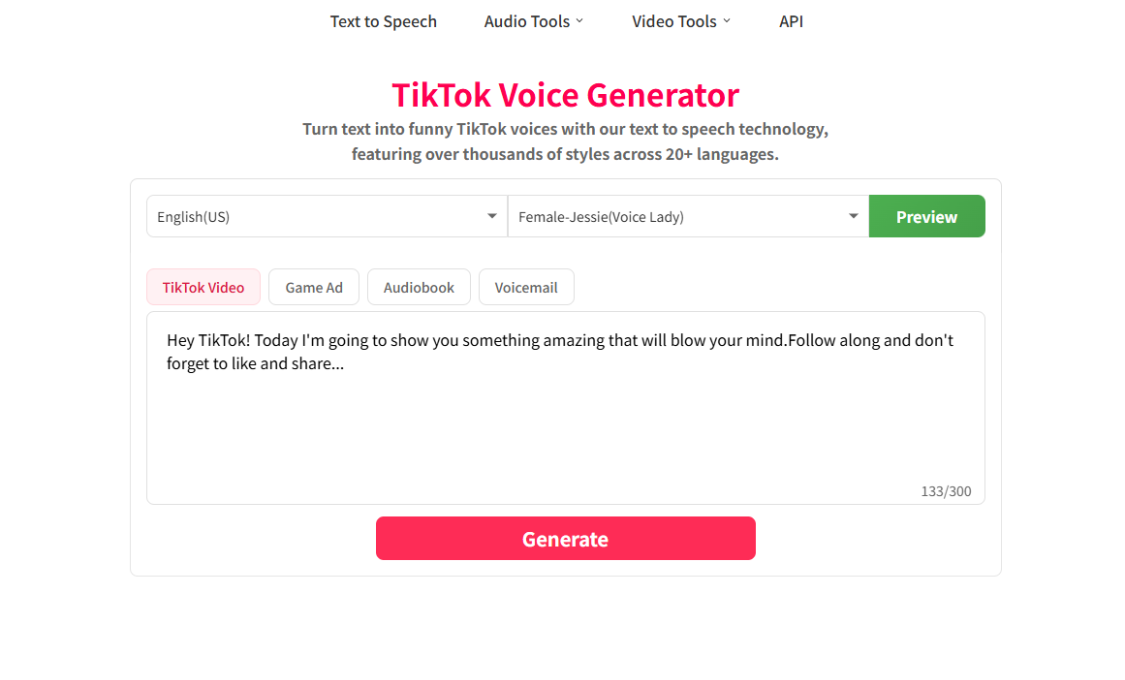
- Text transcribing: Supports the conversion of entered text or imported files to voice
- Multilingual and sound: Chinese, English, Japanese, and so on, with a wide range of phonographing roles such as handsome, monkey and bear。
- Intelligent recognition: using advanced smart text recognition, accuracy of text conversion。
Usage scenarios
- Workspace: Sound reading of documents to improve efficiency。
- In the field of education, the content of the teacher ' s lectures has been converted into a voice, and after-school study has been supplemented。
- Entertainment and creativity: production of sound novels, video bystanders, etc。
Tutorial
1. Open application, select mode, import or enter text。
Click on the preview to recognize text and convert it to voice。
3. Adjustment of speed, volume, tone and pronunciator, as required。
4. Preservation and export
That's all for today's tools