



summarize
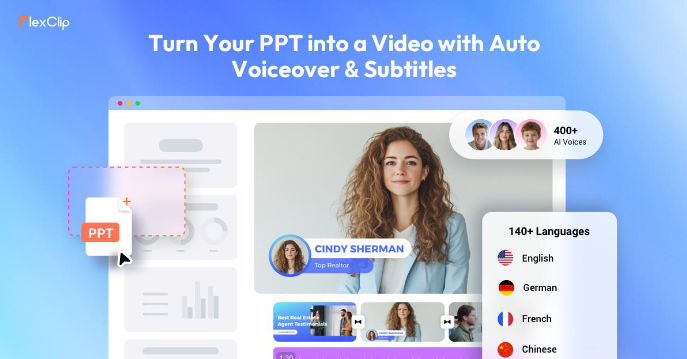
AS THE DEMAND FOR VIDEO CONTENT GROWS, AN INCREASING NUMBER OF AI TOOLS BEGIN TO HELP USERS TO SIMPLIFY THE VIDEO PRODUCTION PROCESS。FlexClip The launch of the AI PPT to Video function is designed to respond to this demand and allows for the rapid and efficient conversion of PowerPoint presentations to video。
This paper will provide a comprehensive assessment of the FlexClip AI PPT video transfer tool from functional, user-friendly, output quality and applicable scenes to help you understand whether it is worth using。
Functional Performance
The most important feature of FlexClip AI PPT video is automated conversion。
A user simply uploads PowerPoint files, the system automatically recognizes each page of slides and converts them to a separate scene in the video, and automatically produces the full video in the original order。
In addition to this, the tool supports the AI Auto Generating Narrator (AI Voiceover). Without recording the voice in person, the user can add a natural flow of narrative to the video, making the presentation more lively and more attractive to the audience。
When the generation is completed, FlexClip also provides a basic video editing function, which allows users to continue to make simple changes to the video, such as adjusting text, adding material, modifying background music, optimizing images, etc. to meet different use needs。
usability
A simple operation is a major advantage of the FlexClip AI PPT video transfer tool。
The entire interface is designed in a simple, intuitive way, and can be used quickly, even by new hands who do not have any video clip experience。
Only four steps are required for the entire production process:
UPLOAD PPT FILES
AUTO-GENERATED VIDEO BY AI
Individualized editing as required
Export Final Video
The whole process was completed in the browser and no software was necessary to download. The ease of access is greatly enhanced by the availability of access to and production of videos, whether using computers or other equipment to support browsers。
output quality
Overall, the quality of the video generated by Flickr AI PPT is good, especially for business offices and educational training。
THE TOOL BETTER PRESERVES THE ORIGINAL PPT LAYOUT, PICTURE AND TEXT CONTENT, MAKING THE INFORMATION IN THE VIDEO CLEAR AND EASY TO READ, WITHOUT AFFECTING THE DISPLAY OF EFFECTS AS A RESULT OF THE CONVERSION。
In addition, FlexClip supports the export of high-resolution video, further enhancing the professionalism of the final product。
OF COURSE, THE VISUAL EFFECTS OF THE FINAL VIDEO WILL STILL BE INFLUENCED BY THE QUALITY OF THE ORIGINAL PPT DESIGN. IF THE PRESENTATIONS THEMSELVES ARE WELL-FORMULATED AND INFORMATIVE, THE RESULTING VIDEO WILL BE MORE ATTRACTIVE。
Applicable scenarios
FlexClip AI PPT video is well suited for the following types of applications:
Production of online course videos
• FAST-TRACK CONVERSION OF BUSINESS TRAINING PPT TO TRAINING VIDEO
• Repackaging the marketing presentation into video for dissemination
• Sharing traditional presentations with clients or teams in more live video
This tool is a very practical tool for users who wish to quickly complete video production and pursue efficiency without the need for complex professional editing functions。
Final evaluation
Overall, FlexClip AI PPT video is a good way to achieve its core goal -- to make PPT quick into video。
While it is not as rich and complex as a professional video-editing software, for the vast majority of office, educational and marketing users, it provides sufficient functionality to meet daily needs。
Using AI automatic conversion, smart by-products, simple and easy-to-use processes and good output effects, Flickr AI PPT is a tool for balancing efficiency and practicality。
If you're looking for a quick, easy-to-use PPT video production that doesn't require complex learning costs, Felix Clip is certainly a worthwhile option。