



AlthoughMidjourneyThe controllability is poor and it is not very suitable for "transfer painting", but some simple style transfer, such asReal PeopleIt is still possible to convert illustrations.
This article will introduce how to change the real painting style toComic Style, digital oil painting and other styles.
Let’s look at the effect first
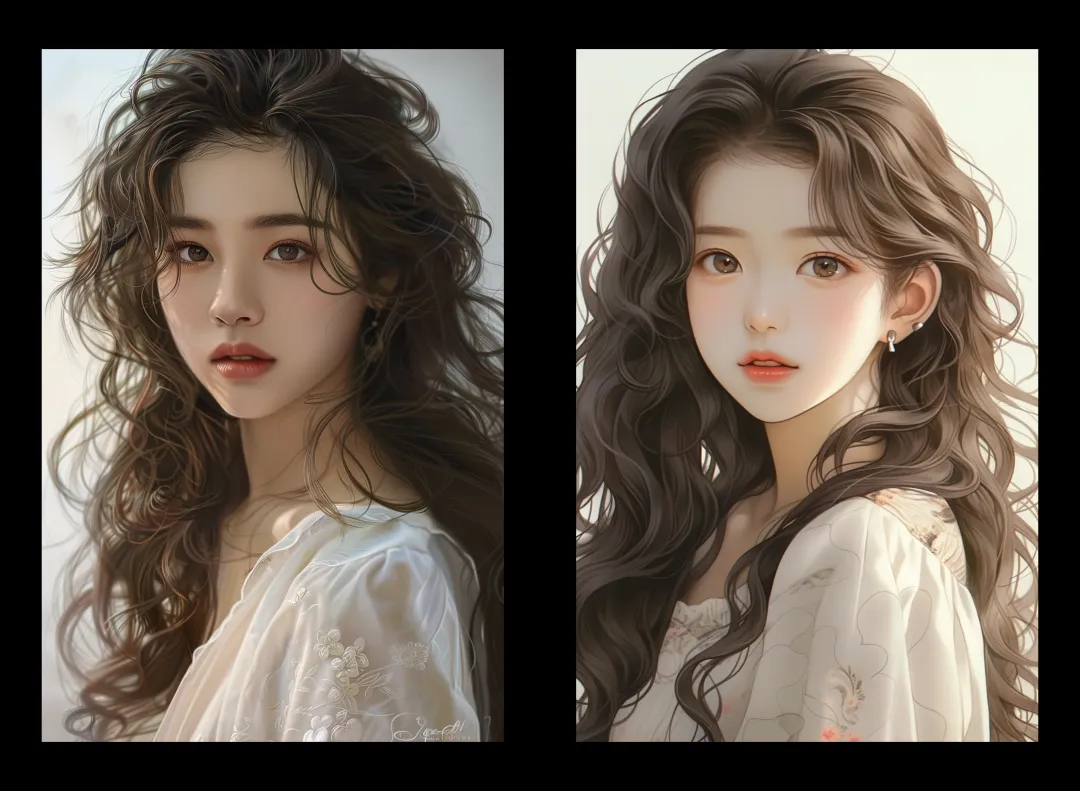
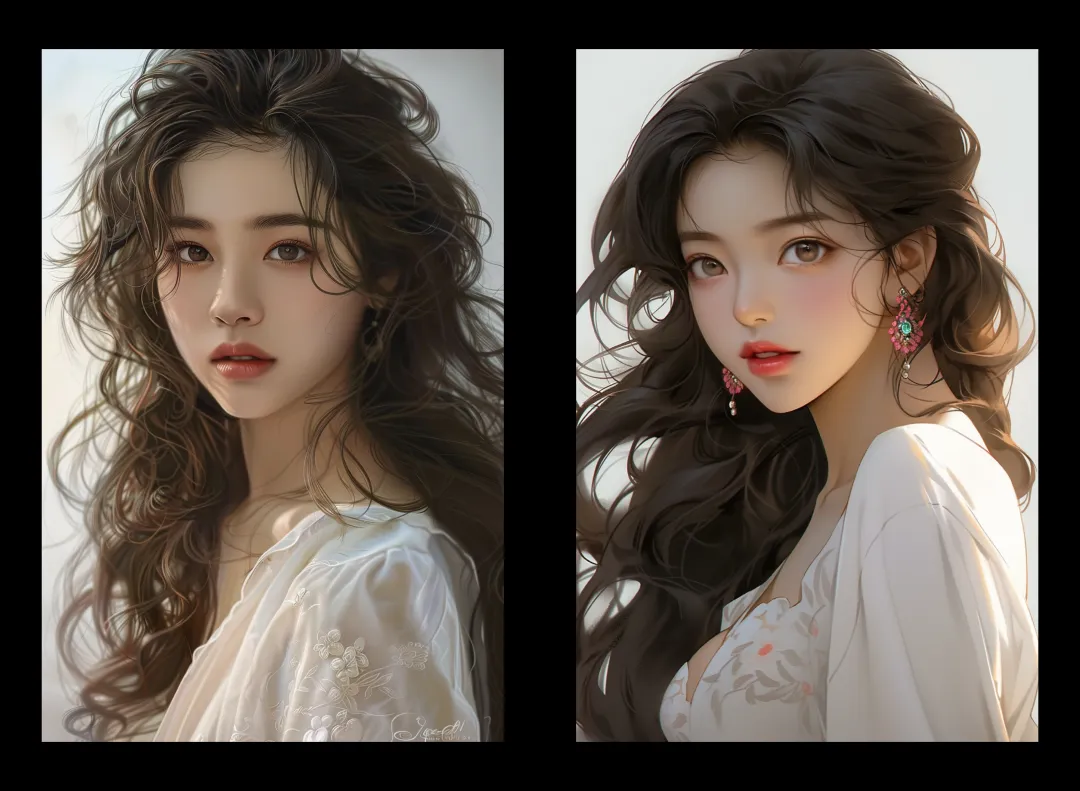
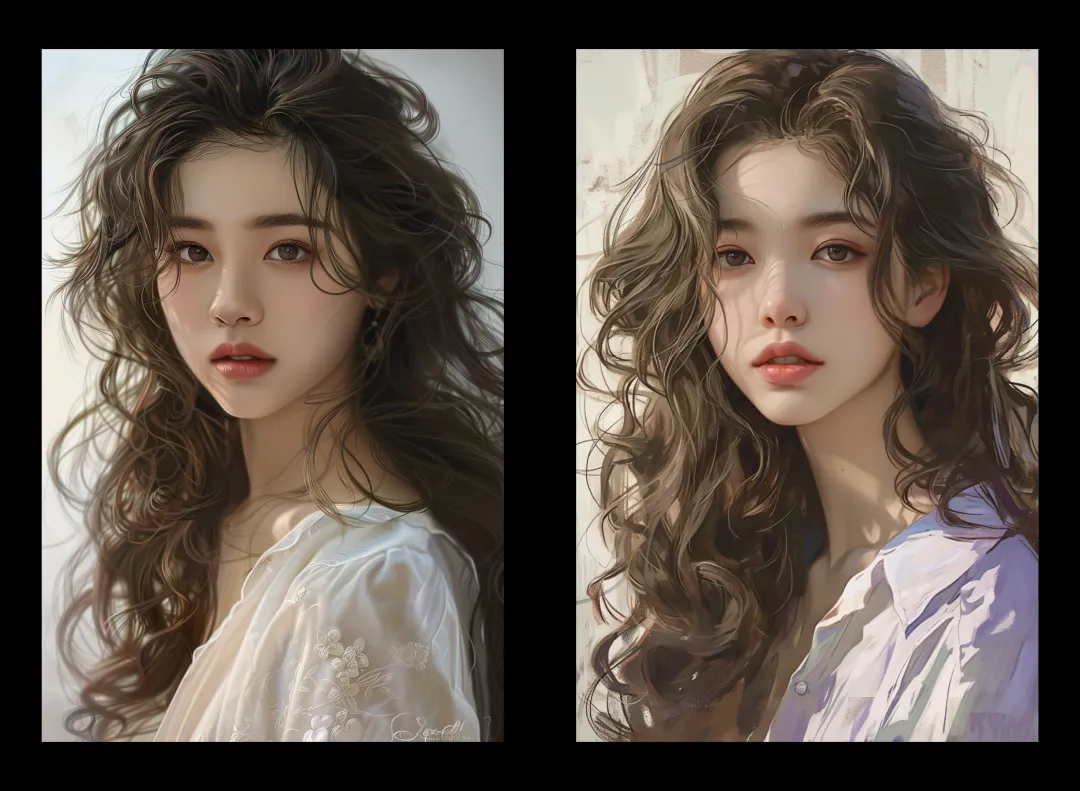
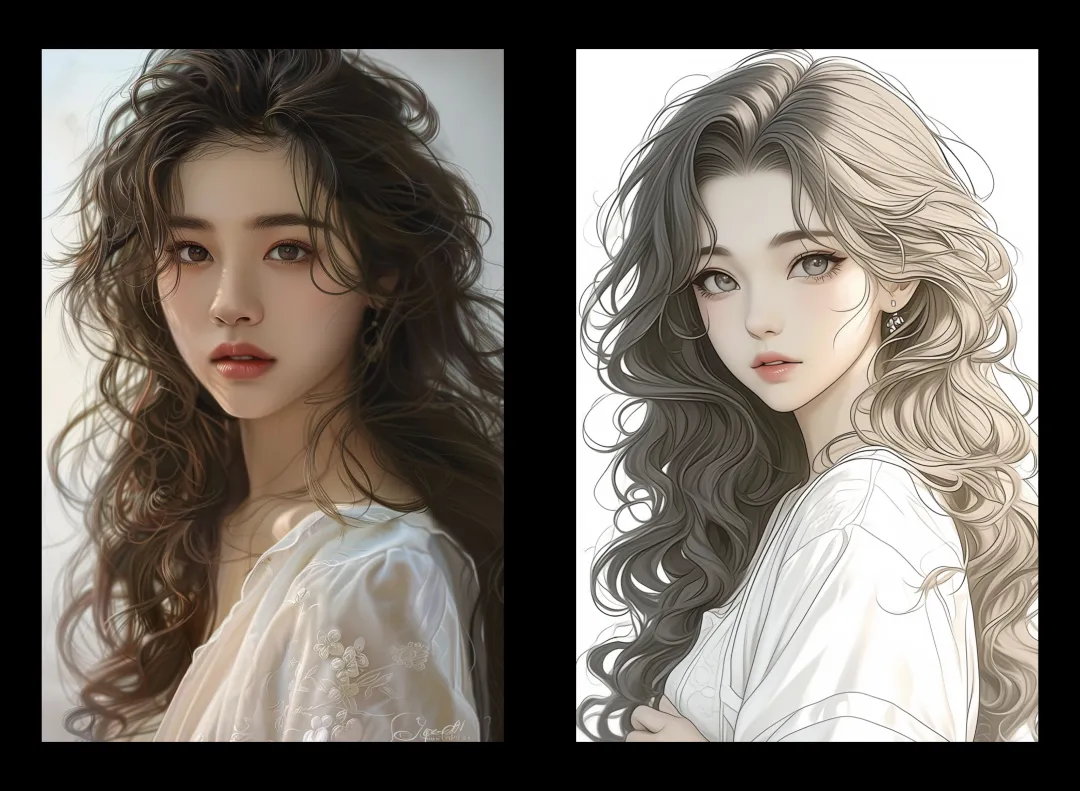
The left side is a photo, and the right side is the effect after "transfer painting". They correspond to Japanese and Korean comics, European and American comics, digital oil paintings, and line illustrations respectively.
Two ways to stylize your photos
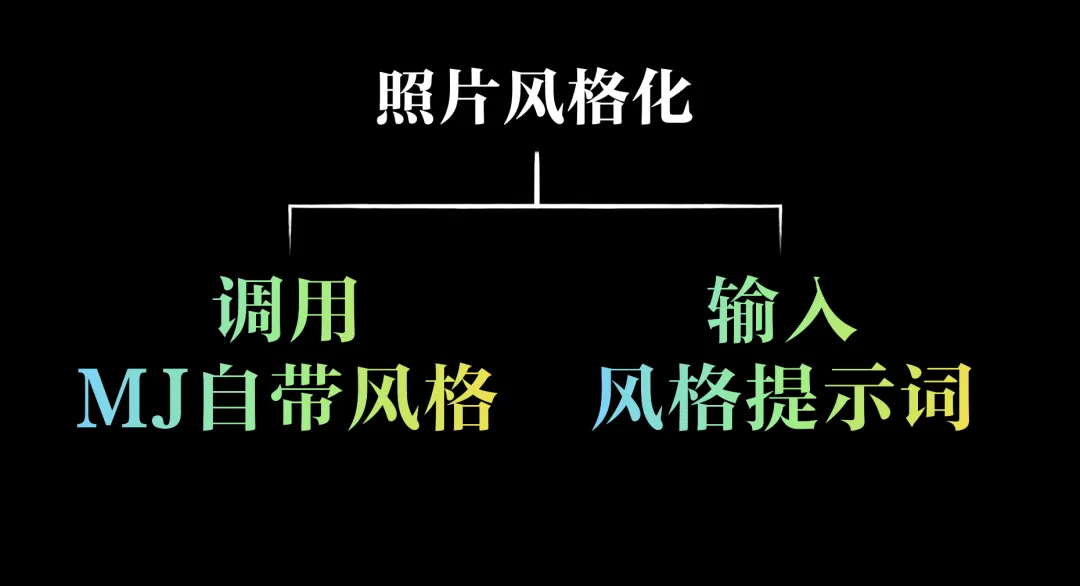
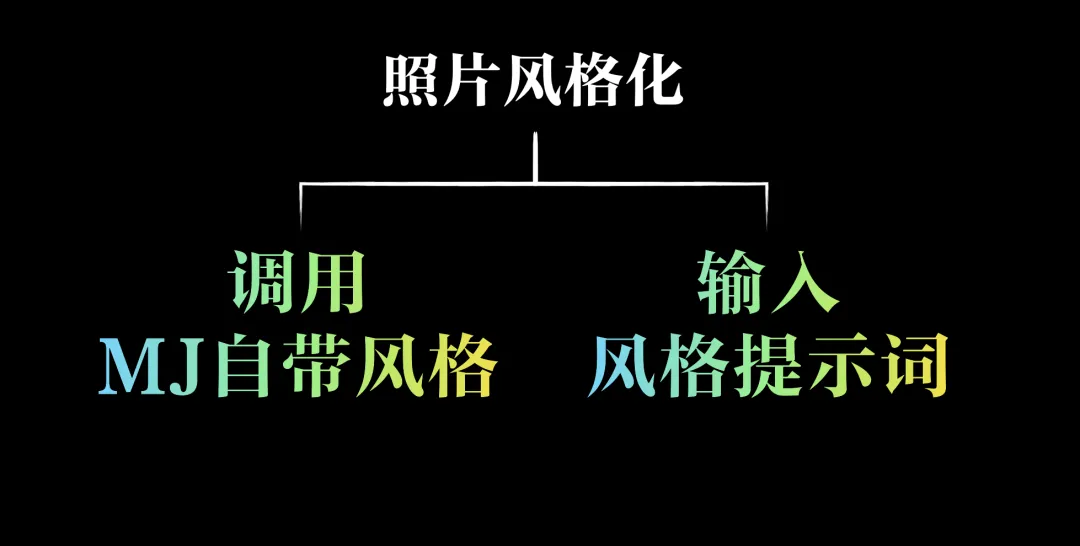
The idea of stylizing photos in MJ is actually very simple. You can either use MJ's ready-made output mode, such as the anime style of the niji series, or use the most common method of guiding the style through prompt words.
Use niji5's style model
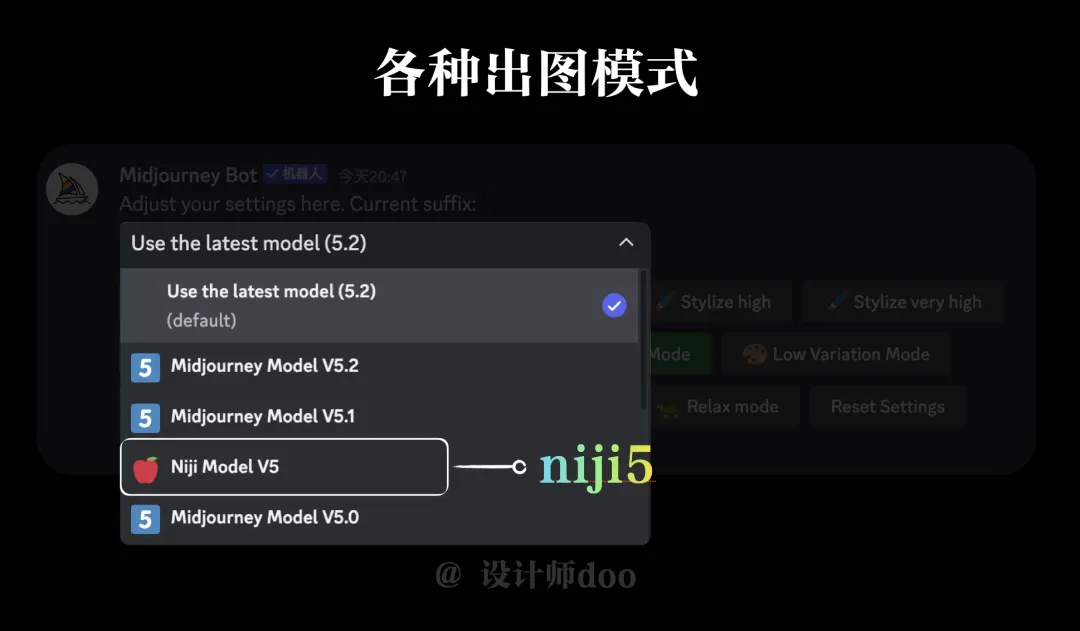
The first method is to call the ready-made style model of niji5. In the "/settings" setting panel, select the niji5 mode and click Send. Then you will see the 5 sub-types below niji5.
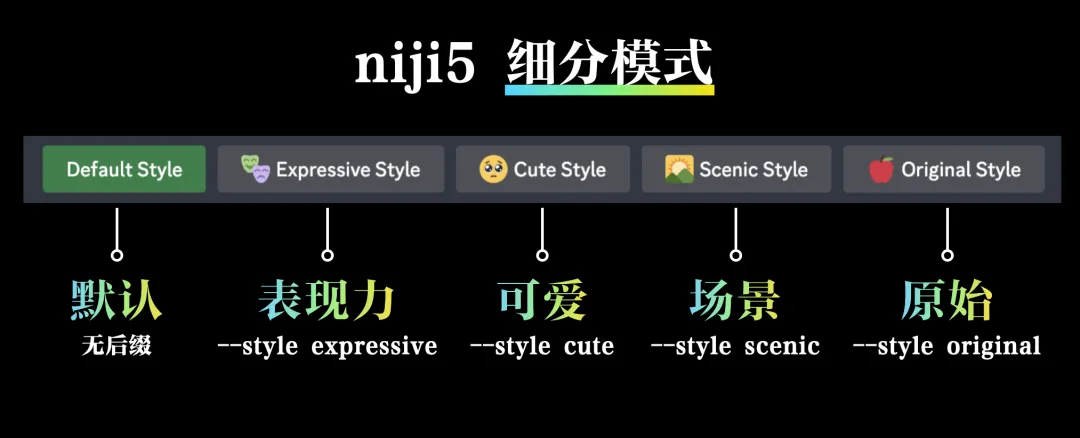
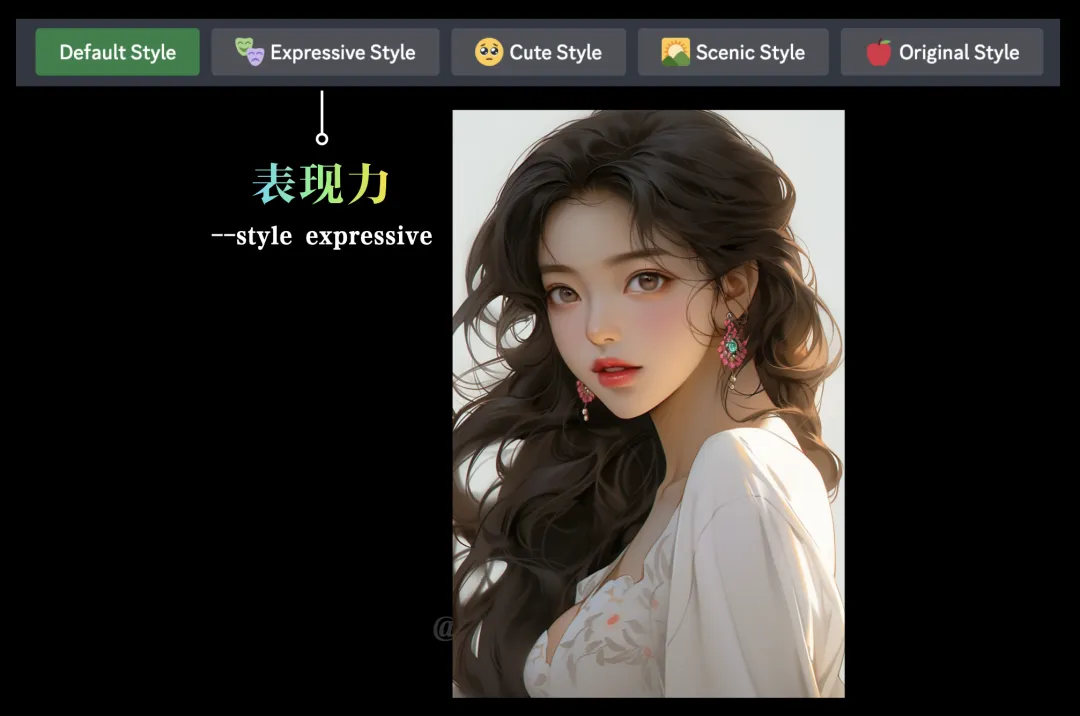
They are Default Mode, Expressive Mode, Cute Mode, Scene Mode and Original Mode. I personally recommend using the Expressive Mode and Cute Mode because they have more distinct visual styles.
The painting style corresponding to the expressive mode is more European and American, while the painting style corresponding to the cute mode is more Japanese and Korean.
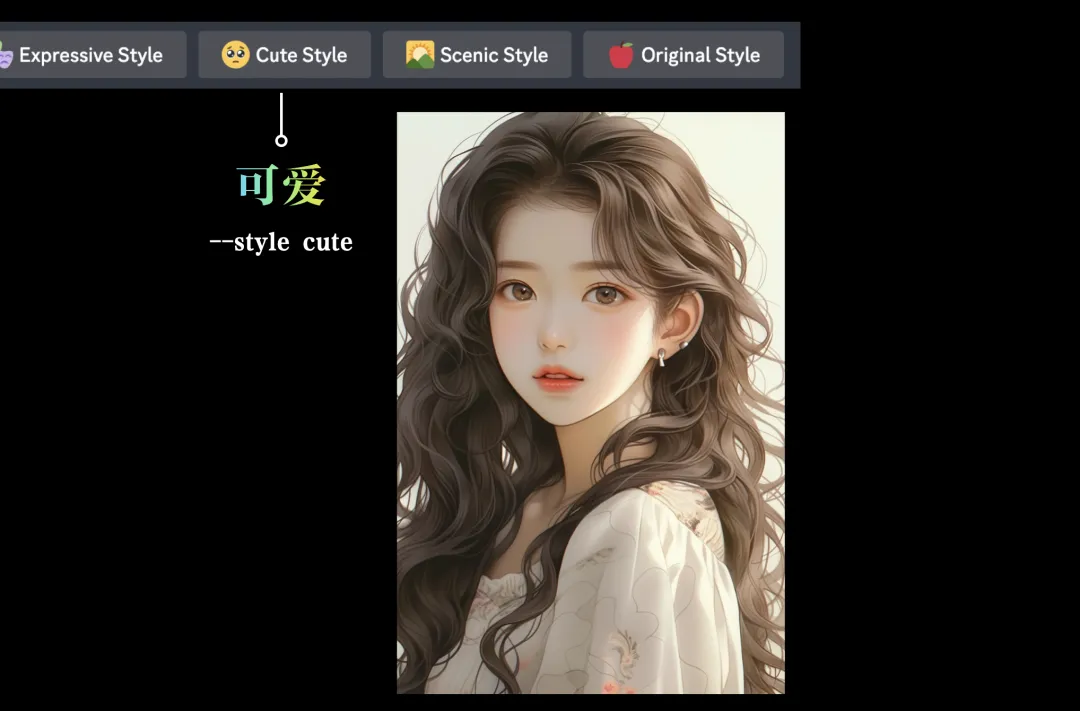
Friends who are not familiar with the niji5 mode can refer to this article:How to use niji5 mode?I'm sorry
Japanese and Korean style painting transfer case
I will use the Japanese and Korean painting styles as examples to demonstrate how it is done.
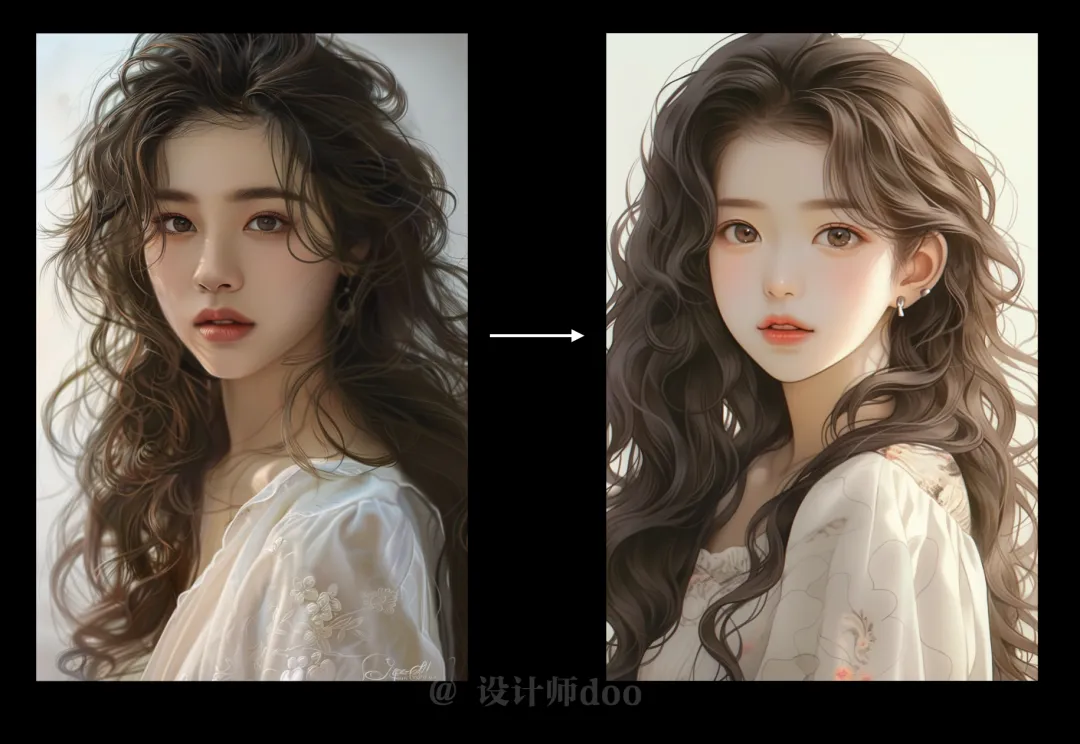
Step 1: Pad the picture. The specific steps of padding the picture have been explained many times, so I won’t repeat them. If you are still not clear, please watch the video at the top of the article, which has the specific steps. We use the padding method to copy the image link of the reference picture.
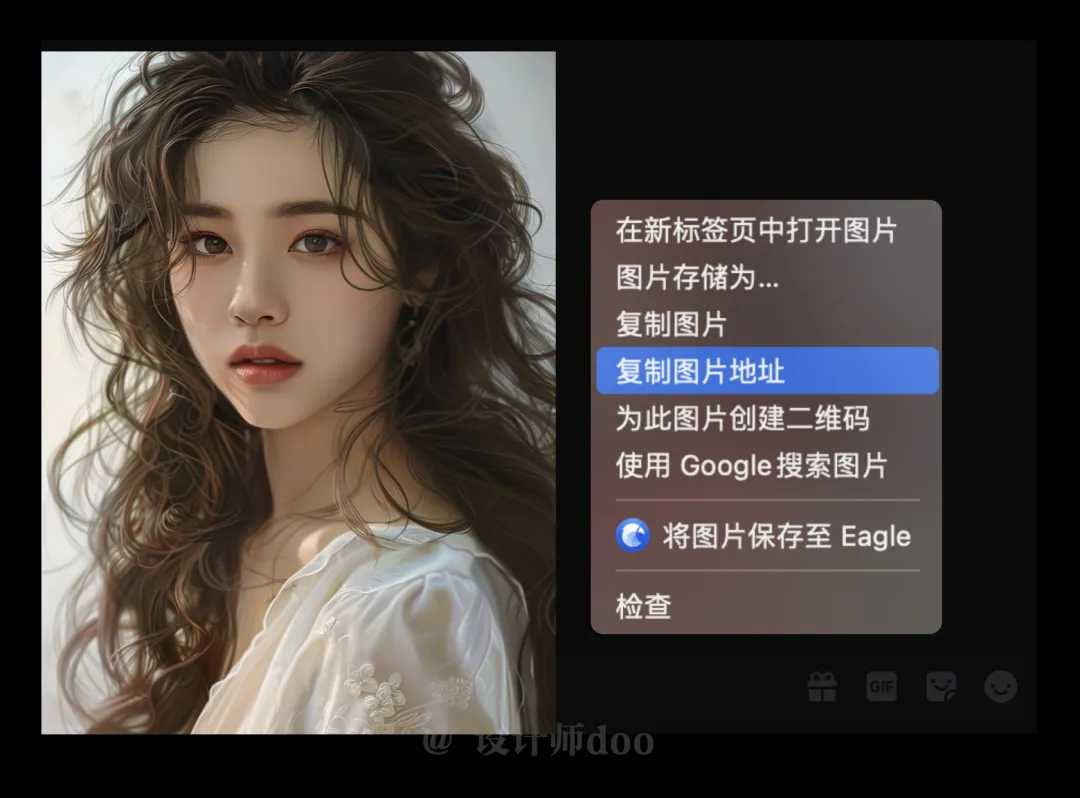
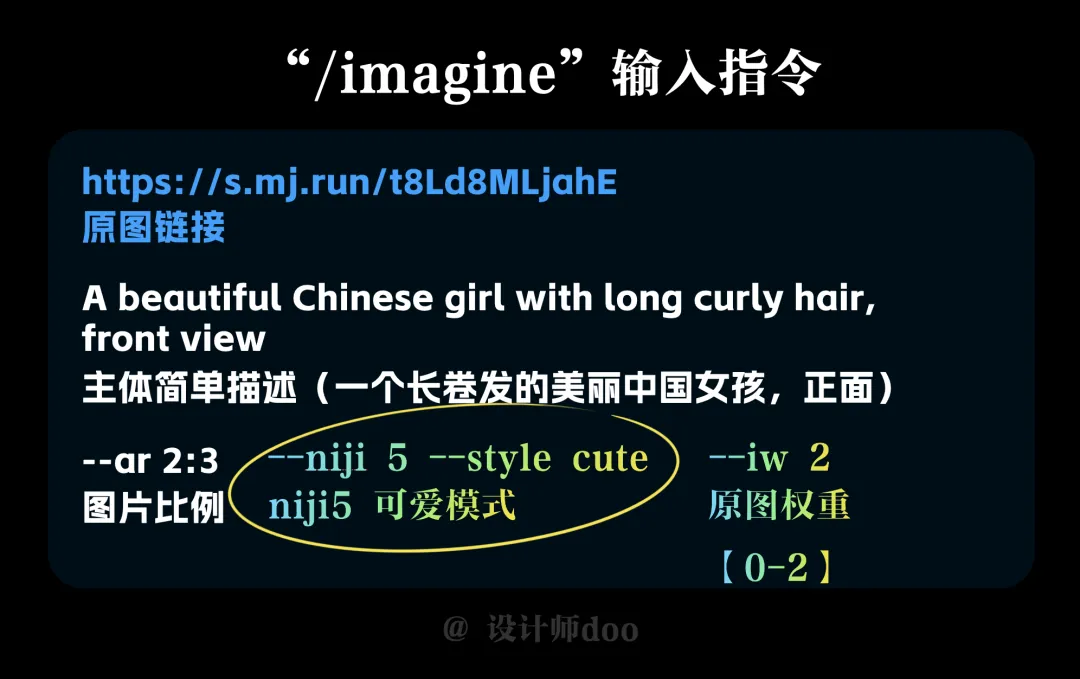
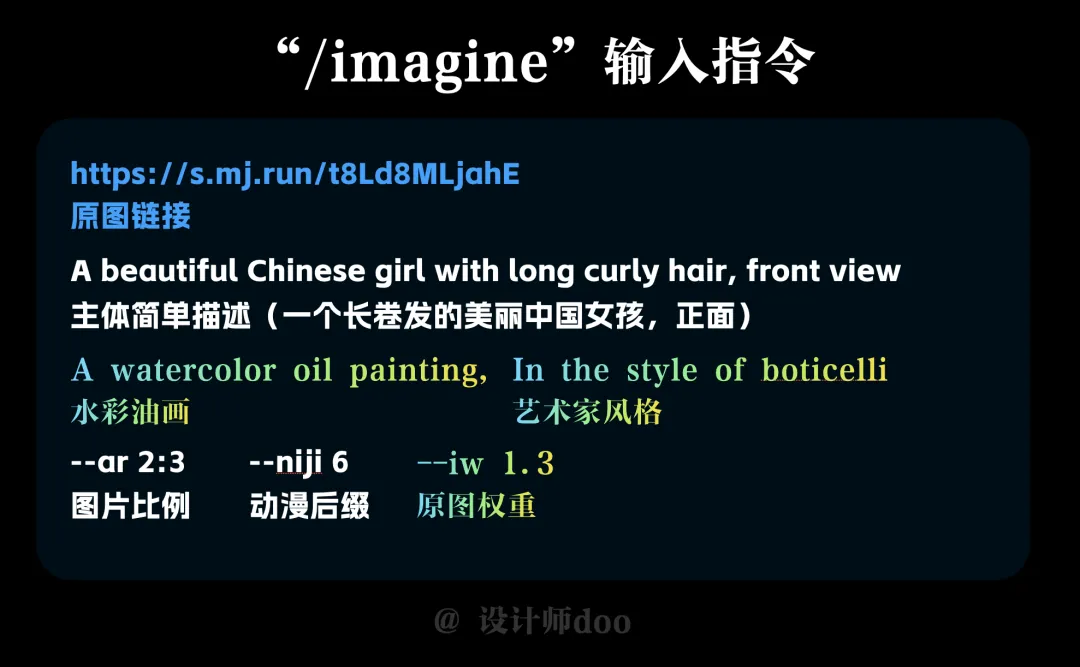
Then start writing the prompt words normally. The structure of the prompt words is very clear: original image link + main description + style suffix + reference image weight.
The reference picture link has been obtained in the previous step, just place it directly on the head. A simple description of the subject is fine, such as a beautiful Chinese girl with long curly hair, front. Add the scale of the picture at the back. Then add the constraint style pattern suffix, "-niji 5" for anime and "-style cute" for cute. Finally, "-iw+number" means the weight of the reference image. The larger the number, the larger the proportion of the reference image, and the closer to the original image will be. Here the specific number needs to be adjusted according to the actual situation, not the higher the better, sometimes too similar to the reference chart, it will be too realistic, stylized can not be expressed. The interval of the number is 0-2, and the default value is 1.
The second method: change the painting style through prompt words
This method is a more "orthodox" method, providing some style-related prompts to control the output. After all, the principle of using Midjourney is basically based on prompts. Therefore, the writing of prompts and vocabulary reserves are still relatively important.
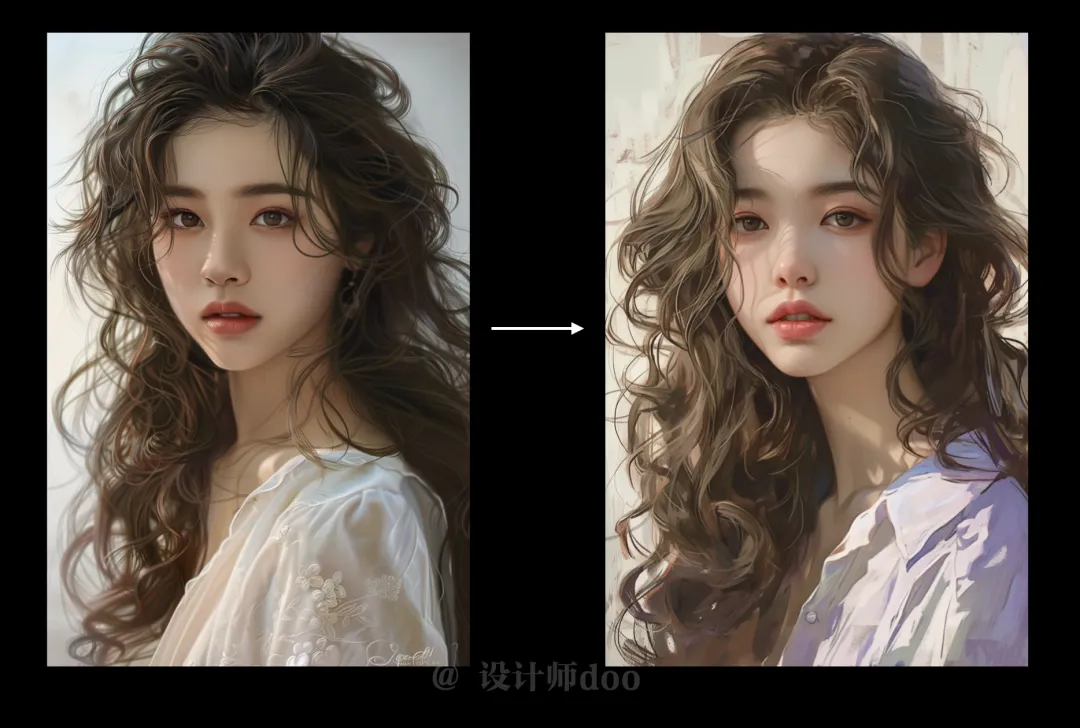
Take the digital oil painting style in the above picture as an example. In addition to the head image and the main body description, you also need to add prompt words related to the style, such as watercolor oil painting, oil painting artist style, etc.
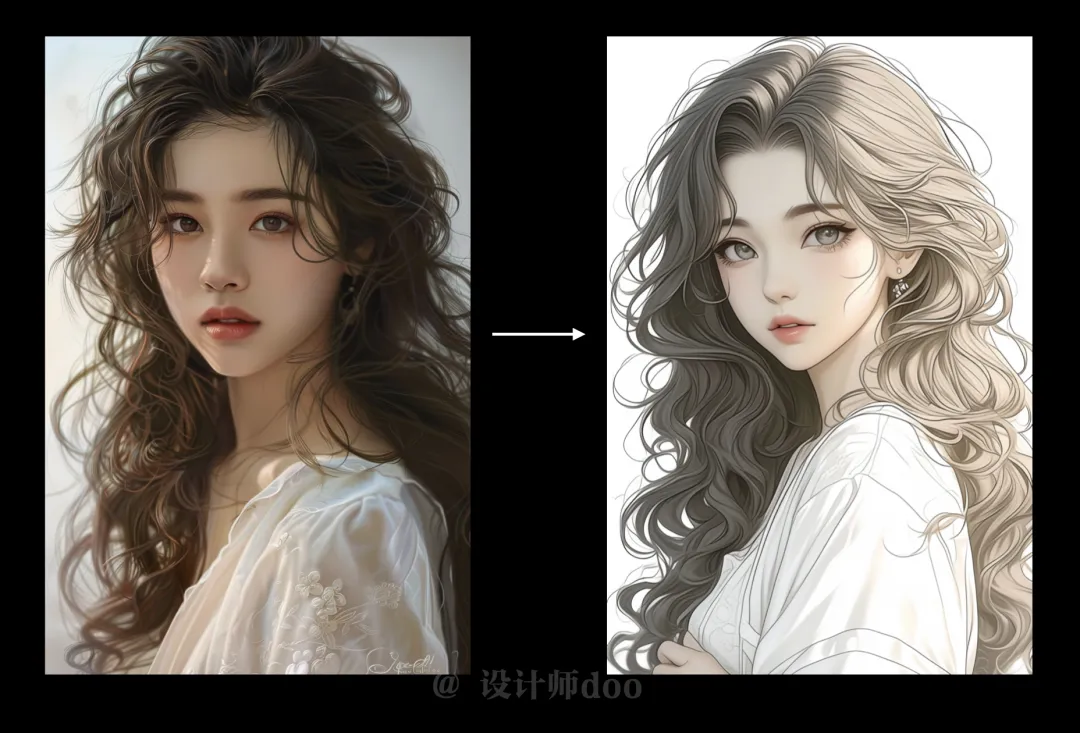

The principle of redrawing in a simple illustration style is the same, and the style vocabulary can be written using the common "comic, anime, Japanese manga, clean lines".
After a series of tests, Midjourney can now assist us in quickly producing drawings. It can be very competent in some positions with strong repetitiveness and low importance, greatly solving our efficiency problems. However, it is too early to say that it can completely replace designers or painters.
The steps for transferring images using Midjourney are very simple and the results are pretty good. Although it is not possible to achieve an exact match of the character's details, the general effect can still be easily achieved.