



The already strong Flux has announced a batch of official tools covering common drawing features, making it comparable to (or even surpassing) closed-source tools.

First of all you need to be already in theComfyUIThe latest version of Flux is installed in the Flux Manager, see here for how to install it:FLUX Testing and Installation
The following itemizes the methods used in ComfyUI and the download paths for the models/workflows.
I. Flux repainting (Fill Inpainting)
The model flux1-fill-dev.safetensors needs to be downloaded:
https://huggingface.co/black-forest-labs/FLUX.1-Fill-dev/tree/main
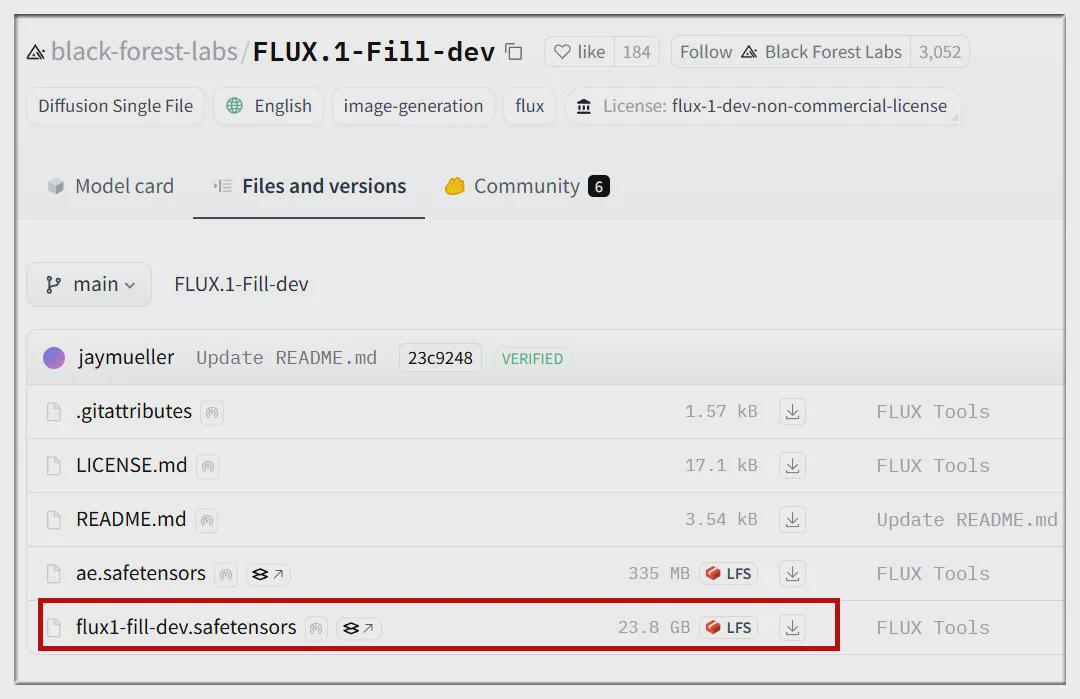
Place the downloaded models in the ComfyUI/models/diffusion_models/ folder.
Download Flux Redraw Workflow:
https://education.civitai.com/wp-content/uploads/2024/08/Flux-Fill-Basic-Workflow-Inpaint.zip
Once unzipped, drag the file with the extension json to the ComfyUI interface to get the following workflow:
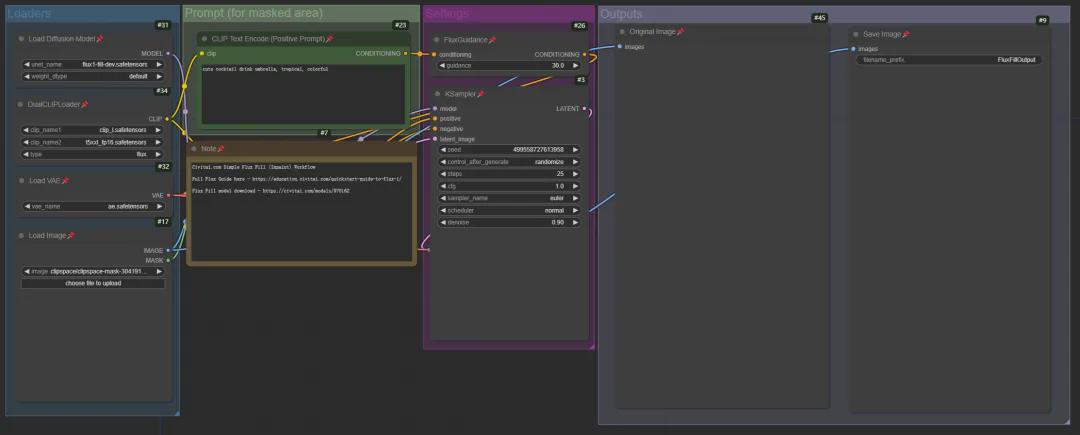
Use this chart for testing:

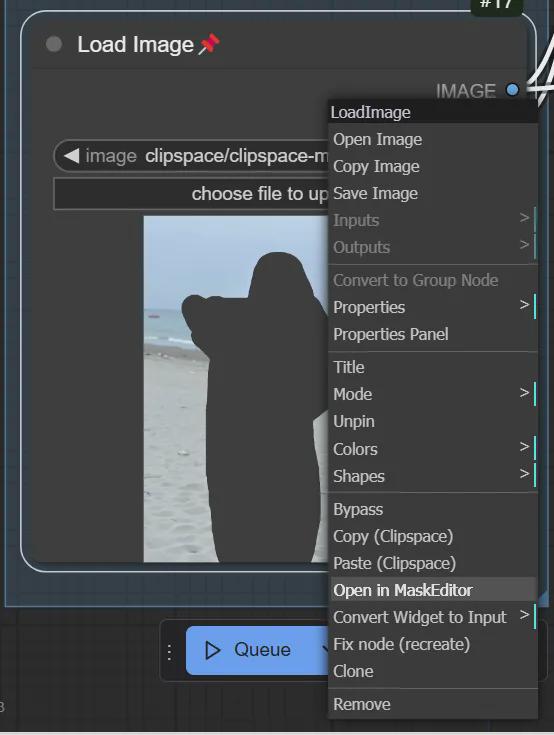
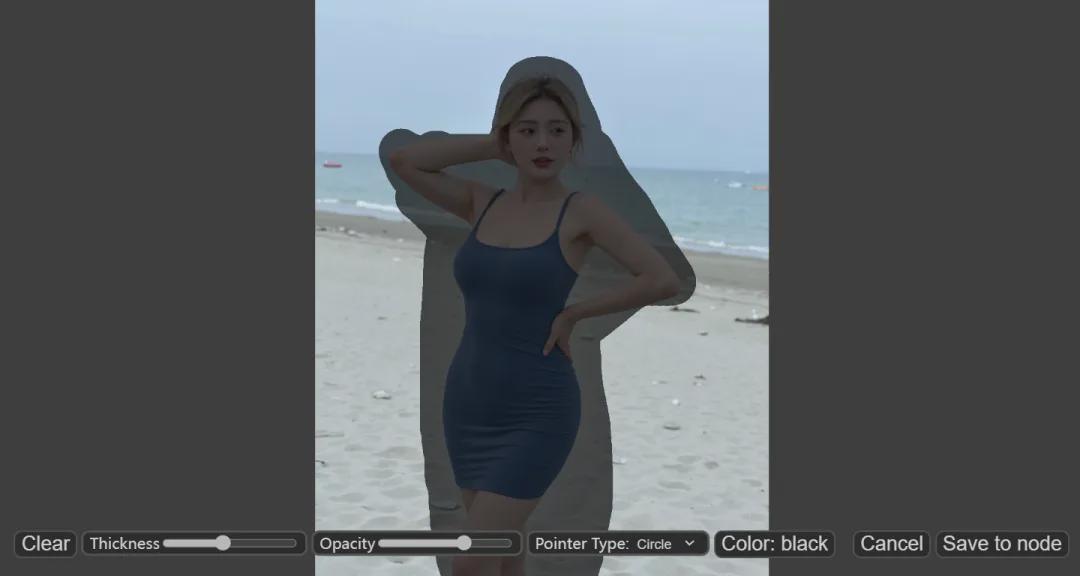
In ComfyUI's Load Image window, right-click on the image and select "Open in MaskEditor", then paint over the part you want to modify:
Click "Save to node" to save the file:
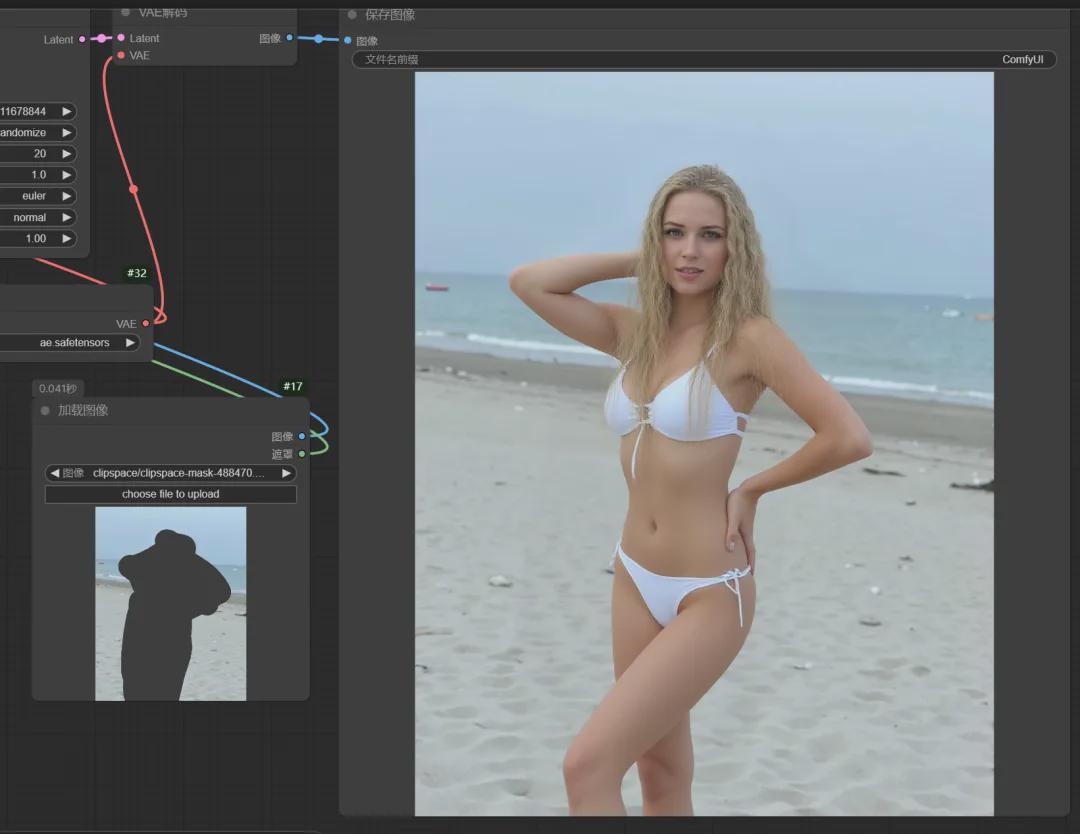
After that, fill in the keywords, change the character to a blonde swimsuit girl and start generating:
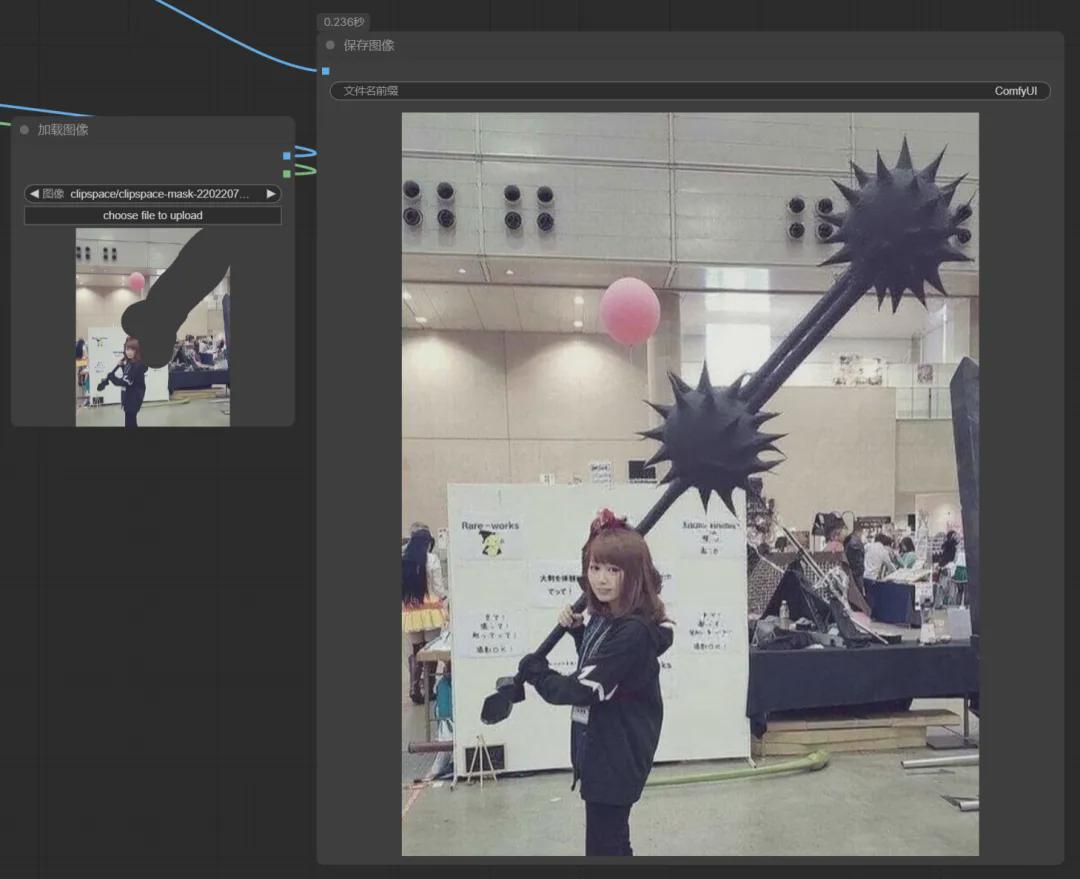
Then there's the example of redrawing the big knife this girl is holding as a sledgehammer:
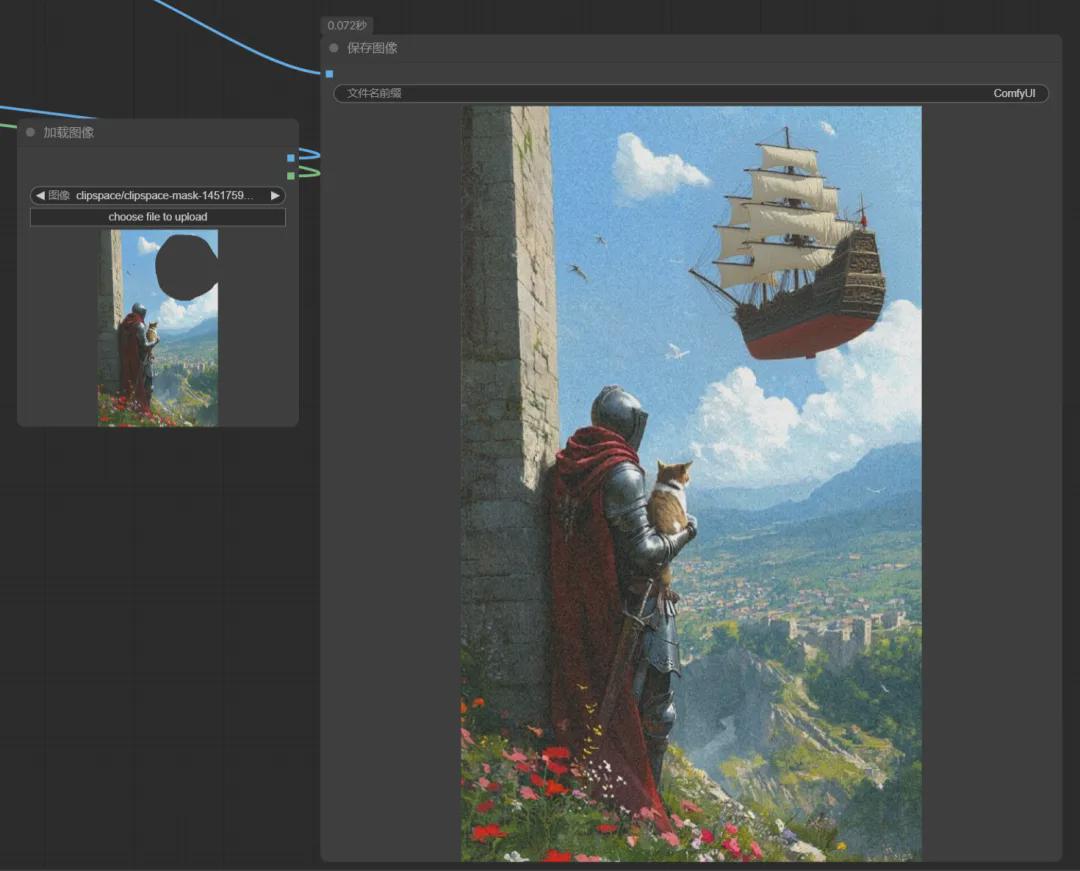
Or add a spaceship in the sky:
II. Flux Expansion (Fill Outpainting)
The model used is the same as above, also flux1-fill-dev.safetensors. the workflow is downloaded from here:
https://education.civitai.com/wp-content/uploads/2024/08/Flux-Fill-Basic-Workflow-Outpaint.zip
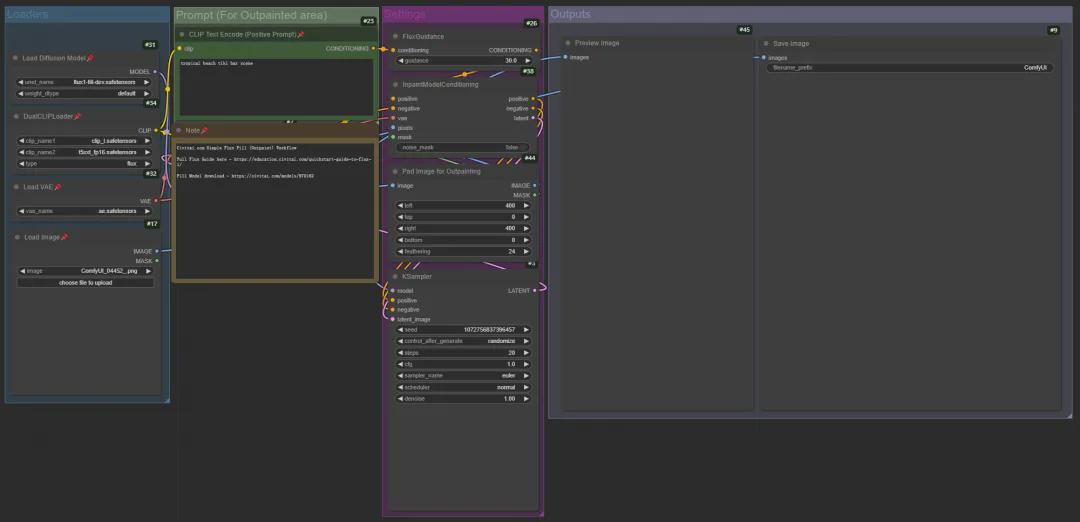
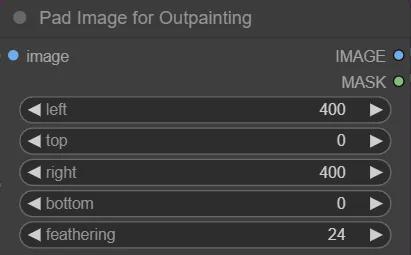
The operation is similar to repainting, the only thing you need to pay attention to is the "Pad Image for Outpainting" window, here you can control the range of expansion, for example, the image below is expanded by 400 pixels on the left side and 400 pixels on the right side:
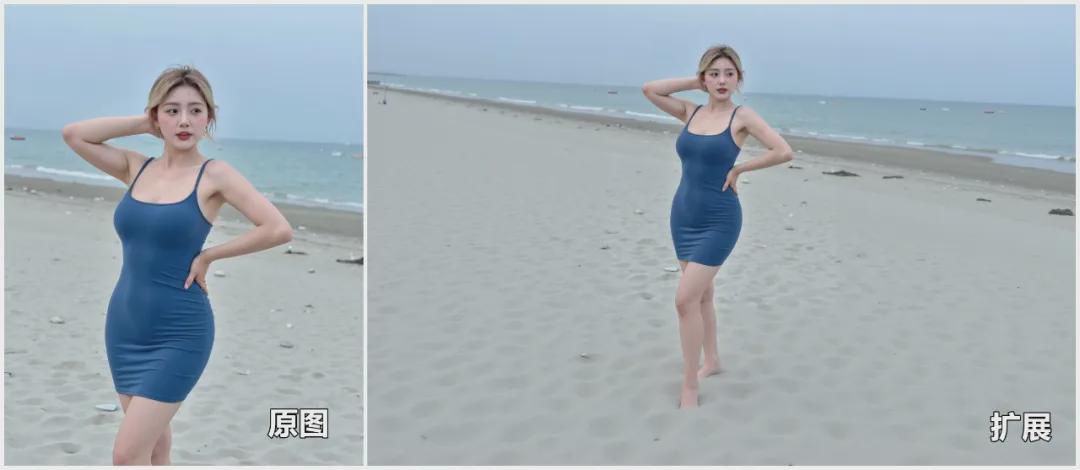
The official enlargement tool works quite well, see a few test results below:
Extend the beach in the background
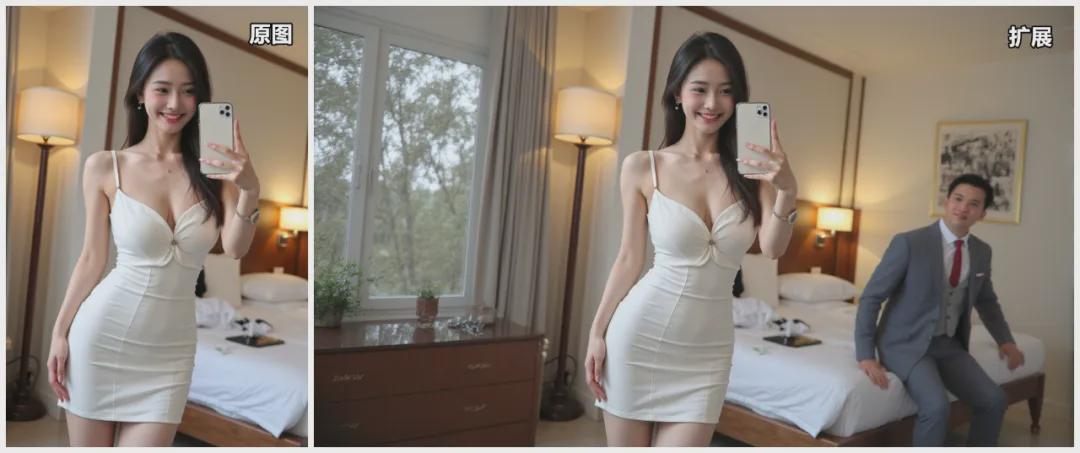
Expanded car interiors are largely logical

The secondary expansion is also well represented

Live-action movie stills, with the cue word "rear motorcycle."

The cue word "man in a suit on the bed" was added, making it hard to tell if it was real or not.
III. Flux style reference (Redux)
Download sigclip_vision_patch14_384.safetensors model:
https://huggingface.co/Comfy-Org/sigclip_vision_384/blob/main/sigclip_vision_patch14_384.safetensors
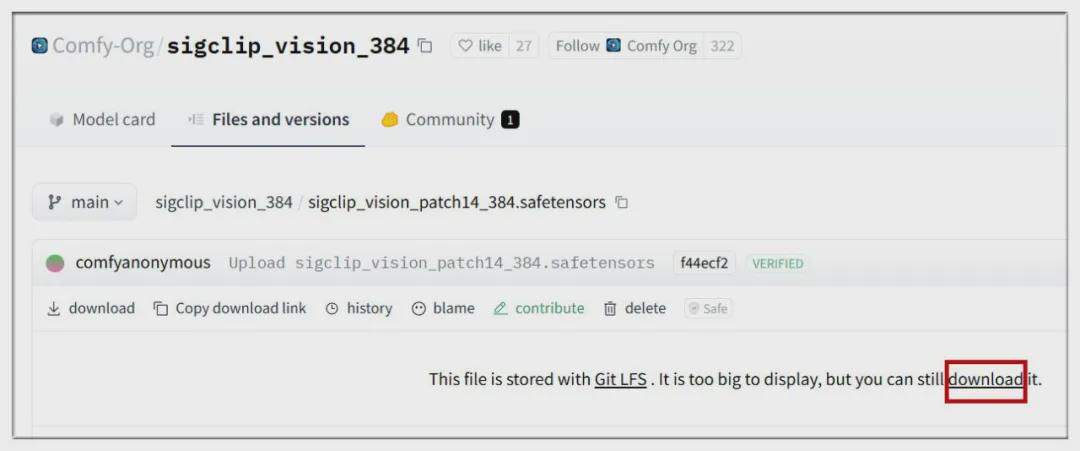
Place the model in the ComfyUI/models/clip_vision/ folder.
Download the flux1-redux-dev.safetensors model:
https://huggingface.co/black-forest-labs/FLUX.1-Redux-dev/tree/main

Place the model in the ComfyUI/models/style_models/ folder.
Download the Flux style reference workflow:
https://education.civitai.com/wp-content/uploads/2024/08/Flux-Redux-Basic-Workflow.zip
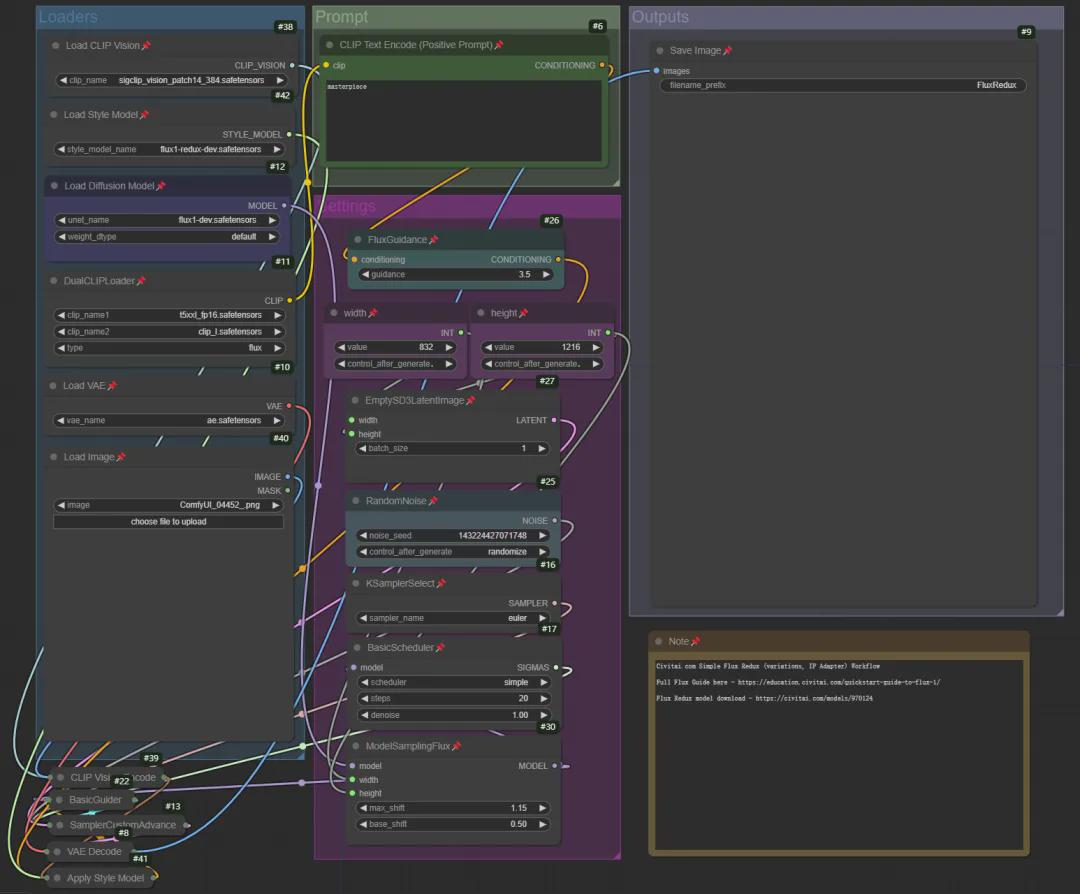
The main function of the style reference is to generate similar variants based on the current image, such as the example below:


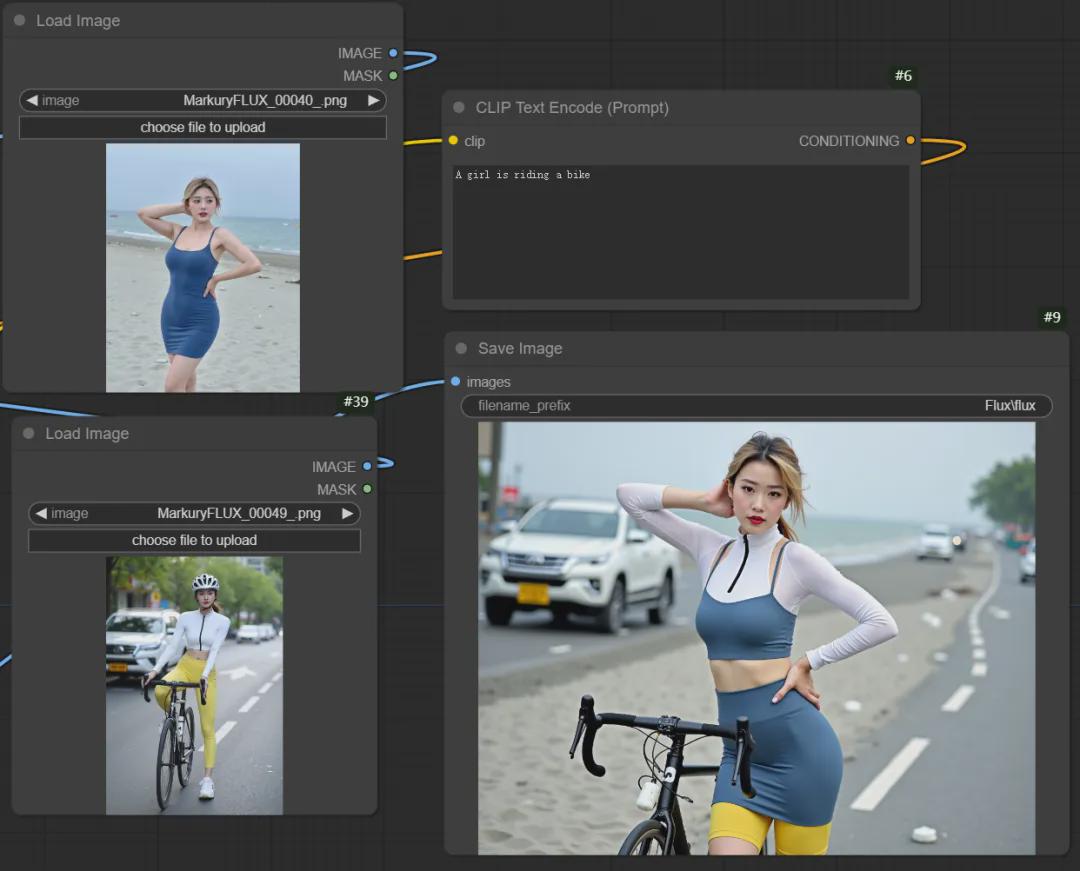
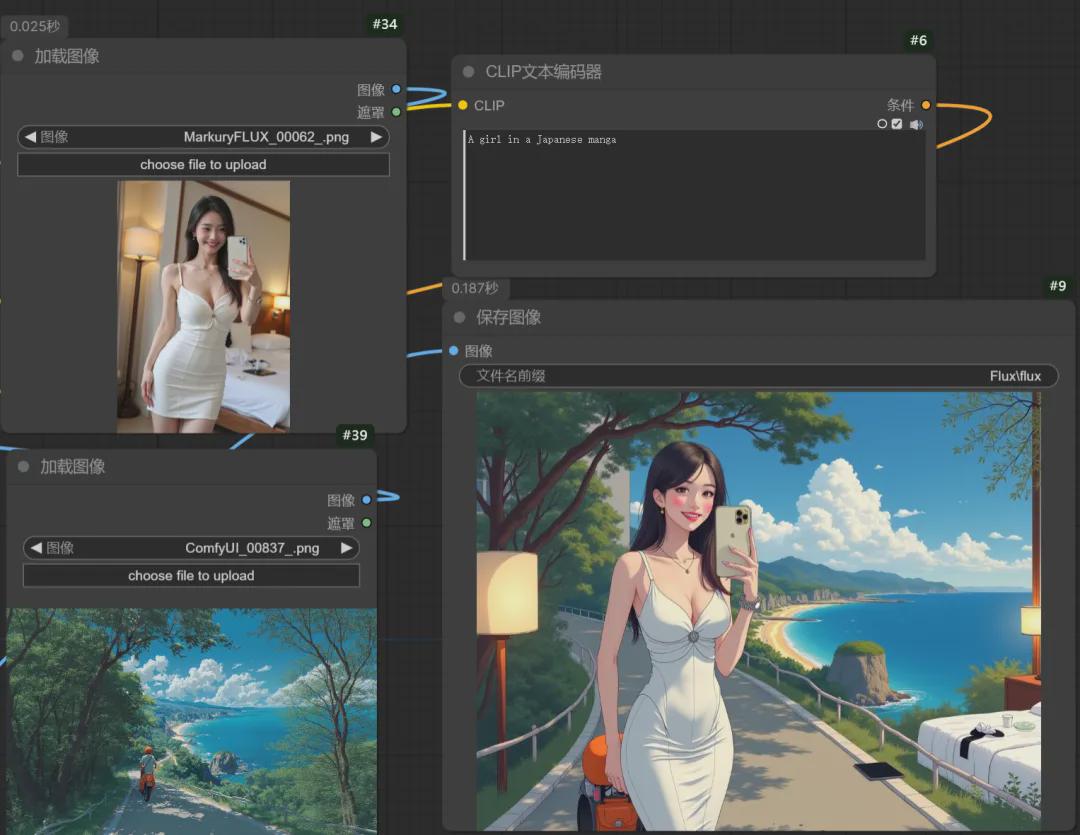
Additionally, the style reference can introduce multiple images at the same time.
Multi-chart workflow download page:
https://openart.ai/workflows/salmonrk/multi-flux-redux-mix-2-image-by-flux-redux/1tCNHnqfolXUUJxIjXcW
Multiple images can produce some interesting effects, such as having the girl carry a large knife:
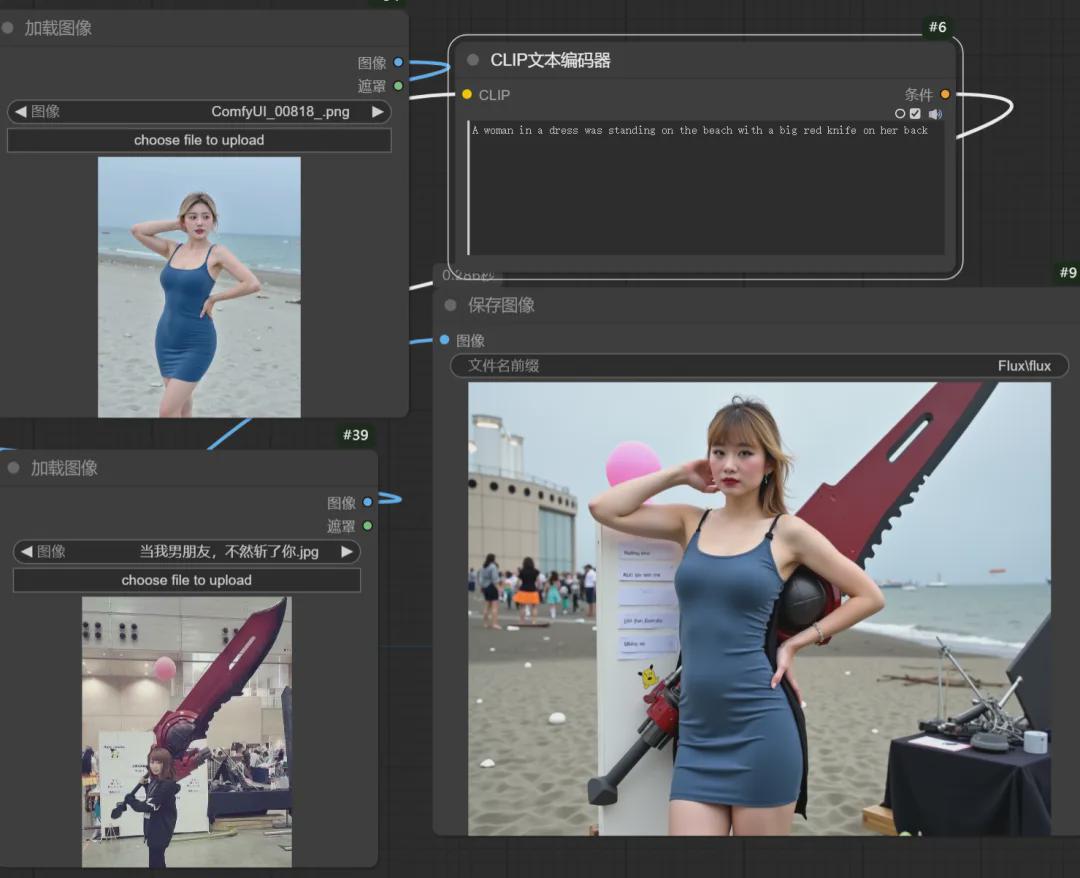
Let the characteristics of the two characters create a fusion:
Real people become secondary and are placed in an anime background:
IV. Flux ControlNet
ControlNet isAI ArtIndispensable models, this time Flux launched its own version, including Canny (edge detection) and Depth (depth control).
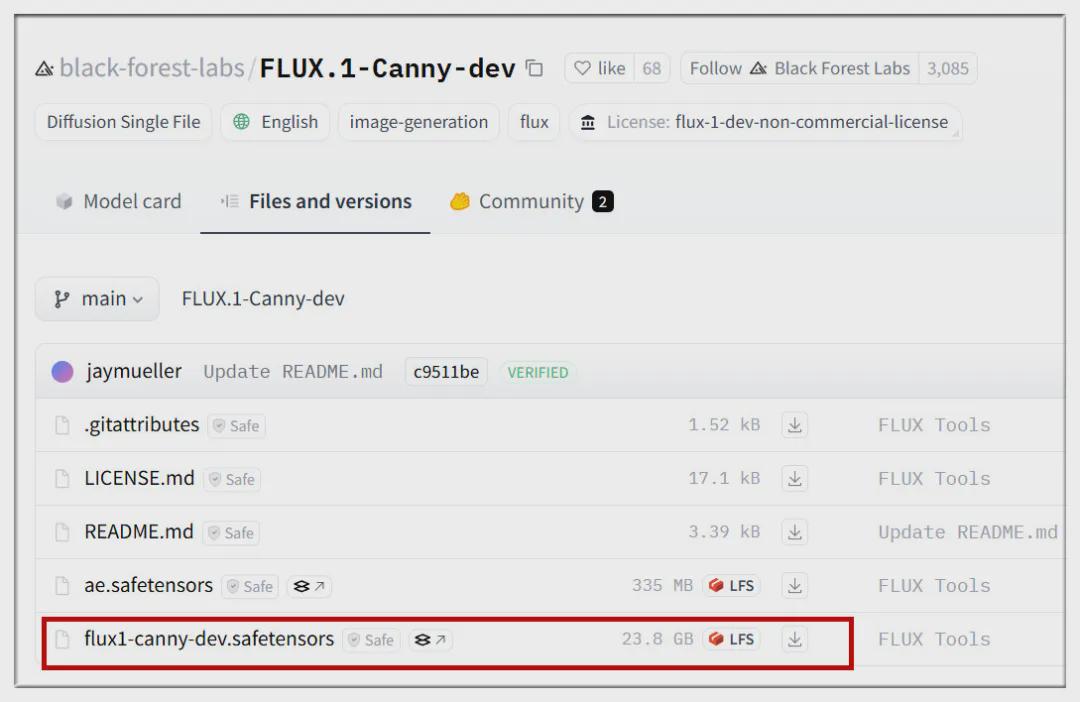
Canny Download Address:
https://huggingface.co/black-forest-labs/FLUX.1-Canny-dev/tree/main
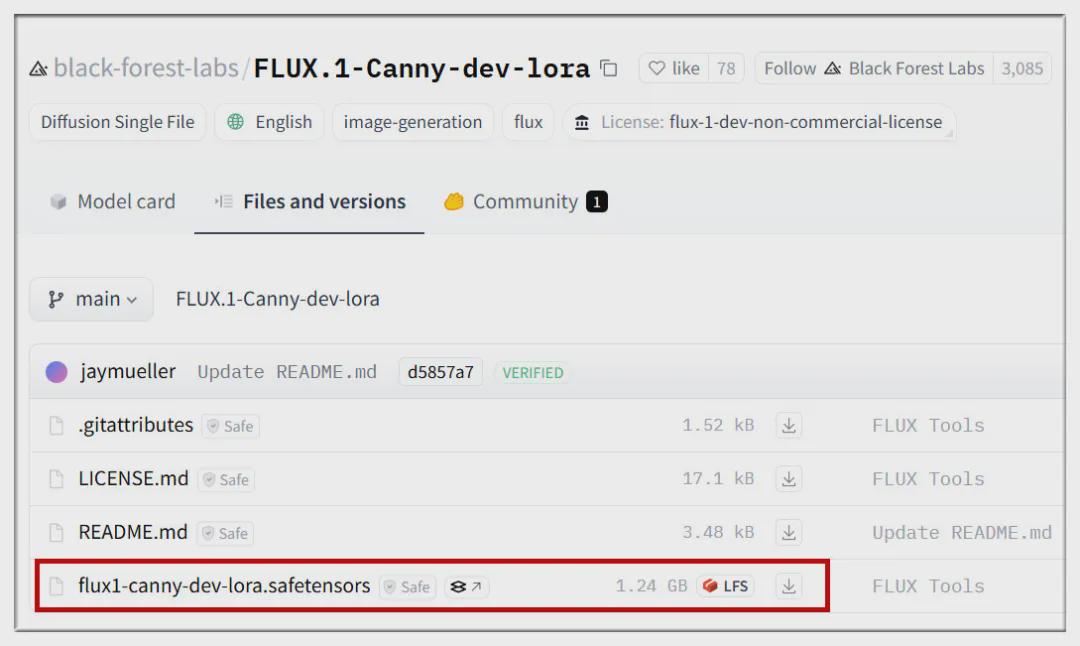
Canny LoRA Download Address:
https://huggingface.co/black-forest-labs/FLUX.1-Canny-dev-lora/tree/main
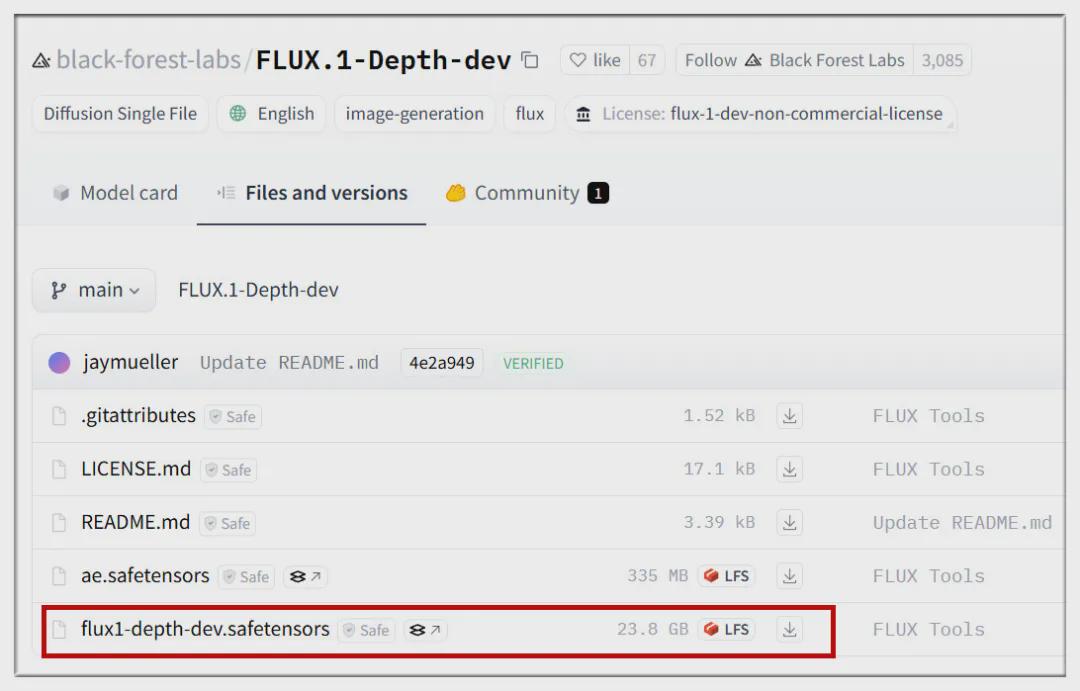
Depth Download Address:
https://huggingface.co/black-forest-labs/FLUX.1-Depth-dev/tree/main
Depth LoRA Download Address:
https://huggingface.co/black-forest-labs/FLUX.1-Depth-dev-lora/tree/main
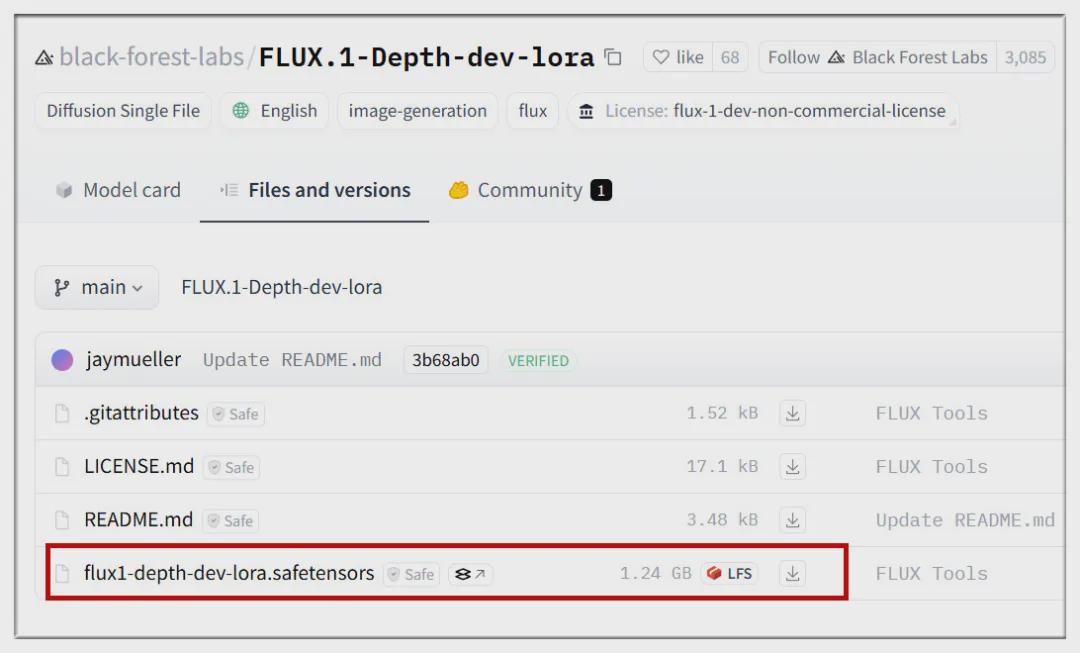
Note that the LoRA version is extracted from the full version, which is smaller and more efficient, and the effect needs to be compared and experienced by yourself.
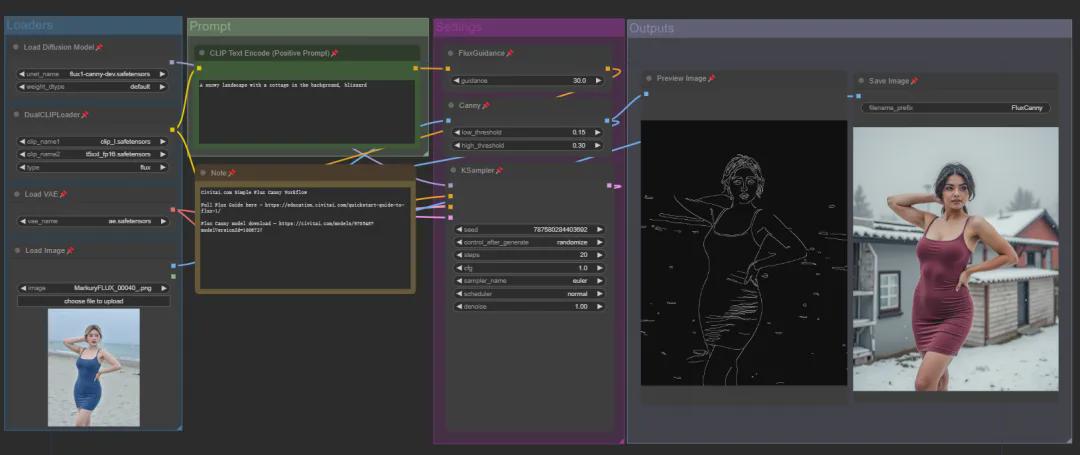
Canny Workflow:
https://education.civitai.com/wp-content/uploads/2024/08/Flux-Canny-Basic-Workflow.zip
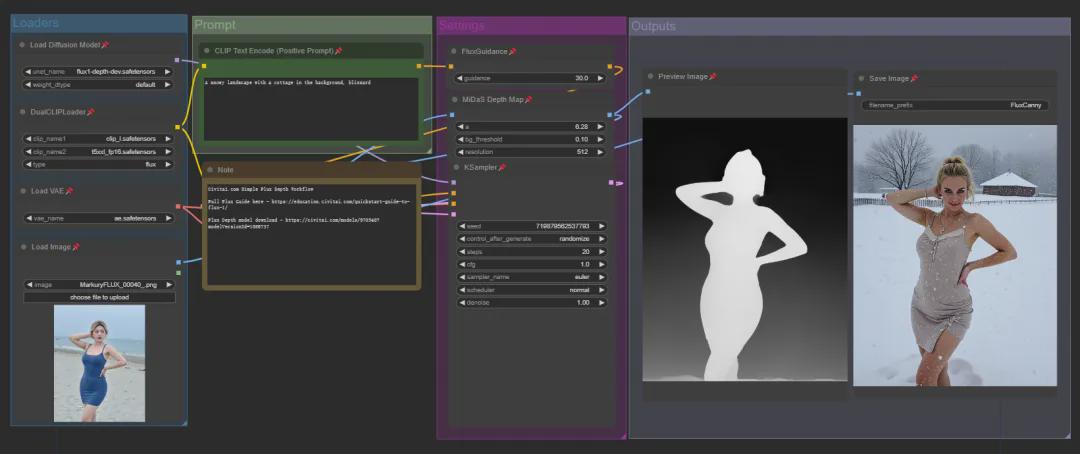
Depth workflow:
https://education.civitai.com/wp-content/uploads/2024/08/Flux-Depth-Basic-Workflow.zip
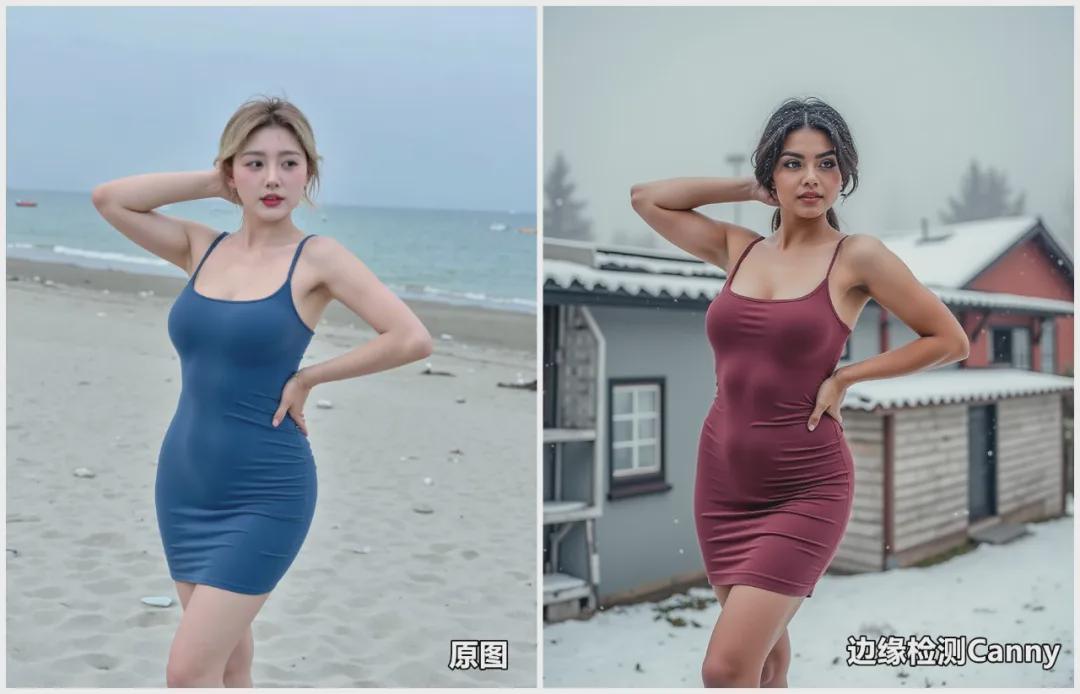
Simply look at the effect, Canny can better retain the overall structure of the original picture and make changes:
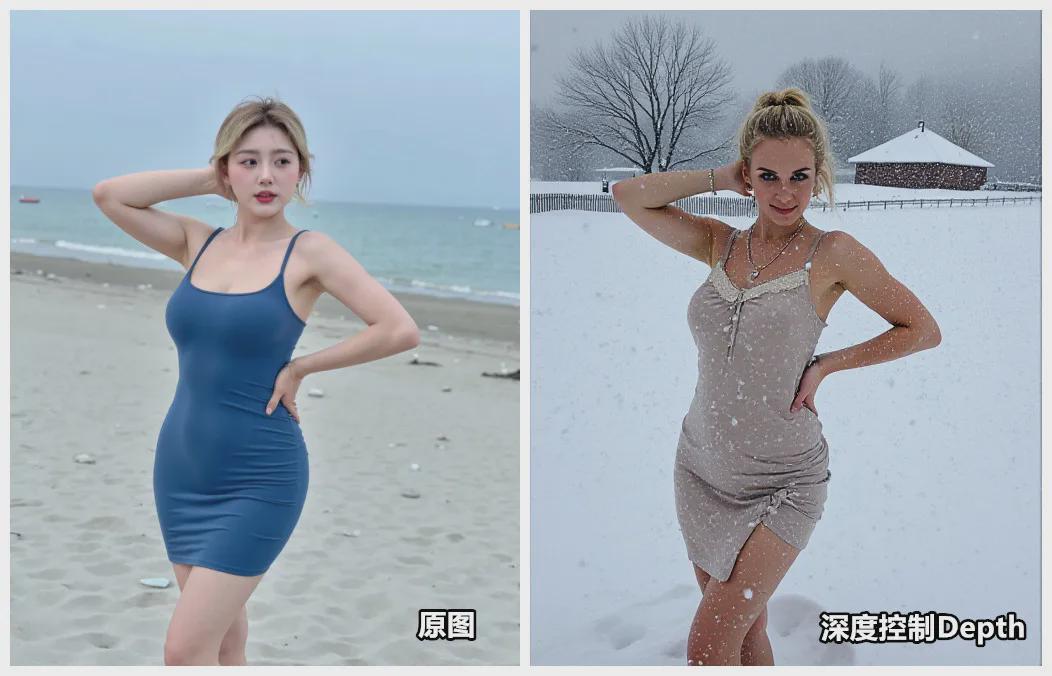
Depth is better suited for controlling the effect of depth of field in an image:
Overall, the official Flux kits are outstanding and must not be missed if you are an AIGC enthusiast!
The article covers the URL:
Official Flux Tools website:
https://blackforestlabs.ai/#get-flux
ComfyUI code page:
https://github.com/comfyanonymous/ComfyUI