



Today we continue to learnComfyUIOfficial Workflow Case.
After learning that workflow, let's do the same for learning by example.
This will allow us to get up to speed quickly and go further.
Official Tutorial: https://comfyanonymous.github.io/ComfyUI_examples/inpaint/
Download the text: https://pan.quark.cn/s/46a899c45618
Example of official website
The official website sample workflow is as follows: We can import this workflow by dragging this image into the ComfyUI workbench interface.
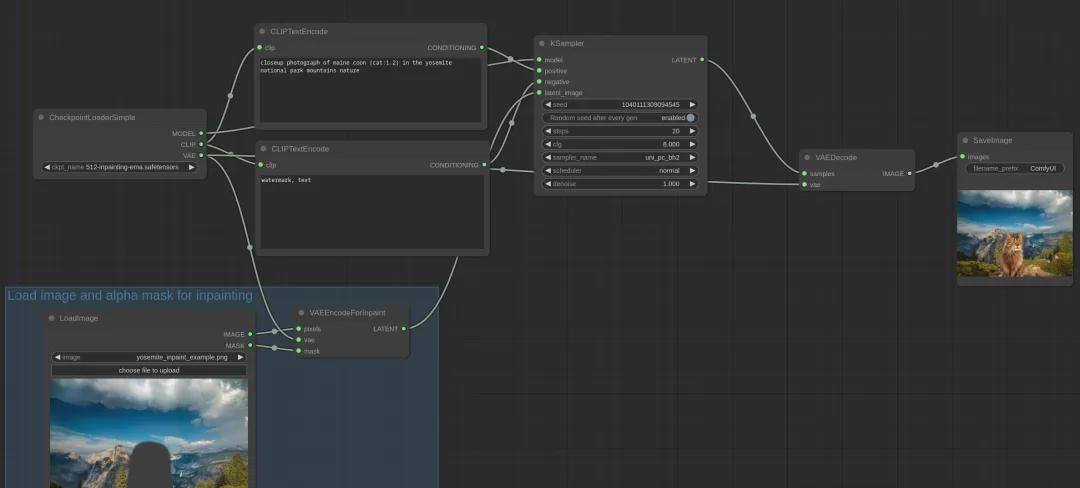
Note: For those of you who don't have ComfyUI installed, you can read my articleWant to learn ComfyUI? This article will get you started and get you up to speed!》.
Workflow Functionality: The functionality of this workflow is rather simple to describe, it is to remove something from an existing picture and draw another person or object in that position by using a cue word.
Workflow Interpretation:
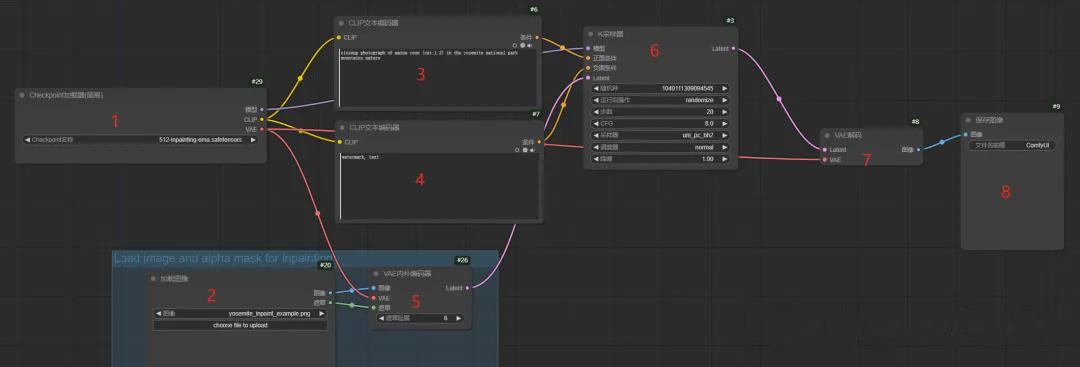
1. the workflow first loads the large model specified in node 1 (512-inpainting-ema.safetensors);
2. Node 3 and node 4 are set up with cue word backup;
3. Then node 2 loads an image and passes the masked portion of node 2 to node 5, which is then given to node 5 to encode the image;
4. Next node 3, node 4, node 5 data through to node 6 to generate Latent (node 6 is the most critical processing is also the most time-consuming);
5. Node 7 converts Latent data into image and gives it to node 8 to save and display;
Node 2 Special Note:
Node 2 is as follows after uploading the image:
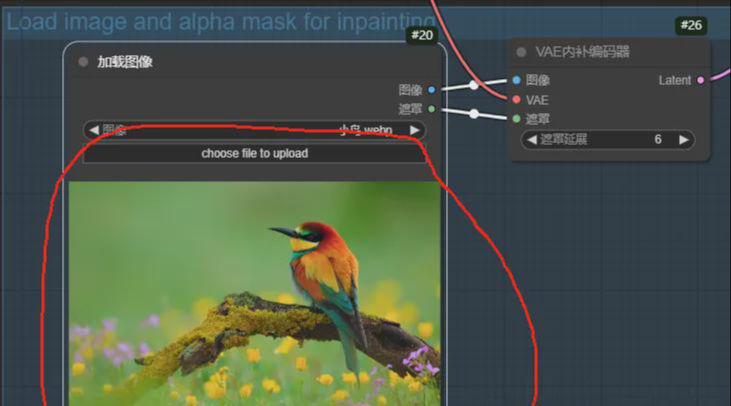
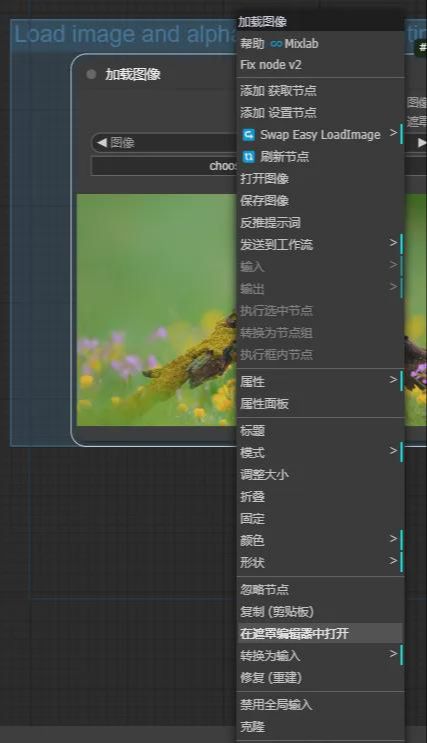
Right click on the uploaded image and select "Open in Mask Editor".
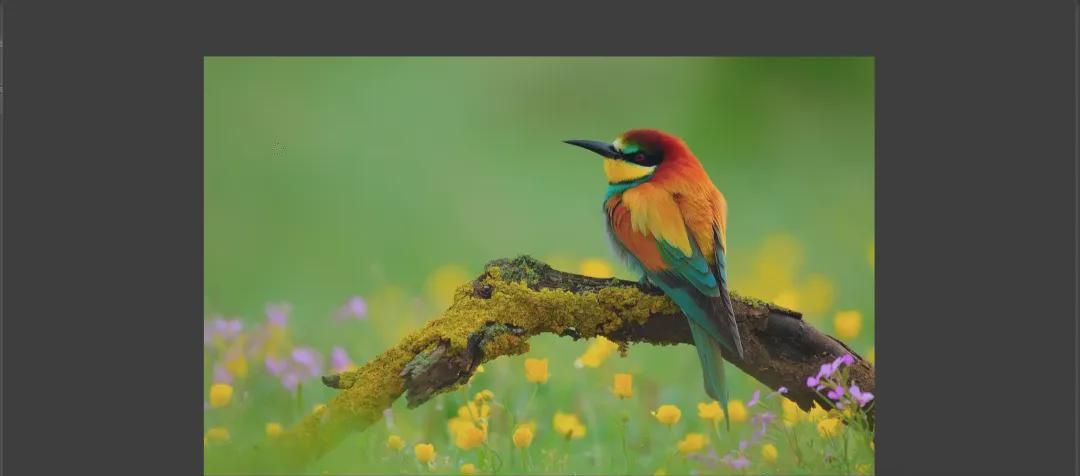
Here we can use a brush to cover the areas that need to need to be painted as follows:
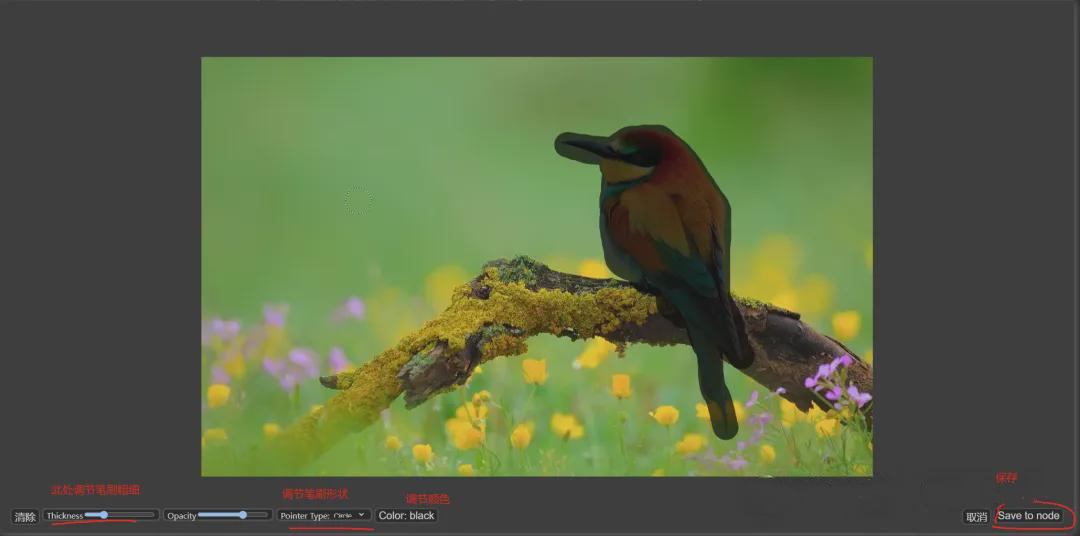
Once applied, click the button in the lower right corner to save it
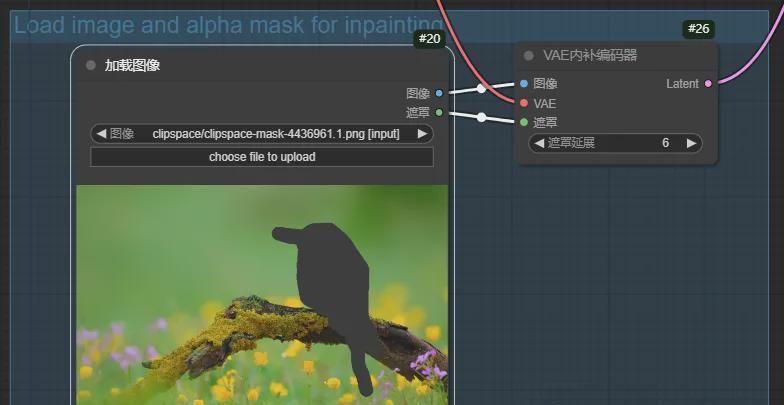
(Click on the right side of the "add prompt word queue" or ctrl + enter) to execute the workflow, the effect is as follows:
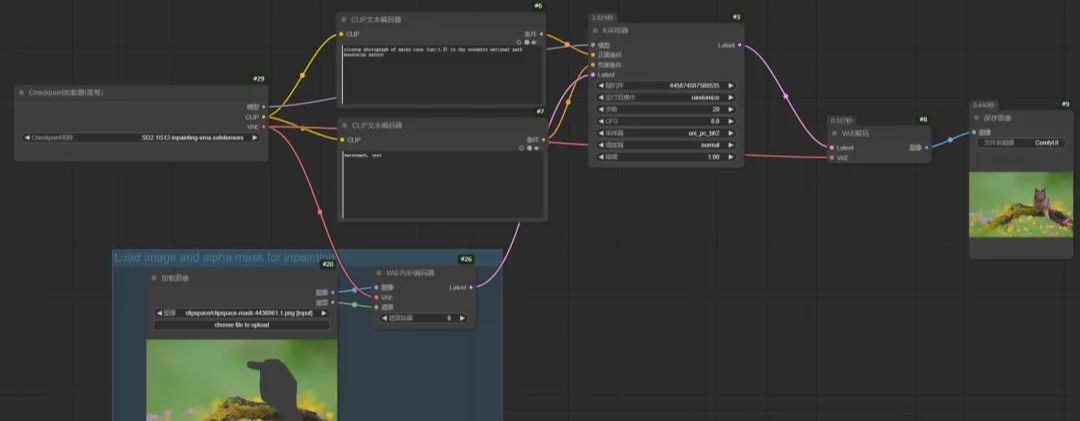
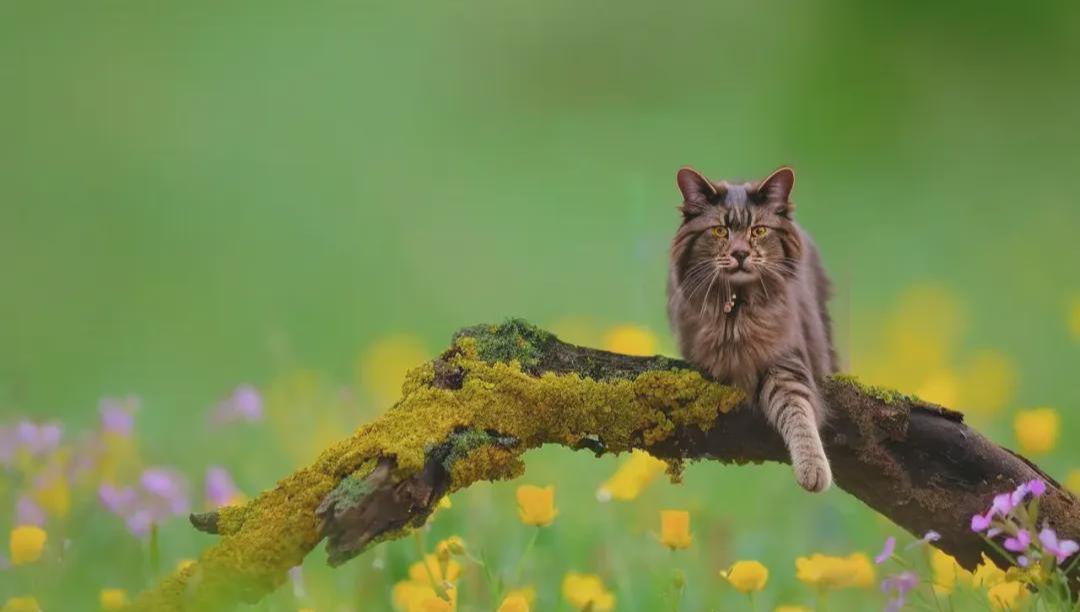
The execution yielded the expected results, with the position of the smear changed from a bird to a cat;
But if we look closely, we will still notice a light layer like a watermark where the cat is.
deduce many things from one case
For example, for this official website example, I wanted to make those gray areas painted in front of me disappear in order to be closer to the background. This is something we currently need to target by example.
In ComfyUI, those areas we painted earlier are called masks, and in terms of drawing-specific terminology, we need to feather out those masks. Below we'll use local redraw to avoid having a watermark-like appearance in front of us.
We'll start by loading an image:
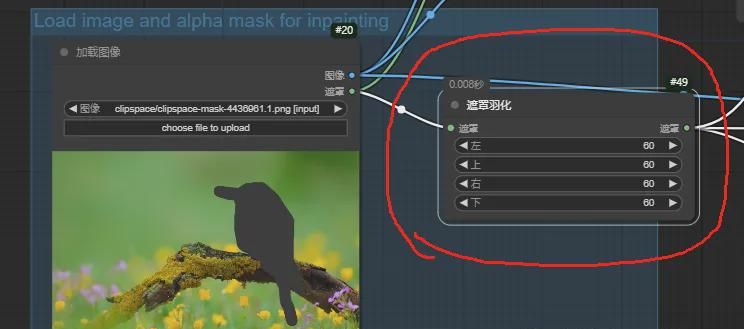
1. Drag a line from the mask, link "mask feathering", as shown, and then set the value of 60:
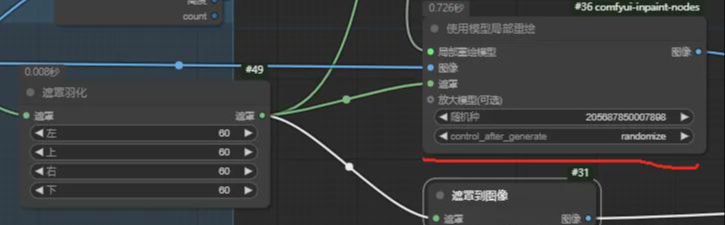
2. And then from the "Feather Mask" dragged out the right side of the two lines, access to "Mask to Image":
3. Drag a line from the "Local Redraw Model" of "Use Model Local Redraw" and add the "Load Local Redraw Model" node.
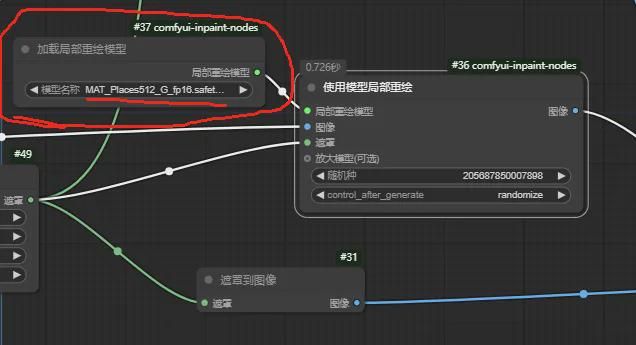
Then link the "Use Model Local Redraw" image to the "Load Image" image;
4. And then drag a line from the "Load Image" image, add the node "Get Image Size", as follows:
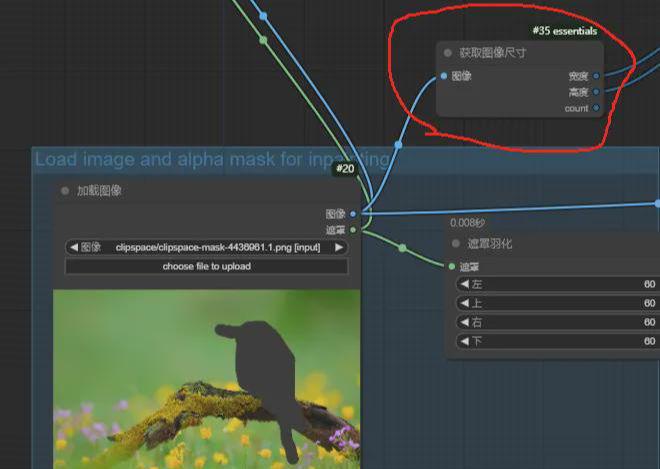
5. And then from the "Get Image Size" width, height drag out the line, add the node "Generate Multiplicative Noise", such as
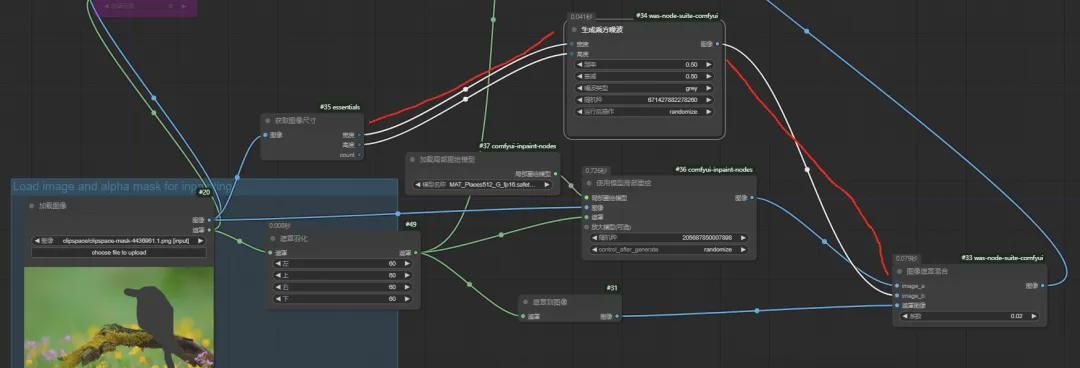
6. The following modifications were made at the original K sampler, as follows:
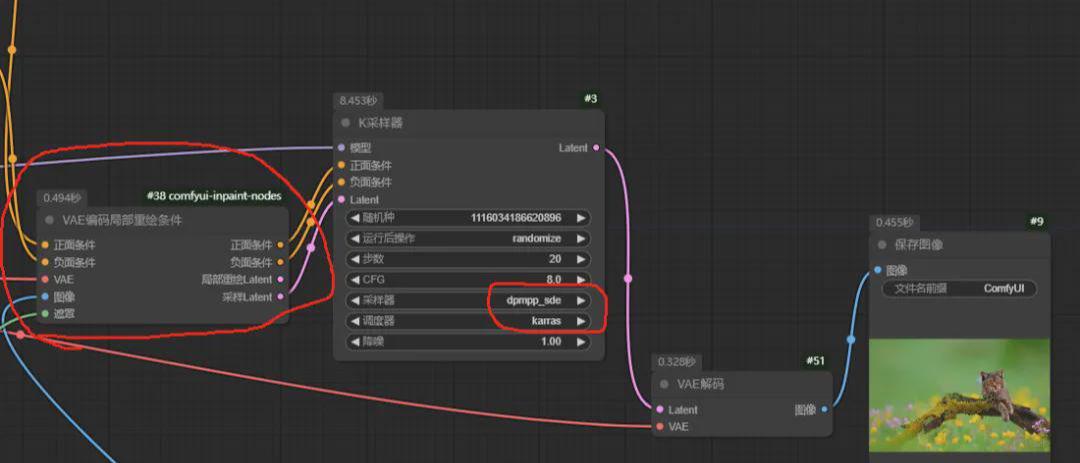
Add a "VAE encoded local redraw condition" node in the front, receive positive and negative cues and other parameters, and then pass Latent+positive and negative cues to the K-sampler;
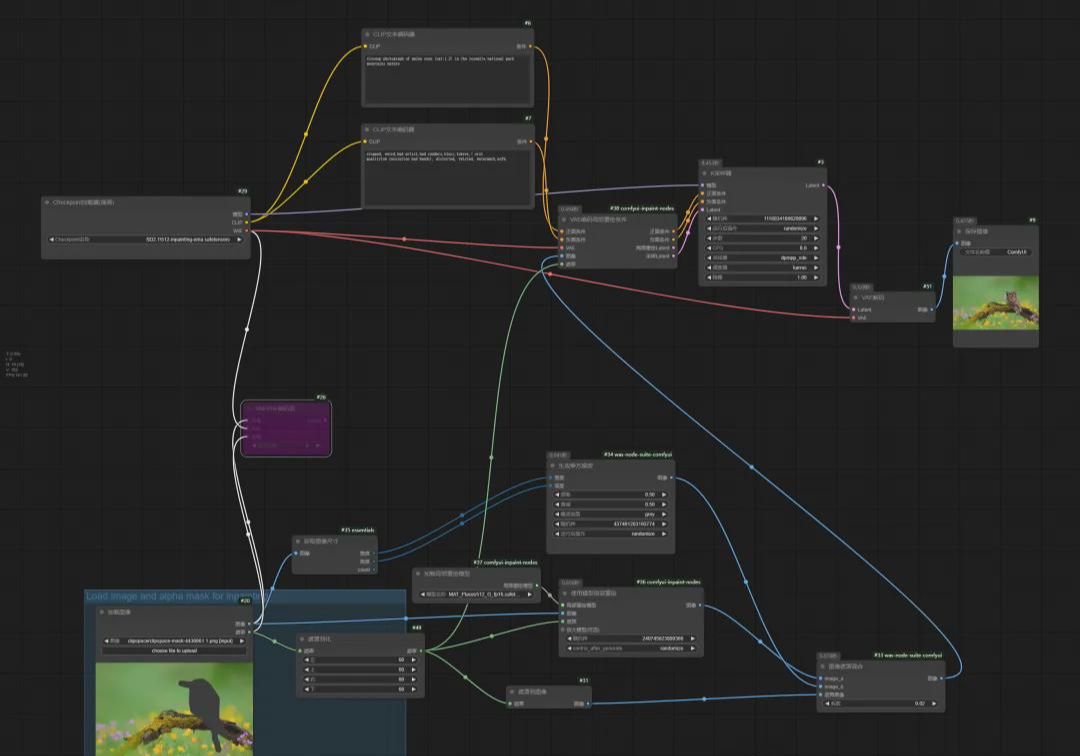
7. The final overall workflow is as follows: (mainly to add some local redraw nodes), if necessary, you can drag the following picture directly to the workbench.
8. Execute the workflow, the effect is as follows:
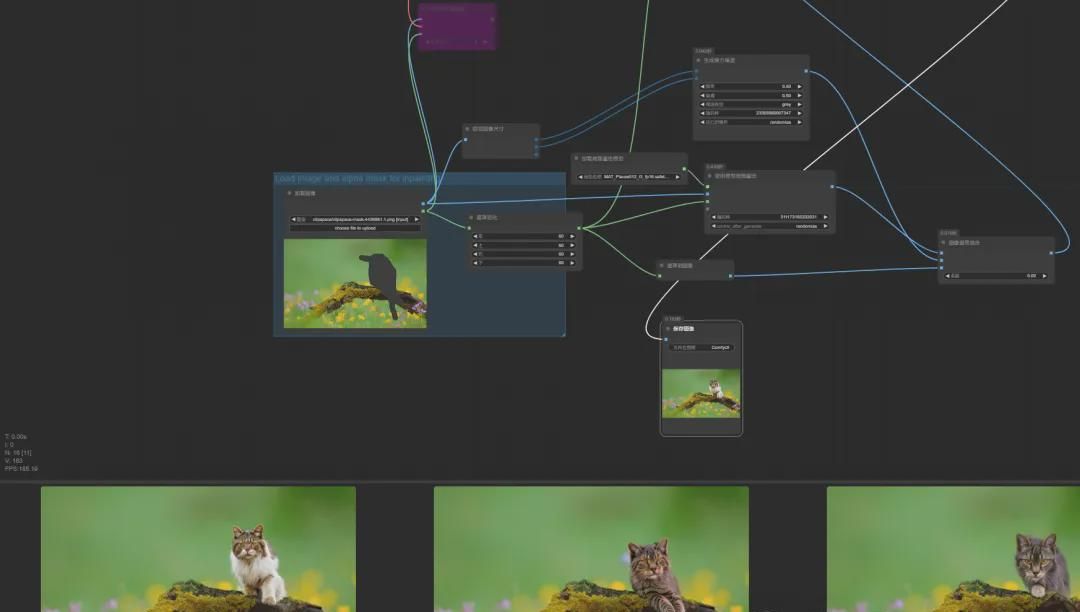
The resulting image is as follows, with no more of those obnoxious watermark-like things around the kitten.
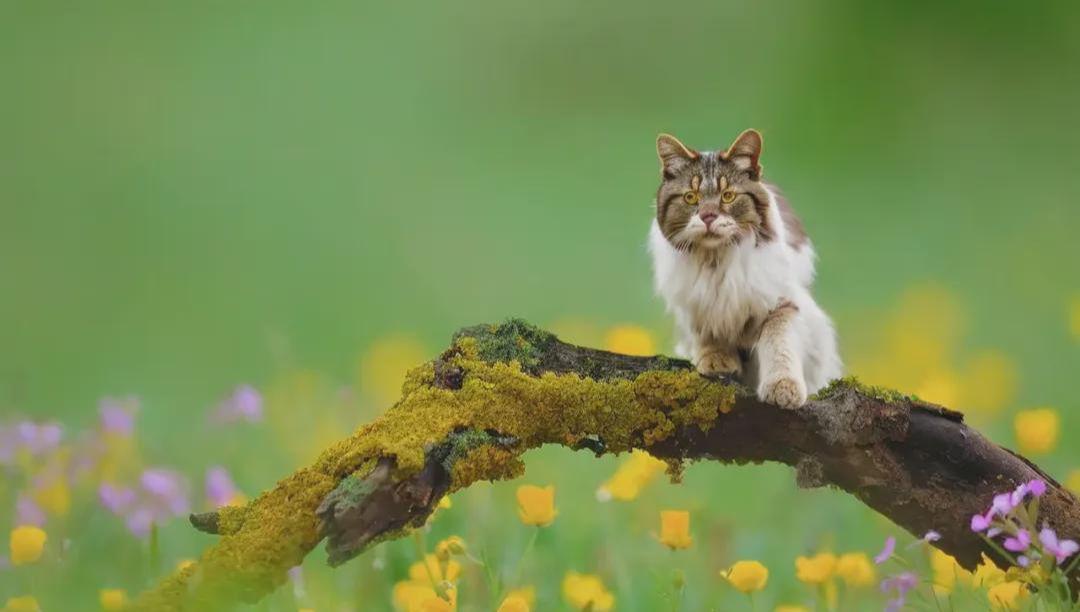
Overall, the current lift is using some nodes in terms of local redrawing, feathering the masked regions and redrawing the masked regions using a local redraw model, then integrating the image with cue words etc. by encoding the local redraw conditions through the VAE and ultimately handing it over to the K-sampler for processing.
at last
Well, we have mastered the redraw function of the image by learning from the previous example on the official website.
And then by way of example, we can remove the obnoxious watermark-like stuff from the official website example.
Through this learning process, we continue to master the use of new plug-ins and techniques, expanding our learning and enhancing our ComfyUI capabilities.