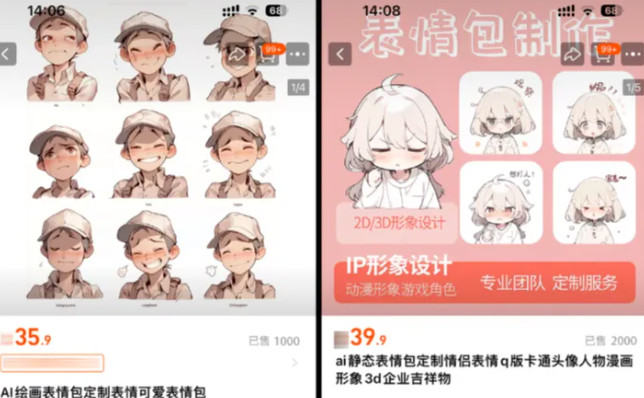



DoemojiIs it still profitable? Let's look at one set of data first:

WeChat emoticons amount in the range of 1-200 yuan, the minimum amount is 1 yuan, then according to the number of people who appreciate the above figure, the profit is very substantial, see here we are not moved?
In the past to do this kind of emoticon package above may also need to be hand-drawn, but now with AI can easily do it, and shelves WeChat emoticon open platform to make money!
I. Generate emoticons with Instant Dream AI
i.e., the Dream website: https://jimeng.jianying.com/ai-tool/home
You can do it with Chinese prompt words, and what's even better is that it's completely free! Because of the 66-100 points of free raw map quota that Imagine Dream gives out every day, most people shouldn't be able to use it all, and if they don't have enough, they're getting an account, so it's basically understandable that it's free.
Open the homepage of Imagine Dreams and select[Image Generation], go to the creation page.

Fill in the prompt words:
Image subject: a cute and quirky anime version of xxx, facial features, upper or full body Emotion: various expressions and actions, exaggerated movements, joyful, angry, sad, furious, thinking, hugging, running, waving, etc. Style: cute anime illustration style, white and blue primary colors Image quality: fine details, ultra high definition, 8k Image layout: 3×3 Grid map, one grid and one avatar, not shown Grid lines, white background
Note: If you want to generate something, just change the word xxx in the prompt to something!
Raw model: i.e. Dream Universal v2.0 Pro, fineness: 10, image ratio: 1:1, click on the[Generate Now]

Mouse click on the generated picture to enlarge the display, choose your own satisfactory picture, in order to get a clearer effect, you need to do high-definition processing.
Click[HD]icons to generate high-resolution images.

Once the image HD is complete, then click on the top of the[...]icon, select[Goes to canvas for editing]

Go to Smart Canvas and click on the top right corner directly in the canvas[Export] - [Download]Save locally.

This will give you a watermark-free image.
II. Creating emoticons
First of all, we need to key out the emoticons, this step can use a lot of tools, such as: Photoshop, 360AI browser ZhiDiao, Tencent ZhiShadow, that is, the dream and so on with keying function.
I'm used to using Photoshop, for those of you who don't have Photoshop installed on your computer, you can use the online PS tool: https://ps.gaoding.com/#/
Drag the photo into PS and select[Magic Wand Tool]If you're not in the background, tap on the emoji and then press the keyboard directly.[Delete]Delete the background and you're done.

We just got a whole one, now we're going to key out the emojis one by one.
Pull out the four reference lines and divide the image into nine sections, selecting the[Slicing Tool]
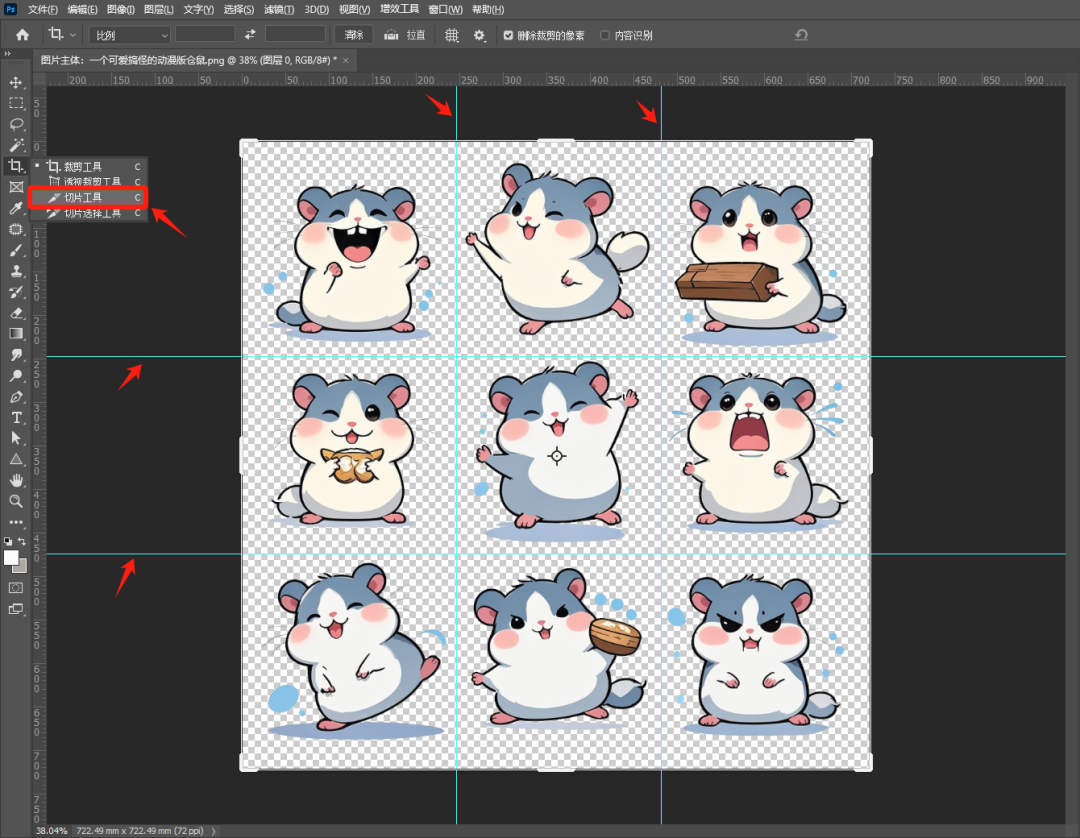
Click above[Reference line based slicing]This way the image is cut into 9 parts.

Click[File] > [Export] > [Save for Web].
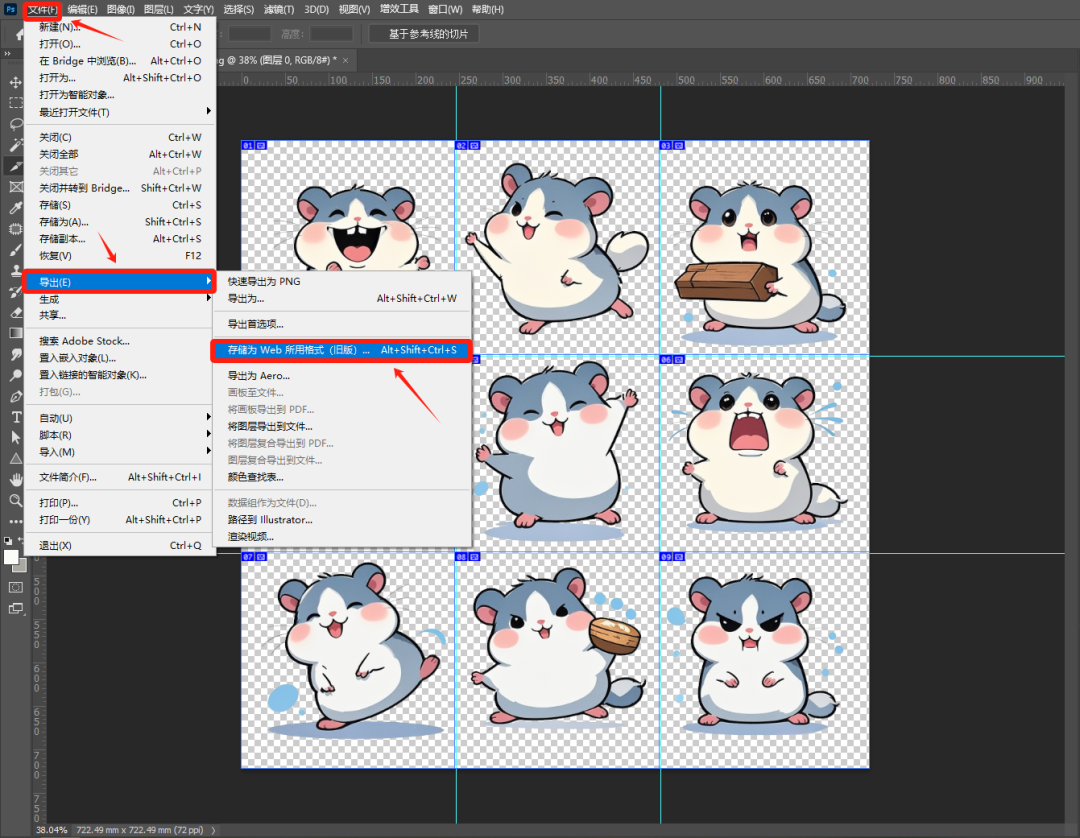
In the action box that pops up, select all 9 images, and on the left side select the[PNG-24]Click[Storage], save to a local folder.

This gives you 9 small pictures.

Let's take a look at what you need to prepare if you want to upload the emoji packs you've made to the WeChat Emoji Open Platform.

The number of emoticons is 8/16/24 as a set, you can choose to make them according to your own situation, the first 4 are mandatory to prepare, the appreciation guide image and the acknowledgement image can depend on your personal choice, if you want to accept the appreciation, then it is mandatory to prepare.
emoticon
Images sent in the chat page. The size is 240*240 pixels and the file size does not exceed 500K.

Go back to Photoshop and create a new document with a width and height of 240*240 pixels.

Drag in the previously keyed emoticons, adjust the image size and position, and add the corresponding text, then you can export it.

Dynamic emoticons are in gif format, static emoticons in png, gif or jpg format are fine, others are not.
Note: The format should be uniform and the file naming should start with 01, otherwise the upload may fail.
Detail page banner
The image to be displayed at the top of the emoji album detail page. Quantity 1 is enough, size is 750*400 pixels, file size is not more than 500K. note that if you save JPG format, you can't have pure white background, you can add a gradient.

In Photoshop, create a new document with a width and height of 750*400 pixels. Drag in the two previously keyed images, adjust the image size and position, and export in JPG or PNG format.
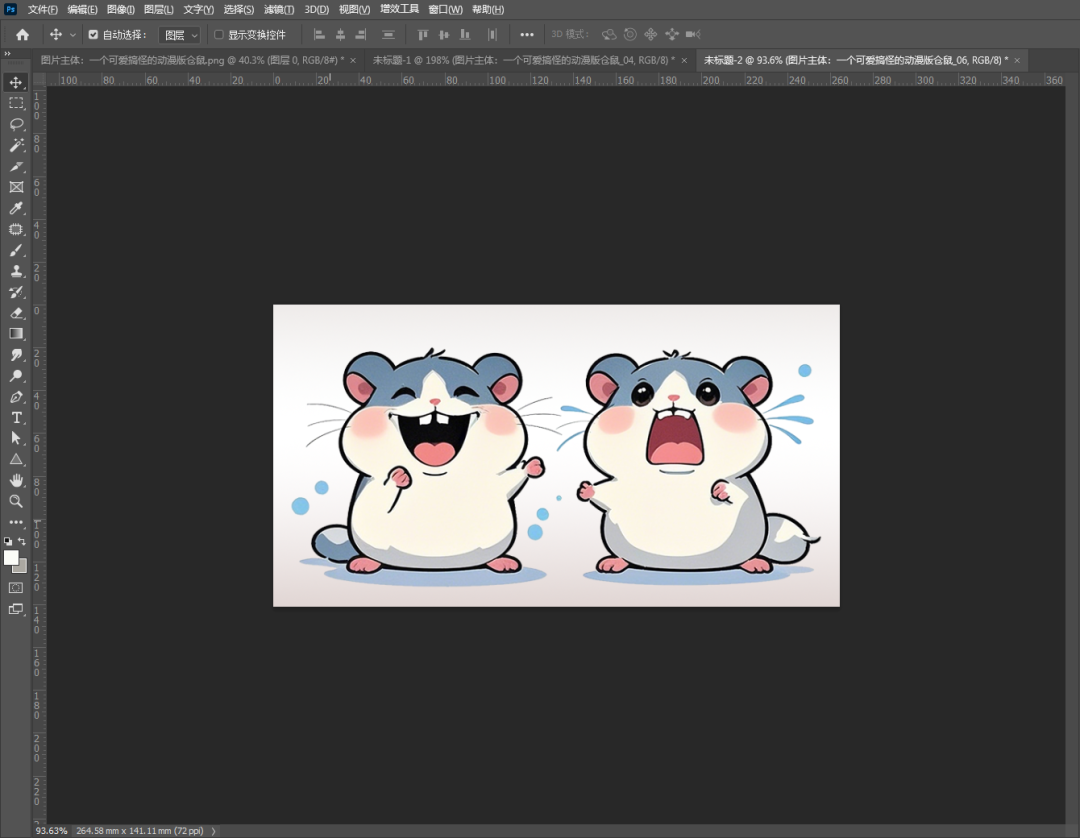
Emoji cover art
Representational images of emoticons displayed in the artist homepage listings, with dimensions of 240*240 pixels and a file size of no more than 500KB
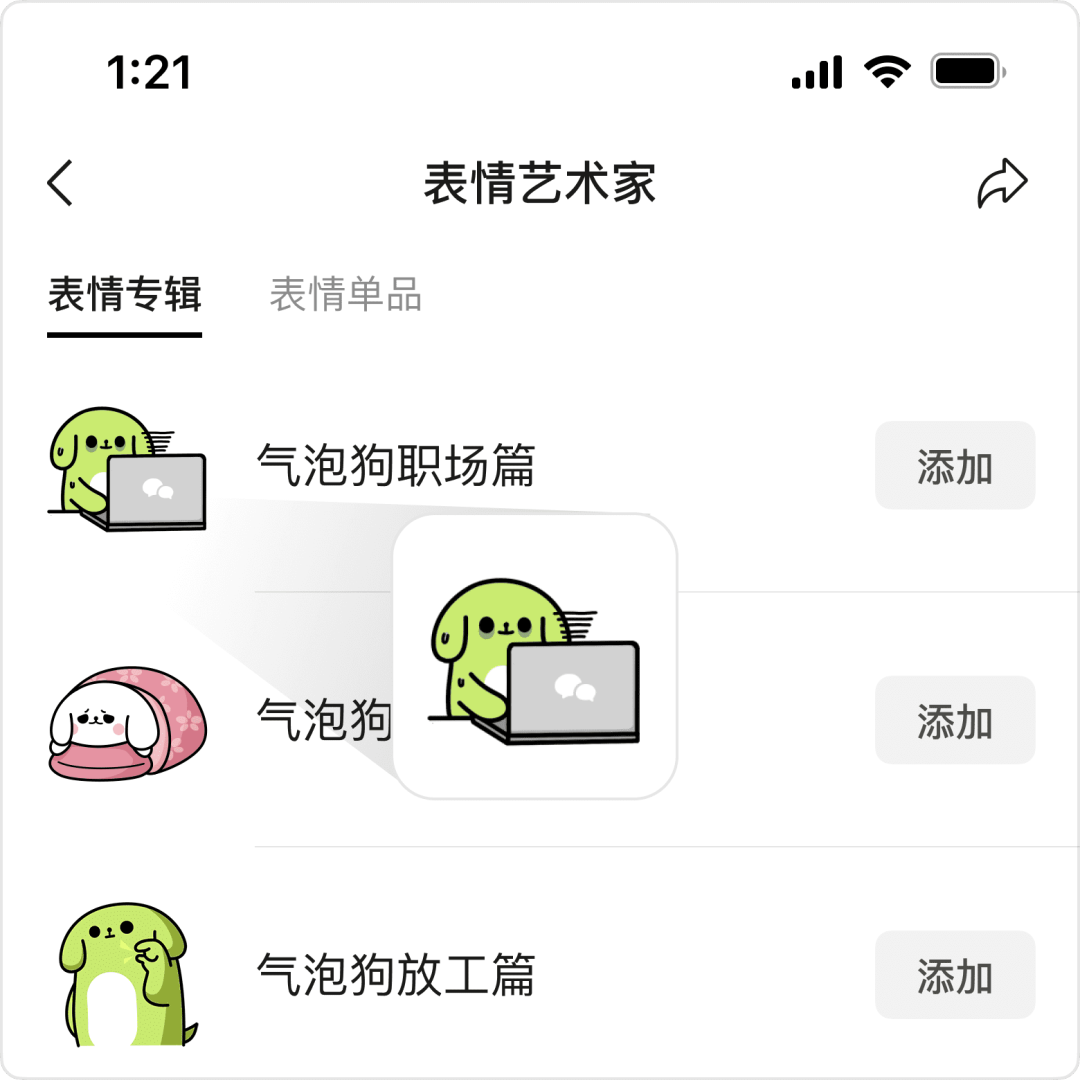
This can be used directly before the key to a good picture, select a representative, in Photoshop, a new width and height is 240 * 240 pixels of the document, drag in the selected picture, adjust the image size and position, export PNG format.

Chat Page Icons
Emoticons are downloaded and displayed in the chat page emoticons list icon, the size is 50*50 pixels, the file size does not exceed 100KB.
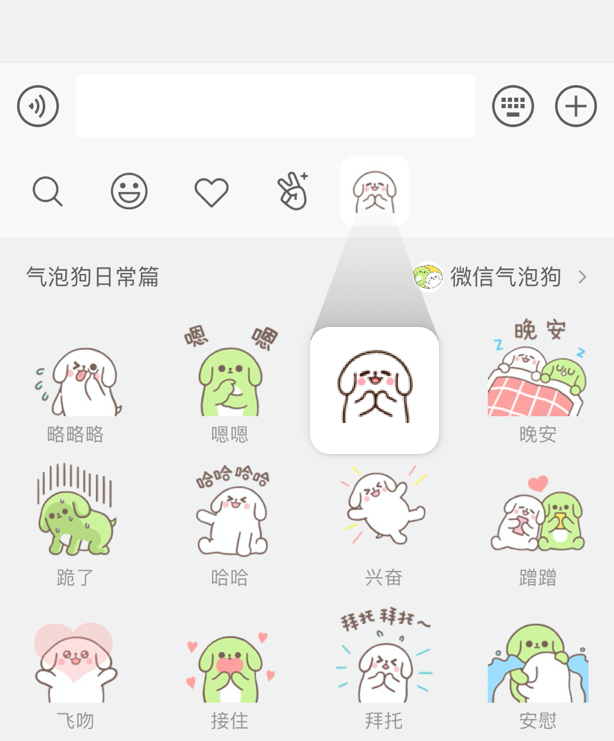
You can use a previously keyed image, just the head.
Appreciation of the guide map
That is to guide the audience to appreciate the image, need 1, GIF or PNG format can be, 750 * 560 pixels, file size does not exceed 500KB. you can in their own emoticon map to filter the appropriate, add appropriate text.

Appreciation of the acknowledgement chart
It is the image that can be seen after the audience appreciation to express gratitude, need 1, GIF or PNG format can be, 750 * 750 pixels file size does not exceed 500KB. you can also in their own emoticon map to filter the appropriate, add appropriate text.
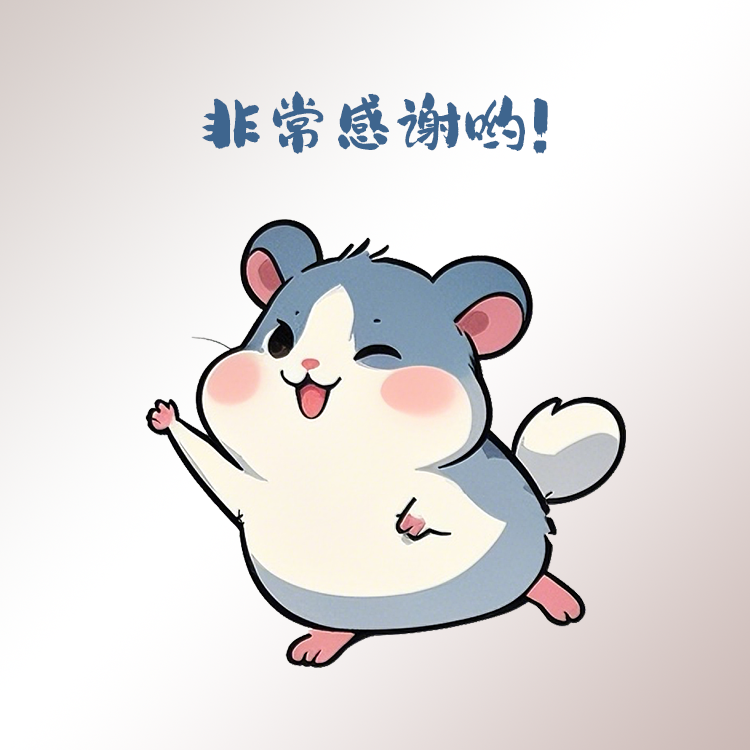
Third, register WeChat expression open platform account
The first step to upload the emoticons you made to WeChat Emoji Mall is to register an account on the WeChat Emoji Open Platform.
First, open the website https://sticker.weixin.qq.com and click[Register Account]

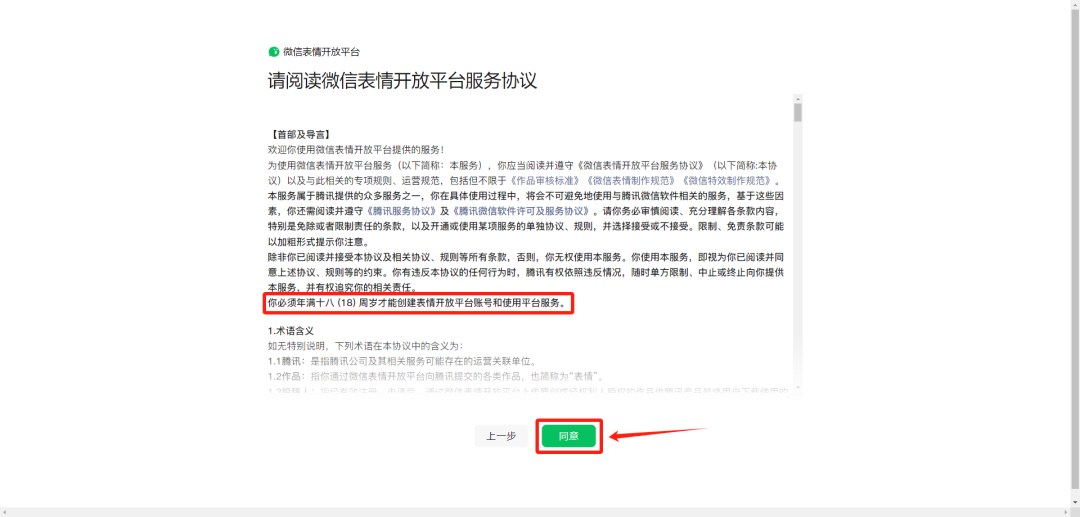
Then, read the registration instructions and service agreement and click on the[Agreed]

Note: The identity information used for this registration must be at least 18 years old!
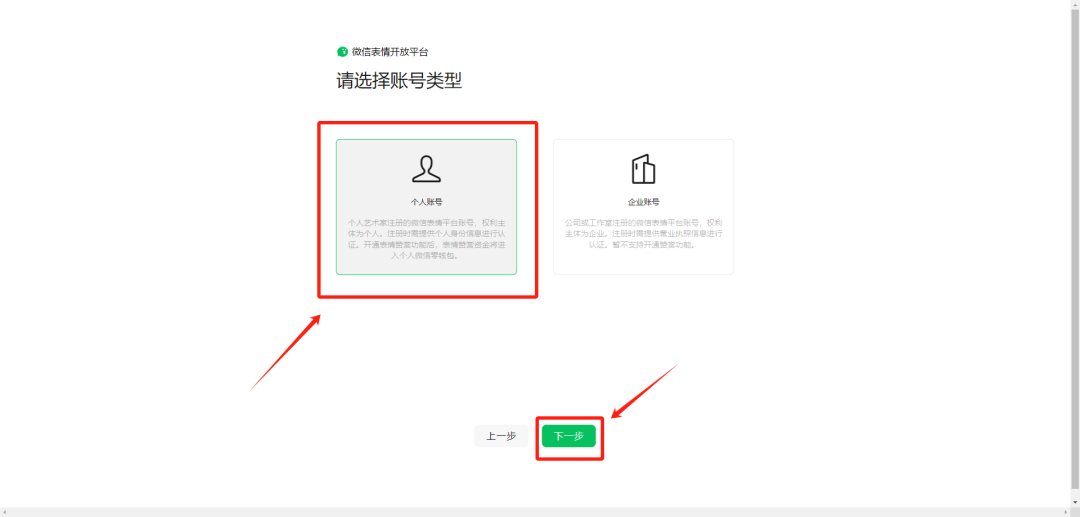
Next: Select the account type, select[Personal account number]Click[Next]
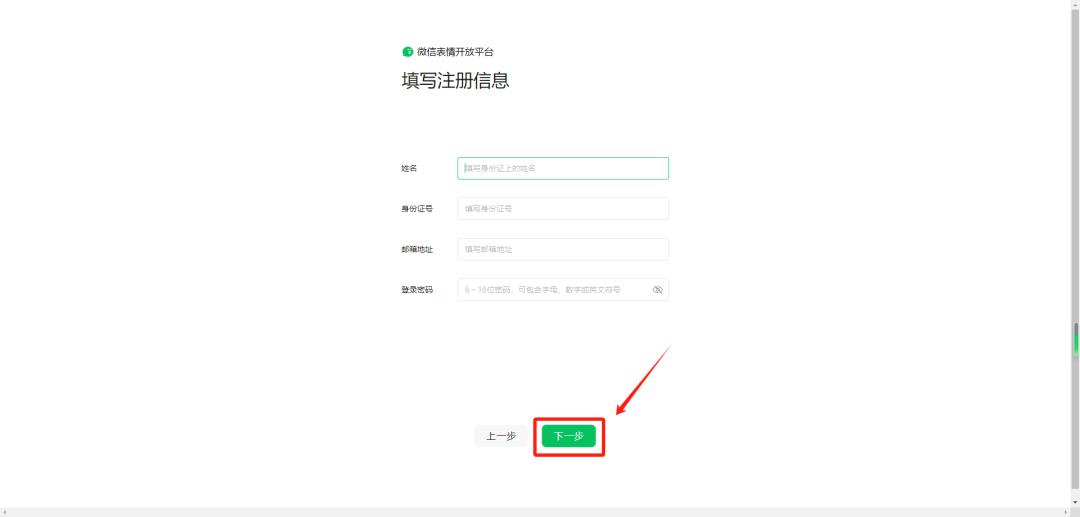
Then fill in the personal information, here to verify the mailbox, it is recommended to operate directly on the computer is more convenient.
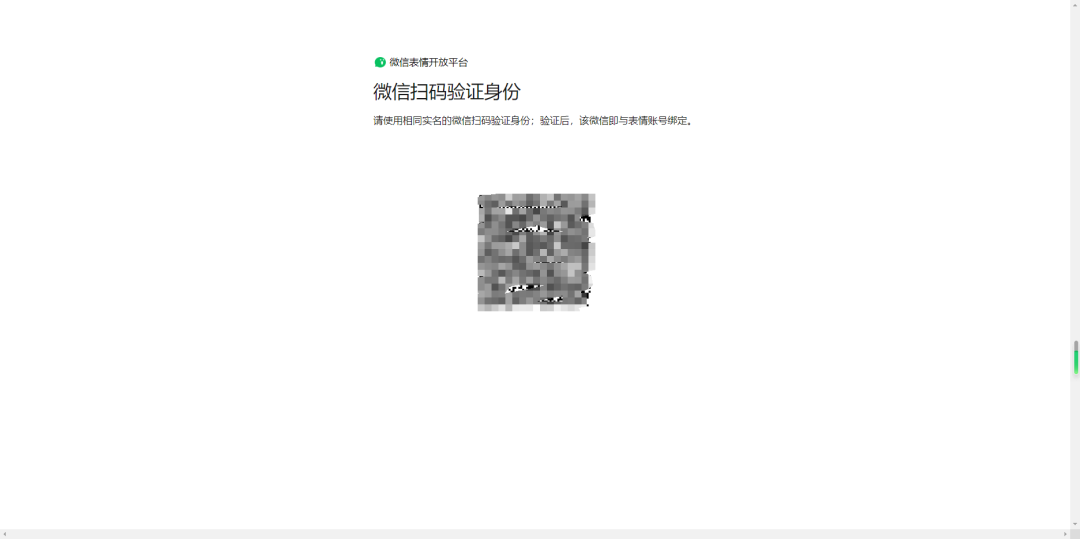
Secondly, you need to bind the micro-signal, which must have the same name as the registration information. (Every time you log into the open platform, you have to use this micro-channel to scan the code, so it is better to use your usual micro-channel, otherwise it will be very troublesome to follow)
After that you can choose whether to bind the video number or not.

At this step, the registration is successful!
IV. Uploading emoticons
Once you have made each of the above 6 types of images, you can start uploading them!
Click on the WeChat Emoji Open Platform[Submission of Workoption[Emoji Album]

Follow the requirements step by step to upload the images prepared earlier.

Don't forget to turn it on.[Appreciation accepted]The first time you upload an emoji, you need to improve the artist information, click on the[Go fill in]

Fill in the artist's name, upload an avatar, artist homepage banner and description and click on[Submitted]

Go back to the upload emoticon page, upload the appreciation lead image and the acknowledgement image, and click on the[Submitted]La!

After submitting, wait patiently for the review to be approved, it will take up to 2-3 days for the review to be completed.
V. Other modes of realization
1, Sogou expression package open platform
Website: https://open.shouji.sogou.com/instructions/
The operation is basically the same as the process of WeChat.

2、Small program mounting
Revenue is gained by mounting small programs such as Shentujun on public numbers, snapchat, and jitterbug.

3、Customize and sell emoticons
You can also cash in by opening a store on Xiaohongshu or Idle Fish, or by directing traffic to a private domain.