



Pozi, the recent craze about AI art creation has really swept across the net, and many of our friends have started to turn into hand-drawn masters, wanting to have a super personalized animeQ-version avatar. But do you know, in fact, the difficulty of drawing your own anime avatar is still very high, and the effect of drawing may not be as you wish. At this time, AI drawing tools become our savior!
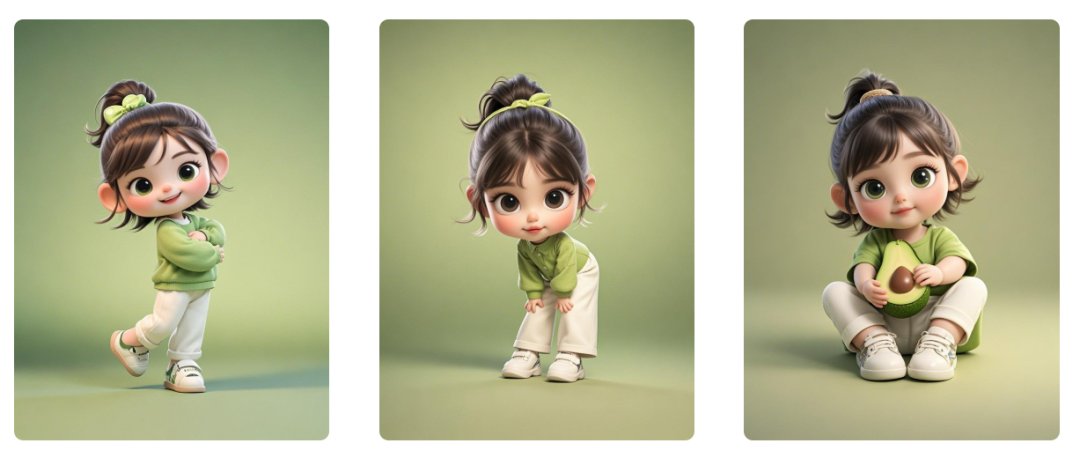
See the effect first
Below, learn together how to use Dream AIImage 2.0 Pro quickly generate Q cute and lovely cartoon character images?
▌Use namely dream AI picture 2.0 Pro quickly generate Q cute and lovely cartoon character picture
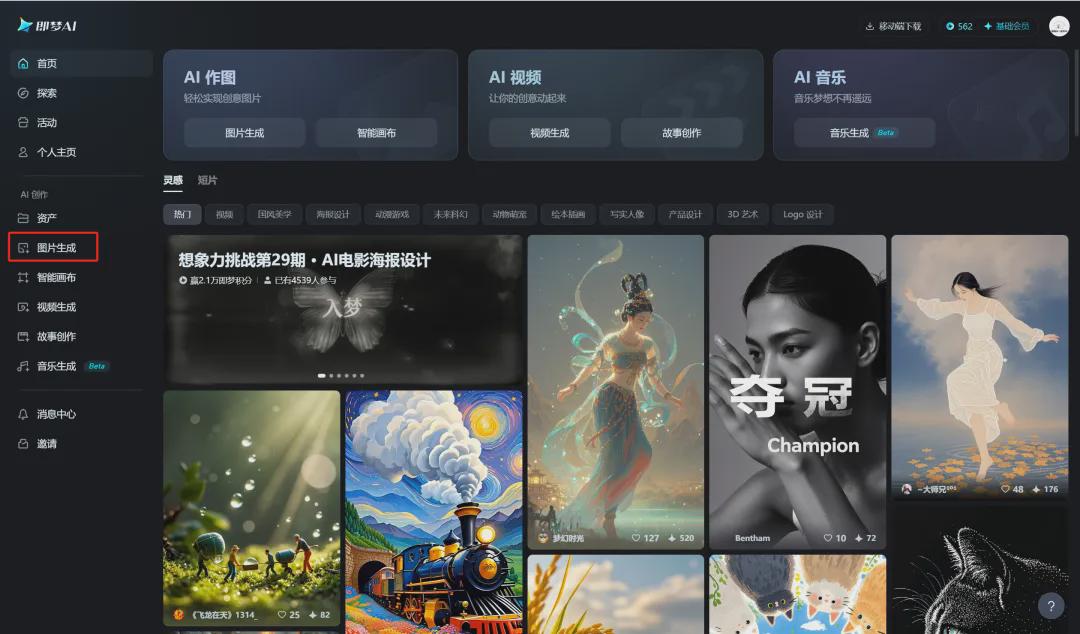
Open the homepage of the official website of Instant Dream AI and click [Image Generation].
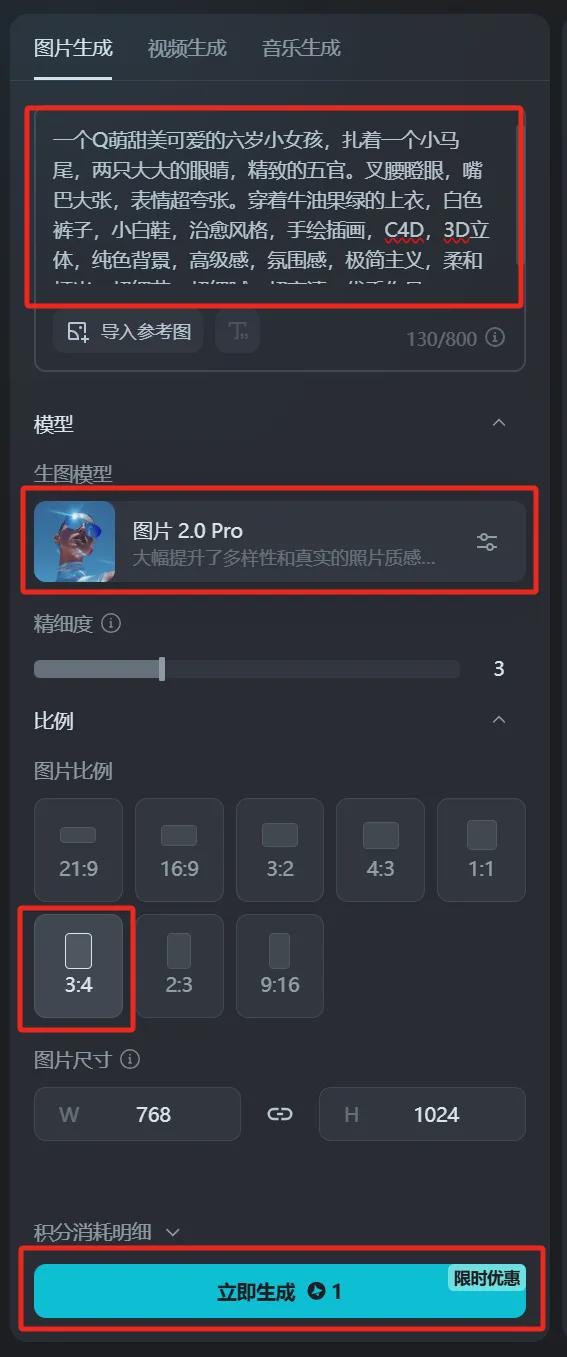
Enter the image generation interface, enter the prompt word, select the image generation model "Image 2.0 Pro", select the image ratio "3:4", click [Generate Now].
Cue word: A Q cute sweet and adorable six year old girl with a small ponytail, two big eyes and delicate features. Crossing her arms and staring, her mouth is wide open, her expression is super exaggerated. Wearing avocado green top, white pants, little white shoes, healing style, hand-painted illustration, C4D, 3D stereoscopic, solid color background, high class feeling, ambience, minimalism, soft lighting, super detail, super fine, super high definition, excellent work!
Wait for about 30 seconds to generate the image successfully, select the image that best meets the expectation and click [Download Icon].
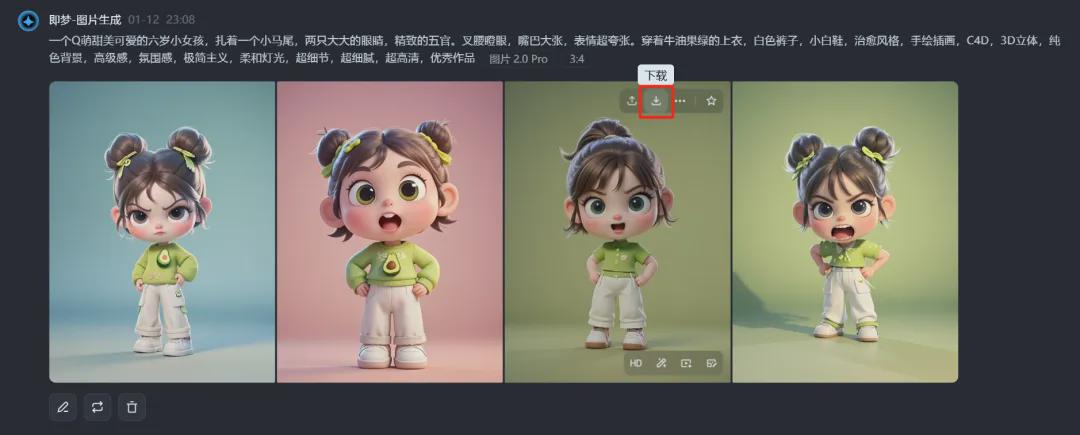
Save the image to your local computer when the download is complete.
Similarly, enter text cue words for other action poses to get the corresponding picture effects.
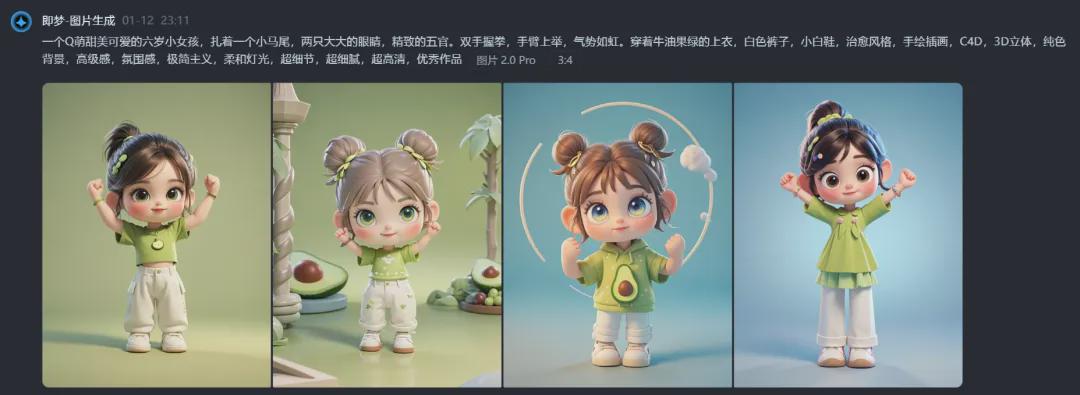
Here we are, let's complete the Q cute and lovely cartoon character creation together with Instant Dream AI Image 2.0 Pro, have you learned it yet?
▌Learning Summary
Let’s review and summarize what we have learned:
- Open the official homepage of Instant Dream AI and click [Image Generation] to enter the image generation page.
- After entering the image generation page, enter the prompt word, select the image generation model as "Image 2.0 Pro", and click [Generate Now].
- Select the image that best meets expectations and click the [Download Icon].
- Save the image to your local computer automatically after successful download.
This wave of walking down, we use that dream AI picture 2.0 Pro completed in line with the Q cute and lovely cartoon character picture, the current tool has a free generation times per day to give away.
in advanceLikeBookmark it and experience it for yourself when you have time, and master a new AI skill.