



Recently, many people are asking: how to realize PPT as the background for making training videos.Digital HumansExplaining this scenario in the lower right corner?
Many people may not be very understanding, think to do a digital person, not only 3D modeling, but also animation production, voice synthesis, etc., will be very troublesome, in fact, with the progress of AI technology, there have been a lot of production method tools and platforms.
Today we will take you how to AI to quickly make belong to the 3D cartoon virtual own digital podcast image, easy to create their own virtual image.
I. Tutorial Practical
1. Digital human picture generation
The need for a digital person, whether it is to use their own image or to virtualize a cartoon image of themselves, is the need to solve the picture problem. Here we use use to namely dream.
Open the Dream website: https://jimeng.jianying.com/
Click on "Image Generation".

First of all, upload a photo of their own image, ID photo is best, here to cheer the duck Baidu a do demo.


If you don't use your own image, it's okay to generate a real person
Click Generate Now, the effect is as follows
A generic template has been put together here. All you need to do is to modify the contents of the [brackets] to suit your situation.
A [age] [male/female] of [age], facing the audience, with a natural expression and a closed mouth, [he/she] has [color] [length] hair, [condition] and with [degree of curl]. [He/she] is wearing a [color] [style] blouse of [style]. [His/her] features [features of features], eyes [features of eyes], skin [features of skin], background is [background color] solid, and overall exudes [type of aura].
For example, a young male, facing the audience with a natural expression and a closed mouth, has short, dark hair with natural tousled strands. He is wearing a simple round-necked T-shirt. His features are delicate, his eyes are calm and focused, his skin is fair, the background is a light blue solid color, and he exudes an overall fresh and natural aura.
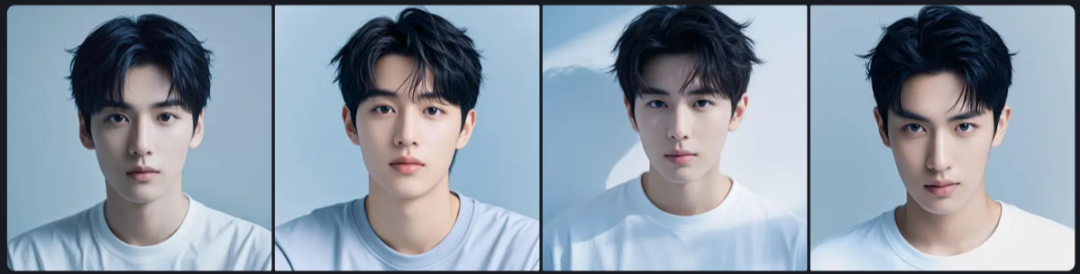
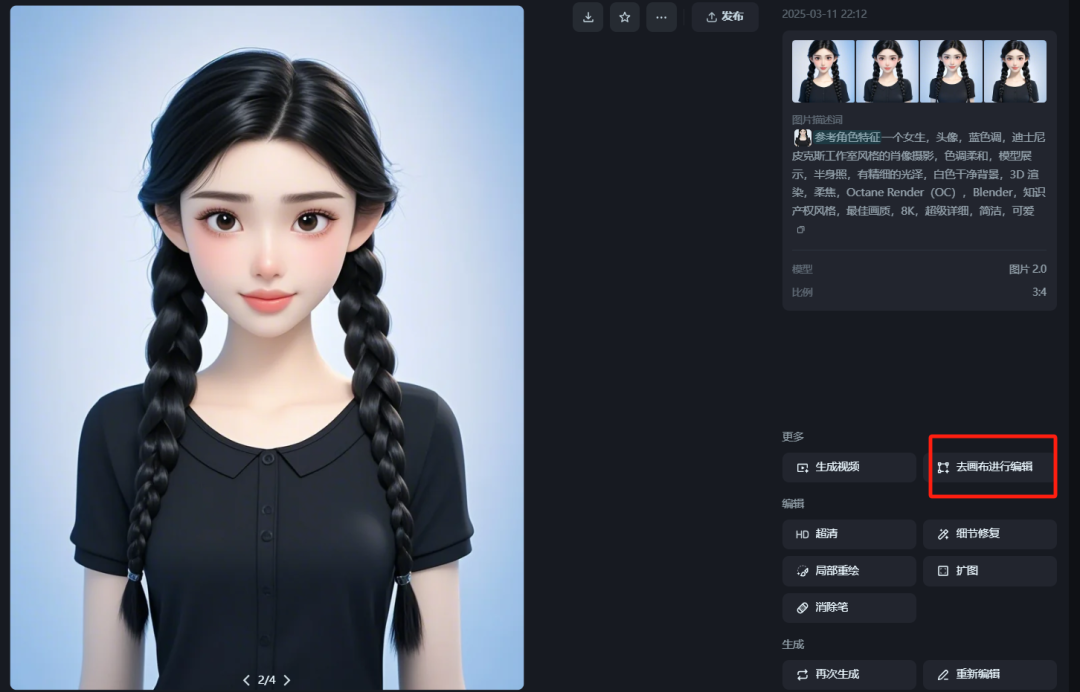
Next, we directly use the dream to generate anime image map
Select "Import Reference Diagram".
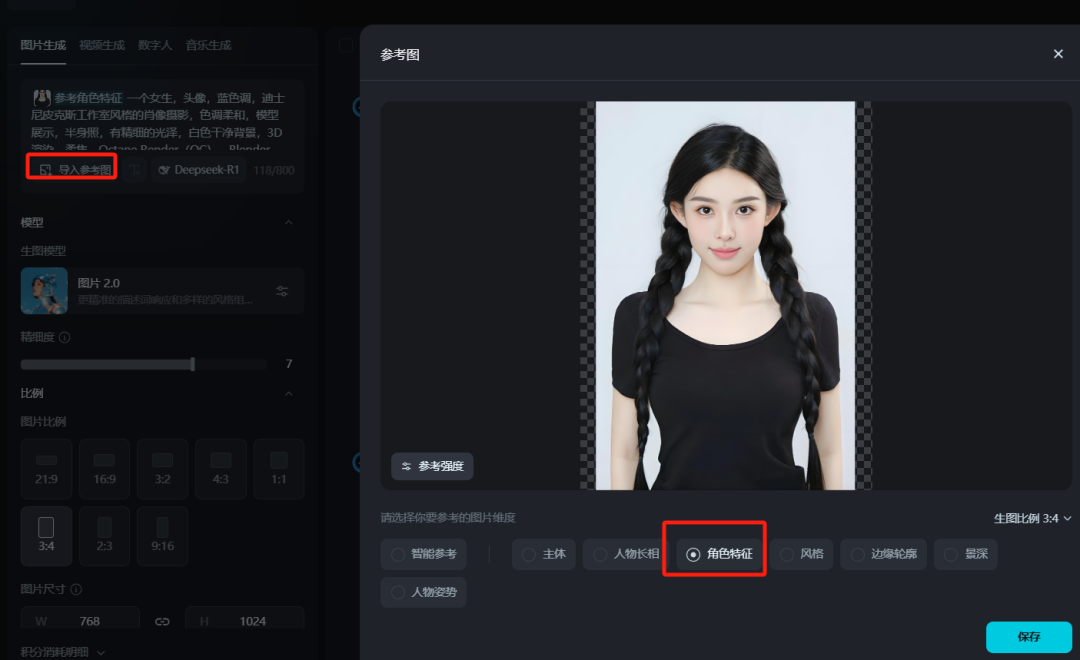
Upload the image we just prepared, select the reference "Characteristics" and click "Save".
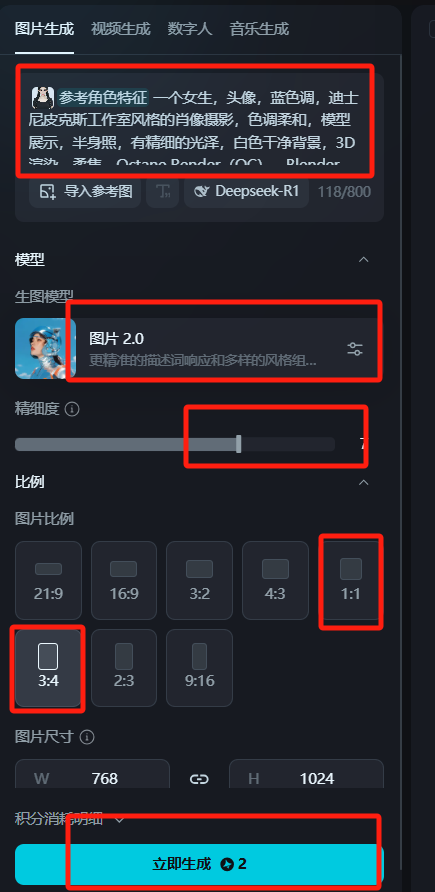
Model default image 2.0, fine pull to 7 or more, the image ratio choose 1:1 or 3:4, according to their own wants to set, in the input of our generic cartoon prompt words
A girl, headshot, blue tones, Disney Pixar Studio style portrait photography, soft tones, model presentation, bust shot with fine glossy, white clean background, 3D rendering, soft focus, Octane Render (OC), Blender, IP style, best quality, 8K, super detailed, clean, cute!
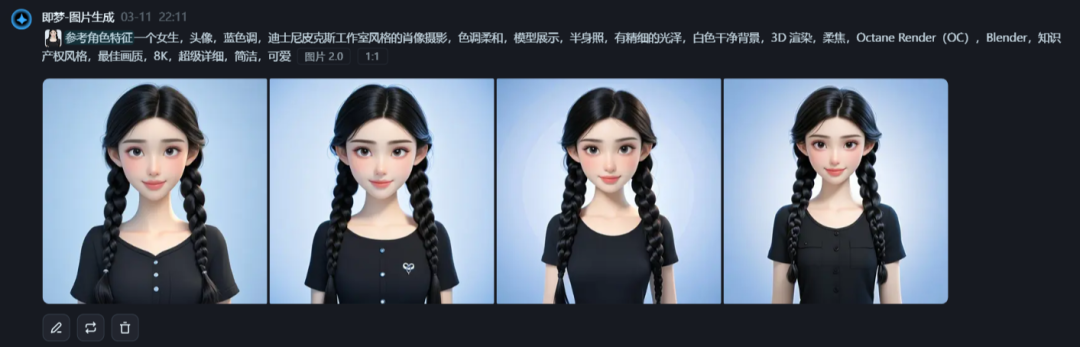
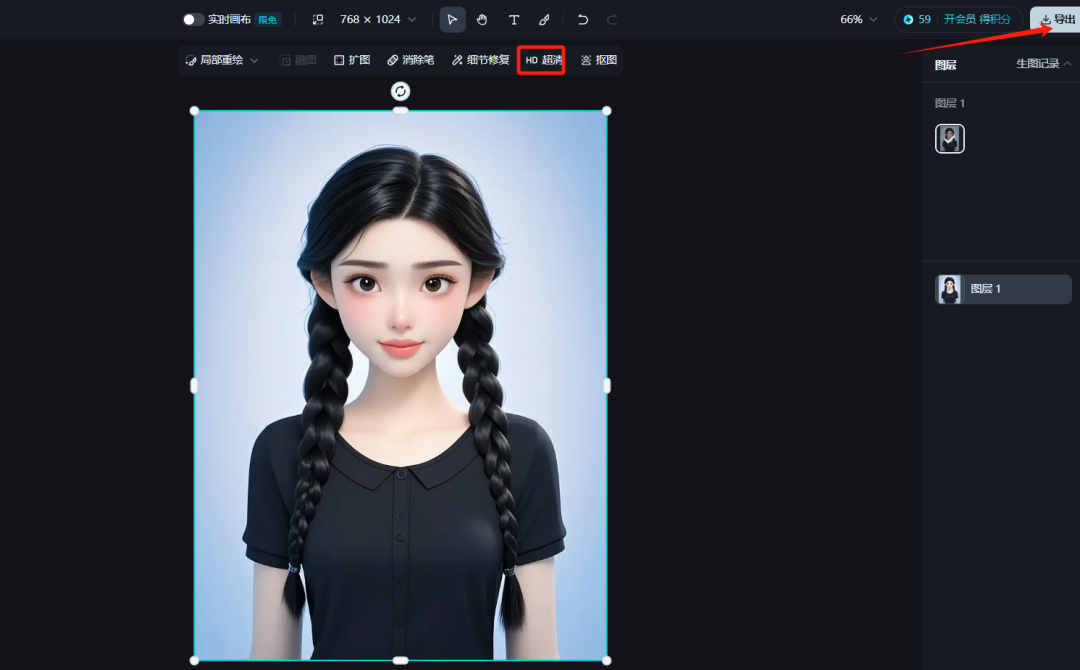
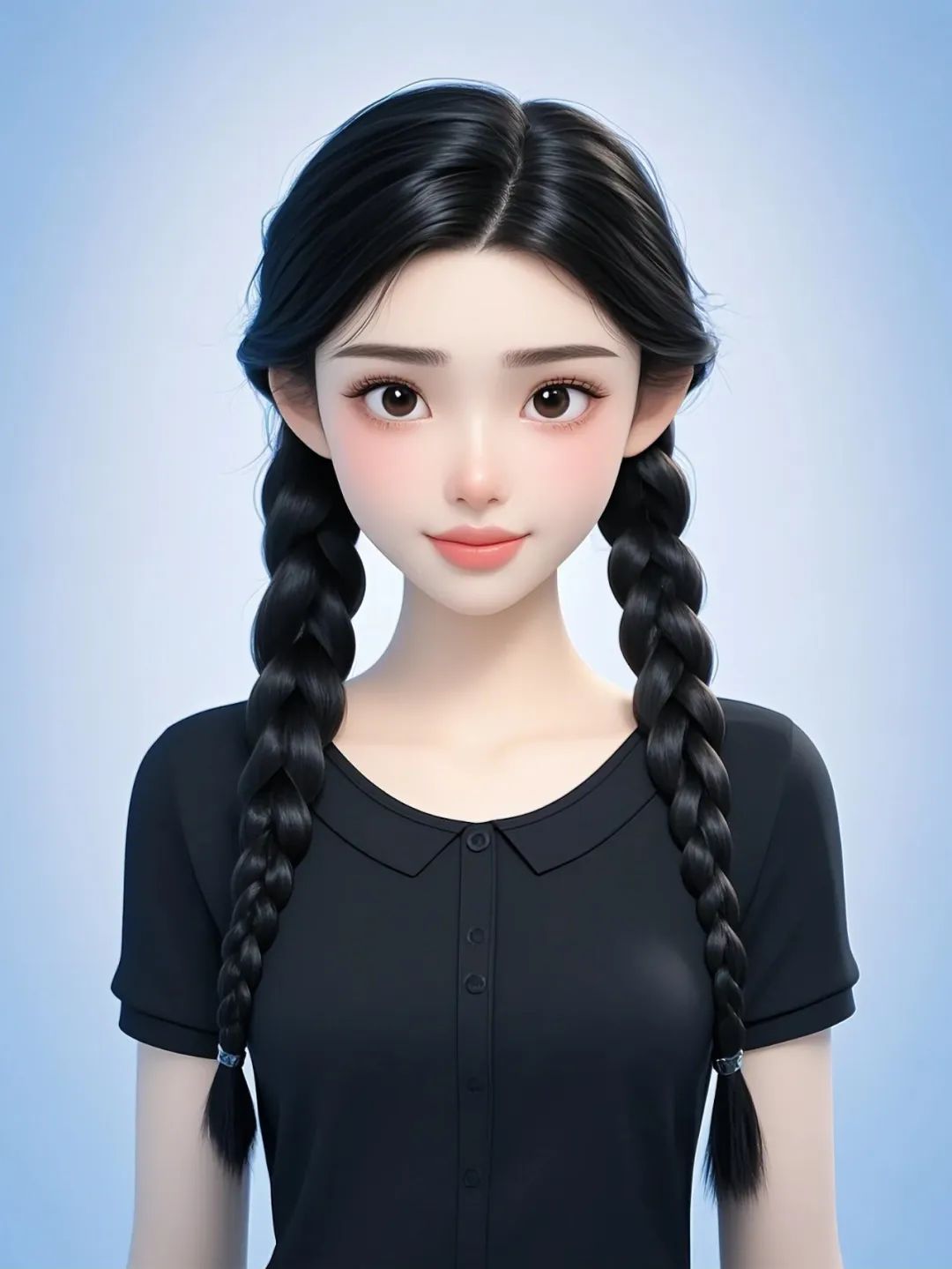
After the picture, choose one we are most satisfied with, canvas processing, HD Ultra HD, export 2 times the size of the size of the image, no watermark.
Finally get the effect of the picture
2, with the instant dream production to digital demographic video
That is, dream home page and click on video generation.

Select the lip-sync function, click on our saved picture of the digital person to upload it, and choose to upload from the local area
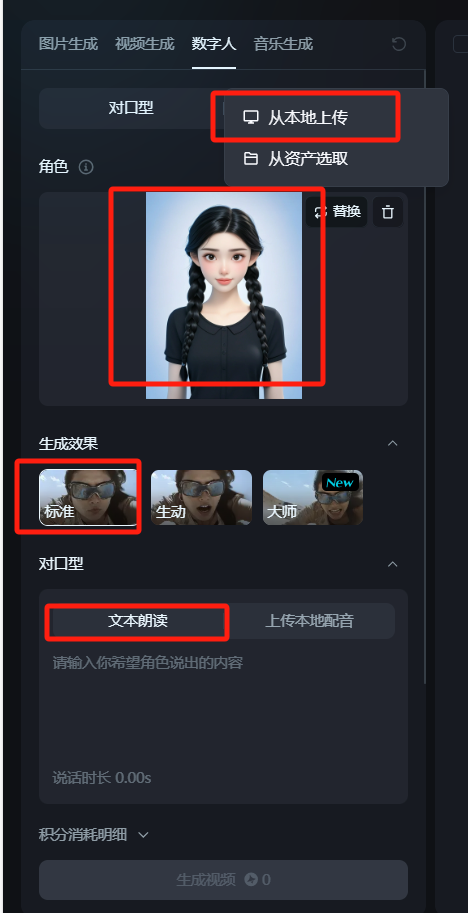
Choose the criteria, Vivid AI will crop the image, and Master is too costly in points.
Enter the dictation we wrote ahead of time:
Hello, I'm the cheering duck teacher of Orange AI, this issue to share with you how to make your own 3D digital human animation image, alternative to our own, out of the camera to do the oral practical use, whether it is a recorded lesson teaching, or explaining the PPT, is a good choice.
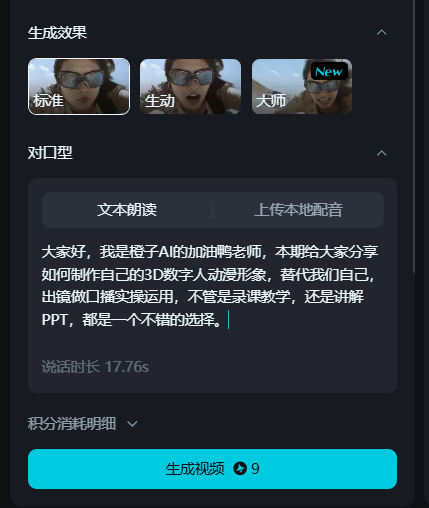
Currently points are at 10 points for 100 words, which is still rather expendable.
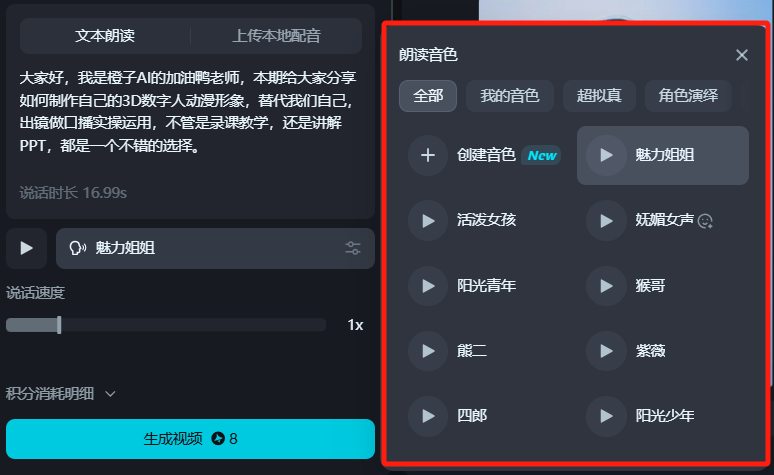
Select the tone and click Generate.
This way we get our own get digitizer. The downside is that there is a limit to the number of words that can be generated for the i.e. Dream's counterpart, and it needs to be done in batches, and then spliced together with cutscenes at a later stage. The number of words/length of audio are all consumed by points.
For the purpose of demonstration, here is a background, you can do hands-on directly ready to do their own native video can be.
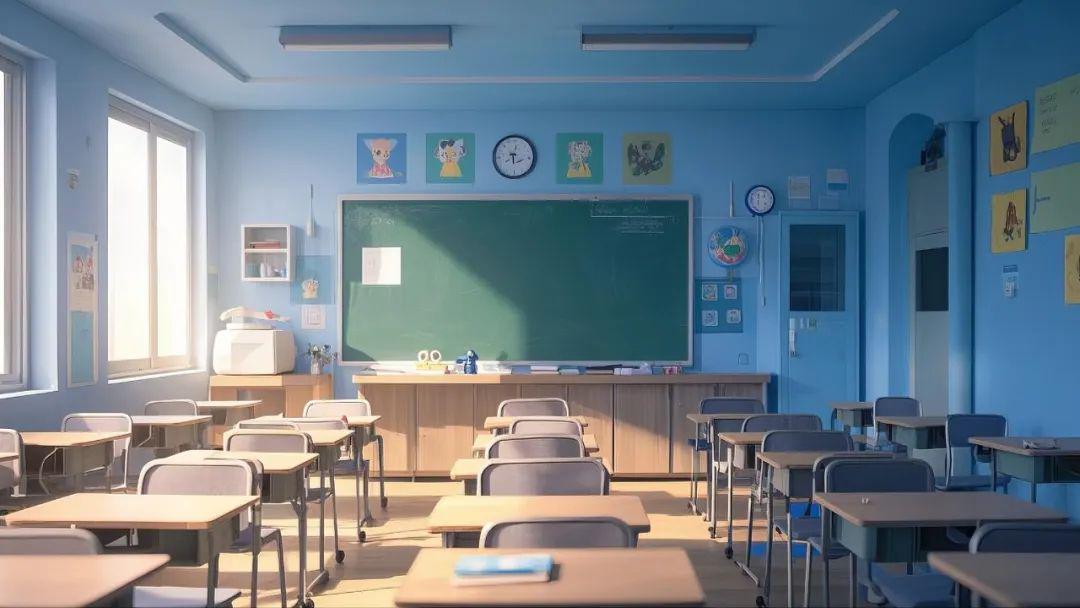
The prompt words are roughly as follows: Disney Pixar classroom style photography, muted tones, no people in the frame, blue and white tones, indoor, medium shots, simple and beautiful
3. Direct projection clips
Open Cutout and import the generated lip-sync video and background image.
The lip-sync video is at the top, the background image/explanatory video is at the bottom, and the duration is adjusted to be the same. (For cell phones we select the picture-in-picture feature)
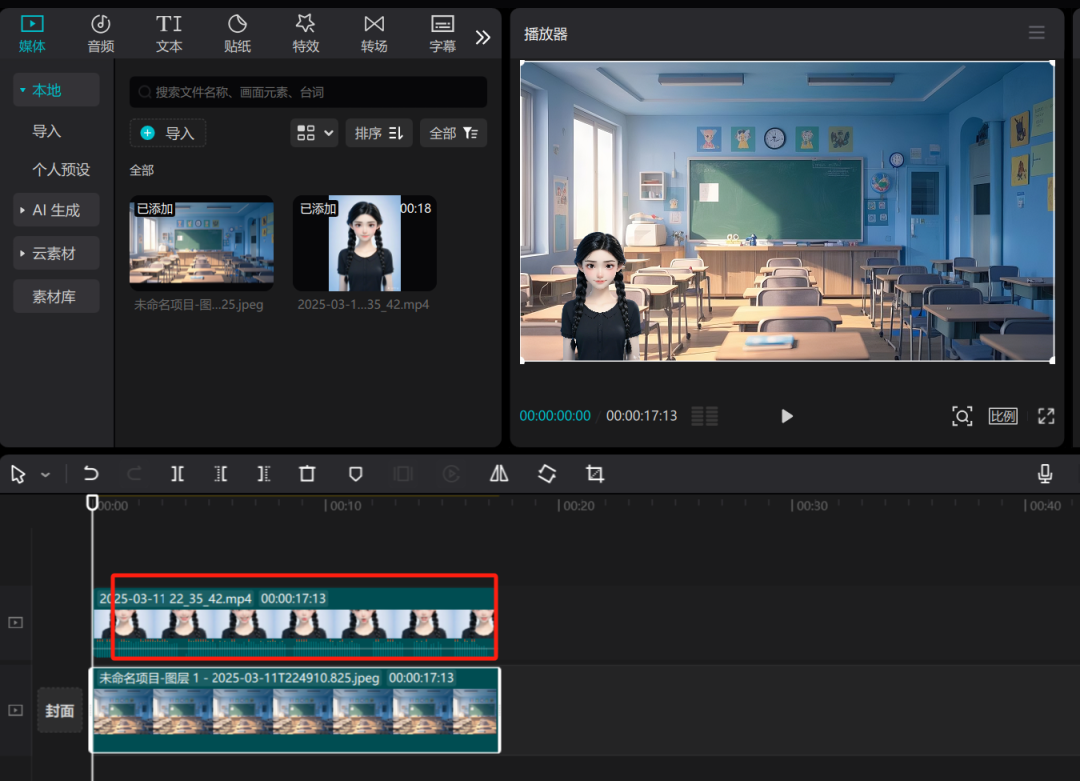
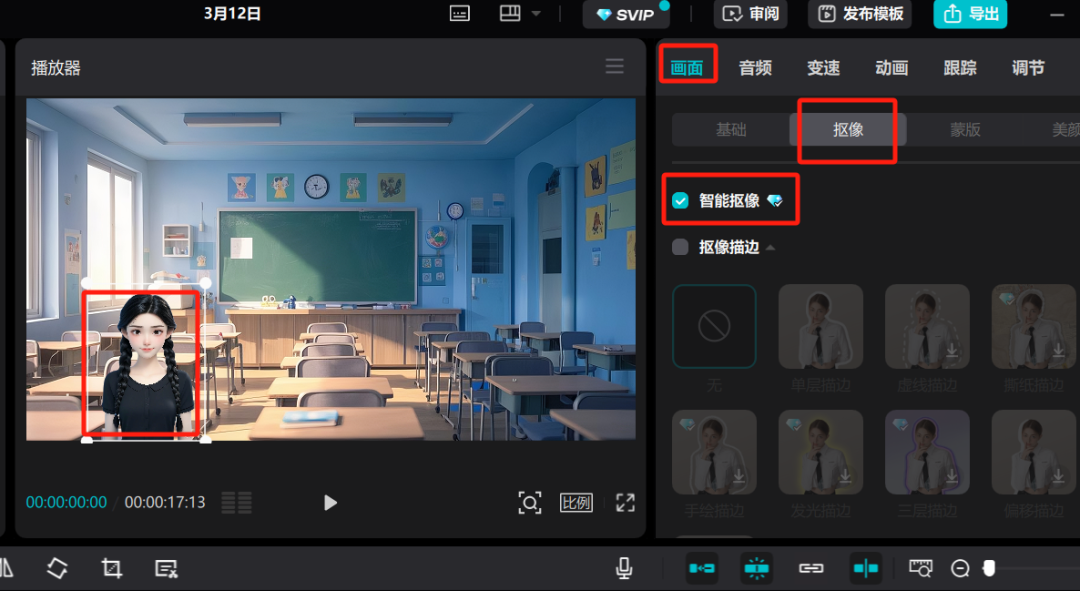
Select "Smart Keying" in "Keying" and adjust the image to the right position.

3D cartoon virtual digital demos completed.
Advantages of this approach:
Easy to customize personalized 3D cartoon avatars, suitable for use in social media, websites.Do avatars appear instead of real people, output content, orYou don't have to leave the country to make instructional videos.
The second 3D digital man, this one is really good.
Open the Arigatou website: https://www.youyan3d.com/

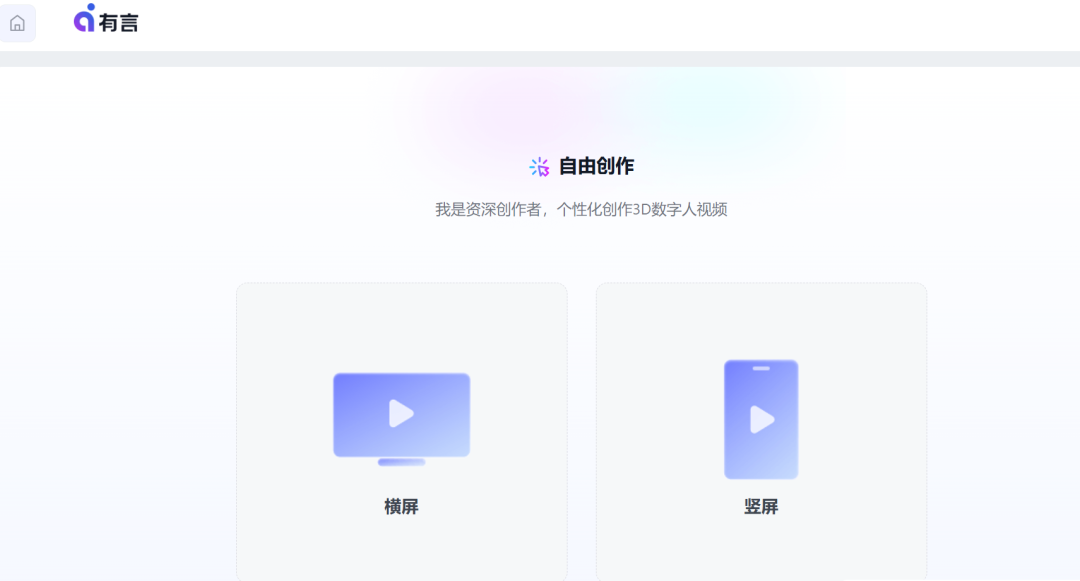
You can also tap on the Work Center, select a template, and again, go to the edit screen.

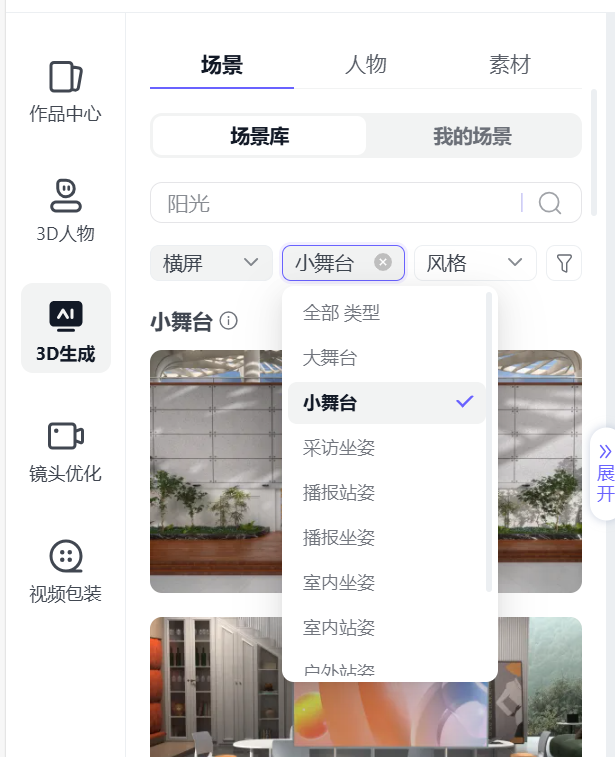
As you can see, there are actually 3 main components, scene, character, and material. We just need to configure ourselves according to our needs. Choose a scene, configure the character model we need + upload our material (also PPT)
Directly on the picture, the function is too powerful. Scenario application of various forms have more
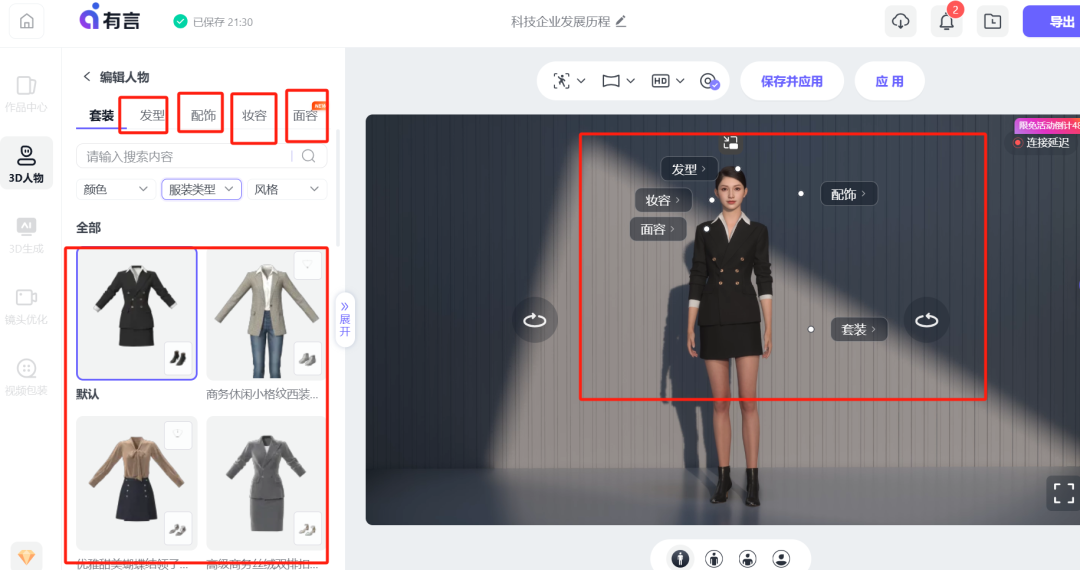
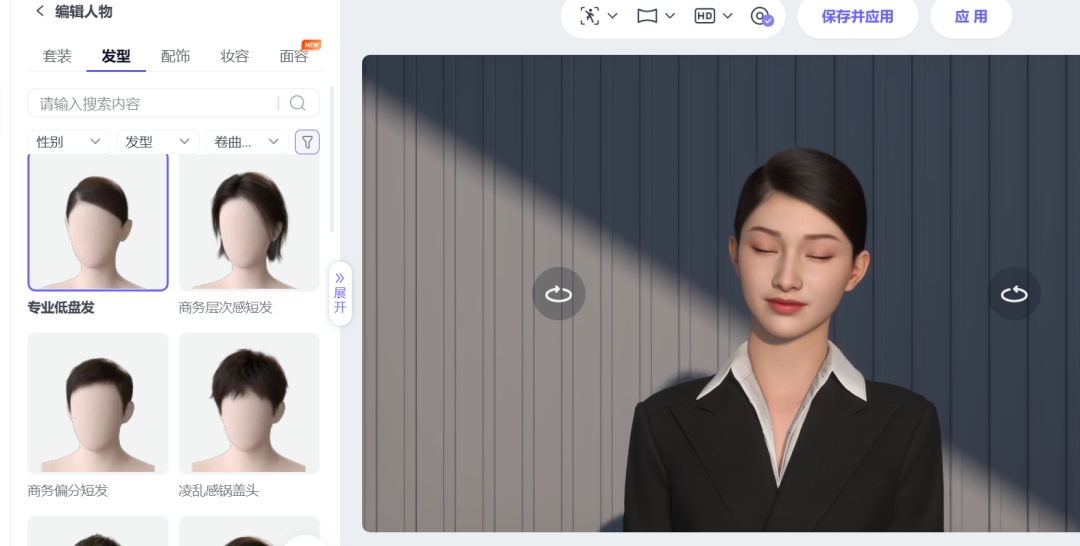
Clothes, hairstyles, faces, etc. all hand-crafted by yourself.

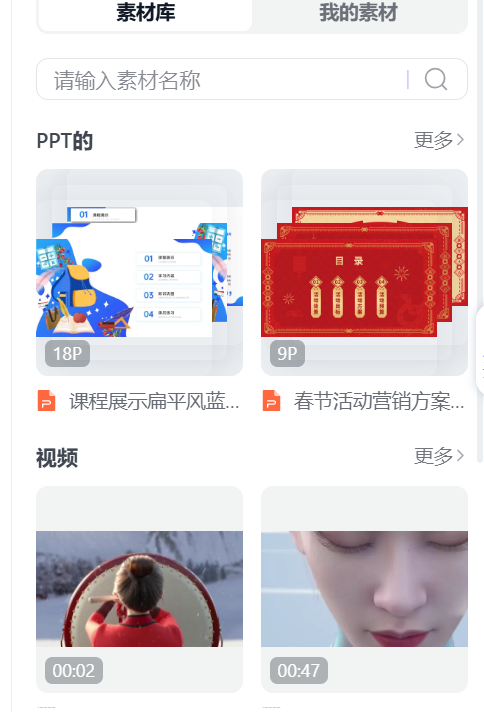
The material can be a video can be a PPT
For the sake of demonstration here are the effects that other bloggers have paid to make for you to see.
1. First upload your own PPT to the material library
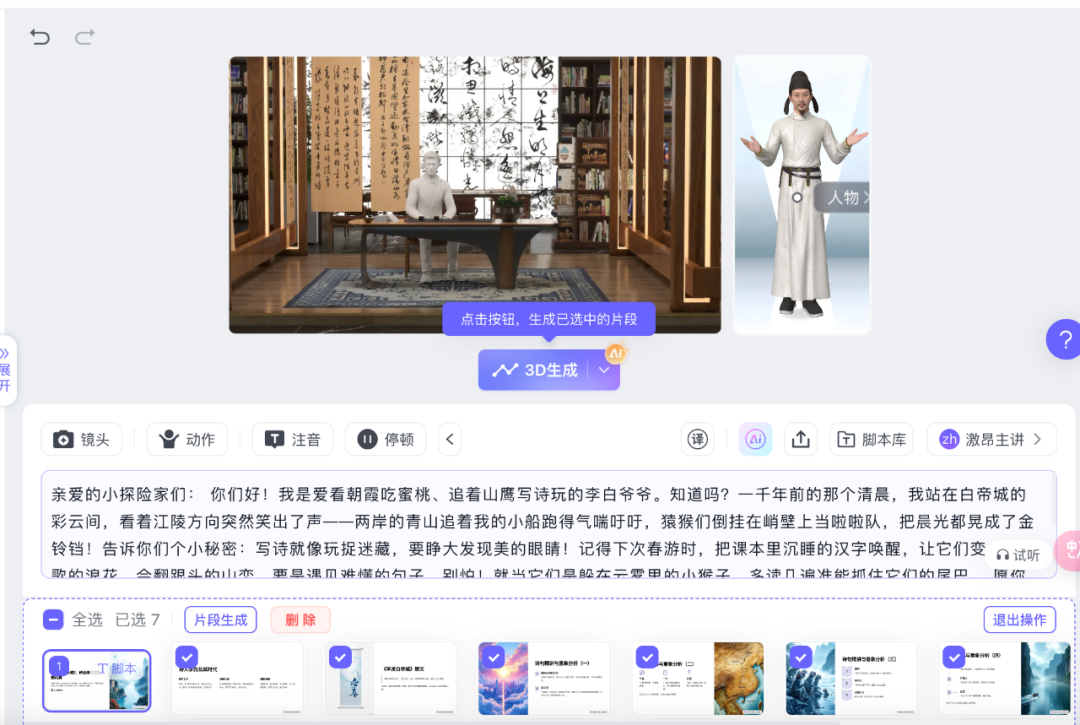
We need to select each page of PPT, and the copy should be evenly distributed to the content of each page, we adjust the copy, click "3D Generation".
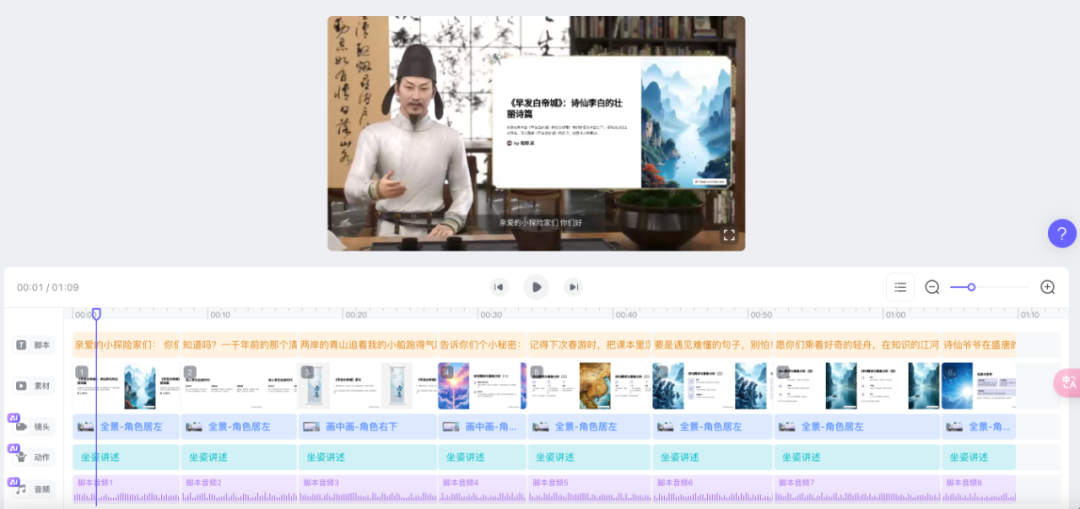
If you don't have money, you can only export 540p resolution. The demo at the top is 540p, and it's actually a couple bucks for a membership.
Everyone can get hands-on, easy to learn, hurry up and try it~!