



A friend recently reached out to me and asked if I could come out withAgentThe willingness to pay for tutorials is very strong!
I really don't have the energy to get a detailed set of tutorials from 0 to 1.
But I can see that this brother has a lot of ideas, but the technology is a shortcoming, so I desperately want to learn how to set up theAI Agent(Because AI intelligences are really the fast track to building real working AI for the average person these days)
If your smart body is well made and meets the needs of some people, you can still make money commercially
Although I don't have that much energy to get a detailed set of paid courses.
But I'm still more than willing to share some tips for building AI intelligences for free:
It just so happens that General Intelligence Bodies are quite hot these days, so let's take you to get a General Intelligence Body! (Another installment of this tutorial!)
The content of this issue does not involve code at all, the white man can also easily handle~
Model, platform selection
AI intelligences are simply large models that will invoke tools to perform tasks.
If the AI macromodel is compared to a human brain, then the intelligences (Agent) can be understood as humans who can use a variety of tools.
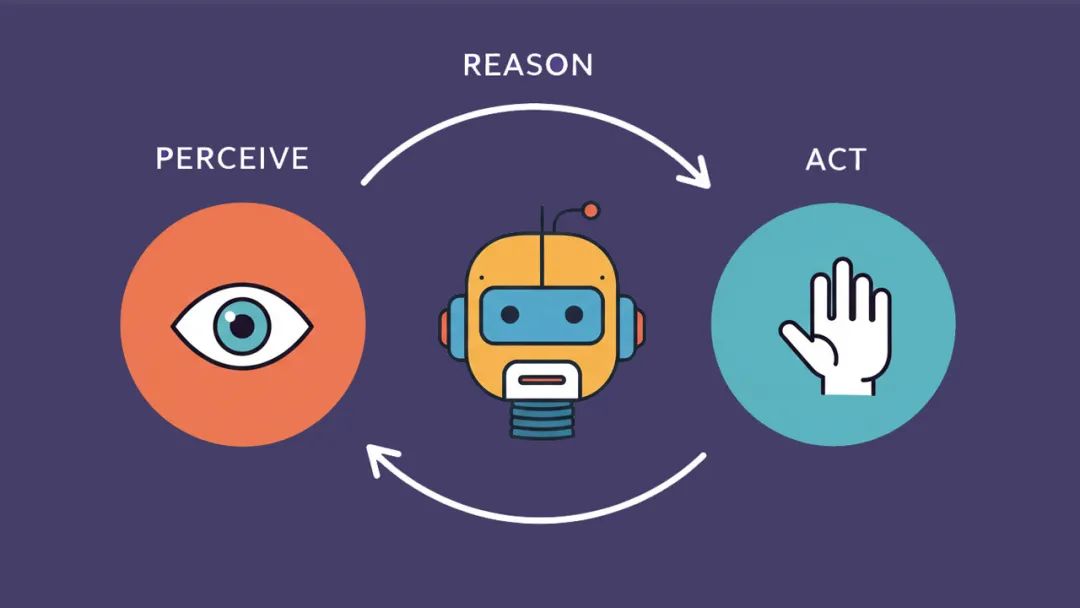
A basic intelligence contains two important elements: the big AI model (the brain), the tools
AI big model: recommend using DeepSeek R1, because R1 is an inference model, and thinking before working is very necessary. And DeepSeek R1 is not only good to use, the API is also very cheap (cabbage price), can be said to be the most cost-effective choice.
Next up are the tools.
We asked the DeepSeek website and the DeepSeek intelligences to write an article and automatically save it as word to me, respectively.
The above picture is the effect of DeepSeek official website, the DeepSeek R1 on the official website does not support calling any tool. So it has limited capability.

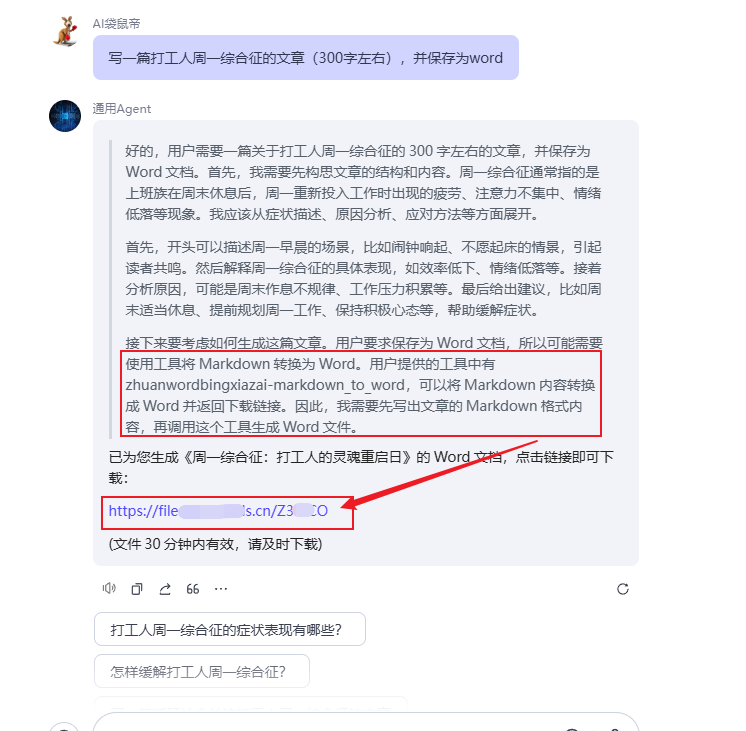
And the DeepSeek R1 intelligent body in the figure below successfully saves the content as word by calling markdown_to_word tool and makes it available for us to download, this kind of giving the big model the ability to call external tools has a special term called Function Call.
I have found that currently there are onlybuttonThe platform implements DeepSeek-R1 full-blooded version + Funcation Call
But it's not enough just to know how to use the tools, there needs to be an abundance of tools for R1 to use.
And all the currentIntelligent PlatformOf all of them, Button (Coze) offers the richest tool (bar none)
The number of tools in Buckle was just over 60 last May, and now that number has soared to nearly 1,000, and it covers a superb range of areas such as hardware, news, life, pictures, search, education, socialization, entertainment, finance, and more. Basically, there's only tools you can't think of, not tools you can't find anymore.

As well as helping friends/businesses customize their smart bodies, I use buckles (Coze) in the case of my 90%
Because buckles are so easy to use: drag and drop + point and click to build intelligences, much less work than writing code~.
PS: By the way, Buckle is ByteDance's smart body platform, and is by far the most comprehensive in my opinion
Okay, so without further ado, let's get right to the feeding~
Building Generalized Intelligent Bodies (Agents)
Goal: Build a general-purpose intelligent body using Buckle+DeepSeek R1 and test its practicality through some practical scenarios and cases (the last case is the most practical).
Go to the button first: coze.co.uk
Click on the + sign in the upper right corner after logging in

Creating Intelligentsia
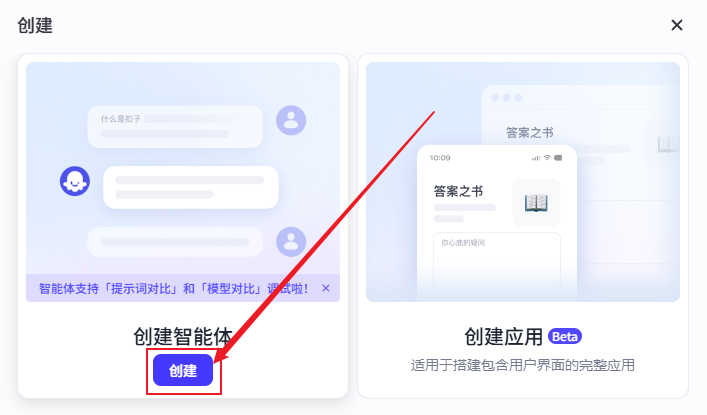
Simply fill in the information and click OK
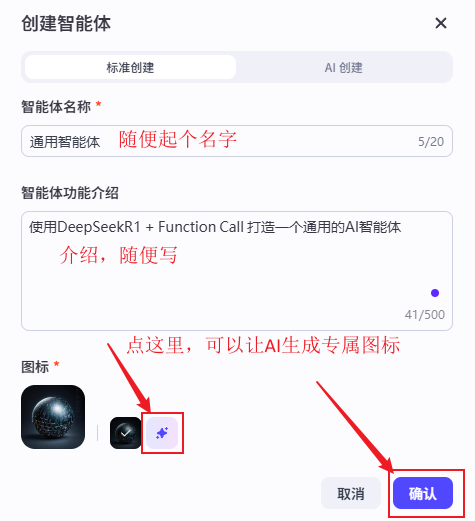
Go to the Smartbody Edit page and drop down here in the model and select: DeepSeek R1 Tool Call (Function Call version)

Here are some official recommendations when using DeepSeek R1

So let's not design a system cue.
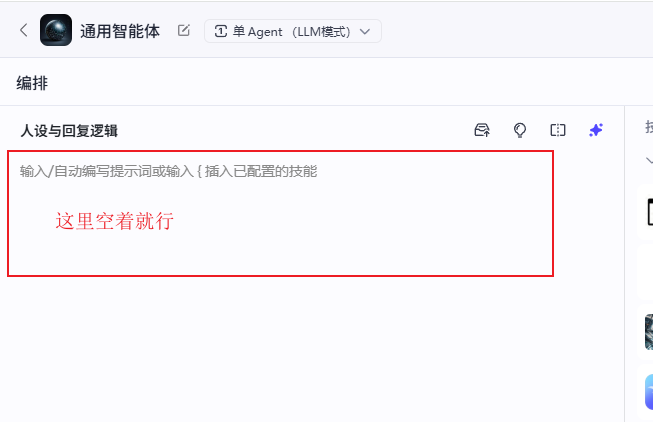
and the official recommended temperature value set at 0.6

Then click Add Plugin (aka Add Tool) in the Plugins section

Add the plug-in as follows
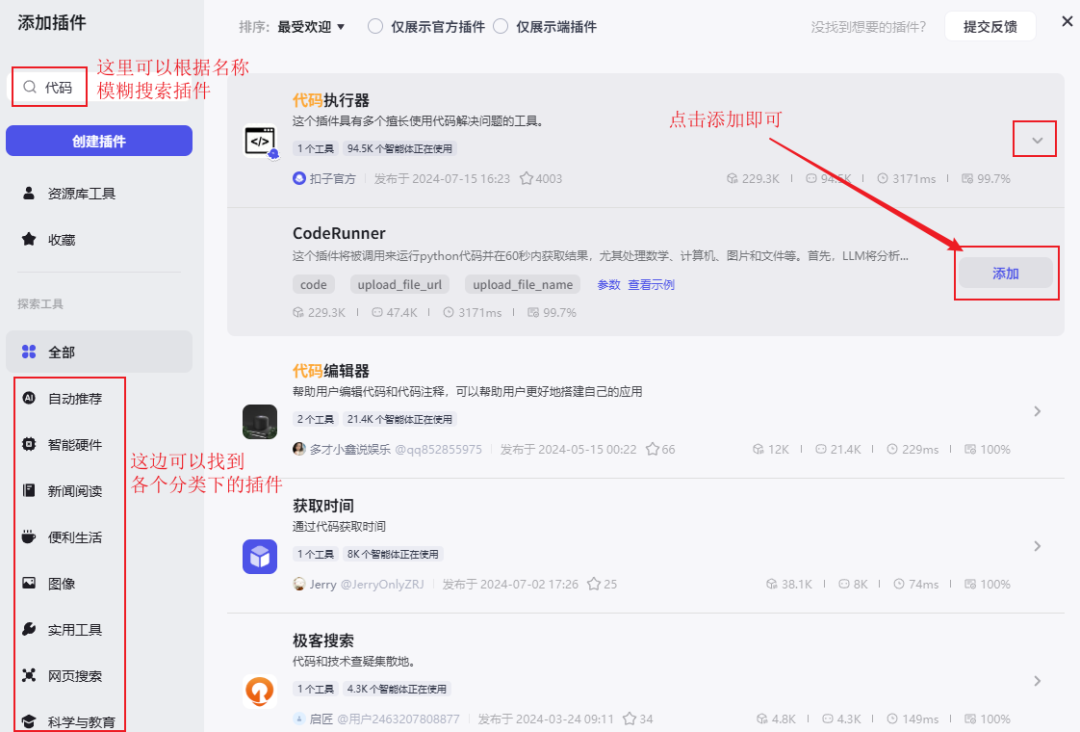
Here are the 10 plug-ins needed to build this generalized smart body

After adding the plugin, we can start to test it in the [Debug Preview] interface on the right side

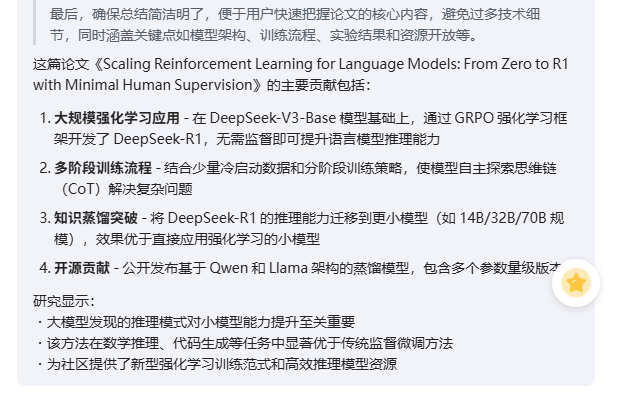
Scenario 1: Web link reading, summarizing
Here I have it reading the DeepSeek R1 paper, a pdf online link:
https://arxiv.org/pdf/2501.12948
Summarized in less than 30 seconds.

Scenario 2: Drawing architecture diagrams, flowcharts, mind maps, etc.
Some of you may not be too clear about the workflow of the Knowledge Base (RAG), so I let it draw a
It also supports jump image previews, as well as continued editing based on the source file


The generated flowchart is not bad, at least it explains in detail how the RAG works for emergency purposes, or you can quickly generate it and then edit it twice yourself.

Scenario 3: Content is saved as a file
Before a lot of friends are asking, AI-generated content can not be automatically saved as word, just buckle this plug-in supports the direct generation of word and download!


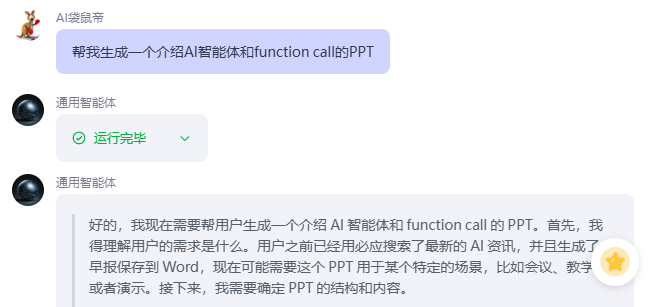
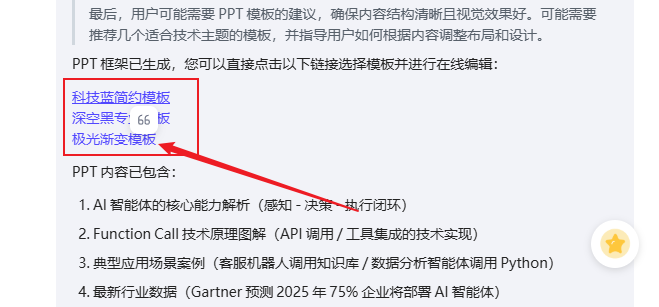
Scenario 4: Making a PPT
In less than 3 minutes, an 18-page relatively beautiful PPT was created, which is very efficient!
PPT address: https://www.aippt.cn/share/GYZk6Muxfj1I1XFb-GQacA
Scenario 5: push the latest AI information regularly every day
This scenario is accomplished by the following two plugins working together.

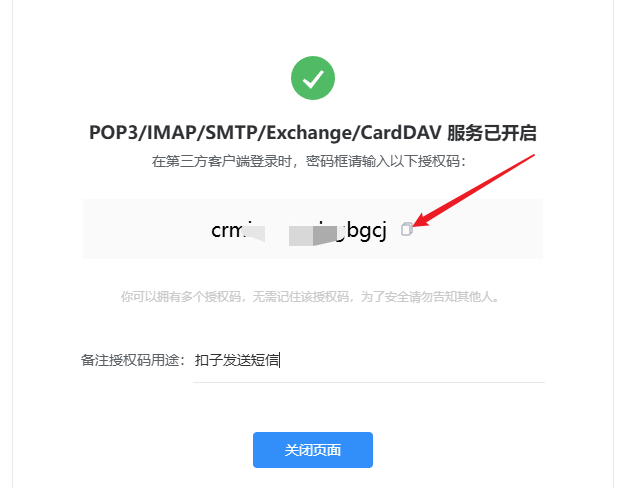
The Email Manager plugin requires configuration of the authorization code for the outgoing mailbox.
Sending mail to QQ mailbox, for example, after logging in QQ mailbox, find Settings->Account Page
Scroll down and find the location pictured below and click on Enable Services

There is a verification process that ends up with an authorization code as shown below, copy it for backup
Click on the pinion to open the configuration page of the Email Management plugin

You can fix the three parameters in the following figure, password fill in the authorization code just obtained, account fill in the outgoing mailbox, to fill in the incoming mailbox here (I filled in one of my gmail mailbox) remember to save.

Finally we configure the timed trigger task
Click the plus sign here in Trigger to create a trigger and configure it according to the following figure, the trigger time can be modified according to individual needs.
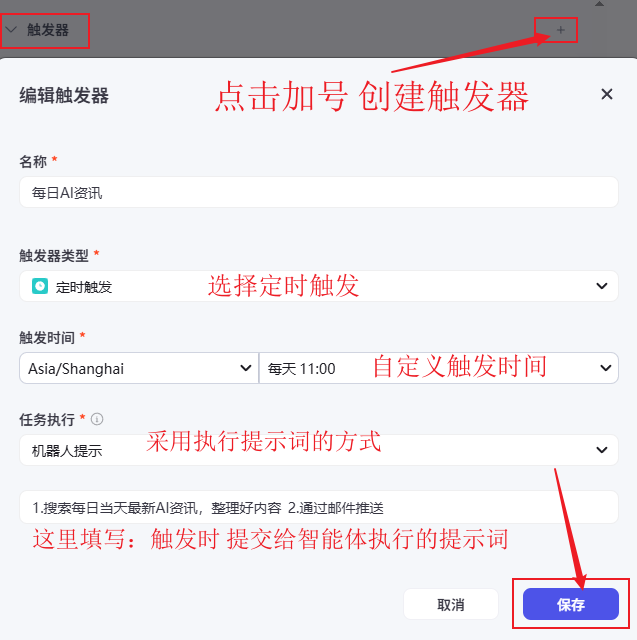
After saving successfully you can see this created timed task under Triggers.
PS: The trigger function is only effective for the Flybook channel, only when you publish the smart body to the Flybook channel, you can automatically execute the task of the trigger.

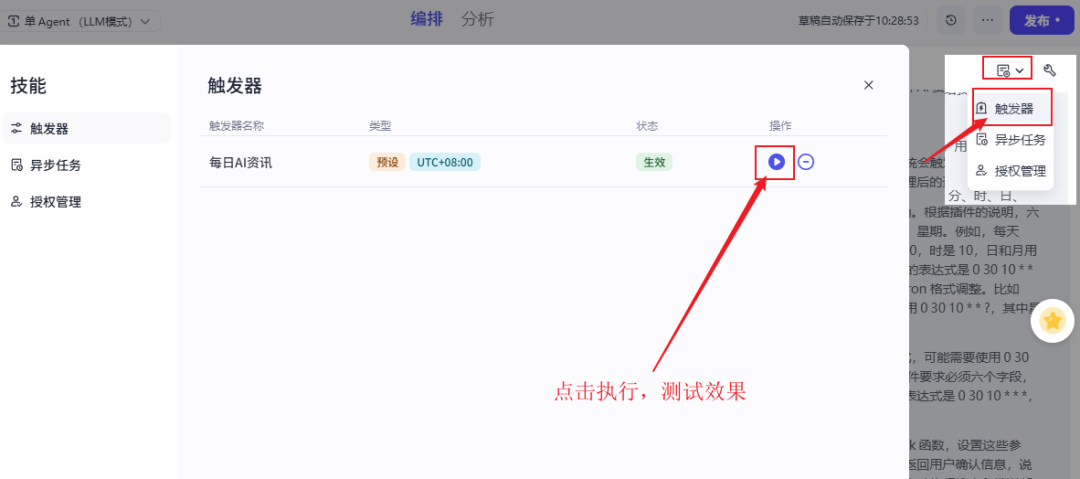
We can test the effect of the trigger by clicking on Execute, in the position shown below.
Once all the features are tested, we'll click on the Publish button in the upper right corner to release it

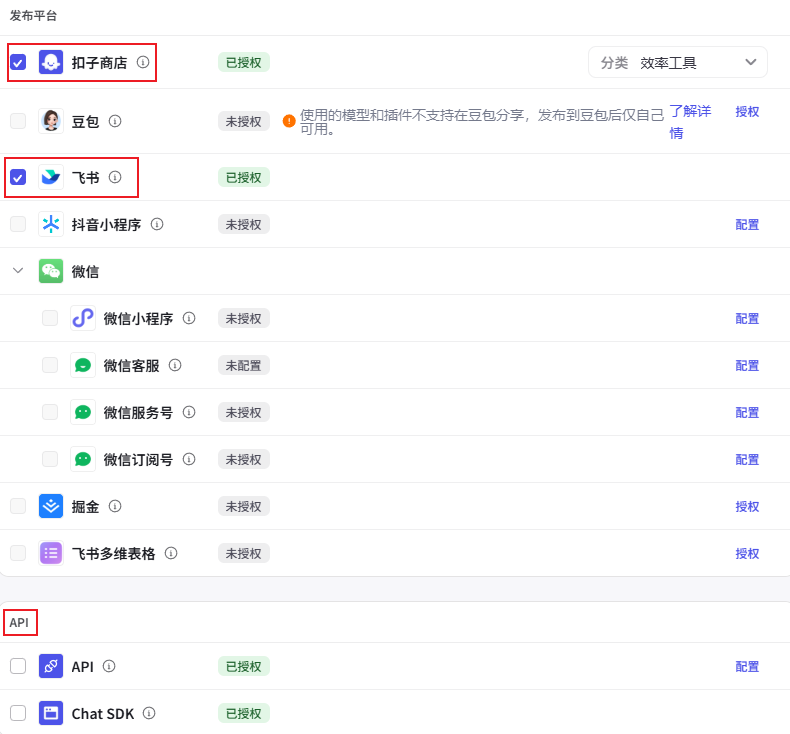
Since the trigger only works for the Flybook channel, we also need to authorize the publication of the smartbody to Flybook

Buckle supports a wide range of publishing channels, including WeChat, Shake, Flybook, Doubao, and so on.
It also supports publishing into an API to access other systems or programs.
This time I'll post it to the fly book and button store
After posting successfully, look at the effect below, I did get an email push from AI News Today at 11:00am

In addition, Buckle's plugin tools are supported for customization, and you can even make money by developing Buckle plugins.

Buckle + DeepSeek R1 + Function Call can greatly expand the boundaries of the capabilities of the intelligent body, click on the original article below, refer to this tutorial, with the help of Buckle's rich ecosystem of plug-ins, with a little bit of market insight and imagination, you can create your own commercial intelligent body! Go ahead and give it a try.