



You may have heard of Suno or Udio, but did you know that there is an AI that has been dubbed the "Magic Box of the East" since its launch in August 2024? There's an AI that will be called the "Magic Box of Oriental Music" when it comes out in August 2024.
It is. Mureka Mureka, an AI music creation tool developed by Kunlun Wanwei. Today Mureka has evolved again, releasing the world's first big model for music reasoning - theMureka O1
Mureka O1 + Mureka V6 models, the double sword, so that everyone can be a singer, music creation has never been the same!AI musicThe time has finally come!
As a senior player in the field of AI that plows into niche areas and "makes a lot of money in a muffled voice", unlike many companies doing AI applications, Kunlun Wanwei has been making efforts in the general AI and vertical areas, insisting on the independent research and development of large models, and continuing to invest in AGI, which has yielded a lot of results, and completing the strategic layout of the AIGC.
Here's how Mureka works:
I. Mureka Interface
First, let's open the Mureka website
https://www.1ai.net/18022.html
You can complete the registration by using a domestic email address
The interface is very simple, the home page is these sections, as the name suggests, I will not explain
- hit
- creation
- song library
- subscribe to
- attend
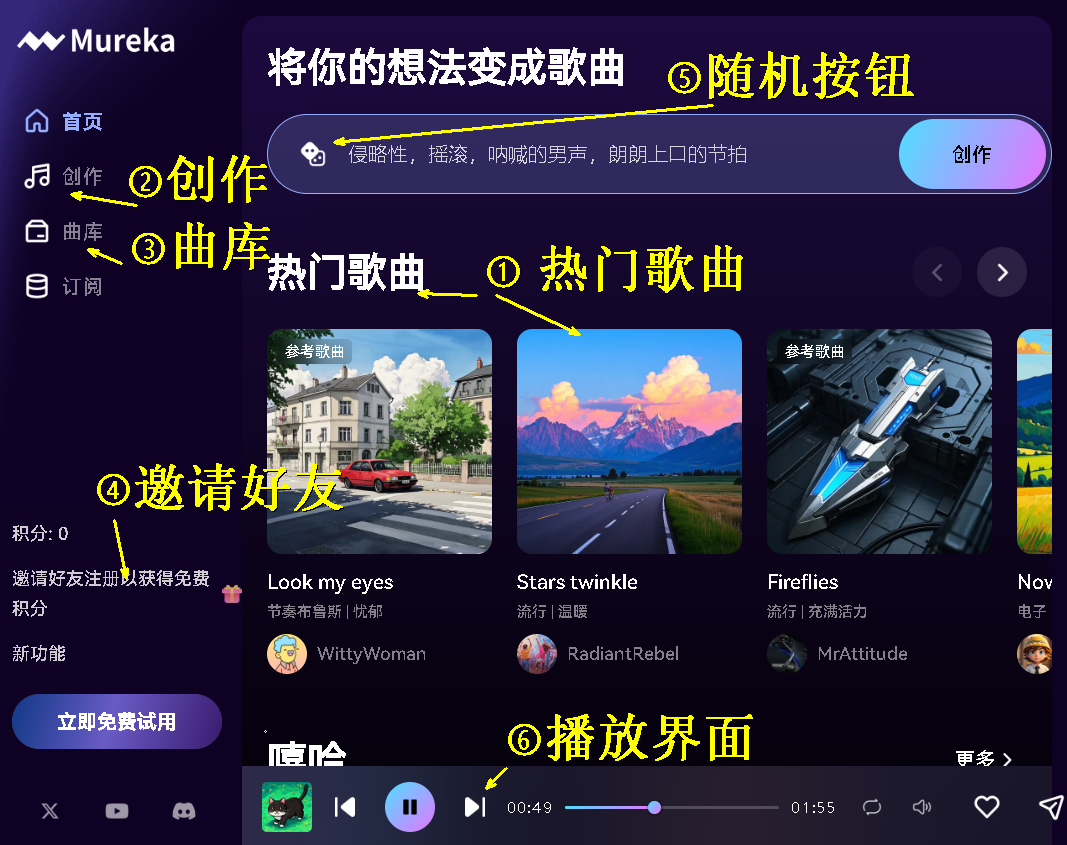
Mureka's basic operation
1、"One-key-same-model "Function
To learn AI, newbies must learn to learn from it and see what other students and masters do first.
Mureka offers a "one-click" feature
Click on a random song and listen to it
Link to the song: https://www.mureka.ai/song-detail/7yTR79CiH5c2Uc5jcfHmkg?is_from_share=1
The song "Hands up high" sounds good, but you can't download it, but we can download it in one click!
When you go to the song's detail page, you can "favorite", "copy the link" and "do the same".
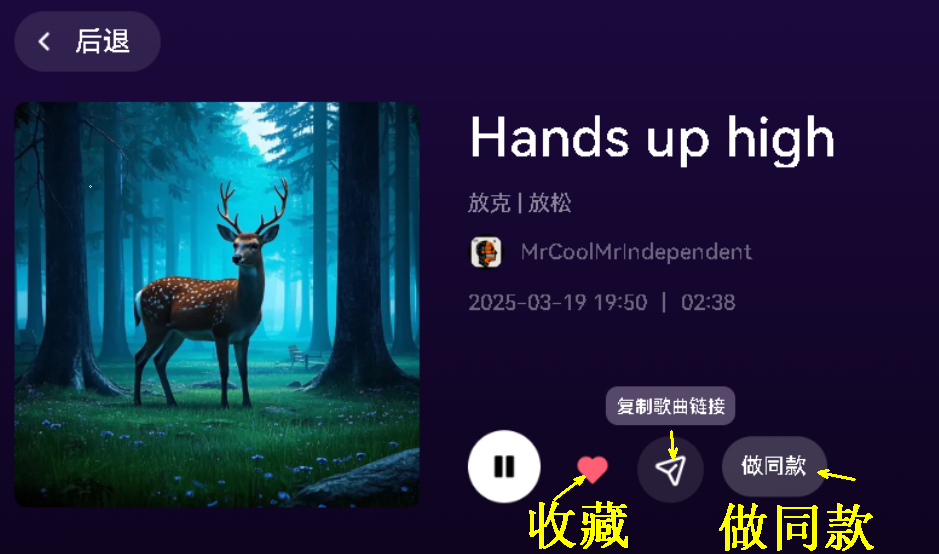
We can make the same style of song by clicking the "Make the same style" button.
Note that when you tap on a song, if there are lyrics coming out of the interface, you can imitate it, and if there are no lyrics, you can't imitate it!
2. Creating pure music
Click on the "Compose" section and enter the "Songs" and "Pure Music" sections.
Let's look at the simple model of "pure music".
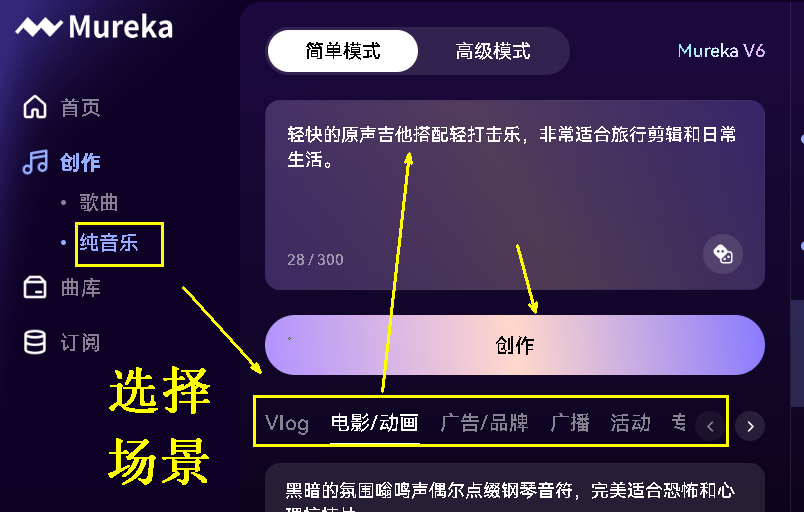
There are many scene categories below, we can choose one according to the need, for example, choose "whimsical woodwinds and bells, perfect for animated children's content and fantasy world", you can generate two tunes at a time.
With this pure music feature, you no longer need to search for soundtracks when you make videos with soundtracks.
Generate music directly with Mureka, the copyright is still yours!
Pure Music Advanced Mode
Tap on the advanced mode of Pure Music and you can choose to upload reference audio
Upload a frequently used soundtrack to get a new soundtrack
This feature is great for users to second-create favorite soundtracks
3. Simple mode to create songs
Once you enter the creation, again there are two options, "Simple Mode", "Advanced Mode"
In simple mode, you can enter a theme and get two songs
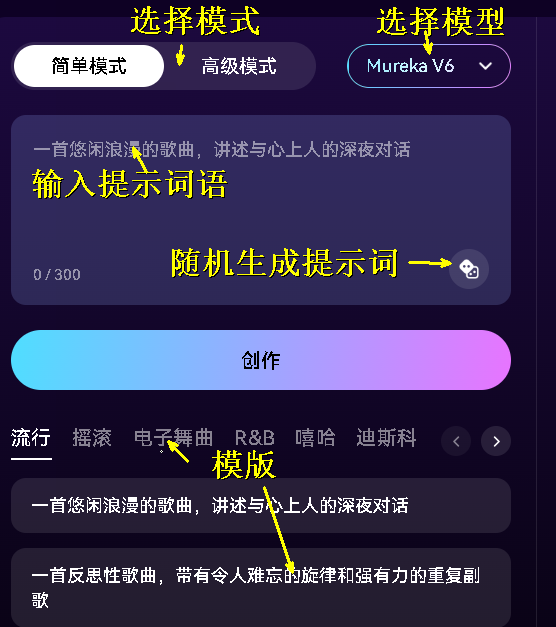
4. Advanced mode to create songs
In practice, you still need to use the advanced mode to get good results
In the advanced mode, there are three types of options:
First, there are three music models to choose from
Secondly, there are three modes of lyrics generation: Lyrics Tagging, Verse-by-Verse Lyrics Generation, and AI Generation of Complete Lyrics. Customized lyrics are also supported
Importantly, there are four music reference modes: "Reference Song", "Select Artist", "Song Description", "Melodic Motifs "
(1) Model selection
There are three models, the old Mureka V5.5, the new Mureka V6, and the just-launched Mureka O1
The official explanation is as follows:
Mureka O1
(10 points per 2 songs)
Professional grade music production. A model that integrates a complete music studio. Professional-grade vocals, cinematic mixing, and better performance in all audio annoyance bands.
Mureka V6
(2 points per 2 songs)
Advanced multi-purpose compositions. Our newest model with significantly improved vocal clarity, professional mixing, better arrangements and more accurate lyrics. Support for 10 languages (English/Spanish/Chinese/Japanese, Korean/Portuguese, German/Italian/French/Russian).
Maximum duration:4.5 minutes.
In the test, O1's borrowed song singer + thought chain function can provide more personalized music solutions, and generate a better level of voice, closer to the real person!
(2) Customized lyrics
We select "Advanced Mode" and the drop down box selects the V6 model.
I remembered that not long ago, I had tea with a senior schoolmarm who had gotten into Tsinghua University. He jokingly asked if he could use AI to write a song for the school flower of that year. Today we use Mureka to realize his dream!
In the Lyrics box of the Advanced Mode, type "Write a song lyrics from the perspective of the 94th grade bully of Chengdu Yulin High School, for the schoolgirl I had a crush on back in the day, recalling my youthful years".
You can also change the details of the lyrics as needed to better fit your personal scene.
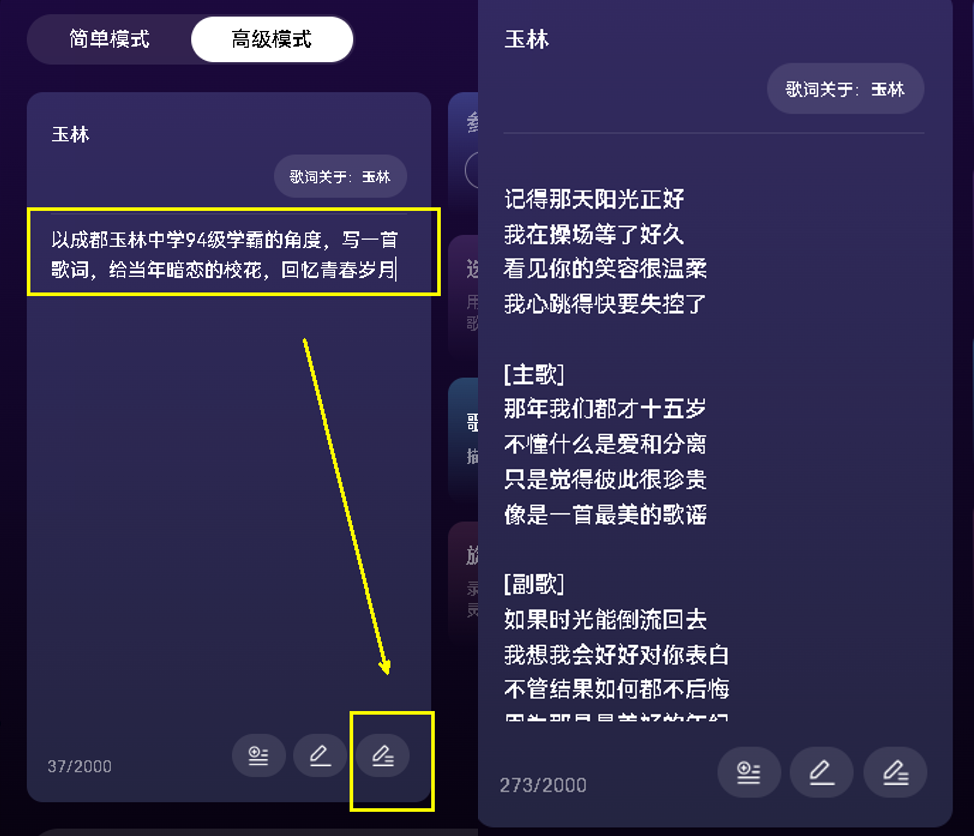
Mureka's Chinese pronunciation is very accurate, on the contrary, the foreign suno, Chinese pronunciation always has an indescribable flavor, encountered slightly complex Chinese characters suno also can not be pronounced properly.
With Mureka, music novices can write their own unique songs!
3、Reference to song writing
Let's create a song in its entirety, first into lyrics.
Type "Loneliness is also beautiful" and choose one of three modes of writing lyrics: by structure, by one line, by the whole song.

I asked DS about the structure of the lyrics, and the AI explained it as follows, leaving this pattern for those who like to drill down:
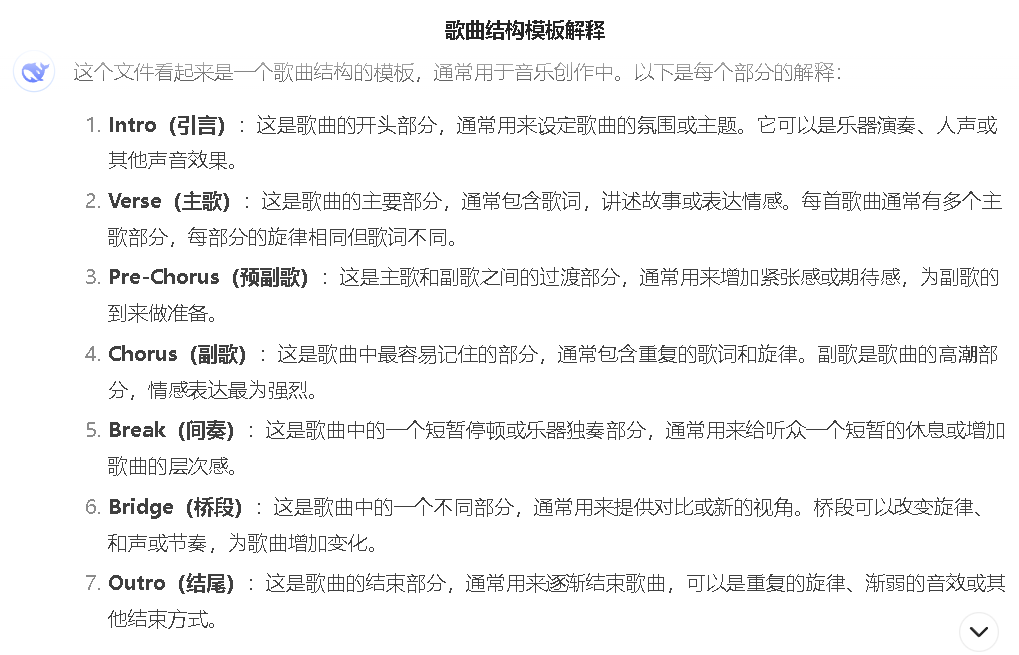
Of the four reference modes, the most useful is "reference song."

You can choose songs uploaded by other users or upload your own voice. I uploaded a favorite ballad and clicked Generate, which is very fast, 10 seconds.
In real life, the O1 model sings closer to the real thing, with more layers.
Reference music links
Since the market is overseas, a "YOUTUBE LINK" function is provided in the "Reference Songs" section.
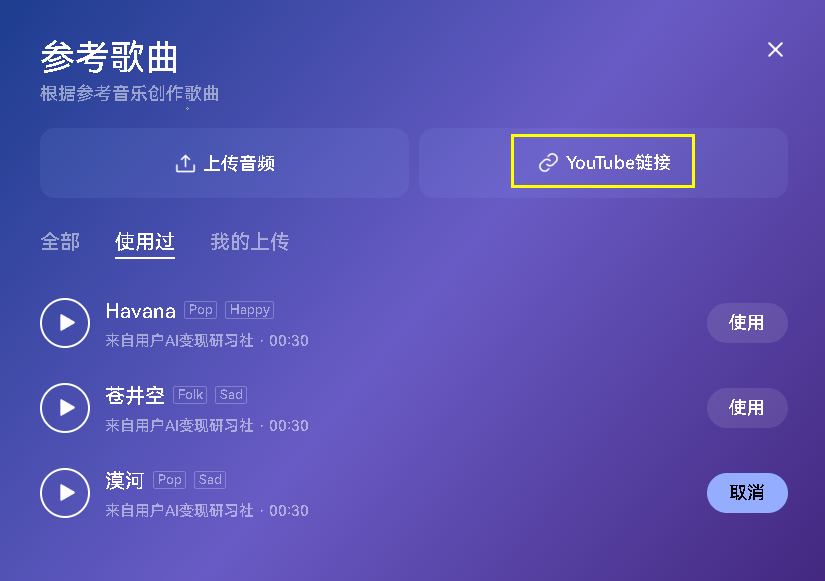
I found an address for a tubing video and posted it
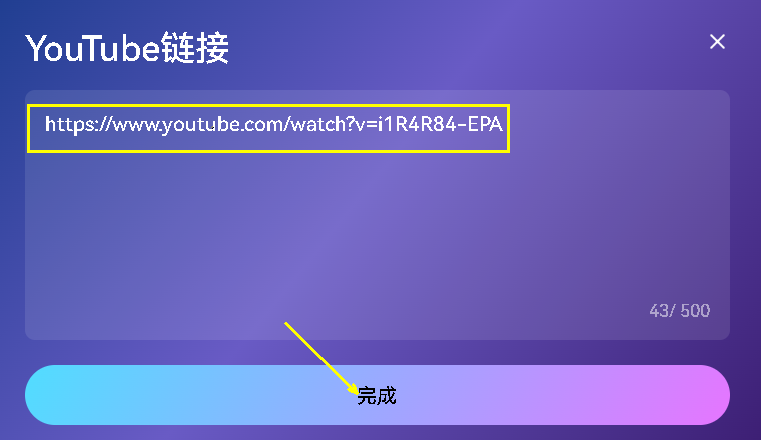
Get the songs are very good, lyrically.
5. Single song editing
Open the song just generated, there are many functions, not only support support local editing (lyrics), extension, but also can download the video, download the accompaniment sub-track, download the proof of ownership.

Click on "Download Proof of Ownership".
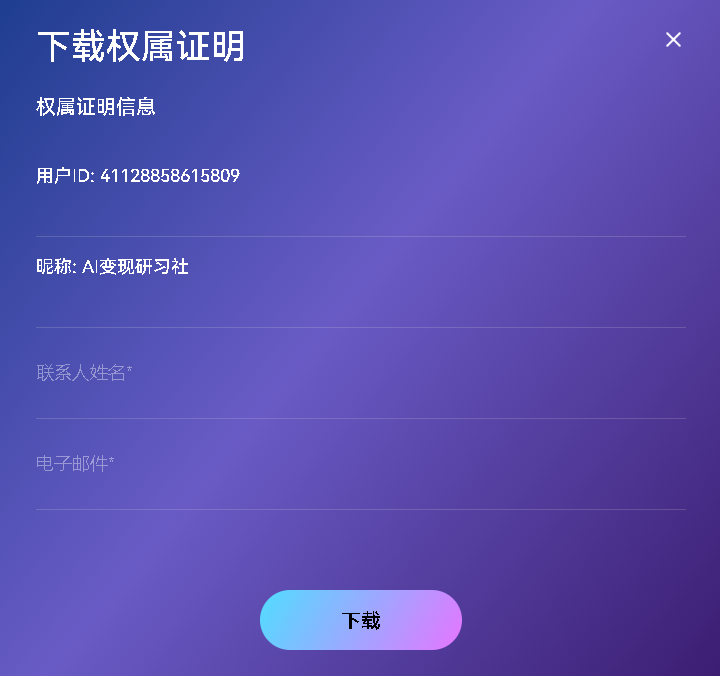
Open the contents as follows:
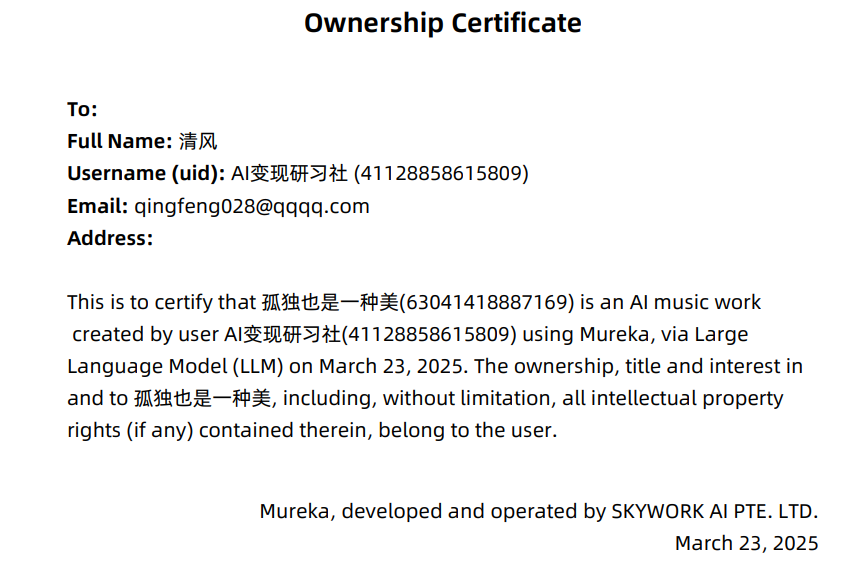
Translated, it probably means:

Try generating a video again
Mureka automatically matches the pictures to the content of the song, and it also comes with its own subtitles. It feels like a bit of fun. The pictures are slightly simpler, but it's a very good direction for students who want to make music videos in the future.
Finally, pick your favorite song, click "Publish", after publishing, go back to Mureka home page, drag it to the bottom of a "Newly Released Songs", you can see the song you just released!
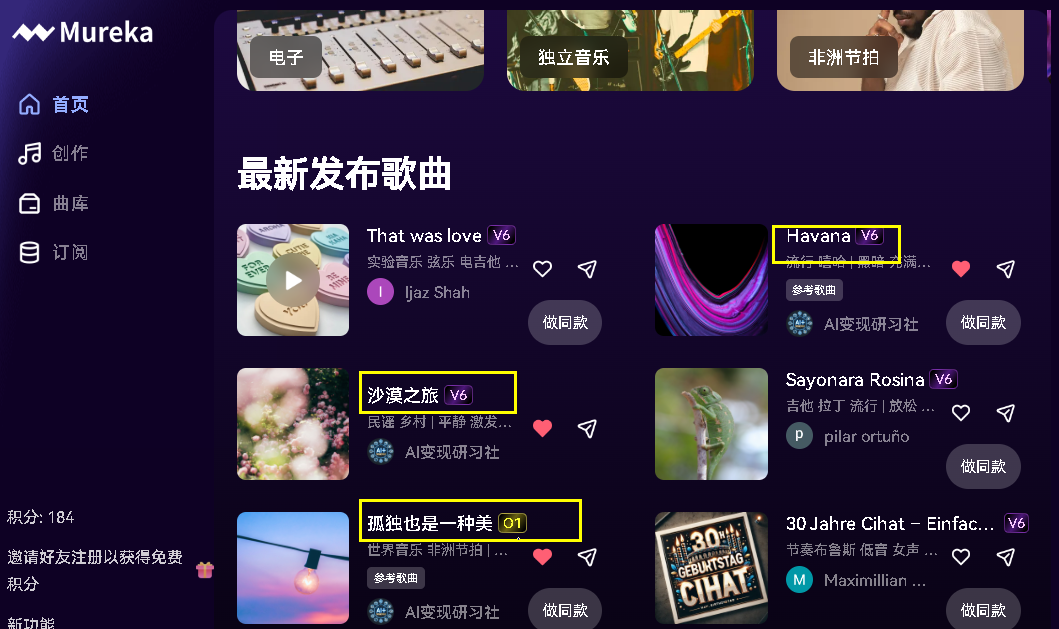
Above is the basic operation of Mureka, I feel that Mureka O1 model sound quality is very good, not only full-featured, but also a lot of space for future applications.
You can combine with Kunlun Wanwei's skyreels to make videos, generate voiceovers for virtual idols, generate videos, and make short dramas. It is completely possible to open up the complete AIGC chain and realize the business closed loop!