



Recently saw a foreign a very hot play, small water droplets dancing, from the subtle subject to start amplification, give it life, let very people feel very refreshing, surprised can also be so play! Today it will bring to you to learn.
There are AI tools that need to be used on this:
1. Raw map tool: i.e. Dream
2. Video tools: Kerin AI
3. Editing tools: Cutting and mapping
Step 1: Vincent's Cue Words
1. First of all, we want to write the picture of the prompt word, here we have made a good intelligent body, only need to enter the subject and the environment to generate the prompt word, for example: water beads, the sea.
Here's a study prompt word for you too
Reproducing the words of the Venn diagram prompt: a seesaw-shaped blade of grass, with a small human-like water droplet standing at each end of the seesaw dancing, with a transparent subject and a blurred background.
Toussaint video cue word: two small humanoid water droplets dancing on the seesaw, the main body of the picture dynamic presentation, ultra-realistic dynamic capture, no deformation, no distortion, no disfigurement, no blurring!
Step 2: Wensheng Diagram
1. Open that dream, the address https://jimeng.jianying.com/
Take the cue words generated by our intelligences abovein successionCopy and paste it into the immanent dream out of the picture.Select 2.0 model.
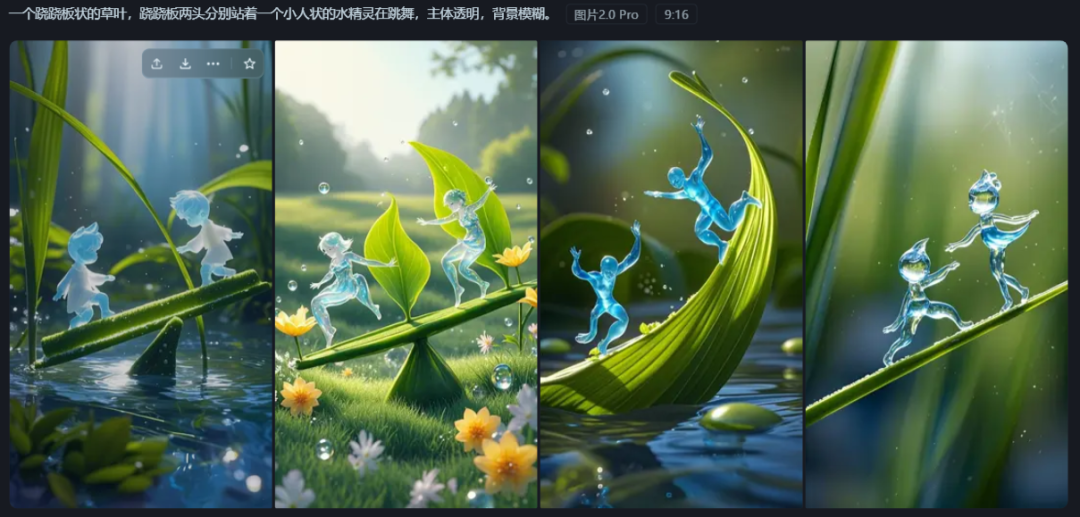
2. Choose one you like to go to the canvas for editing, so as to achieve the effect of removing the watermark, and finally to see the effect.
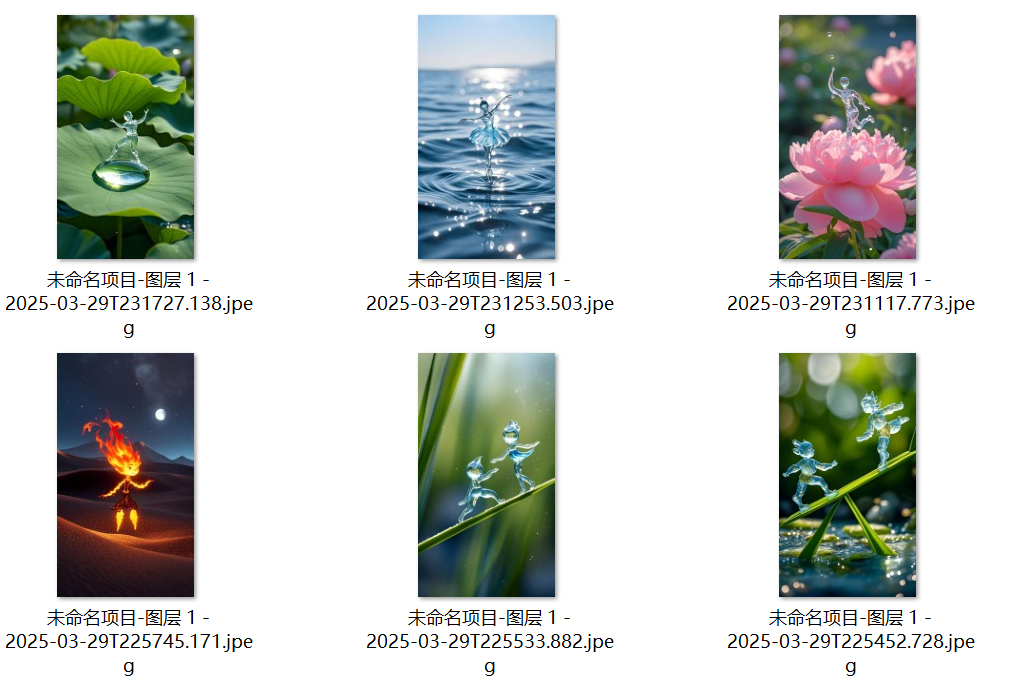
Step 3: Toussaint Video
The tools for the Tucson video are actually Cheer Duck said a variety of them and they are in the toolbox.
1. Open Kerin at https://klingai.kuaishou.com/ (updated version)
The generated images will be uploaded in order, and the generated graphic video cue words.Copy toGenerate video in the image creative description.
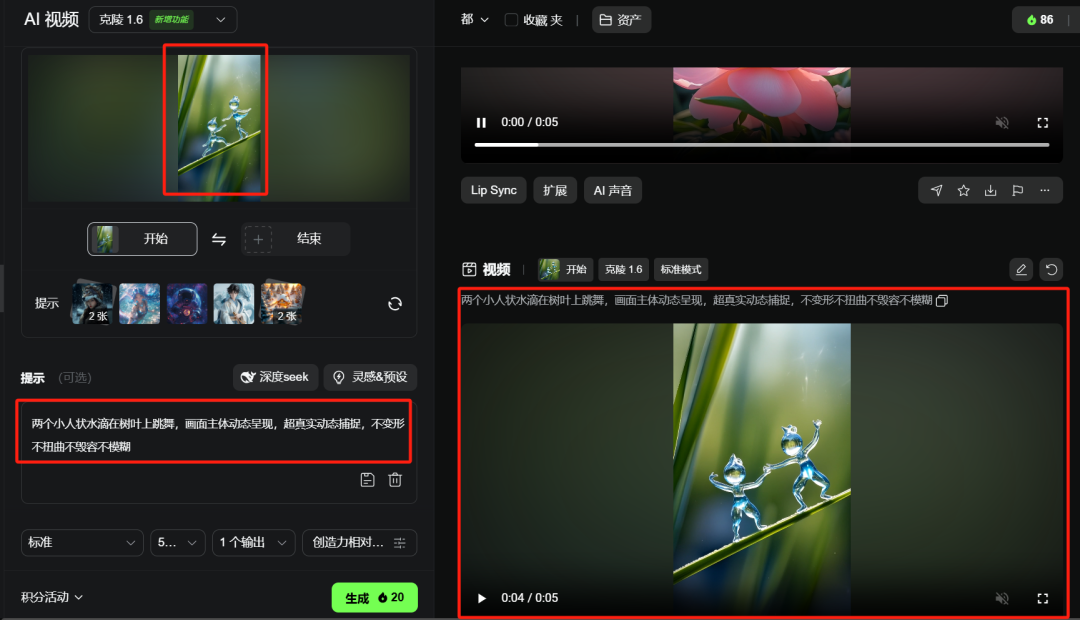
Other pictures operate the same.


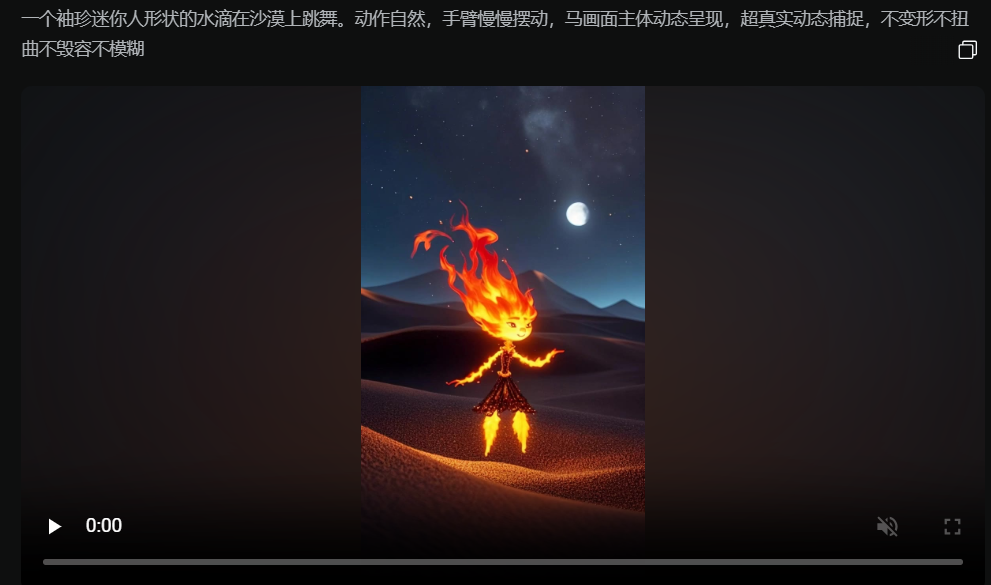
Once generated, download and save them all.
Step 4: Editing
1, open the cut screen PC Professional Edition, enter the main interface, click [+ start creating].

2, add the saved video clips, add background music, you can directly search in the cut screen
3, the appropriate location to add the right sound effects, you can double the effect of the video.

Learning point: text, the addition of the background can make the picture more feeling, as for if there is to make the video to improve the clarity of the tools to follow my wechat can be sent. Pay attention to this kind of small to big play, to be a novel idea. In addition to water droplets, flames (specially demonstrated one for you), snowflakes, stones, wood, gold, etc. are a logic, waiting for you to develop.
Cautions and Operational Recommendations
1. Maintain originality: Do not directly copy the content of other people's cue words, by modifying the creative body of the cue words or adjusting the details of the screen video, to ensure that the work has a certain degree of originality.
2. Optimize the rhythm of the video: too long animation content may lead to viewers skipping, it is recommended to control the video time to ensure a compact rhythm.
3. Accurately locate the audience: choose a platform and time period where the target audience is clear to publish the video, for example, uploading it in the evening for better results.
4. Interaction to enhance fan stickiness: actively reply to fan comments, increase the interaction rate, attract more users to pay attention to and forward.