The tool I recommend to you today is calledDomoAI, the international version is calledDomoAIThe domestic version is called Dimo AI, which is launched by Yingke Technology and can turn photos and videos into animations.AI Tools.
The tool can convert the pictures and videos uploaded by users into anime in the style of the second dimension. It also supports functions such as text-to-image generation, image-to-image generation, and anime-to-realization. After the video generation function was launched, the number of Discord internal test users increased from a few thousand to more than 50,000 in just 14 days.
DomoAI’s key features include:
1. AI text-to-image generation: Quickly generate paintings and artworks by inputting text prompts.
2. Animation of pictures and videos: Convert the uploaded pictures or videos into 2D style animation.
3. Transform anime images into real people: Transform anime images into real people with one click, and AI breaks the dimensional wall.
DomoAI’s official website address is as follows:
International version official website entrance: https://domoai.app/
Domestic version official website entrance: https://www.domo.cool/
Discord Server: https://discord.gg/domoai
How to use video to animation
1. Visit the official website of DomoAI International and click on "Start in Discord" (Note: the domestic version does not provide the function of video animation yet).
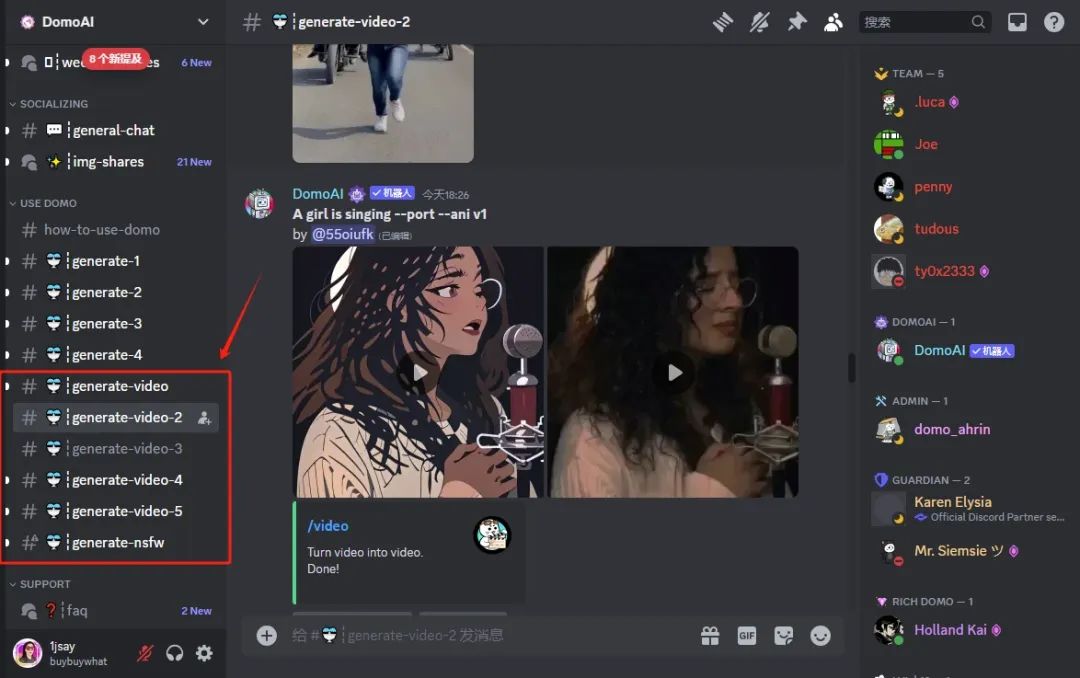
2. After joining the Discord server, select the channel "#generate-video".
3. Enter the command "/video", then drag and drop or upload the video file and type the prompt word.
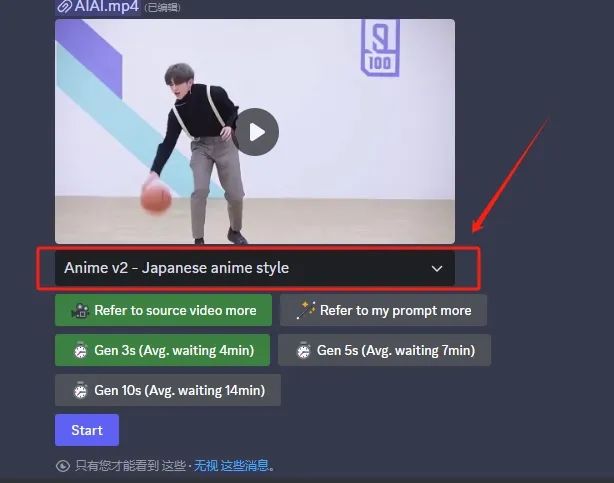
I chose a Japanese anime style video generation model, where you can enjoy the original material and the generated video effects.
4. Select the style and duration, click "Start" to begin, wait a moment to complete.
How to use image to video
1. Pull down the server list on the left to find the generate group and enter any group.
2. In the input box below, type "/".animate" command and add the image you need to process, then fill in the appropriate prompts and press Enter to submit.
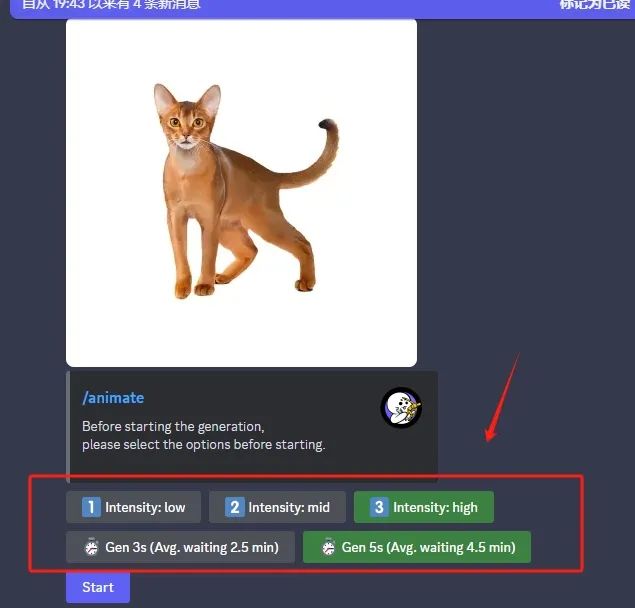
3. Domo will provide you with options for the quality and duration of the generated video. Once you have made your selection, the system will add your task to the processing queue.
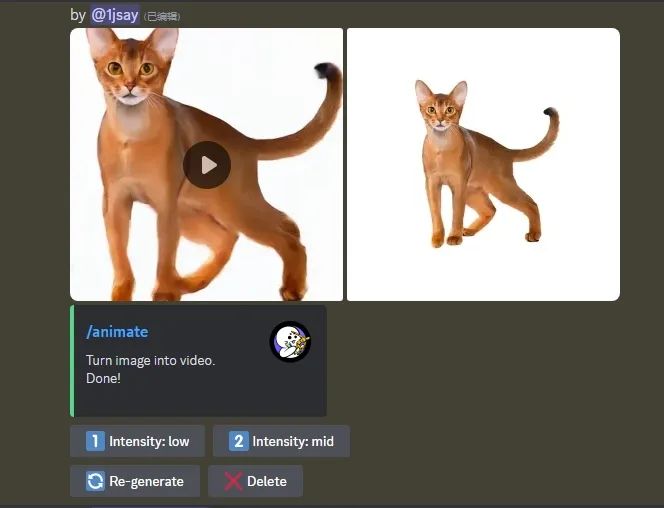
4. After a while, the generated video will be sent to the group. You can choose to enhance the quality or regenerate it. If you are very satisfied with the current video, you can also click the download button on the video to save it.
Free users only have 50 point credits, and if you wish to get faster generation, you will need to make a paid subscription. You can subscribe by entering the command "/subscribe" in the Discord channel. Currently, DomoAI is offering three fee tiers, with prices ranging from the lowest at $7.99 per month to the highest at $44.99 per month, so users can choose to pay for access according to their needs.
statement:The content of the source of public various media platforms, if the inclusion of the content violates your rights and interests, please contact the mailbox, this site will be the first time to deal with.