



Recently, the "Weather Girlfriend" has been on fire all over the Internet, and it is true that only a good idea is the code for traffic.
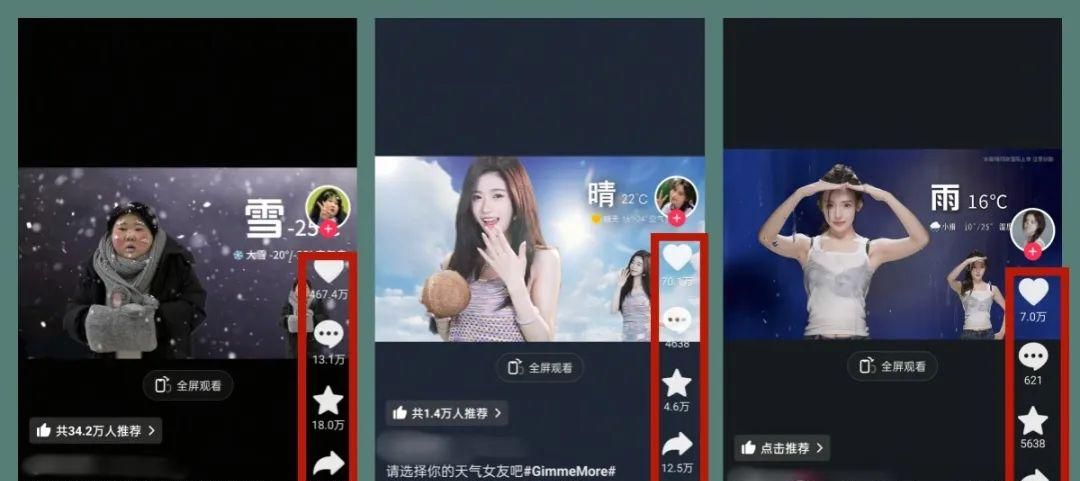
And not only the beautiful sister can get out of the circle, the fat sister can get out of the circle as well, even more explosive. A video has gained 4.67 million likes and a steady stream of hundreds of millions of plays, which is really awesome!
A young lady with no on-camera presence can play Weather Girlfriend with her own AI image.
Without further ado on the practical exercises:
This is done as follows
The first step is the Dream AI Vince map
Dream AI:
https://www.1ai.net/10005.html
OpenDream
ClickImage generation
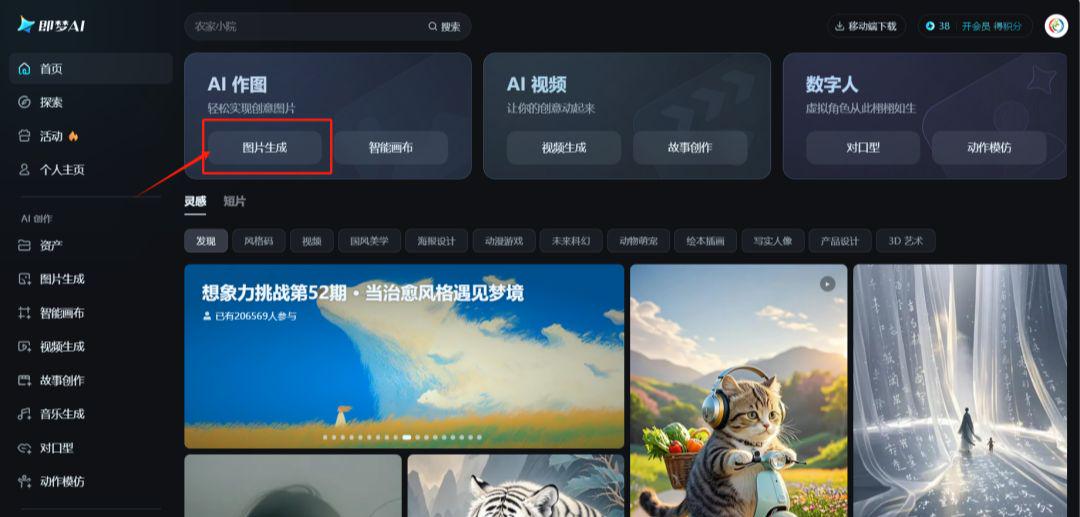
ClickDeepseek-R1, page flip and enter our thoughts.
That's what Zhihara wrote:
Help me to refer to the "Weather Girlfriend" series of videos on short video platforms, and write the weather girlfriend prompts for rainy, cloudy, sunny and snowy days. Requirements close-up, half-body photo, the girlfriend image is a 25-year-old Chinese girl with short hair, tall, dress and props in line with the climate of the day, and the expression should be in line with the climate, realistic style, no text in the picture!
pick the bestproportionsandModel
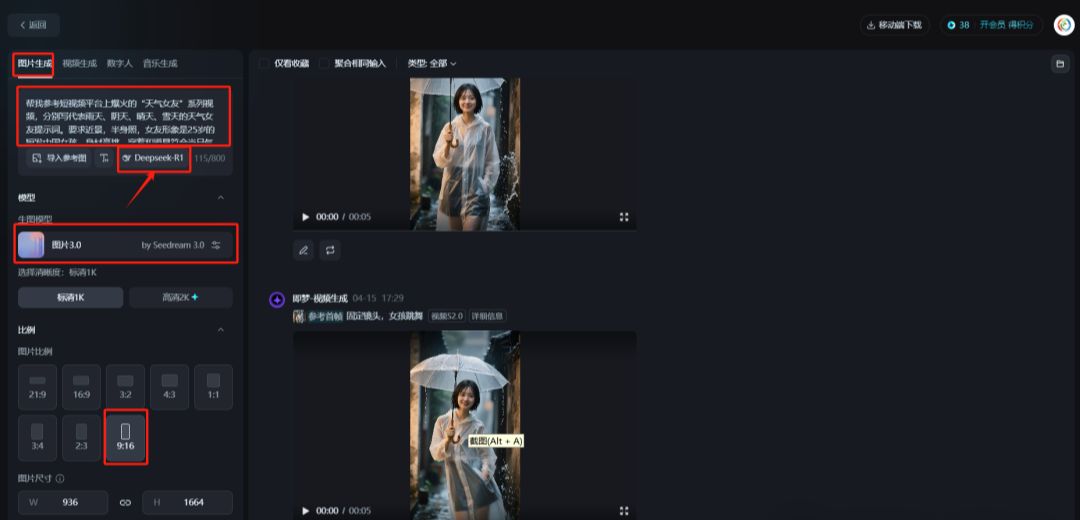
Clickup-pointing arrow

Below the cueYou'll be able to show all 4 weather cues. In order to maintain the consistency of the characters, you need to click on the modification to add the unified image of the characters: 25 years old Chinese girl with short hair and tall figure.
point (in space or time)Generate NowI've got four photos.
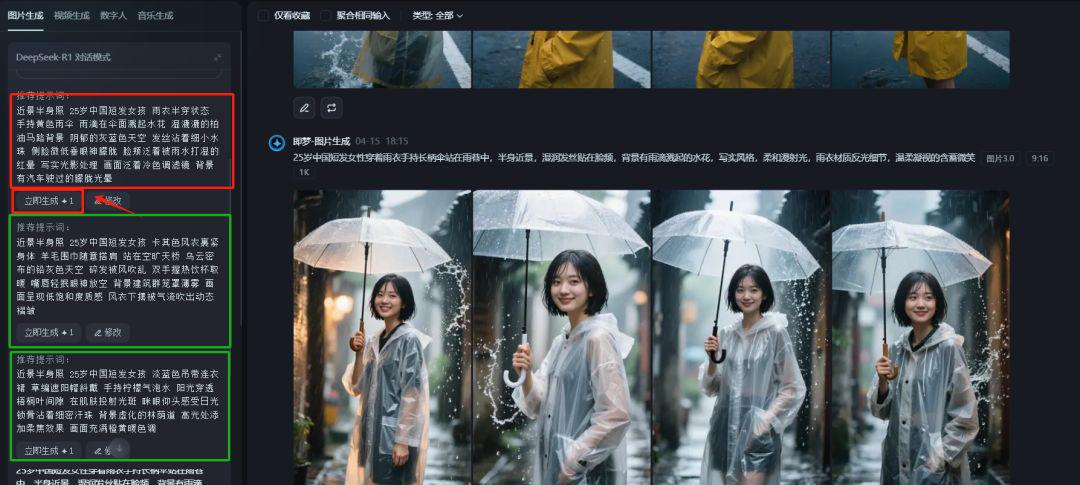
then (after sth, and not until then)Click down to generate immediatelyI've got a girlfriend who's out in all the weather.
For example, a group of girls in the snow
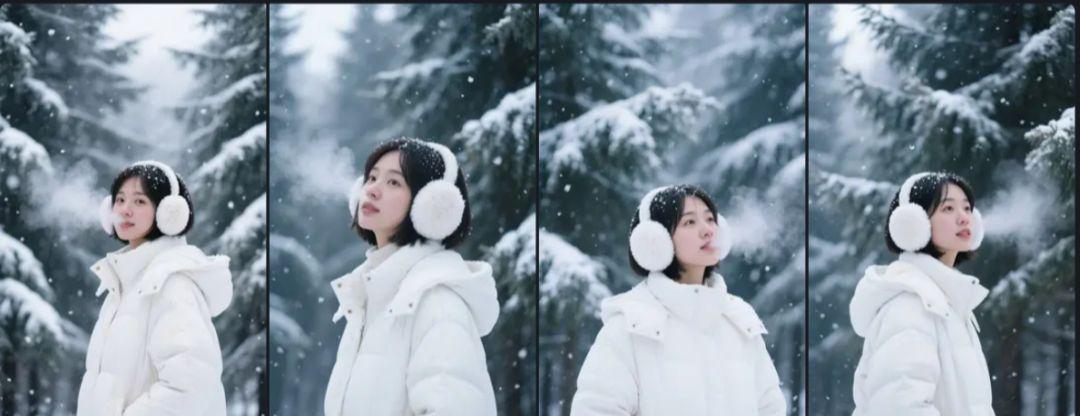
You must be wondering why you gave birth to a vertical chart when it is clearly a horizontal one.
Because in order toControl the position of the character on the screen.
How do you control it?
Tap below the image you selected to see the "enlarge a picture”
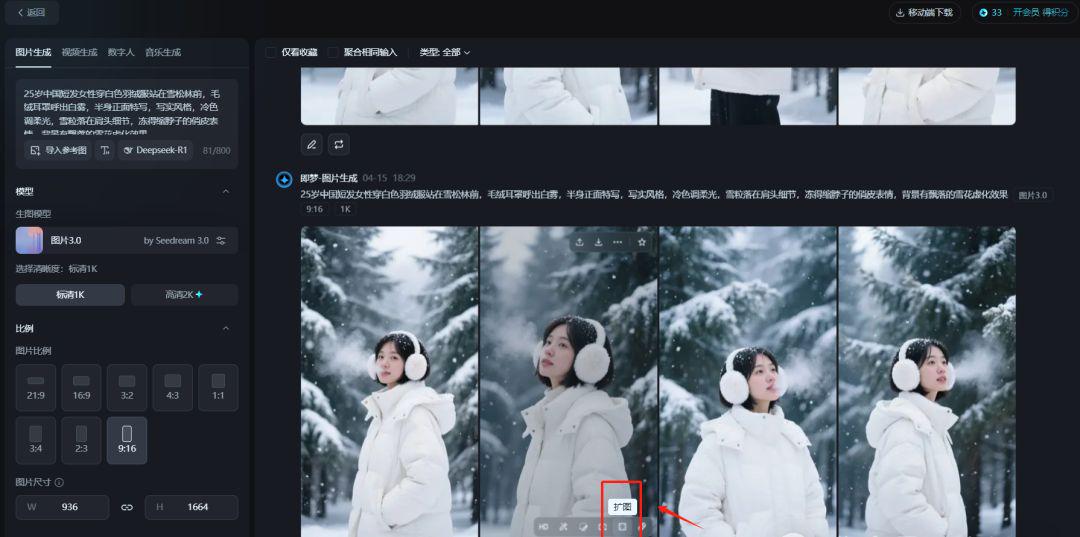
option16:9
Generate Now
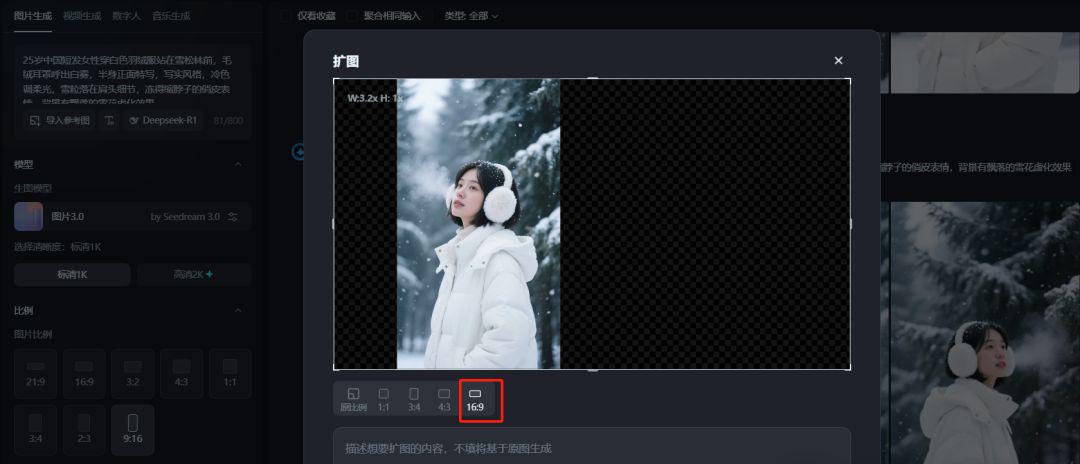
Move the character to where you want it.
It'll come out just the same.4 Expanded Drawings

ClickHD
click onhigh definition picture
touch brieflyCanvas for editing
after thatderivestandby
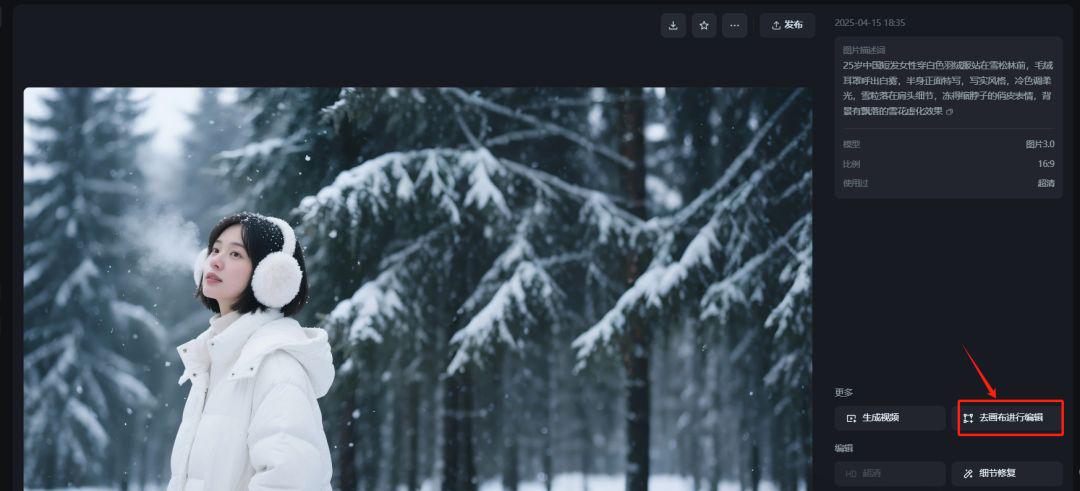
The other images are exported one by one in the same way.
The second step, i.e., the Dream Tupelo video
ClickVideo Generation
Upload a picture
Prompt wordIt must be written: fixed shot, you can play with the rest of the action.
ClickGenerate Video
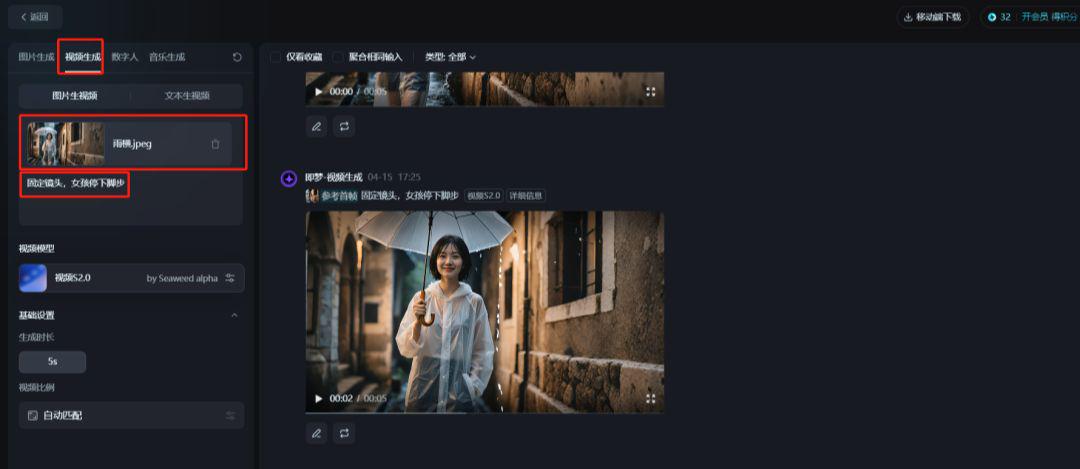
By the same token.Generate a motion picture of the dancing again.
The same goes for snow day pictures.
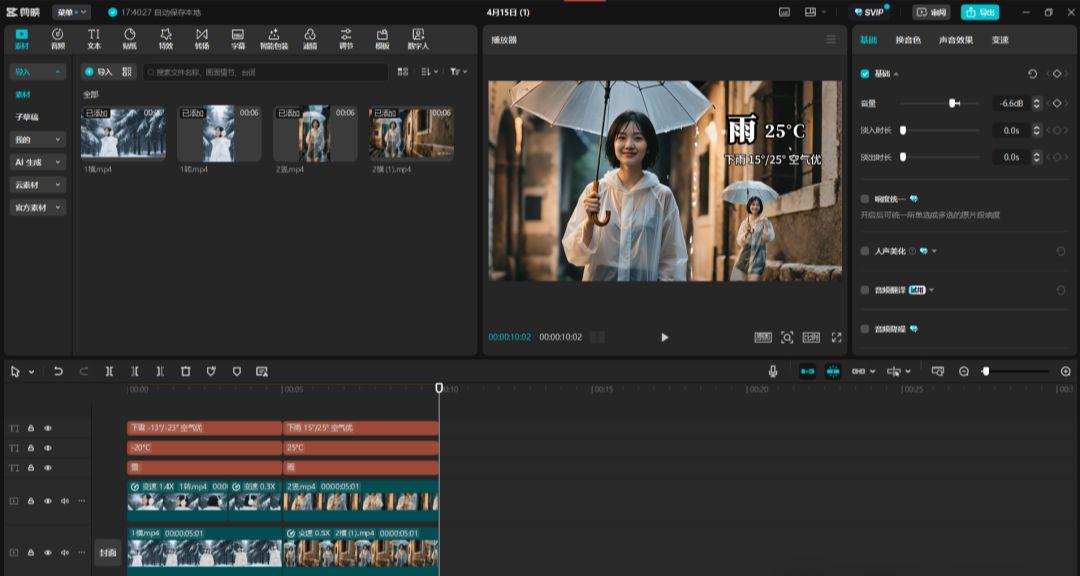
Step three. Cut the movie. Cut the movie.
Import all generated video clipsClipping
Depending on the content of the picture, theAdd background music, sound effects, textiso-element
final adjustmentparticulars,deriveYou can
Isn't it very simple, did you learn it?