



Recently in AI circles, there is a super-hot gameplay that has swept the major communities, forums, B-site clipboard area, and even the second creation circle - the"Real people turncartoon hand puppet”.
You didn't read it wrong, only need a real photo, you can generate an exclusive Q version of your hand puppet avatar with one click, the texture is directly pulled full, just like a little doll coming out of a physical blind box!
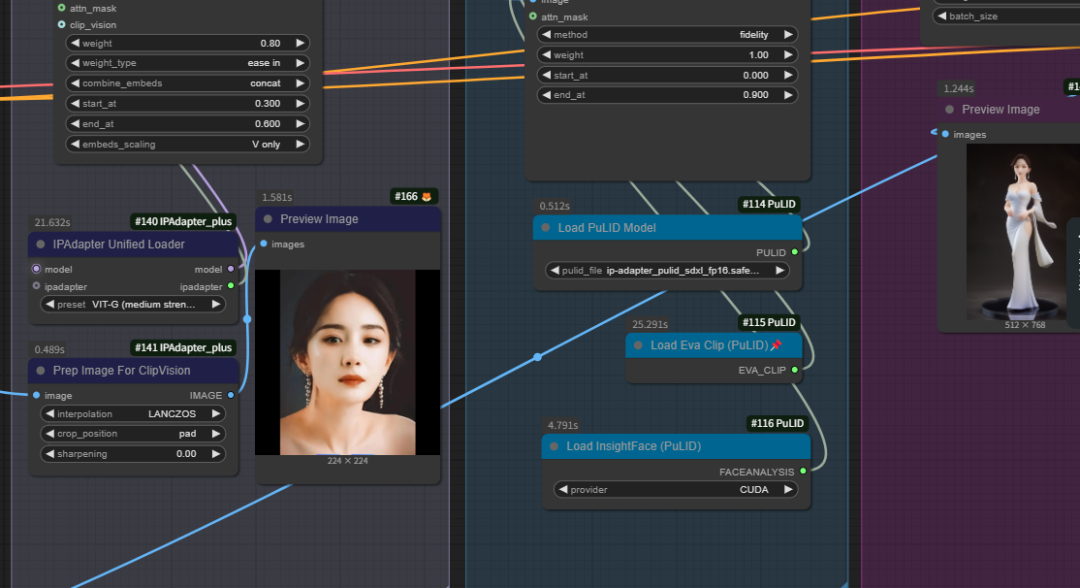
There's no magic behind it, but by ComfyUI A well-built set of Heavy labor process at node 33Finished. Today we will dig deeper into this process in the end to do what, ** AI is how to refine the "high imitation hand puppet"? ** Is the whole process reliable? What kind of creation scenarios is it suitable for? Full of dry goods, remember to like the collection!
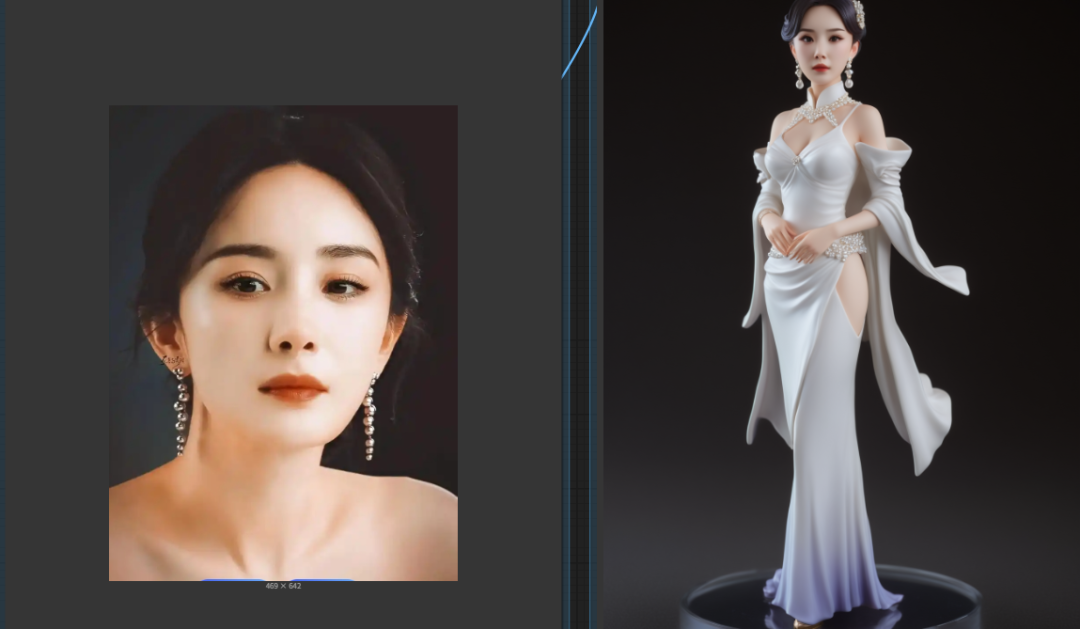
First, why is the "handmade style"? What's so hot about it?
The hand puppet style is not a repetition of a single "anime style". It combines Q scale, plastic texture, exaggerated details and other elements, with a kind of "real human shape → cartoon doll" magical sense of reality, balancing theAnthropomorphism and cuteness, with strong social distribution and commercial IP potential.
What's more, this style has an extremely high degree of adaptability:
- 🔸 make an avatar → More recognizable than in real life
- 🔸 Clips → Doing AI skits or second creation videos
- 🔸 Branded IP peripheral design → one-click visual harmonization
- 🔸 Virtual Idol/VTuber Creation → Modeling Starter

Second, the core process anatomy: 33 nodes, how to refine a "AI hand puppet"?
This is not simply a set of filters. It's an entire ComfyUI process that rivals artist-level finishing, from image understanding, style migration, facial contouring, HD repainting, to LoRA fine-tuning.Every step of the way, it's like an assembly line process..
👾 Original image processing stage
- LoadImage + Crop Face + Image Crop Face
Load real-life images and automatically crop the face area to lay the foundation for subsequent facial modeling. - InstantIDFaceAnalysis + Load RetinaFace
Accurate extraction of features, this step is called "digital cosmetic surgeon", the back of the style migration rely on it to align. - ApplyInstantID
The InstantID model is used to "nest" the original face into the latent space for style migration.Preserving the original charm.
🎨 Style Migration + Model Fusion Phase
- Pulid Series (PulidEvaClipLoader / PulidModelLoader / ApplyPulid etc.)
This is the secret weapon to achieve a cartoonish style. The "Pulid" model is very strong in rendering styles and is especially good at doing the followingHigh-quality plastic feel, is the key to the realization of the texture of the hand puppet. - LoraLoader + IPAdapterAdvanced
Load the LoRA model (small model fine-tuning), strengthen the style output, assist the model to understand "what is meant by the Q version of the hand puppet style". - CheckpointLoaderSimple + VAEEncode
The underlying large model is loaded with an encoder to encode the latent space image structure.
🔧 HD Restoration + Splice Enhancement Phase
- HighRes-Fix Script + LatentUpscaleBy + DF_Image_scale_to_side
This part is a chain of HD zoom fixes to prevent the resulting image from turning into a muddy mess, especially optimized for facial textures and edge details. - Image Paste Face + ImageScaleToTotalPixels
Spell the already style-migrated face back into the original image and rebuild the cartoon hand puppet avatar as a whole.
📦 Output + Copy Enhancement Session
- SaveImage + PreviewImage
Save the final product + visualize the presentation node. - ShowText + ConcatText_Zho + RH_Captioner + CR Text
Generate personalized copy in Chinese, you can give the finished product with "terrier map title", also supports a key to send social platforms, very suitable for making explosive content!
III. The setWorkflowWho is it for?
self-publisher
Make pop-up avatar/virtual person material
animation creator
Converting live-action to manga characters
brand designer
Make mascot/IP character hand puppet settings
VTuber/Uploader
Create your own Q-model image
If you're a content creator or have social media operations needs, this process takes off straight away; if you're a design practitioner, then this can be part of your creative workflow.
Fourth, the advantages and disadvantages of the actual analysis
✅ Advantages
- Stylistic uniformity: From real people to hand-me-down style, the overall sense is very strong, the model migration is natural and unobtrusive
- clear-cut structure: All nodes are logically clear and extensible
- good compatibility: Can be paired with a variety of LoRA, ControlNet, adapted to a variety of creative styles
- High output efficiency: High yield in one shot, no need for frequent retries
❌ Disadvantages
- Higher graphics card requirements: High resolution + multiple model calls, 12G RAM recommended to start with
- Slightly higher threshold for parameter tuning: Beginners may need to refer to others for parameter matching
- There's a trade-off between realism and style: too much LoRA fusion easily "unrecognizable", which needs to be manually adjusted weights!
Workflow download:
Link: https://pan.quark.cn/s/54b33853e738