Guys, these days the ancients are really busy, when the words "Look at my eyes! Tell me why?" are still echoing, they immediately jumped into the gym, and now they dance to the rhythm of dynamic music.
Last night when I was swiping through Shakeology it pushed me to an AI-produced Ancient One dancing to "SunsetDance VideoThe first time I saw it, I knew it was the same as the calisthenics video, a change of soup but not a change of medicine. When I was curious to point into this account home page to see, good guy, the top of the ancient dance video there are two nearly 300,000 likes, fans also have 170,000, and he only released 20 works.
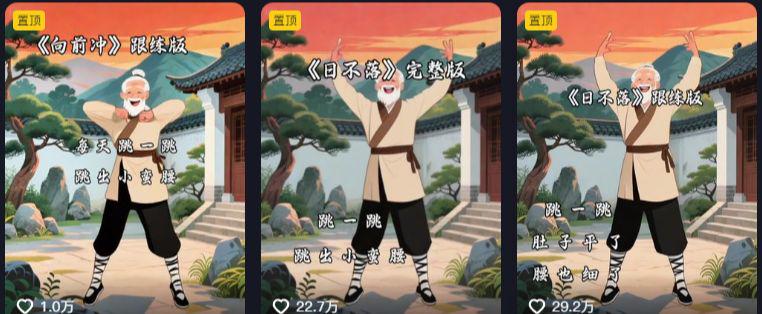
My guess is that many of you have already mastered the creation of this type of video, which is not complicated to create, but only requires the use of an AI tool -- the Instant Dream AI, as well as a video editing tool -- ClippingThe video can be created easily.
So, what makes these kinds of ancient dance videos a traffic hit? The reasons are mainly the following:
1. The aesthetics of cultural contrasts:Li Bai in Tang costume jumps the Materia Medica, and Guifei in Han costume jumps the Sunset, this strong sense of temporal and spatial dislocation is naturally a communication property that can easily attract the audience's attention.
2. AI cost reduction and efficiency:While traditional live-action videos require a ten-thousand dollar investment in costumes, locations, actors, etc., the use of AI tools allows for a dramatic reduction in the cost of creation, nearly straight down 99%.
3. Algorithmic tilt of the platform:WeChat, Jieyin and other platforms will give 3 - 5 times the traffic weighting for creative mashups, which makes this type of video more advantageous in terms of traffic distribution (this is the current traffic rule adaptation situation).
Next, I'm going to explain the exact way to play the AI Ancient Dance video, hoping to bring you some inspiration and help.
practical step
I. i.e. Dream AI generates portraits of the ancients
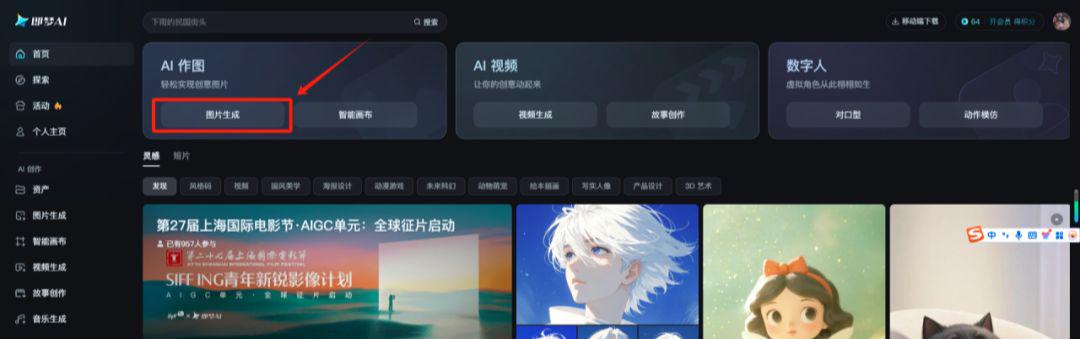
Go to the Instant Dream AI home page at https://jimeng.jianying.com
Click on the home page[Image Generation], enter the picture generation interface.
Enter in the picture description box:
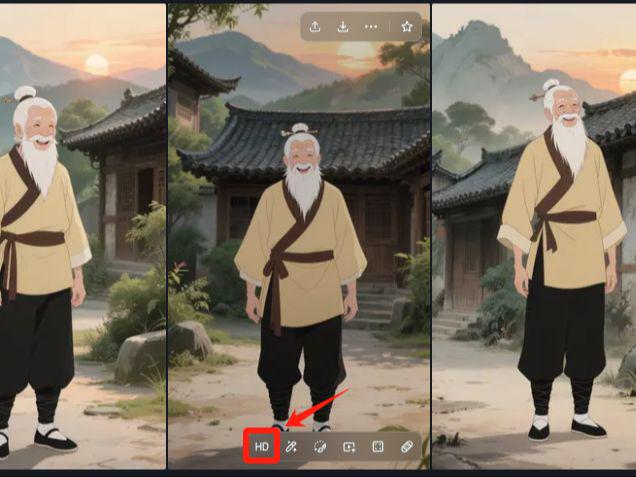
An old man with white hair tied on top of his head with hairpins, smiling face, long white beard hanging down to his chest; wearing a beige blouse with a dark brown belt tied around his waist, black pants with the legs pulled up to reveal the black strapped legs, and black and white traditional cloth shoes, with his hands naturally hanging down on both sides of his body, standing in front of him, with a background of traditional Chinese architecture containing tiled roofs, wooden houses, and greenery dotted all around him. The image is in animation style, the overall color tone is simple and natural, there are mountains in the distance, and there are sunsets.
Select [Pictures 3.0】Model, Picture Scale[9:16]Click[Generate Now]button.
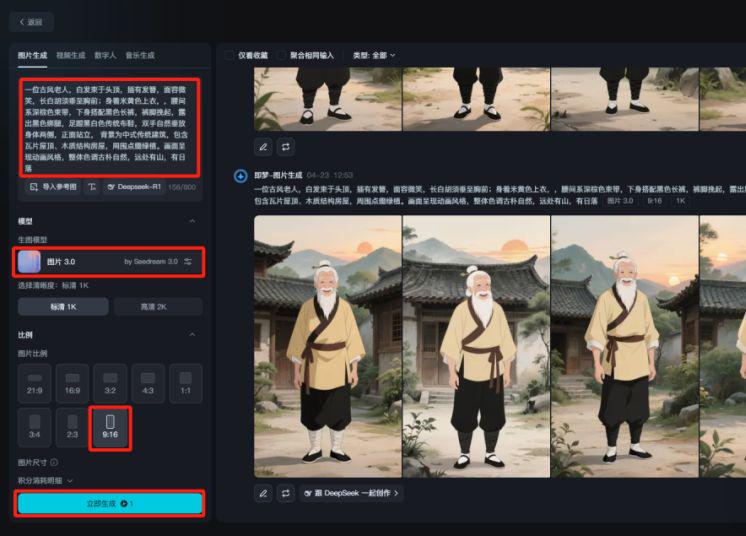
Once you have finished generating images, choose an image you are happy with and click on the following[Ultra HD]button to generate a high-resolution image.
Second, download the original video to be imitated
There are a lot of dancing videos on a certain sound, we search for "sunset", choose the right video and click on it.[Share] - [Copy link]
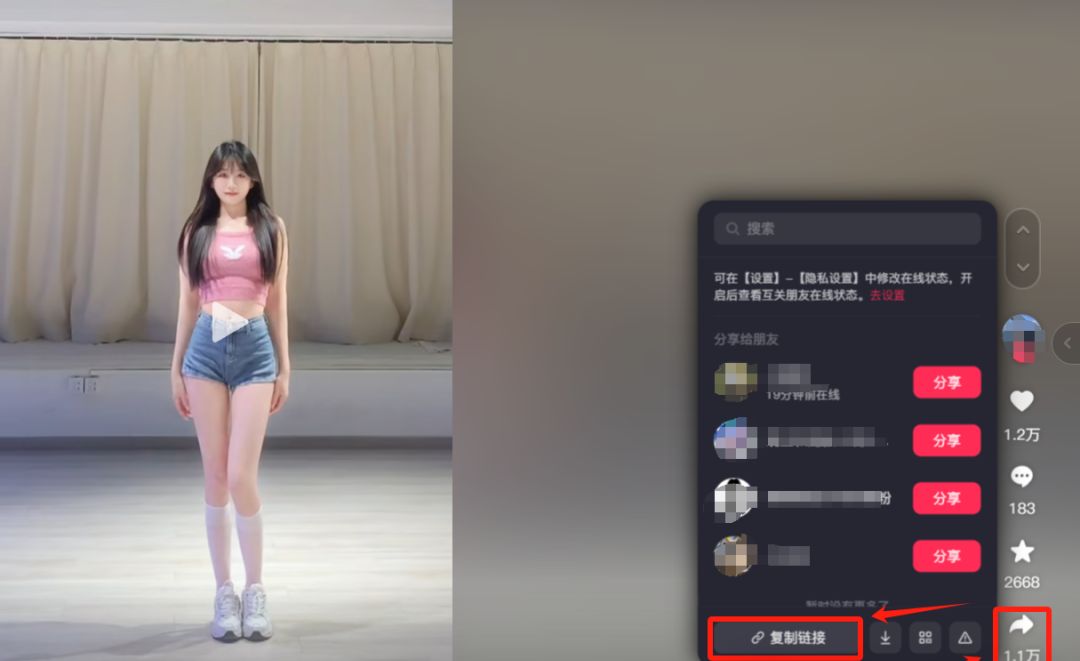
Use of light shaking, etc.Short VideoDownload the Tools applet, paste the link, and click on the[parsing begins]
Parsing is complete, click[Save to cell phone]The video will be downloaded in this way!
III. Dream AI Motion Mimicry
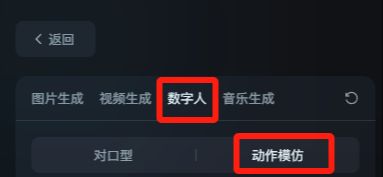
Select the upper[Digital Man] - [Motion Imitation]
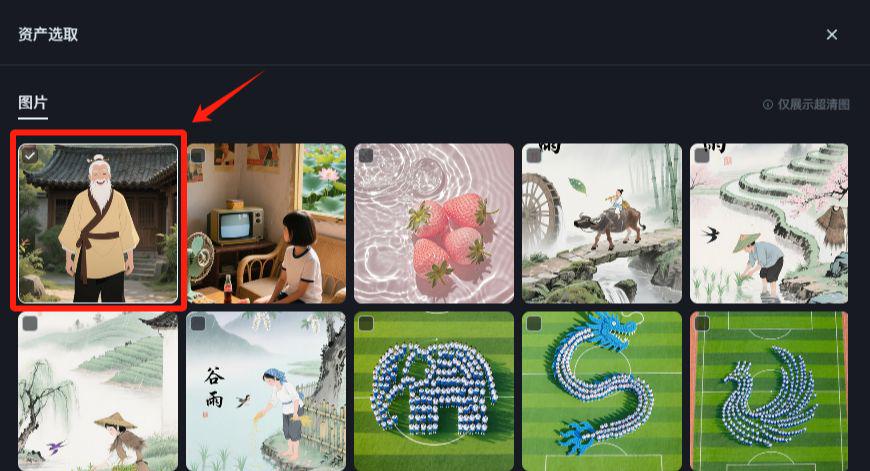
Click [Import Character Image] - [Select from Assets].
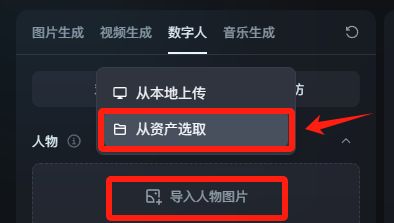
Find the portrait of the ancient people we made in the first step of the Ultra HD process and click on the[OK]
For the following selection action, we click[Uploading Local Files], uploading the original video downloaded at Some Voice.
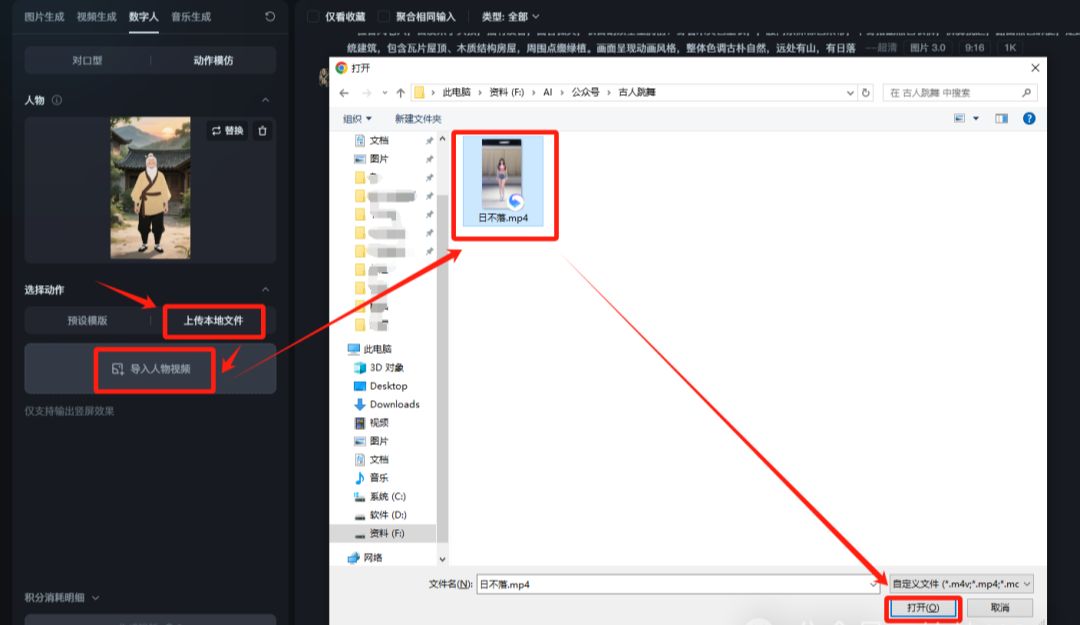
Finally, click on the[Generate Video]
Note that the Digital Man feature of the Instant Dream platform currently supports video parodies of up to 30 seconds.
If you want to generate more than 30 seconds of video content, you can download the original video through the video editing tools such as clipping processing, and then imported into the dream respectively to generate.
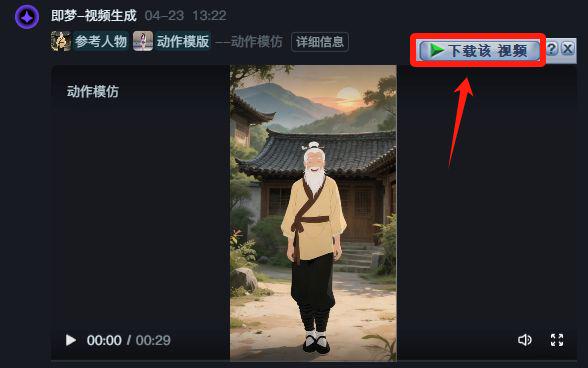
Wait for the video to finish generating and download the watermark-free video using the method shared earlier.
Opening a membership is out of the question! The Ultimate White Whoring Strategy for Instant Dream AI Watermark Free Video Download (Promise me you'll use it quietly, okay?)
Fourth, editing the finished product
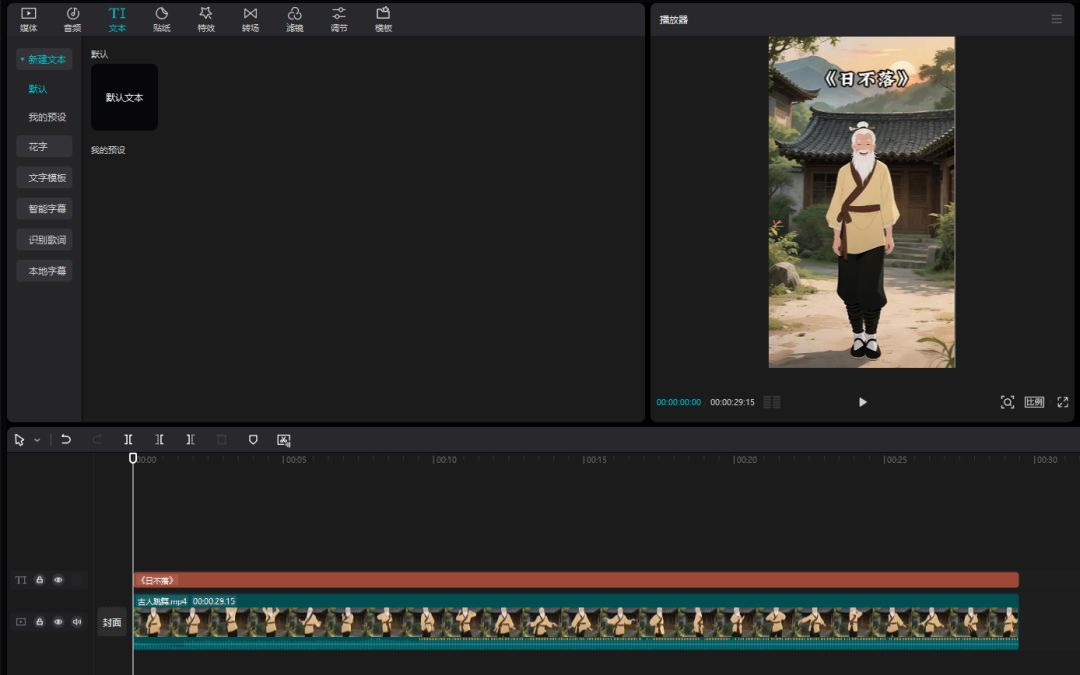
Finally the video is imported into the cutscene, the title is added and then exported!