



Every time you swipe a stunning AI image, you'll just like it like crazy? Would you like to learn from the greatPrompt wordThoughts also have to squat in the comments section.
Now withBean curd2 steps can easily reproduce a variety of styles of pictures, and the original picture similarity up to 90%! A simple cue word can be from the theme to the scene, from the style to the color, all-round dismantling of the picture details.
So that you can not only restore, but also Get the essence of the picture prompt word writing, all-round to improve the ability to build the prompt word of the text-born picture.
Next time you come across an AI masterpiece that makes your pupils quake, don't just collect it - it's time for the AI to "tell all"!
Warm reminder: backpropagation tool is superb, but please respect the fruits of the original creator's labor ~ commercial or second creation must say hello to the author ah!
Well, without further ado, I'm sharing two ways today.
1. Beanbag backpropagation cuesBeanbag/i.e. Dream generates images.
2. Building a backpropagation workflow, one-step paste, sample and cue word in seconds.
Beanbag backpropagation cue words
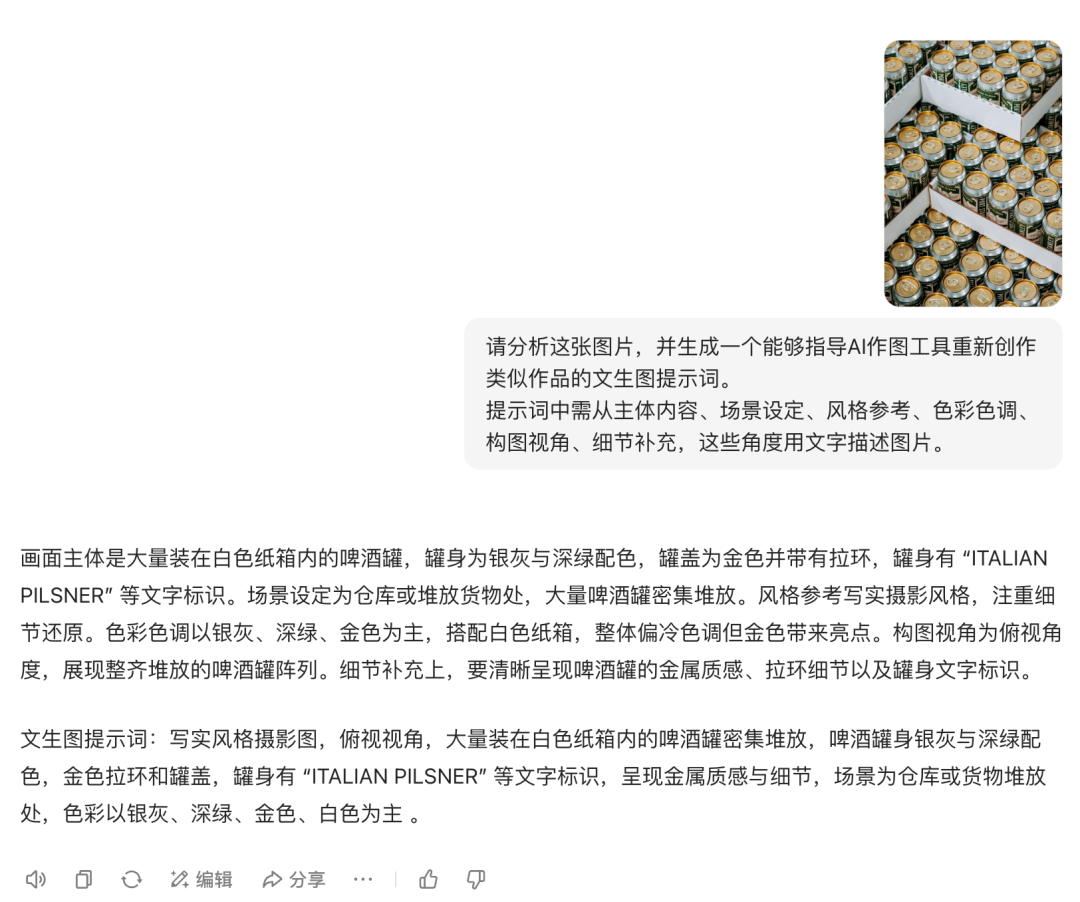
Open the beanbag, upload the image attachment we want to disassemble, and use the prompt words below to have the beanbag analyze it.
- Please analyze this image and generate a Vincentian cue word that will guide the AI mapping tool to recreate a similar piece of work. The prompt should contain the following information: subject matter, scene setting, style reference, color palette, compositional perspective, and additional details.
After getting the disassembled cue word, get the instant dream to generate more similar images.
Look at a few examples next.
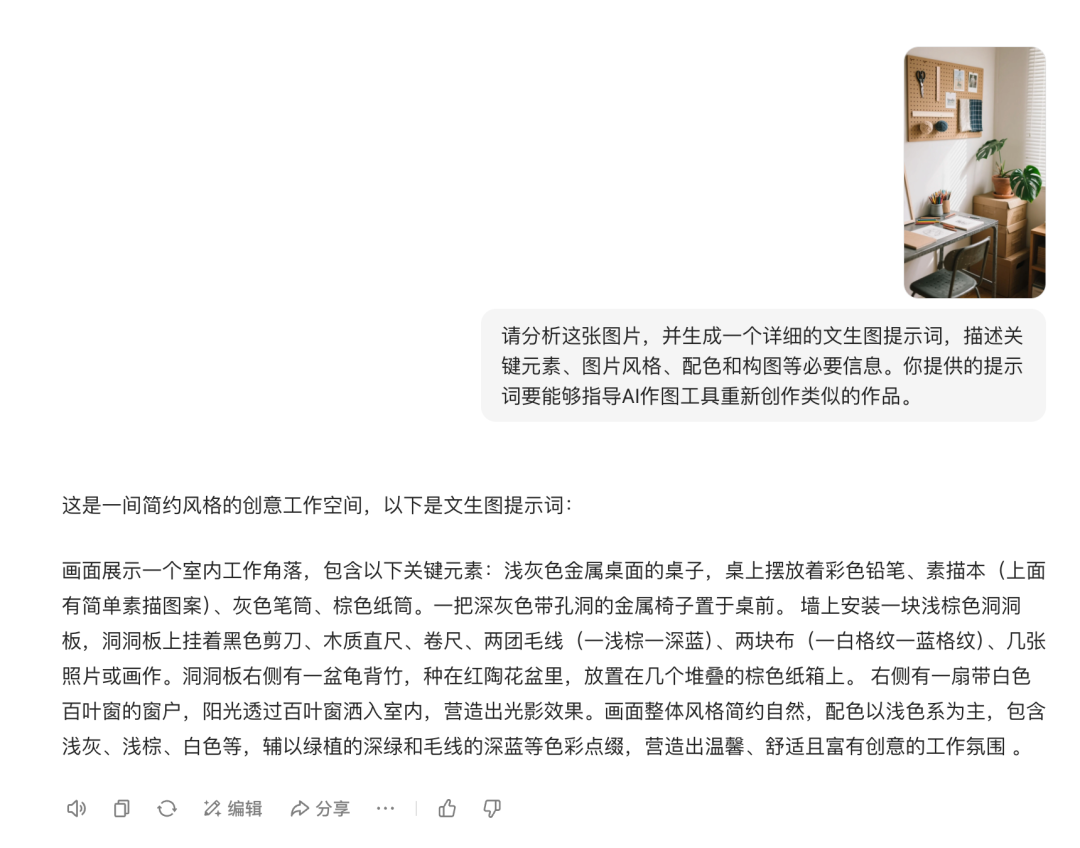
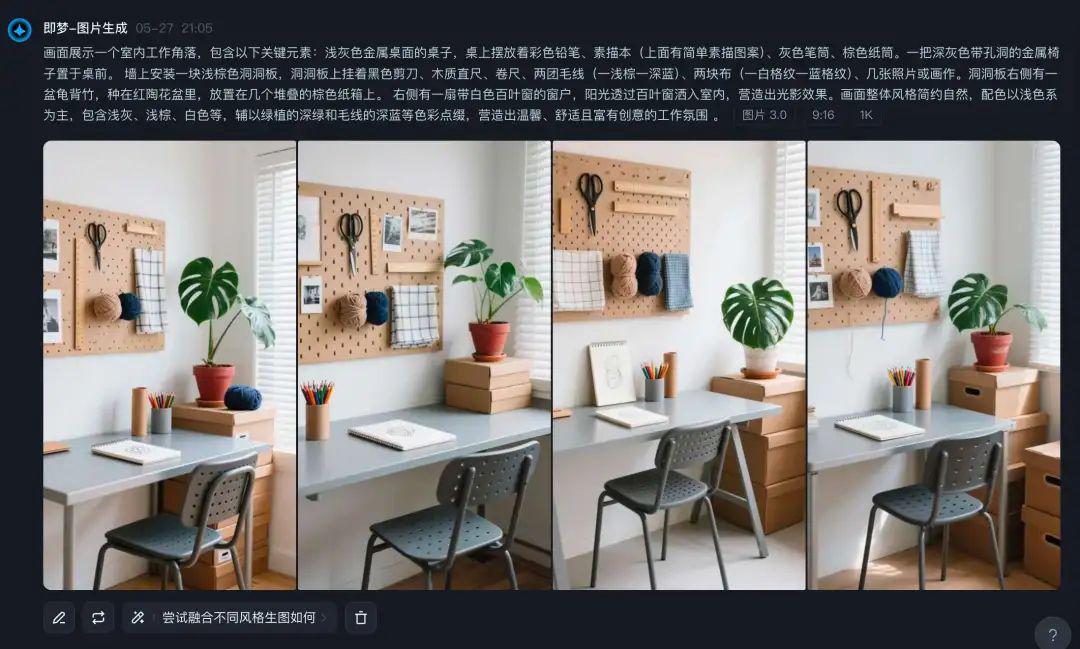
interior
The elements are basically the same except for a slight difference in lighting.
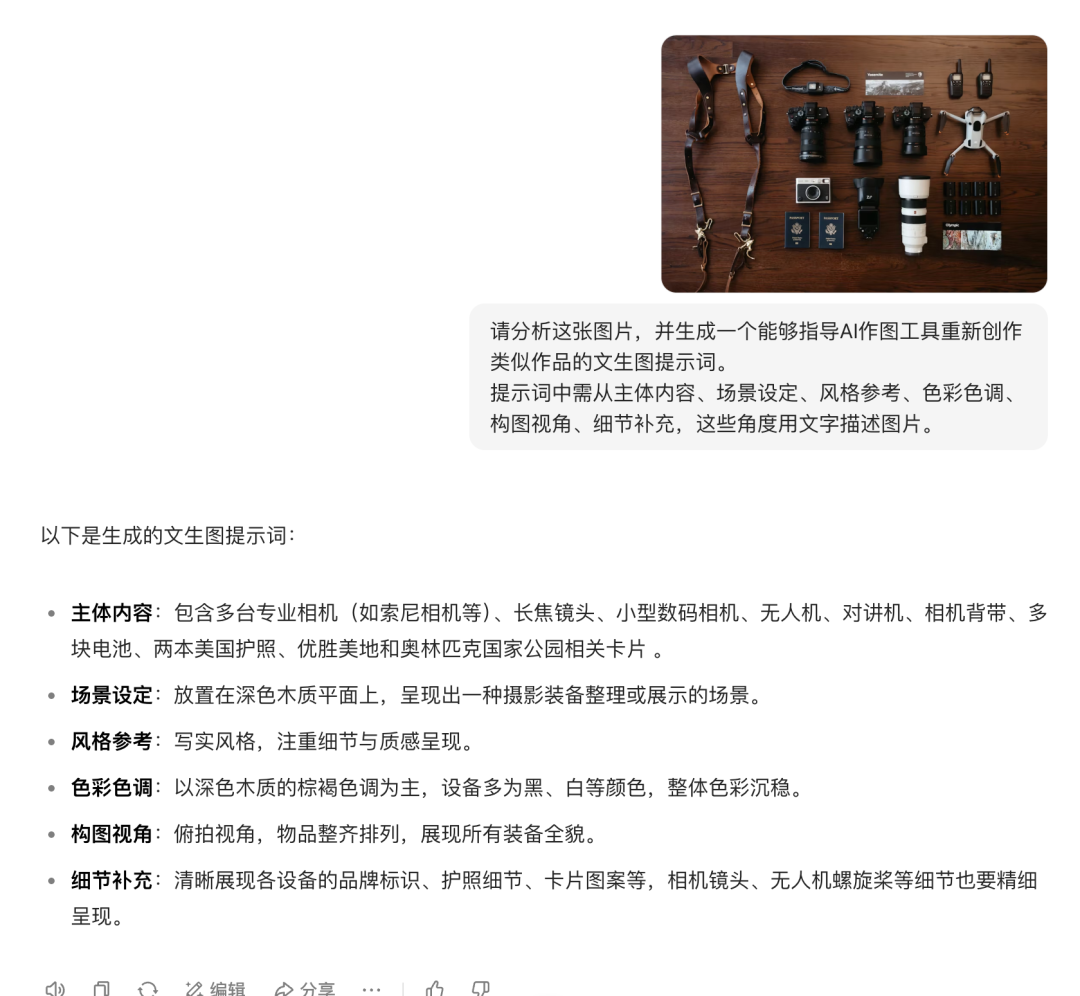
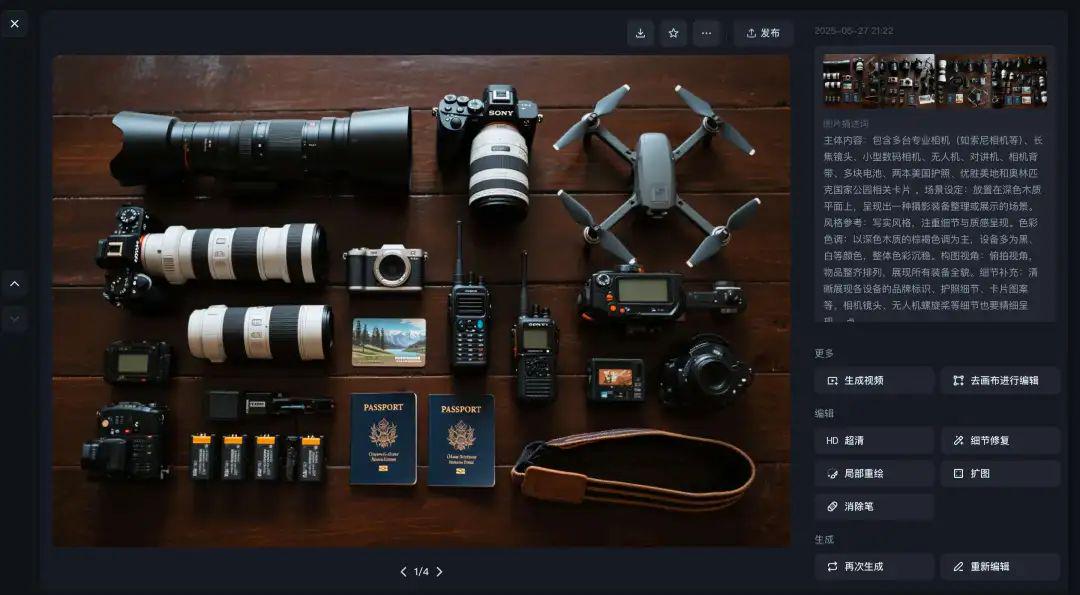
goods
Diagram of items displayed flat on a tabletop.
model picture
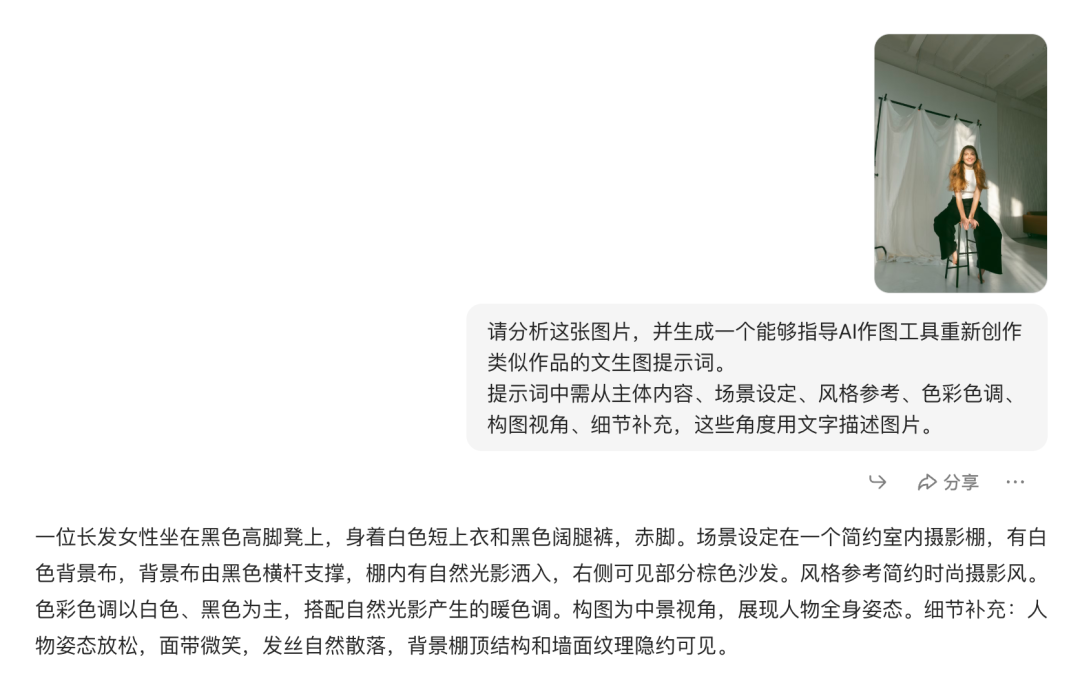
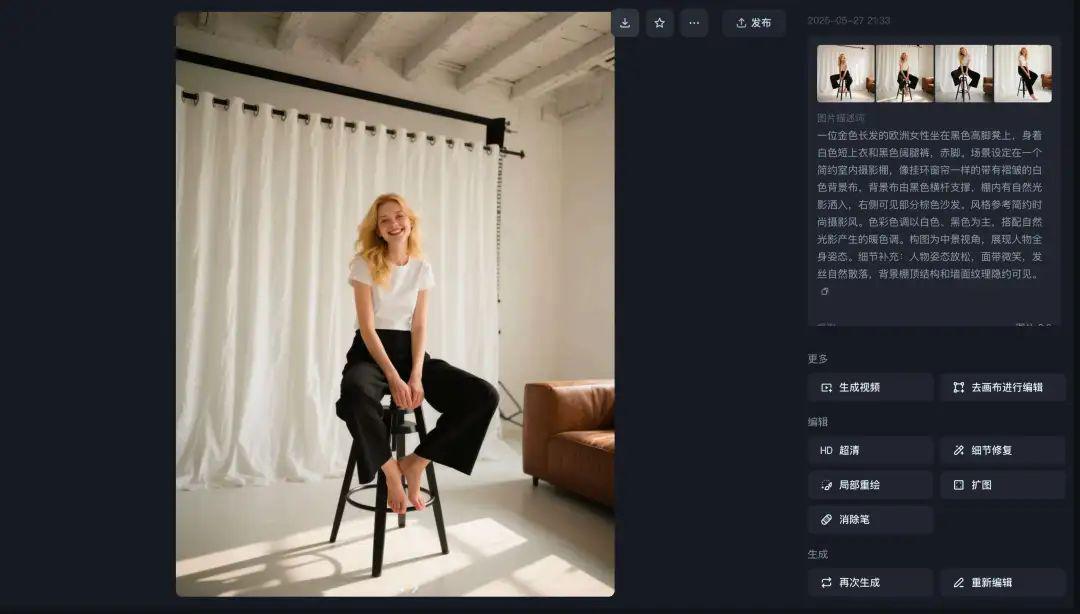
The first generation came out not quite the same ethnicity and the curtains in the background were too neat.

Change it slightly to European women. Isn't that better.
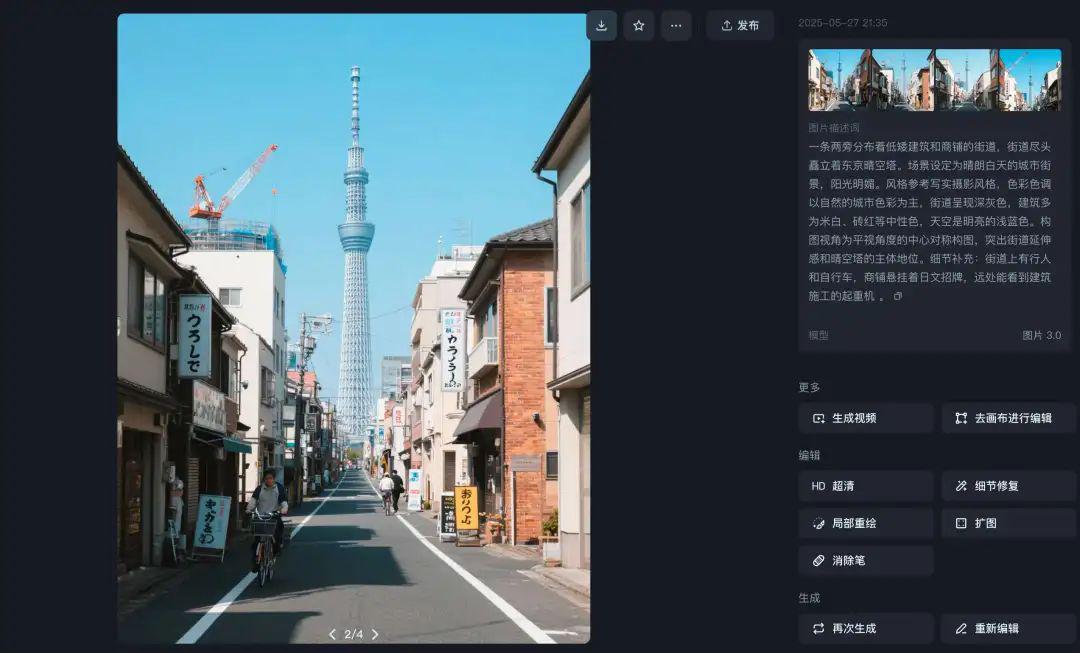
City outlook
The lighting has gotten a little brighter, otherwise it's still pretty restored.

By the way use a beanbag to generate it as well. The effect is not similar. If you feel that the dream is troublesome, you can also directly use the beanbag to try.

Next, I'll provide another way to build a workflow that automatically handles the disassembly to the generation of samples.
Buckle Workflow
If we have a lot of graphs that need to be backpropagated, it feels a bit cumbersome to switch back and forth from one to the other.
I then thought I'd try to build a workflow that could automatically backpropagate cue words and generate sample images.
Just paste in the image and it can be processed into a cue word and generate a sample for us to compare and view.
Step 1: Open Instant Dream API
This workflow requires the opening of the Instant Dream API.
First of all, in the top bar of Dreams, look for the wordAPI call"

optionOpen Now. (need to register a volcano account)

Find "Instant AI - Image Generation" and select it.Open Service.

Pick the free trial first, then follow its lead all the way through.


When the opening is complete, the status will turn green. Then tapProduct Details.

optionGet the secret key.


after thatSave the secret key first and you're OK.
Never leak it, or someone else will be able to call your API.
Step 2: Build the workflow
Then we log into Button and create a workflow.
The complete workflow is as follows, and the process is largely:
- Enter image
- Deconstructing Cue Words
- Vincent Figure
- Get image link
- output result

1. Start nodes
Enter an image and select image for the variable type.

2. Analyzing picture cues
Slightly different from the direct beanbag disassembly of the cue word above, the width and height need to be analyzed additionally to ensure that the sample is close to our original image.
For modeling.Beanbag-1.5-Pro-Visual-Reasoning-128K", the variables are configured as shown.
- Please analyze the image given by the user and generate a cue word for a text-generated image that can guide the AI mapping tool to recreate a similar work. The prompt word should describe the image in words from the perspectives of subject content, scene setting, style reference, color tone, compositional perspective, and detail addition. Estimate the width and height of the image according to the scale of the original image, and give the pixel value of the height and width. Final output: picture prompt (picture_prompt), height of the picture, width of the picture.

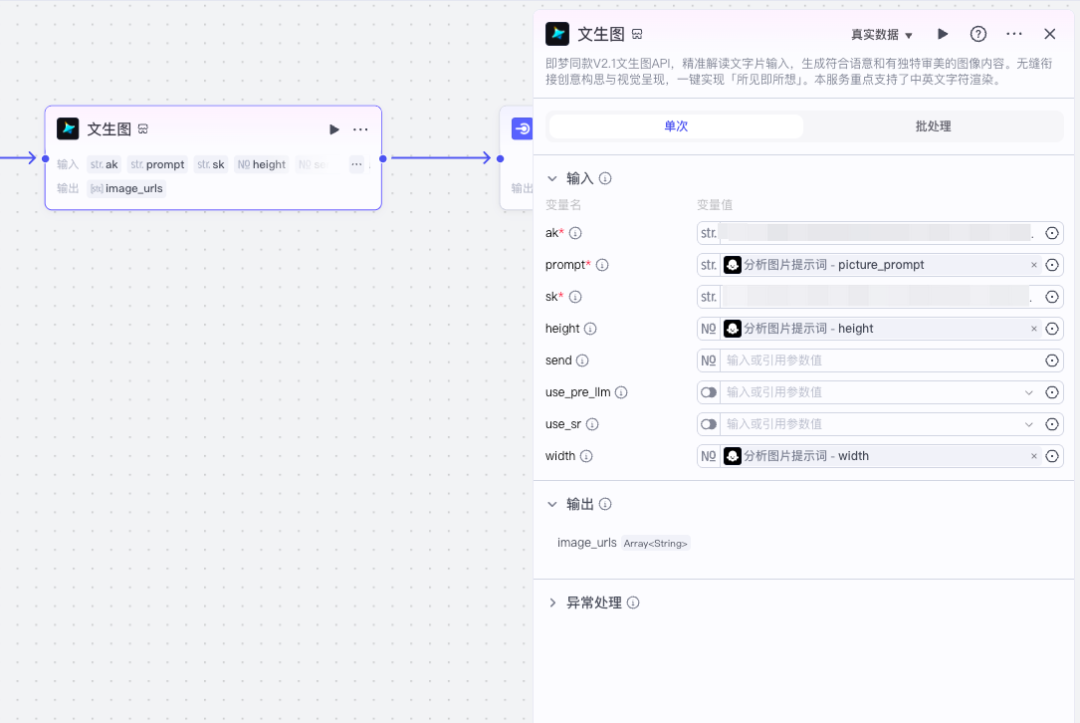
3. Vincent Maps plug-ins
Here is a selection of plug-ins developed by the Monster Intelligence Body teacher.
I suggest you pick the same one as me, or the code link will not be solved due to inconsistent output.
Select the "¡§text2image"
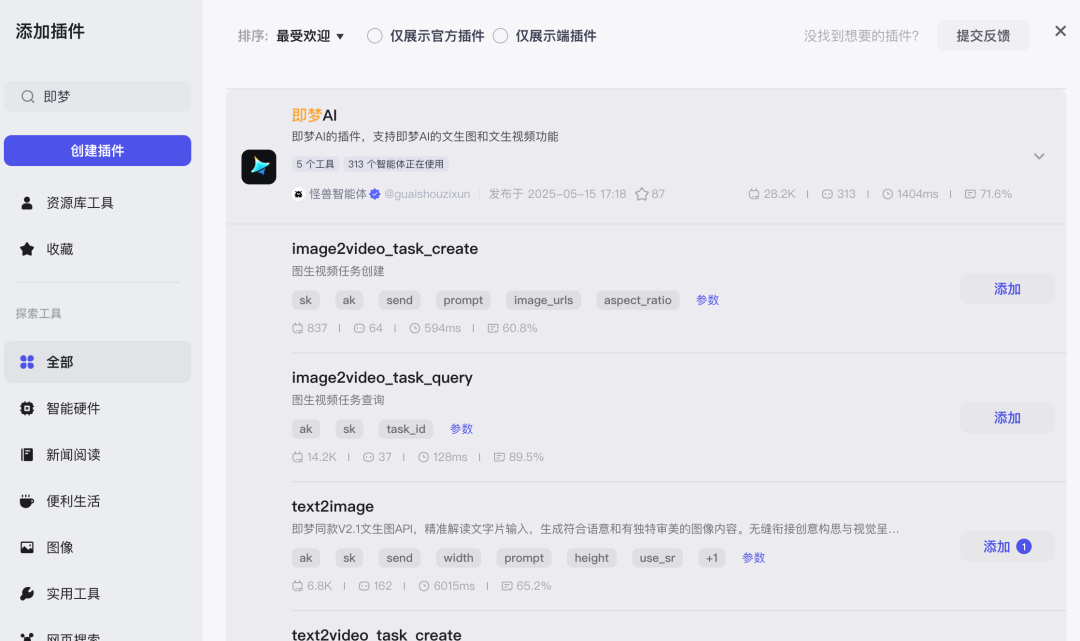
ak is the API accesskey, sk is the secretkey, and then configure the width and height, and prompt word as shown.
4. Access to sample links
See the code do not be afraid, this is not complicated at all, just to take out the link from the array that is the dream text raw figure, in order to click on the results later to facilitate.
For the code, choose python format and copy the following paragraph into it. Inputs and outputs are configured as shown.
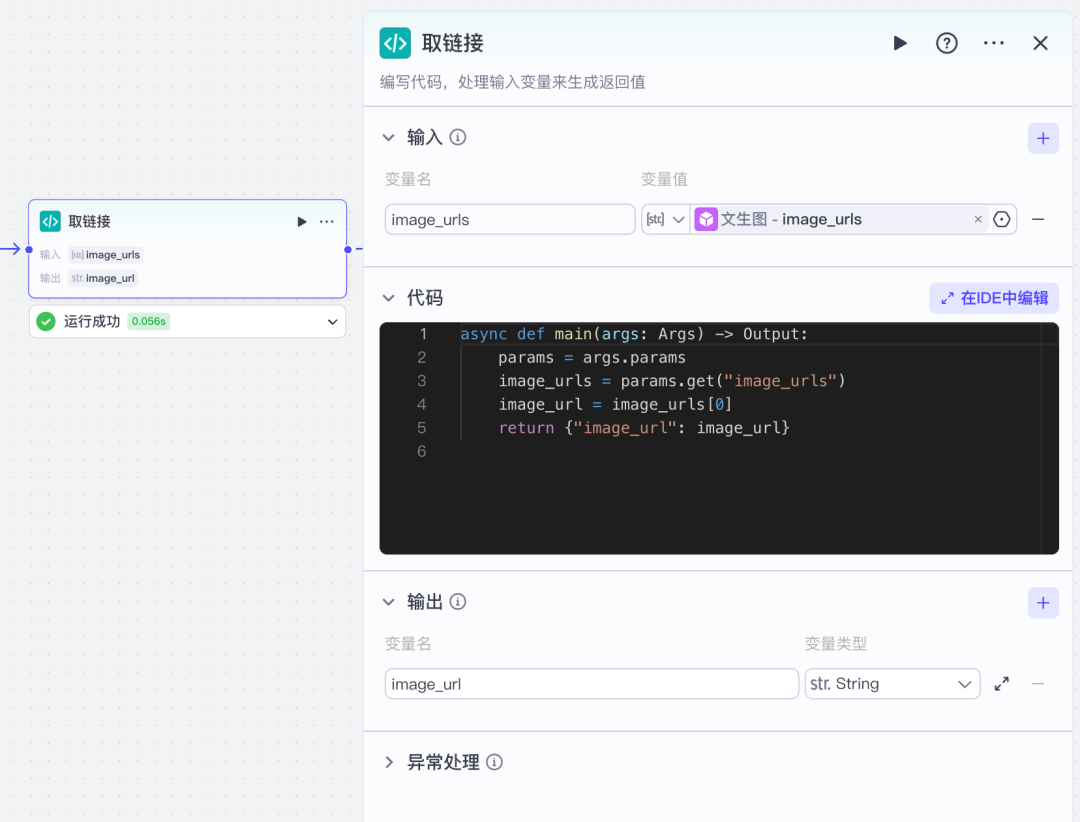
async def main(args: Args) -> Output.
params = args.params
image_urls = params.get("image_urls")
image_url = image_urls[0]
return {"image_url": image_url}
5. Outputs
At the end node, get the original diagram, sample diagram, and cue word, configured as shown.
Note that the image type is selected for both graphs so that you can see the image directly in the results.

Let's try a run.

Use a workflow approach, images, cue words, and just get it all at once.
The i.e. Dream API doesn't feel as nice as the web version generated. I don't know if it's due to less parameters.
The sample feels about right, proving that the cue word is available, or you can go to that dream and then continue to generate.
Less Applicable Scenarios
There are also some unsuitable scenarios down this backpropagation test, for example:
X Pictures are too abstract
Demolition can still be demolished, but the word is directly dry crashed when used later in the instant dream generation ......
X Design Poster
Backpushed it with a poster I posted earlier and it was mediocre. It feels more suited to live photo type backpropagation.


Some of you have asked me in the comments before how I wrote the prompt words for the poster I posted earlier, and if there is a tool for that.
There must be, and you can transform infinitely without backpropagation.
GPT4o is required, I've tried DeepSeek and Beanbag with poor results.
The cue word is also very simple. Put it here by the way.
Please refer to the style of the prompt below and rewrite a prompt for diagramming according to the new requirements.
New Requirement: XXX (brief description, e.g. what words, colors, what elements are needed)
Reference prompt word: XXX (can choose the style you need, directly copy my previous posting that is the dream poster prompt word)
To summarize.
The point of AI is to free up our productivity and put more energy into creating new knowledge and new works.
The next time you reproduce a stunning piece of work with AI, ask yourself:"If I add a little 'I' thinking to this, what will it become?"
So, have you ever tried to reproduce or create a work using AI? Did you have any "AHA" moments during the process?
Replicas are meant to learn and create better. But don't forget to respect originality, inspiration is priceless, and the sweat of every creator deserves to be seen.