Contents:
This article describes a free, usefulAI De-Subtitling Tool——VSR, the real-world results are good.
text:
Many people have been annoyed by subtitles: material they've worked hard to find, only to discard it because of the subtitles.
Recently I found a free tool for AI to remove subtitles and watermarks: VSR, tested it and it works very well. It is very suitable for fine video use.
1. What is VSR?
The VSR is afreeopen source hardwareSubtitle Removaltool, full name: video-subtitle-remover. The result of removing subtitles is amazing.
Supports Windows, macOS, Linux.
2. What are the advantages of VSR?
- free
- Simple to use
- effective
Special attention:VSR requires a computer with an N-card for it to work.
3. How is the VSR used?
Start by downloading the tools and practice material.
3.1 Tools and Exercise Materials Download
VSR tool download address:
(The contents are all the same, just choose one to download. (Uploading more than one disk is for fear of being blocked)
Thunderclap: https://pan.xunlei.com/s/VOTeCgyBG1JJIPxAPsVcaM48A1?pwd=xz9x#
Quark.com: https://pan.quark.cn/s/b89a65e2e548
Exercise material download:
(Thunderclap): https://pan.xunlei.com/s/VOTka36J_cUAk3F9I-UmtV2gA1?pwd=uerq#
3.2 Opening the software
Download the software and unzip it.
Then double-click on "Launcher.exe".
The first startup takes a little longerIt may take 2~4 minutes, so you need to be patient for a while.
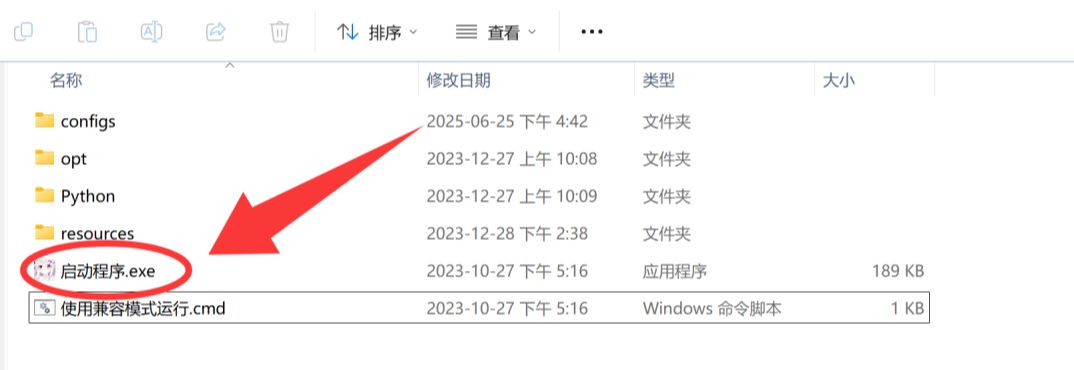
After the tool runs successfully, it looks like this:
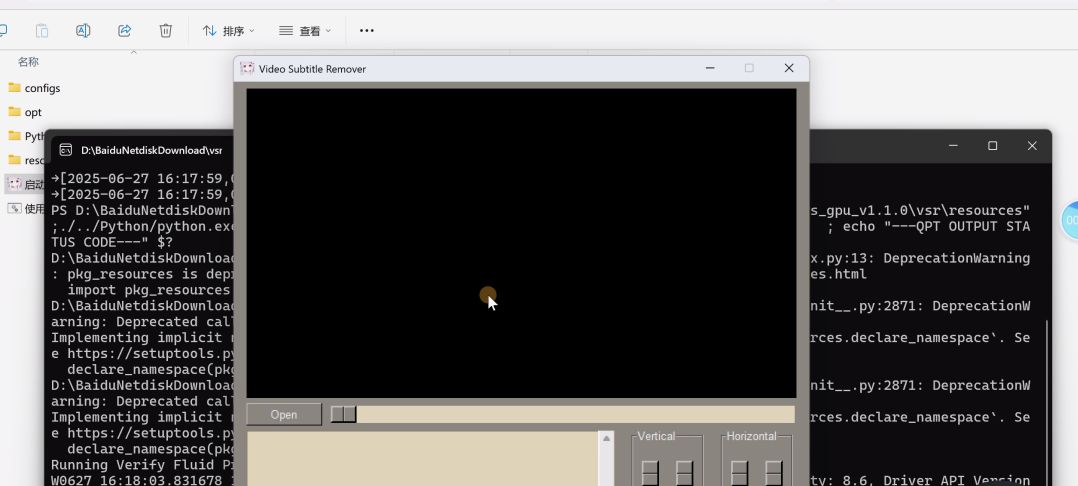
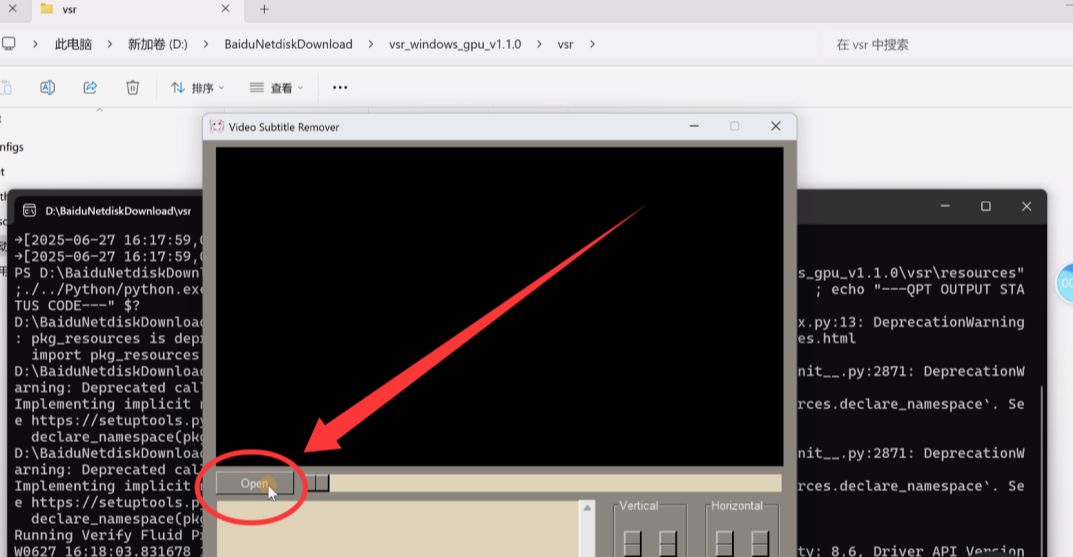
3.3 Importing videos
Importing a video to remove subtitles
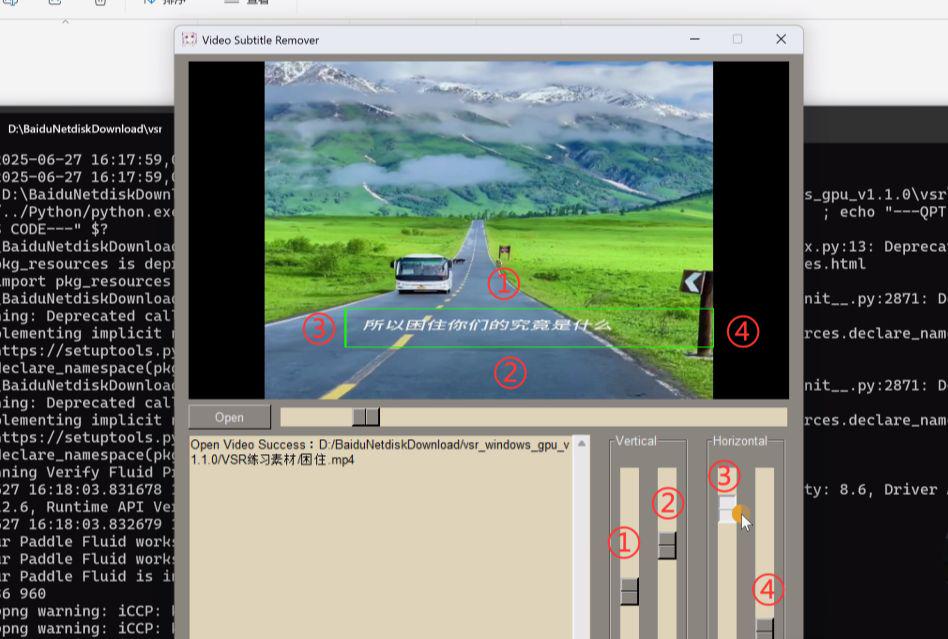
3.4 Adjusting the caption frame
Adjust the subtitle frame to completely cover the subtitles
① Adjust the top edge of the subtitle frame
② Adjust the bottom edge of the subtitle frame
③ Adjust the left side of the caption box
④ Adjust the right side of the caption box
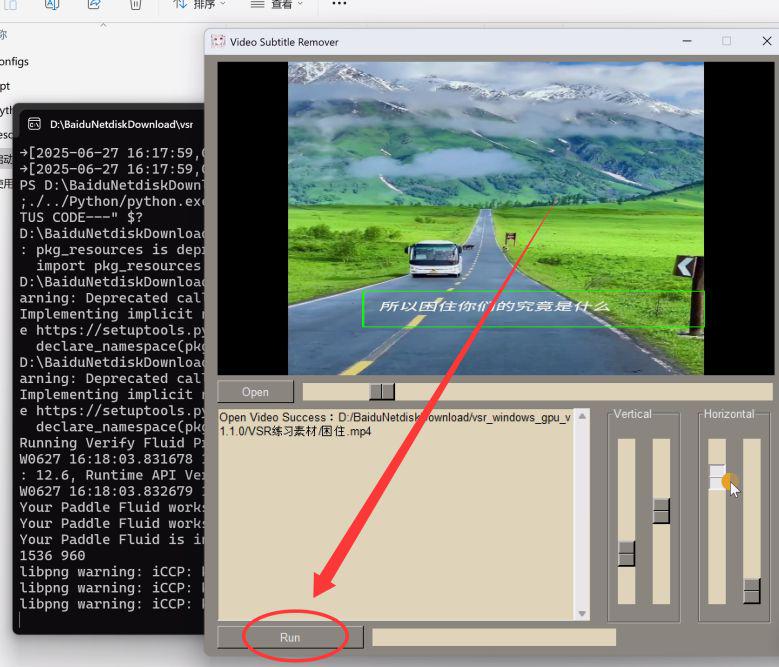
3.5 Removing subtitles
Click "Run", the tool will start to remove subtitles automatically.
3.6 Finding de-titling results
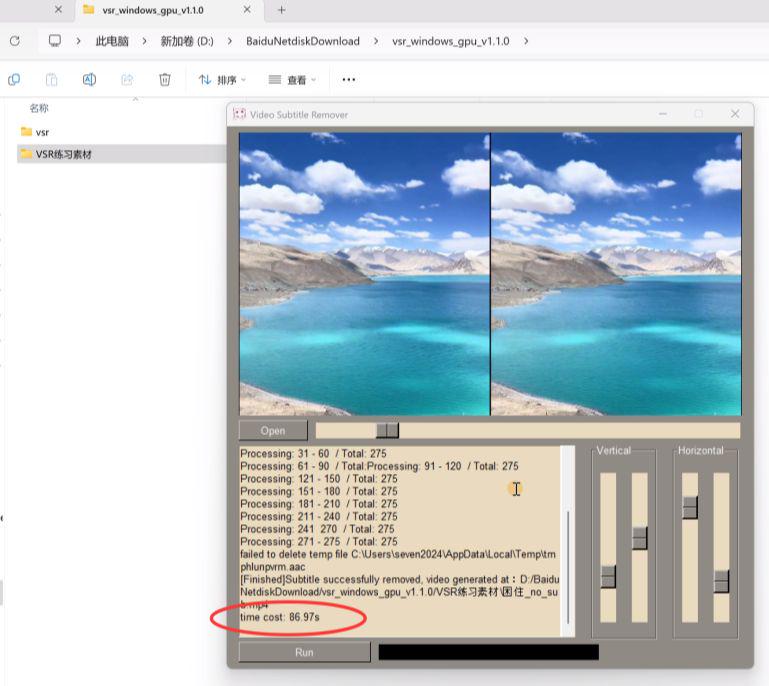
Once the subtitle removal is complete, a time is displayed to tell us how long it took in total.
My video card is a 3060, and it took 86 seconds to remove the subtitles for a 10 second video.
That's about it: 1 second of video, takes 10 seconds to remove subtitles.
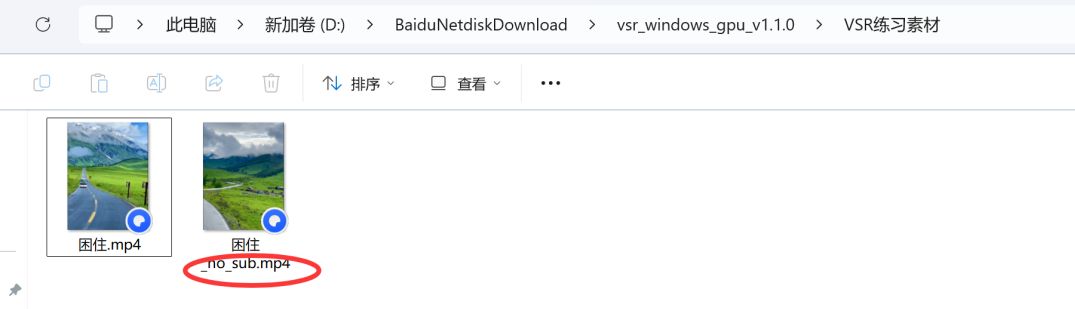
The result of removing subtitles will appear at the location of the original video.
4. Effects
4.1 Best results:
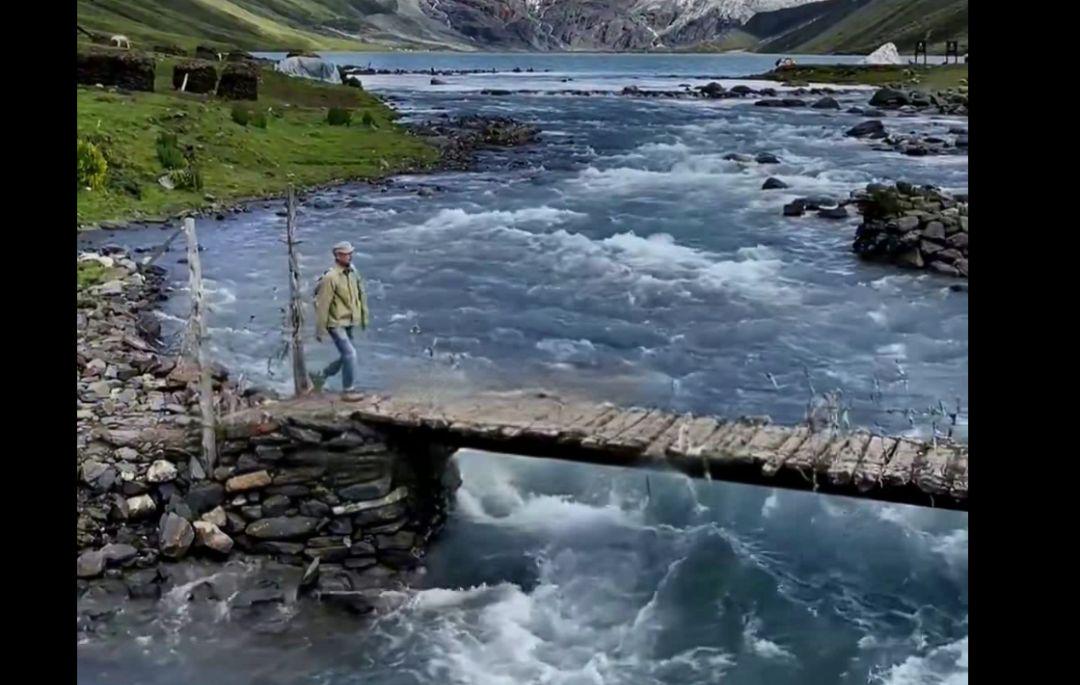
Traditional captioning:
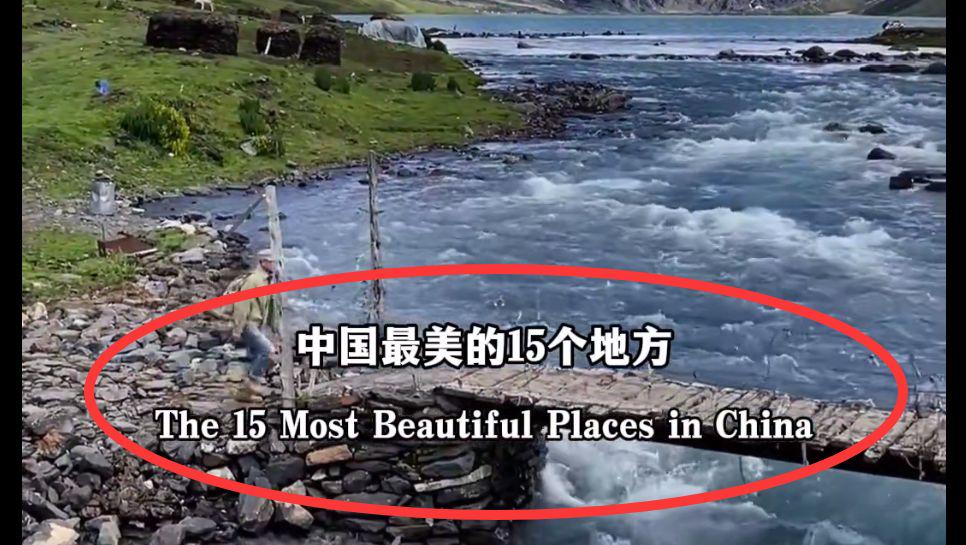
Effect:
The effect is so good that if you don't look closely, it's hard to see the breaks.
4.2 Imperfect situation of effect:
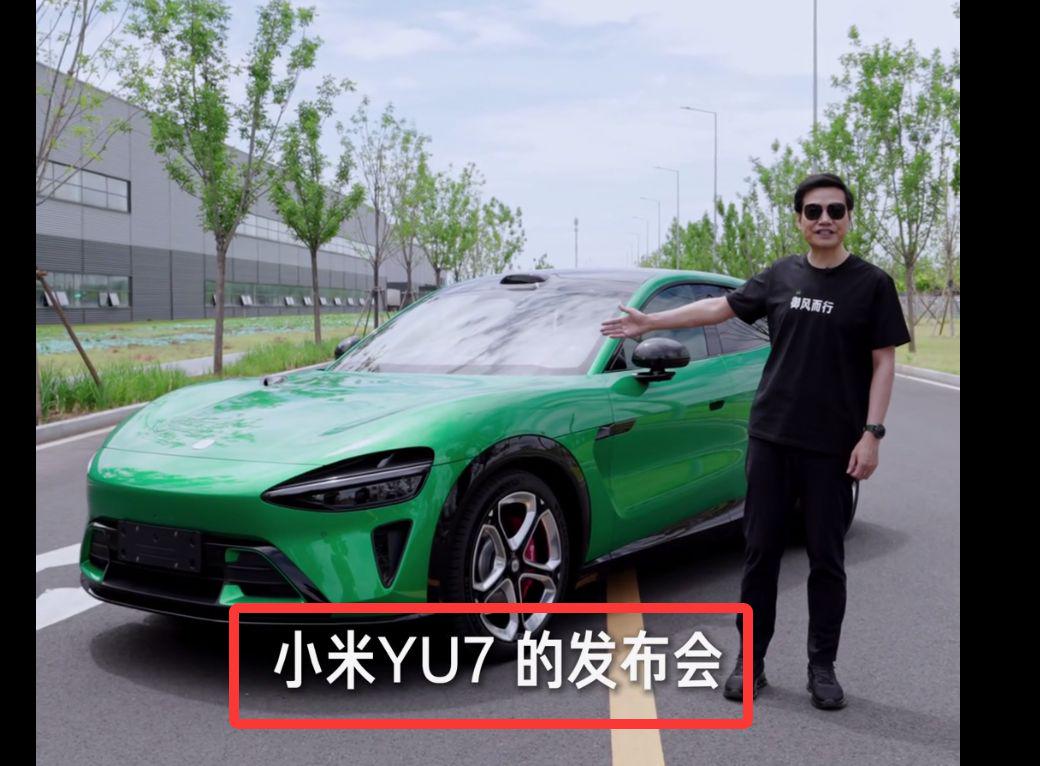
4.2.1. the subtitle is located in a place where there is a big difference in the color of the subtitle
Original Video:
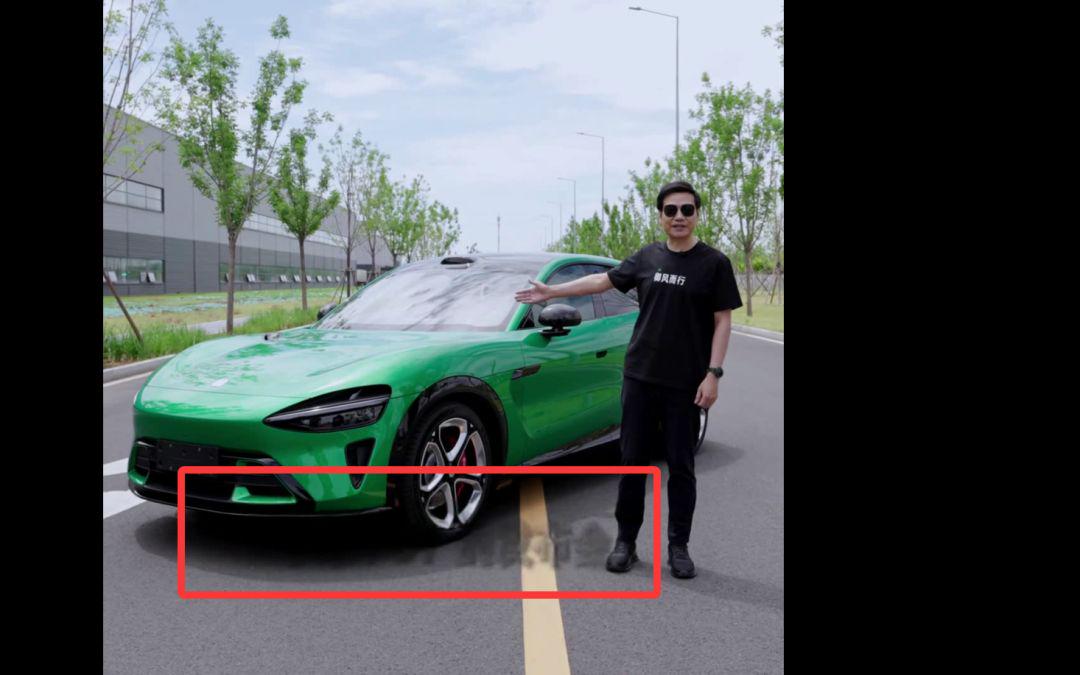
Go behind the scenes of the video:
It will appear that the subtitles are not cleanly removed and there are shades of gray left behind.
The reason could be: AI can't distinguish subtitles with excessive color differences
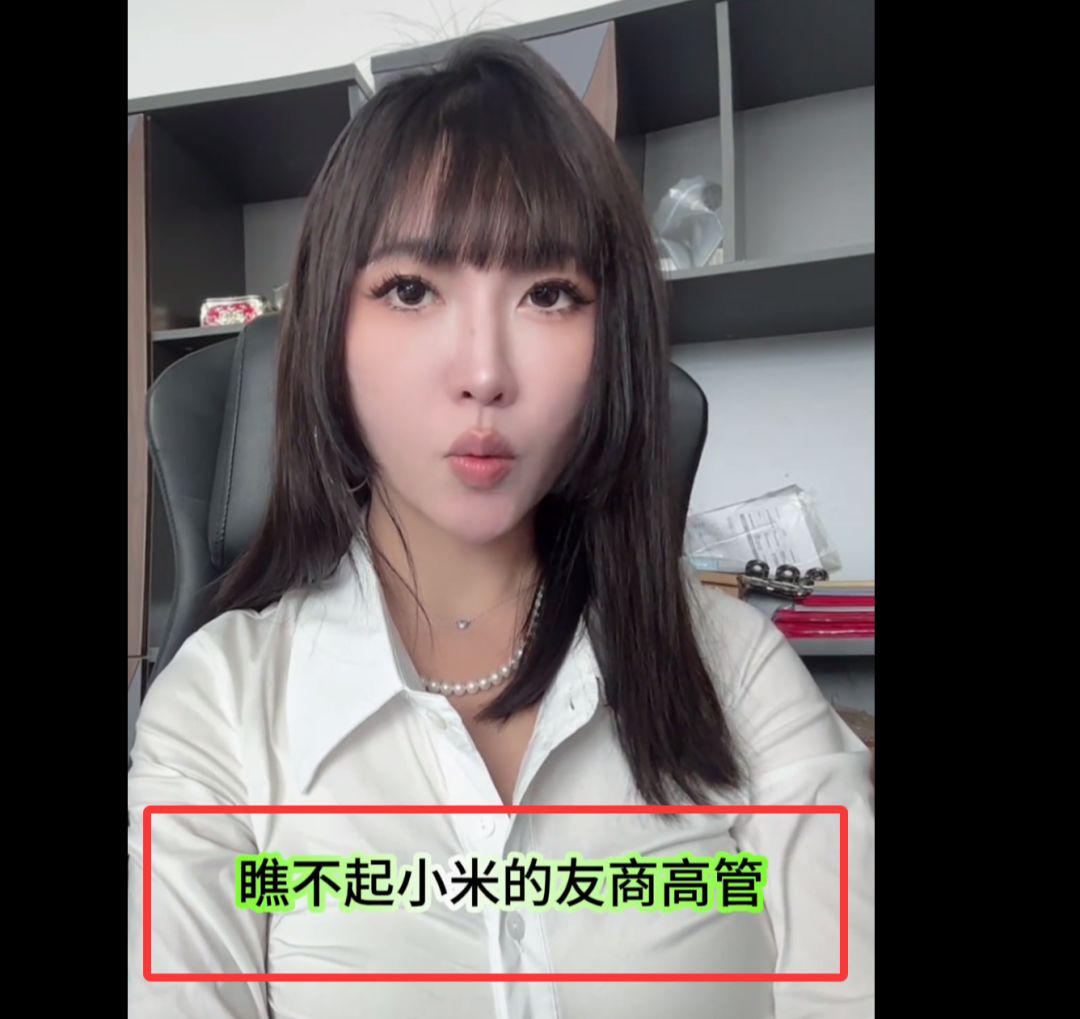
4.2.2. Green subtitles
Unconventional subtitles, such as green subtitles, may be shaded green.
Original video:
Remove the video behind the credits:
(It will leave a shade of green. Guess the reason: the green color is more specific and the tool developers didn't expect that someone would use it for subtitles)

4.2.3 Extra large subtitles
original video

Remove the behind-the-scenes effect of the credits:
As you can see, it doesn't work well.
The reason is that the subtitles are so big that it's hard for AI to restore the original video perfectly.