



PPT As a necessary skill for workers, it is really loved and hated, on the one hand, it is essential in daily work, on the other hand, it is always troublesome because there is no way to make PPT quickly.
Let's just say that PPT is important, but the process of making it, too, is a real pain.
Sometimes it's because the content doesn't meet our requirements, and many times it's because the PPT is not as beautiful as we'd like it to be.
It's a good thing that AI technology has come on leaps and bounds now, both in terms of the ability to collect content with a single click and in terms of page beautification skills.
Today we will take you to a comprehensive evaluation and comparison of the mainstream AI PPT tools on the market, to see which tool is the most suitable for hitting workers~
There is an overall summary and recommended directions at the end of the article, so remember to make sure you read it!
All of the following tools use the same set of prompts
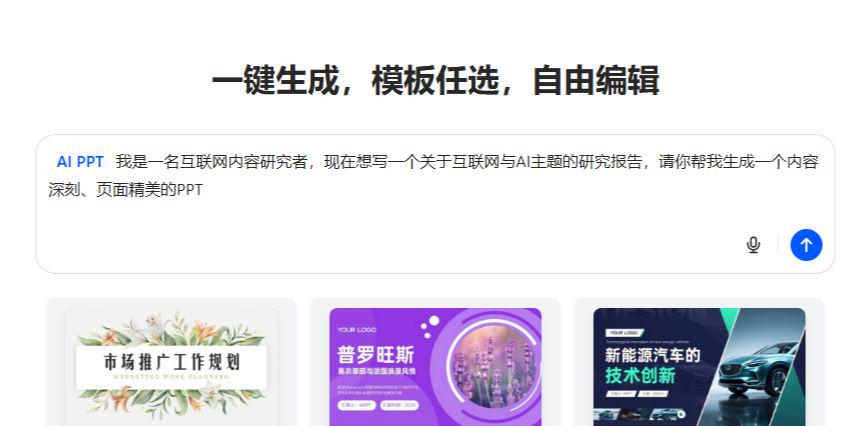
I am an internet content researcher and now I want to write a research paper on the topic of internet and AI, can you please help me to generate a deep content and page beautiful PPT
I. Professional AI PPT Agent
1. Beanbag AI PPT
Beanbag is really so comprehensive and all the integrated features work so well.
Beanbag generated PPT outline of freedom is very high, all the content can be freely modified, you can also add their own chapters, the following we choose the template, you can see that the template is really a lot, can cover most of our application scenarios.
After selecting the template is the PPT generation process, I always like to see this generation process, more decompression!

If you want to continue editing online after generating a PPT, you need to jump to the AIPPT website, and there is a limit to the number of times you can generate a PPT.

2. Xunfei Zhiwen
https://www.1ai.net/19121.html
Xunfei Zhiwen is one of the AI services launched by Xunfei, whose core strength lies in its powerful natural language processing capabilities, especially in the understanding and generation of Chinese content.

The outline generated by CyberSmart Text has no detailed textual information, only a general title
Again, we choose the PPT template and then we can generate it.

The generation process isn't as combustible as a beanbag, hahaha.
The PPT generated by Xunfei Zhiwen is OK, but the overall feeling is rather thin, and they now charge for all kinds of good-looking templates, which is not particularly friendly to ordinary people.
However, one of its features is that you can interact with AI after generating the PPT to precisely optimize the PPT.
This way we have more control over the PPT and it's easier to get the right PPT for us.
3. Kimi PPT Assistant
I'm sure you're all familiar with Kimi, so let's go to the Kimi+ page and we'll see the PPT Assistant

Enter the prompt directly into PPT Assistant.

The PPT outline generated by Kimi cannot be modified, which is not particularly user-friendly.
Below we click on the one-click PPT button to generate a PPT, select the template

You can see that the generation is also good, after all, it is now Kimi K2 big model, the bottom is good ah.
Although you can't change the outline at first, you can do it after generating the PPT, so it's a bit of a remedy, right?
4. WPS AI
WPS, to be honest, I used to stay in it is just a domestic office software, until a good friend in the group WPS, I realized that the wave of AI, WPS is not lagging behind ah, their AI products are also amazing!
This time at the WAIC conference, they are even C-places, it is really too brand-name, the following take a look at WPS's AI PPT ability~

The generated outline can not be modified, which actually affects the creator to optimize the PPT.

The templates are huge and you can upload your own templates, which is very nice!

It is also a dynamic creation process
WPS AI gave me 32 pages of PPTs, which is the longest of all the tools I've tested, give or take!
The PPT elements can be modified directly after generation, which is great.
And because it is a tool combined with WPS Office, all the elements that can be inserted are also very, very much, basically PPT can do things that can be done in the WPS AI when you can do, really strong ah!
5. PPT.
https://www.1ai.net/40441.html
This tool is a professional PPT tool with a very powerful logical structure

We typed in the prompt word directly and we can see that this professional PPT software is really professional, with many options underneath to make us more comfortable in dealing with different scenarios.

Next, a PPT outline will be generated, which can also be freely modified.
Then continue is to choose the template, templates are also a wide range, I choose a Chinese style here!
Soon finished the generation of PPT, the same can be edited at will, but also supports the insertion of music and movies, made out of PPT more advanced.

6. Gamma
Gamma should be the most famous and most out of the circle of AI PPT tool, its effect is really amazing, of course, the corresponding price is not expensive.
Once you enter the home page, you are greeted with three ways to create, and since we need AI to provide content, we choose the middle way.

It will generate the outline once and let us choose the template and even the model for generating the images
Generated very quickly
It is obvious that Gamma is much richer in PPT modification, which is worthy of being the strongest AI PPT tool.
The downloads are also available in a variety of formats

These professional AI PPT tools above, each with its own characteristics, are exploring their own AI PPT path.
The following is a description of how the Universal AI Agent performs in PPT creation.
II. Generic AI Agent
For general AI Agent tools, because they are not specialized PPT tools, so I personally feel that in terms of comprehensiveness is not as good as these professional PPT AI tools, some of which can not be downloaded into a PPT file, and some of which lack in aesthetics and other aspects.
7. Manus
https://www.1ai.net/30173.html
Manus, the world's first general-purpose AI Agent tool, has also recently gone live with a lot of new capabilities, such as PPT creation, which was released as a standalone capability.
Manus still has a down-to-earth feel to him by scheduling a plan first and then getting things done step-by-step.

Although it has recently been in deep trouble for withdrawing from the mainland market, that doesn't negate the ability of this product.
Although Manus is a generic Agent, it's nice that they surprisingly offer the ability to select PPT templates as well.
They also support downloading files in PPTX format, which is very much an office AI feel.
8. Flowith Neo
https://www.1ai.net/40443.html
Flowith's Neo ability is one of my favorite modes, and it's also a groundbreaking feature, the first ever Unlimited Agent, which allows you to keep talking to Neo as long as you have enough points and creativity, which is really cool.

This canvas format by Flowith Neo is very original, but of course I think it invariably dissuades a set of people, let's just say some people like it and some people can't accept it.
The final result is also a web page, and there is no way to download it directly as a PPT file.
Still, in terms of style and content, Flowith Neo performs very well!
9. Tiangong AI
https://www.1ai.net/35913.html
Tinker AI is a tool that was written about a long time ago, when they first launched this product with the main idea that it was made for office efficiency, and now a few months later, they've taken their capabilities to the next level.

The Tinker AI also generates a list of todo's and then follows the list's schedule step-by-step
The generated PPT outlines can also be modified.

The generation is still pretty good, except that it seems to be more points-intensive now.
The download also supports PPTX format, but it requires credits, Tiangong AI is a bit bad.
Of course, Tiangong AI also supports uploading PPT templates, which is in line with the positioning of office AI.
10. Jippo AI
https://www.1ai.net/40445.html
Jip AI is a recently launched AI PPT capability, and the overall effect is still good.

As with the generic AI Agent tool, the PPT is created as soon as the prompts are provided.
Among them, PPT outlines, styles and all these cannot be selected.
The generated effect is quite good, but because it is realized through HTML and CSS and other front-end code PPT effect, there is no way to download, you can only view online!

Overall, the ability and energy of the general-purpose AI Agent will not be fully focused on PPT production, so-called specialization, without specializing in research, the final result will certainly be poorer, but this does not prevent these excellent AI tools in other areas of the performance of the amazing!
Final Thoughts
Let's conclude by summarizing
Detailed Comparison Table of AI Tools PPT Creation Capabilities

Of course, different tools have different focuses, there is no absolute "best", only the most suitable for you.
1. If you seek maximum efficiency and compatibility:
First, WPS AI.It is seamlessly integrated into your PPT software, one-click generation, and then you can edit the ordinary PPT like any modification, no learning costs, is currently the most practical and grounded choice.
2、If you pursue the most cutting-edge design sense and presentation effect:
Gamma is preferred.Instead of a traditional PPT, it produces something more like a beautiful web page. The modern design and smooth animation make it ideal for product launches, public presentations and other occasions where you need to "wow" your audience.
3, if you need to deal with a lot of textual information to create PPT:
The combination of Kimi + WPS AI/Gamma is highly recommended.Use Kimi to help you read and summarize dozens of pages of PDFs or multiple web pages to distill the core ideas and PPT outlines, and then copy the outlines into WPS AI or Gamma to generate beautiful PPTs. Then copy the outline into WPS AI or Gamma to generate a beautiful PPT with a single click, which is the most efficient content handling process available.
4, if you only need to quickly generate a complete PPT draft:
You can try Tiangong AI or Xunfei Zhiwen.They both quickly generate a .pptx file with content and basic typography, which, while it may require you to follow up with embellishments, can be a huge time saver in building a framework from 0 to 1.
5, If you are a creative worker or need teamwork:
Flowith Neo is worth checking out.Its infinite canvas feature is perfect for brainstorming and sorting out logic, allowing presentations and thought processes to merge.
In a nutshell:
- For daily office/study, WPS AI is enough.
- To do it beautifully and differently, use Gamma.
- There's too much information to read, so I'll use Kimi to handle it first.