



A friend asked if Eastern fantasyAnimation styleWhat should I do with the video work? The effect of running it yourself is rather far from what you imagined, is it convenient to come up with a similarAI Video Tutorial?
I found out today.Dream AIVideo recently went live with the Smart MultiFrame feature and wanted to try out Smart MultiFrame as well, so I decided to give it a try.
Solution
① i.e. Dream AI pictures to generate oriental fantasy animation style character pictures (sets of pictures, it is better to be able to conceptualize a story).
②It is a dreamAI VideoIntelligent multi-frame generates a video after adding the character set as a video frame image.
③ At present, that is, the Dream Intelligence multi-frame up to 10 frames of the screen, more than two video clips need to be spliced together with video editing tools.
Next, with a look at the video generation effect, on the one hand, in order to use AI hands-on tutorials to answer the questions of friends, on the other hand, also in order to test that the Dream Intelligent Multi-frame function is good to use, this time are once a raw map selection, a generated video, did not do more details to redo and adjustments, intuitively look at AI one-time generation of the picture effect and the intelligent multi-frame video effect.
If you want to make a similar effectAnimated VideoYou can follow this tutorial step by step.
Generate Oriental fantasy character story sets
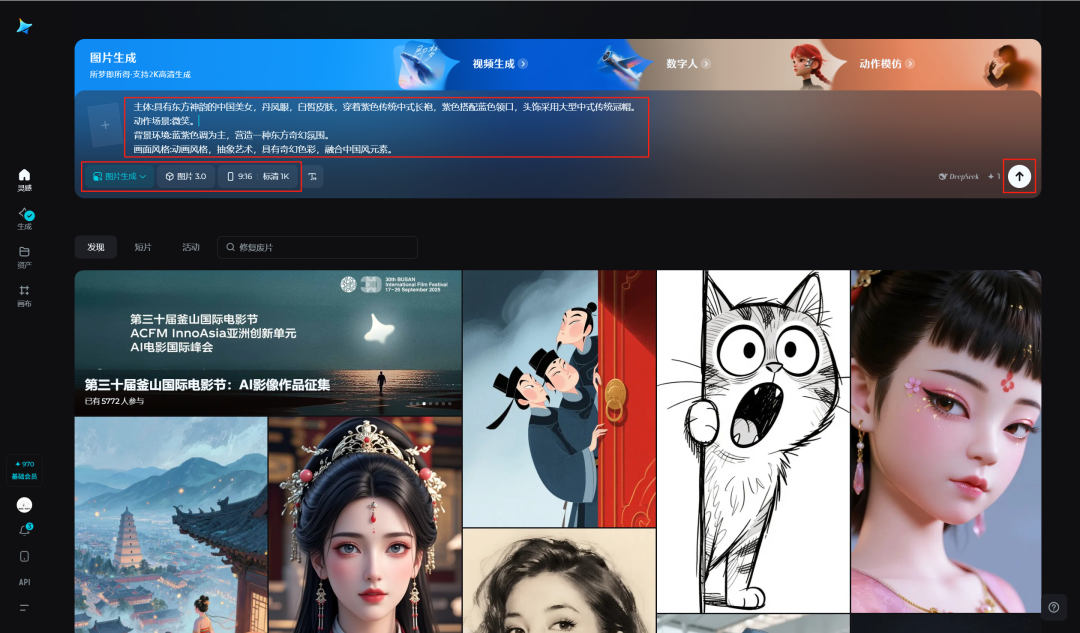
Open the official website of Dream AI, select "Picture Generation" for the creation type, select "Picture 3.0" for the model, select "9:16" for the size, enter the prompt words for picture generation, and then click on [ Generate Icon].
Tips:
Subject:Chinese beauty with oriental charm, danfeng eyes, fair skin, wearing purple traditional Chinese robe with purple color with blue neckline, headdress with large traditional Chinese crown and hat.
Action Scene:Smile.
Background environment: blue and purple tones are dominant, creating an oriental fantasy atmosphere.
Picture Style:Animation style, abstract art with fantasy color, fused with Chinese style elements.
Shooting Techniques:Front view, close up, close-up of people.
Picture Quality Requirements:4k HD.
Wait for the picture generation to finish, move the mouse to one of your favorite pictures and click [Download icon] to download the picture to your local computer.

Similarly, keep the main body and oriental fantasy animation style unchanged, generate other action scene images, and then pick an image that meets the expectations and download it to a local computer folder for backup.


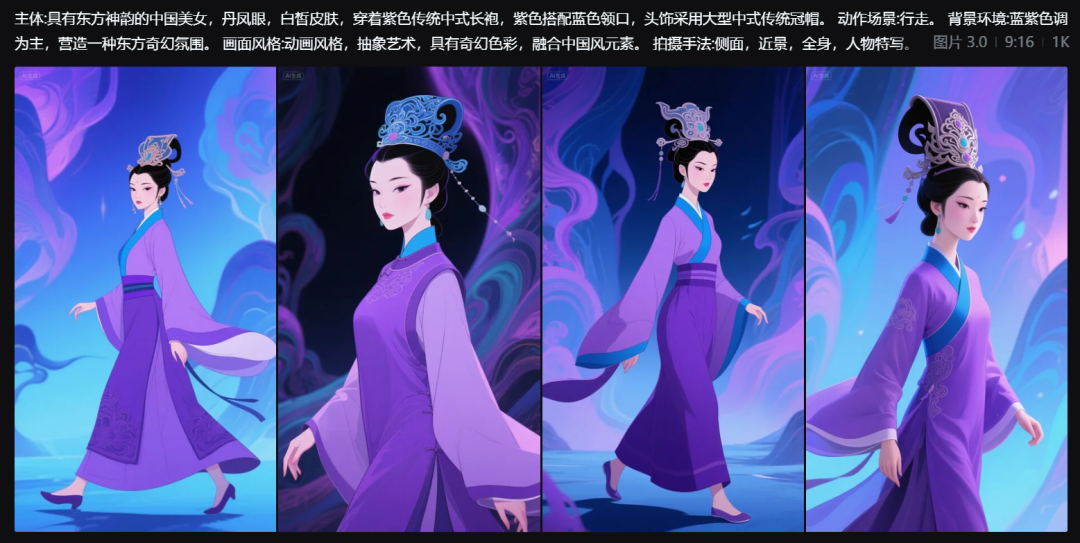


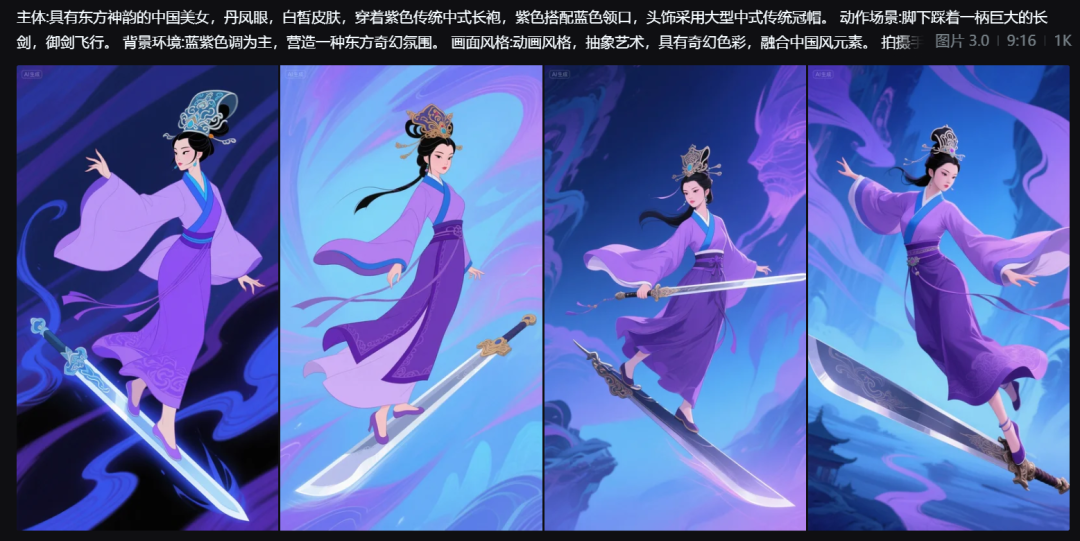


Once you have completed generating and downloading the character story sets, first arrange the serial numbers to keep them as a backup.

Quickly String Images Together to Generate Video with Smart Multiframe
After opening the official website of Instant Dream AI, click on [Inspiration] on the left side, select [Video Generation] for the creation type, then select [Video 3.0] for the video model, then select [Intelligent Multi-Frame], and then click on [+] on the left side of the input text box.

After opening the folder, click on the video frames to be generated in the order of the first and last frames, and click [Open].
PS: Currently supports up to 10 frames of images.

In the middle of the two frames, you can add a description of the operation, choose the duration, and click [Confirm] after you finish editing.
When the description is complete, click [Generate Icon].

After the generation of the video is completed, click the [Download icon] to download the video to a local folder on your computer.

Similarly, the remaining video frame frames are generated to get the remaining character story videos and downloaded.
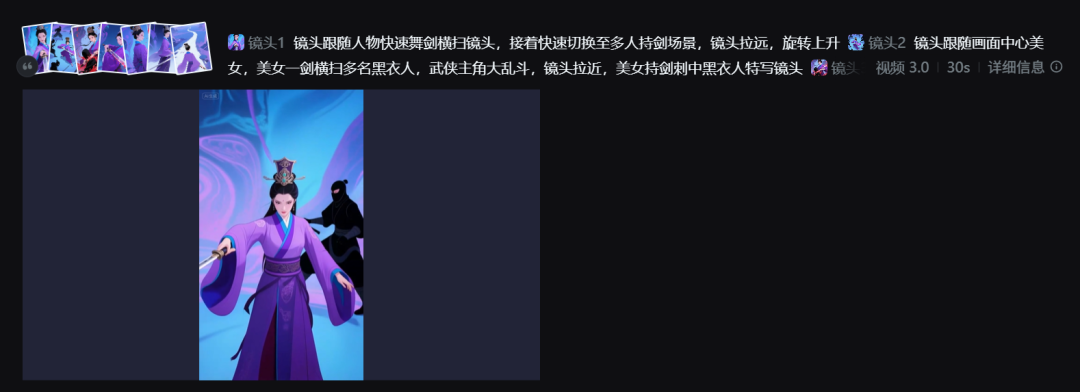
Considering the description of the shipping mirror that may be of interest to some, it is included here.
The first video cue word is below:

The second video cue word is below:

Splicing video with cutscenes and adding backing music
Open the cutout and click [Start Creating].

Go to the main interface of the clipping function and click [Import].

Select the 2 videos you just generated and click [Open].
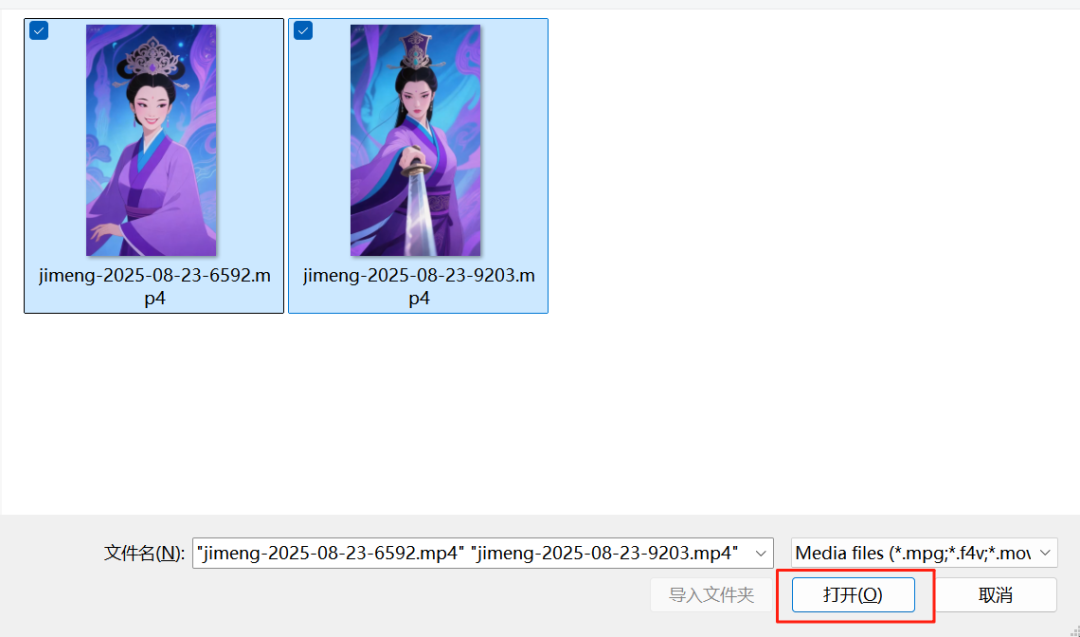
See that there are already 2 more video clips in the cutout, click [+] to add the video to the track.

Adding to the track was successful, see below.

Next, click [Audio] - [Music Library] - [Recommended Music], select your favorite music and click [+] to add it to the track.
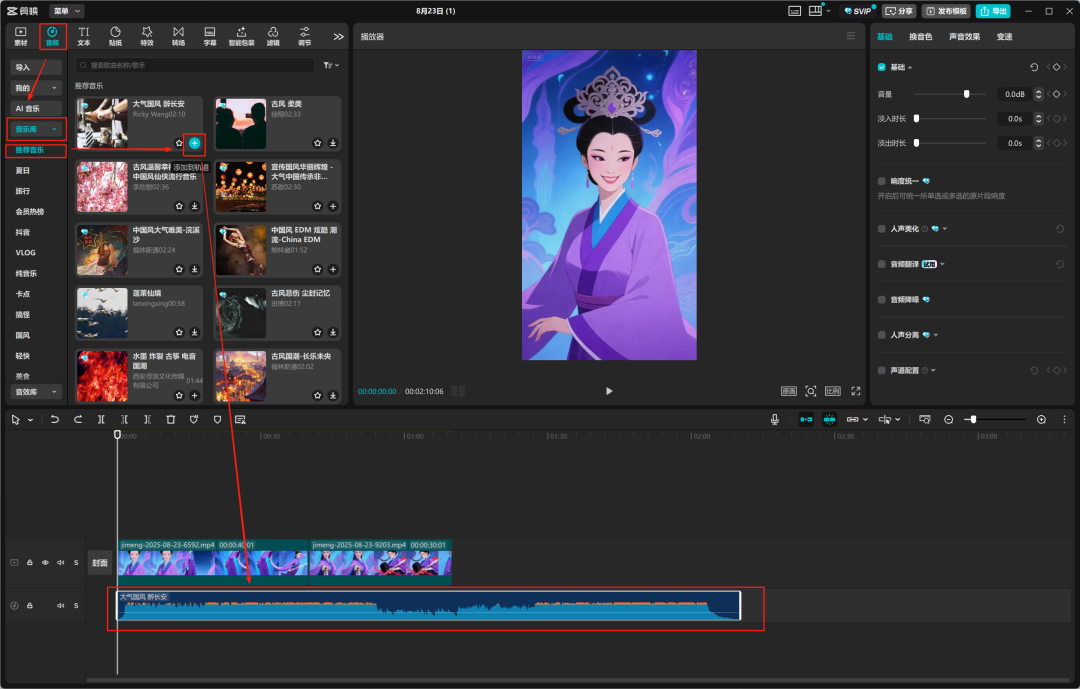
If the music is too long, you can use [Split Tool] to split the music. Then you can select the extra audio in the second half of the music and delete it by pressing the "Del" key on your keyboard.

After the background music configuration is complete, click [Export] - [Export] in the upper right corner.

When the export is complete, click [Open Folder] to see the corresponding video.


By this point, we have completed the creation of the Oriental Metaphysical Animation video story.
At the same time also completed the Dream Intelligent multi-frame test, compared to the previous one by one first and last frame to generate video, the efficiency has been greatly improved, the effect of the overall look is also not bad.
Learning Summary
Let’s review and summarize what we have learned:
① Generate the Oriental fantasy animation style screen character story sets through the Dream AI Picture 3.0.
②Generate Oriental fantasy animation style videos quickly with the intelligent multi-frame of Instant Dream AI Video 3.0.
(iii) Splicing the video with clipping and adding background music to generate a complete oriental fantasy animation video.
This wave went down, we can quickly use AI to generate oriental fantasy animation style video.