



KIM AUTUMN, OCTOBER, AI VIDEO LOOPS ARE KILLING CRAZY
Google Veo3.1 1080P, a new version just came online, Sora 2 released 15 seconds of free experience overnight, and the Chinese team threw out a new video-level model, Gaga-1。
But it's up to the world's netizens to get the Mask Grok Imagine——
Why? None of him. Who doesn't
From the entrances, the whites, the harlots, the official mirrors, the divine combinationGrok Imagine spoke at once
I. Where to use Grok Imagine
THERE IS ONLY ONE AI WEBSITE IN THE NETWORK
i don't know
APP: GROK
Click the Imagine button on the left when the site enters to enter the drawing and video generation interface

free quota
A free account can generate 20 six-second videos a day. But compared to the other AI snails crawling, Grok did 10 seconds to generate a video
You can generate a few more videos by clicking on the right arrow to the left, and you can see different videos from the same one。
The White House Method
A free account generates only 20 videos a day。
You can apply for a free mailbox at the 2925 e-mail office (www.2925.com) and register with Grok
2925 has a special function
for example, you applied for smartboy@2925.com. the post office defaults smartboy1@2925.com, smartboy2@2925.com, smartboy3@2925.com...smartboyn@2925.com is all yours. the actual number of addresses to one (1 mailbox)。
However, each of the above e-mail addresses, Grok, GPT, would consider it to be a different e-mail and could register a separate log account。
Ten is 200 free videos
II. USE TECHNOLOGY
After entering, the interface is as follows:
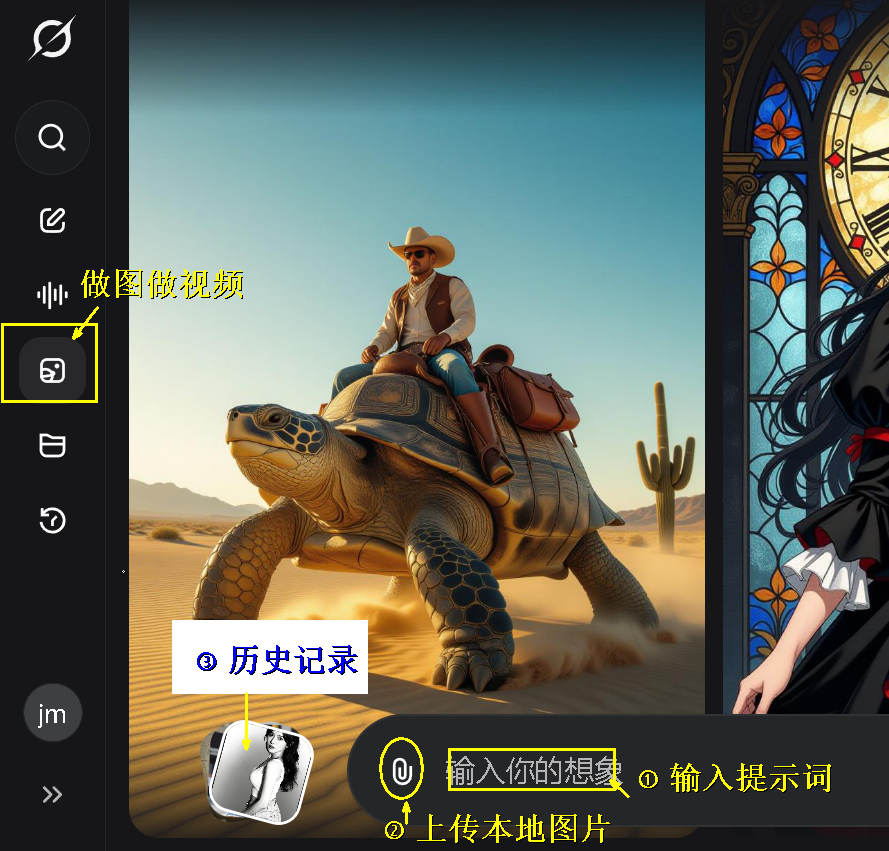
It's a simple operation
1. Vincent video
The default supports only graphic videos, either uploading local pictures or drawings from a platform before generating videos。
But there is a technique that can easily circumvent the restriction of "free users only supporting Tusheng":
Upload a very small white or black piece, and then enter the text, so you can transmut it
However, the Grok Imagine text made a general video effect, which is far from good。
2. No hints
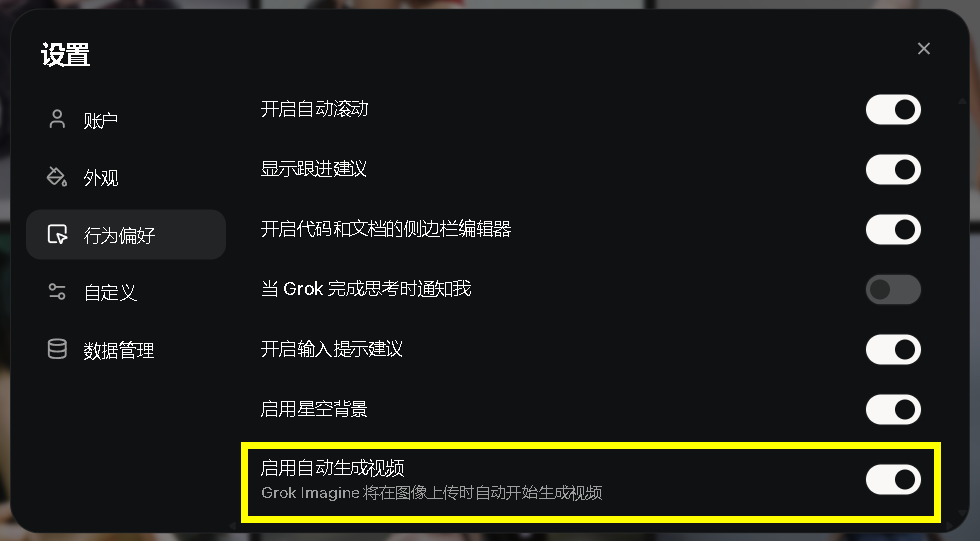
After uploading a picture, the user does not enter anyPrompt wordGrok will understand pictures and automatically generate videos
This function can be disabled in the system settings
Timeline
Grok Imagine supports adding a point of time to the hint, press seconds to control the action
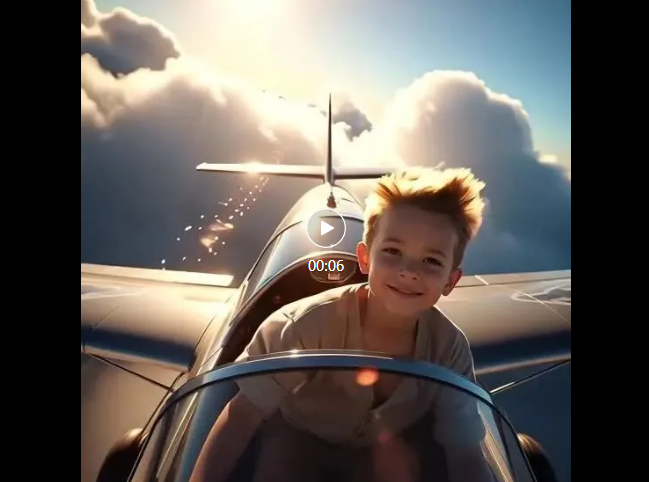
Here's a hint from Arujin's article "6 seconds video 10 seconds!" Grok Imagine Experience + Metatip Sharing:
The whole idea: An innocent and brave young man drives a retrograde vehicle across the clouds and captures the moments of sunlight, wind and dreams。
Script: [0-1 seconds] Up: – Junior eyes far away, sunshine on his face, wind flashes [1-3 seconds]
Detailed Parameters: Phase I: Motion intensity 3/10, Culture creation (wind and light) Phase II: Motion strength 6/10, Cloud through Dynamics Phase III: Motion strength 8/10, Ring lens and Sunlight flare Phase IV: Motion strength 4/10, Slow tailings, Light Softening Overall rhythm: Gradually (quiet motion motion motion motion, illusions, tranquillity)
Deep change: slight deceptive transformation, focus on adolescent eyes
Special effects recommendations: photometric lens, cloud flow, light camera vibration, metal reflection
Four, one key
Grok Imagine, latest on line. Upscale, one key, high-cleaning
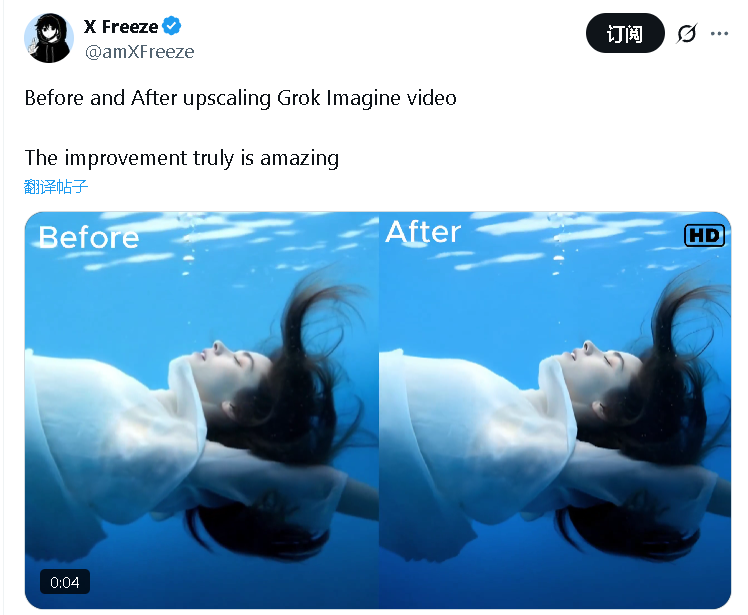
It's also easy to use
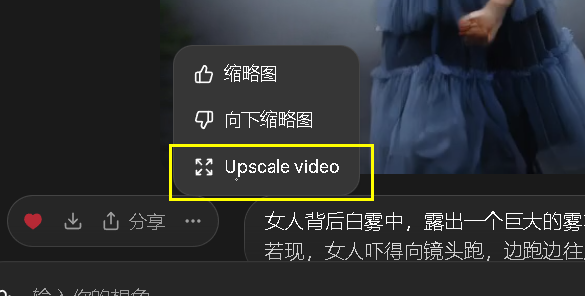
It's really the only one in the world, compared to Google's greasy, OpenAI's total blurry, allowing users to choose a happy video
5. Measurement issues
Supports 4 scales, ordinary, funny, hot, customised。
among them, the spicy spicy model has an age limit to verify
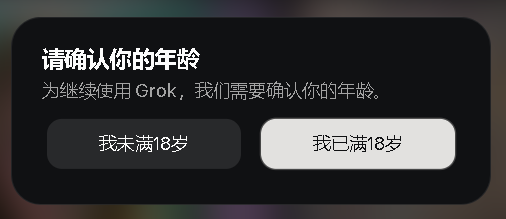
unverified account numbers are only funny and normal, defined as three types。
How do you trigger this verification
There are no settings on the web page that need to log in for GROK applications. While the Android version did not have a switch on it, the web version could be activated by a half-hour check-in. iOS can interact with the 18+ partner, trigger the set-up year, and then the validation entry will appear。
Carnation tips, cartoons are bigger than real people。
Six, the magic
It'll work better if you're good, you're good
Pictures
Lets Nano-banana recreate the chart according to the library and then makes a video with Grok。
The pose
You can also find some action dictionaries, such as yoga action guides, eight bands of guidance, dance positions, gymnastics..
AND FOR EXAMPLE, THE ACTION ONLINE LIBRARY THAT I INTRODUCED IN "THE SIX GODS, MAKE YOUR A.I. FREE."。
iii. Mirror alerts
Grok Imagine supports a lot of action and mirror tips
Including the official Grok, a summary by netizens, other AI。
It's a lot of content. I sorted it out and put it at the end of the article
Write down the verbs of the photographers, and Grok Imagine will give you pure film-level sports and movement。
Queued
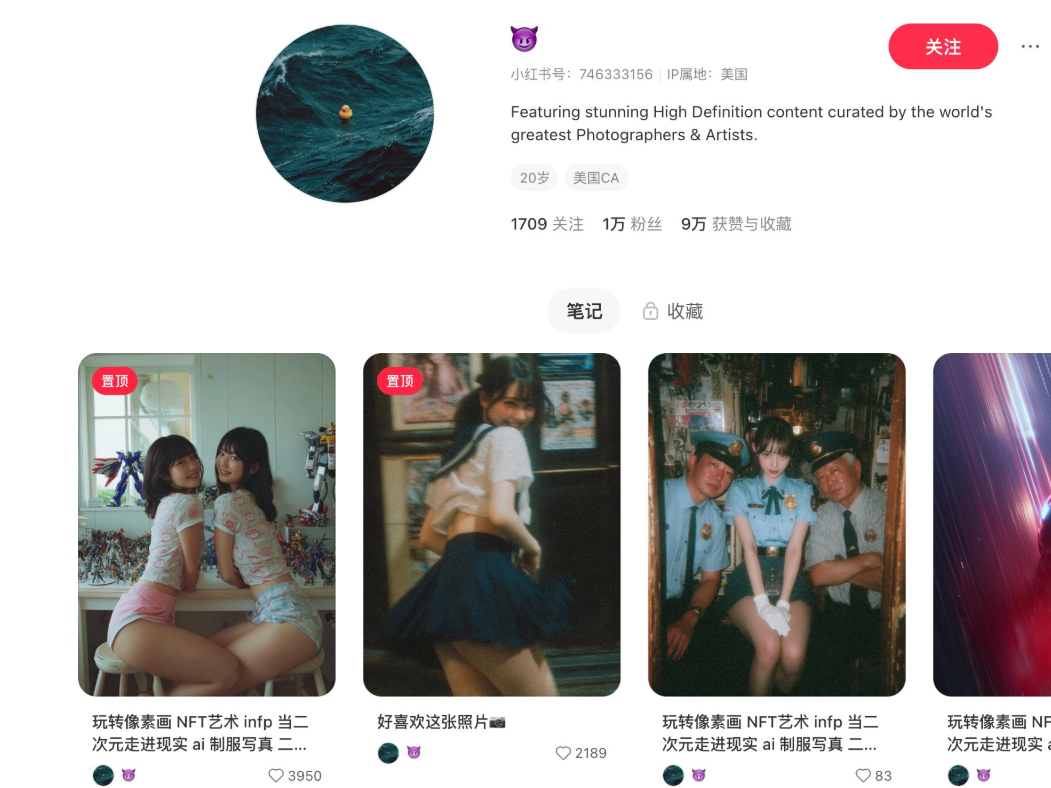
Grok Imagine, an amazing feature, is well suited to be cashed from media platforms. For example, this is just five days down, and there are 10,000 fans. It's using a master's photography to make a little video
Summarize:
I'll give you more brain holes
The human being is a visual animal, and there's an infinite amount of creativity, along with Grok Imagine's powerful function and super-powerful scale。
Here, the breeze has taken you to the point where the Grok Imagine's play and inspiration is over。
OR IS IT THAT ANY BUSINESS THAT WANTS TO BE SEEN DESERVES TO BE REPEATED BY AI: ADVERTISING, VIDEO, ELECTRONICS, LOCAL LIFE, DOG-BLOODED VIDEO, MEDIA TOOLS... EVERY TYPE, EVERY SCENE, IS INGRAINED AND THIRSTY, AND ONLY WAITING FOR LIGHT。
Attachments: Introductions
1. Official reminders
Grok gave a Grok Imagine official tip
These keywords can be added to the hints, make the video more visual
• Super-real movie footage
• Multiple dynamic camera angles
• Rotation orbit smoothing
• Slow pushrat writing
• Wide-angle setting
• 360 degrees rotation
• Imperative light
• Scenicity
• Deep view
• Reflections
• Super-high detail
• Fuzzy real-time motion
HDR
• 16K FILM QUALITY
• A seamless transition between cameras
• IMAX-CLASS FILM PHOTOGRAPHY
• Deep air atmosphere
• Minor camera shaking
• Disparity
• Volume lighting
• Soft light
II. OTHER PRESENTATIONS
Put camera control in your hint, and the image will be executed like a photographer on the scene
(1) camera action speed check (input key words for prompt)
Pan spins the view horizontally, like turning the head to the left。
Tilt spins the view vertically, like nodding。
Zoom In / Out lens focus close/drive, no movement。
Dolly In / Out is moving forward/backward, bringing a sense of "entry/opening the landscape" space。
Tracking Shots is following the path of the subject and keeping the movement in the picture。
Crane Shot | up and down to create a dramatic view of high/low。
Handhold holding hands increases the sense of truth and urgency。
Orbit oscillates around the body, and shows stereoinformatics and movements in one circle。
Useful writing (1 lens with 1 movement and avoid overlap)
"Golden hity rooftop, hero steps into the light; slow dolly-in to wait-up; subtle tip up at the last second; soft rim light, shallow instead of Field."
(2) Prompt Template (available directly)
scene/time/mass: [localization], [time of day], [look]
Subject & action: subject does [clear action] camera motion: pan / tilt / zoom intout / dolly / tracking / crane /handhold / orbit (select only) graphic language: shot size, control, DoF light & colour: keep/ rim/ fill, color palette section: hold 1s then Cut
(iii) Step-by-step
Write action, lens, light, beat order; less empty words like "pretty/film."。
think more steady: break 10s into 2-3 lens blocks, each 3-4s。
need a real touch? try handhold
want to enhance space narratives? with dolly
to show the whole body? choose orbit。
🧰 collection sentence "slow dolly-in to media close-up, hold 1s before cut."
"making shot left-to-right, subject client-frame, steady-girl."
"crane shot rising 3m to reveal skyline, soft backlight."