



Now Image2 Polygamy Storyboard Seedance2.0 is a straight-out video, and we've been talking about a detailed curriculumImage 2 storyboard +Seedance 2.0 typed out
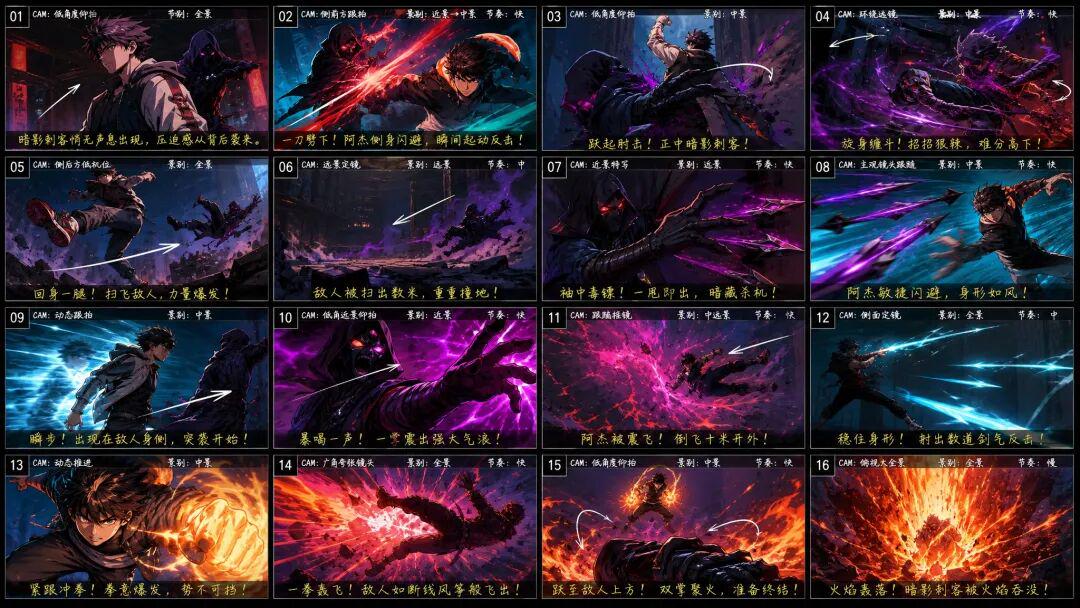
So, can this fairy group be used AI skits♪ I can't ♪ How do I use it
Today, I'll take you through the entire Image2+Seedance2.0 process of short play production
JUST REMEMBER THIS PROCESS, EVEN A ZERO-BASIS WHITE, CAN DO A HIGH-QUALITY SET OF AI PLAYS IN 30 MINUTES。
This time I'll use LibTV A team version, from short play creation, role-setting, spectroscopy, video generation to final clip synthesis, has been completed。
Official website:https://www.liblib.tv
And the benefit of the team version is that we can get a couple of people to make the film in the same picture。
LET AI CREATE FROM A PERSONAL EFFICIENCY TOOL TO A TEAMWORK DESK, DOUBLE EFFICIENCY AND QUALITY。
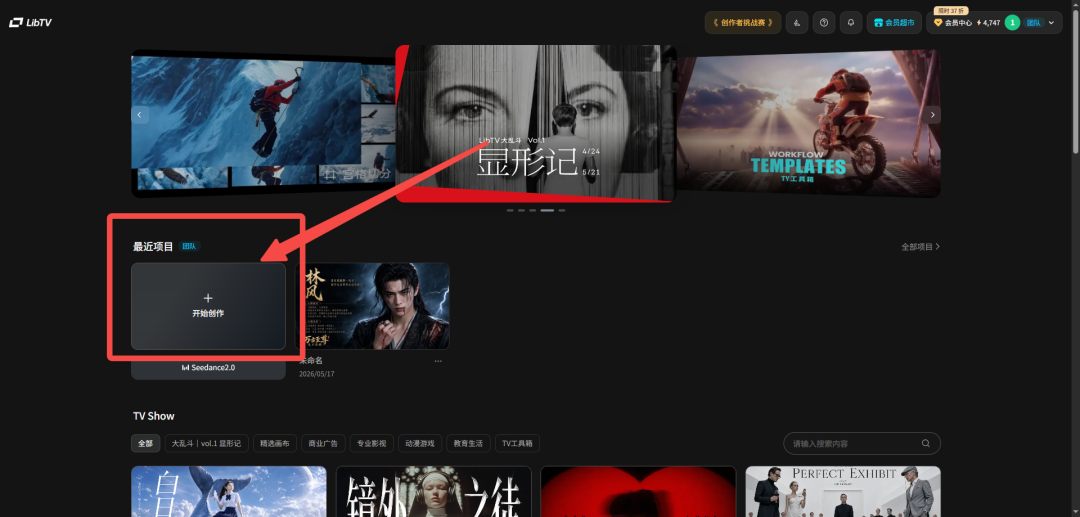
First, open the LibTV team and click on the creation team project。
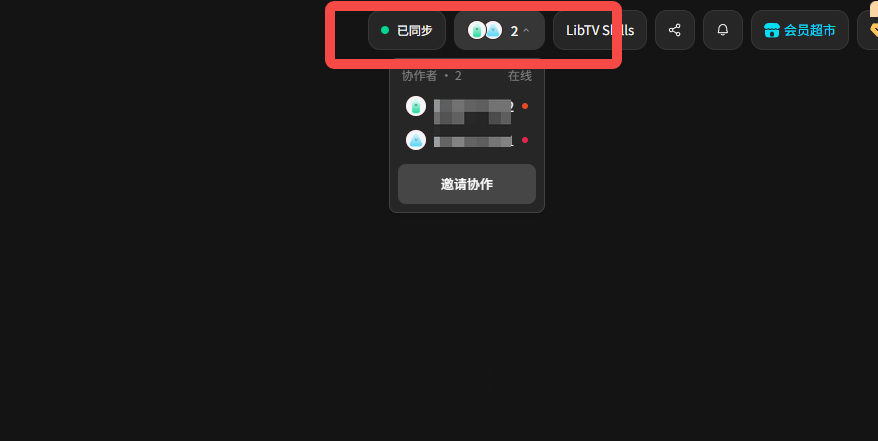
You'll find the top of the interface[Synced]And [scoffs]Number of canvass edited at the same timeThat means you can invite someone else to do something。
Members can also view and manage all team projects in team space, or they can move their individual projects in one place。
All project documents, materials and drafts are thus deposited here and are very easily managed。
EvenSetting a ceiling on the consumption of points per memberAnd to prevent people from slipping and burning all the amounts。
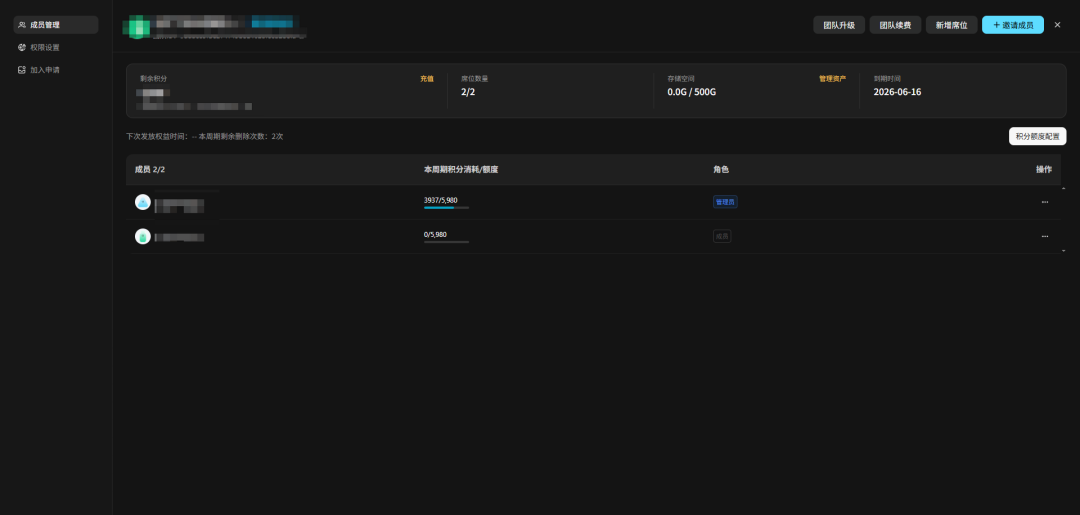
Even if the members leaveThe team assets are automatically handed over to the administrator,Projects, drafts and materials do not say that people disappear because they leave。
1. script creation
BEFORE DOING THE SHORT PLAY, I NEEDED A SCRIPT, OF COURSE, AND I COULDN'T THINK OF A DECENT ONE, SO I SUGGESTED A GENERAL NEED FOR AI TO WRITE A SCRIPT FOR ME。
💡
Psych: Write me a real-person short play on the day-to-day theme of the ancient house fight, finish the first set of content, which is controlled in about 30 seconds。
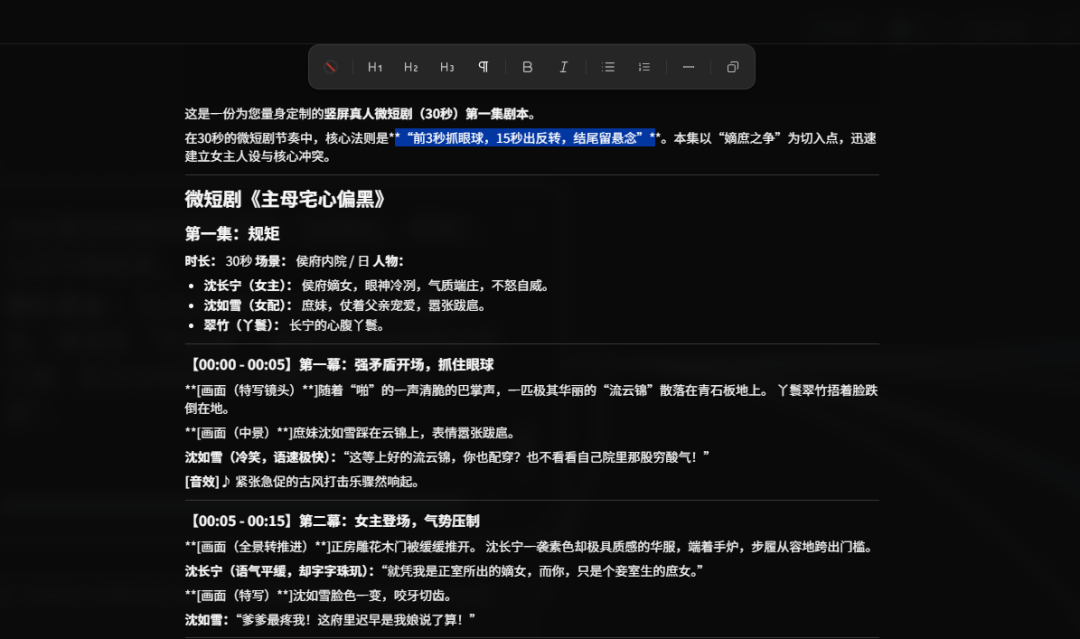
So we got a full script。
OF COURSE, IF YOU THINK SOMETHING'S TOO OLD, YOU CAN MAKE MORE SPECIFIC REQUESTS FOR AI TO WRITE A COPY FIRST AND THEN CHANGE THE DETAILS IN THE EDITOR ABOVE。
2. Role-setting
When the script is ready, we can create role make-up photos。
YOU CAN COPY THE CHARACTER SET DIRECTLY IN THE SCRIPT, OR, IF YOU DON'T HAVE IT, YOU CAN HAVE IT GENERATED BY THE SCRIPT。
💡
Psychic: Based on the script, a make-up picture is produced: Shen Chang Ning (Men): The Constabulary, with cold eyes, a good sense of air and no anger。
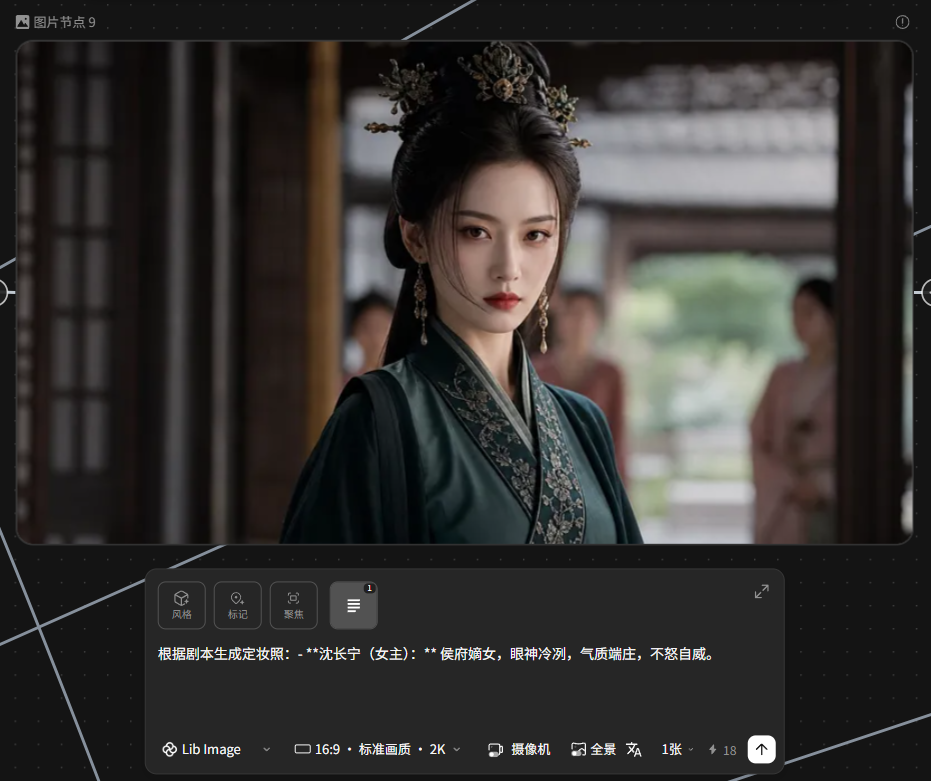
Then, in order to ensure that the roles of the back board are consistent, we're also going to turn the make-up picture into the role three view。
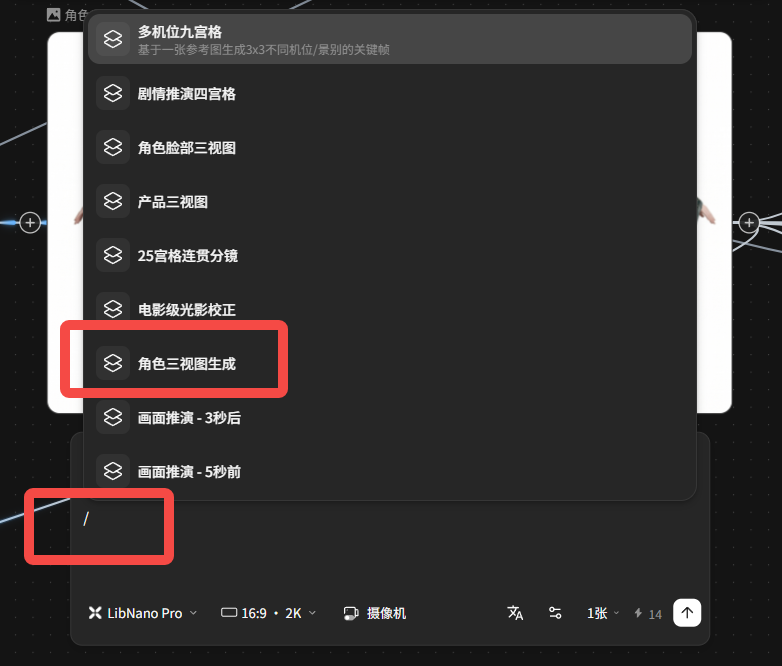
This is in LibTV without a hint, create a new photo node directly, enter [/] in the dialogue box, and select [Role Three View]。
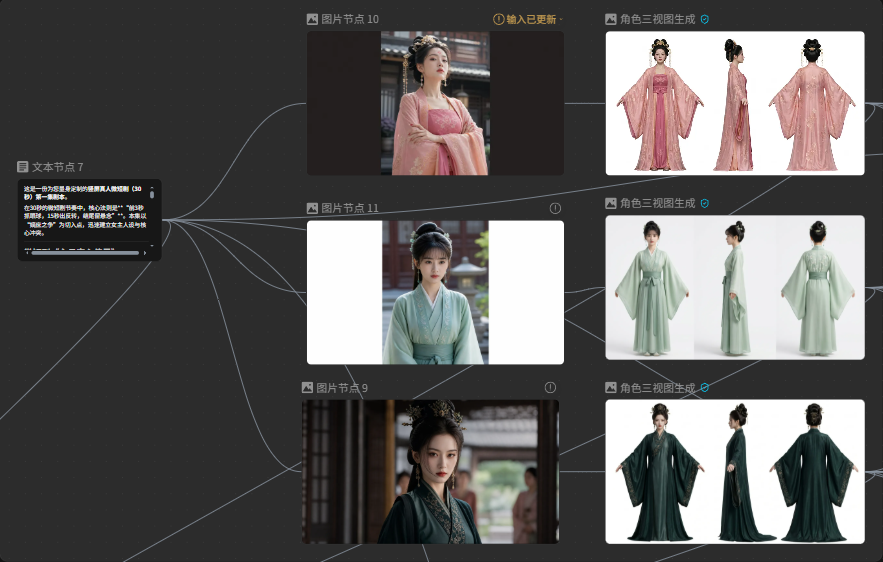
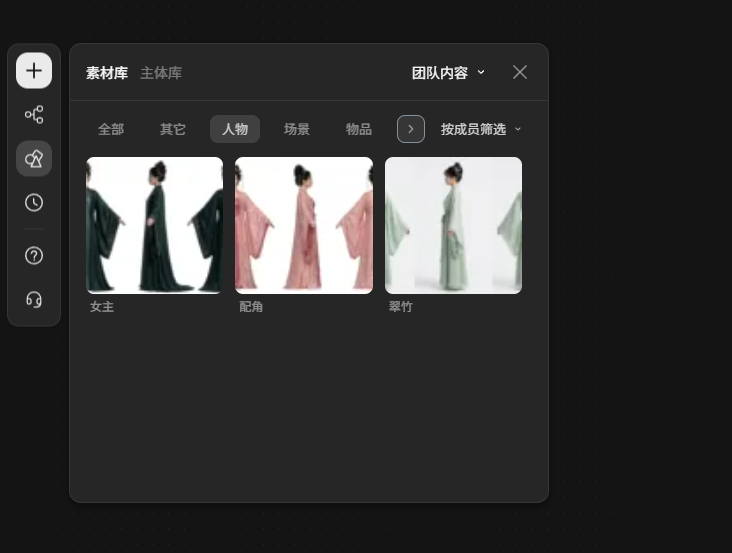
And then you can keep the script and the character design in the team asset。
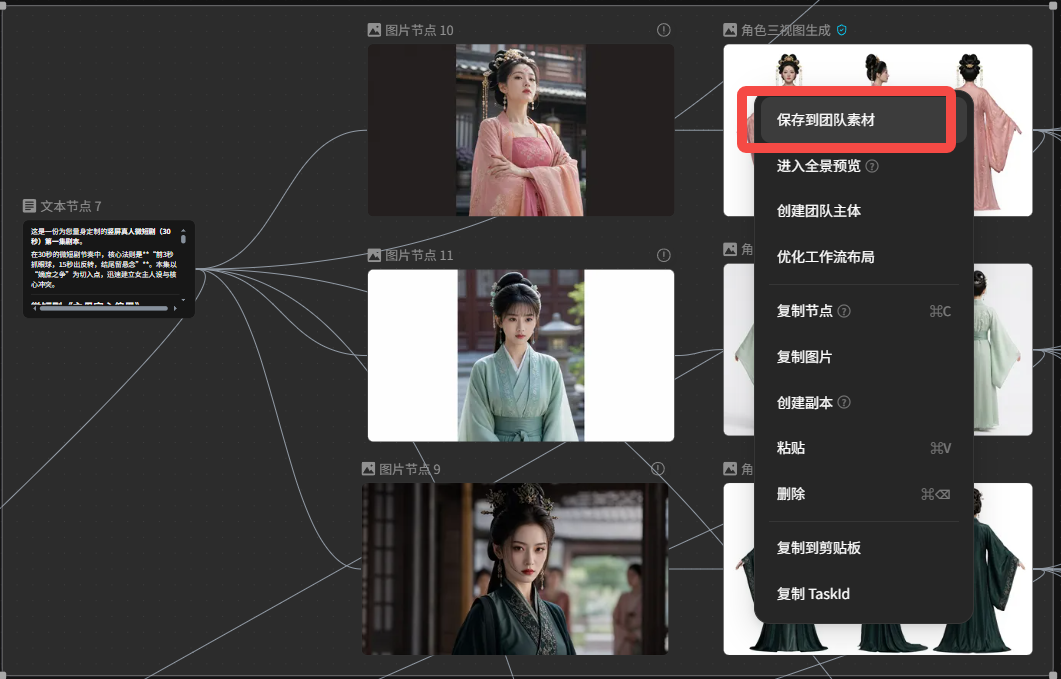
This will allow all team members to share these materials if they work together。
In order to ensure consistency of content styles, multiple sets of content can also be developed at the same time, with direct efficiency。
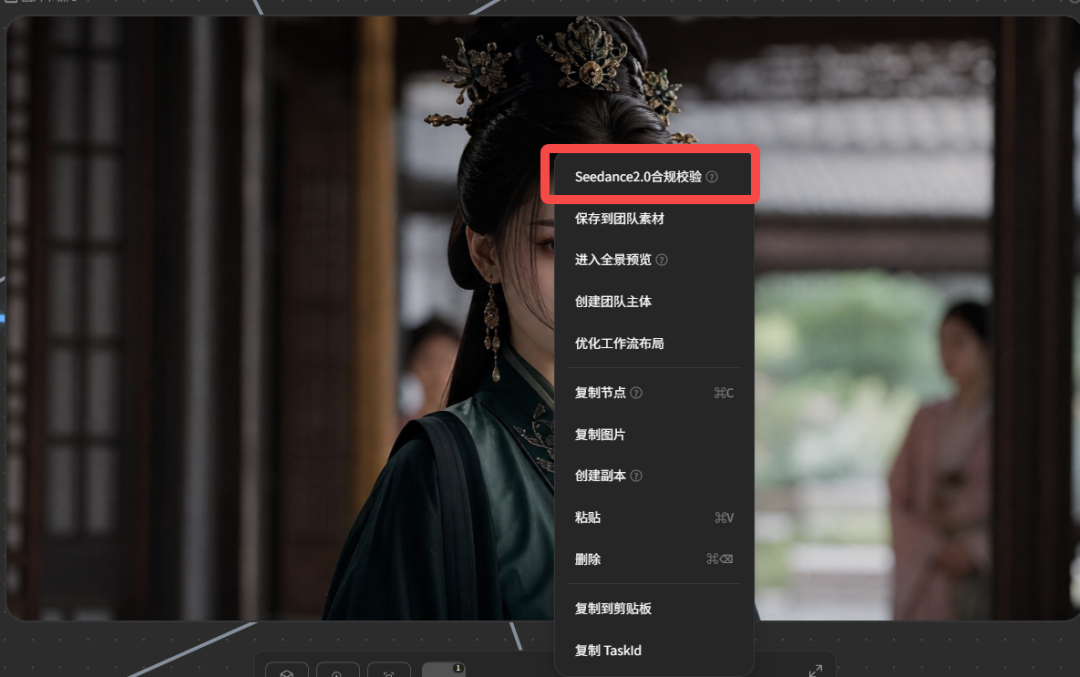
And, if it's a reality short play, make sure you have a Seedance compliance check, otherwise the video can't be quoted。
3 Mirror
LibTV actually automatically produces a spectroscopy script, and then a single key creates a spectroscopy。
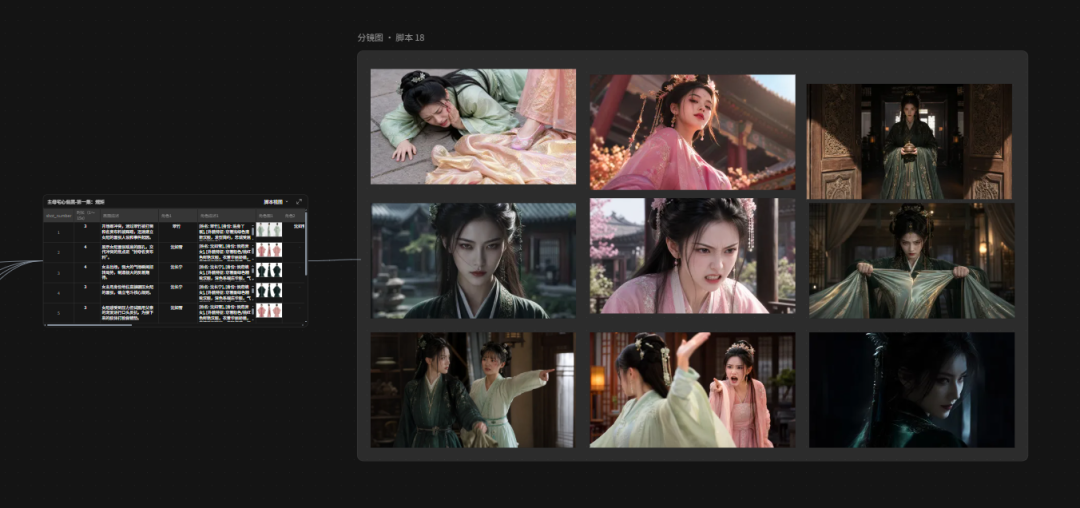
But that's how it works, so I'm here directly using Image 2 to generate storyboards from the script。
💡
Psych: Generates a 4*4-mega spectroscopy based on the content of the script, a professional video spectroscopy style, with only 16:9 spectroscopy, without any text information, Shen Ning Ning, Photo 1, Shen as snow, Photo 2, Image 3
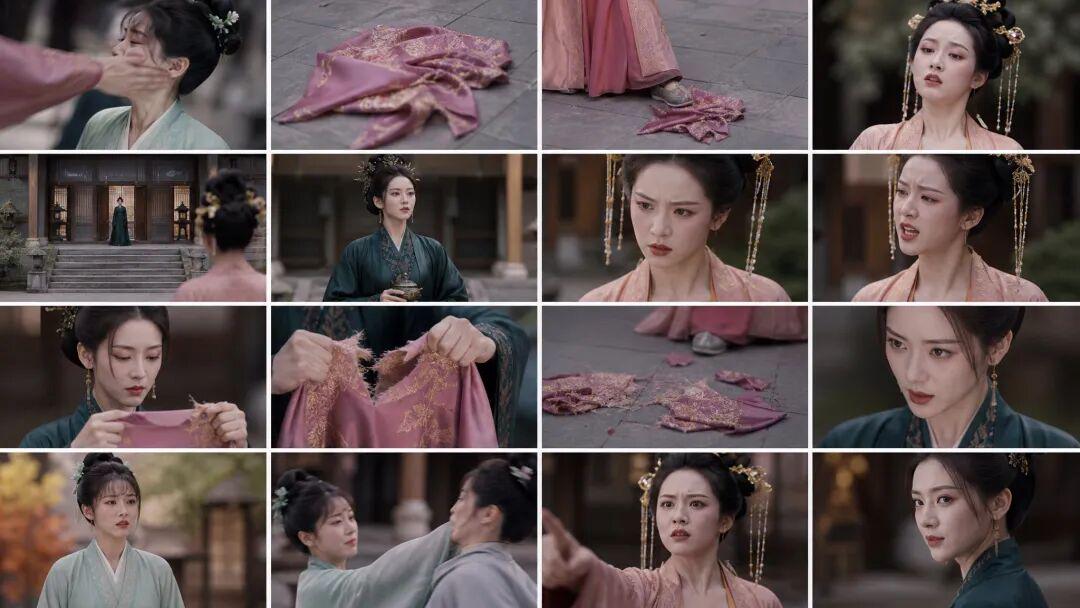
As you can see, Image 2 generates a storyboard, which is better consistent。
In the hint, I specifically asked the picture not to have any text information in order to facilitate the use of LibTV's [magic cleavage] function, with one key to split the lens。
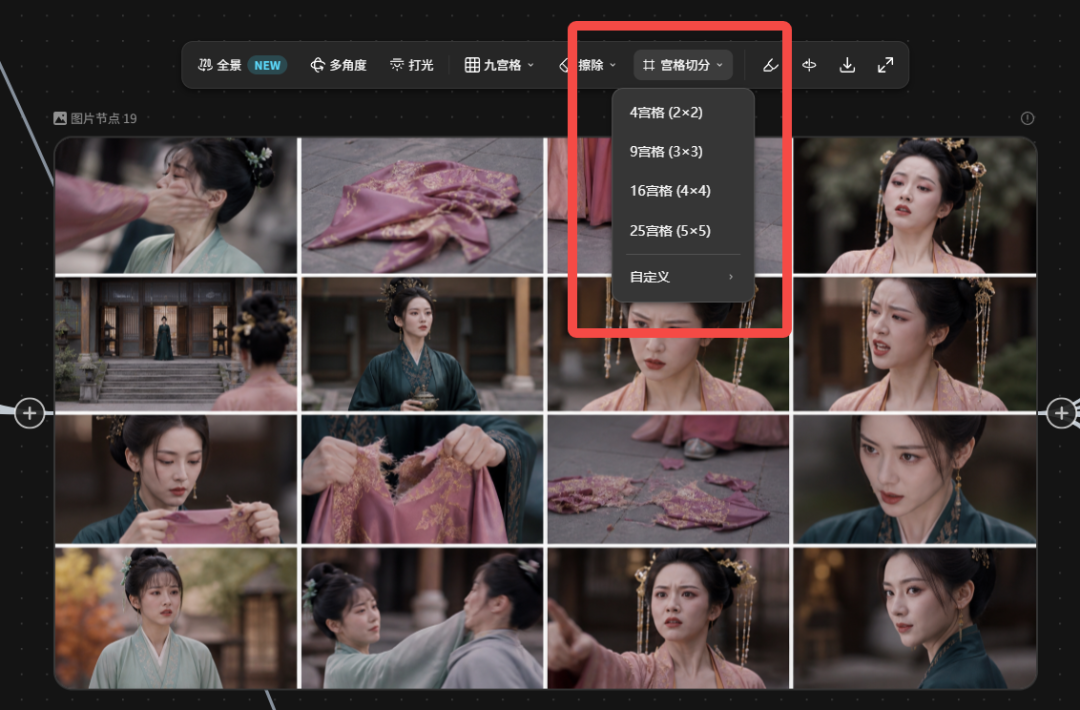
And then I used LibTV's "Multiple Nine Palaces" and "25 Palace Consistency Mirror."
The appropriate spectrographs are selected from the generated magma to adjust order and rhythm to the situation。
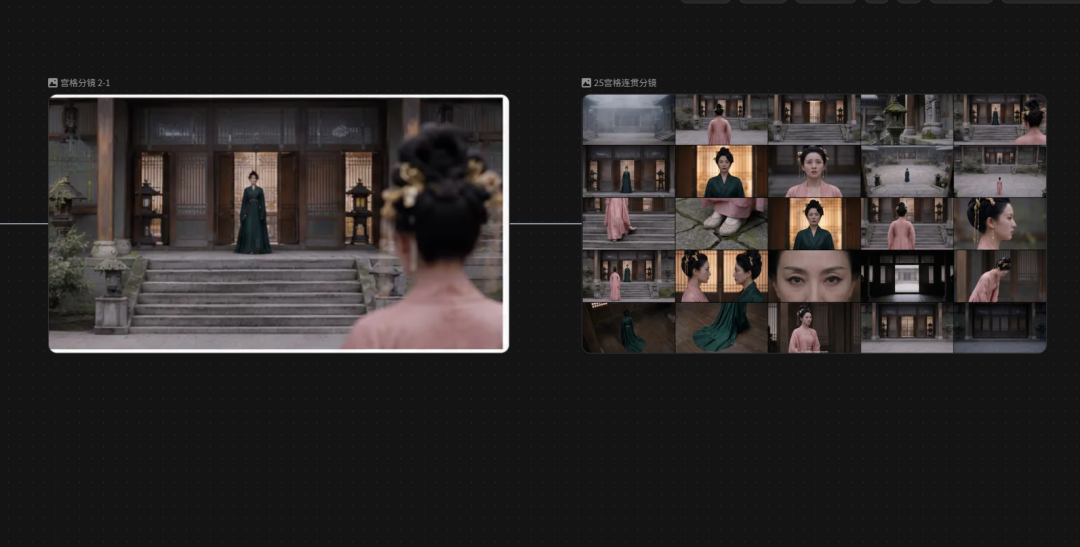
And when the specs are adjusted, they go straight to the specs
Using LibTV's spectroscope function, you can take all pictures into the full Miyagi, and then you can get a 4K map with a serial number, and you can use it directly for Seedance 2.0。
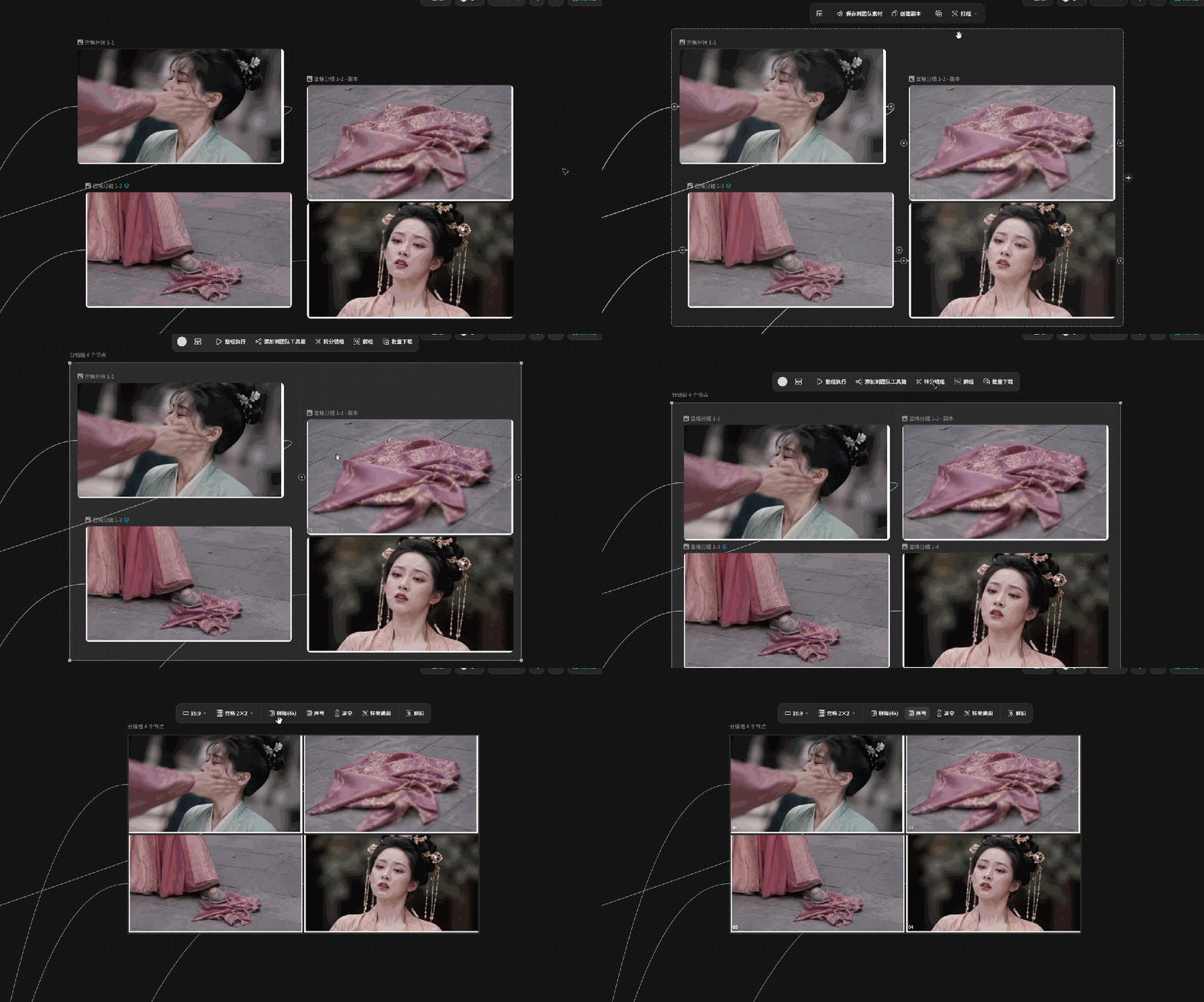
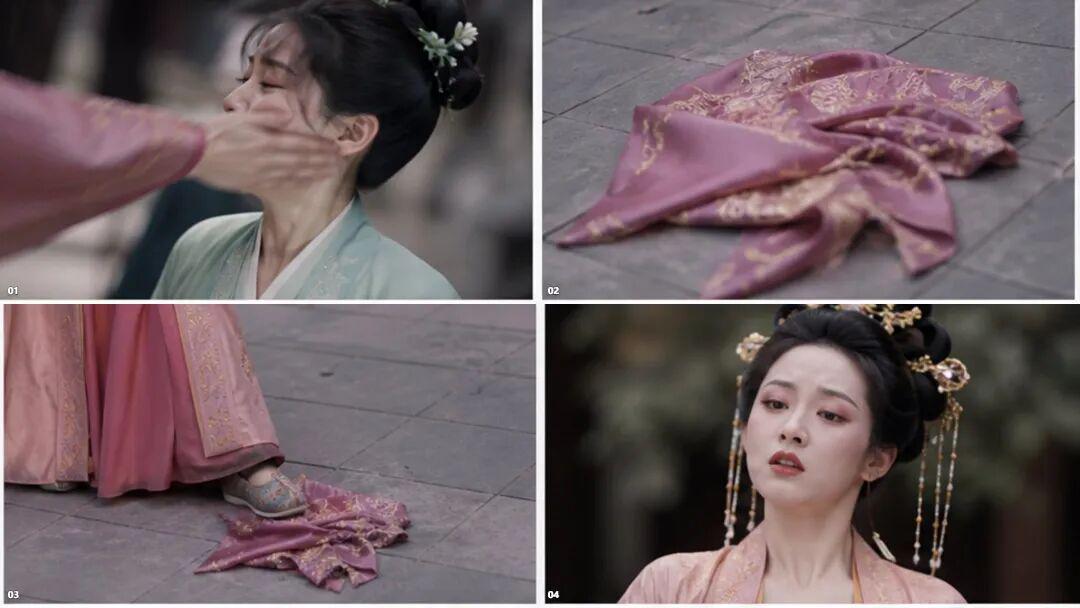
As you can see, it's a lot of work to adjust this line, so you can do itSplit Workstream Directly.
Like us, two people split up, one person wrote a script, played a role, the other person pulled a mirror, generated a video。
Everyone can also edit the same canvas at the same time and not be used to return documents and to communicate over and over again。
And you don't have to worry about the leak。
The visible scope of the project can be set freely, and both the revision of the draft and the outsourcing collaboration can be done as needed。
4、Video generation
The completed spectroscopy and the corresponding script content will be uploaded to Seedance 2.0 for video。
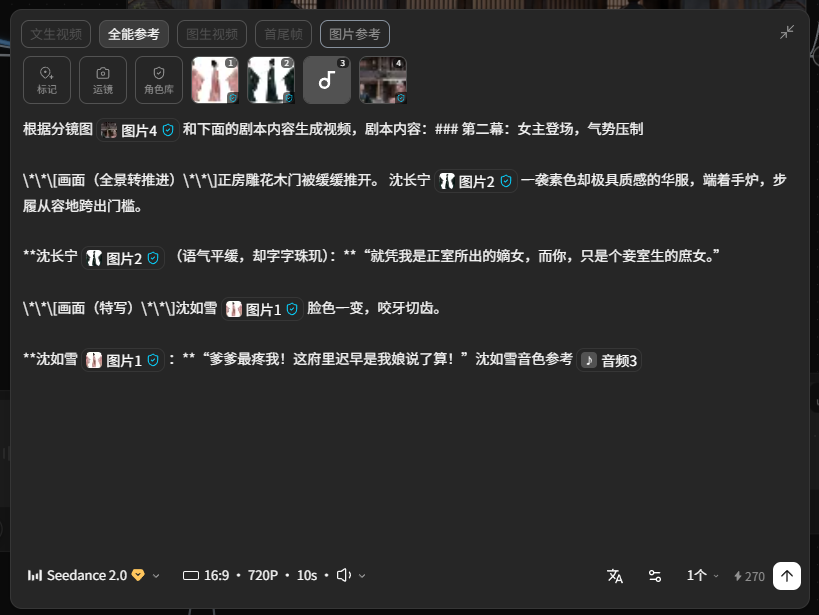
As for the audio and sound of the characters in it, I pulled out a good video from the front and separated it from LibTV。
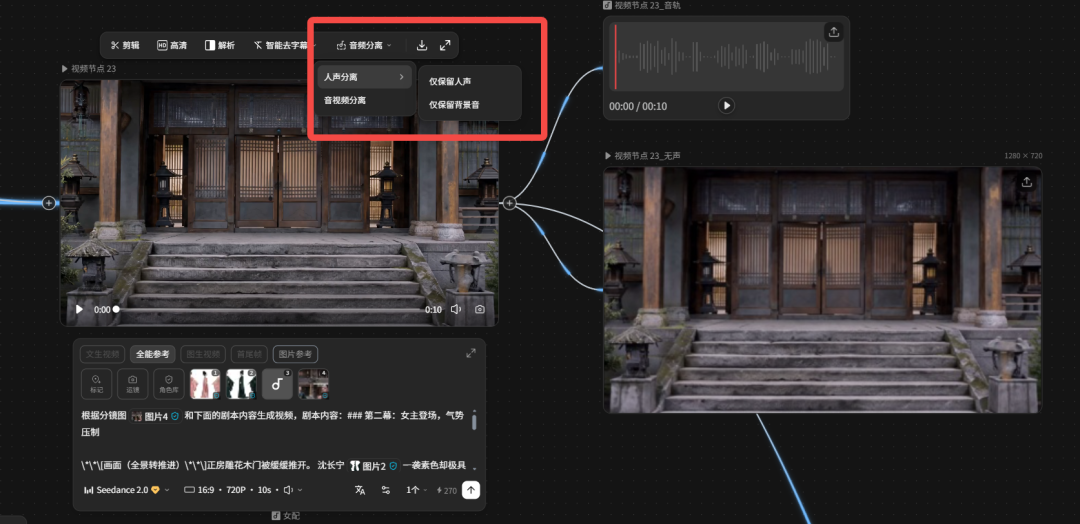
That way, we can get a mirror video of every episode。
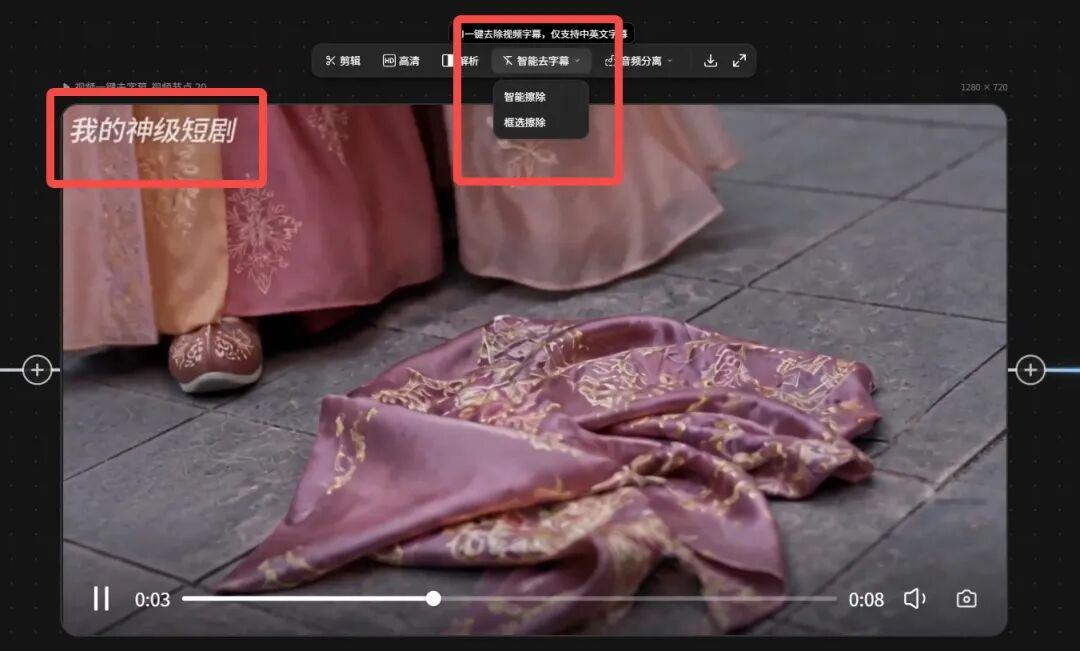
And if you create a video, and there's some extra text messages, and you can use LibTV directly, you can erase it, and it's very practical。
Finally, double-click the canvas, choose [video synthesis], put all the specs together, that's it
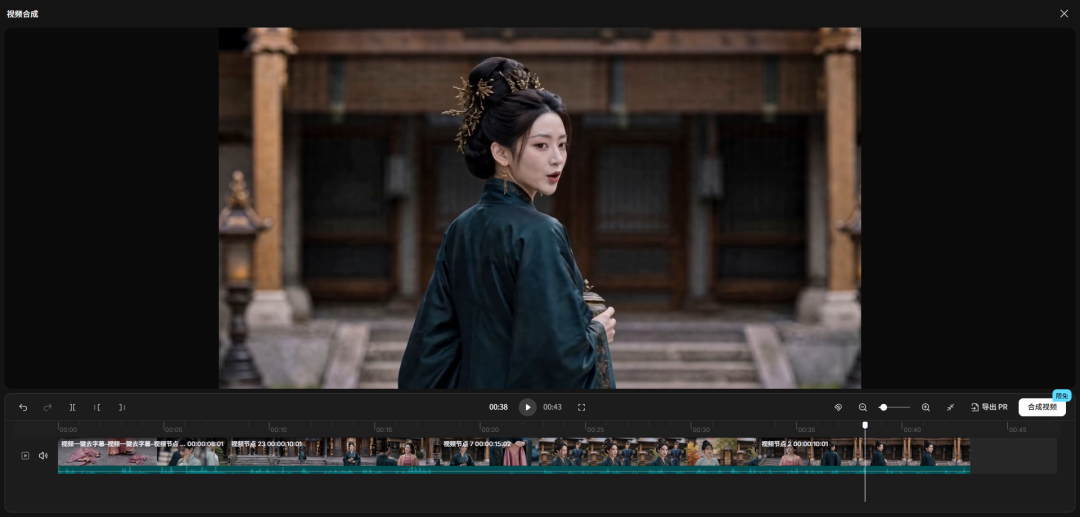
IF YOU WANT TO DO THE CONTENTS OF THE SECOND EPISODE, JUST LET AI CONTINUE THE SCRIPT, AND FOLLOW THE SEQUENCE