



MidjourneyAn official message was released:

I'll go ahead and translate MJ's official message in the screenshot above:
Hey @y'all today we're testing a new "Character Reference" feature!
This is similar to the Style Reference feature, except that instead of matching a reference style, it tries to match the character to a "character reference" image.
How it works:
- After the prompt, enter -cref URL, which points to a character's image
- You can use -cw to change the reference "strength" from 100 to 0.
- Intensity 100 (-cw 100) is the default value, using face, hair and clothing
- Intensity 0 (-cw 0) it will only focus on the face (good for changing clothing/hair etc)
-
This feature works best with characters made using Midjourney images. It is not designed for real people/photos (and may distort them like regular image prompts) -
Cref works similarly to regular image cues, except that it "focuses" on character traits. -
The accuracy of this technique is limited, it cannot replicate exact dimples/freckles/ or t-shirt logos -
Cref is available for Niji and regular MJ models, and can also be used in combination with -sref
Advanced Features:
-
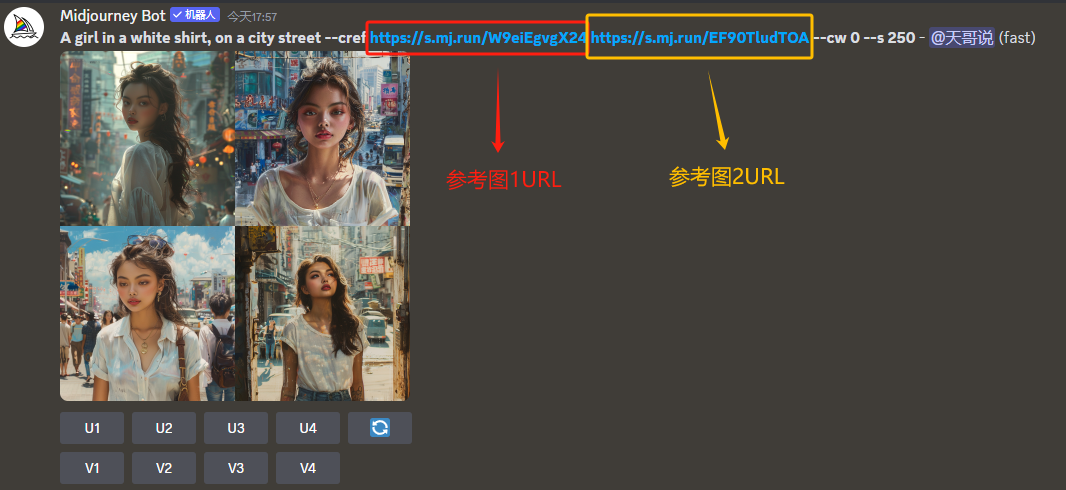
You can use multiple URLs to mix information/characters from multiple images like this -cref URL1 URL2 (this is similar to multiple images or style tips)
-
Drag and drop or paste the image into the imagine column and it now has three icons. Selecting these icons will determine whether it is an image tip, style reference or character reference. Hold down the Shift key and add the option to use an image in more than one category
This time midjourney has been updated with a new feature for testing"Character Reference"You can also understand that"Role consistency".
It's similar to the "Style Consistency" update from a year ago, butThis "character consistency" focuses on the facial features of the reference character rather than on "stylistic characteristics".


Above is the effect of my simple try, the left is the reference picture of the prompt word straight out, the right picture is using theCue + "Role Reference" parameterOut of the picture.
As you can see, the results are still good.Not just character facial features, but also clothing features are well done.
If you want to make a consistent picture of the characters before, you have to use the face changer robot, but then, the angle of the head down does not miss the whole face if the face changer robot is also unable to help, so this function is still very good and powerful!
This part of the official message said a total of 4 points, I now combined with the operation of a little by little to explain to you.
① Enter -cref URL after the prompt, which points to an image of a character
This is well understood, and is similar to the style consistency function previously described areCue word + parameter (-cref + URL of reference map)
Let's take the two pictures above as an example, the original picture I came right out with the cue word:
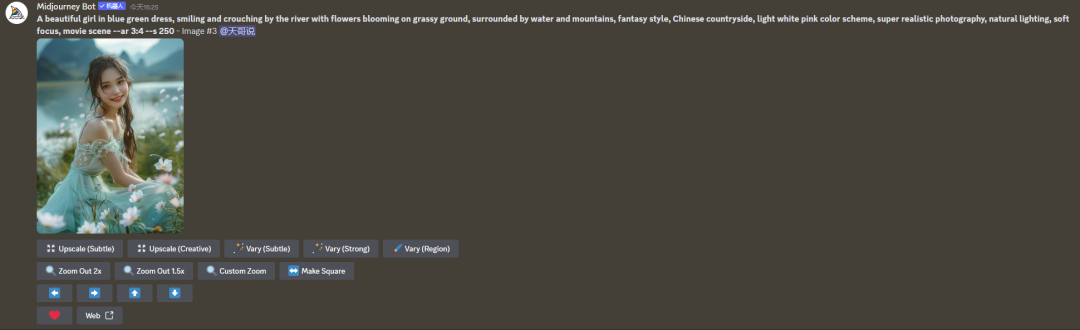
Then I took this picture as a reference picture for character reference, but I wanted to make a picture of this girl in a red dress in a church, and I simply wrote a prompt:
A girl in a red dress, in church, head-onand then get the URL of the original image above.Add -cref URL after the cue word, like the following:

Well, here's where we find a problem.I clearly put a red dress in the prompt, but the picture he gave me was still a light green dress similar to the original pictureWhat's going on here?
Don't worry, this is going to be about the last three points, in fact, the last three points can be said together:
② You can use -cw to change the reference "intensity" from 100 to 0. Intensity 100 (-cw 100) is the default value and is used for face, hair and clothes, and intensity 0 (-cw 0) it only focuses on the Face (good for changing clothes/hair etc.)
This is very understandable, right? So the reason why the picture I just made is not a red dress is because I didn't add -cw, so he defaulted to -cw 100, so it references the face, the hair, and the dress, so if I want to change it to a red dress I'm going to have to add -cw 0 to the cue word. cw 0, like below:

You see this time the dress becomes a red dress, soIf you want to keep just the face to change the hair or clothes then don't forget to add this -cw 0.
Just read the official MJ message above for that part, I'll just highlight 2 points:
① This feature works best if your reference image is generated by MJ, but if you use your own photos or non-human characters, it may not come out as well, and distortions may occur.
② This feature works for both Niji and MJ models, but its accuracy is limited at the moment, it can't accurately replicate such details as dimples/freckles/ or t-shirt logos etc. of the reference image.
That's the part whereMultiple URLs can be used to mix information/characters from multiple images, like this -cref URL1 URL2 (this is similar to multiple images or style cues).
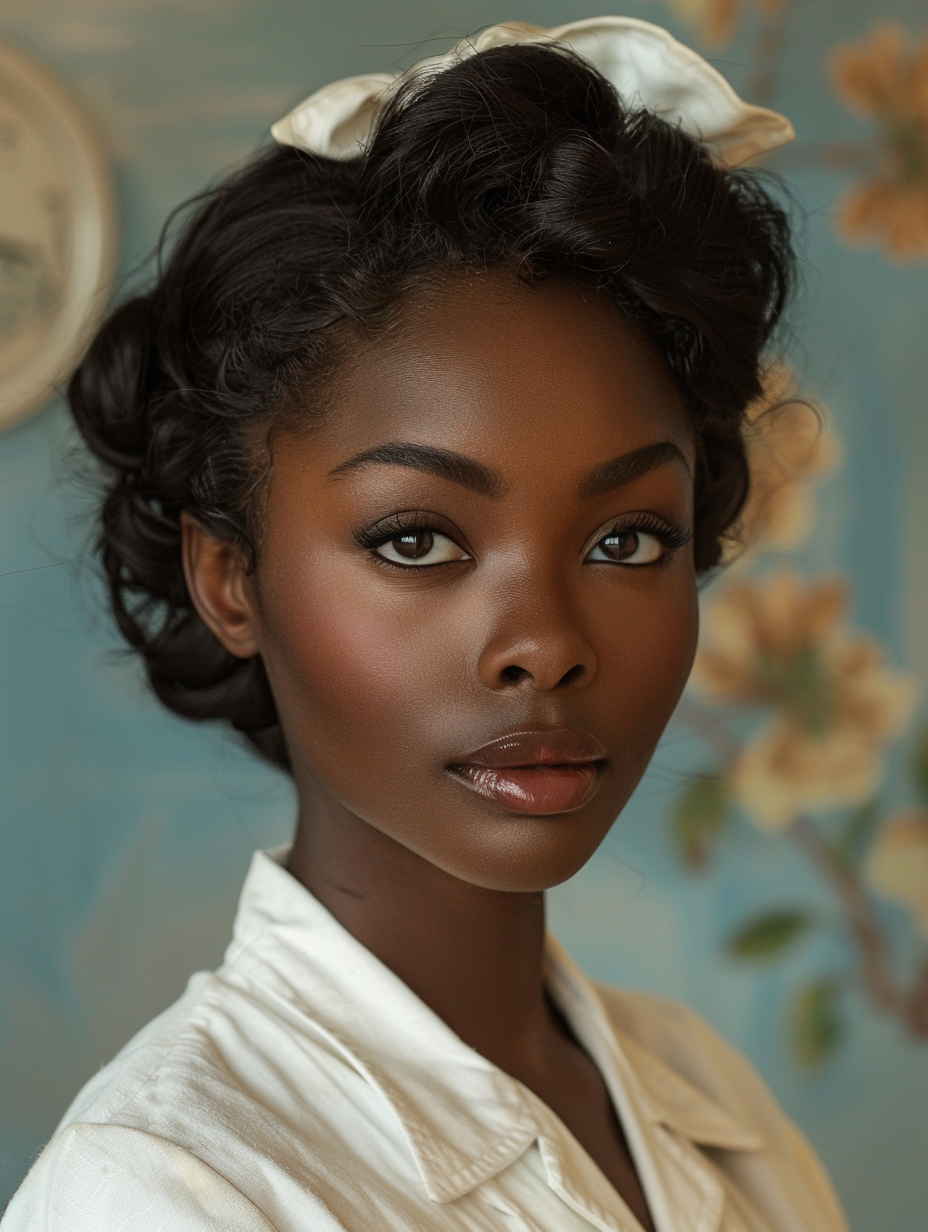
This "Character Reference" function is also available in the web version of the current test.In the web version we have to click on the plus sign next to the prompt word input box to expand it and then upload our reference image, I labeled the steps in the screenshot below:
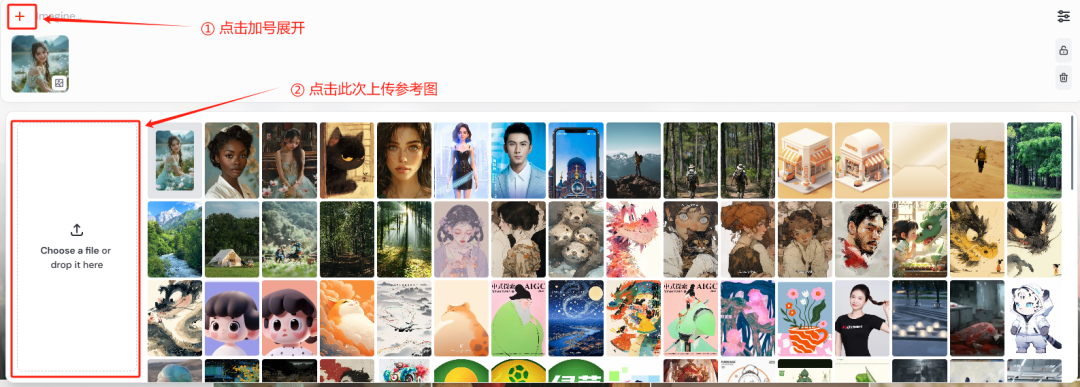
Then we see that there are three small icons on this thumbnail that we can choose from, and these three icons are tabulated:
The first little man icon indicates the "character reference" we're talking about this time.
The second pin icon indicates a "style reference".
The third picture icon indicates "picture reference".

So let's choose the first one and then just type in the prompt word then enter and wait for the picture to come out. It feels like the web version is a little bit easier to use hahaha.
Well, that's all for this time.
The "Character Consistency" feature of this update is really good, and it's the best of the best.I'm sure this feature will be the most used feature in MJ in the future, bar none!