



I. WHAT IS ChatCut?
Blessed are the friends who make the video
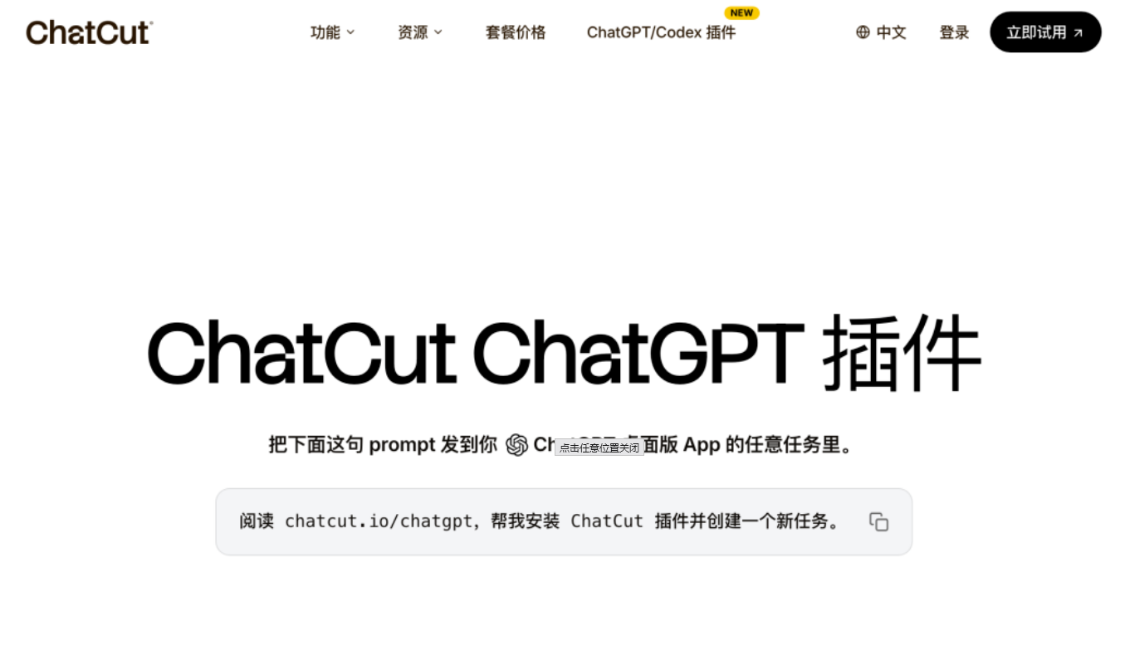
ChatCut recently made a plug-in for ChatGPT, Jean Codex/ChatGPT client directly transforms the AI video content editor, editing the video like an editing document。
From generating pictures, music, to adding subtitles, to cutting air, to having to build a workflow of its own, it's all done in a dialogue window。
People who actually cut the video understand that the process itself is a physical exercise, such as putting a sticker on the video, an animating of a data, trying to make a switch between videos, adjusting a text style, etc., which is time-consuming。
NOW WITH THIS PLUG-IN, ACTUALLY MOVING YOUR MOUTH CAN GET AI TO CUT YOUR VIDEO。
II. Installations ChatCut
Installation requires a Codex/ChatGPT client, preferably with a ChatGPT subscription or other model that supports multimodular video。
The installation is simple, provided that the following words are entered into the Cordex or the latest ChatGPT client:
Read the Chatcut.io/chatgpt, help me install the ChatCut plugin and create a new task。
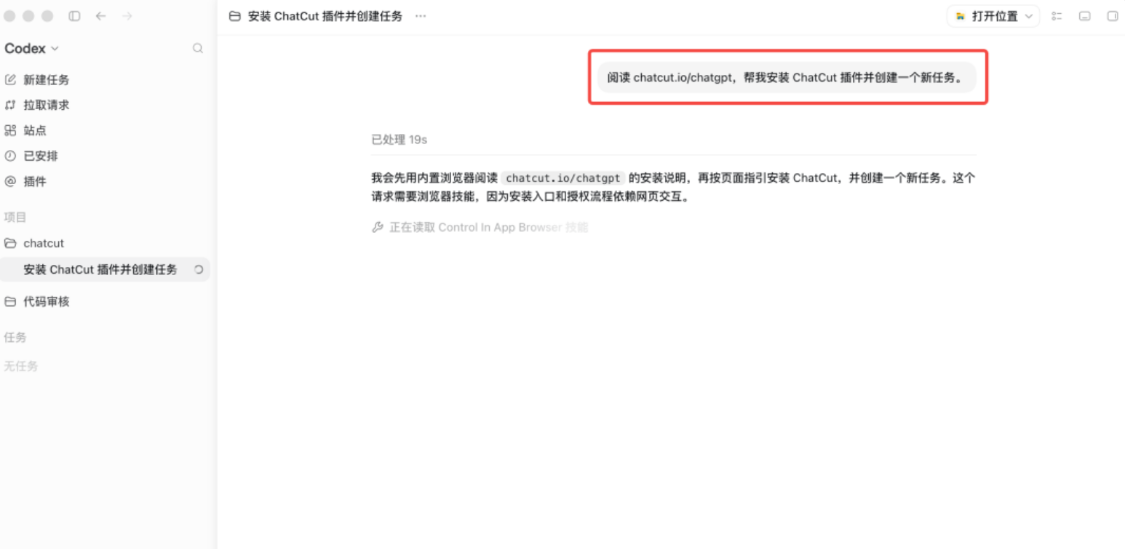
Then Codex will run the whole process by itself: add the plugin market, install the plugin, configure the MCP, open the login page, verify the installation status。
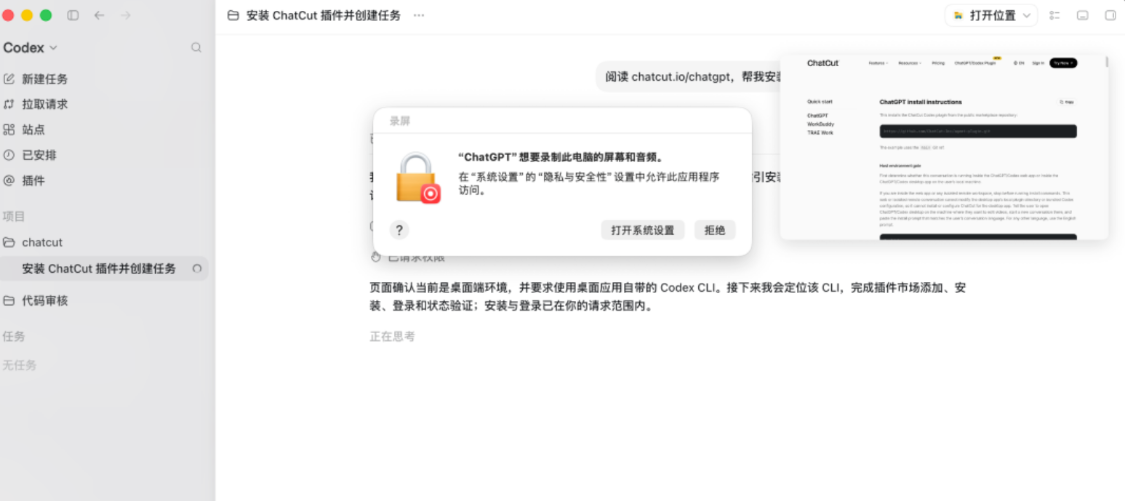
It would be normal if there was a hint of consent. It has to be said that the macOS system is well managed。
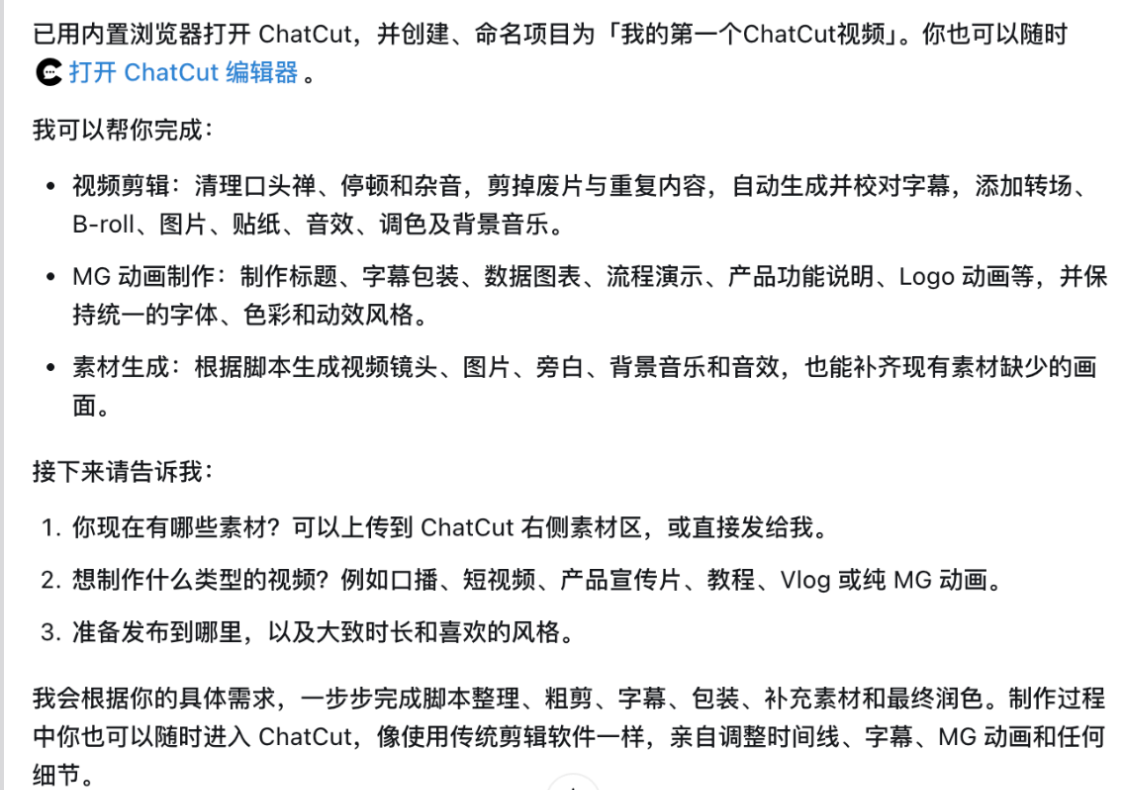
Using the hint you just made, after installation, Codex will automatically generate a new ChatCut task, which can then be used properly in the new task. ChatCut cannot be used in the original task because the editing desk of the web page will not be opened。
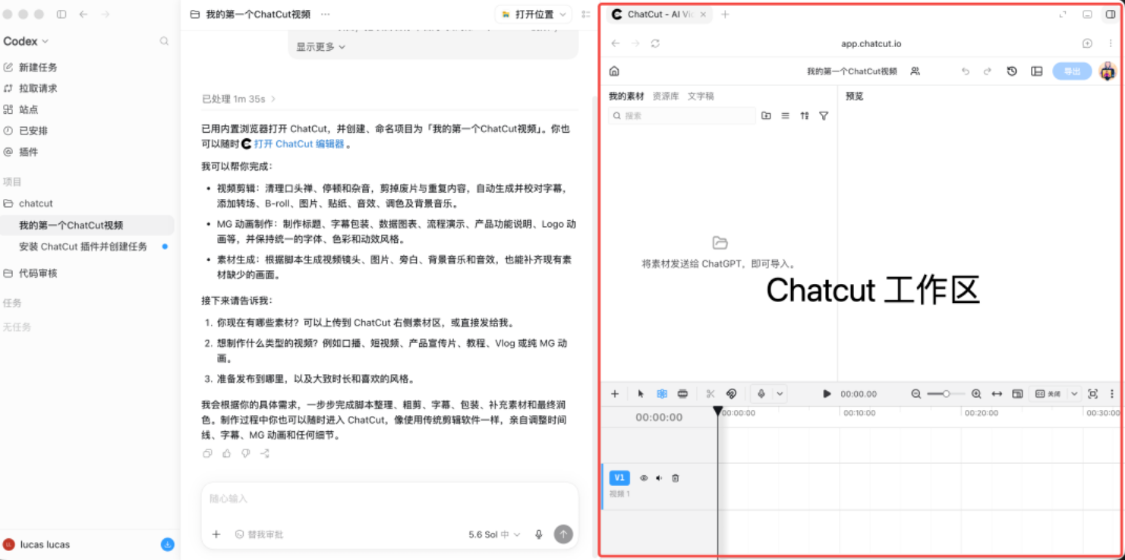
Enter the newly created ChatCut task, with a presentation of ChatCut on the left, and its workspace on the right, with the same interface as the traditional video editing software。
This is equivalent to one full video clip studio plugged into Codex: a multi-track time line, a material library, a preview panel, and if AI is not satisfied with the rough cut, it can be manually modified by the ChatCut workspace。
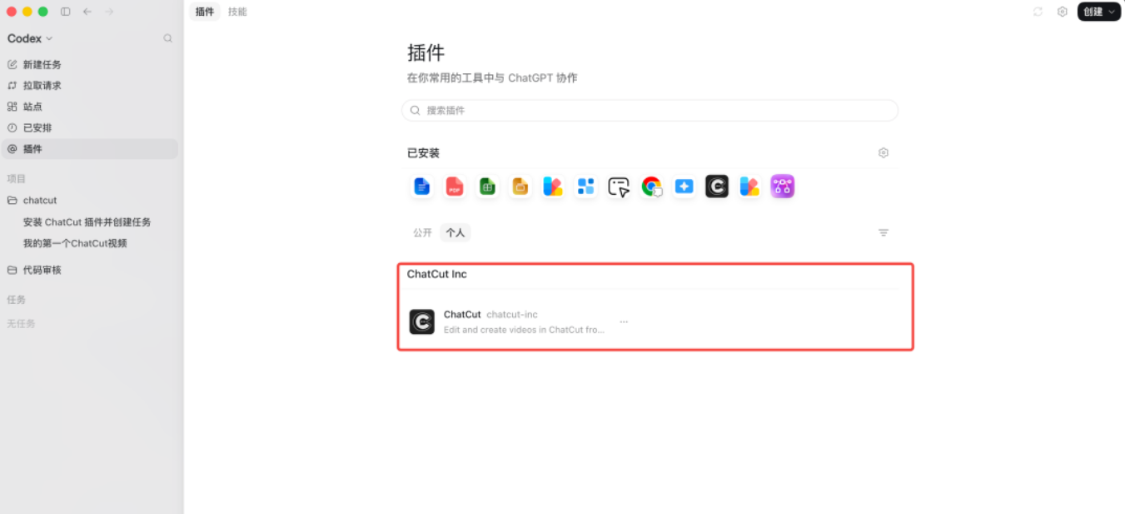
Note that when the ChatCut installation is completed, it does not appear in the Codex public plugin, but in the personal plugin。
Use
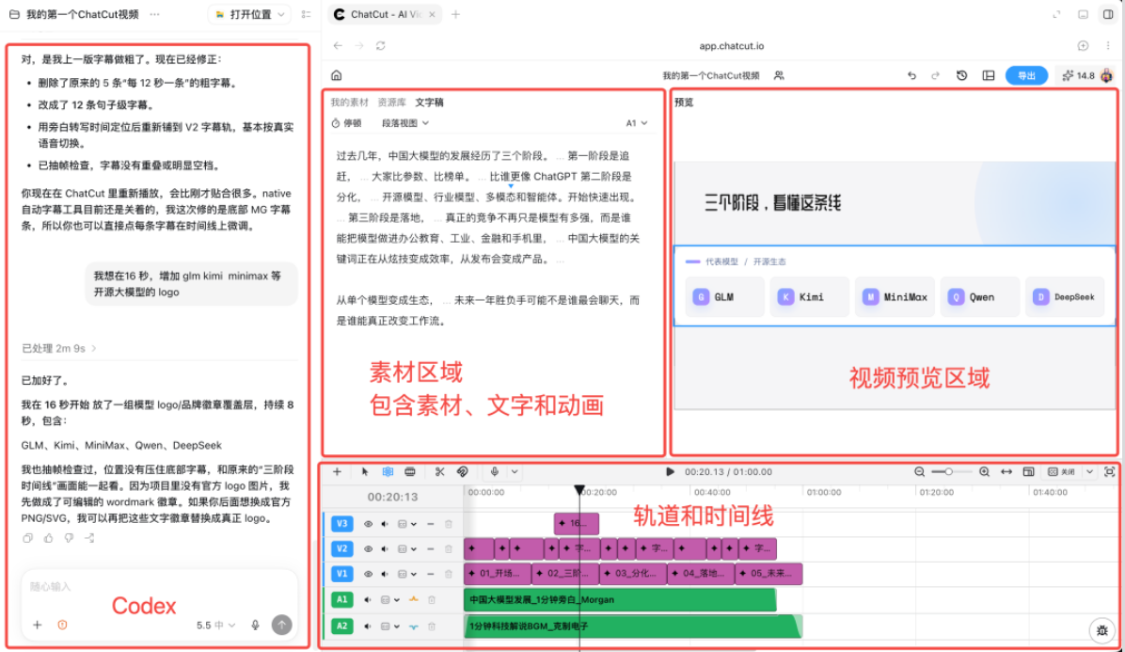
A simple understanding of the interface. The editing area of the right ChatCut is no different from the normal video editing software. But most of the time, you're asking Codex to make a cut。
2.1 Video cutting
We know there's a lot of "aah" and "aah" and a lot of pauses, and it's time to pick out all these places when you cut them before, to listen to them manually, and now it's time to move your mouth and tell Cordex what you want to cut them, and it's the Gospel of White。
Here's a video of the interview with Dutchman, and I'm telling Codex that it's only about editing, and that other transitions are unnecessary。

you see, codex automatically helped me with a variety of tasks, including uploading video, auto-transforming video。
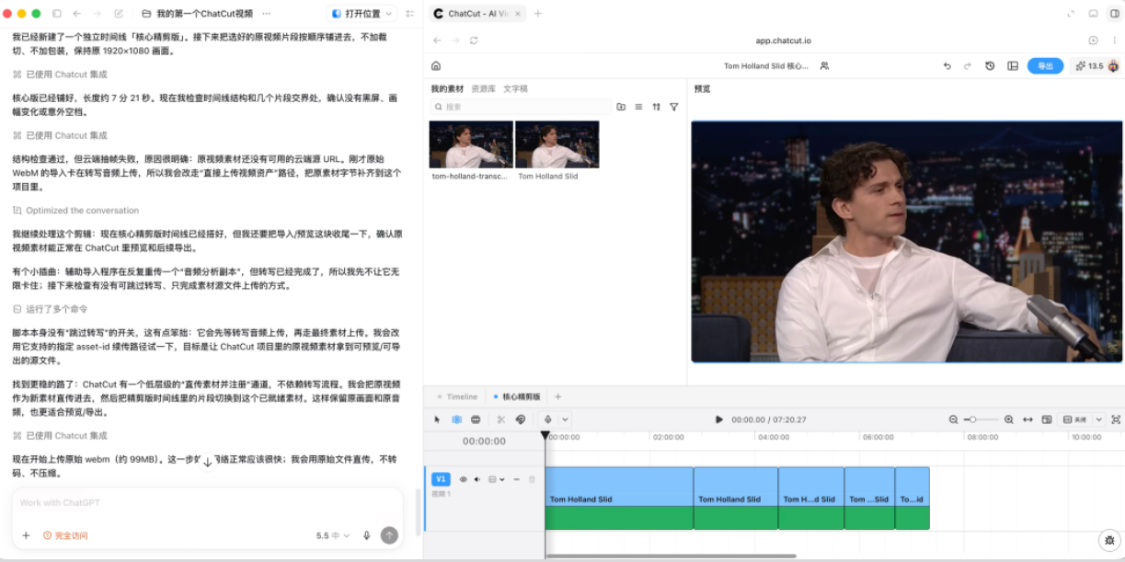
Codex did what I said, and it's not natural enough to keep it, but I think it's over. The entire editing process is slower and more expensive than Token, but it produces more results than some software carries with it。
2.2 GENERATE MG ANIMATION VIDEOS
Here's what I asked ChatCut to do to produce a video animation for me in about a minute, Codex to give me a specific plan, and ChatCut to recommend style and sound and get a relatively good video in a few minutes。
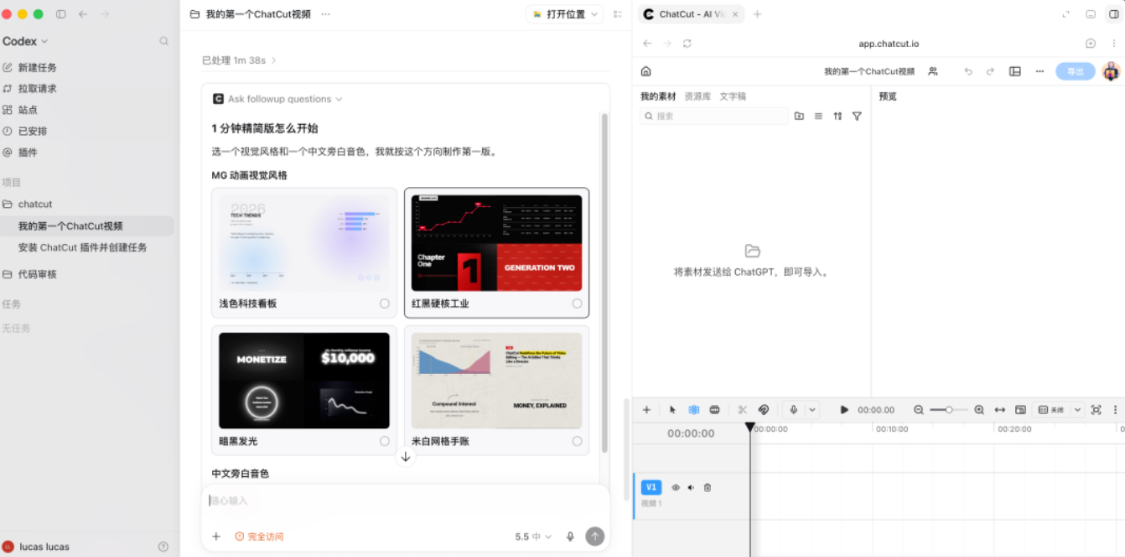
In fact, it took five minutes to get this video done。
From the background scripts, subtitles, MG time lines, background music and rhythm packagings are done by the Codex/ChatGPT client, and then the Codex gives these items through the MCP to ChatCut, where you can edit and modify them。
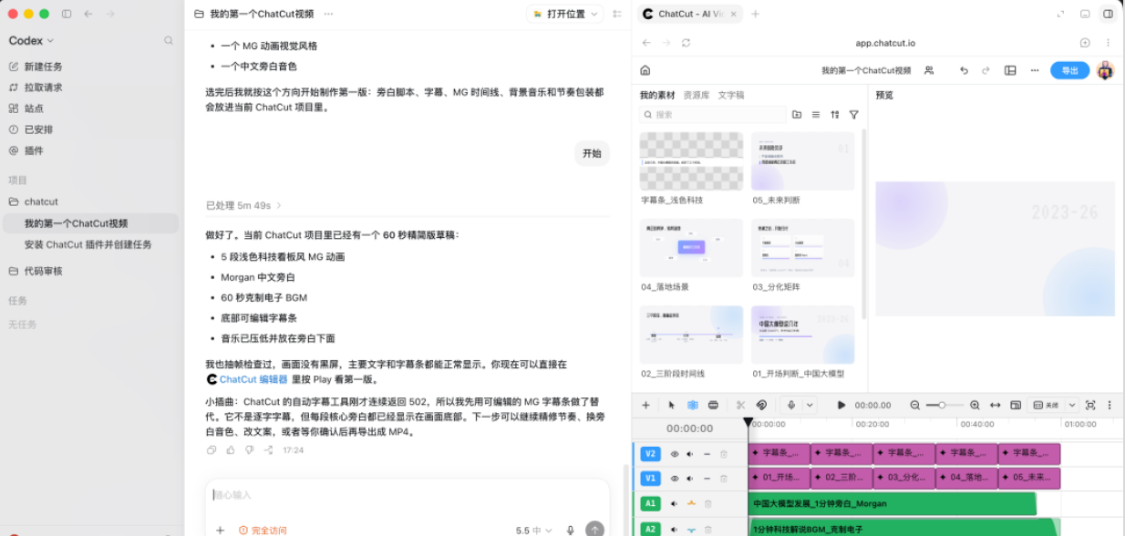
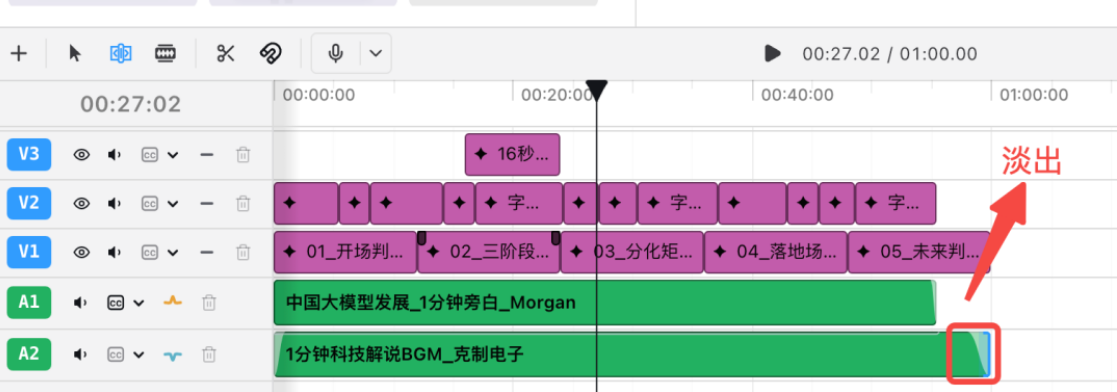
YOU CAN EVEN SEE THAT THE BGM PART IS ALSO FADING OUT, FEELING VERY SMART。
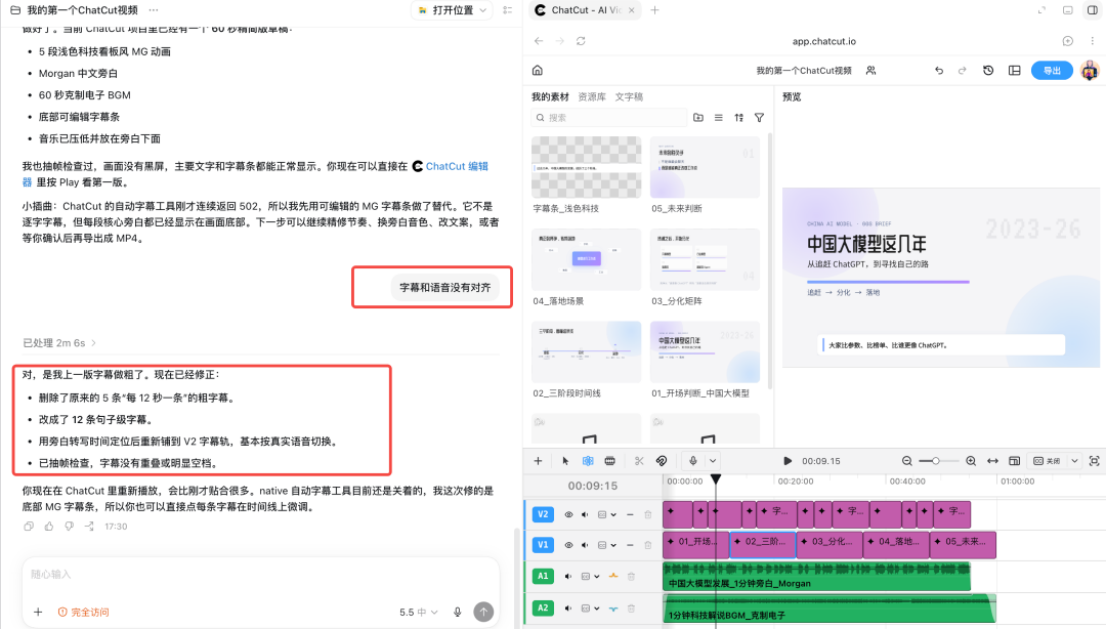
If you want to add a little special effect or something, you can talk to Codex directly about it, like I find first-time animations, subtitles and voice mismatches, and I'll recreate it。
If you want to add stickers, sound effects and reruns to the video, you can talk to Codex。
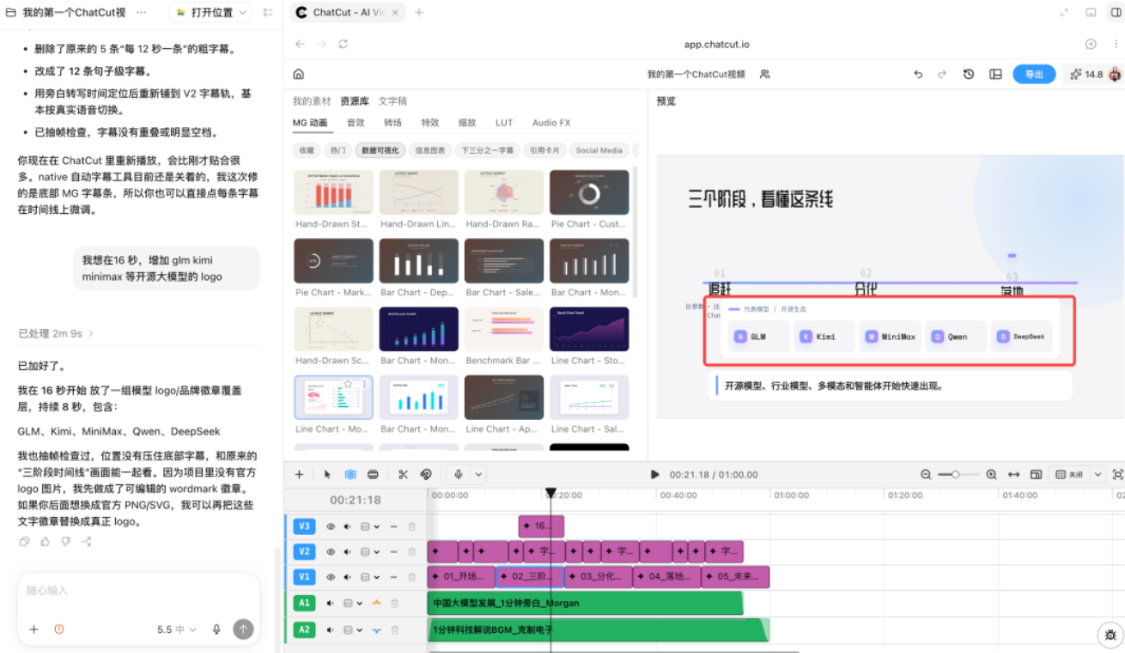
Because ChatCut's built-in database, you find the material you want, and you just tell Codex what to add. I'm going to say to Codex, "I want to add GLM, Kimi, Mini Max, and so on in 16 seconds."。
Codex helped me to add a layer of cover to the top of the original layer。
The new layer of cover, and Codex will automatically generate editable material based on actual needs, very intelligent。
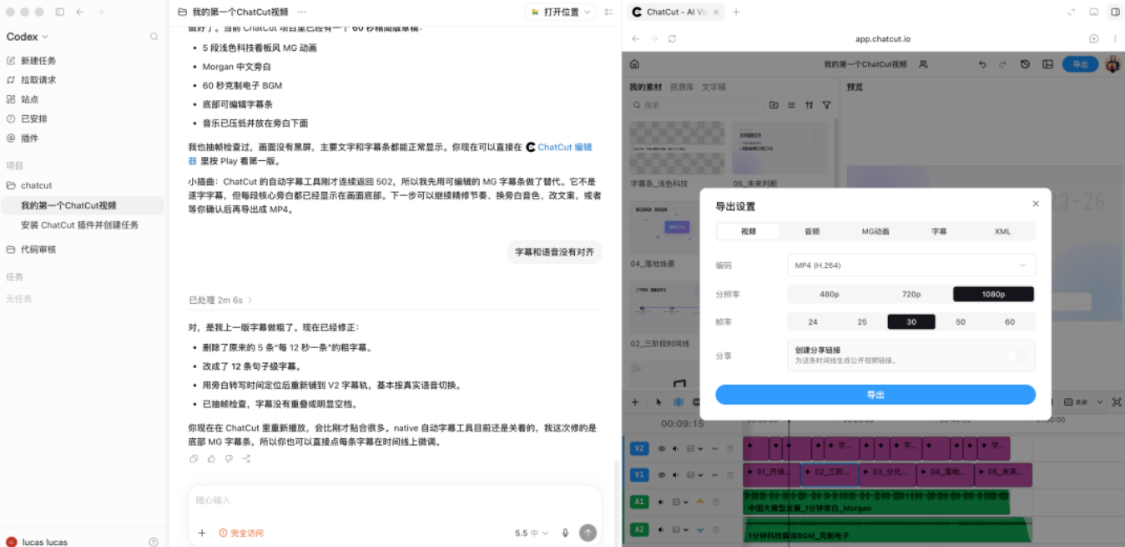
The video that's finished can also be exported in various formats。
IN PARTICULAR, THE XML FORMAT ALLOWS YOU TO CUT ACROSS THE PLATFORM BETWEEN DIFFERENT VIDEO SOFTWARE AND TO STREAMLINE AND MODIFY IT TWICE。
In fact, ChatCut also has an AI section that is hidden by default and can be shown by clicking on the top right icon。
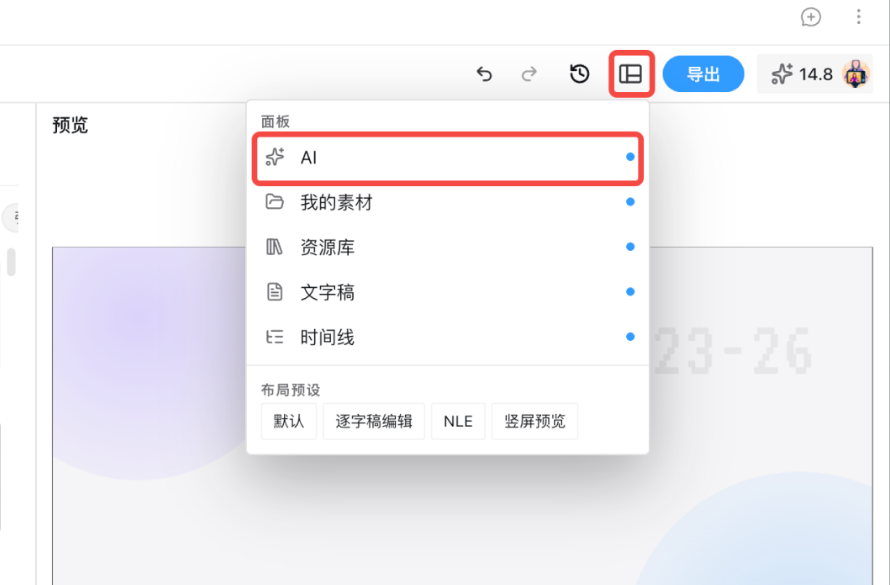
You'll find that in this interface there are two AI dialogue windows for Codex and ChatCut, talking in which window, consuming which AI Token。
2.3 ADD BGM / SUBTITLE
Add subtitles: Just talk to Codex and AI will automatically add subtitles based on the sound of the video. Before subtitles are added, it would be advisable to give ChatCut an advance name, which would greatly improve the accuracy of subtitles。
ADD BGM: SIMILAR TO OTHER AI EDITING SOFTWARE, THE CORRESPONDING BGM CAN BE GENERATED BY AUTOMATIC VIDEO MATCHING。
At the end:
ChatCut's real interest is that it connects transcribing, speech cleaning, content editing, subtitles, BGM, Motion Graphics, B-roll, bystand, music and multitrack time lines to the Agen WorkFlow of Codex。
The actual experience is that ChatCut is suitable for coarse cutting, e.g., by removing the acoustics and retaining the core clips, saves 80% for duplication。
Of course, it's not without shortcomings:
- All clips are executed in the clouds and are not very friendly for scenes where privacy is required. ChatCut has a stand-alone App but the Append does not support Codex plugins for the time being。
- PURE EDITING DOES NOT COST MONEY, BUT THE AI FUNCTION (MG ANIMATION, AI RAW VIDEO, ETC.) REQUIRES A FEE。
- THE QUALITY OF AI GENERATION IS NOT SUFFICIENTLY PRECISE, AND MANUAL ADJUSTMENTS TO THE FORMAT AND LAYOUT ARE STILL REQUIRED。
But in the right direction. The next work model is Codex, ChatCut -- you describe what you want to be a film, Codex understand needs, ChatCut operating time lines, all the jobs, double efficiency。