



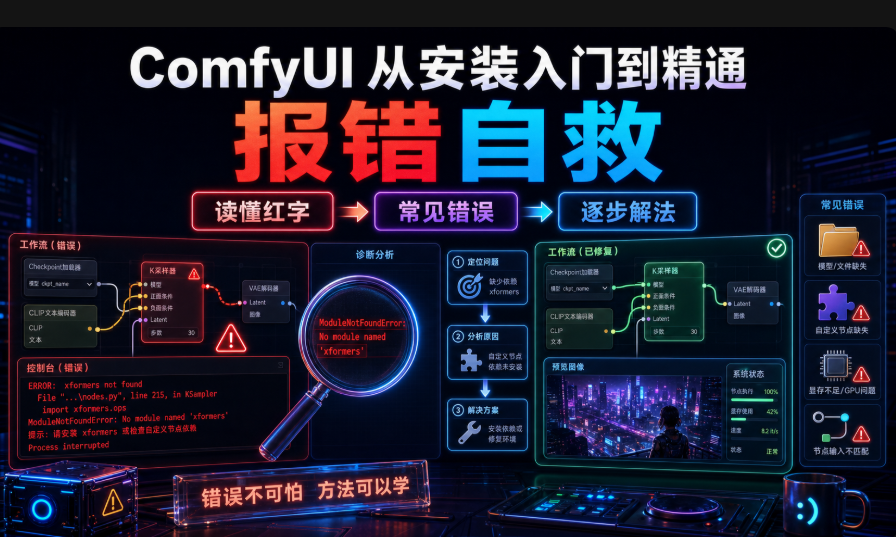
Previous (Page 06)ComfyUI from installation entry to mastery, map quality improvement (resolution/step/sampler/CFG/high-resolution magnification PARAMETERS ARE FIXED AND THE PAINT IS COMING UP. BUT PLAYING AI DRAWINGS, WHO HASN'T SEEN ALL THE RED WORDS
When I first got wrong, I went straight down -- a lot of English was brushed down, it looked like the program went down and almost took the software off the reload. It was only later that I found outComfyUI In fact, it's a "symptomology book."If you read the last line of red, you can solve most of the problemsI don't know. This is one of the red words most often encountered by the newcomers: how can the phenomenon be repaired? Each of them takes me through the pit. It's recommended that the collection hit a direct flip one day。
Wrong type not found
Symptoms:After opening the ComfyUI or importing a workflow, a node becomes a red box and reads "Node xx failed to load"。
reason:The work stream uses a plugin (auto-defined nodes) you do not have。
Resolve (in order):
Right of the dot, "Manager."
Point “Install Mission Custom Nodes”
System automatic search for missing nodes, point "Install"
Restart ComfyUI
Also red: Manager search node name manual; without Manager enters the custom_nodes git clone pulls the warehouse, pip install-r requirements.txt, restarts。
Trail experience:For the first time I imported a ControlNet workflow, red node 78, I thought the ComfyUI was broken, and it was twice reloaded before I found out it was not loaded。
Error 2: Model not found (Model not found/ drop-down)
Symptoms:Load Checkpoint is empty or red。
reason:Models are not downloaded or misplaced, and file names are Chinese/spaced。
Resolve:Read the wrong name of the model and download it to the model station (Civitai, Hugging Face) and put it in the dead list, point Refresh or restart it。
|
|
|
|
|
models/checkpoints/ |
|
|
models/loras/ |
|
|
models/vae/ |
|
|
models/controlnet/ |
|
|
photo from flickr page of models/unet/
|
|
|
i'm sorry |
petty: the file name does not have to be exactly the same as the error reported, but the base model type is the same. .safetensors /.ckpt, named in english, with no spaces。
Trail experience:Once I brought a space with my name, I couldn't read it alive, so I could change the space for seconds — this low-class pit is the worst。
Error 3: CUDA out of memory
Symptoms:Click to generate a CUDA out of memory, a card or flashback。
reason:not enough for display - too high resolution / too big model / bat too big, three or one or one of them。
Solutions (from simplicity to complexity, one at a time):
1. Decreasing resolution, 512 x 512 start, not at once 1024
2. REPLACE SDXL WITH SD1.5 (SDXL DISPLAY REQUIREMENTS ARE MUCH HIGHER)
start –lowvram (or –medvram/ –novram)
Turning off the record-keeping program (browser tab, Twitter)
5. QUANTIFICATION MODEL, QUANTITATIVE VERSION OF GGUF / FP8 (PALES NO. 17)
|
|
|
|
|
|
|
|
|
|
|
|
|
|
|
|
|
|
|
|
Trail experience:I had a first run for SDXL, set 1536 x 1536, and then I got off without a hit, and I realized 1024 x 1024 was the safe zone. VAE decoded, replace VAE Decode (Tiled) or start with -cpu-vae。
Wrong 4: Black / Paste (often without red)
Symptoms:It's over. It's all black, gray or colored。
reason:VAE is not loaded, or CFG is overspent (NAN)。
Resolve:
Check if VAE Decode has picked up the CHeckpointLoaderSimple VAE output
Separate VAE files match the base model (SEXL with SDXL VAE, Flux with home VAE)
CFG pulls back to the safe zone (SDXL/SD1.5 about 6-8; Flux uses FluxGuidance about 1-3.5 in KSampler 1)
Start with --force-fp32
Trail experience:MY FIRST REACTION TO THE BLACK MAP WAS THAT THE GRAPHIC CARD WAS BROKEN, HALF A DAY, AND FINALLY THE VAE NODE WAS MISSING -- A FALSE ALARM。
Wrong 5: Particularly slow generation
Symptoms:A picture runs for minutes or even minutes。
reason:IMPROPER SAMPLERS, TOO MANY STEPS, TOO MANY MODELS, OR MORE PITS -- THEY RUN WITH CPU。
Resolve:
1. sample changer: euler ' s fastest, dpmpp_2m
2. Decreasing: 20 steps per day, no 50
3. Low-resolution first mapping, then high-strength
add start-up parameter -use-split-cross-attensation
SEE IF THE TERMINAL RUNS WITH CPU
daily recommendation: dpmpp_2m +20 step +karras。
Wrong 6: Queue card dead/ uncharted
Symptoms:Point Queue Prompt does not respond, progress does not move。
reason:Node input is not jammed, third-party nodes are tampered with, or the storage is full。
Resolve:
1. Check KSampler ' s input ports
2. Batch emptied of Queue Icons (Undo All)
3. Hardly refresh Ctrl+Shift+R and restart ComfyUI
4. suspected that a node is demonized, reset its folders by renameing them in the custom_nodes and restart the search
Trail experience:Once I thought the software was ready for reloading, and the last line was stuck and emptyed。
wrong 7: unable to open / stuck in
Symptoms:After double-clicking, the browser 127.0.0.1:8188 continues to circle。
reason:Browser cache problem, or port occupied。
Resolve:
1. Browser cache or open in traceless mode
2. port change: start plus –port 8189
3. Kill process: Task manager shuts down all Python processes and restarts
Error8 (progress): Torch / CUDA does not match
It's rare, but once it's a bad time。
Symptoms:Torch not coded with CUDA enabled。
reason:PyTorch is installed as a CPU version, or the version and the driver do not correspond。
Resolve:
1. Nvidia-smi, look at the top of the CUDA Version
2. In Python, pip uninstall-y torchvision Tochaudio
reload the cu version (cu126/cu128/cu130 by driver): pip install tooltochvision —index-url https://download.pytorch.org/whl/cu128
4. Validate: iport toolch; print(torch.cuda.is_aviable()) returns True instead of +cpu。
4060 / 8G Specialized for Remarking: Run a large model such as Flux, start-up with –lowvram –reserve-vram 1.0 (unit GB, pre-emption of system); Quantified light slot, 4060 Q3_K_M about 7.2G, Q4_M about 8.5G is near limit and lighter priority。
Universal 3-step self-help
1. Read the red: screenshot, search for last line keyword (CUDA / Model Not found / path)。
2. Search for keywords: Keyword + "CommyUI" search, most people have met。
3. TreatmentDecreasing / Loading Node / Reset Directory / Reload Toch / Replace VAE Drop CFG / Queue。
The principle is:Reset one, restart one, return one。Don't panic. The red word is for you, not for you。
Mistakes can save themselves and the foundation is solid. Then we'll play something more manageableTitle 08Speakfigure (img2img): Take an existing image as the bottom, change style, redraw the image, make a variant, and be much more efficient than guessing from zero。