



IN THE DAY-TO-DAY APPLICATION OF AI DRAWINGS, WE OFTEN EXPERIENCE THE PAIN THAT THE PICTURE FEELS GOOD AS A WHOLE, BUT THERE ARE A FEW REDUNDANT ELEMENTS THAT NEED TO BE DELETED OR MODIFIED. MANY PEOPLE'S FIRST REACTION WAS TO PILE UP TEXT HINTS, FOR EXAMPLE, BY ENTERING "DELETE THE RED CUP NEXT TO THE BOTTOM LEFT CORNER OF THE PICTURE"。
IT DOES WORK WHEN THE IMAGES ARE SIMPLE, BUT ONCE THE ELEMENTS BECOME MORE NUMEROUS AND COMPLEX, YOU FIND THAT YOU CAN'T DESCRIBE EXACTLY WHICH ONE YOU'RE GOING TO CHANGE IN PLAIN TEXT, AND EVENTUALLY IT LEADS AI TO TURN THE PERFECT IMAGE INTO SOMETHING COMPLETELY DIFFERENT. THIS IS AT THE HEART OF THE FAILURE OF MANY PEOPLE。
Today's video and the Tuventor programme, we will teach you how to solve this difficult local adaptation from a bottom-up logic, in conjunction with the most popular mainstream AI tools of the day — the Nano Banana Pro, DreamAI, etc。
CHAPTER I: UNDERLYING LOGIC DISCOVERY - WHY DOES AI NOT UNDERSTAND YOUR LEFT AND RIGHT
FIRST OF ALL, WE NEED TO UNDERSTAND ONE OF THE CORE ESSENCES: AI IS NOT REALLY “UNDERSTANDING” YOUR SPATIAL DESCRIPTION, LIKE HUMAN BEINGS, WHEN IT CHANGES THE MAP。
Language and visual “multi-frequency communication”
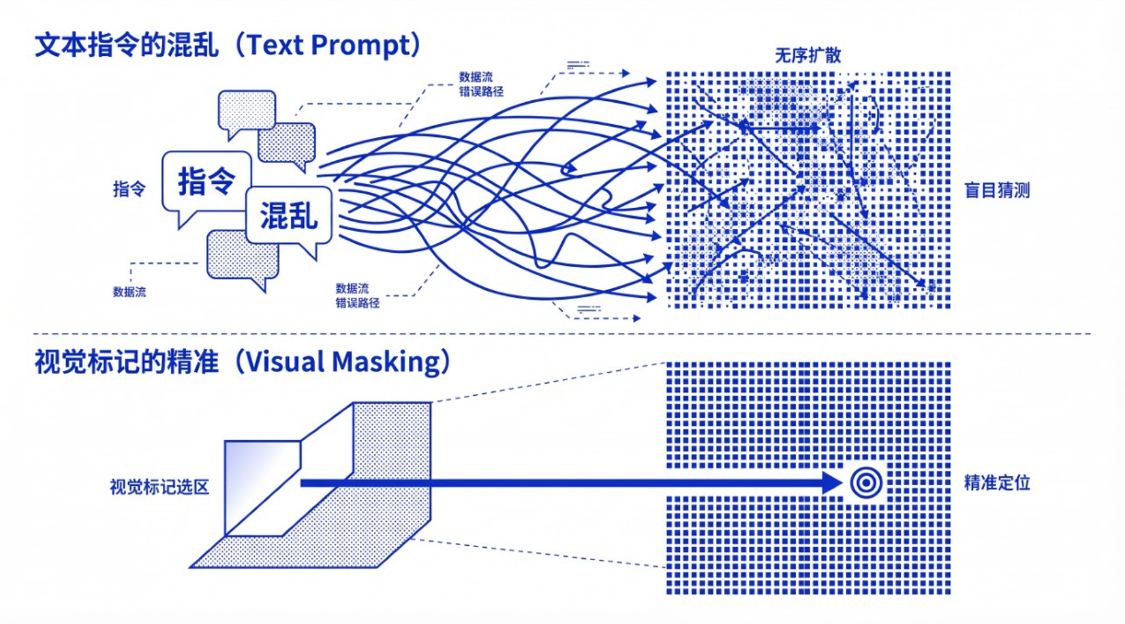
HUMAN BEINGS HAVE THREE-DIMENSIONAL SPATIAL SENSORY ABILITIES AND COMMON SENSE WHEN LOOKING AT THE MAPS. WE KNOW THAT THE CUPS ON THE TABLE ARE A WHOLE STRUCTURE. BUT THE BOTTOM OF AI IS A PROLIFERATION MODEL, AND IN ITS EYES, THE PICTURE IS A NOISE ARRAY OF MILLIONS OF PIXELS。
THIS INFORMATION IS EXTREMELY VAGUE IN AI'S CODE LOGIC WHEN YOU ENTER " LEFT " , " THAT " . IT CAN ONLY BE BASED ON THE TEXT WEIGHTS YOU GIVE TO THE PIXELS THAT MATCH THE PROFILE OF THE BLIND GUESS. ONCE THERE ARE TWO SIMILAR OBJECTS IN THE PICTURE, OR THERE IS A BACK-AND-BACK SHIELD, THE AI'S “FAILURE RATE” FALLS OFF THE CLIFF。
What is the “next word of maximum weight”
Here's a very critical little knowledge point and a blind zone that many newcomers have neglected:
Psychics, absolutely not just text-words! The pictures that you upload, and any marking you make on them, are one of the hints, and it's the visual tip。
IN THE AI CHANGE LOGIC, THE PICTURE/VISUAL HINT HAS A MUCH GREATER WEIGHT THAN THE TEXT。
WHEN YOU PUT THE ELEMENTS THAT NEED TO BE MODIFIED, "MARK THEM UP" DIRECTLY ON THE DRAWINGS WITH A BRUSH OR A CONSTITUENCY, AND YOU TELL THEM IN TEXT HOW TO CHANGE THEM, YOU FIND AI ALMOST NEVER WRONG. WHY? BECAUSE YOU TURNED THE “SPACE COORDINATES INFORMATION” THAT AI WAS SUPPOSED TO WORK HARD TO UNDERSTAND AND GUESS INTO AN “ABSOLUTE VISUAL CONTENT” THAT IT COULD IMMEDIATELY IDENTIFY. YOU'VE DRAWN THE PHYSICAL BOUNDARY DIRECTLY, AND IT'S ONLY WITHIN THAT BOUNDARY TO CARRY OUT ITS MISSION。
CHAPTER 2: GUIDE TO “VISUAL MARKING” OF THE THREE MAINSTREAM AI TOOLS
Now that we know the rationale, let's see how we can land it in the hottest of tools today. The tools are no longer particularly complex, and the core is "Input the hint + visual guidance."。
Tool I: Nano Banana Pro
Nano Banana 2 and its progressive Pro have reached a very high level of image editing and multi-graph synthesis. Its strongest place is in its very simple operational logic。
OPERATIONSOP:
upload background maps to design software: mark where changes will be required (or nano banana in the gemini network can be indicated directly)
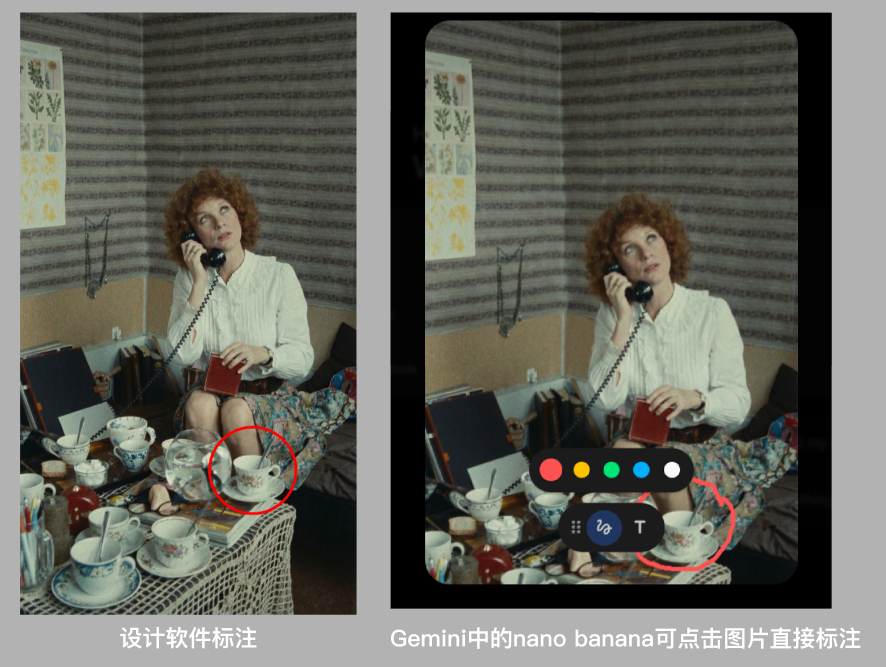
At this point, your text message does not need to write any more abbreviations! Just write the target. For example, you want to replace the original cup with a mechanical alarm clock
text box only:
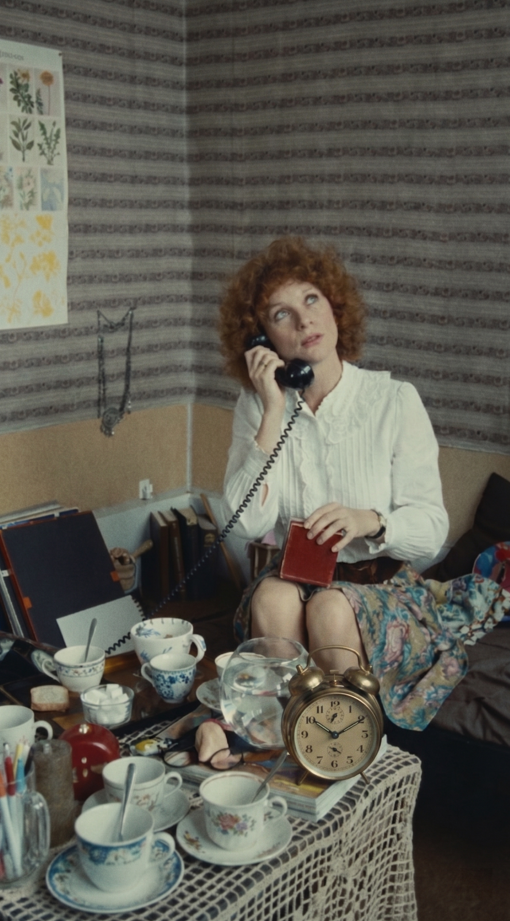
"Replace the glass in the red circle with a mechanical alarm clock."。
GENERATING: AI WILL TARGET 100% OF THE PIXELS IN THE AREA YOU PAINT, AND THE SURROUNDING ENVIRONMENT WILL BE PERFECTLY INTEGRATED。
Tool II: Midjourney (Vary Region, V6/V7 version)
The local redrawing function of Midjourney is one of the most artisticly sensitive adaptation tools at present。
OPERATIONSOP:
box: Click the Edit button below the picture to enter the edit panel。
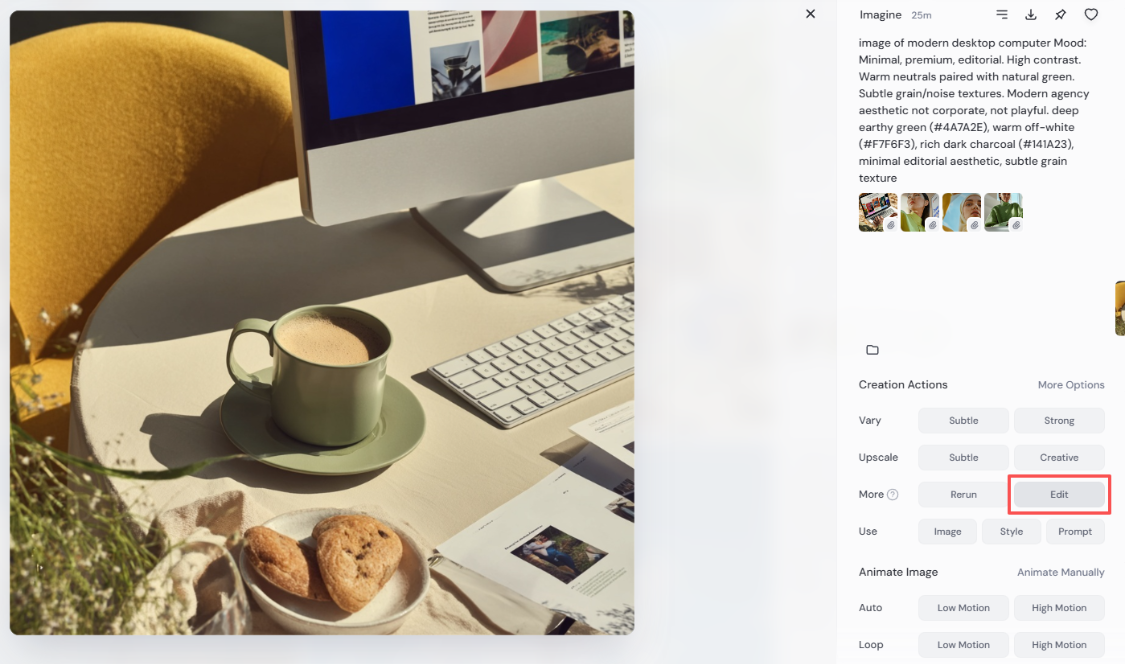
Paint selection: Use Erase, an Erase tool that will need to be replaced。
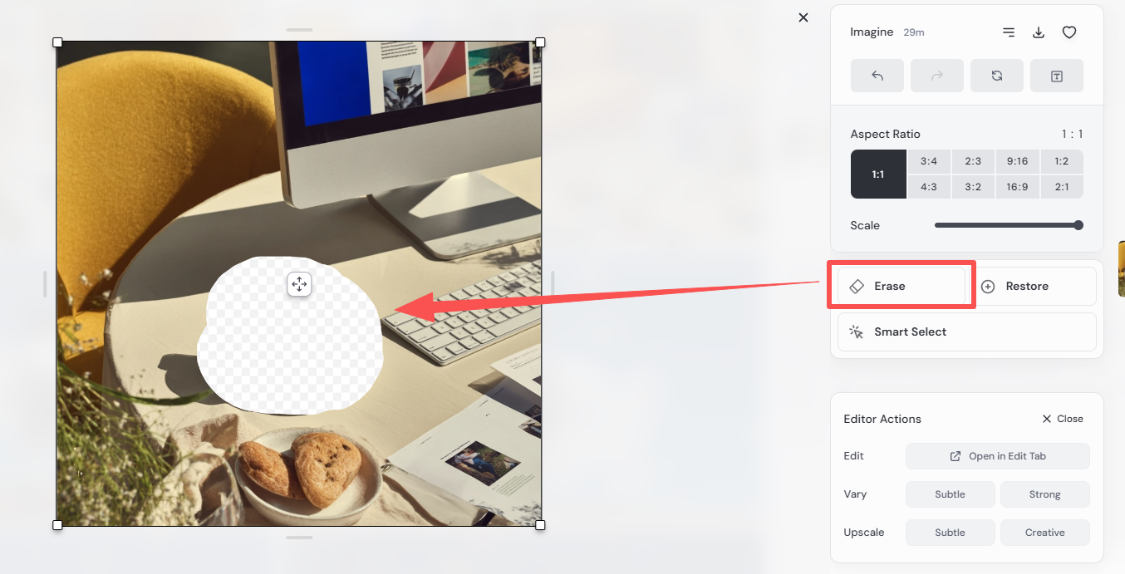
RewritePrompt: Delete all irrelevant descriptions in the pop-up hint box and keep only what you want to generate from the circle。
for example:
There is a phone on the table
Submitted: Midjourney will finely redraw within your constituency。
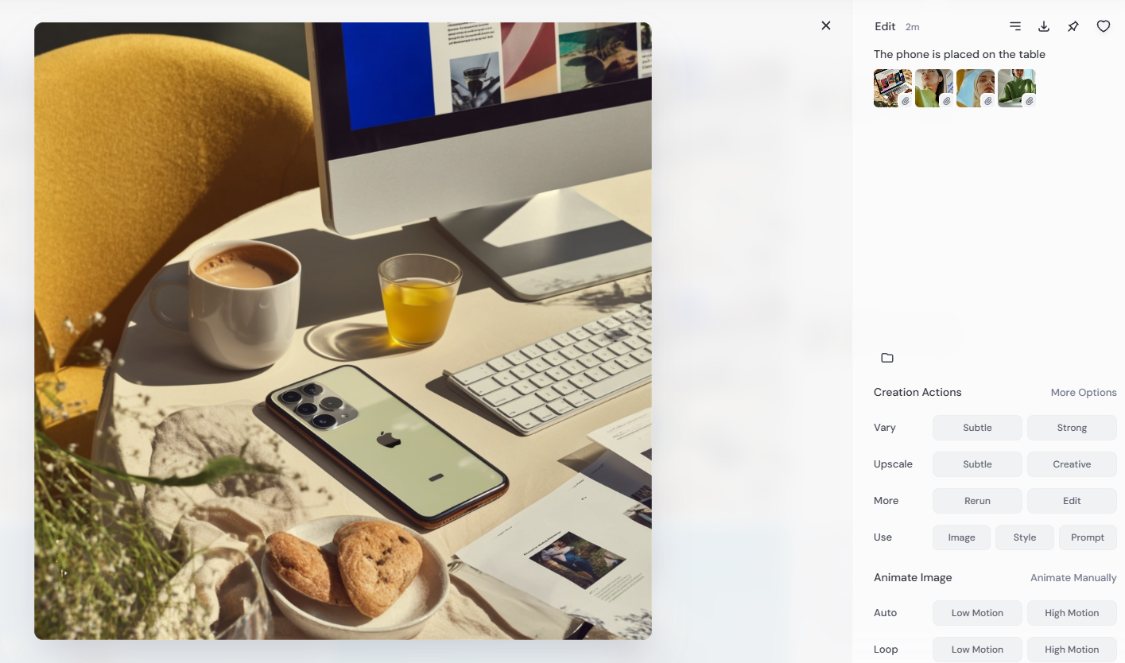
Tool III: Dream AI (Jimeng AI – Excellent Chinese Language and Interaction)
DREAM AI IS VERY GOOD AT DEALING WITH CHINESE COMMANDS AND LOCALIZED AESTHETICS, AND ITS INTELLIGENT CONSTITUENCY FUNCTIONS ARE EXTREMELY FRIENDLY TO NEWCOMERS。
OPERATIONSOP:
Smart recognition: Click on a local redraw in the dream adaptation interface. Smash what you want
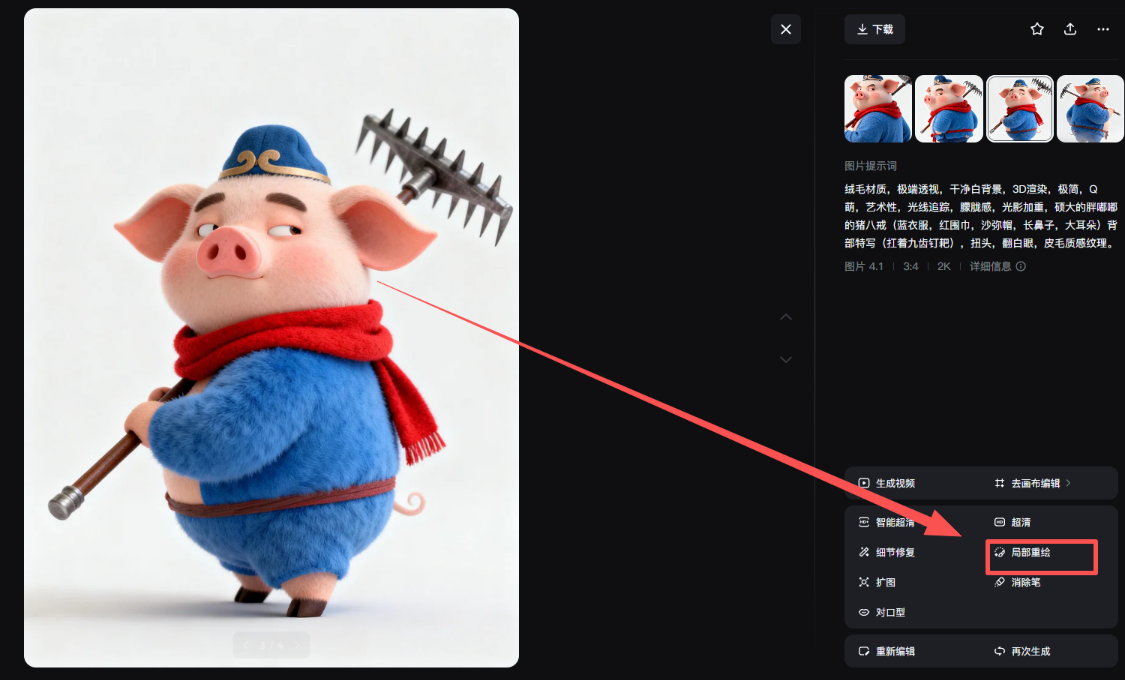
Enter a Chinese command: Enter a simple replacement word for Chinese, such as " Change to a shovel " 。
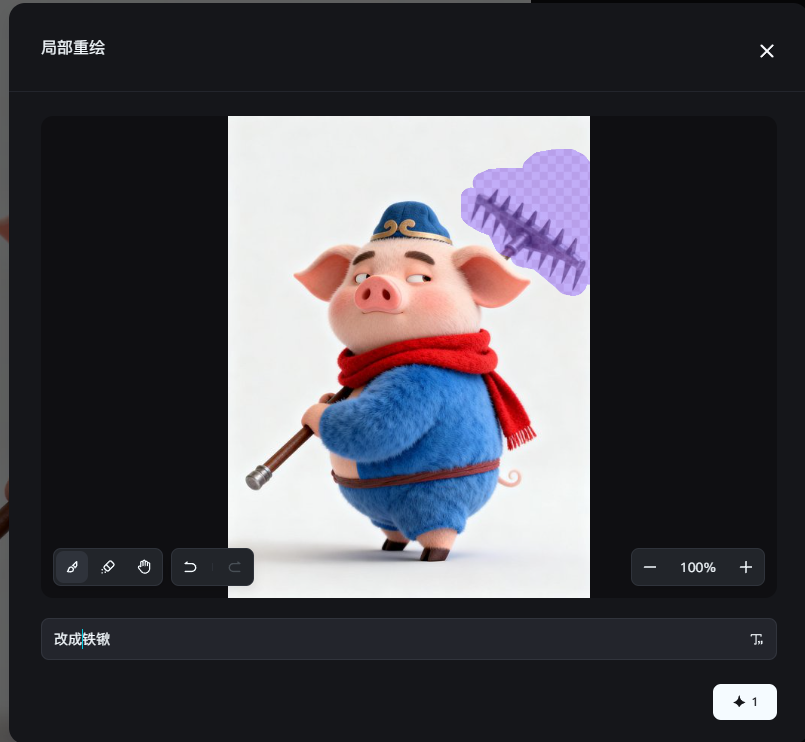
Rendering output: stupid drawings, accurate。
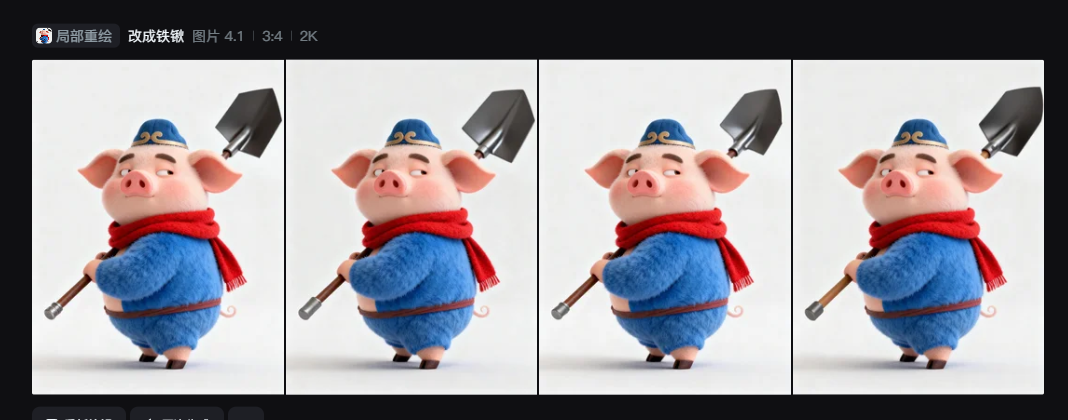
Chapter III: High-level play — “Spatial shift” of objects and “Visual adaptation”
If you've mastered the alternative, then we can go a little further and play a little more advanced: space re-engineering。
In the past, if you want to move a person on the left side of the picture to the bottom of the right side of the picture, you can only re-write the tipboard, but this will lead to a complete change in the background, the structure of the entire picture and the destruction of the satisfactory image。
But now, using visual tagging, you just need to mark the starting point and the end point。
Three core steps in space migration:
1. In the image, mark points:
Mark in the picture
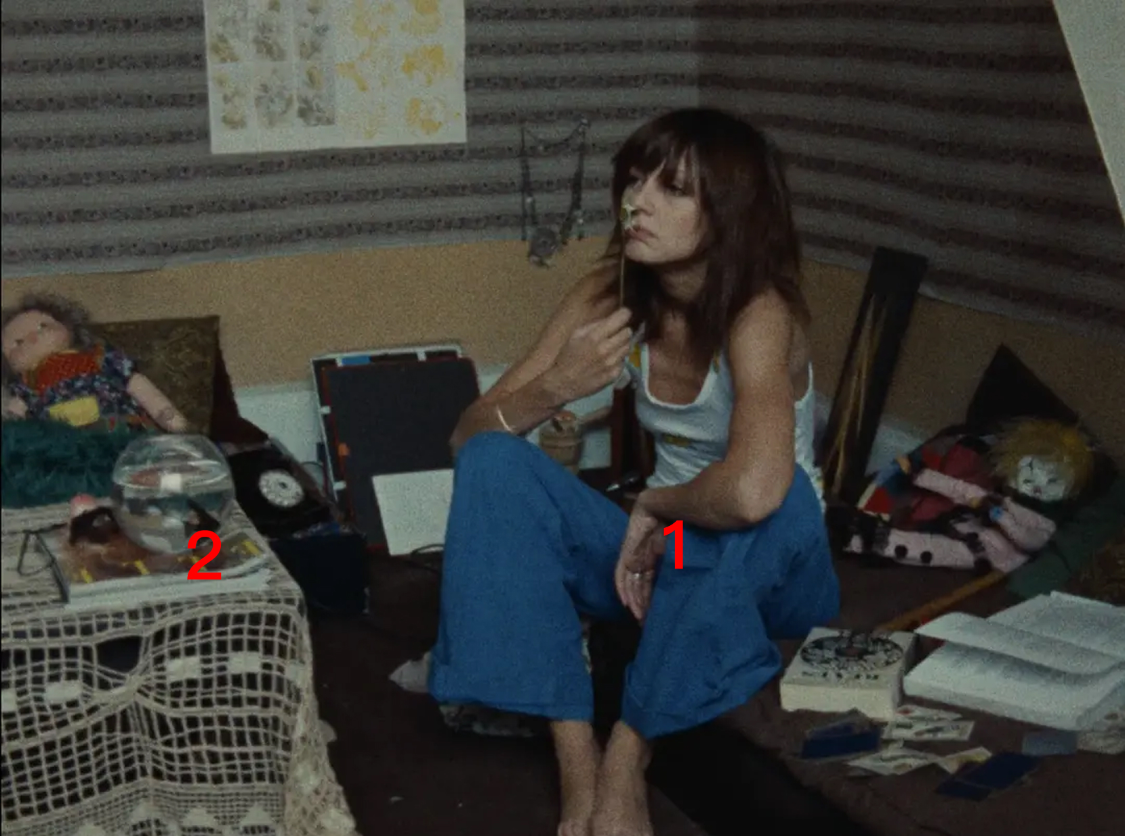
Direct generation:
If you want to move the person's position
JUST ENTER AN AI TIP
Changed position from one seat to two
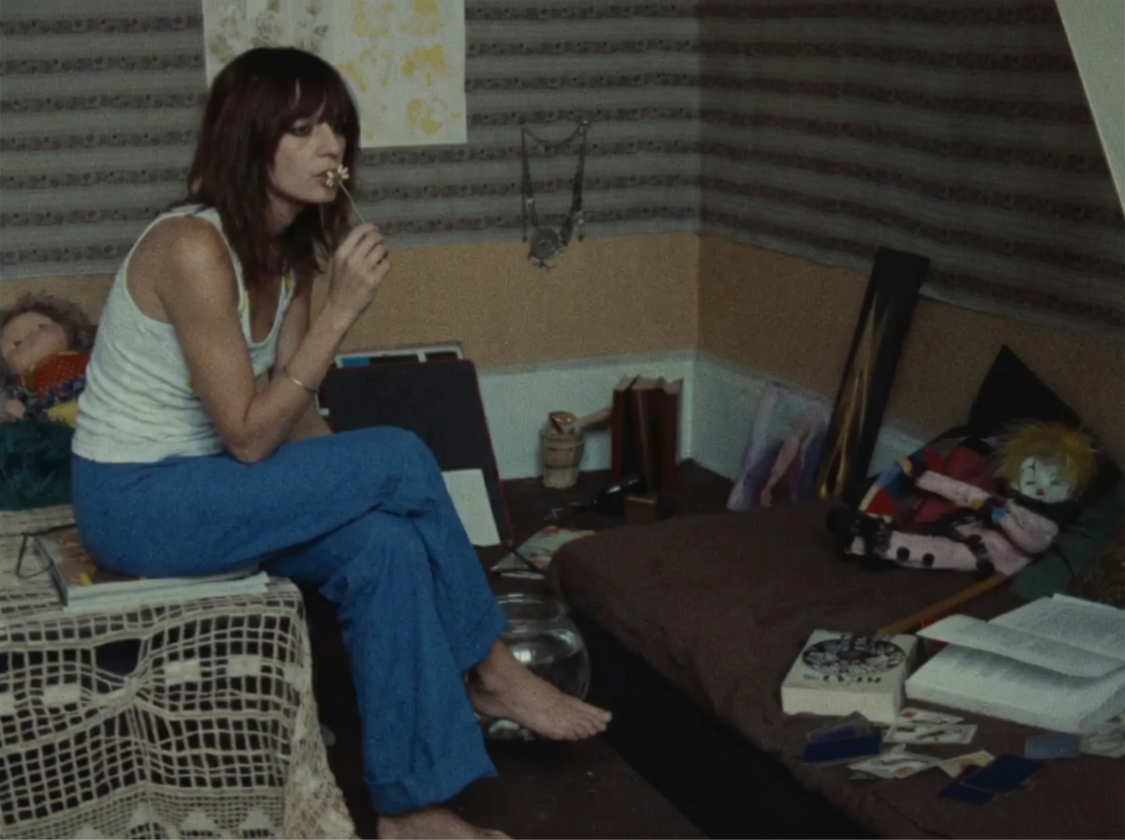
Chapter 4: Watch out! "Deathful Details" on the map
SPEAKING OF WHICH, IT SOUNDS IMPECCABLE. HOWEVER, IN REAL-LIFE EXERCISES, MANY PEOPLE STILL EXPERIENCE THE CREATION OF CONTENT OR AI “FLYING SELF”。
Here is an extremely critical detail: do not block the "key feature" of the object while you're doing visual marking/painting
What are the key features
Key features refer to the contours of an object, the skeleton structure or the visual focus。
Error demonstration: If you want to move the wallpaper, don't put it on the wallpaper, so you can cover it。
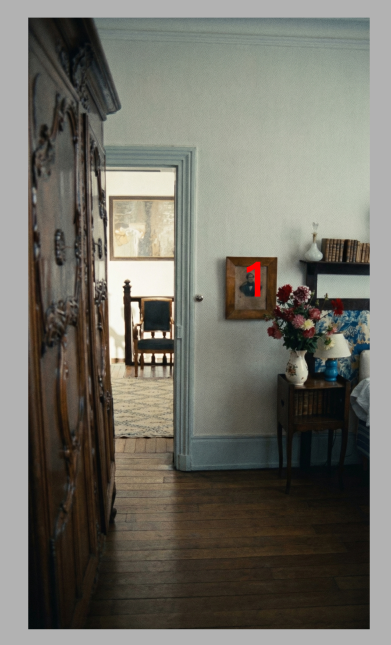
AT THIS POINT, AI CAN'T SEE ANY STRUCTURE IN THE ORIGINAL PICTURE. IN ITS EYES, THIS IS A HUGE BLACK HOLE. AND THEN AI STARTS TO GUESS AGAIN。
The correct painting and marking position:
1. To fit the edges and leave appropriate words:
In the coating, as far as possible, draw along the outer contours of the object, preserving its essential content and shape。
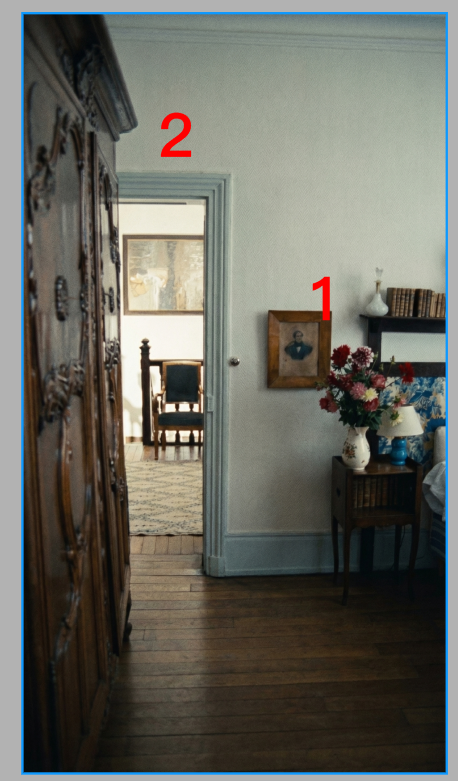
2. Enter the hint:
Change the mount at mark 1 to mark 2, do not change the shape of the painting
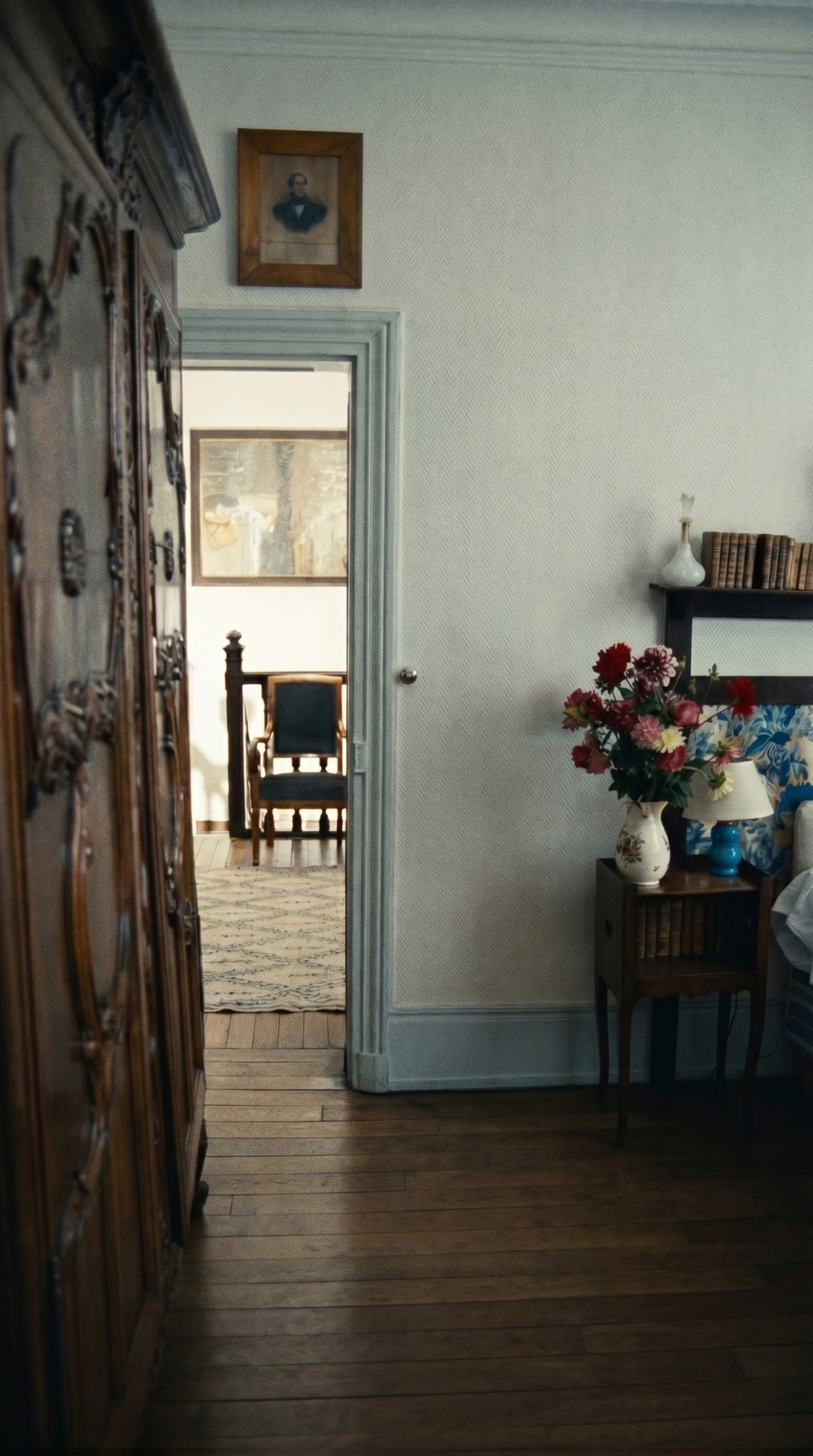
Chapter V: Demolition of thinking
This approach, on the face of it, seems to have taught you just how to use “constituency” and “paint” tools. But in essence
It's not a simple drawing technique, it's a radical change in creative thinking
YOU WERE THE ONE WHO ORDERED THE BLIND ACROSS THE RIVER ON THE PHONE. YOU'RE DESCRIBING AN EXTREMELY COMPLEX THREE-DIMENSIONAL VISUAL WORLD IN PALE LANGUAGE, AND YOU CAN ONLY PRAY TO AI TO UNDERSTAND WHAT YOU MEAN. IT'S A PASSIVE, LUCKY "BLIND BOX" CREATION。
NOW YOU ARE A HAND-HELD DESIGNER. YOU'RE COMMUNICATING WITH VISUAL. YOU POINTED AT THE CANVAS AND SAID CLEARLY, "HERE IT IS. WHEN YOU CHANGE THAT WAY, AI IS NO LONGER AN UNMANAGEABLE BLACK BOX。
THE AI RECHARACTERIZATION FINALLY TURNED FROM AN UNCONTROLLABLE PROBABILITIES GAME TO AN INDUSTRIALIZATION WORKFLOW THAT CAN BE ACCURATELY CONTROLLED BY 100%。