



Many people are usingMidjourneyWhen drawing, there are often problems that do not meet expectations. Many people get stuck here, constantly refreshing and changingPrompt word, but I just can't get the effect I want.
Actually,Maybe at this time, you need to useStyle RawLet’s try the parameters~
MJ'sOfficial DocumentationThe explanation of Syle Raw parameters is:
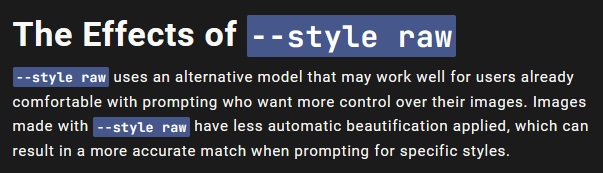
This is another model that may work well for users who have become accustomed to cueing and want more control over their images. Images made with -style raw have less automatic beautification applied, which allows for more accurate matching when cueing a specific style.
So if we sum it up in one sentence:Style Raw is a parameter for MidJourney users who want more control over their images.
There are two ways to use the Style Raw parameter:
1. If you don’t use the Style Raw parameter often, you can use it occasionally.Whenever you need more control over an image, youAdd -style raw to the end of the prompt word, like the following figure:

2.If you often use the Style Raw parameter, you need to set it as a default option.This eliminates the need to add -style raw every time you type a prompt word.
By in the prompt boxType /settings to call up the settings, then select RAW Mode and click on it in green, and the preset is completed.
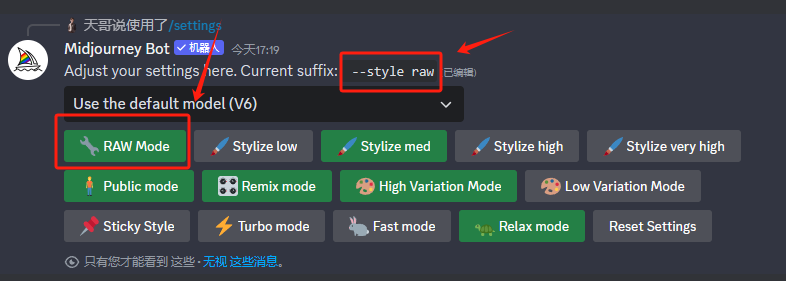
Once you have created a preset, it will remain in effect unless you adjust the settings again.
In the previous article, I actually talked about how to make the picture look more realistic, which requires the use of the Style Raw parameter.
For example, I use the following prompt words to produce pictures, one without adding Style Raw parameters and one with adding them, let's see the comparison effect.
Tips:A 30-year-old Chinese man, wearing a suit -s 250 -ar 3:4 translate:
A 30-year-old Chinese man in a suit

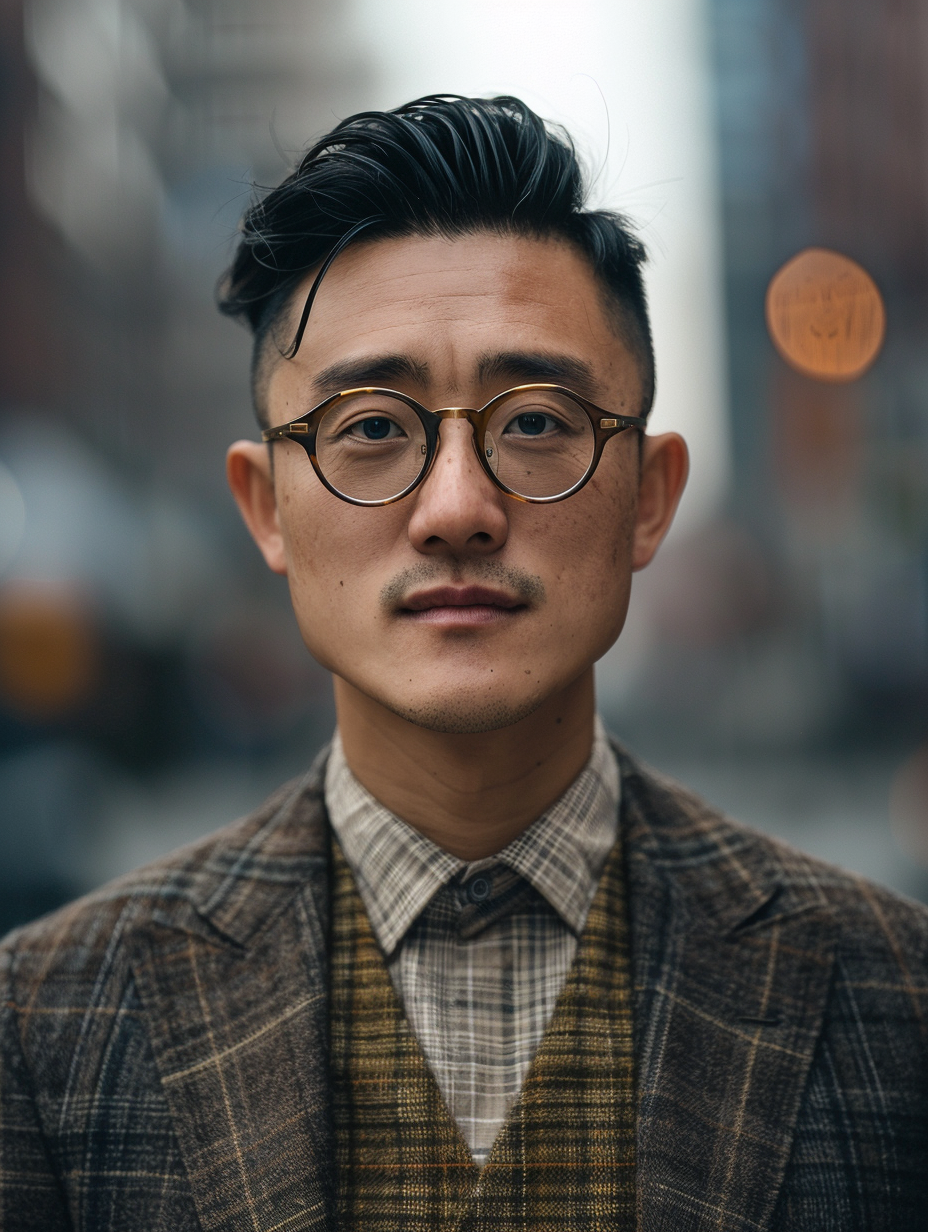
By comparison, we can see that the pictures with Style Raw parameters added are closer to reality (just closer), while the pictures without Style Raw parameters have fake skin texture and other aspects.
Tips:a sticky note that says, "Nothing is impossible to a willing heart." -s 250 translate:
A note that reads: "Nothing is impossible if the heart desires it."
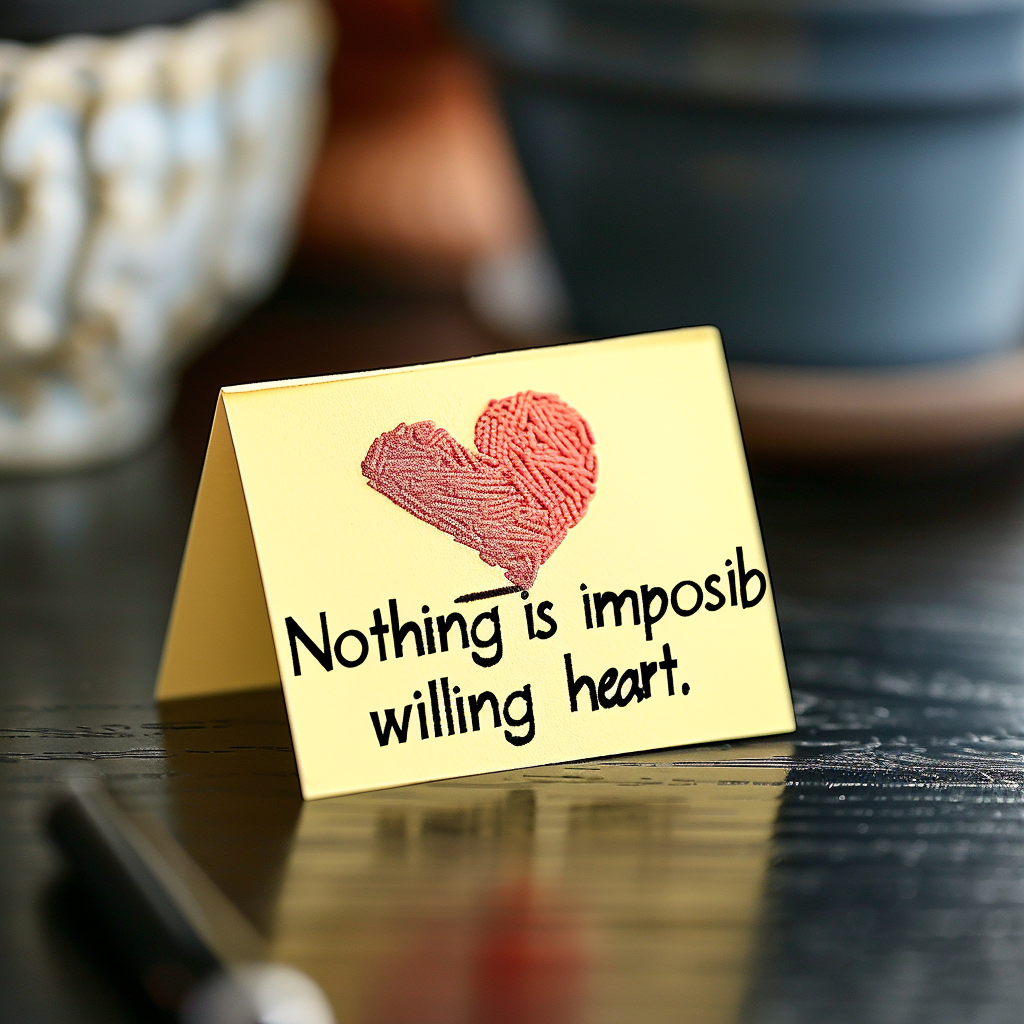
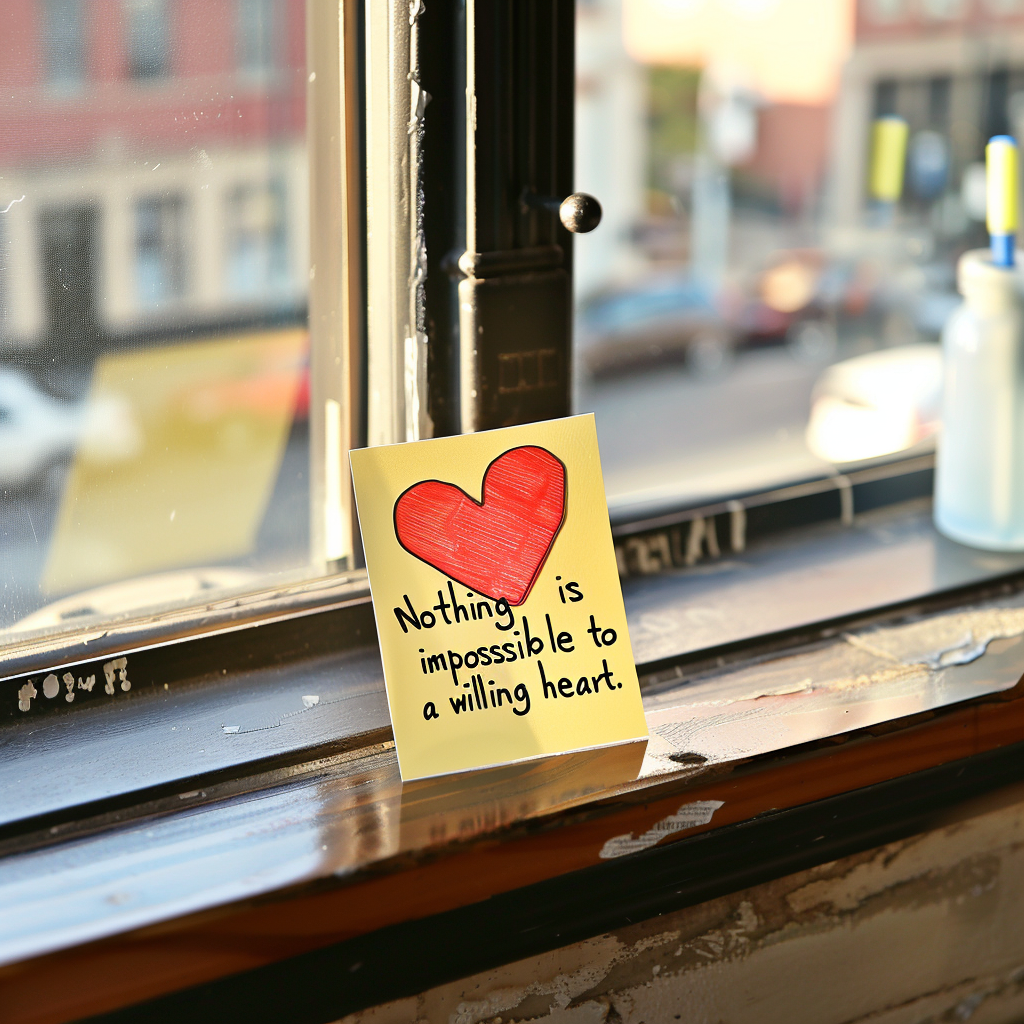
In fact, the text recognition capability in the V6 version is already very strong, but if your text is long, there may be missing letters, such as the first comparison picture above.
However, if you add the Style Raw parameter, you will have greater control over the text, such as in the second comparison picture above, the chance of errors will be significantly reduced.
3. When your prompt contains too many details
As mentioned before,Images made with -style raw have less automatic beautification applied, which allows for more accurate matching when prompted for specific styles.
So if there are too many details in your prompt words, the Midjourney robot may ignore some details, so that the resulting image does not meet your expectations. At this time, you need to add the Style Raw parameter to increase the accuracy of capturing the prompt words.
But there is one thing you must also note. It’s fine to have many details in your prompt words, but you must delete the junk words I mentioned in the previous article. This way you can produce a more accurate picture.
If you're still not satisfied with the results after using the Style Raw parameters, then try lowering the -s (stylized) value synchronously.
You can adjust the -s value from 0 to 100 to try one by one to see which value out of the picture most in line with the effect you want.