



Microsoft Copilot AI ChatbotFree to use GPT-4, which is already great. But now, it has been upgraded to a more advanced GPT-4 Turbo model, making the AI bot even more powerful.
GPT-4 Turbo is starting to replace GPT-4 as the large language model (or LLM), which is also available in the free version of Copilot.
Microsoft Copilot allows each of us to use the latest and most advanced AI chatbot capabilities without paying a subscription fee.
Now, let’s take a look at the difference between GPT-4 and GPT-4 Turbo, and how to use GPT-4 Turbo on Copilot!
How is GPT-4 on Copilot different from GPT-4 Turbo?
Copilot has integrated the GPT-4 Turbo model into its free version. GPT-4 Turbo is more advanced than GPT-4 and can provide you with faster and better responses.
Also, its context window has 128k tokens, while GPT-4 only has 32k. In practice, this means that an AI chatbot using GPT-4 Turbo can process more than 4 times the amount of text as GPT-4.
While many people probably won’t use its full context window, it means you can feed it more context to improve the output if you want.
In addition, it has an updated knowledge base deadline, which means that when you ask it a question, it can use the latest online information to answer it.
For GPT-4 Turbo, it can access information until April 2023, while the older version is limited to January 2022.
More importantly, it is free to use. So, how to use GPT-4 Turbo in Copilot?
How to use GPT-4 Turbo for free in Copilot
Now, we can all get OpenAI's GPT-4 Turbo model free of charge in Copilot, but you have to choose to use chat robots in "creative" or "precision" mode to use it。
The specific operation method is as follows:
- Open the Microsoft Copilot website: https://copilot.microsoft.com
- Click " Login" in the top right corner
- Sign in (or register) with your Microsoft account
- Now, in Select Dialogue Styles, Select Creative or Accurate Modes
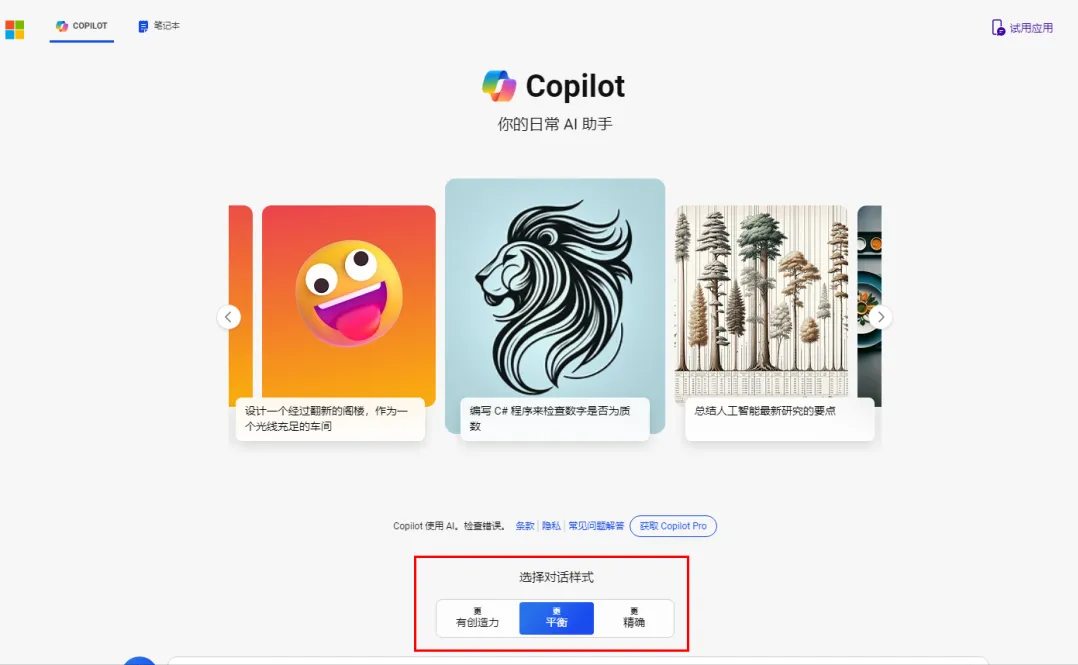
This way, you can automatically enable GPT-4 Turbo in the background of Copilot, and you already have a state-of-the-art AI chatbot assistant.
In addition to this, Microsoft recently built a “notebook” feature into Copilot.
This means that when you train it to learn a set of prompts that you think are useful for a particular task, you can now save them so that you don't have to recreate them every time you perform the same task.
GPT-4 Turbo test performance in Copilot
We also want to see how Copilot of GPT-4 Turbo is compared to GPT-4. To that end, I let it answer a popular English-language circumvention:” If the groundhog throws wood, how much does it throw?"
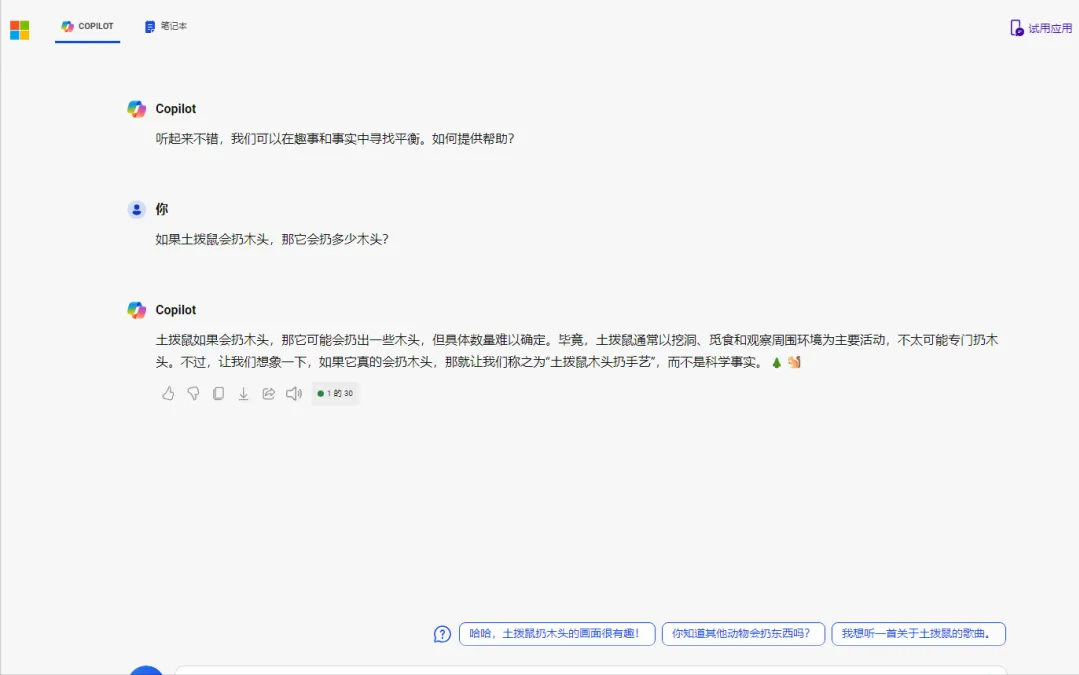
Turbo is clearly superior because GPT-4 initially doesn’t even attempt to logically answer the question, no matter how bizarre it might be.
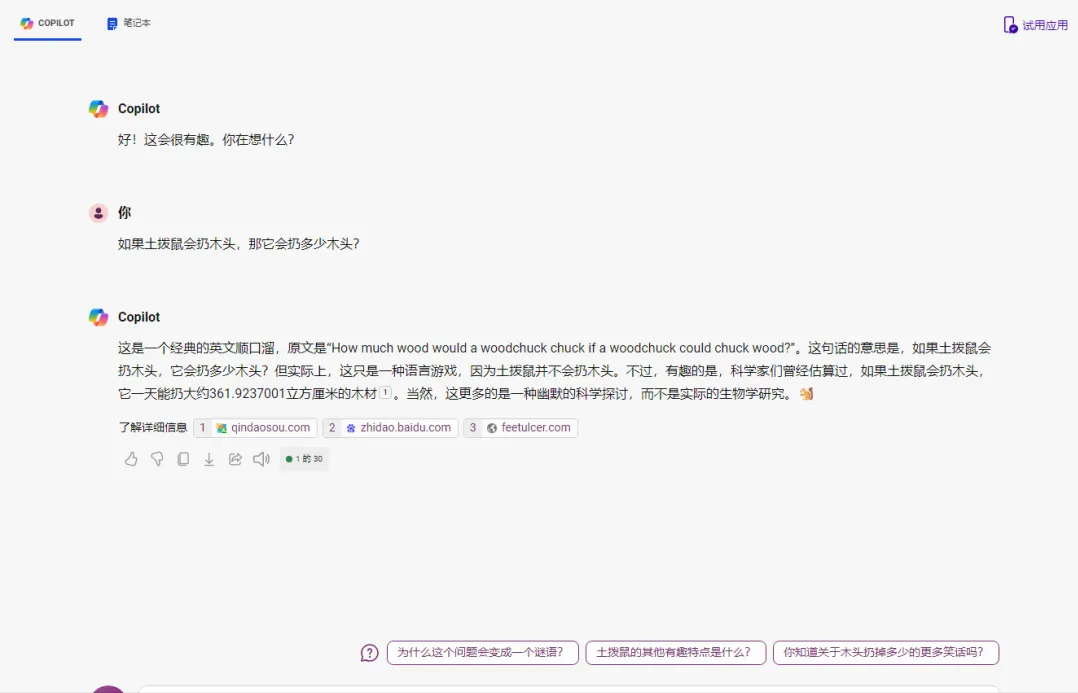
GPT-4 Turbo, on the other hand, approaches this nonsensical but representative problem from a logical perspective and cites appropriate references.
However, these responses were influenced to a large extent by the differences between Turbo and GPT-4 and by the “balanced” and “creative” models。