



In this era of information explosion, video has become our main way to obtain information and entertainment. But have you ever been troubled by the length and difficulty of digesting long videos? Today, I will introduce you to a tool that can completely change your video production experience——Spikes Studio.
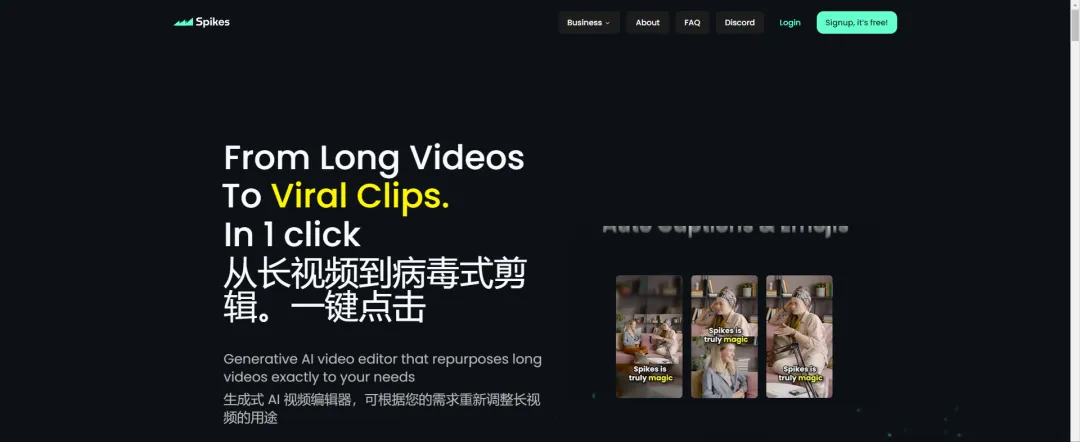
Spikes Studio
This automatic video editing tool, with its unique functions, makes video editing easier than ever before. It can not only automatically summarize the content of long videos, but also accurately extract the essence, allowing users to enjoy the most exciting clips in a short time.
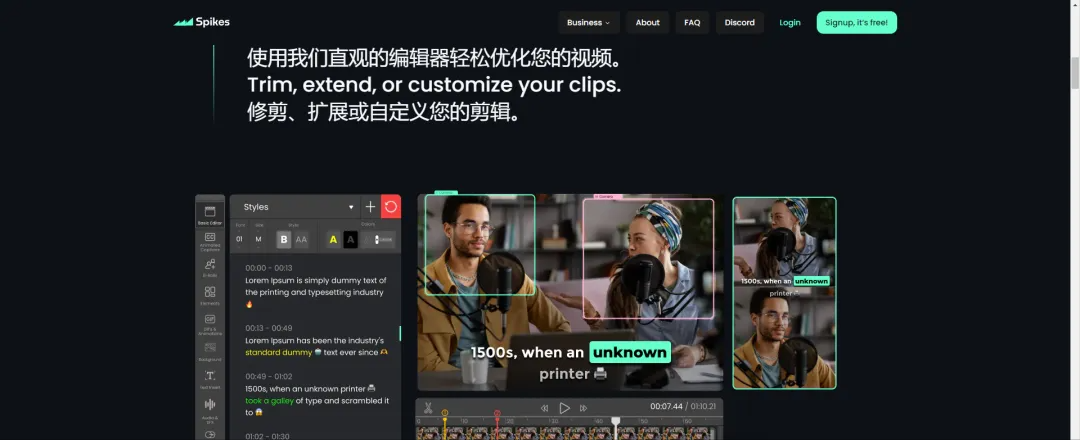
The power of Spikes Studio lies in its innovative features such as multi-role dynamic subtitles, GIF addition, and picture adjustment. For example, it supports users to add subtitles, emoticons, and even adjust the size and position of the picture to make the video more personalized and attractive.
In addition, Spikes Studio also provides three different resolution outputs to meet the needs of different scenarios, and is especially suitable for producing podcasts, game live broadcasts, and dialogue short videos.
After registering and logging in now, free users can get 30 minutes of quota, which is enough for initial experience.
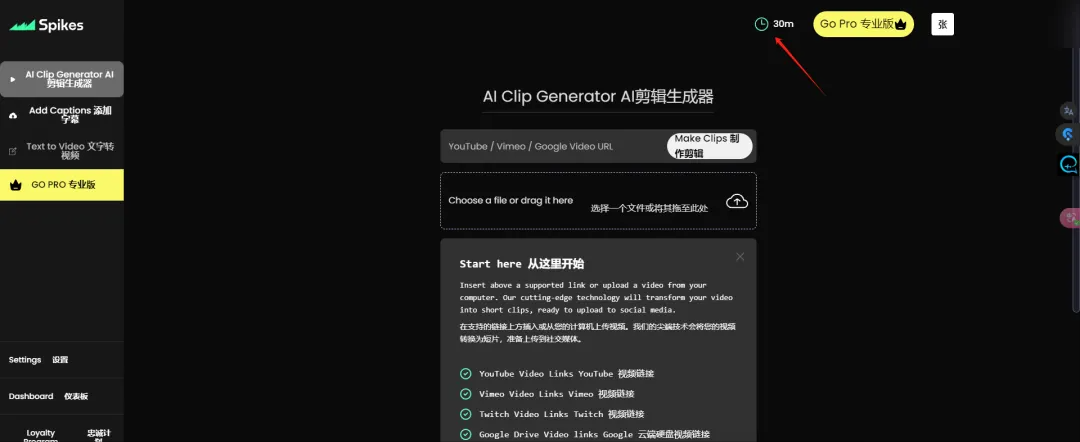
Spikes Studio supports uploading videos from local devices or directly inputting video URLs from YouTube, Twitch, and Google Drive. It is easy to operate and even video editing novices can quickly get started.
Spikes Studio is more than just aVideo Editing Tools, it is also a content creation helper. By automatically summarizing and streamlining video content, adding subtitles and background music, Spikes Studio allows creators to easily create attractive short videos, greatly improving work efficiency and content quality.
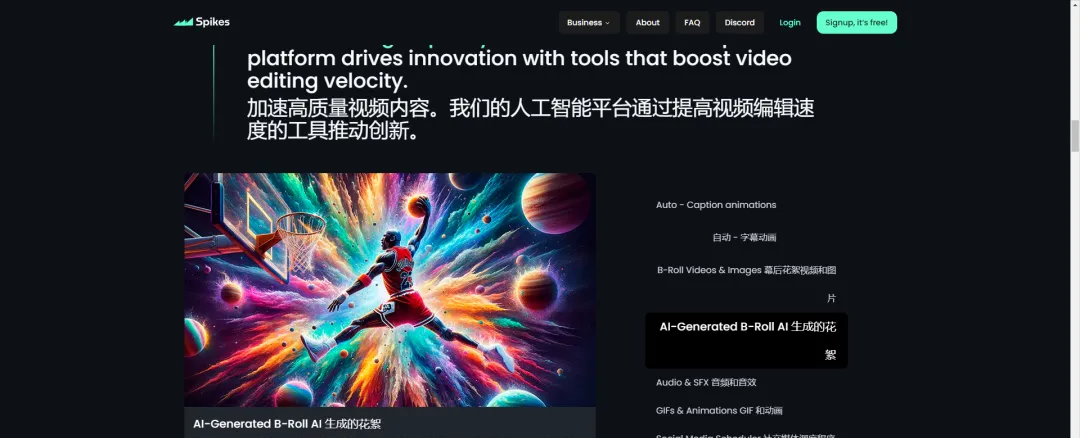
Procedure
Here are the simple steps to edit a video using Spikes Studio:
- Video selection and upload: You can upload a YouTube video address, where I found a clip of Taylor's interview or content you think is suitable. Copy and paste the address: Copy the URL of the video and paste it into the dialog box of Spikes Studio.
2. Video recognition and processing: Spikes Studio will automatically recognize the video you uploaded. The system will deduct the corresponding time quota based on the duration of the video. After checking that everything is correct, click "Next".
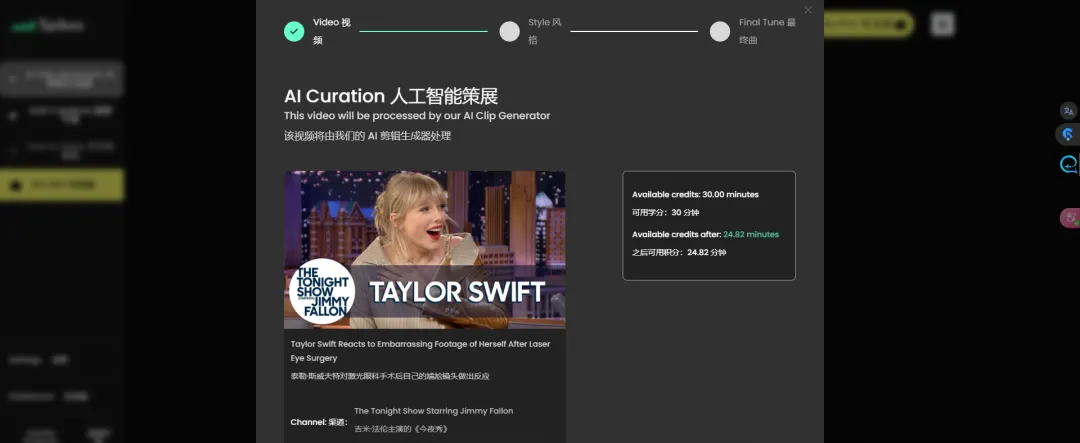
3. Subtitle style selection: As a free user, you can choose the subtitle style for word-by-word broadcasting. If you have a premium account, you can unlock more subtitle styles.
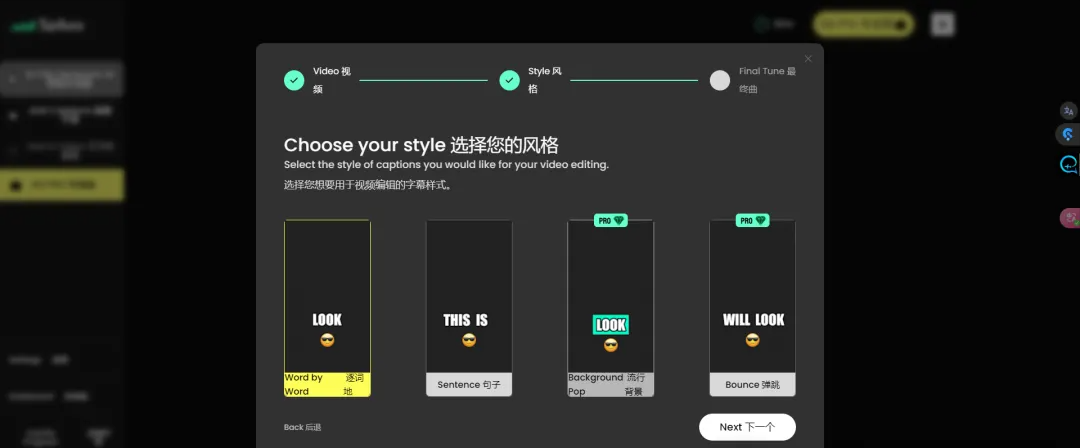
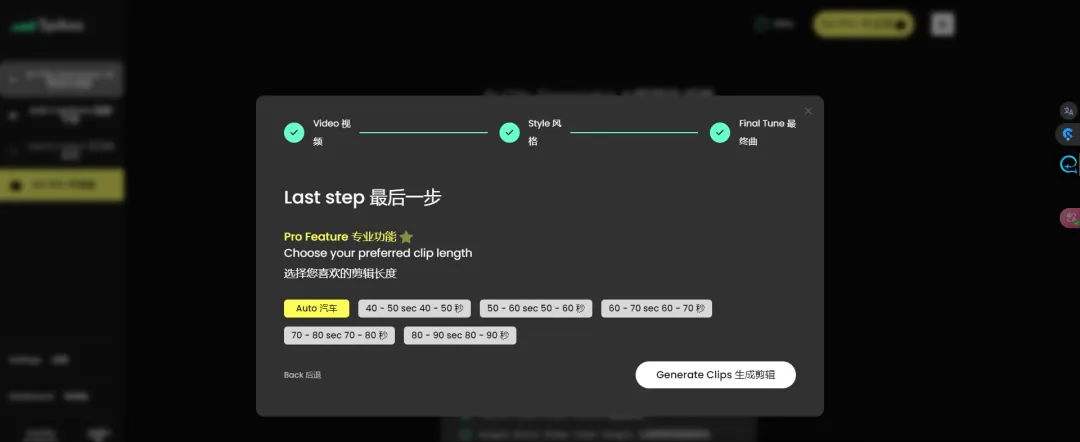
4. Video generation: After verifying that all information is correct, click "Generate Clips" to start processing the video. Return to the backend and you can check the progress of the video processing. This usually takes several minutes.
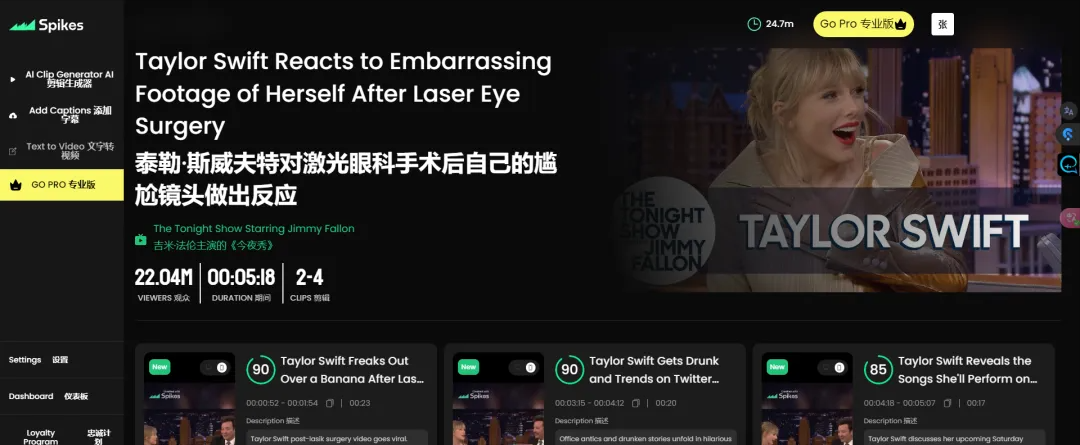
5. Video Editing and Downloading: Spikes Studio will condense the content of the video according to its length and generate 3 short videos. You can download the generated videos or click the Edit button below to modify them manually.
6. Details adjustment: Click the play button, you can see the original video on the left, and the video generated after automatic editing on the right. The left side shows the automatically generated subtitles, and you can set the position of the subtitles below, and decide whether to add emoticons to the subtitles. Spikes Studio will automatically identify the people in the picture, and you can also set the area where the people are displayed by dragging the green box.
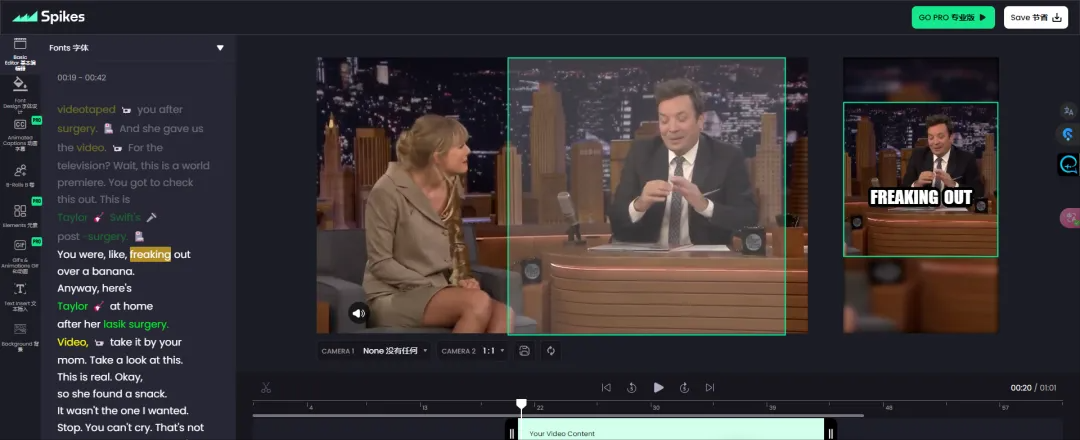
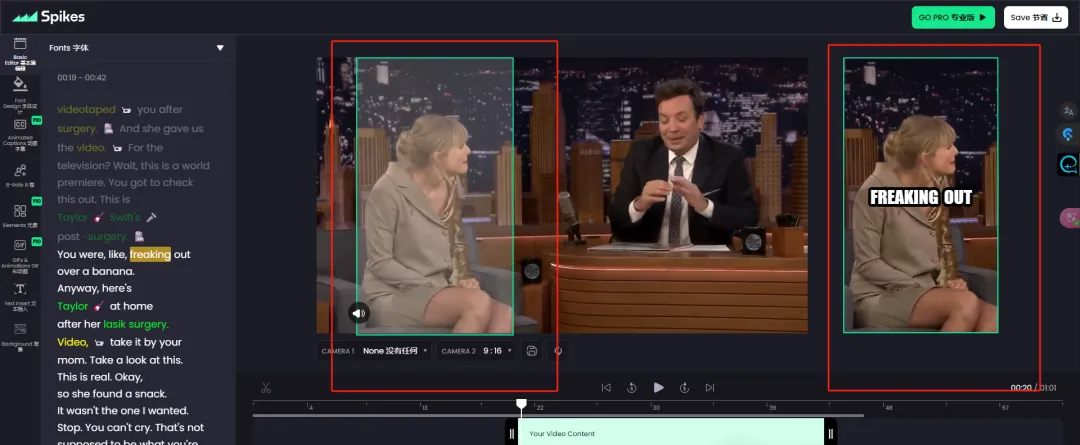
7. Resolution and lens settings: Click the option below the video and select a 9:16 resolution. Drag the green box to full screen to adapt to the new resolution. The preview window on the right also needs to be maximized by dragging the green box.
8. Multi-lens function: Open the second lens: If there are two people in the picture at the same time, you can open "camera one" to add a second lens. This function allows the questioner and the answerer to appear in the short video at the same time, which is very suitable for interview videos.
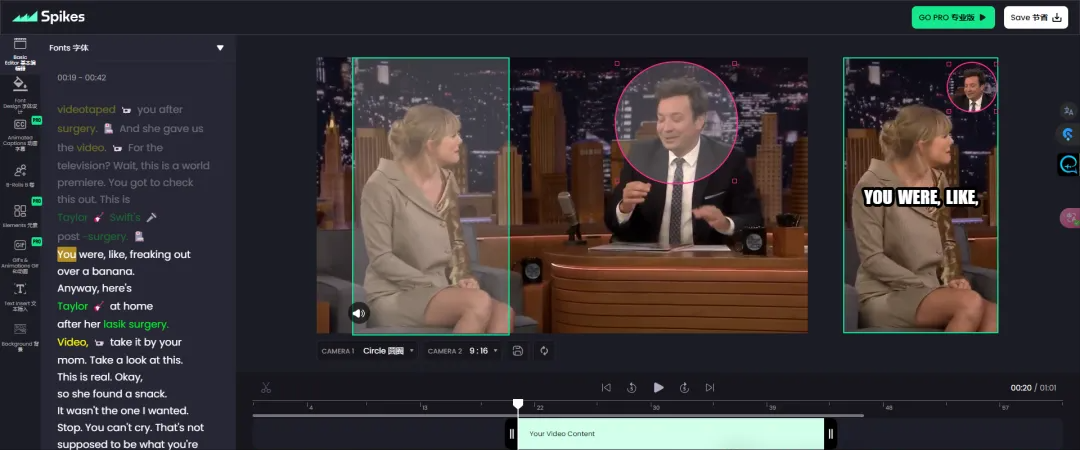
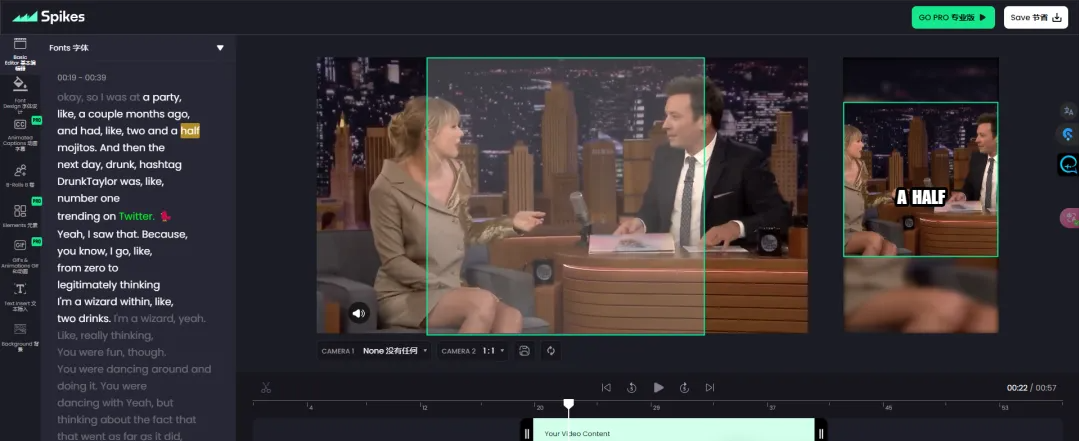
9. Preview and adjust: In the preview window on the right, you can continue to adjust the position of lens 1 and lens 2 until you reach a satisfactory effect. After completing all settings, preview the playback effect after synthesis to ensure that everything meets your expectations.
By following the above steps, you can easily use Spikes Studio to edit videos.