



I wrote an article before [AI Image Tool]InstantID_Other OrganiserCreate different styles of pictures from a single photo in seconds】InstantID has been introduced in detail. It can achieve personalized image synthesis using only a single facial image reference while maintaining high-fidelity identity preservation, and supports a variety of different styles.
When I wrote that article, InstantID had just been out for a short time.Stable DiffusionThe plugin did not support it yet, but InstantID was soon introduced in the ControlNet plugin of Stable Diffusion.Model pluginToday we will look at the use of the InstantID model in the ControlNet plug-in of Stable Diffusion.
1. Introduction to InstantID
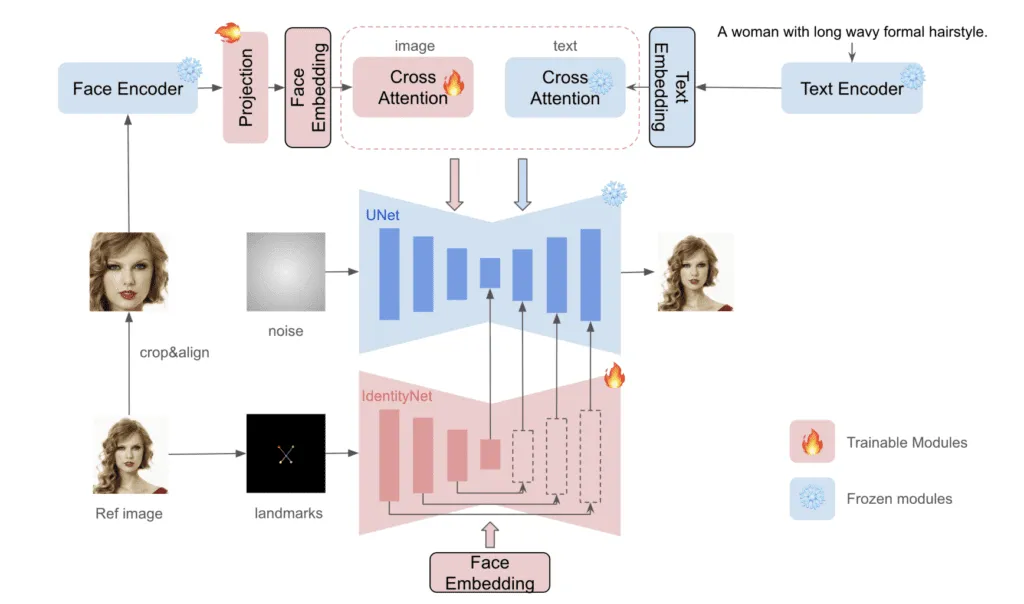
InstantID uses InsightFace to detect, crop, and extract face embeddings from reference faces. The embeddings are then used with the IP-Adapter to control image generation. This part is very similar to IP-Adapter Face ID. However, it also uses ControlNet to detect and inpaint multiple facial landmarks (eyes, nose, and mouth).
Using IP-Adapter Face ID in conjunction with ControlNet, we were able to replicate the reference images we provided with high fidelity, ultimately achieving consistency across the characters.
Note: InstantID requires the use of the SDXL large model, and there is currently no corresponding version for Stable Diffusion 1.5.
2. Installation of InstantID plugin
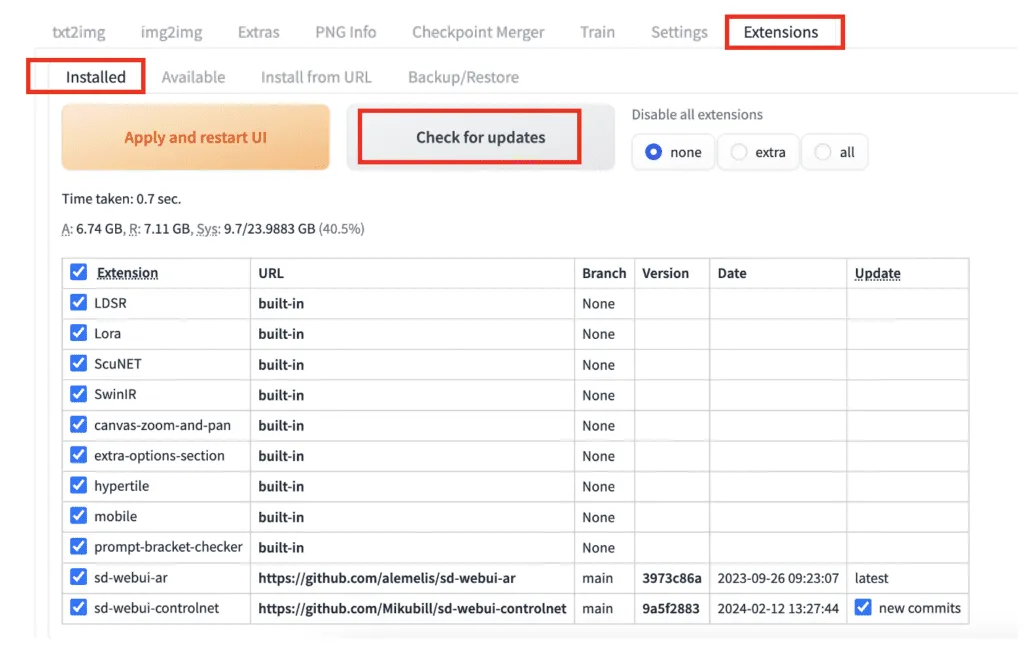
First, upgrade controlnet to the latest version, preferably V1.1.440 or above.
Download the IP-adapter model for InstantID.
Download address: https://huggingface.co/InstantX/InstantID/blob/main/ip-adapter.bin
Rename the downloaded file to ip-adapter_instant_id_sdxl.bin.
Download the InstantID ControlNet model.
Download address: https://huggingface.co/InstantX/InstantID/blob/main
/ControlNetModel/diffusion_pytorch_model.safetensors
Rename the downloaded file to control_instant_id_sdxl.safetensors.
Put the two files downloaded above in the stable-diffusion-webui > models > ControlNet folder directory. You can follow your own directory for specific situations.
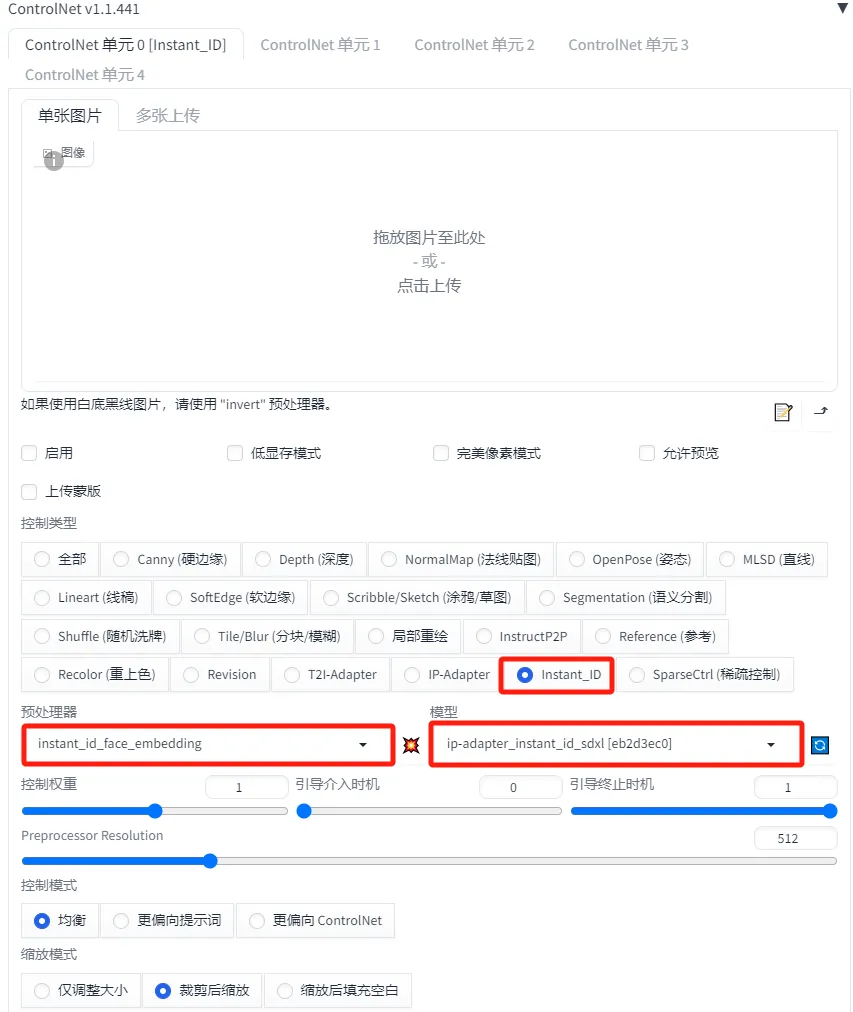
Then restart our SD tool, and you can see that there is an additional Instant_ID option in the control options, indicating that InstantID has been installed.
3. Use of InstantID plugin in SD 1.5
There are a few things to note when using the InstantID model:
- Large models can only use SDXL large models
- The prompt word guidance coefficient (CFG Scale) is lower than the usual parameter value (3-5)
- Need to use 2 ControlNet as InstantID
- Reduce the control weights and ending control steps of the two ControlNets
Let's take a closer look at how to use the InstantID plug-in.
[Step 1]: Selection of large model
Here we use the Dreamshaper SDXL Turbo large model. Select None for the VAE large model.

【Step 2】:Writing prompt words
Positive prompt words:
Prompt: watercolors portrait of a woman (happy laughing:1.15),masterpiece,artistry,
Prompt words: Watercolor portrait of a woman (laughing happily: 1.15), masterpiece, art
Reverse prompt words:
Prompt: low quality, blurry, malformed, distorted
Hint words: low quality, blurry, deformed, distorted
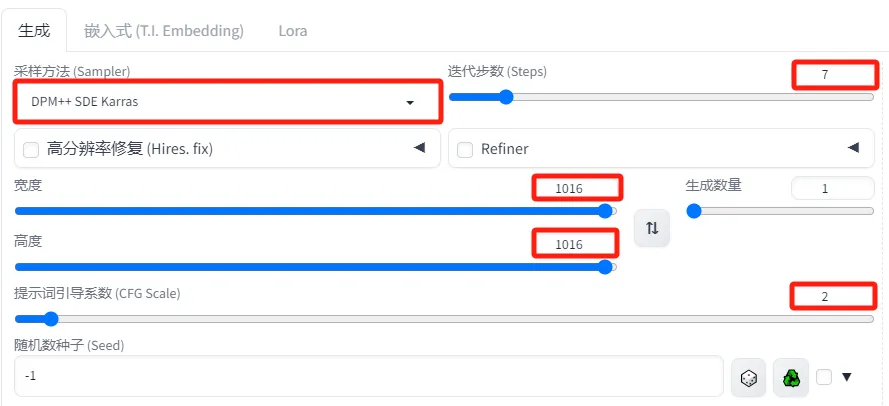
Related parameter settings of Wensheng diagram
- Sampler: DPM++SDE Karras
- Sampling iteration number: 7
- Image width and height: 1016*1016 (the default image size of 1024×1024 does not work with Instant ID. Use a resolution close to but not exactly 1024×1024).
- Cue word guidance coefficient (CFG): 2 (CFG ratio must be set quite low for InstantID to be effective)
[Step 3]: ControlNet plug-in InstantID model settings
Two InstantID models need to be used. In other words, two ControlNets need to be used.
ControlNet Unit 0 Settings
The first ControlNet mainly uses InsightFace to extract facial features of people.
Here we use the picture of Zixia Fairy as the reference image.
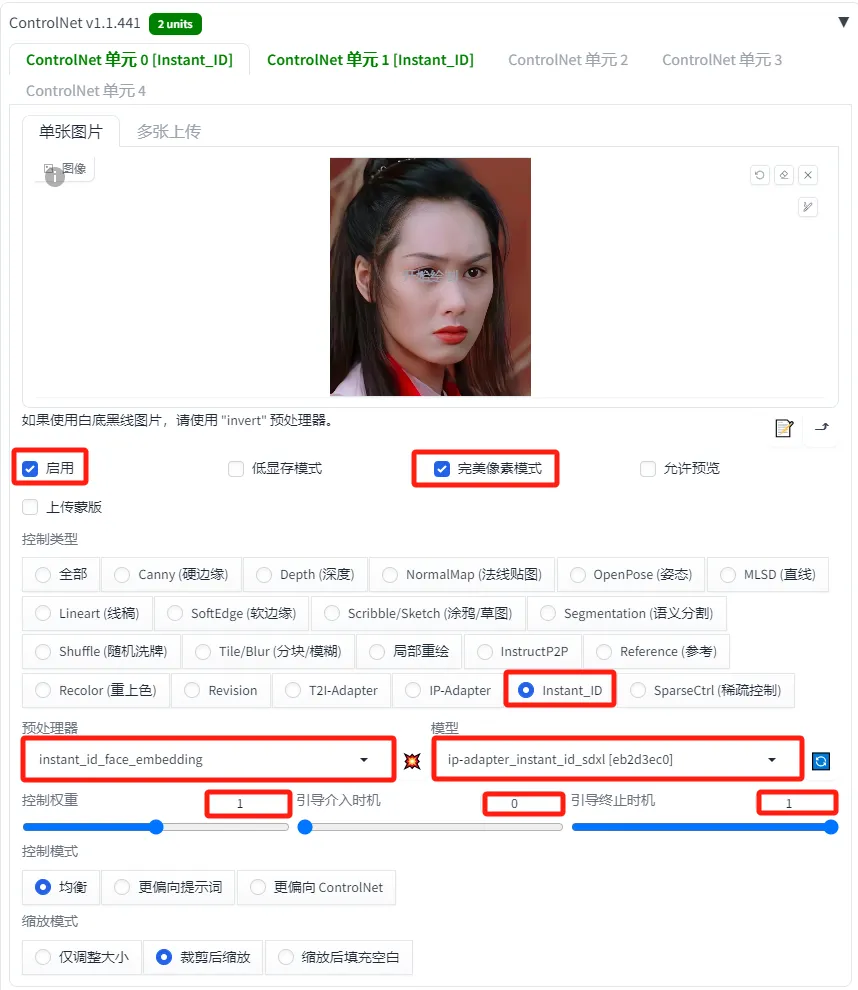
- Enable: Checked
- Pixel Perfect Mode: Checked
- Control Type: Instant_ID
- Preprocessor: instant_id_face_embedding
- Model: ip-adapter_instant_id_sdxl
- Control weight: 1
- Guided intervention time: 0
- Boot termination time: 1
ControlNet Unit 1 Settings
The second ControlNet is used to extract facial key points, such as the location of the eyes, nose, and mouth. You can use different images, but it is recommended to use the same image. Here we still use the image uploaded by the first ControlNet.
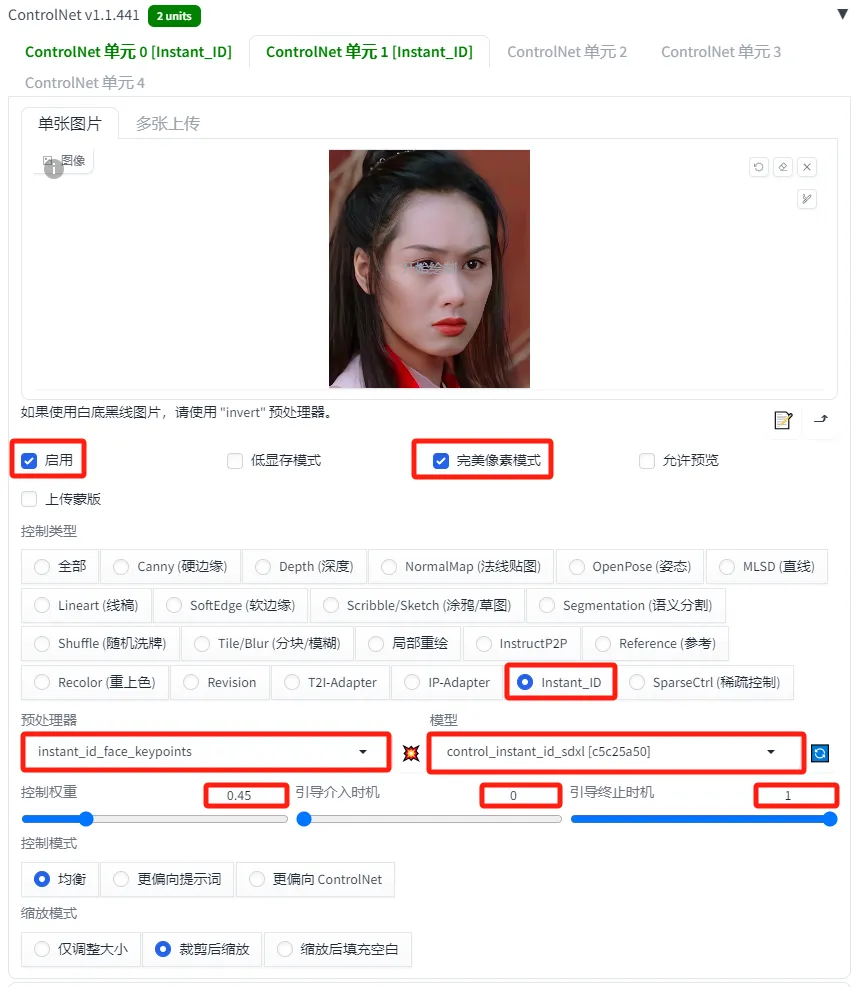
- Enable: Checked
- Pixel Perfect Mode: Checked
- Control Type: Instant_ID
- Preprocessor: instant_id_face_keypoints
- Model: control_instant_id_sdxl
- Control weight: 0.45
- Guided intervention time: 0
- Boot termination time: 1
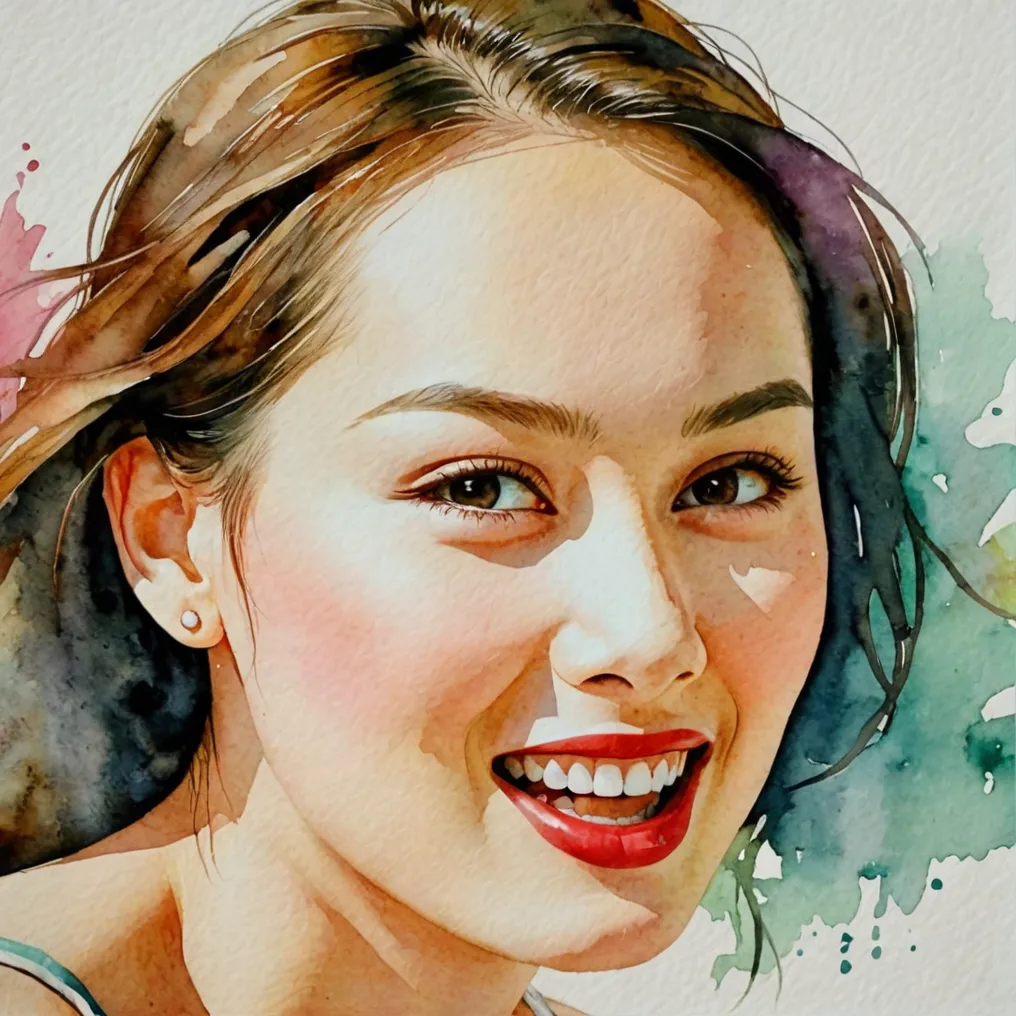
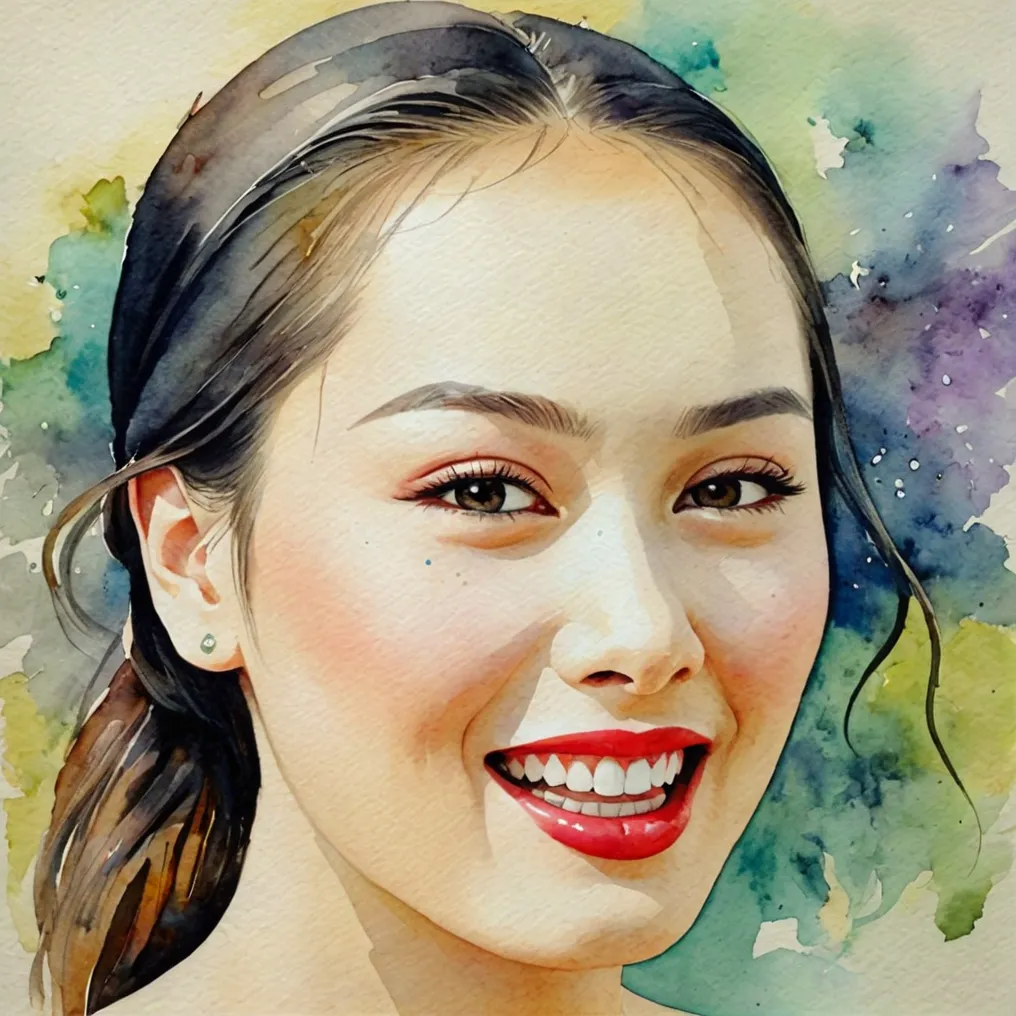
[Step 4]: Generate pictures
Click the [Generate] button, and the final generated image will look like this.
4. Picture style
The style of the image is controlled by the prompt words. You can use SDXL's prompt words to optimize the display content and background elements of the image.
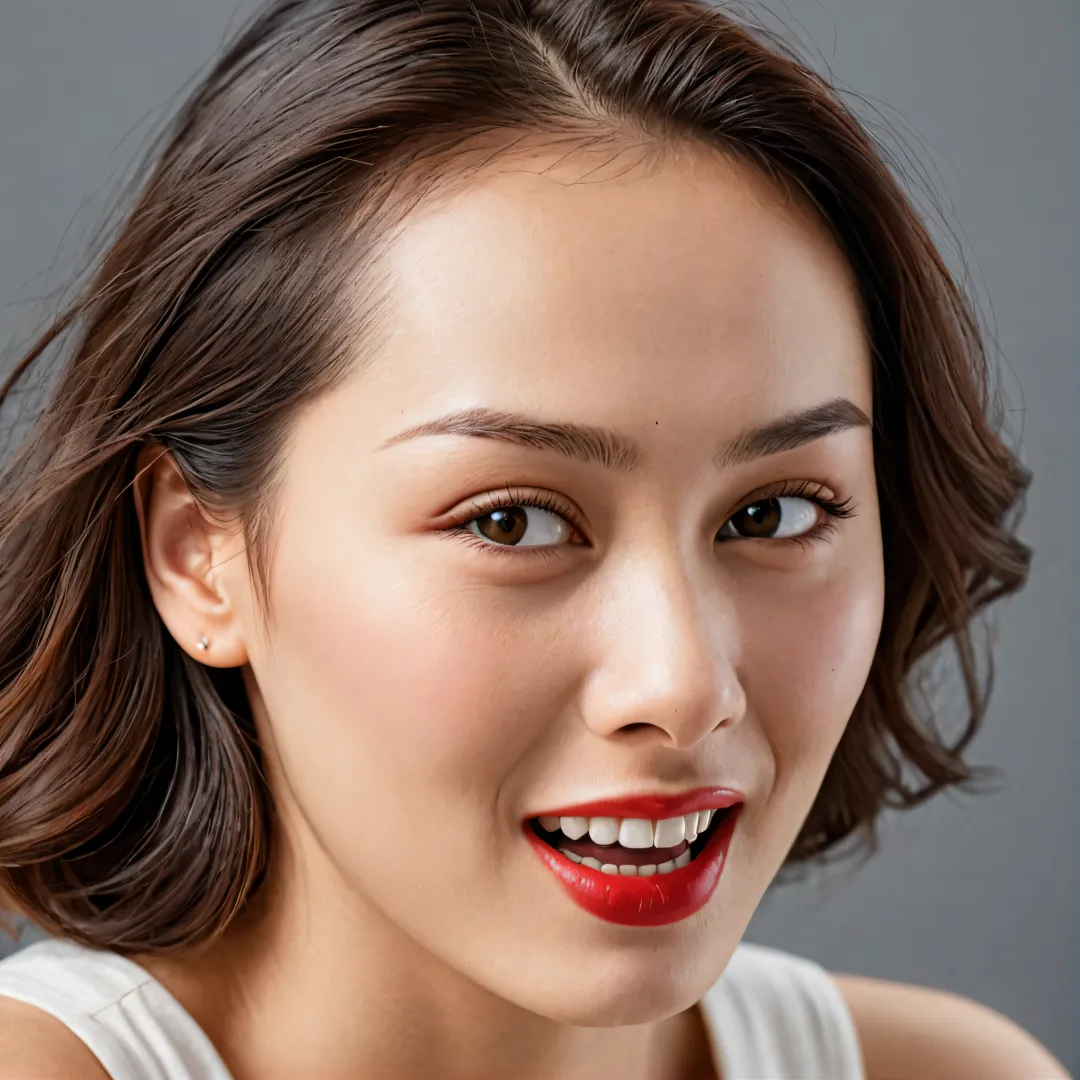
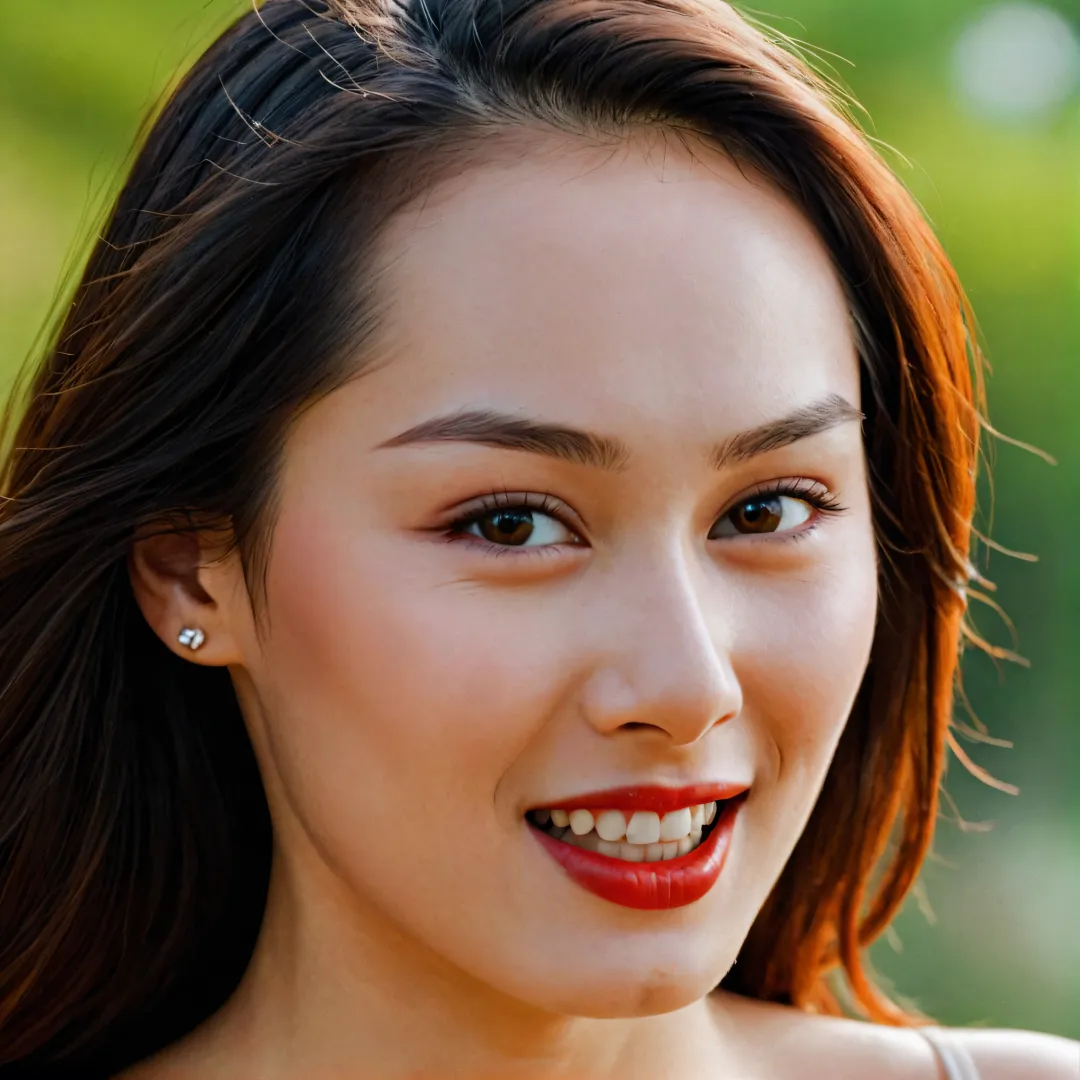
1. Portraits
Prompt: high quality, masterpiece, rich details, natural photography, 8k, high – health quality,
portrait of a woman,(happy laughing:1.15),
Prompt words: High quality, masterpiece, rich details, realistic photography, 8k, HD quality,
Portrait of a woman, (laughing happily: 1.15),
2. Cyberpunk style
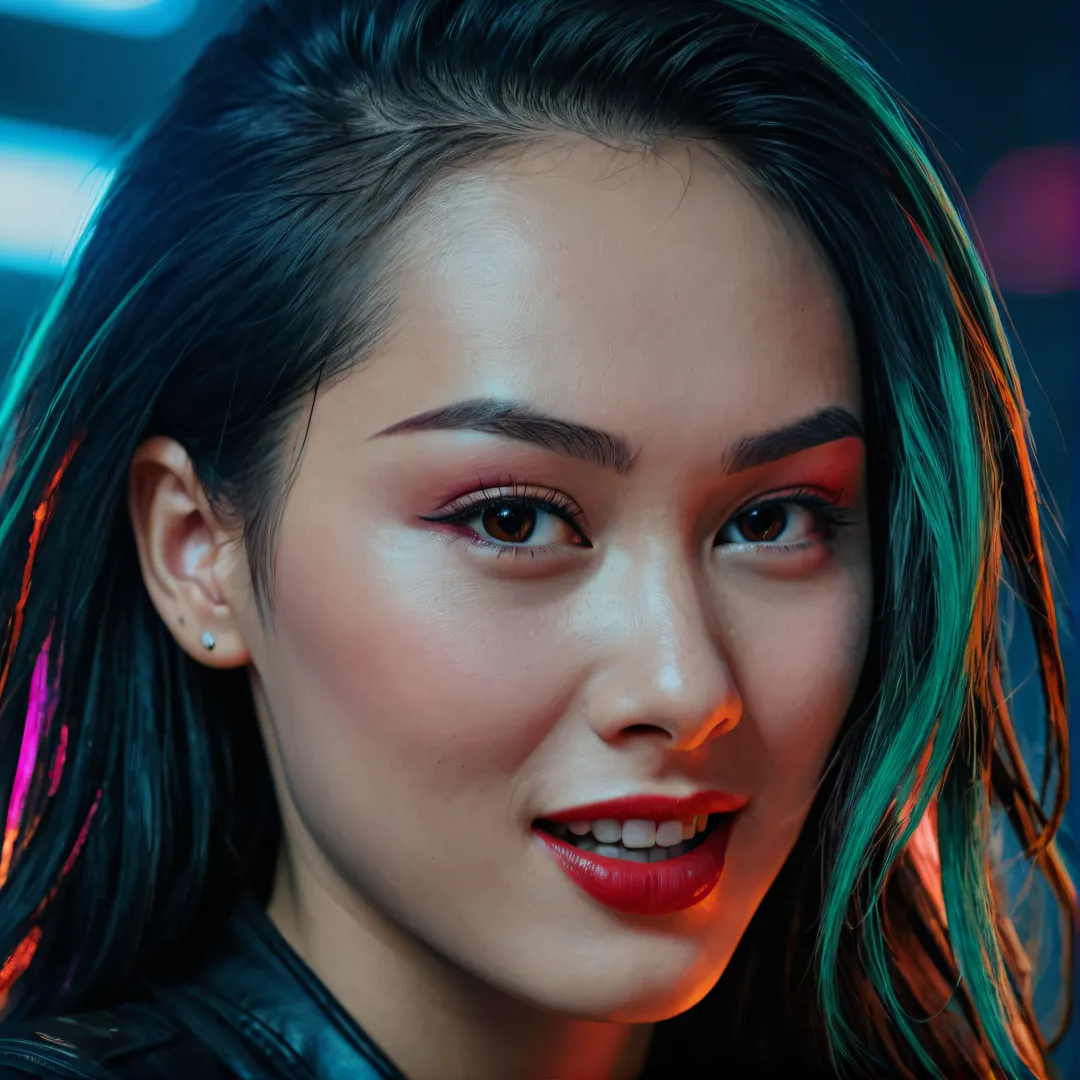
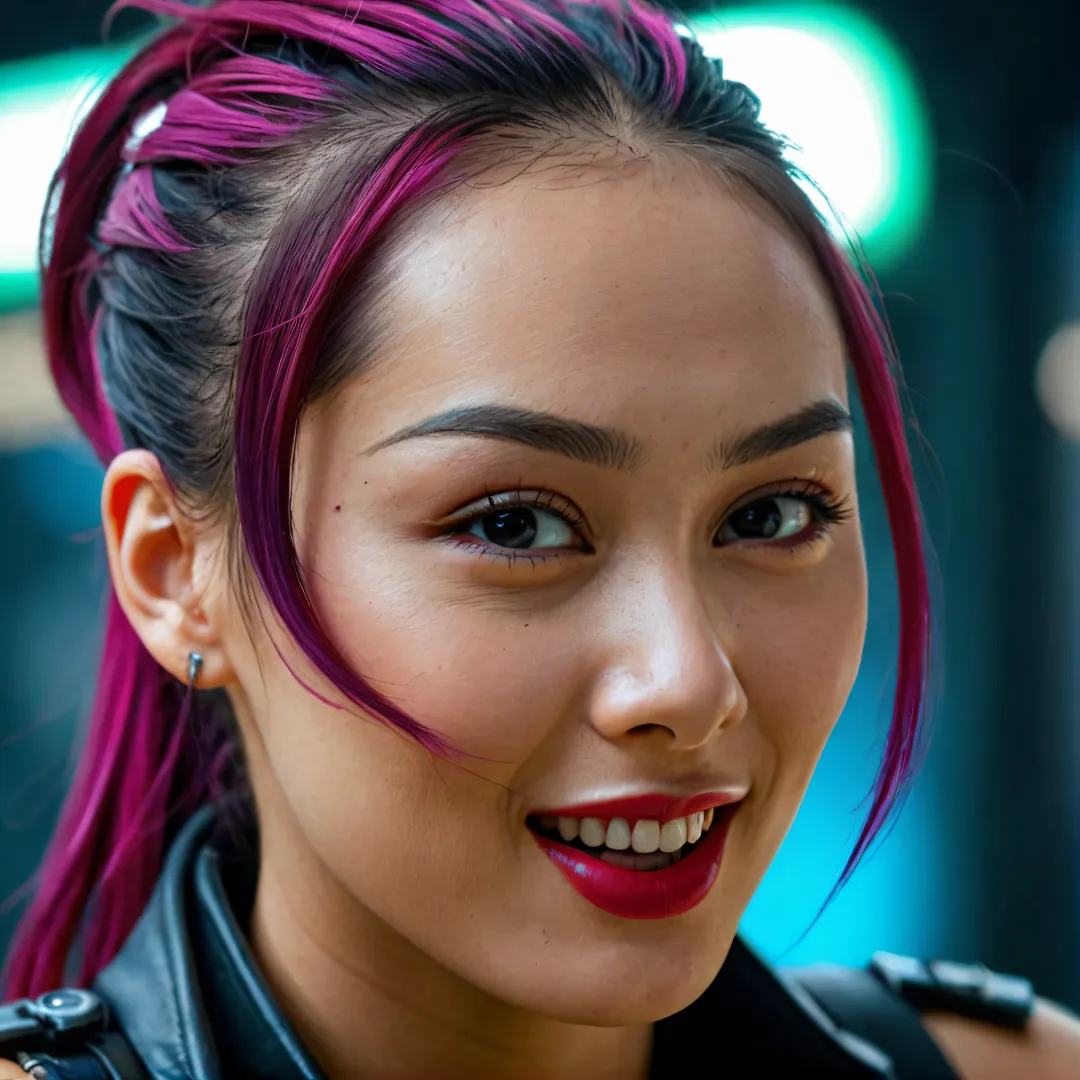
Prompt: high quality, masterpiece, rich details, natural photography, 8k, high – health quality,
Cyberpunk style,portrait of a woman,(happy laughing:1.15),
Prompt words: High quality, masterpiece, rich details, realistic photography, 8k, HD quality,
Cyberpunk style, portrait of a woman, (happy smile: 1.15),
3. Line art style
Prompt: high quality, masterpiece, rich details, natural photography, 8k, high – health quality,
line art style,portrait of a woman,(happy laughing:1.15),
Prompt words: High quality, masterpiece, rich details, realistic photography, 8k, HD quality,
Line art style, portrait of a woman, (happy smile: 1.15),
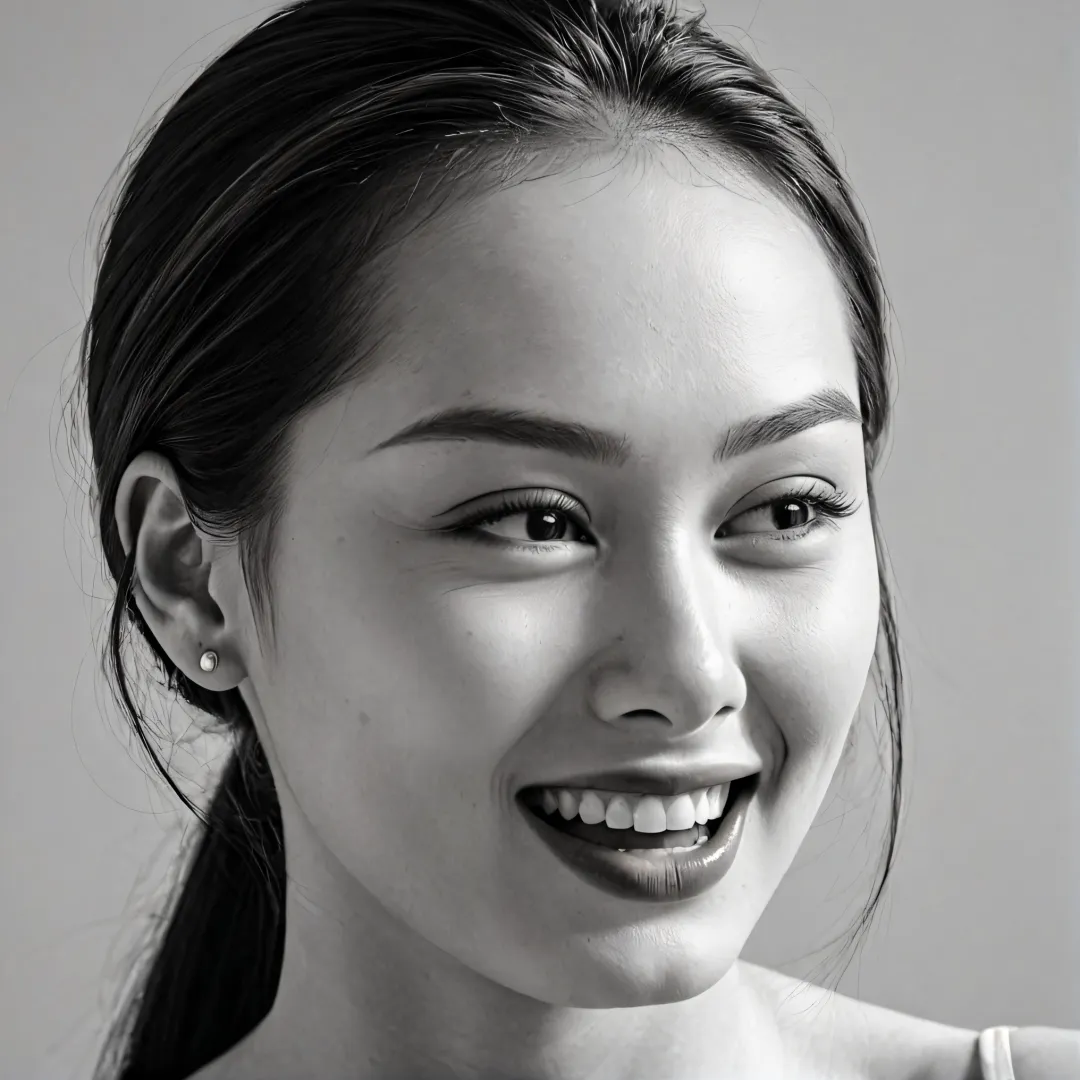
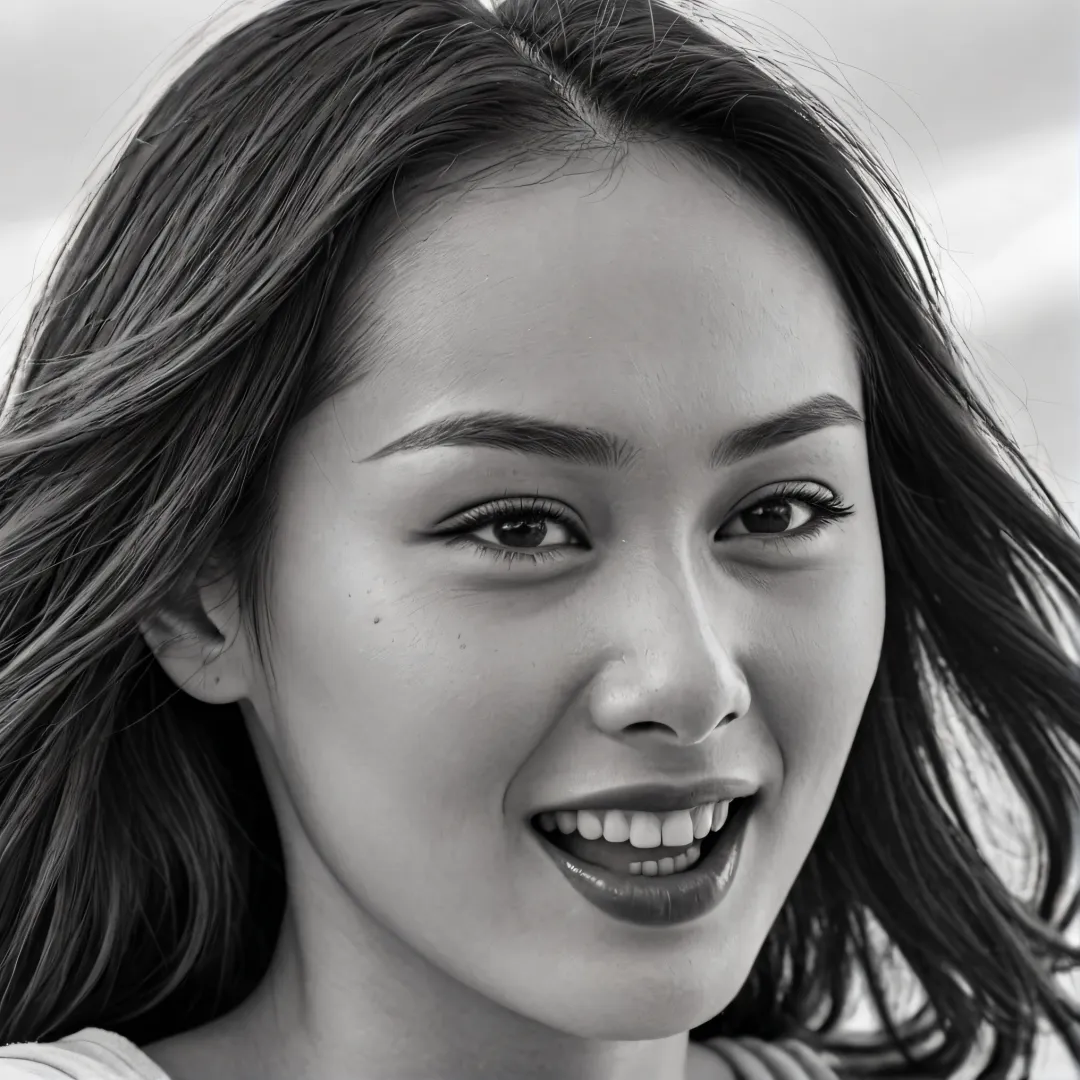
In the test example here, I changed the expression of the character in the original picture (smile). Overall, the Instant_ID plug-in is good at achieving face replacement and maintaining character consistency.
Okay, that’s all for today’s sharing. I hope that what I shared today will be helpful to you.