



Children's English VideoIt has been a very hot track, not only increase the powder quickly, the fans are precisely positioned, and it is relatively easy to realize the cash, such as: selling courses, learning materials and stationery.

The next step is to take your little ones to create an animal English word starter video.
ZeniumCreative Ideas
1. UseKimiGenerate English words for animals;
2. UseDream AIGenerate animal pictures;
3. UtilizationKeLing AIPicture to video;
4. UseClippingComposite video;
ZeniumTools required
Kimi: https://kimi.moonshot.cn/
i.e. Dream AI: https://jimeng.jianying.com/
Koring AI: https://klingai.kuaishou.com/
Cutscene (PC Pro)
Step 1: English words for animals
Open Kimi: https://kimi.moonshot.cn/
Enter the prompt word in the dialog box:
List the Chinese names and English spellings of 5 animals, output format: "Lion, Lion, Lion, Lion, Lion"
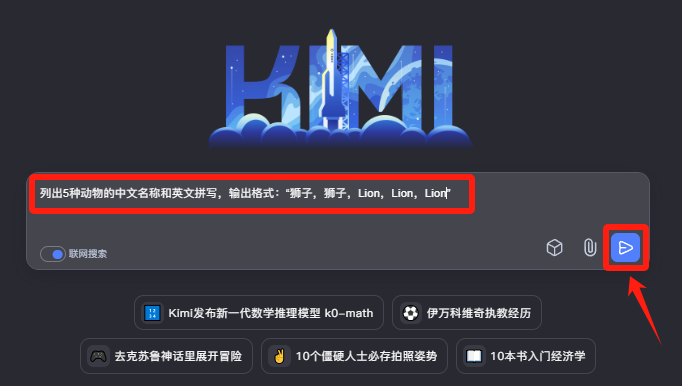
Here is the result of Kimi's output:
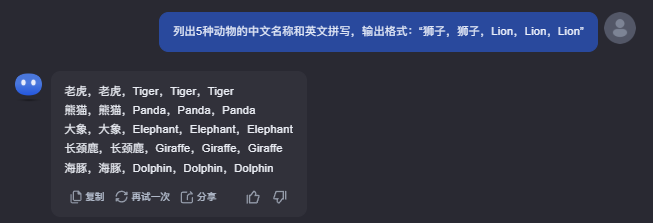
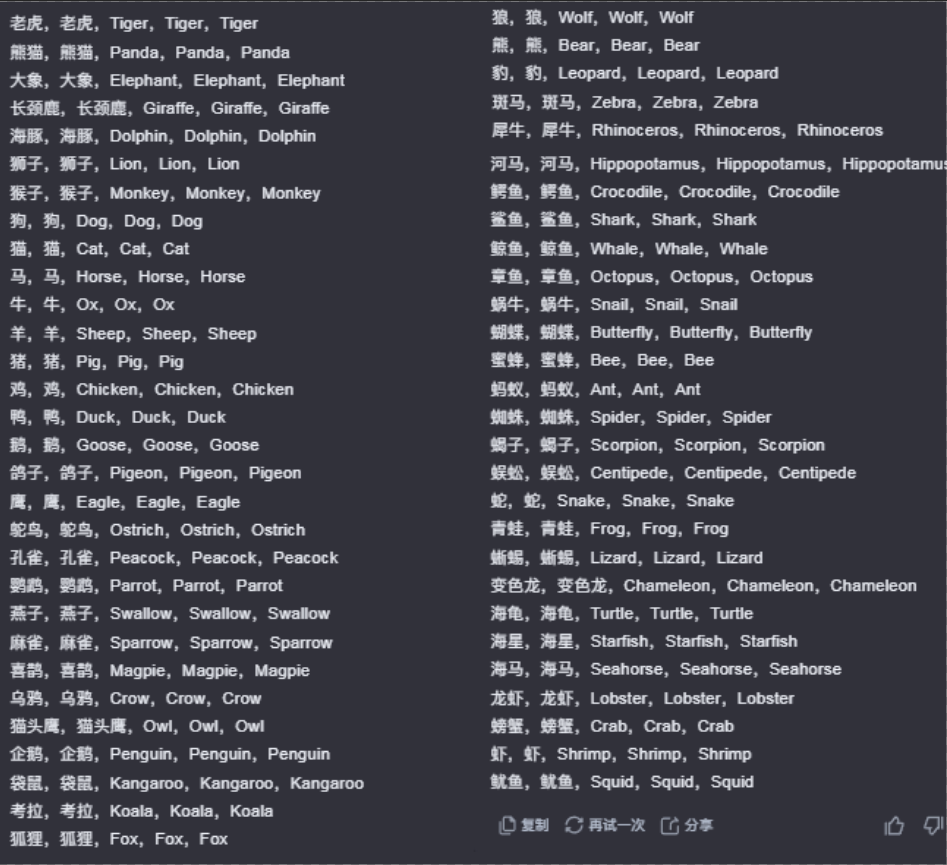
I'm doing a demo here to output only 5 animal words, guys can let Kimi generate 50 or even 100 at one time, so you don't have to repeat this step when you need to use it later.
Step 2: Generate animal pictures
Open Instant Dream AI: https://jimeng.jianying.com/ai-tool/home
Use Jitterbug Swipe or cell phone verification to log in and select[Image Generation]
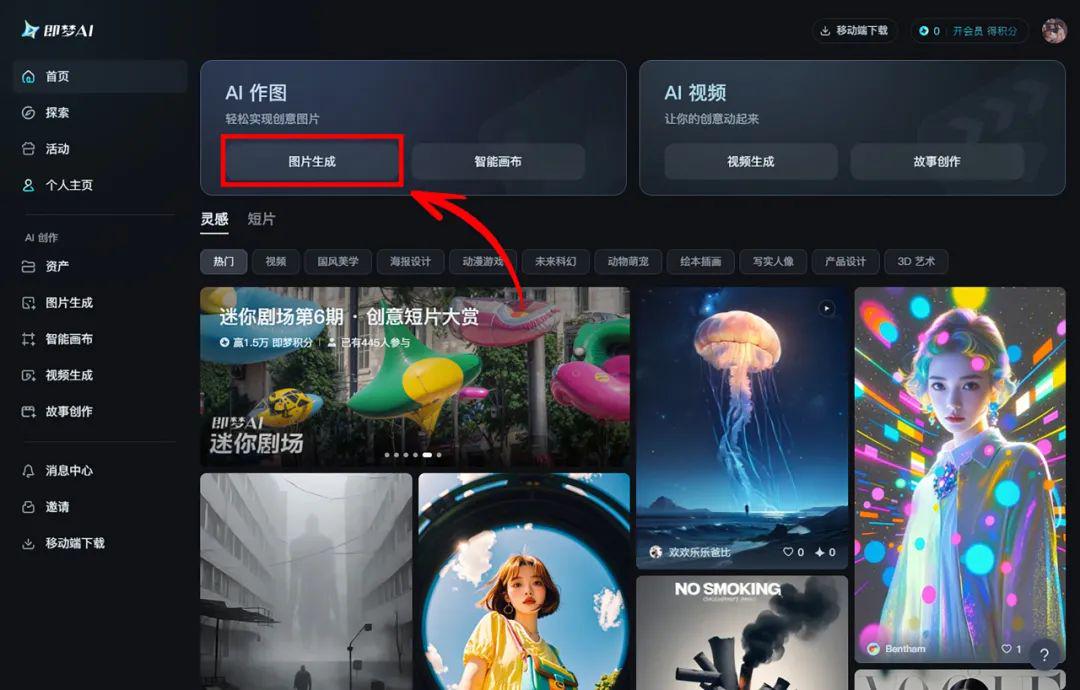
Enter the following prompt words into the Descriptor box.
Lion, Disney style, 3D, surrealistic modeling, rich details, animated movie, fine gloss, soft lighting.
PS: Just replace the red-marked part of the above cue word with another animal.
Raw graph modeling:Image 2.0 Pro.Fineness:10.Picture scale:3:4.Image Size:1020:1360, click[Generate Now]
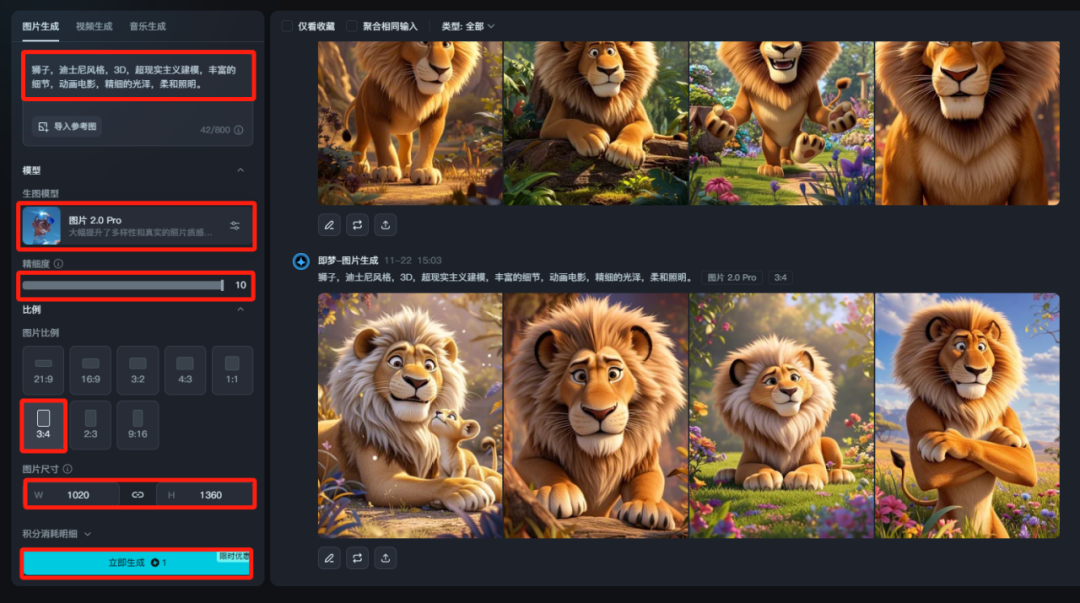
After the birth of the picture, click on the favorite picture to view a larger picture, if the generated picture is not satisfied with a few more times to generate, that is, the Dream AI daily free gift 66-100 points, 1 points can be generated 4 pictures, usually enough, not enough, then register a number.
Click if you have no problem.[Ultra HD]This step does not consume points for generating high-resolution images.
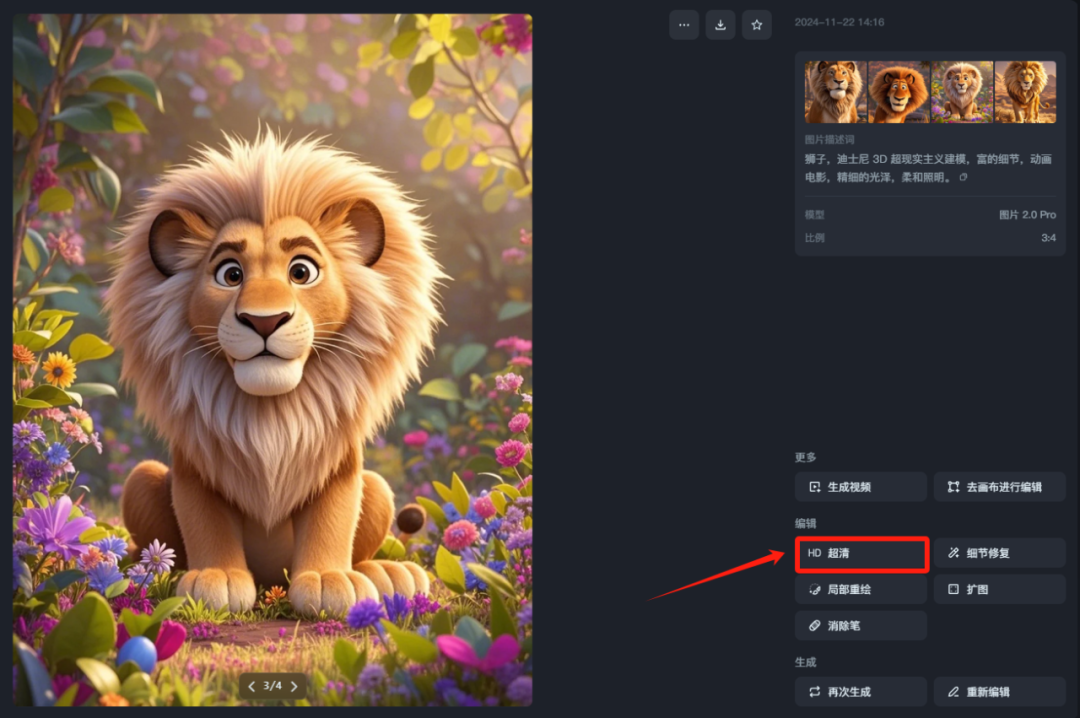
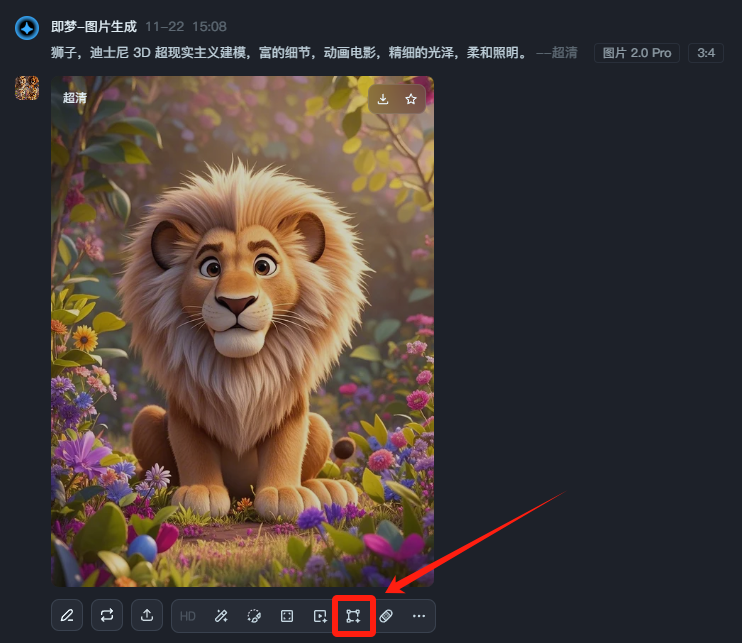
After the HD image is generated, move the mouse to the top of the image and the operation options will appear, click on the[Goes to canvas for editing]
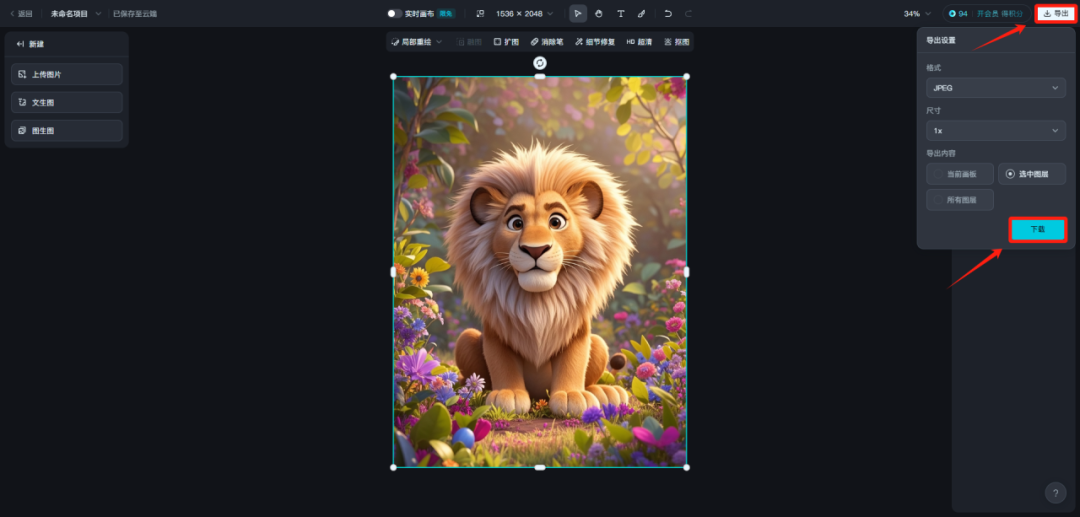
Once you are in the Smart Canvas, click directly on the top right corner of the[Export]- I'm sorry[Download, save the image locally so that the downloaded image will not have the watermark of i.e. Dream.
Generate other animal pictures by following the above instructions.
Step 3: Toussaint Video
Enter the official website of Kling AI: klingai.kuaishou.com
After logging in, click[AI Video]
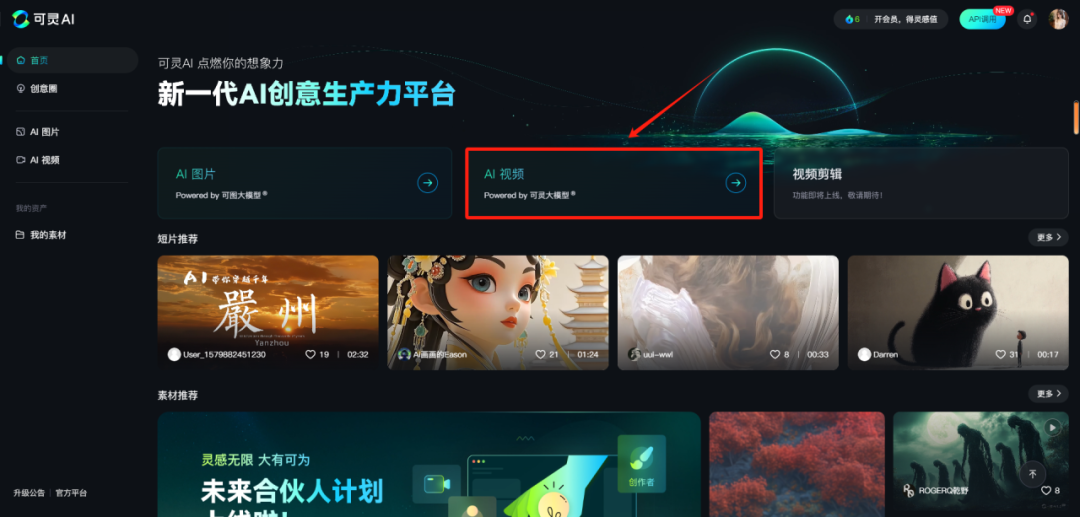
option[Toussaint Video], upload the animal pictures you saved in the previous step.
fill inCreative Descriptors:
Stable, 8K
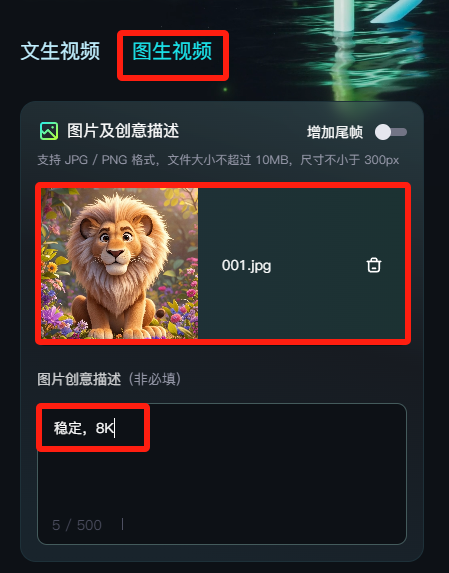
Generation mode:standards (non-members are limited to 5 high quality experiences per month).Generation length:5s.Number of Generations: 1 article
Negative Descriptors:
Animated, blurred, distorted, disfigured, low quality, collage, grainy, logo, abstract, illustration, computer generated, distorted.
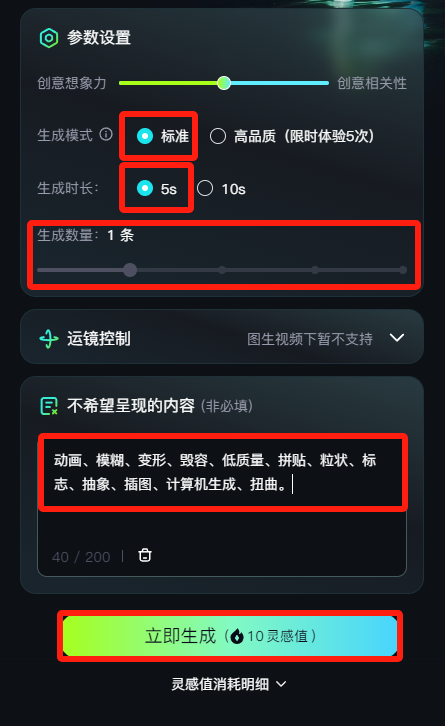
Set the parameters and click[Generate Now]
The generated video will then be displayed on the right side, if you are satisfied with the result, click below the video[DownloadJust save the icon locally.
Step 5: Video editing
Import the video generated from the previous image inside the cutout and drag it into the timeline.
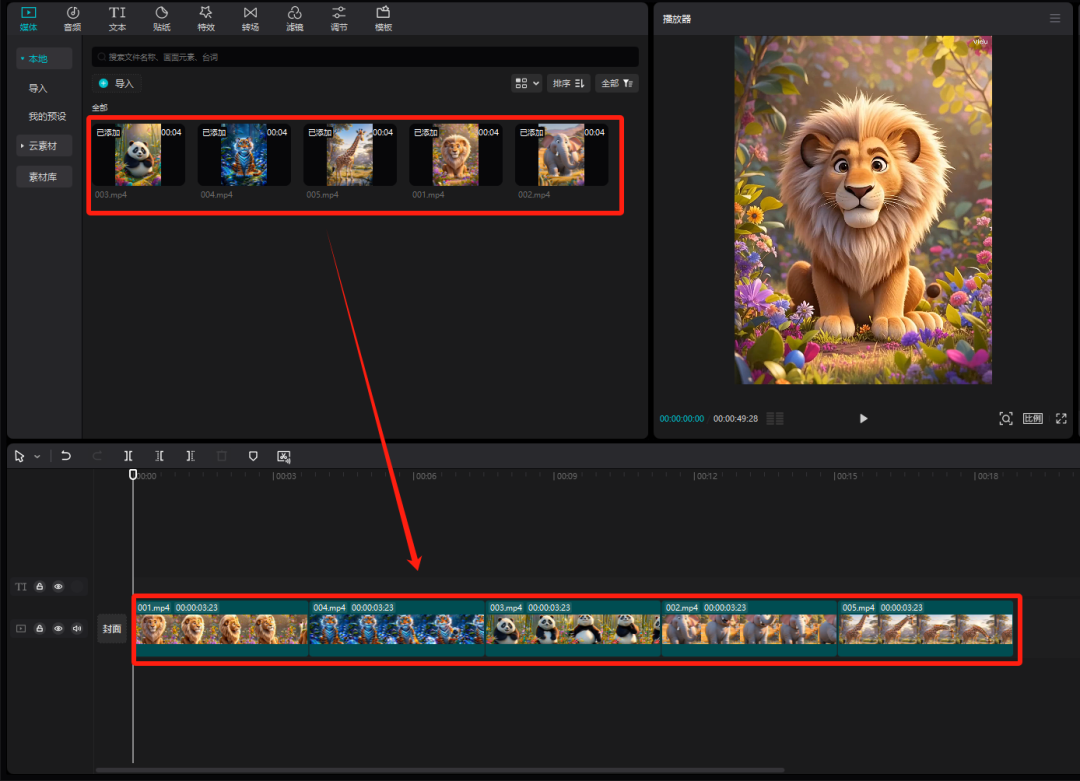
Click on the upper left corner[Text]Selection[New Text]- I'm sorry[Default].Move the mouse over the[Default text]The Add icon will be displayed at the top, click[+]In the text box on the right, enter the Chinese name and word for the animal Kimi gave us in step one.
Lion. Lion. Lion. Lion.
Tiger, Tiger, Tiger, Tiger.
Panda, Panda, Panda, Panda, Panda
Elephant. Elephant. Elephant.
Giraffe. Giraffe. Giraffe.
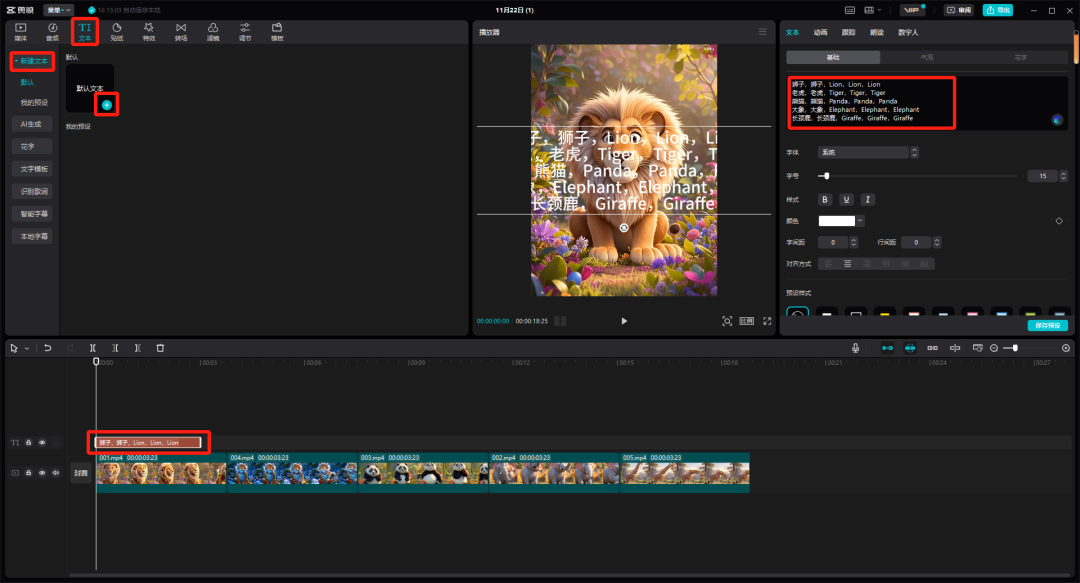
Next you need to convert text to speech, select the text and click on the[reading aloud]To select a suitable tone, click on the[Begins reading aloud]
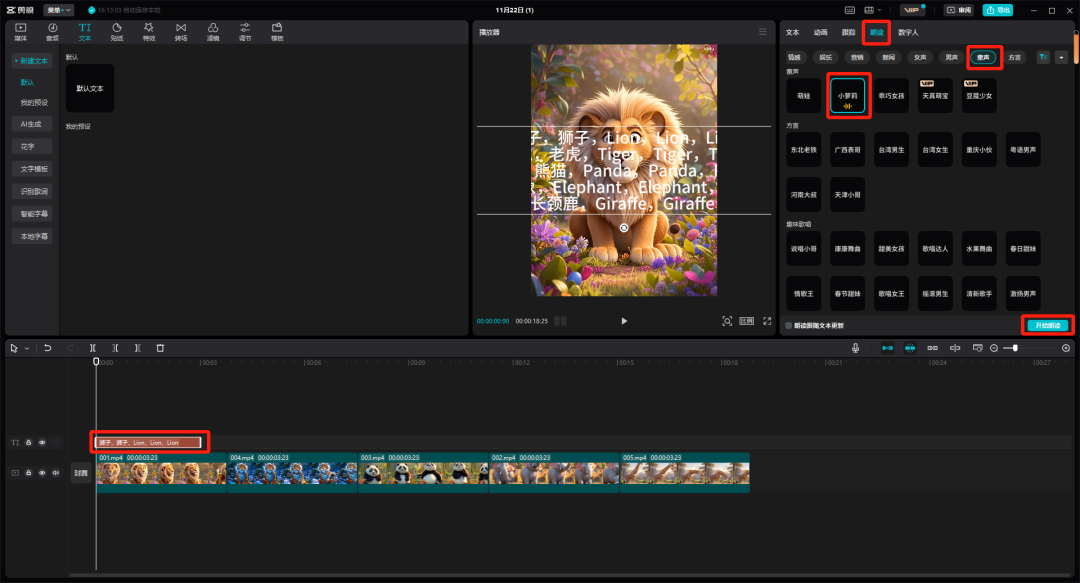
A successful conversion will result in a new piece of audio on the track.

Click on the "small eye" in front of the track where the text is located to hide the text.

Select the audio, right mouse button, and choose[Recognizing Lyrics/Subtitles]
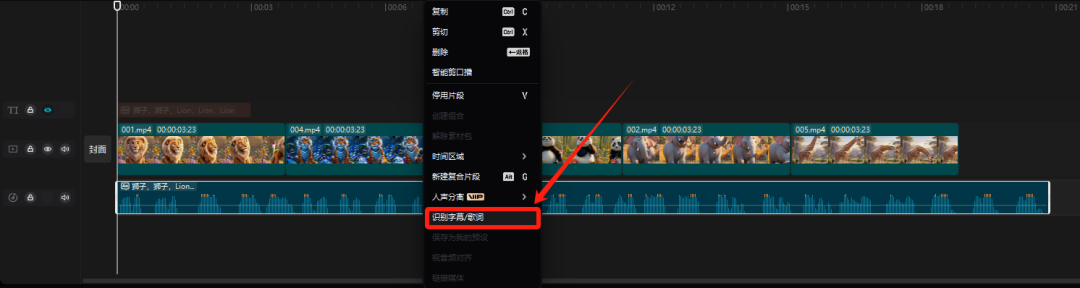
This gives you the subtitles for the video, adjust the font, font size, color, style, and position of the subtitles, and finally synchronize the subtitles, the video, and the song so that they correspond to each other.
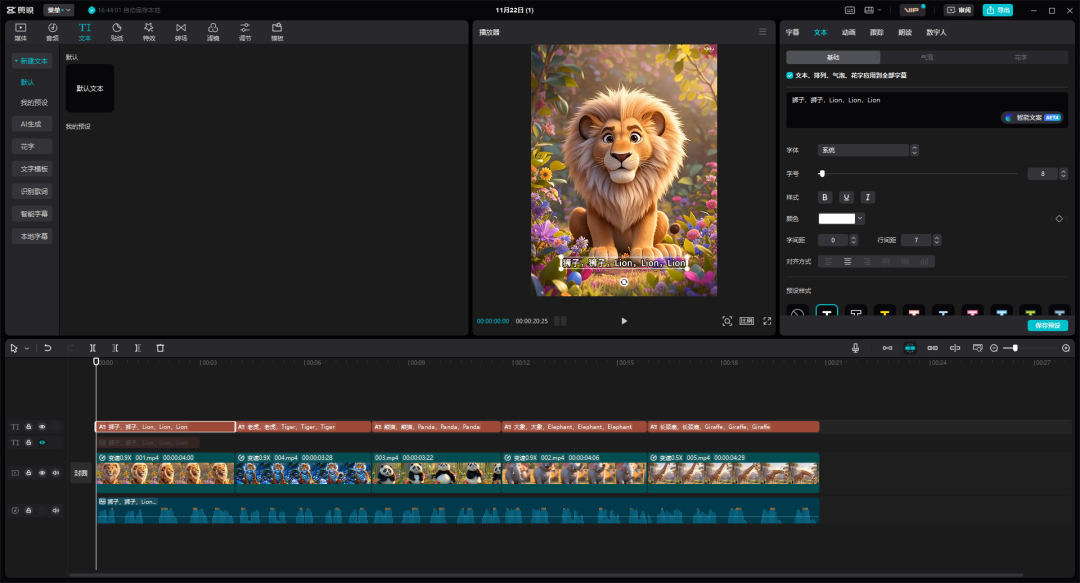
The video is now complete, next just click on the upper right corner of the[Export]That's it.