



In this section, we'll delve into the magical world of doodling and partial redrawing, learning how to change the color of an image, add a logo, and even fix blemishes on a picture through these techniques.
I. Graffiti: a new dimension in image editing
In graph-generated learning, we often encounter the need to precisely change the color or details of a certain part of an image. The Doodle function was created to allow us to make changes directly on the reference image, and then perform the graph-generated drawing function to achieve a regional change in color.
1. Role and parameters of graffiti
The Graffiti interface is similar to Tupelo, but it enables precise color replacement by directly modifying the pixels of the reference image. We can use the palette and brush tools to change the color of the image. Here are two important parameters in Graffiti:
- Brush size: Adjust the size of the brush for fine or large areas.
- palette: Selects the color of the brush, which can be specified precisely using RGB, HSL, or 16-bit HEX codes.
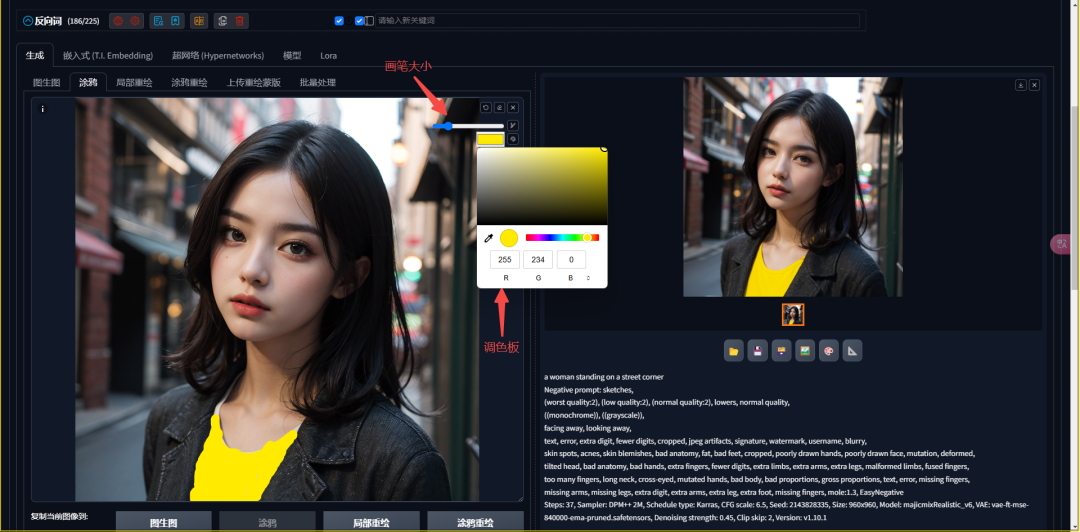
2, hands-on case: change the color of clothes and add Logo
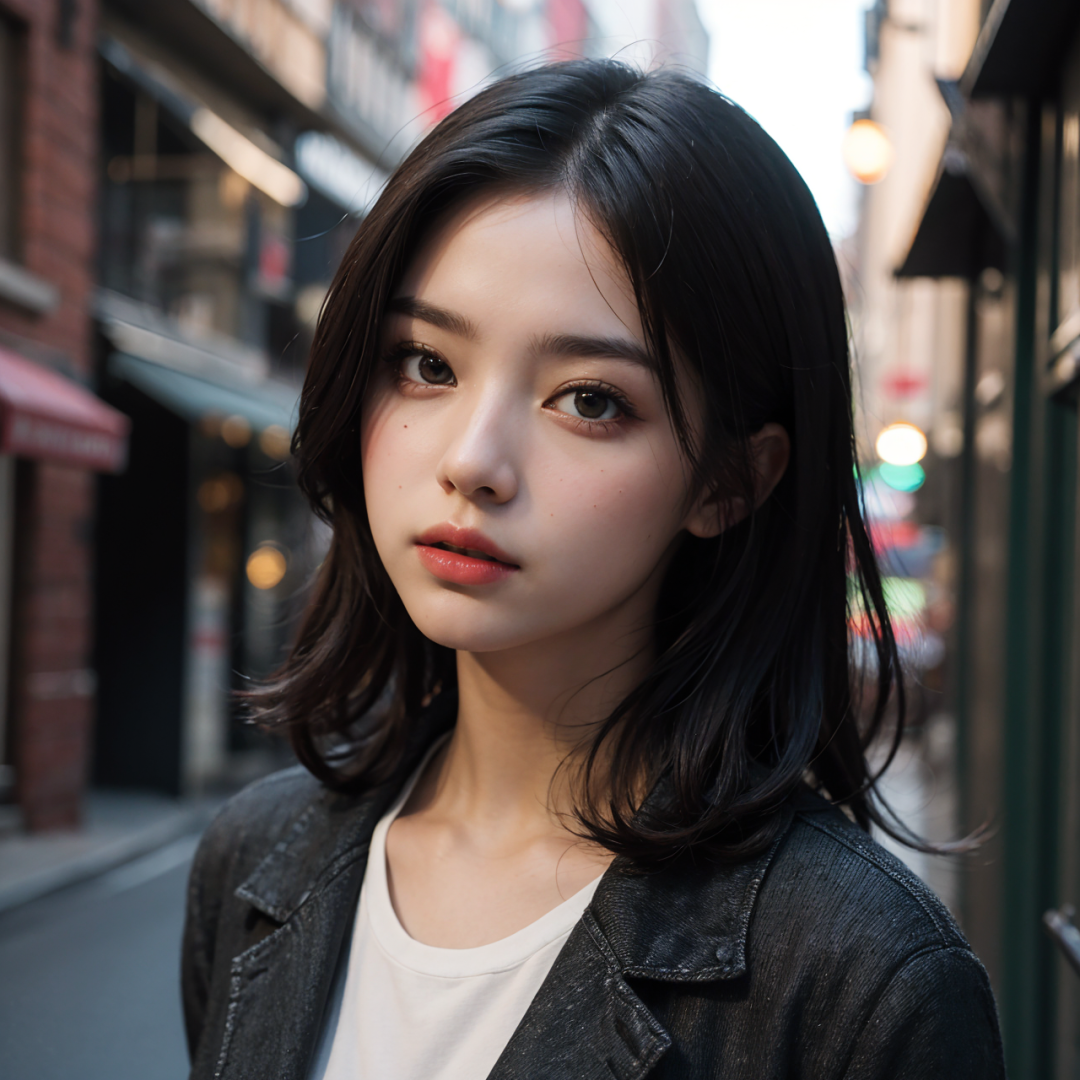
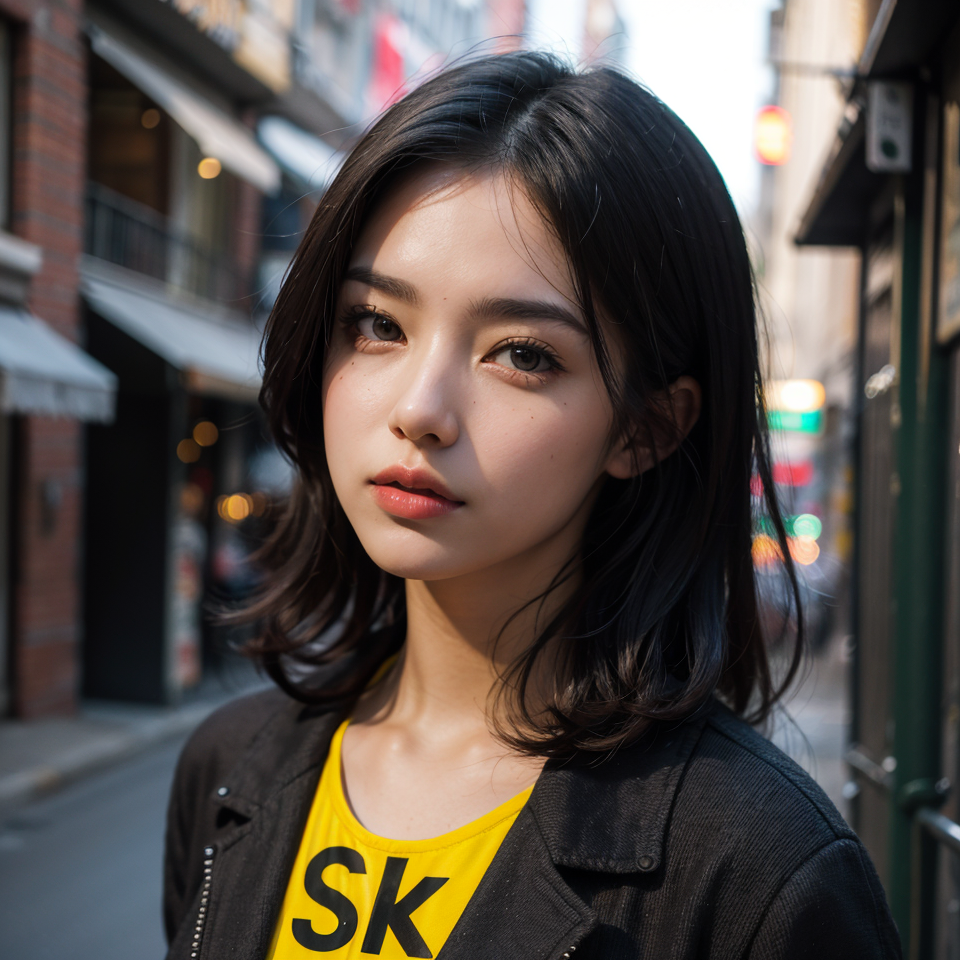
We will demonstrate how to use the graffiti feature with a case study. Let's say we need to change a beautiful woman's white dress to yellow, add the two letters SK logo to the dress, and change the color of the eaves. We can easily achieve this effect by painting the yellow color directly on the image and adding the SK letters in black (slightly gray), as well as painting the eaves.
II. Local redrawing: precise control of image generation
Local repainting isStable DiffusionIt allows us to redraw only a specified range of the image. This means that we can change one part of the image without affecting other areas.
1, the role and principle of local repainting
Local redrawing is similar in principle to Tupelo, but it lays down the noise only locally and denoises only locally, so it is possible to achieve other areas that are completely unchanged. By using a mask to cover the parts that need to be changed, we can tell Stable Diffusion to change only those areas.

2, hands-on case: local color replacement
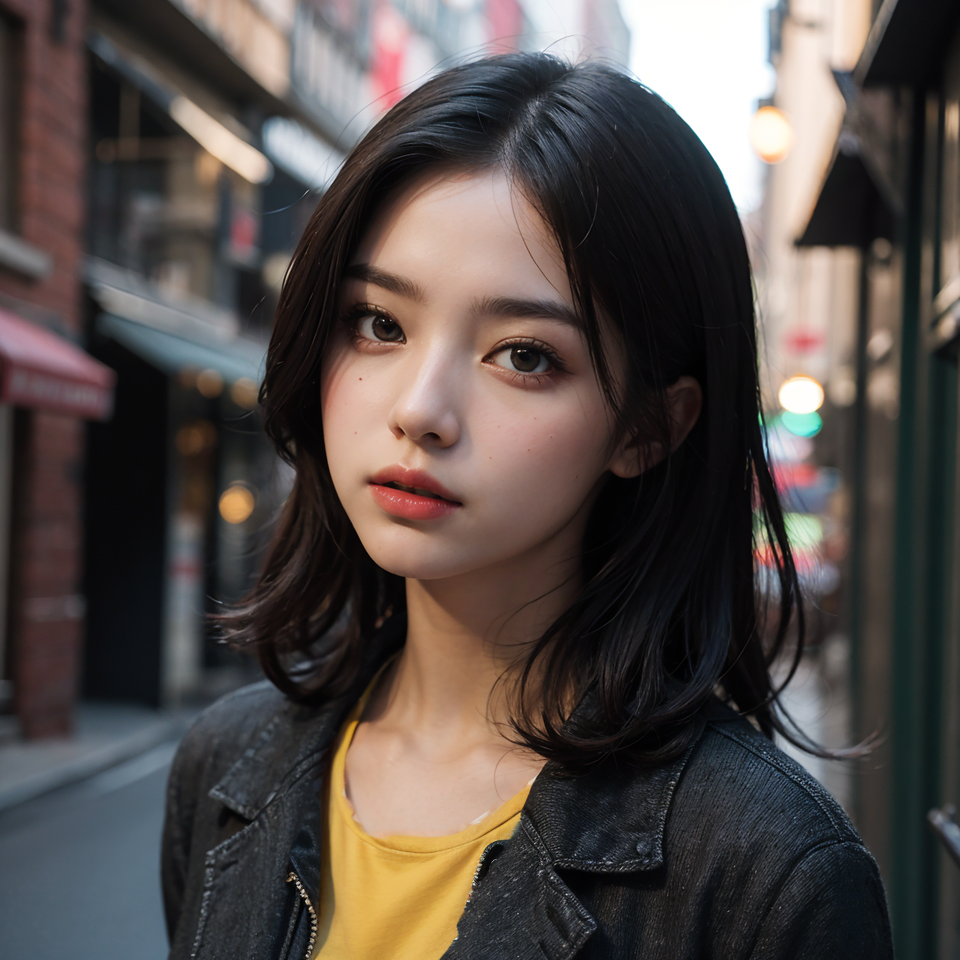
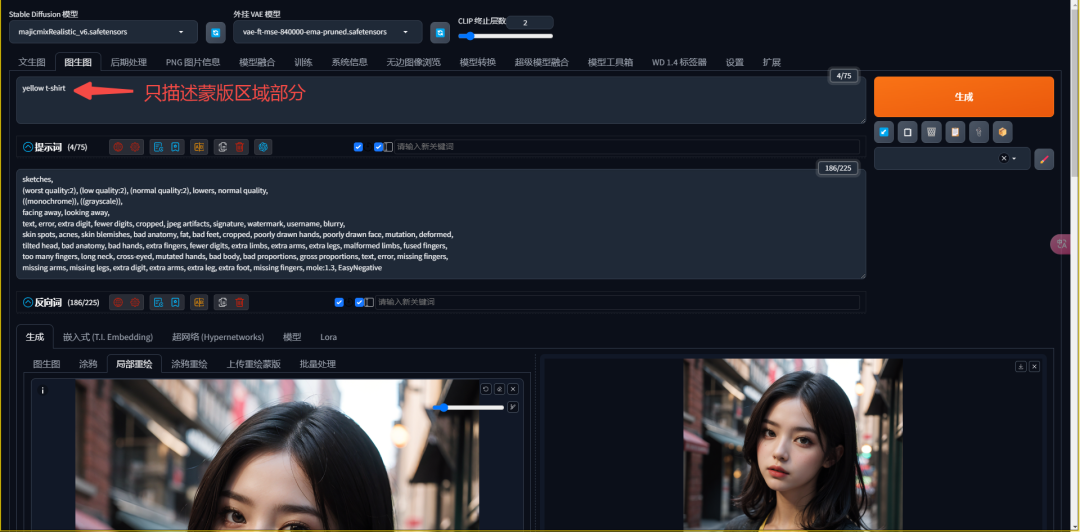
We will go through a case study to demonstrate how to use the local repaint feature. Suppose we need to change the white shirt of a beautiful woman to yellow without changing the background. We can easily achieve this effect by overlaying a mask on the shirt and specifying the color change in the front cue word.
3、Parameters of local redrawing
There are two particular parameters to be aware of in local redraw:
Prompt word: Only what is covered by the mask can be described, as only these parts generate changes.
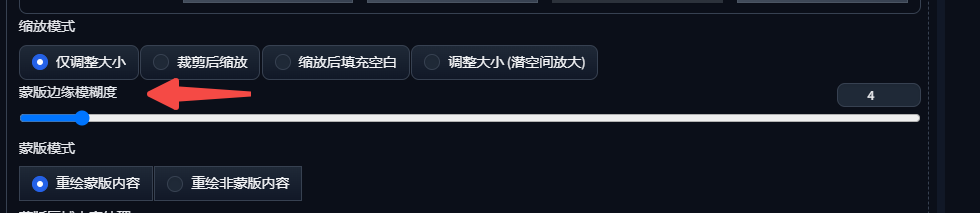
Mask Edge Blur: Determines how much the edges of the mask should be feathered to avoid generating an image with a pronounced sense of edge seams.

III. Summary
Through today's study, we have not only mastered the knowledge points related to doodling and partial redrawing, but also learned how to achieve accurate image editing through these techniques. These techniques will play an important role in our real projects and help us improve the quality of image generation.
I hope this article helped you unlock new skills in image editing and inspired your creativity. We'll see you in the next section!