


In this section, we will delve into the knowledge related to Graffiti Repaint and Upload Repaint Mask, and use AI Model Dressup as a case study to help you learn these points in a comprehensive way.
I. Graffiti repainting: functions and reasons for elimination
First, let's explore Graffiti Redraw. Graffiti Redraw is similar in parameters to Local Redraw, but with an additional setting for mask transparency.
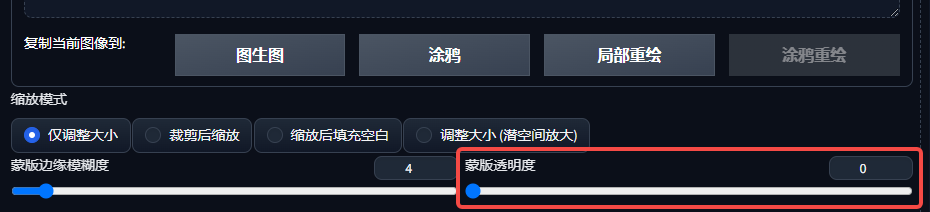
However, this feature has been eliminated in practice due to its inconvenient operation and functional ambivalence.
Graffiti Redraw is intended to combine the functionality of partial redraw and color change, but this combination leads to the problem of having to modify the color whenever a redraw is performed, making the functionality impractical. As a result, we usually perform color changes in PS or other plugins.
Case in point:


Second, upload the repaint mask: to solve the accuracy problem of local repainting
Next, we focus on uploading a repaint mask.
This feature is widely used in commercial orders, mainly to solve the problem of low accuracy and difficulty in drawing local redraw masks.
Traditional localized repainting requires manually applying a mask, which is not only laborious but also difficult to be precise.
Uploading a repaint mask allows us to specify the area of modification by uploading a black and white mask, greatly simplifying the operation.

Third, the actual case: AI model dress up
We will demonstrate how to apply an upload repaint mask with an example of an AI model dress up.
First, we need to create a black and white mask that will cover the part of the dress that needs to be replaced with white and the black part will be the non-modified area.
We then uploaded the original image and mask, adjusted the parameters, entered the cue words (long dress, sleeveless, off-shoulder) and generated a new image.


Fourth, the mask production method
Masking can be done in PS or Photopea (a built-in PS plug-in for SD).
Learn how to use the Quick Selection Tool (or Magnetic Lasso Tool) to key a selection, white out the selection and duplicate the new layer, create a new blacked out layer, and finally export the mask.
V. Notes and Restoration Process
During the AI model dressing process, we may encounter the problem that the edge pixels don't line up with the original image, resulting in small imperfections on the edges.
In order to solve this problem, we can put the generated image into the local repainting again to repair, adjust the mask mode to the original image, and control the repainting amplitude of about 0.5, in order to achieve a natural transition of the edge.

VI. Summary
In this section we have learned the reasons for the elimination of graffiti repainting and the detailed process of uploading a repainting mask, including the production method of the mask and the actual case of AI model dressing. These knowledge points are difficult, but through practice and repeated learning, I believe we can master and apply to the actual project.
Hopefully this article will help you better understand theStable DiffusionThe Doodle Redraw and Upload Redraw Mask functions and the flexibility to use them in real projects.