



The other day I posted a set in my circle of friendsPhotoMany of my friends wrote to me privately saying that the shoot was very nice, where was it done, and how much did a set cost?
Haha, I actually did it in AI! It's very simple too.
Today, I will share the method with you, learn it and you can make beautiful portrait photos too.
Regular readers of my posts know that I am a very real AI blogger haha, all tutorials are all poured out and not written half and left half.
Let's show you the finished picture first, and then give you the hands-on haha.

The Wolf Princess series. If I didn't tell you, would you think this was a portrait I took of myself?
Well, without further ado, on the practical exercises!
Tools used: i.e. Dream https://jimeng.jianying.com/
Here we need to use only one tool, that is, the almighty dream!
1, first of all, open the dream, select "Inspiration" section, find "realistic portrait" as follows
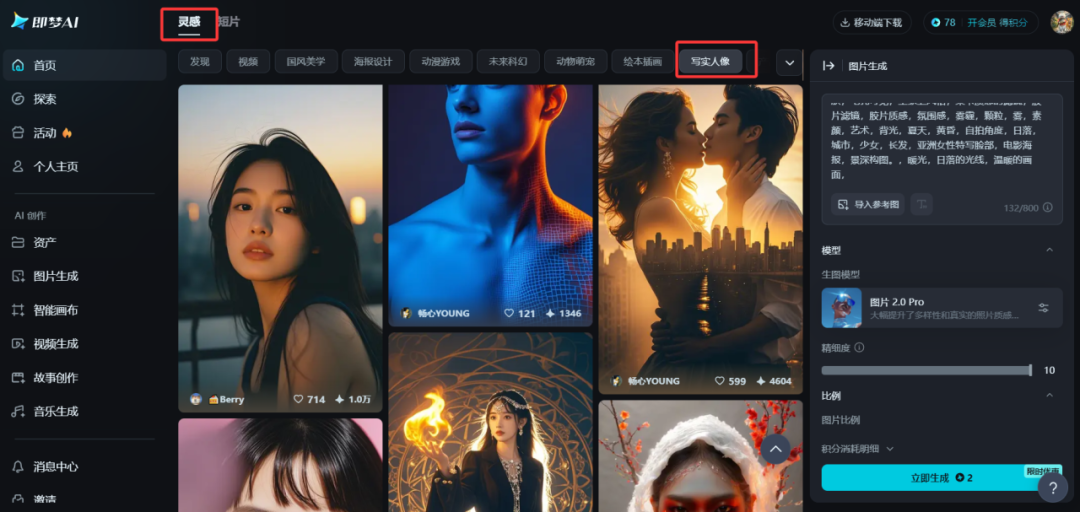
2, in this module will appear a lot of different styles of pictures, you can choose a style you like, and then click to do the same, the following chart:

3, here this step is the most critical, is to import your own photos as a reference picture, as shown below:
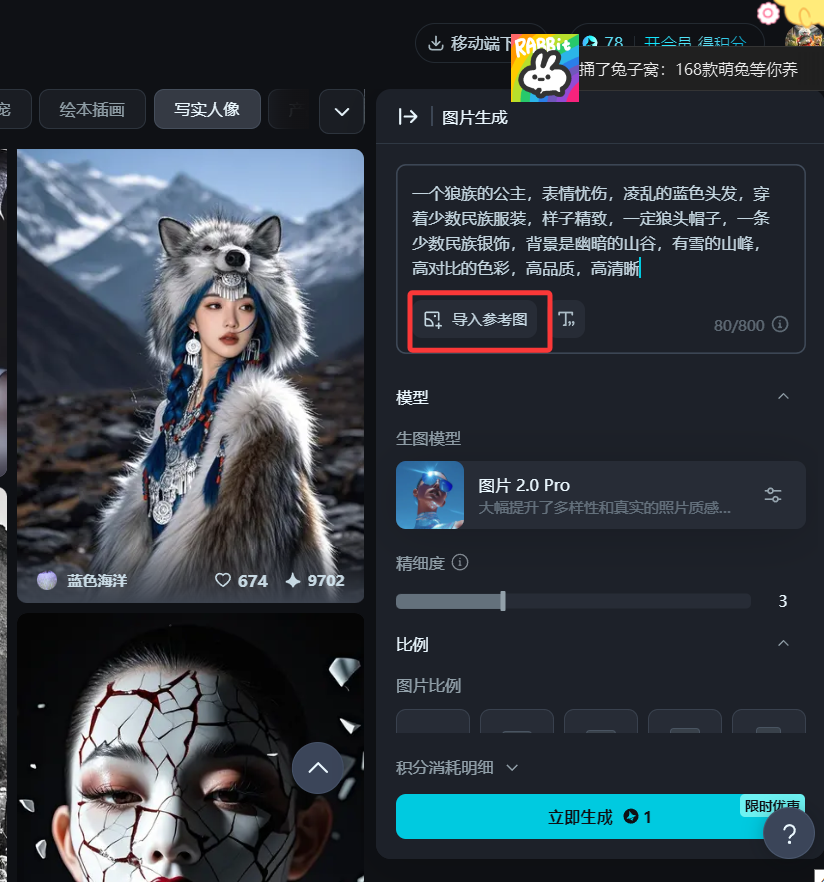
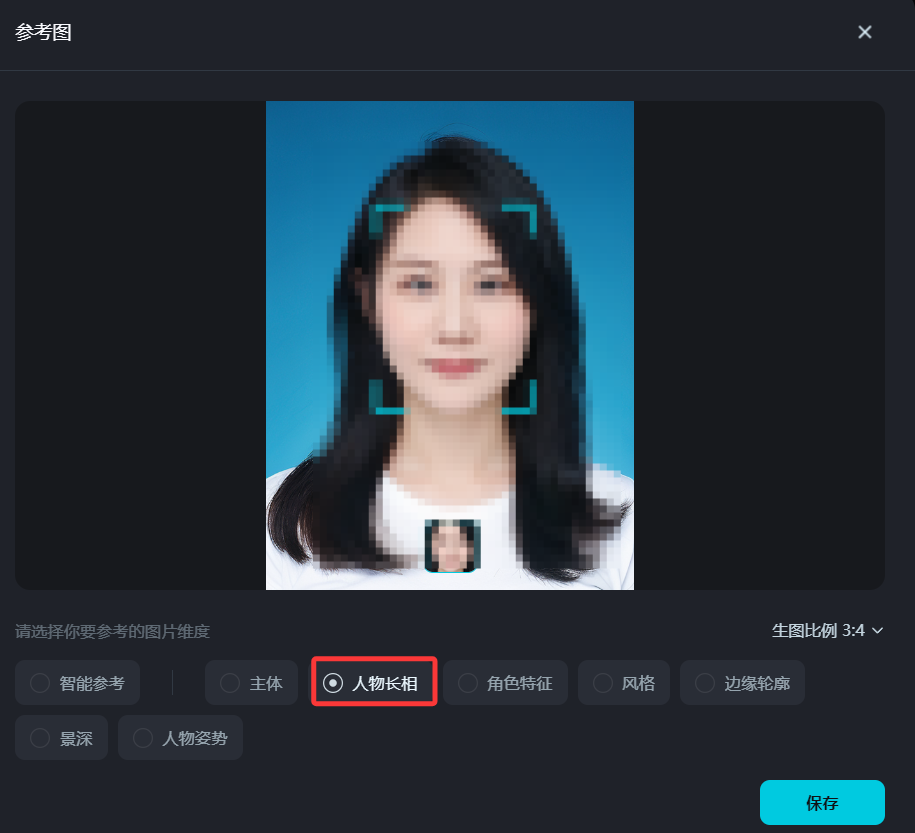
Be sure to choose the "Character Looks" section here as thePortrait PicturesThe reference, only choose this, out of the portrait is your own model of the portrait (here I mosaic my own photos)
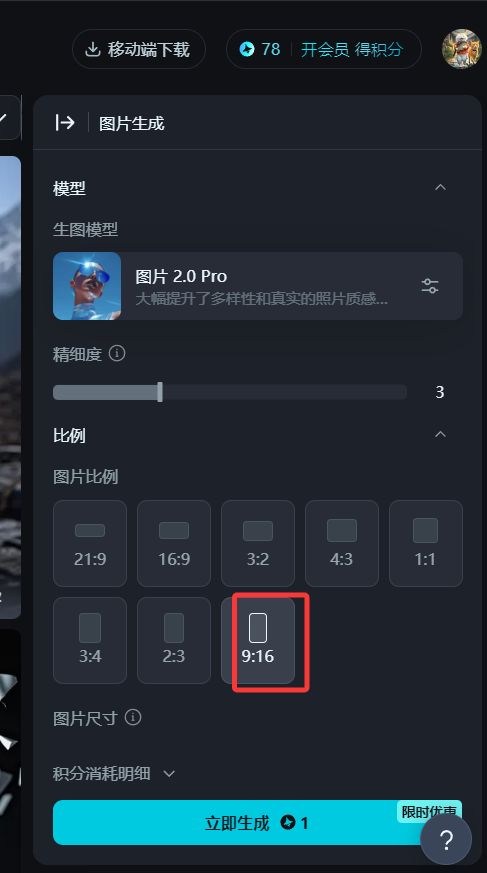
4, select the image ratio of 9:16, click "Generate Now" can generate a good-looking portrait picture, the following chart:
5, choose to save the picture, click on the "Ultra HD", as well as "go to the canvas for editing", and then you can save the picture without a watermark, as shown in the following chart:

So a set of beautiful portrait photos came out, is not it simple and good-looking, you can also choose other styles.
Isn't it very simple? Did you learn it?
After you learn this trick, you can go to a certain treasure, a certain fish, a certain book to open a store to customize portraits for cash it~