



We present Heygem's open source digital manFree and open source AI digitizer local deployment tutorials, never pay to clone virtual digitizers again!This time, we'll post another detailed tutorial on deploying open source Heygem on your own computer, and then use this tool to batch-generate theDigital Human Videos.
reasoning
To deploy this Heygem locally, we can refer to the tutorial in the project's readme.md document on github.
1. Install docker;
2. Pull the mirror file;
3. Install the client;
Below I will detail the process of deploying this Heygem digital person locally.
Installing docker
To install docker, you need to go through some of the following steps:
1. Environmental preparation
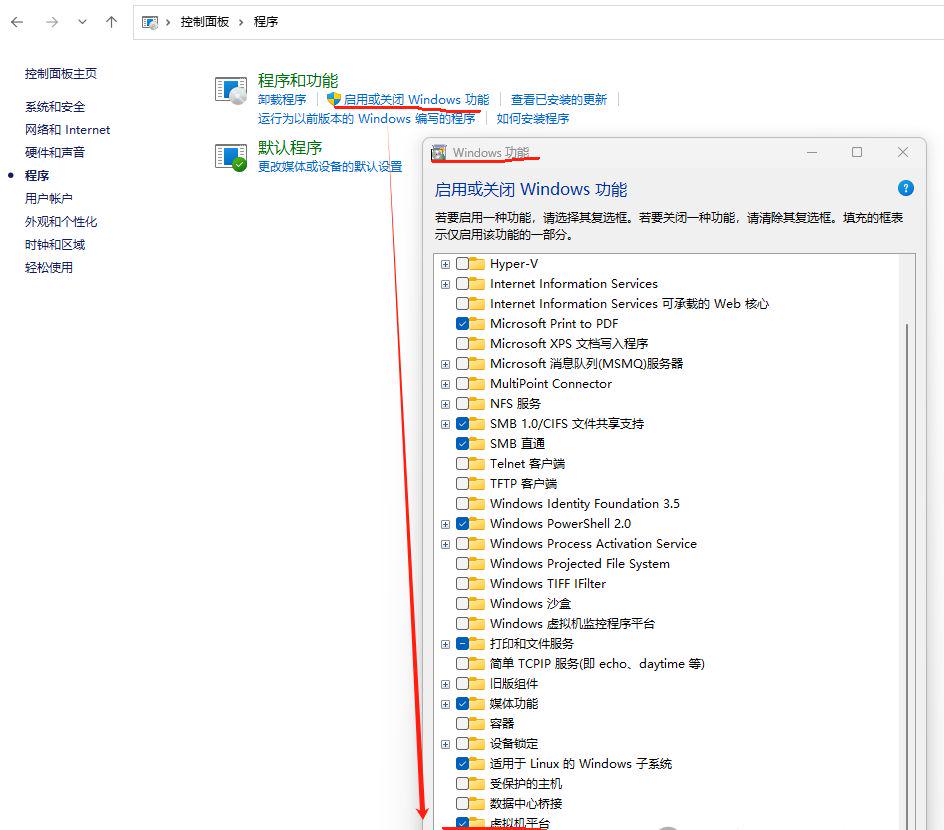
Check "Virtual Machine Platform": Control Panel->Programs and Features->Enable or Disable Windows Features->Windows Features
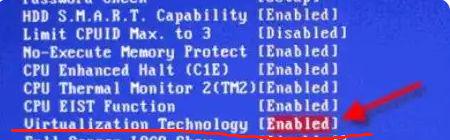
Another thing: you also need to look in the local bios to see if virtualization is supported, usually called Virtualization Technology (or Intel VT-x or something like that option)
Once turned on, the computer needs to be restarted and the computer checked to see if virtualization is turned on
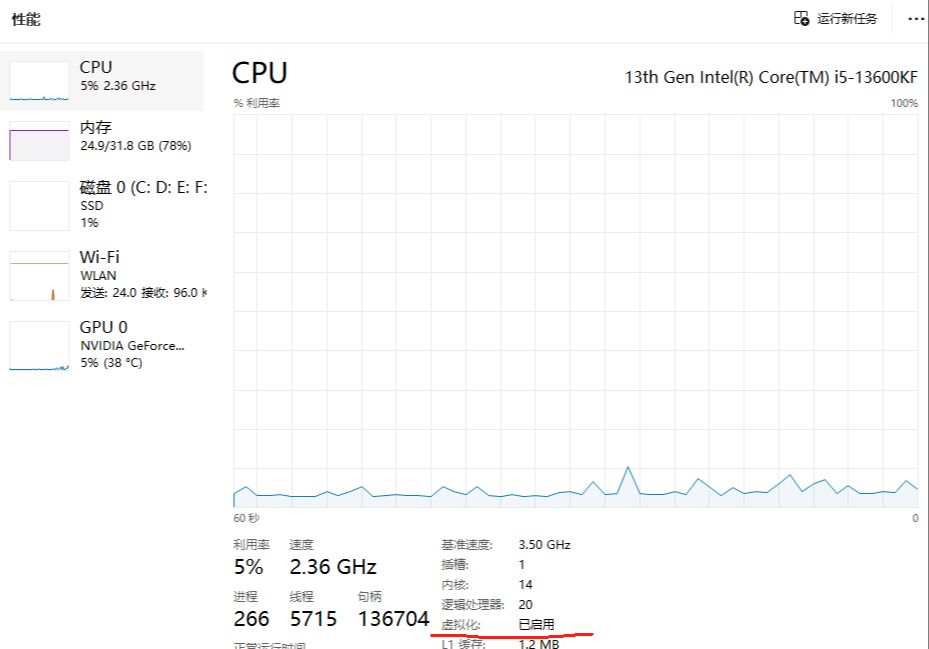
Note: Some computers may still not be able to turn on virtualization (that's the "Virtualization Platform" option in the control panel) after doing this, so there is only one last resort - reinstalling the system.
2. Hardware and software requirements
Operating system: windows 10 or above;
Recommended Configuration:
- CPU: 13th Gen Intel Core i5-13400F
- Memory: 32GB
- Graphics Card: RTX 4070
3.docker installation package
Official docker website: https://www.docker.com/
Visit the docker official website and download the installation package
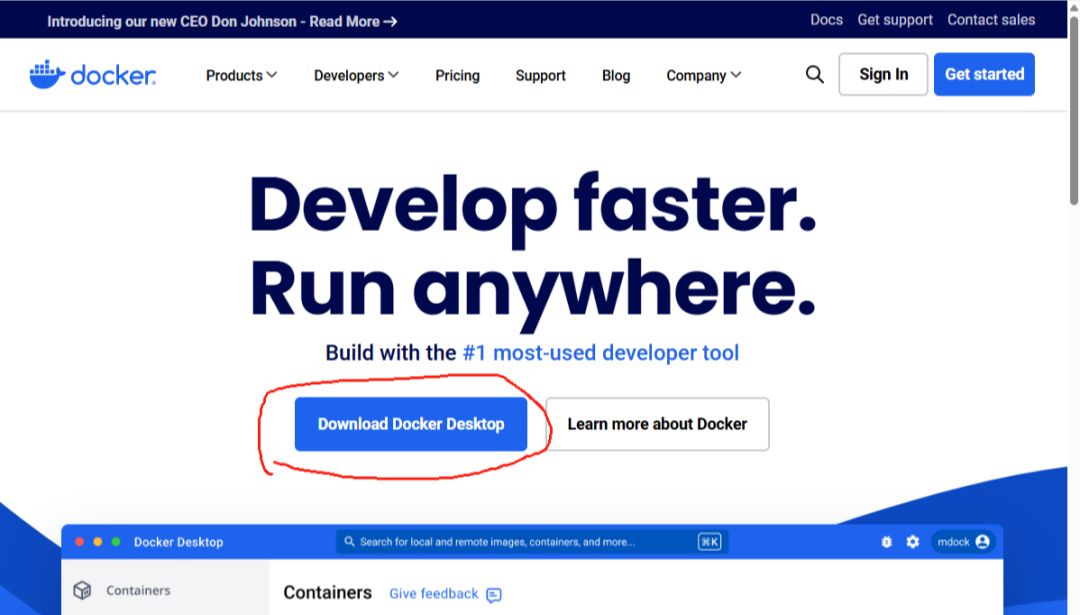
At the button "Download Docker Desktop" button will drop down a box where you can choose according to your computer type + CPU type!
Get the installer file: Docker-Desktop-Installer.exe
4. Installation
Using administrator privileges, double-click Install docker.
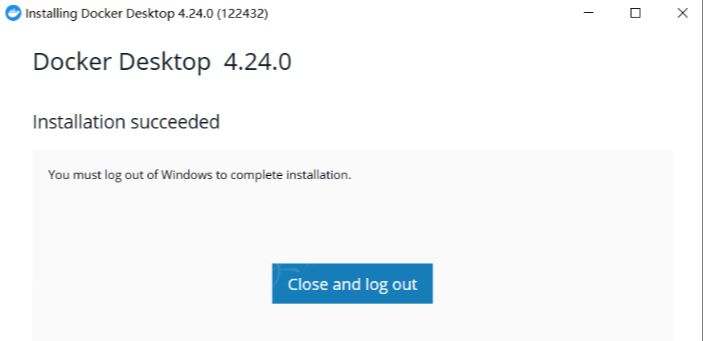
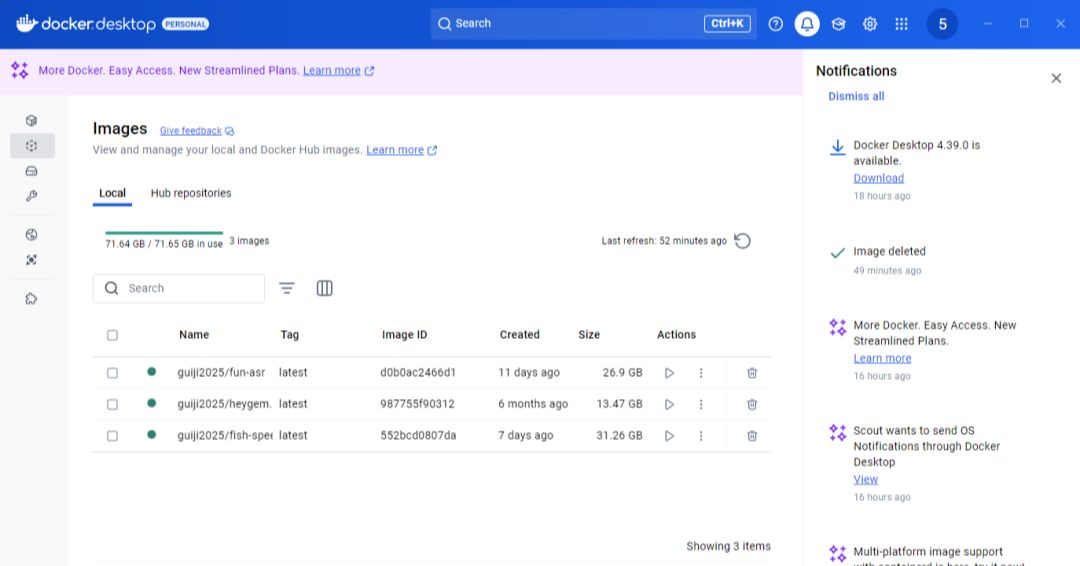
After the installation is complete, restart your computer, open docker-desktop need to log in, register a chrome account yourself.
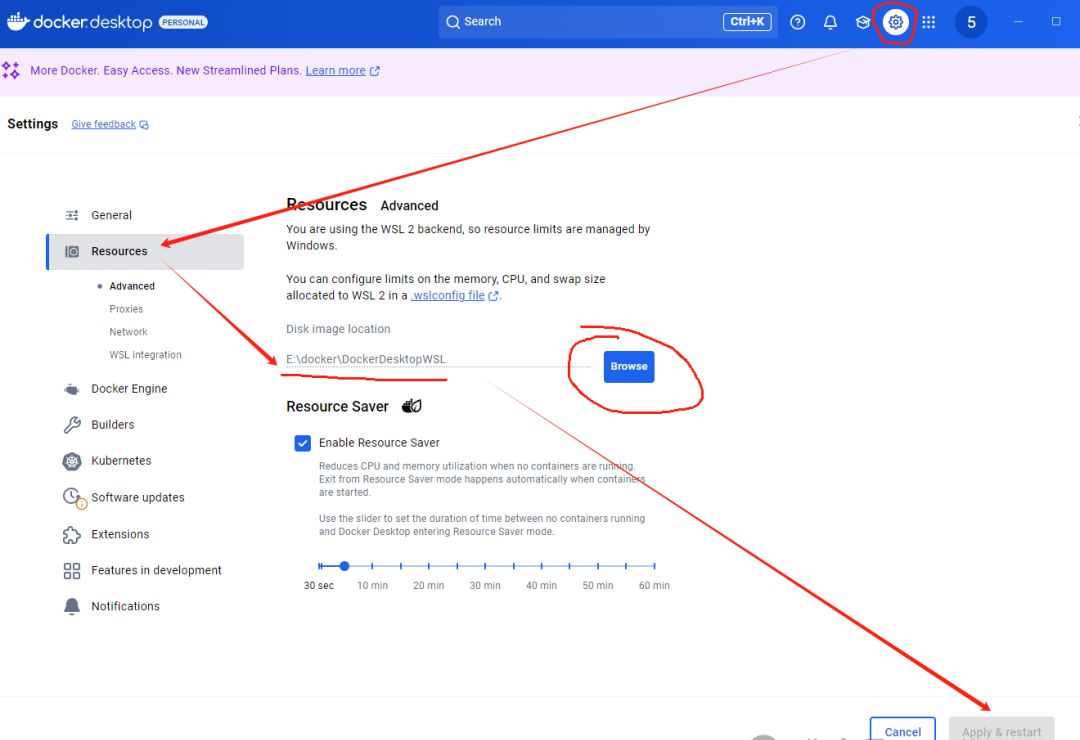
4. Settings
After the installation is complete, the default docker image files will be stored in the C disk, and generally C disk will not be too large (for example, generally about 200G, but Heygem image about 80G), so here you need to modify the image file storage path to the capacity of the other disk.
Pulling Mirrors
Pull image files need to be in the current open source project deploy directory to execute the command , then you need to first clone the project locally.
1. Cloning
We can clone the project using the command, or just download the zip archive
a.git clone
Execute the following command:
git clone https://github.com/GuijiAI/HeyGem.ai.git
Note: Using the above command to clone Heygem.ai then requires git to be installed locally.
b. Download the zip file
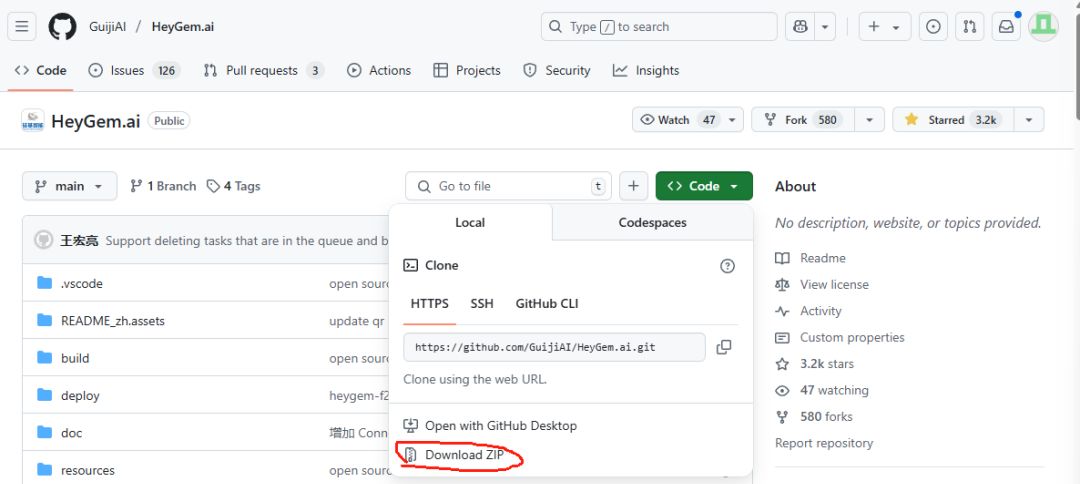
2. Pull the mirror image
You need to see the docker-compose.yml file under Heygem.ai/deploy before executing the command:
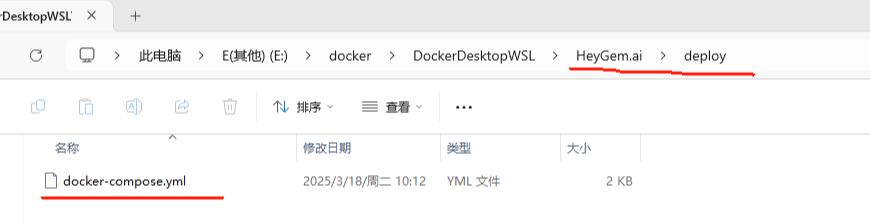
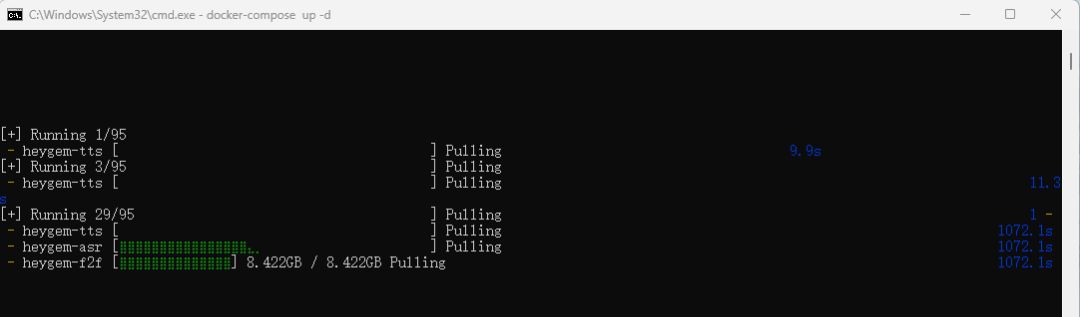
docker-compose up -d
At this point, we need to be patient, these files total about 82G, at this point it depends on the individual Internet speed.
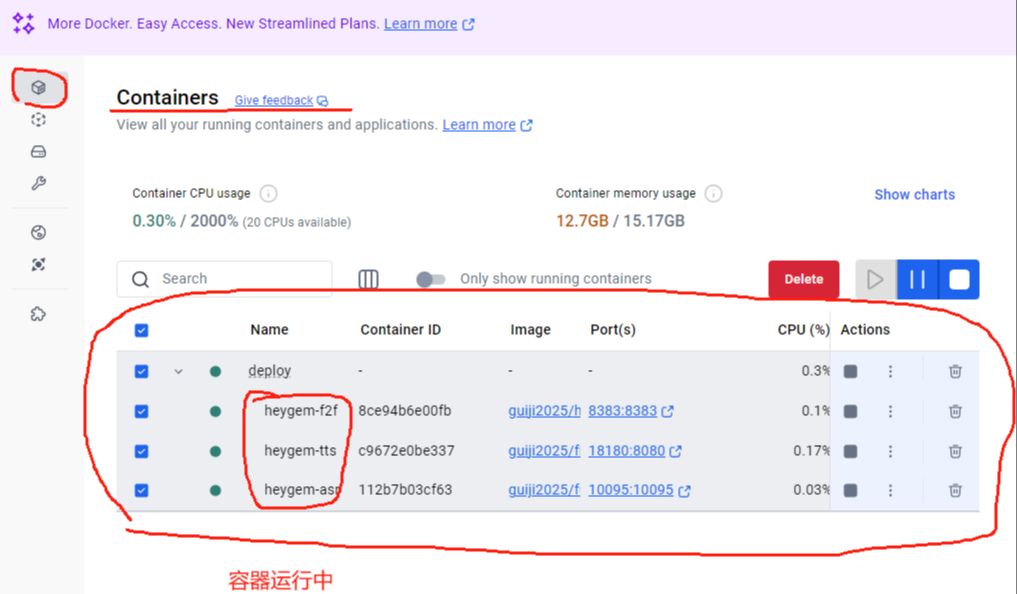
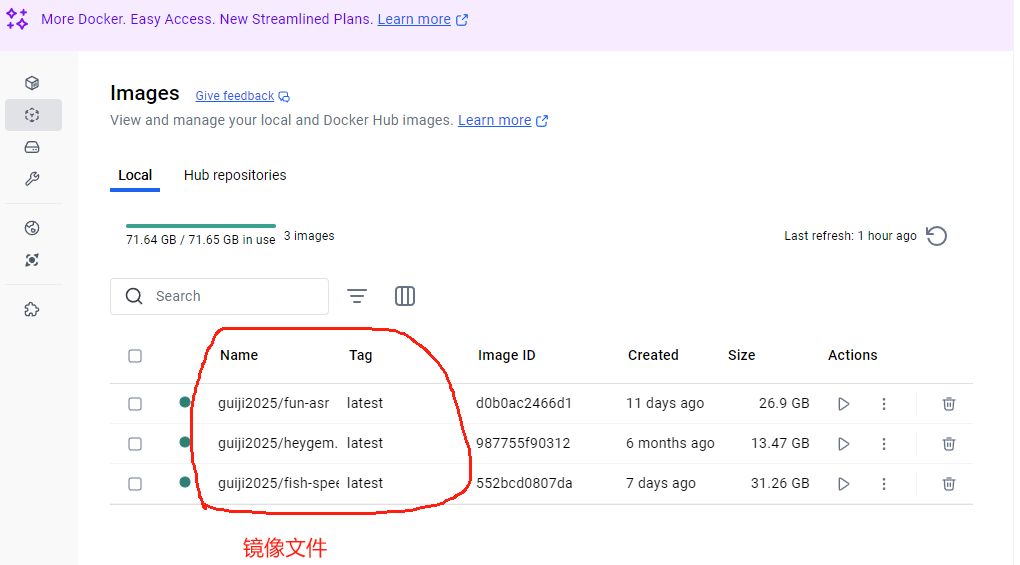
After downloading, we see the following container and image in docker
Client Installation
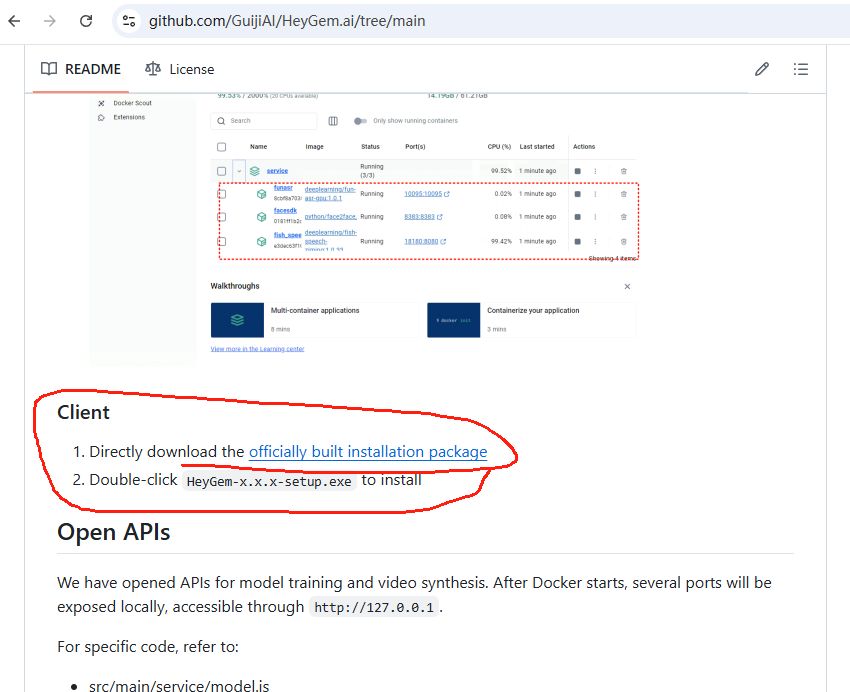
1. Download the client
Click the hyperlink in the red box to download the client installation package HeyGem-1.0.3-setup.exe
2. Installation
Just double-click and NEXT all the way down.
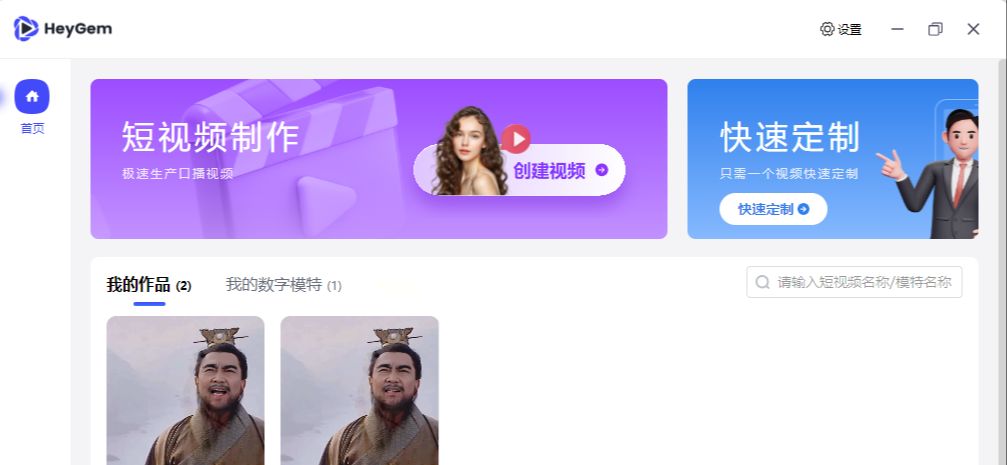
Experience
1. Enter the model
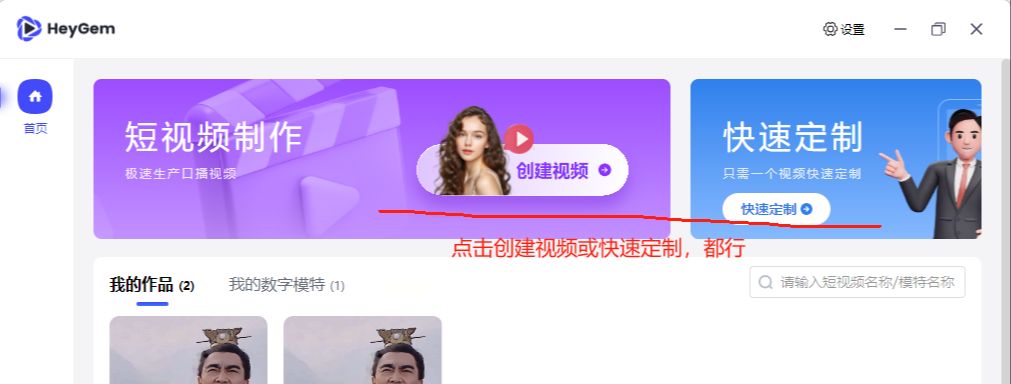
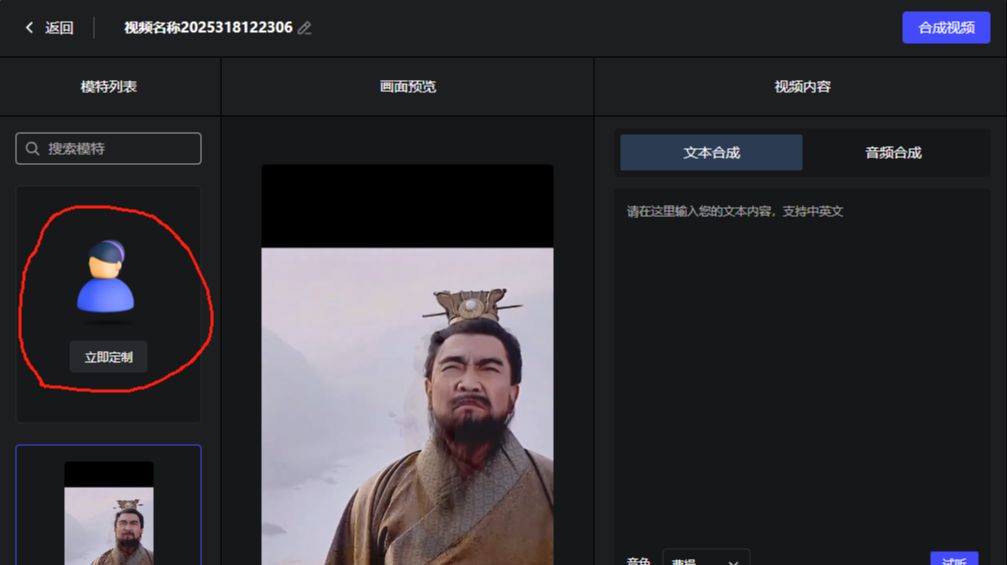
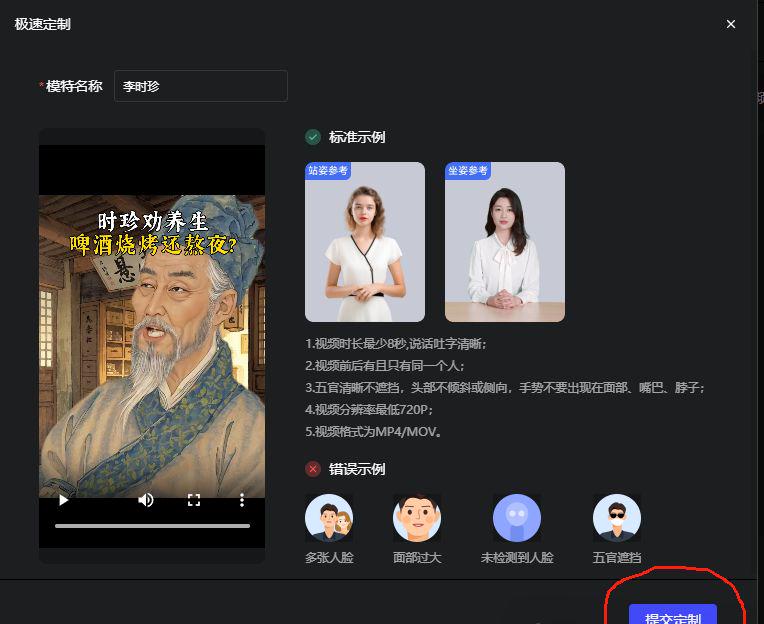
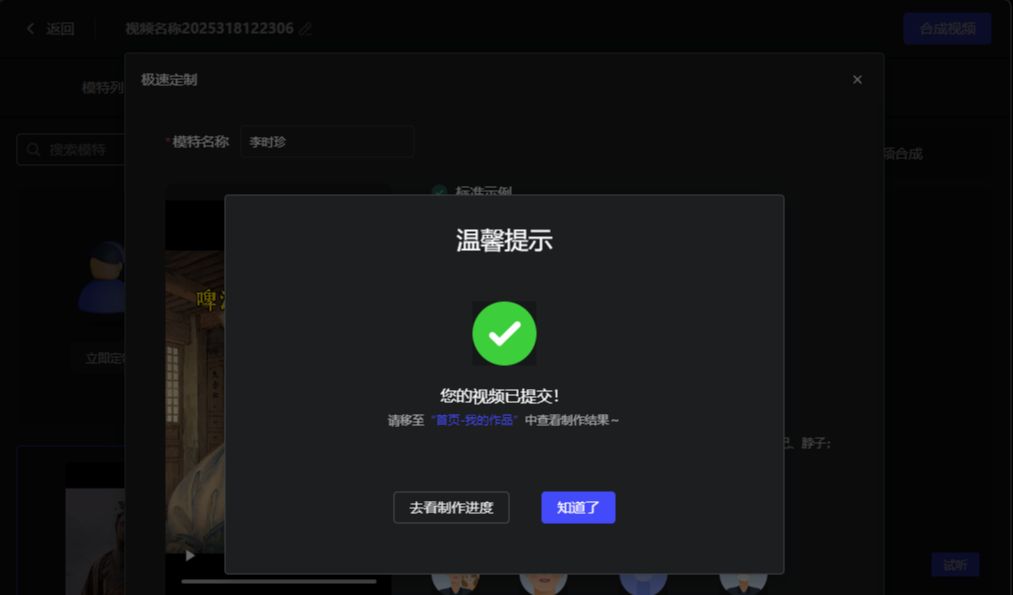
Note: Here the video of the model needs to be more than 8 seconds or else it will not be allowed to submit, after submitting the video Heygem will process the model for backup;
2. Model + text: generating digital human videos



Click "Compose Video" and wait for the video to be generated.
Note: The content of some clips of this modeling video is not so perfect, so the generated effect video may not be too good, but it does not affect our demonstration of the production process.
3. Modeling + audio: generating digital human videos
After selecting the model and the last audio, click on "Composite Video".
Note: The audio here is synthesized using a tool, but of course there are many such speech synthesis tools available like conchai/ttsmaker etc.
at last
Well, now that we have unlimited use of our own local Digital Man, we are able to utilize this Digital Man app to create our desired Digital Man video!