



Recently discovered youtube animal themedAI skitsIt's especially popular, and a good storyline and a good serialized IP can easily run up to a billion dollars in traffic at Tube.

This account uses a rabbit as the IP to serialize all kinds of stories, the amount of updated videos is not big, just thirty, but every flow is very good, fans will reach 300W! Monthly YPP income of more than 6.5K U.S. dollars.
Maybe after watching it, many students think that its style is not good-looking enough and AI-heavy, and they don't understand why it's so hot. But in fact, a good plot, smooth editing, and 60 points of graphics can already make many users buy it.
Reading through the comments, the viewers of the tube are basically commenting around the values of friendship in this story, rather than the level of quality of the production.

Now that Gpt4o has been updated to do this kind of storytelling in a consistent style and image works very well, and Gpt can also be used to create scripts that are more moving and more in line with greasepipe preferences.
If the graphic effect of the benchmark video is a 60, then I think what gpt4o is doing now can reach a 70-80, and with a good script, it could really make for a high quality AI skit series.
Next, let's take you by hand to make this Pixar style AI animal skit with GPT4o! I hope you all get on board with the hands-on AI video.
Production Process
1️⃣ Generating Stories
2️⃣ Generate corresponding screen
3️⃣ Generate Video
4️⃣ Clips
I. Generating stories with GPT
- Tool: CHATGPT
- Website: https://www.chatgpt.com (magic required)
1️⃣ Story Extraction
Same old method, throw the video at the gpt and let it break down the plot
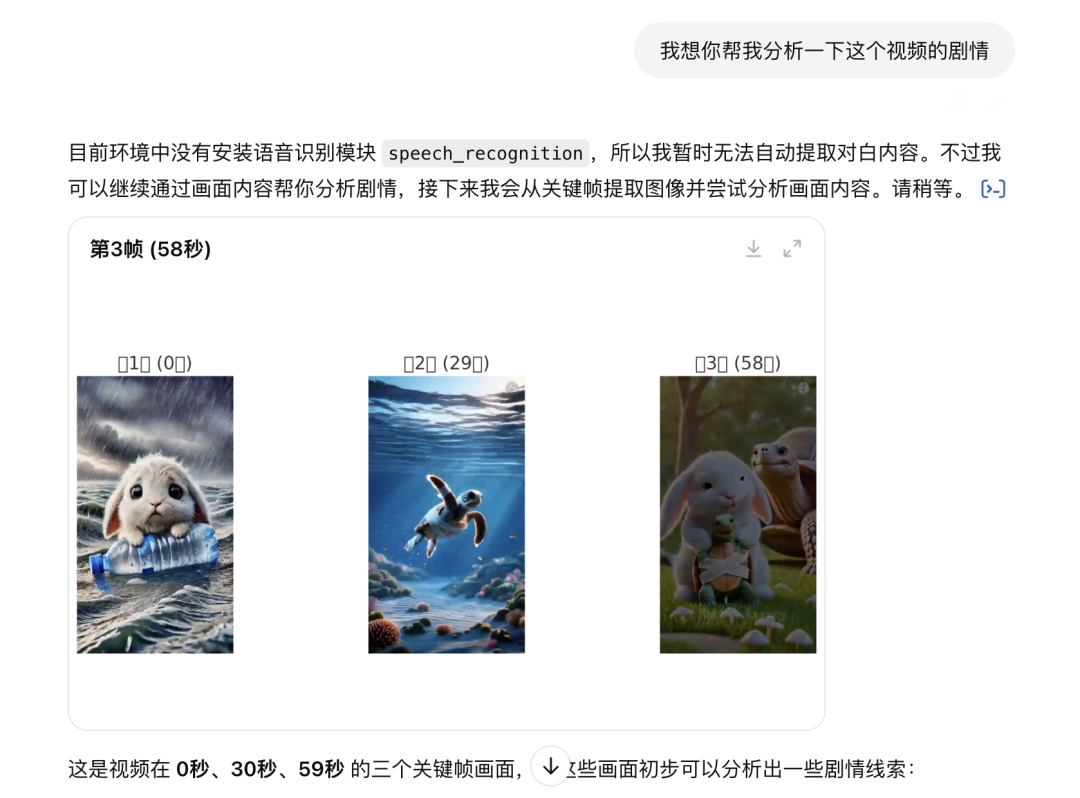
But if your gpt can't recognize the video or it analyzes the plot incorrectly, then we feed the plot manually:
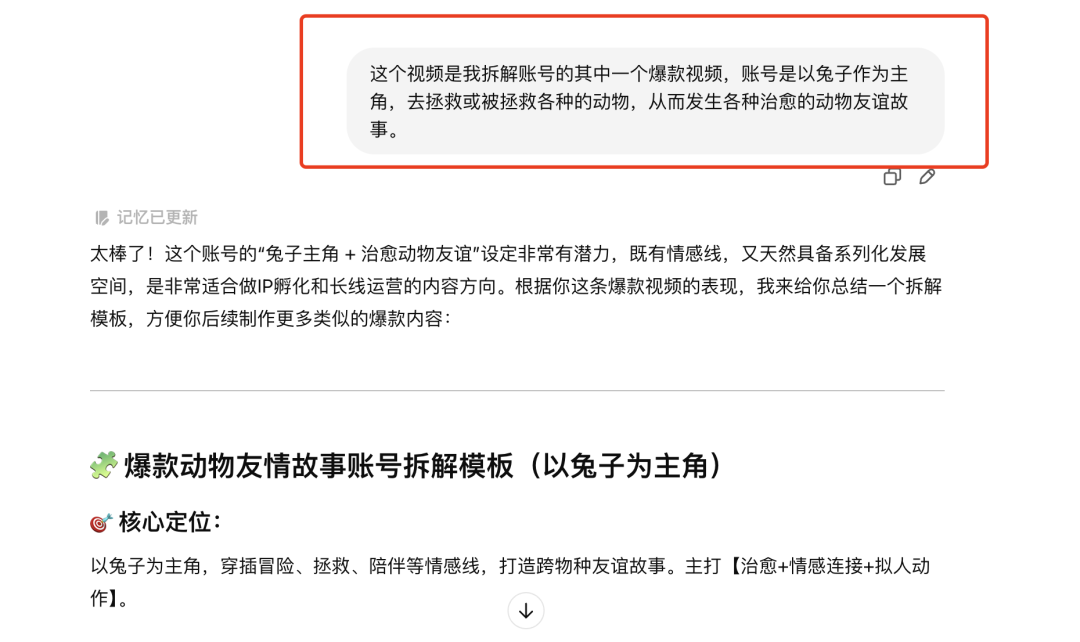
2️⃣ Story Creation
We asked the gpt to start creating the story, and could have it give multiple versions of us to choose from:
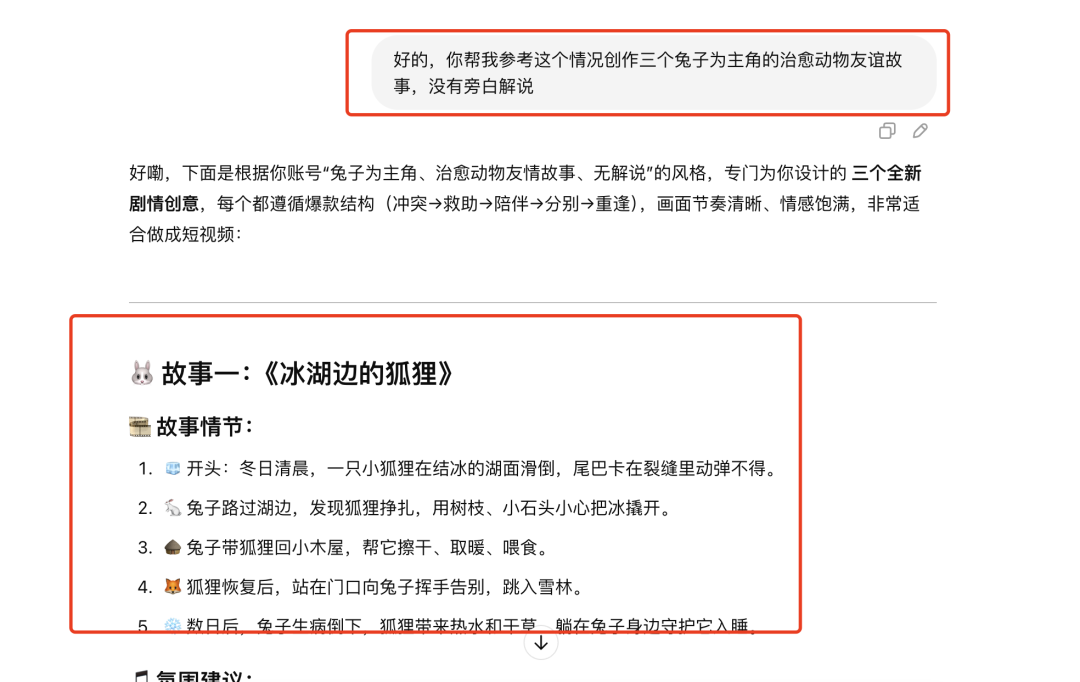
It's unlikely that the first version of the story will work great, we need to communicate with Gpt incrementally, you'll know how much it understands what you want and it will gradually hand you answers that are more to your liking.

More communication and clarity about what you want, such as characterization, the number of images in the story, the style of the images, etc.

That way, the story we're satisfied with comes out mostly:

II. Gpt Generate Story Screen
After confirming the story we can let it generate the picture of our corresponding scene, if it is a vertical screen video remember to ask for a 9:16 ratio.
In the first picture, we will see that the style and image are still lacking, and we need to continue to grind and communicate with Gpt.

We asked it to generate the "Pixar, Disney" style, the results are very good! The lighting, the color palette, the image is very cinematic.

After confirming the style of the Act I pictures, we can let it continue to generate Act II and Act III ...... pictures, but Gpt's review mechanism is quite strict, so we need to modify the cue words in time if we encounter certain choke points.

OK, follow this logic and continue to generate diagrams, so that we have all the diagrams in one set, and the character consistency and style is maintained very well:

If you want the character and style to be 90-100 points, you can try to train a Lora model of your own, it will be even better, and it is also a direction that Ai Video is deeply committed to~.
III. Koling Production Video
- Tool: Kerin International Edition
- Website: https://klingai.com/global
We choose keling 1.5 (if kryptonite player, it will work better with 1.6 model) ➡️ insert image ➡️ input command ➡️ generate video

Instruct us to include the following information for better results:
1️⃣ lens effect (lens slowly approaching)
2️⃣ Role actions (bunny looking at the ground, deer walking into the distance)
3️⃣ Scene information (falling leaves need to be floating down not hanging)
It still comes out okay with proper card draw, as aShort VideoThe video of the platform is more than enough. (The deer turns back in the last frame, remember to delete it)
Follow this procedure to generate a video of all the diagrams and you are ready for the editing session!
Four, with cut screen editing video
1️⃣ We'll open the cutout and "Start Creating".

2️⃣ Importing all video clips

3️⃣ Arrange all clips and edit appropriately
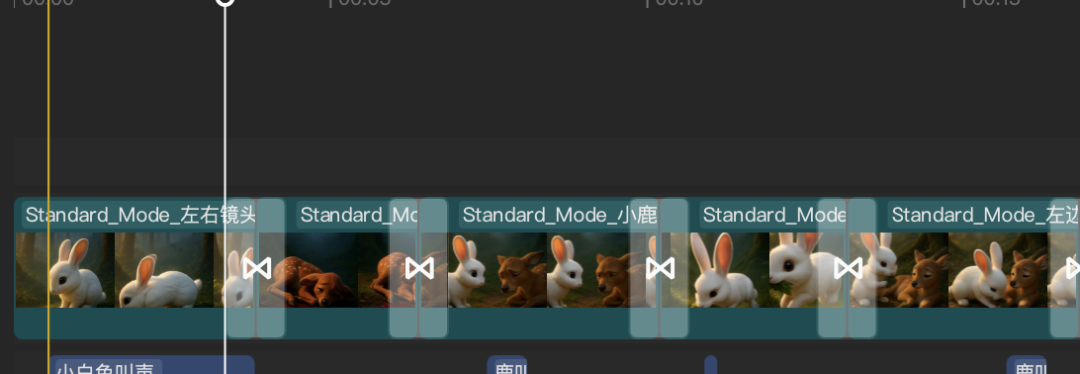
4️⃣ Add corresponding sound effects to the appropriate images, e.g. bunny, walking, rain, etc.

5️⃣ Add flash-black transitions between each video segment to add a sense of storytelling.

6️⃣ After adding some healing Bgm, we export it.

If you are using a non-member korin, there will still be a watermark, video watermark please see this article: theHow to remove watermark from videos?5 ways to remove watermark from AI videos》.
That's it for the disassembly!
Although some of the current pop video operation is simple, traffic is huge, but the audience will always be tired of the day. the threshold of the use of AI is also getting lower and lower, and many people can easily do this kind of fifty or sixty points of the AI video.