



Having previously disassembled a AI Wellness Video, wellness videos are on fire on social media platforms.
Hands-on video tutorials for making wellness videos with AI, using deepseek to create explosive short videos
Recently found a new way to play, the following account of this ingredient health in the jitterbug kill crazy, 25 works, angrily rose 410,000 powder. Video strip burst, this heat look is really envious, today dismantle this play, want to learn the family carefully follow the next look.
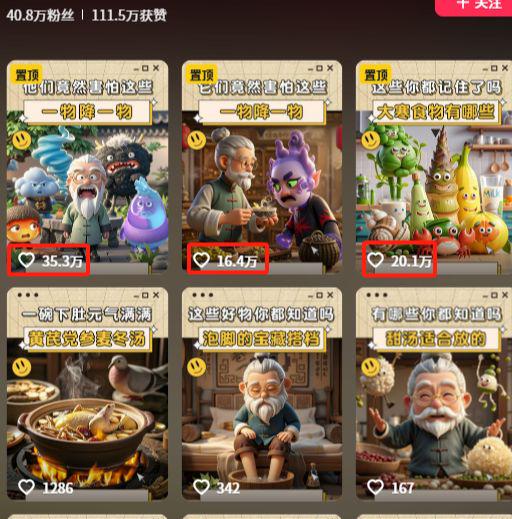
This kind of video has the right lines, I'm cold, I'm afraid of the plague of mugwort, I'm windy, I'm afraid of the spiciness of ginger, I'm wet, I'm afraid of the bitterness of Chenpi. The characters are very Q and the contrasts are strong.
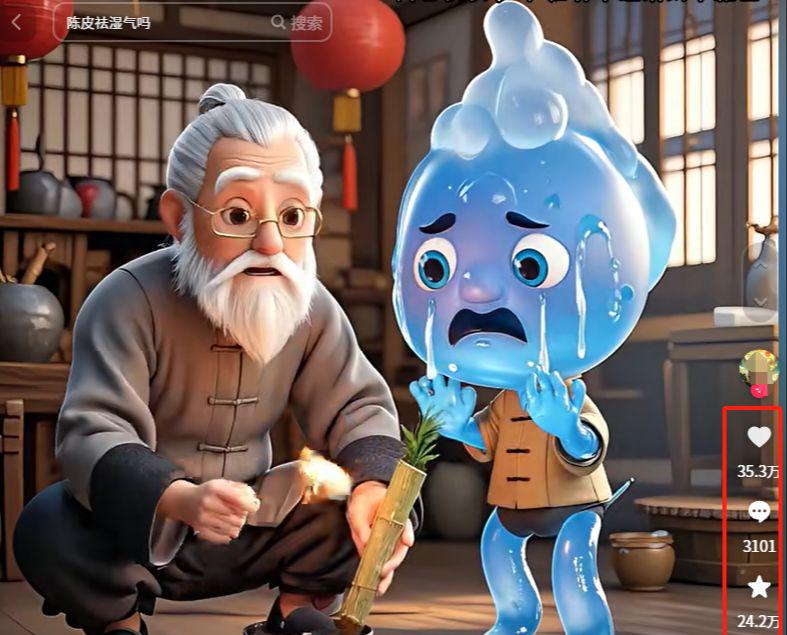
Today, we teach you to dismantle the production of this AI food video, this is a lot of dry, we recommend that you collect the attention to prevent lost.
Step 1: DeepSeek generates health and wellness copywriting
For cue words and copy, we first find the counterpart to include, open Deepseek, enter the copy, and let the AI analyze and output the copy:
Open deepseek's Deep Thinking and Networking feature and enter the following prompt words:
Address: chat.deepseek.com
- Input: I want to make an AI video on health and wellness, please refer to the pop-up I providedShort VideosPermaculture Copywriting, help me generate 5 short video texts
The prompt was followed by copy for deepseek to reference, which DeepSeek quickly generated for us:

- [Five Elemental Compatibility Version]
- I'm fire. I'm afraid of the coolness of honeysuckle.
- I'm bruised. I'm afraid of hawthorn's acidity.
- I'm poisonous, I'm afraid of the green beans' clear
- I'm Yu, I'm afraid of the scent of roses
- I'm hot, and I'm afraid of the chill of chrysanthemums
From the 5 versions, I have picked the more familiar festive seasonal regimen for case demonstration.
Step 2, generate painting prompt words
Once the copy is generated, we can then use Deepseek to help us generate the split cues we need for our AI paintings.
In the dialog box, we proceed to enter the following command:
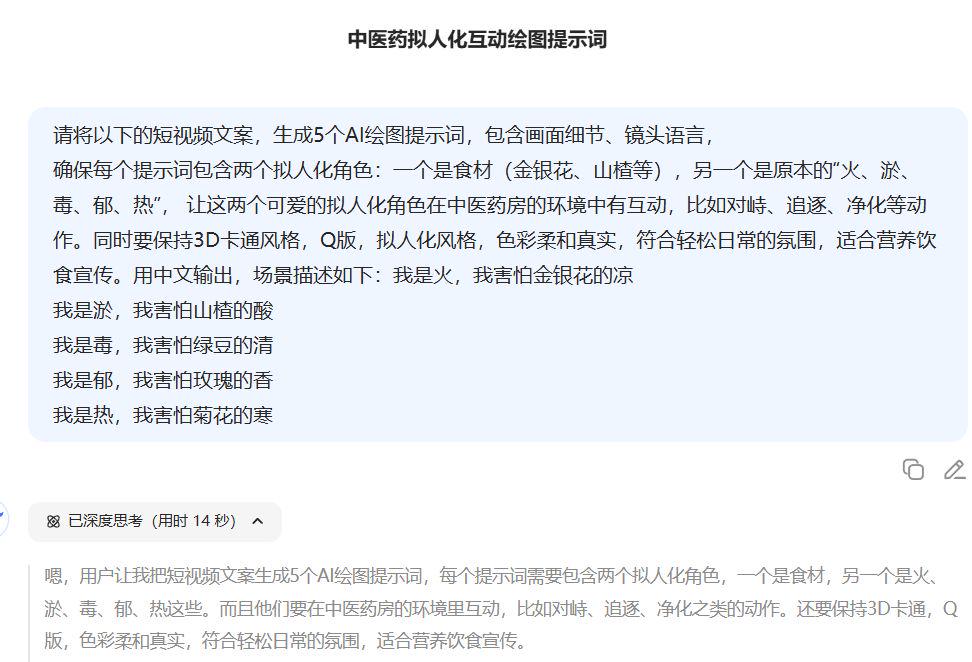
Soon deepseek generated 5 scene painting cues for us:

Thus, with Deepseek's assistance, the output of lines and drawing cues was accomplished in less than 5 minutes, brainlessly.
The third step, that dream to generate images
With the drawing cue word, then the next step is to come up with a drawing. We're still using our old friend, i.e. Dream (free and works well).
i.e. Dream AI: https://jimeng.jianying.com/
- Prompt words:
- In the overhead shot, the round "Hawthorn Ball Kid" speeds across the long table of the pharmacy on a stale leather skateboard, chasing the slimy "purple monster" with a sour plum soup blaster in his hand. The scene is filled with half-open drawers, sun-dried orange peels and Poria slices floating in the air, and Hawthorn's jets corrode holes in the purple monster's body each time he sprays, with Q-emoticon-style scared faces and exaggerated physical deformation effects.
- Steps:
- Open the webpage (or mobile APP) of Imagine Dream, click the image to generate
- Model Selection Image 3.0 Model
- Copying the cue words generated by deepseek for split-screen painting
- Ratio adjusted to 9:16
- Click Generate Now.

The AI will generate 4 images at a time, i.e. Dream 3.0 supports straight out 2K images, eliminating the step of Ultra HD images.
Input the 5 split-scene prompts in turn, and modify the prompts to generate several times to get a satisfactory picture if you encounter an unsatisfactory picture.
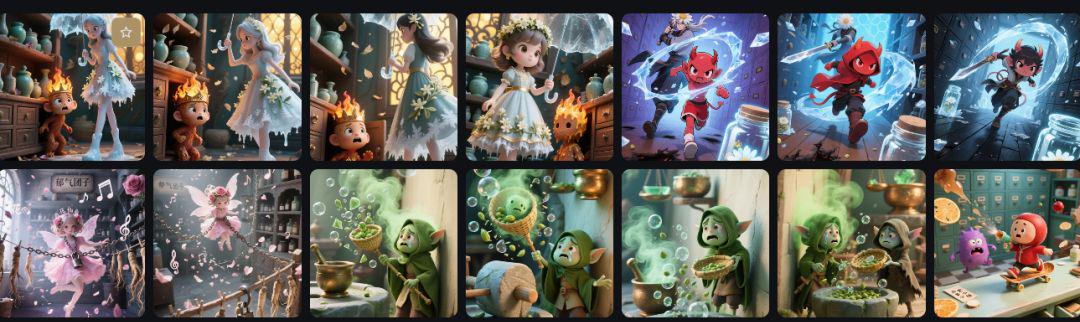
Step 4: Image Generation Video
Next, we're still generating videos in Dream AI.
Find an image we're happy with, click Generate Video, and the page will adjust to the Figure Generated Video window.

In the video generation interface, we directly copy the AI painting prompt words into the input box.
Wait for a short while and the generated video will be displayed in the page.
Repeat the previous step to generate 5 videos.

Step 5: Edit the video
The last step is to go to the clip and composite the video.
Import all the split-screen video clips, add the text captions, and then do the text down to read it aloud, I'm using a couple of the little girl's voiceovers.
Add a lighthearted soundtrack with an awesome ingredient!Health VideoIt's done.
