



Some people don't need any advanced tools or fancy tricks; they just need a simple way to enhance theimage resolutionWithout losing any quality - today we will learn how to do this.
What is one of the biggest problems with generating AI images? The end result is usually very low resolution.
This can lead to a lot of different issues, especially for those who want to use these images in content or projects, businesses looking for commercially licensed content for advertising purposes, and even individuals selling AI content.
So how do we solve this problem?
Some examples before we start
There are many ways to do this, but today, I'm going to focus on just the simplest one.
We will use theComfyUIto boost image resolution, but you can also use the same tools to generate AI images, video, and audio. But...before we move on, here's the end result:
The AI-generated image (before boosting the resolution) has a resolution of 1024×1024:

The same image is upscaled to 4096 x 4096 resolution:

Is it perfect? Of course not, but it's ideal for anyone who wants a totally quick, easy and free solution to boost AI image resolution.
Here is another example:
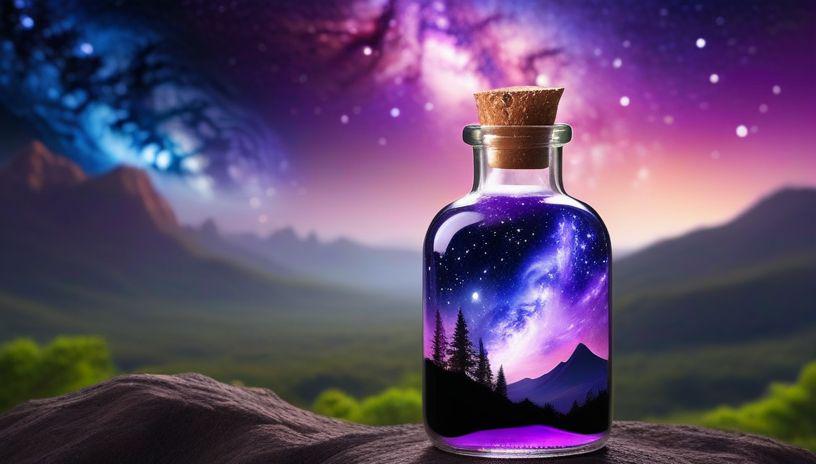
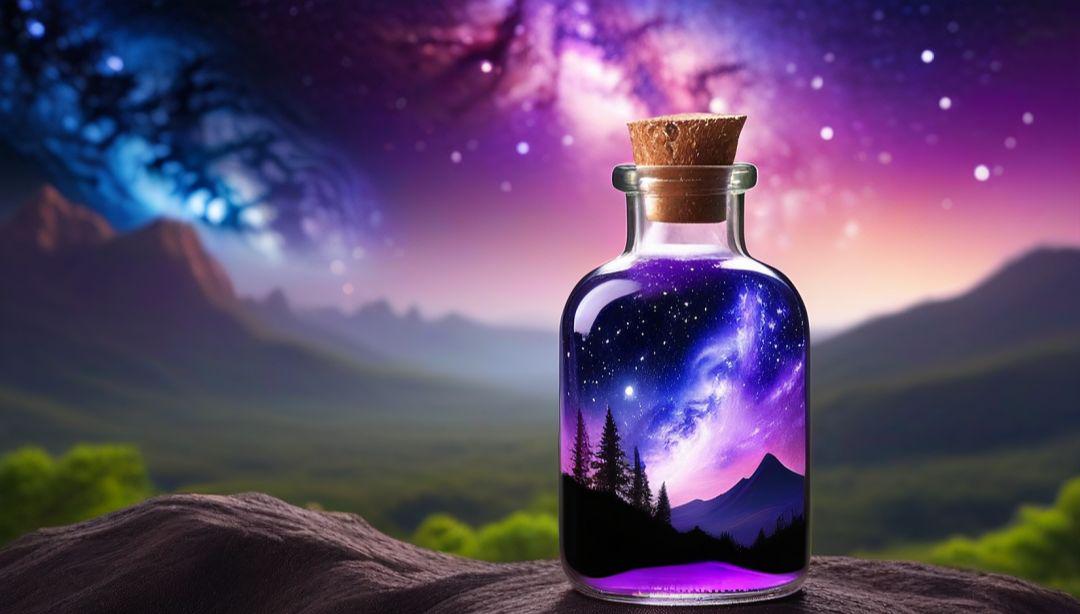
So, how do we start?
First, you'll need to download something (I promise, everything is free).
How to install them? Simply download the .exe file, double-click on it, and if a pop-up window appears, click "yes", and then keep clicking on "Next step"and"Next step"Until the installation is complete.
- Download and install Git (required to run ComfyUI).
- Download and install ComfyUI.
- Download the 4x_NMKD-Siax_200k.pth file from Hugging Face (https://huggingface.co/gemasai/4x_NMKD-Siax_200k/tree/main).
- copy4x_NMKD-Siax_200k.pthfile and paste it into the ComfyUI installation folder (specifically, in theModels → Upscale_Models(in the folder).
- Start ComfyUI.
Great, now that ComfyUI is up and running, you just need to do one simple thing:
Download this simple and free workflow I've created, and once it's downloaded, simplyDrag it into ComfyUIor go toWorkflow → OpenandSelect File(from the menu in the upper left corner):

You should see the following screen:
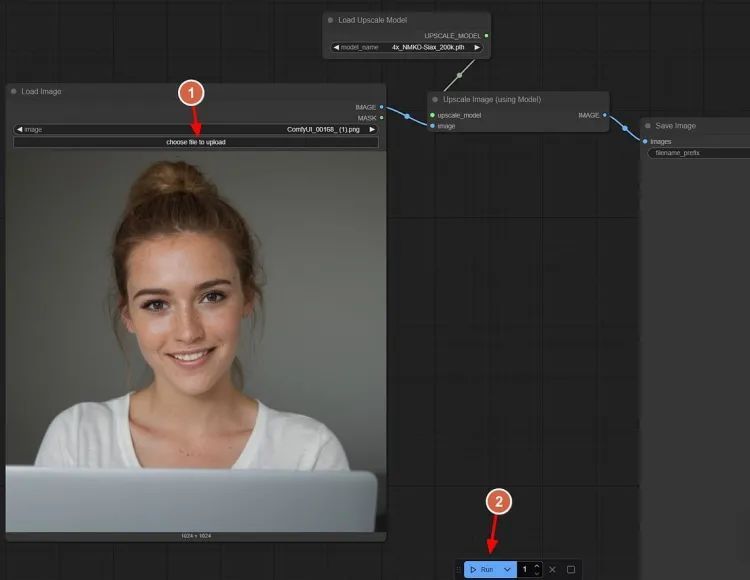
How does it work?
- Click on the first node in the "Choose file to upload"Options.
- optionYou want to boost the resolution of theimage.
- Click "Run" button and wait for the amplifier to complete the process of boosting the resolution.
These images should automatically save their high-resolution versions to "Outputs" folder, but if not, justRight-click on the image after upgrading the resolutionand click "Save".
Here are the results:

Not bad for a free and fast solution, right?
If you want to try more freeImage EnlargementTo get started, try these (just download their files and paste them into Models) → Upscale_Models(in the folder).
- 4x-UltraSharp.pth: another great free amp, but can screw up some details sometimes. (https://huggingface.co/lokCX/4x-Ultrasharp/tree/main)
- 4x-AnimeSharp.pth: If you create AI-generated anime content, you can use this amp to get better results. (https://huggingface.co/utnah/esrgan/blob/main/4x-AnimeSharp.pth)
This method will save you tons of time.