



Today we dismantle a fun cue word special function play, directly across a variety of scenes, coherence is very strong, used to clock various scenic spots or scenes across the transition is very good effect, dynamic creative point is also good. Learned can also be utilized to a variety of blockbuster inside.
Okay, here's where we get into the practicalities, and the advice must be saved.
There are AI tools that need to be used on this:
1. Graphic tools: i.e. Dream AI
2. Video tool: viduAI
3. Editing tools: Cutting and mapping
Step 1: Cue words for attractions or buildings
Attractions and buildings are the kind of things that don't need to be written by us specifically, we just throw them to the AI to write:
You are an AI painting cue word expert, please help to generate cue words for the special attractions in each province of China, for example: the Great Wall of China in Beijing, the Forbidden City, Tianmen Mountain in Hunan. Each attraction cue word should be added with HD photography, 8K resolution, ultra high definition


If you need to practice, you can just copy the cue words: Scene + HD Photography, 8K Resolution, Ultra Wide Angle View, Ultra High Definition
The Great Wall of China meanders on top of the mountains, HD photography, 8K resolution, ultra wide angle view, ultra high definition
Panoramic view of the Forbidden City with red walls and golden tiles, high definition photography, 8K resolution, morning mist and light, ultra high definition
Aurora projection of Guangzhou Tower Xiaoban Waist, HD photography, 8K resolution, Pearl River reflection neon, mist
Step 2: Wensheng map that dream AI out of the map
Open Instant Dreams at https://jimeng.jianying.com/ and put in the prompt we generated abovein successionCopy and paste it into the immanent dream out of the picture.Select the 3.0 model.


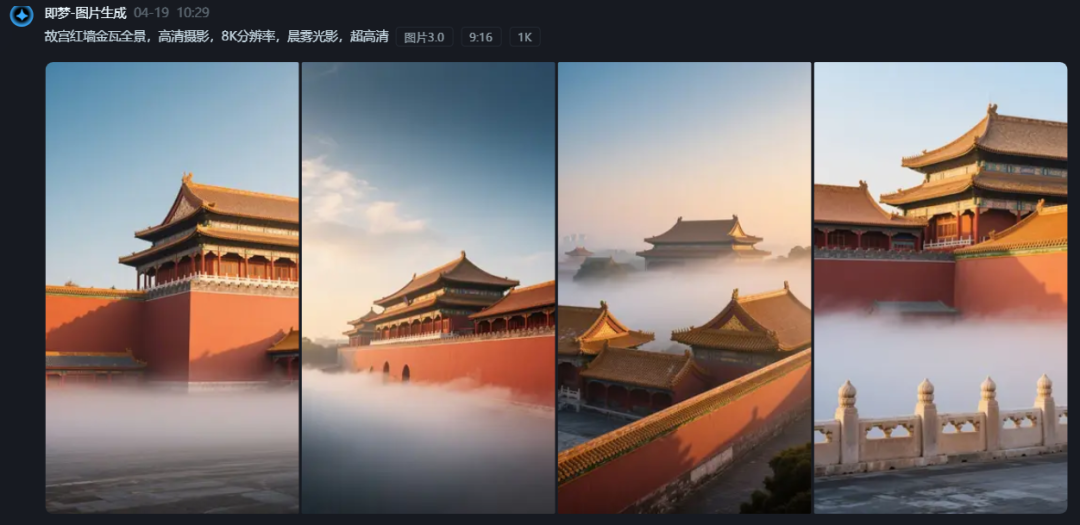

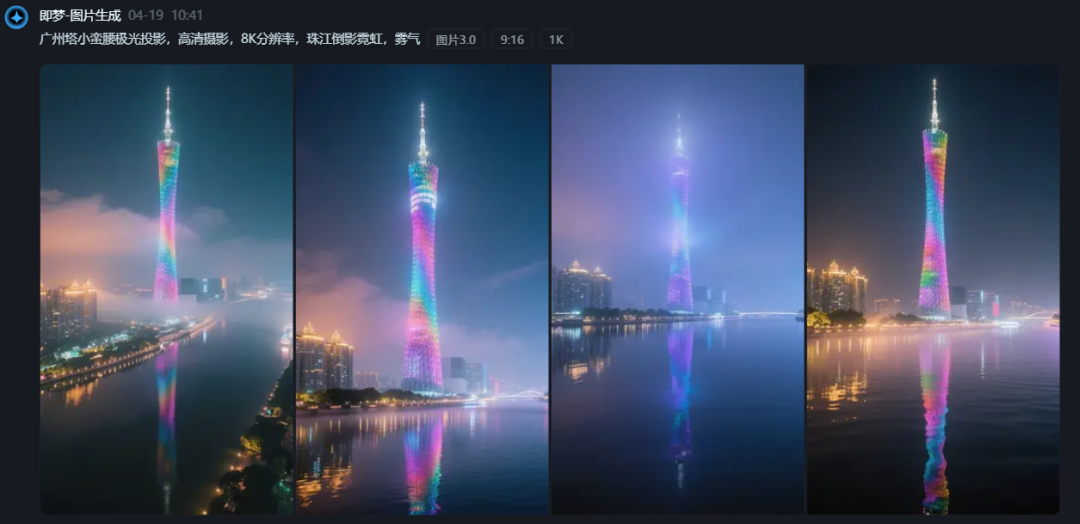

Prepare here.

Step 3: Toussaint Video
This time with vidu, open VIDU: https://www.vidu.cn/
Select Tucson Video

Upload an image of the transition between the first and last frames - enter a descriptor - select 4 seconds - 720P - click Generate
Toussaint Video Cue Words: FPV first-person view from above Lijiang Old Town at high speed, camera traversal, dynamic motion, 3D dribbler
You just have to remember these words: FPV view, 3D opscope, camera traversal, first person view, dynamic movement, high speed flying


Generate and download and save, members are watermark free and 720-1080 HD degrees

Look at the results, and sometimes it takes multiple generations to choose the one you're most happy with.
The others are generated sequentially in this manner.
In fact, the principle is that we commonly use the first and last frames of two pictures to synthesize a video, but after testing, found that this kind of crossing is also some skills, and fusion of the beast is similar.
The first overall style should be consistent (color, scenery, architectural style, style group, etc. best unified effect is best)
Secondly the overall space should be consistent (aerial, doorway, promenade, etc. will have a more traversing effect)
These 2 points are well controlled out of the results compared to the average person will be outstanding.
The video is generated well all downloaded locally and the next step is to edit the finished product.
Step 5: Editing
1, open the cut screen PC Professional Edition, enter the main interface, click [+ start creating].

2, add the saved video clips, add background music, you can directly search in the cut screen
3, the appropriate location to add the right sound effects, you can double the effect of the video.

Learning point: text, backgrounds can be added to make the image feel more presentable. Note the 2 points at the heart of this traversal feature.
Cautions and Operational Recommendations
1. Maintain originality: Do not directly copy the content of other people's cue words, by modifying the creative body of the cue words or adjusting the details of the screen video, to ensure that the work has a certain degree of originality.
2. Optimize the rhythm of the video: too long animation content may lead to viewers skipping, it is recommended to control the video time to ensure a compact rhythm.
3. Accurately locate the audience: choose a platform and time period where the target audience is clear to publish the video, for example, uploading it in the evening for better results.
4. Interaction to enhance fan stickiness: actively reply to fan comments, increase the interaction rate, attract more users to pay attention to and forward.