



Recently, some students have been asking if there is anything I can do to create my own digital persona, and there is no time limit when lip-synching, I can go on talking all the time. Cutting the screen is too expensive, the third party is also rechargeable, and the free ones have a lot of problems to use. Can there be an easy way to do this, and the answer is definitely yes.
Okay, here's where we get into the practicalities, and the advice must be saved.
There are AI tools that need to be used on this:
1. Graphic tools: Starstream AI
2. Video tools: Kerin AI
3. Editing tools: Cutting and mapping
First, we want to generate a character that fits our image.
Here's a practice cue word for you:
Surrealism, minimalism, wool felt, 3D cartoon, blind box, close-up of the upper body, facing the camera, a 25 year old Chinese girl with a clean face and a natural expression. Short, dark gray hair, tousled and slightly curled. A white T-shirt with a yellow zippered leather jacket over it. The nameplate "Duck" is engraved on the right chest, and the background is in a cyberpunk bedroom, at night, the girl is sitting in front of a technological desk with high details of digital products. Light tracing, Unreal engine rendering
The fonts marked red are all can be arbitrarily modified into their own image. Or directly refer to their own portrait of the five senses with the picture!
For a more realistic character, here's the option to use the Starstream AI for this.
Portal: https://www.1ai.net/25993.html
Open the web site - create a project
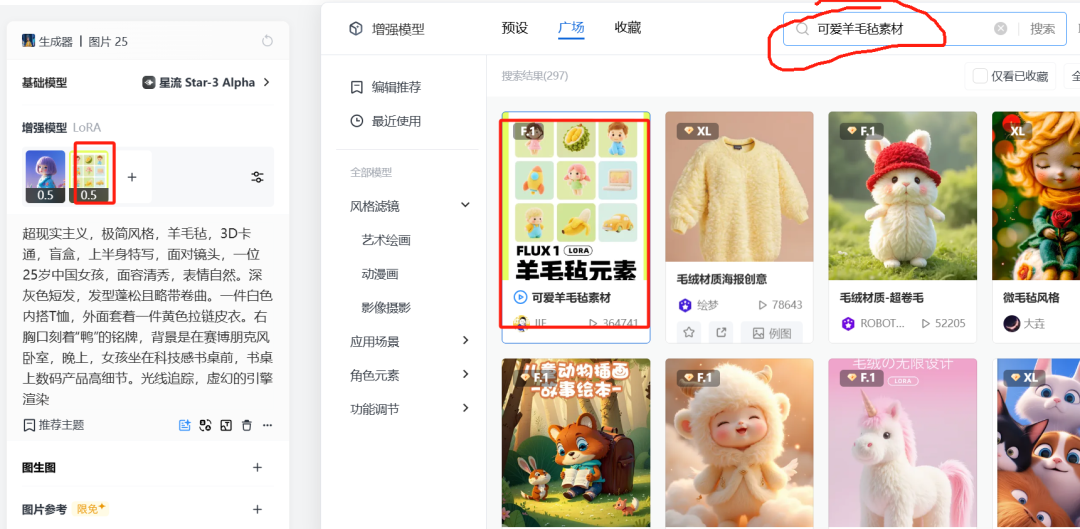

Add our enhanced model: a fantastic character in wool felt, a lovely wool felt material with a weight value of like 4-5

After entering our previous prompt word - selecting the size 16:9 - start drawing cards like crazy.
Until the choice of a satisfactory image. (There are a few notes on this one: make sure the character is looking flat at the camera, sideways characters, small mouths, and large glasses are not optimal)

Here's a reminder for students to pick out the images they are happy with, and don't forget, HD Original Enlargement 2x. Download computer local spare.
Next we generate the character image into a dynamic video. Here we are currently using the Korin 1.6 model.
Enter descriptor: fixed camera, girl sitting in front of the camera telling a story without much movement
Generation time selection: 10S

Wait a while for the 10S hourly digital man to complete.
But many students will ask, is not unlimited time, how only 10S, don't worry.
Next, we have to use the clipping, directly after copying a section to put, select the inverted can be, want to choose how long as long as on the line.
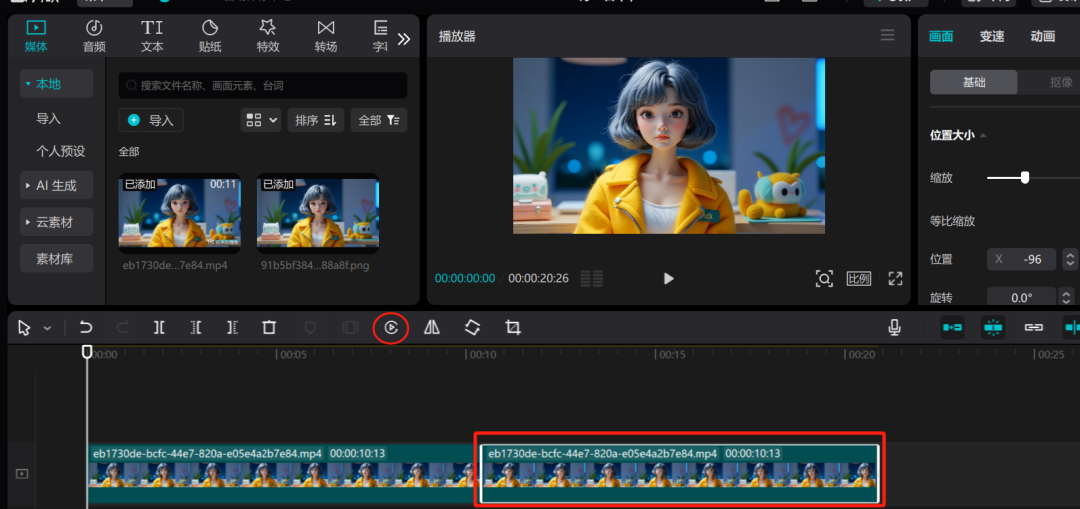
Save the single video to the local, and finally you can take to lip-sync on the line. (Here in the generation of character video did not describe the fixed character head bobbing, resulting in the effect is still much worse, we directly see the effect of lip-synching it)
The video still looks good, right?Everyone can get hands-on, easy to learn, hurry up and try it~!