



You always want to take some notes for review when you are studying a course or skill tutorial on B.com or Youtube. However, if you pause, type, or take a screenshot, you'll be too busy to take notes, and it's easy for you to miss the key points.
Is there a tool: throw in a link to a video, and it automatically summarizes it into notes for you, with key screenshots from inside the video posted?
Yes, strolling around today, we recommend these 4 AI video to notes wizards that are also open source.
1. One-click Station B video to notes
The first one is the open-source godsend that students and self-publishers are bragging about-BiliNoteThe B-Site Learning users are ecstatic to have AI help you automate your video notes.
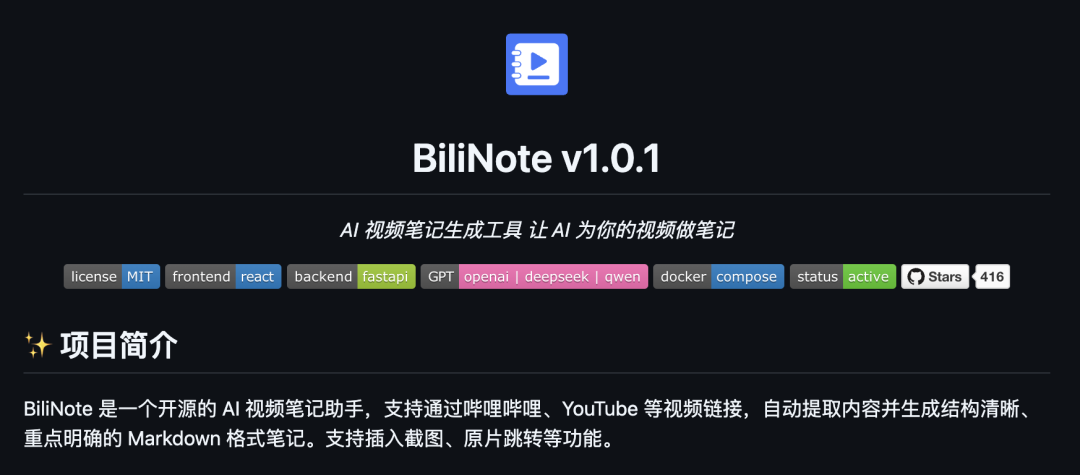
Simply, there are only two steps: ① Paste the video link ② Click Generate.
The system then automatically analyzes the video content through AI, generating video content containingKey Knowledge Points, Timeline Markers, Key ScreenshotsThe complete notes. For example, if you're taking an AI course, the notes not only summarize the core explanations of each chapter, but also allow you to jump to the corresponding video clips and watch them over and over again with a single click.
① AI refinement of dry goods: automatic identification of technical terms, operational steps and other core content, say goodbye to manual transcription;
② Screenshot accurate insertion: the important screen automatically intercepted and inserted into the notes, graphic comparison more intuitive;
③ Progress bar free jumping: click on the time stamp in the notes to directly locate to the corresponding position of the video, doubling the review efficiency.
2. One click YouTube video to notes
Video2Blog is also aOpen Source Projects, the usage is pretty much the same. Throw it a link to a YouTube video and it does three great things automatically:
① Pick up the video + subtitles: Whether it is a technical tutorial or knowledge sharing, first help you download the video and subtitles to the local.
② AI Intelligent Parsing: turn scattered subtitles into clearly structured Markdown documents, also comes with chapter timeline
③ Intelligent illustrations: you can also automatically intercept key images from the video, and can also de-emphasize the screening, illustrated notes directly.
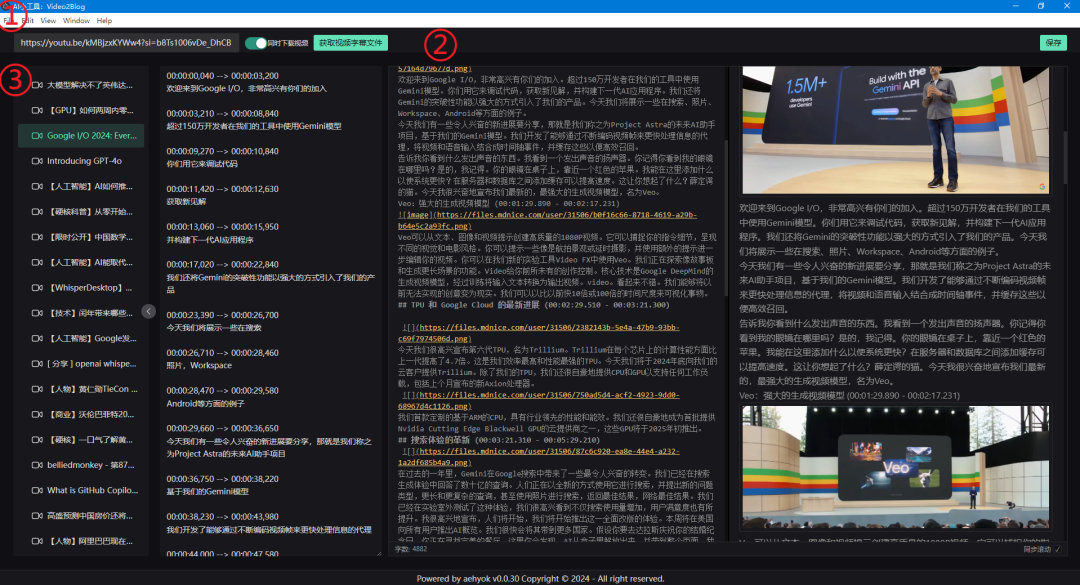
Take a real case: a programmer learning the new features of React tutorial, 2 hours of video with Video2Blog processing, 10 minutes to generate technical notes with 34 schematic diagrams, 12 times more efficient.
The principle of the technology is: the system automatically downloads the video through yt-dlp and parses the subtitles (translating them if there are non-Chinese subtitles, and generating and translating them into Chinese through Whisper if there are no subtitles), and then converts the processed subtitles into structured articles and extracts the video keyframes to match the images using Gemini.
3. Little Red Book Post Generator
When you swipe a video and want to turn it into a Little Red Book note, you can try this open-source artifact called "Little Red Book Note Generator", which can turn any video into a quality note that matches the tone of Little Red Book.
The whole process goes like this:
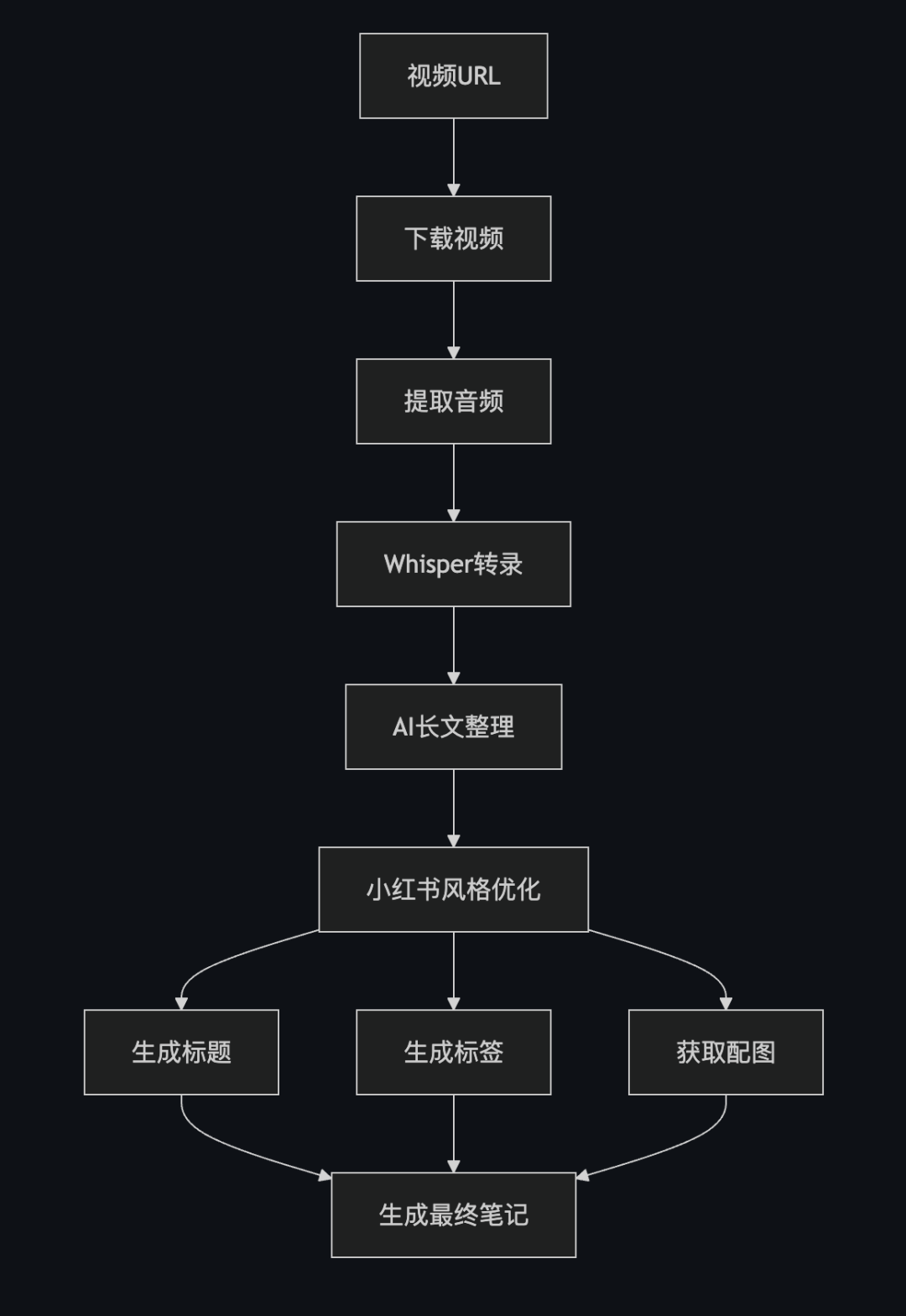
① Content Refinement: Condense 1 hour video into 600-800 words of essence, automatic segmentation with emoji guide Smart Graphics: Find 2-3 HD graphics from Unsplash that are strongly related to the content.
② Automatic configuration of titles: use the "diode headline method" to capture pain points (e.g., "5 minutes to learn... vs. 3 years to figure it out..."), automatically adding high-converting words and emojis.
③ Top Tags: Core words + long-tail words + hot topics combination, rubbing traffic without effort
4. One-click video and audio conversion into self-published articles
Automatically recognize the content in the video/audio through AI, and directly generate the style document you need, even the layout is done for you.
①Multi-style adaptation: the generated documents support the Little Red Book "emoji style", public "in-depth text", study notes "outline mode", can also be turned into a mind map to meet the needs of different platforms. different platforms.
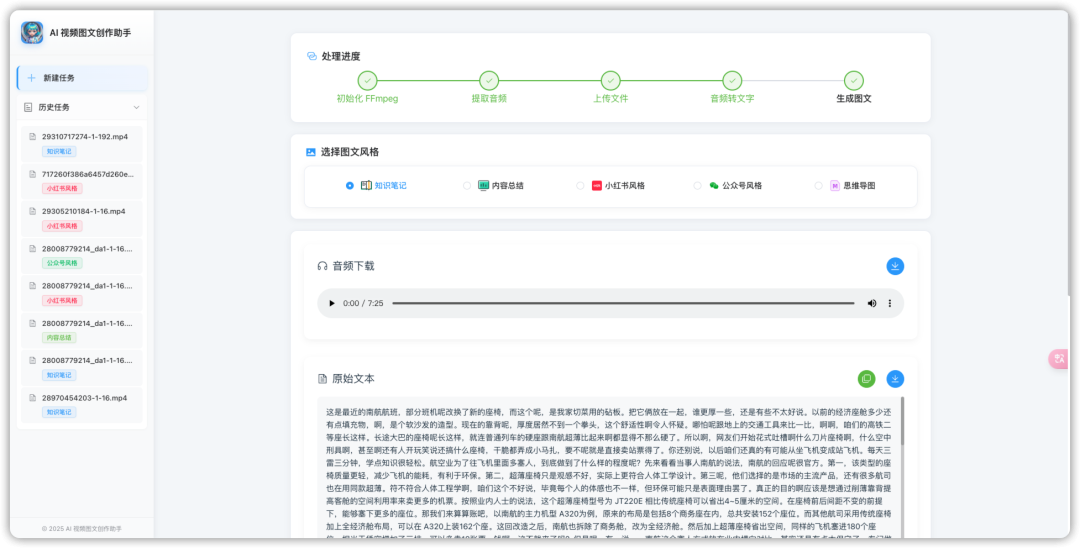
② Localization: all operations are completed on your computer, no need to upload files to a third-party server, privacy and security are guaranteed.
③ Foolproof operation:Upload a file → choose a template (e.g. "Knowledge Notes" or "Long Public Article") → click Generate, and you're done in 3 steps. It can even automatically extract video subtitles and recognize the voices of different speakers!
open source link
The following are the open source addresses of these four projects.
Open source address 1: https://github.com/JefferyHcool/BiliNote
Open source address 2: https://github.com/aehyok/video2blog
Open source address 3: https://github.com/whotto/Video_note_generator
Open source address 4: https://github.com/hanshuaikang/AI-Media2Doc