



Dream AIAs a powerfulAI painting tools, has become a handy tool for many creators. But are you really doing the right thing when it comes to downloading the generated images?
Today I want to share with you a tip about Instant Dream AI: How to download UHD images without watermarks.
Many of you may already know the regular download method, but are you sure you are using the best solution? There is a difference between the normal method and the "secret method", which may directly affect the quality and effect of the images you use later.
The official recommended routine download process
The standard steps for downloading images are as per the official guidelines of Instant Dream AI:
1、Input the prompt word to generate pictures
2、Select the satisfactory picture from the generated result
3. Click "Go to Canvas Edit" to enter the editing interface.
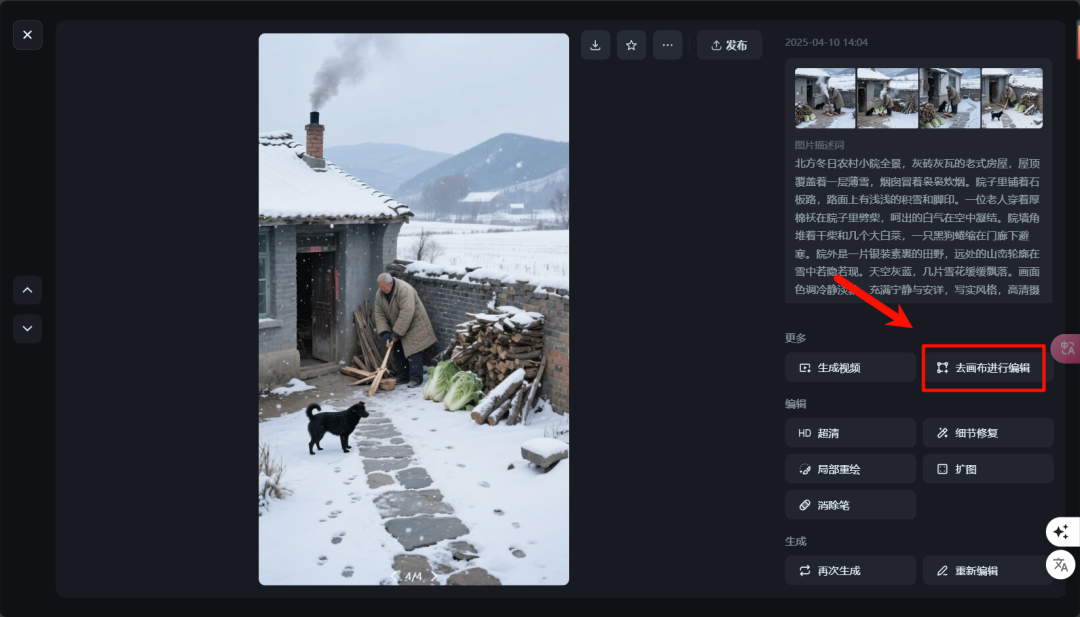
4. Select the "HD Ultra HD" option.
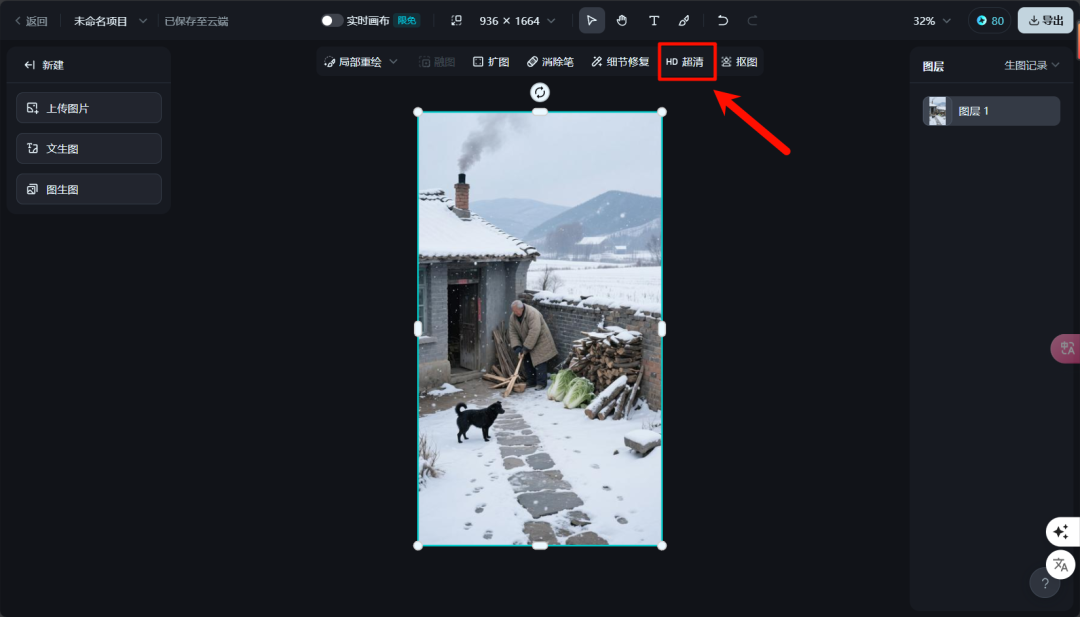
5, finally click on the export button, select 2x resolution download
This method is simple and straightforward, and it's how most users operate. But is this really the best way to get the highest quality images?
transgressionHD DownloadMethods Revealed
In fact, there's a simpler and higher quality image for
Methods:
Directly on the Generate Image page, right-click on the image and select the "Save Image As..." option.
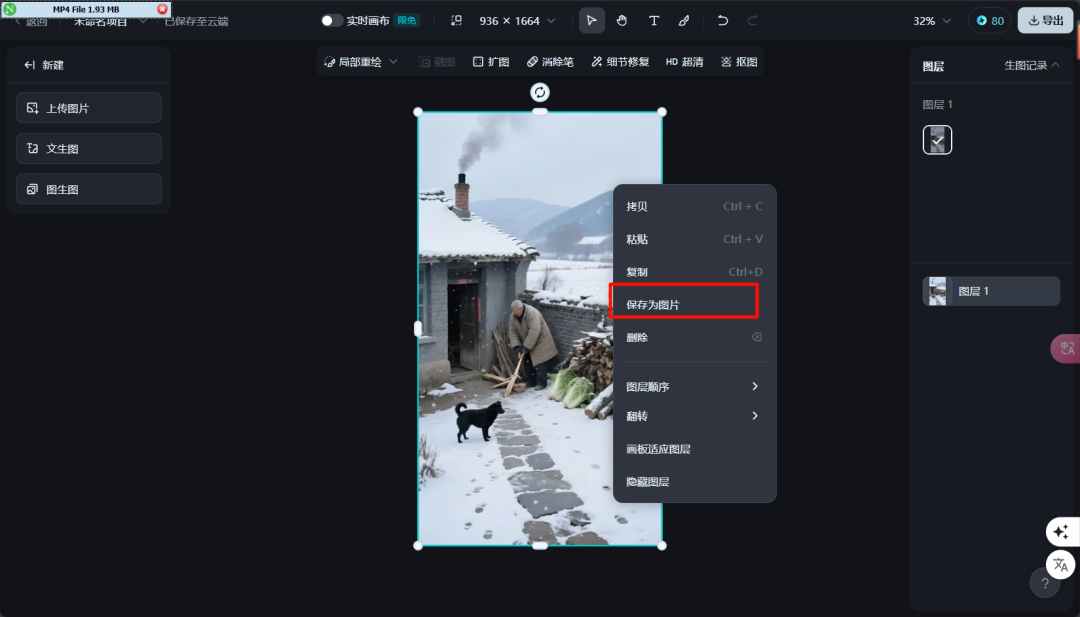
The results of the two methods are compared as follows:
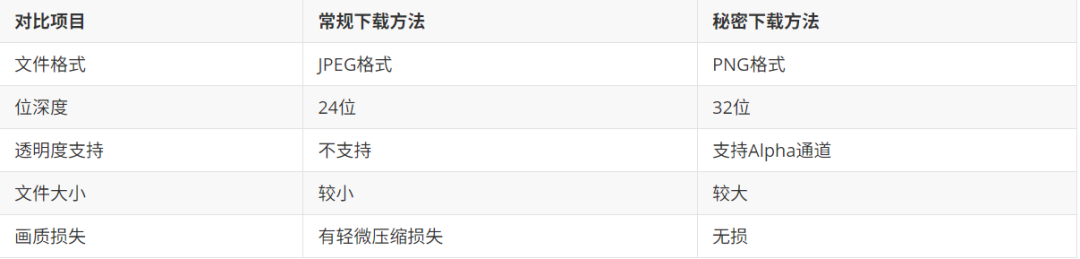
Why is this difference so important?
While it may be difficult for the naked eye to tell the difference between images downloaded by these two methods, the difference is critical in professional application scenarios:
The 32-bit depth of the PNG retains the full color information and transparency channels, making it especially suitable for scenes that require further editing, and the lossless compression ensures that image details are not degraded by multiple edits.
When it comes to video production, design layout and cross-platform uploads, high-quality original images ensure consistency in the final presentation.