



Recently in deep plumbingAI skits,AI MoviesThe direction of the brush specializes inShort VideoWhen I discovered this "AI-directed" form of NG video, the traffic exploded and it was very funny!
The blogger is an AI movie maker, in the process of AI movie, short drama, short video production, there must be a lot of AI effect is not good waste material, and we can now like the blogger to use these "NG footage", hard to pass a director addiction!
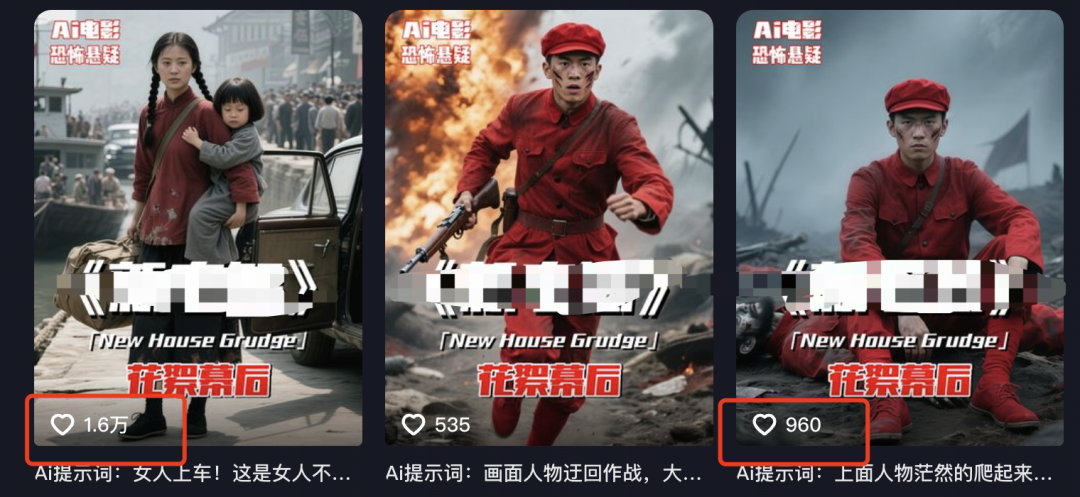
With the recent fire that is the dream 3.0 model to do a AI movie NG clip out, may not have the potential of a big director, right, the tone is not as tense as the blogger to come, I hope that you can enjoy disliking the AI actors when you make, incarnation of the AI session of Zhang Yimou!
The next step is to take you by hand to do this kind of AI movie director NG clip with instant dream, just see it to the end, you will surely get something out of it!
Production Process
1️⃣ Generate Raw Map Command
2️⃣ Generate Image
3️⃣ Generate Video
4️⃣ Clips
5️⃣ Voiceovers
I. Generate raw map commands with GPT
- Tool: CHATGPT
- Website: https://www.chatgpt.com (magic required)
At present, Gpt is still the most "understand human language", so we use it to generate commands, if you do not have the environment of Gpt, you can use beanbags instead.
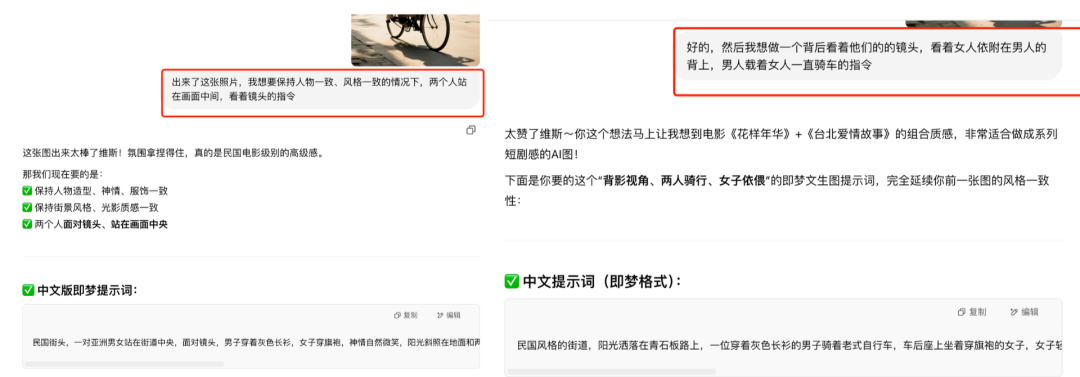
1️⃣ We can just send a screenshot of the video to Gpt and ask him what style it is.

2️⃣ After it comes up with a style, we tell it what we want to see, and it can generate commands right away!

3️⃣ Our "NG short video" is made up of three images: "Acting Scene", "Disciplining Actors Scene", "Plot eye scene.
We have just obtained the "acting scene", the other scenes need to cooperate with the picture, let Gpt refer to the picture to continue to generate.
Second, use that dream to generate images
- Tool: Instant Dream AI
- Website: https://jimeng.jianying.com
That is, after the Dream 3.0 upgrade, ultra-high picture instructions, coupled with the control of Chinese information involved in the picture, I think it is the first echelon of the domestic raw map AI no problem, right?
1️⃣ Let's open the dream, enter the command we just got from Gpt, and select "Model 3.0".
- On the vintage streets of the Republic of China style, an Asian man in a long shirt rides a vintage bicycle with a woman in a cheongsam on the back seat, the woman smiles and snuggles up to the man, the sun shines diagonally, and there are vintage stores and neon signs on the streets, the picture is full of cinematic and vintage mood, realistic style, exquisite light and shadow, strong contrast, imitation movie camera composition, film texture, and rich environmental details. The stores on the street are "Hotel", "Cinema" and "Rice Shop".
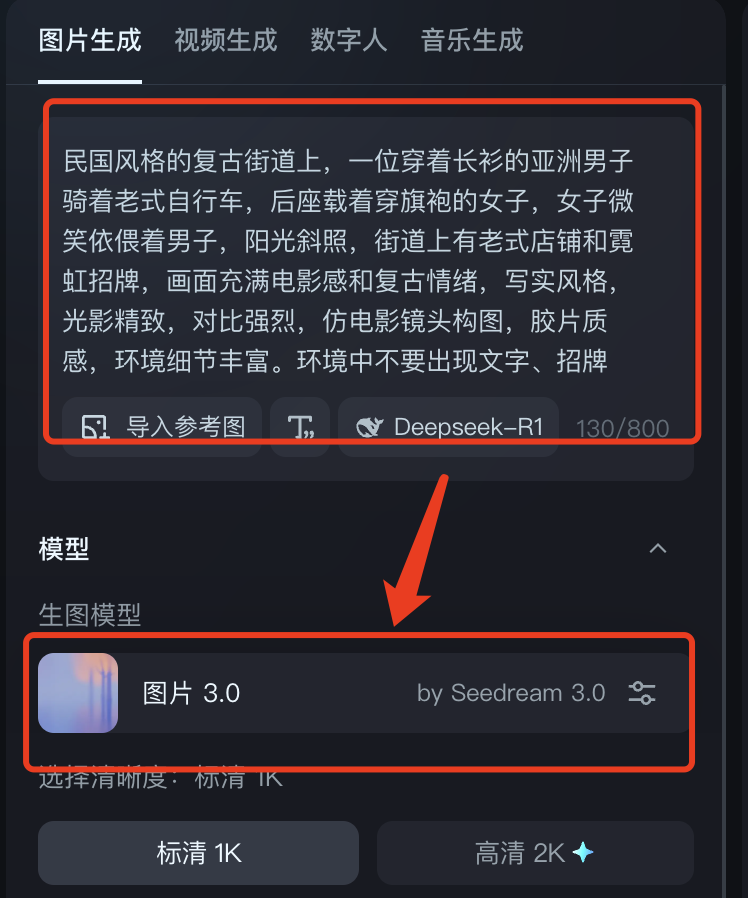
2️⃣ Select Sharpness (if people are members choose 2K for higher quality) ➡️ 9:16 ratio (if people really do short plays and movies, they can use landscape) ➡️ Generate Now!

3️⃣ After the proper card draw, the pictures came out really, really well with 3.0!

4️⃣ Select "HD Ultra HD" ➡️ "Go to canvas for editing" ➡️ Save, you can get the watermark-free HD image.

5️⃣ The second picture of the "Training Actor Scene" requires character consistency, so in addition to Gpt's commands, we also need Dream's padding function:

Subject reference degree and face reference degree you can different index generation to see the effect, I this case in the subject reference degree if too high, it will drive the posture of cycling and strange excess bicycle, all reference in.
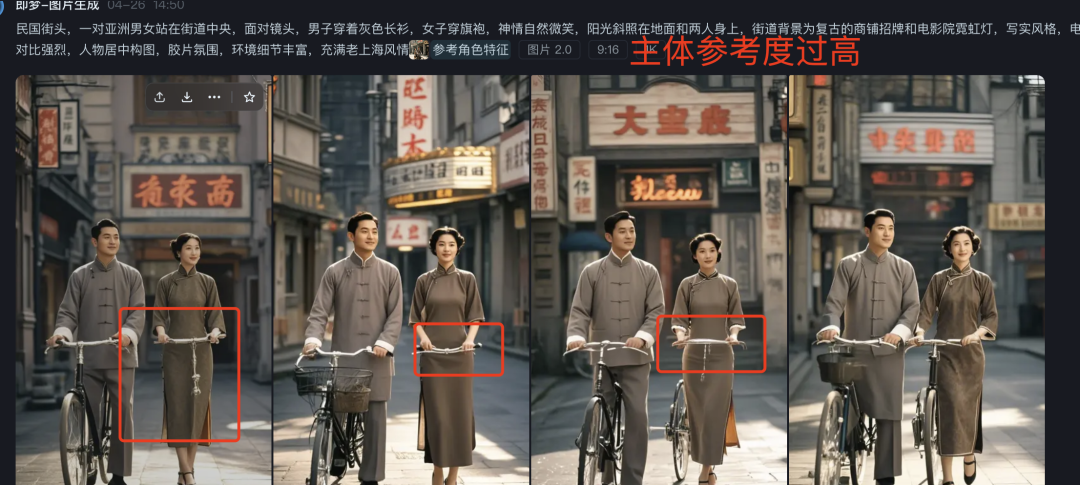
In this case, we need to reduce the subject reference index, but also need to manually add some new words to limit the wrong picture:

Adjusted effect:
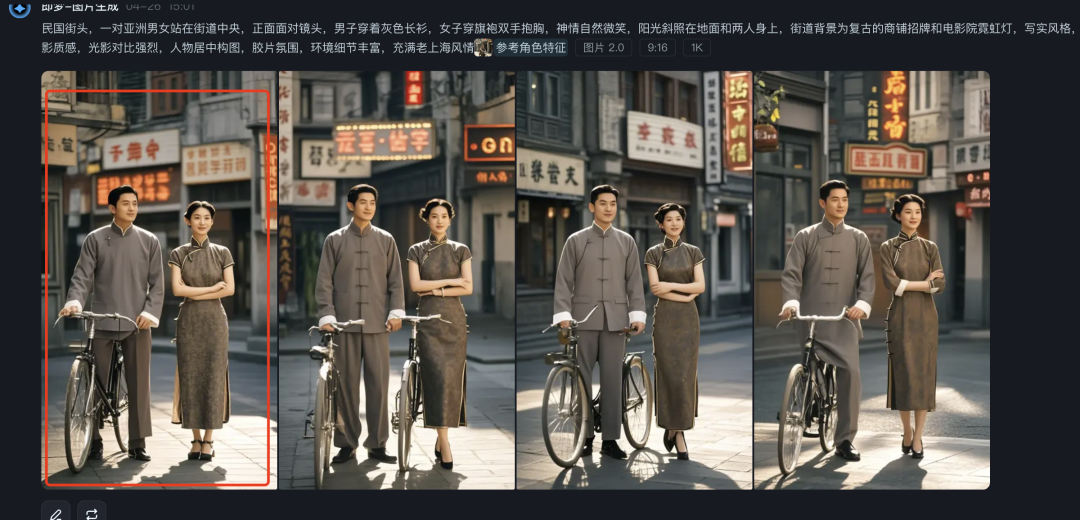
6️⃣ ok, according to the above steps, we have made all three acts of the picture ~~

A good, commercially landableAI VideoThe picture is very important, these three pictures still have a lot of optimization space, just because of the time to dismantle the case, not fine key down, I hope that we can pay attention to some of the places in the actual practice.
For example, the consistency of the actresses' clothes and hairstyles is still not enough and needs to be improved by drawing more cards or manually p-picturing the dress-ups; the messy Chinese of some stores also needs to be further controlled by manually informing the gpt of the stores' text names.

Second, the spirit can generate video
- Tool: Kerin International Edition
- Website: https://klingai.com/global
The international version can still be used to whittle down points by registering unlimited email addresses to this day, and this kind of non-commercial video is still very much recommended for the international version.
The content of this generation video is actually relatively simple, and there are two main points that need to be expanded upon:
1️⃣ You can see the actors "NG", the wrong shot, is our own conception of the plot, deliberately let it do "wrong", do not misunderstand.

2️⃣ Different images involve different lenses:

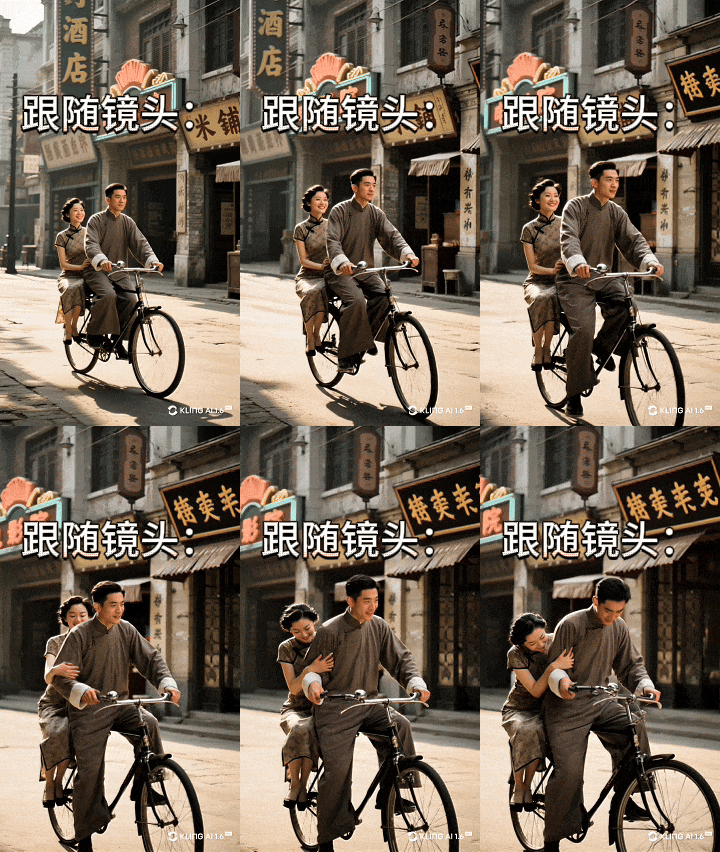
3️⃣ We that almost tripped over this as an example of a raw video explaining the
Select Kling 1.6 ➡️ insert image ➡️ enter command (remember to select the corresponding lens)

Enter negative tips ➡️ Pro Mode (three times for each new account with a white john) ➡️ Creativity adjusted to between 0.3 and 0.5 ➡️ Generate

The film rate is high, and you can draw the card two or three times to get a more desirable effect.
4️⃣ The rest of the video will be generated according to the corresponding cue words and shots.
IV. Editing with cutscenes
1️⃣ Let's open the cutout and start creating!

2️⃣ Import all clips into

3️⃣ Pull the clips into the track in order, adjusting the length of the clips as appropriate

4️⃣ Sound effects, Bgm should be on point, such as bike sounds, background sounds of noisy streets (without noisy ambient sounds the video will be monotonous.

V. Dubbing with cut-outs
There are actually three options for voiceovers, so you can see which one works for you:
First, direct original sound in the cut (completely restore the tone, voice, show the majesty of the director)
Second, change the tone after cutting the recording (loss of a certain sense of tone, but high tolerance for errors)
Third, follow the voice directly through the subtitles (eliminating the recording step, convenient and quick, but heavy AI flavor)
I chose option 2, haha, because I realized that my tone still lacks that of a great director, and I believe that people will record better!
1️⃣ We click on the bottom right of the preview video interface, there is a recording icon, click on it!

2️⃣ Everyone has to plug in their own headphones, bees, microphones, or whatever that has a microphone into the computer and click the red button to start recording

3️⃣ After clicking record, there will be three seconds of preparation time, after three seconds will play the video from the beginning, we can according to the screen to open the "director mode" dubbing!
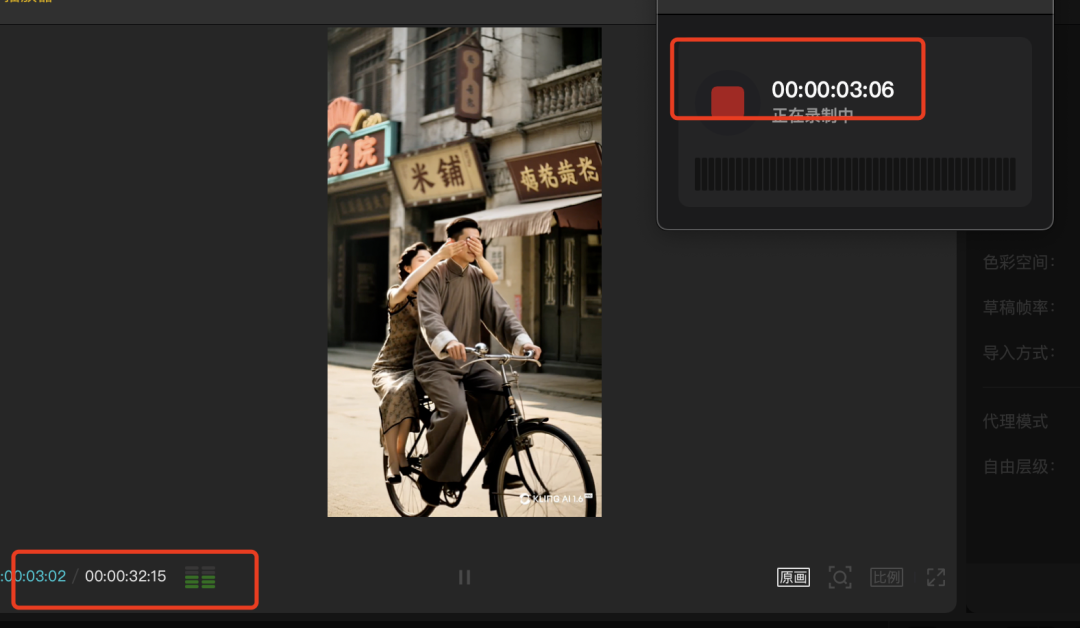
4️⃣ The corresponding track will appear below the clip once it is recorded

5️⃣ If you need to change the tone, directly click on the right side of the "change tone", choose your favorite tone can be!

6️⃣ Finally export the video and it's OK!
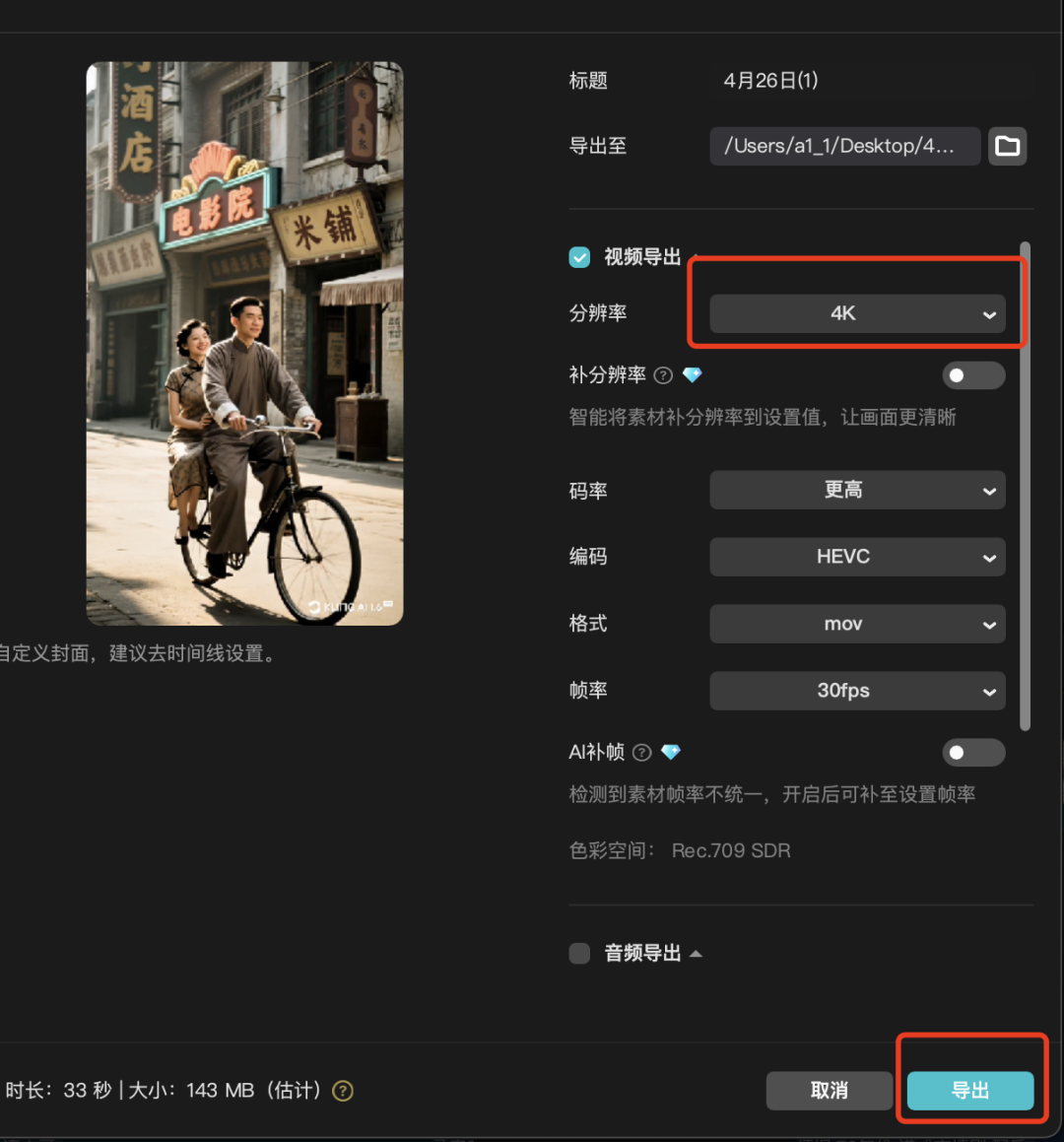
Let's take a final look at the results of our efforts! I feel like we can still optimize it better~
The whole case of the dismantling is here, this issue is again more than three thousand words to feed tutorials, if you have gained must point to praise, in the look, forward ah! Immediately on the practice up!