



Recently, the Q version of Donnie Darko3D animated videoIt's exploding on video platforms, and the quality of this type of video is significantly better, more in line with the platform's content ecosystem, and more vital than previous AI spoofs.
Short VideoThere are also a lot of works of the same genre on the platform, in addition to "Legend of Zhen Huan", there are also very familiar movie and television works.
For example, "The Bright Sword", "Journey to the West", "The Legend of the White Snake", etc., all have creators made into Q version of 3D animation, and got relatively bright data.



Today, we will teach you how to make the same type of Q 3D work.
Without further ado, let's get straight to the practical work.
The first step is to select the original movie and television film and turn it into a Q version of the character image.
On the choice of tools: the current detail processing and the overall effect of the better is GPT-4o, the same type of domestic tools, such as beanbag, although the function is also very powerful, but in terms of image processing and GPT-4o still have a certain gap.
If you have a high demand for quality and details, you can choose GPT-4o for transmutation, and the white man can choose beanbag for leveling, the operation method is the same, so you can choose by yourself.
Here selected a generation of classic "Big Little Lies" clips as a case study, you can choose your favorite film and television works for the second creation.
GPT address: https://chatgpt.com/ (magic required)
The specific operations are as follows:
-Capture key video frames in clip order
-Open GPT4o
-Upload pre-prepared screenshots in order
-Dialog box input: help me to change the picture into a Q version of the characters 3D cute animation style, picture ratio 16:9

-Click to send
-Get Picture
-Download and save

The picture effect is as follows:
Purple Haze

Supreme Treasure

Step 2, Vidu Toussaint Video
Vidu address: https://www.vidu.cn/create
AI Tusheng video can choose more tools, Vidu, Keling, conch, that is, the dream, etc. We can try, and finally compare and choose the best effect.
Vidu, which allows staggered infinite generation, was chosen here as a demo.
The specific operations are as follows:
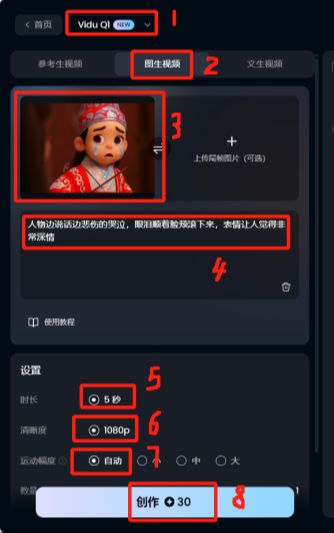
-Open Vidu
-Select Tucson Video
-Click to create

-Select ViduQ1 model
-Click on the Tucson video
-Upload image
-Fill in the descriptive cues: the character cries sadly as he speaks, tears rolling down his cheeks, and his expression gives the impression of great depth of feeling
-Duration 5 seconds
-Definition 1080P
-Amplitude of motion automatically
-Start creating
-Download and save
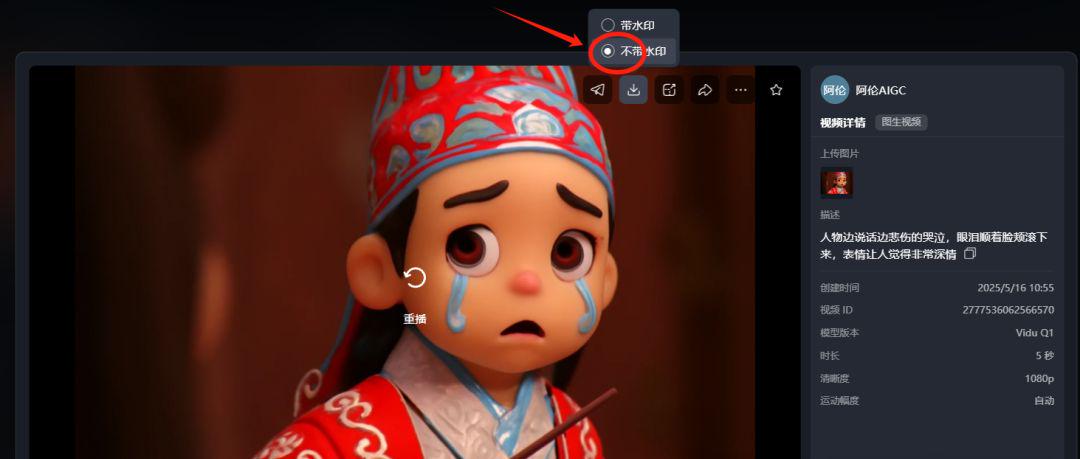
Just use the same method to generate other desired clips and finally edit them into a full video.
Step three. Cut the movie. Cut the movie.
-Import all generated video clips into Cutscene.
-Dubbing according to the content of the text
-Add background music, sound effects and other elements
-Finally adjust the details and export
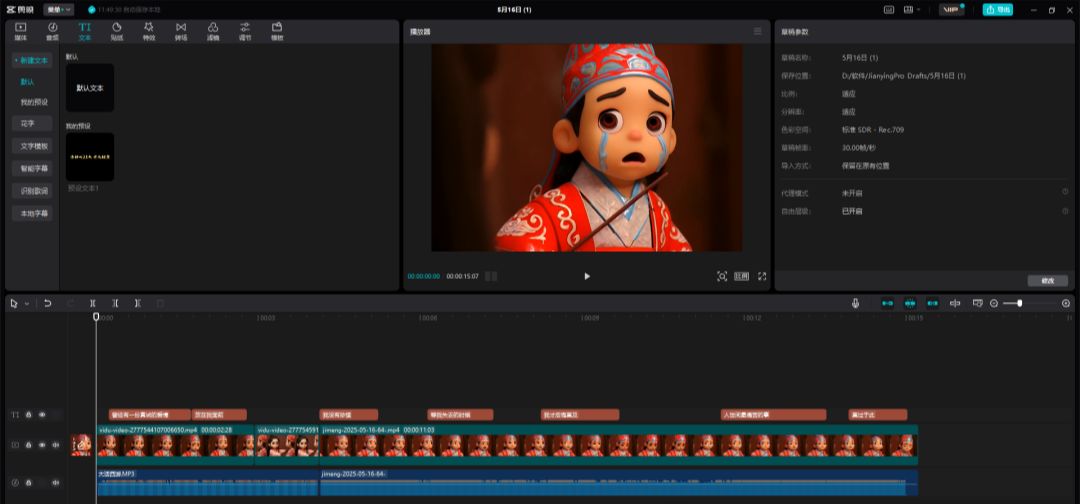
Limited space, focusing on teaching methods, only selected the first few images as a demonstration, you go to polish the details on their own, take a look at the results~!