



Some of my friends asked if there is any free voice over software. Today I share with you 5 tools, not only free, and cell phone and computer can be used, especially the 5th, simply too fragrant. Idle talk, let's on the dry goods.
1. TTSmakern
Website:https://www.1ai.net/1942.html
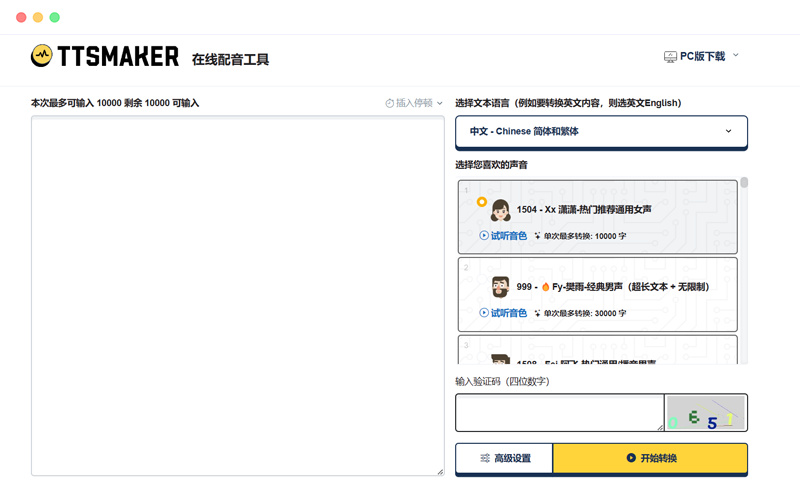
This is a tool that almost everyone who does video commentary knows about. tTSmaker is accessed through a browser, and there are more than 60 Chinese tones. The voice of "Xiao Shuai", which is commonly used in movie and TV commentaries, is called "Ah Wei".
Commonly used in popular science video narration "MacArthur" voice, here is called "Roc" this tone TTSmaker weekly text-to-speech limit of 30,000 words, which we should pay attention to.
2. TTSonline
Website: ttsonline.cn
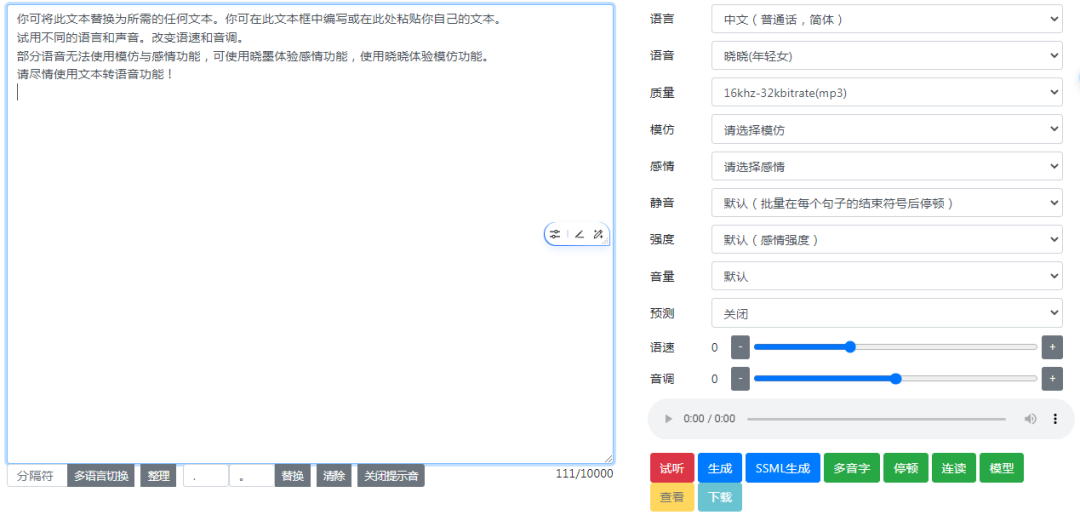
ThisDubbing ToolsThe use of TTSmaker is similar to that of TTSmaker, it is also accessed by the browser, but the Chinese tones are a bit less, there are only forty or so at present, but it's enough to use. The "Little Shuai" and "MacArthur" of the dubbing world are called "Yunyi" and "Yunze" respectively.
3.Small program:Dubbing Magic Pro
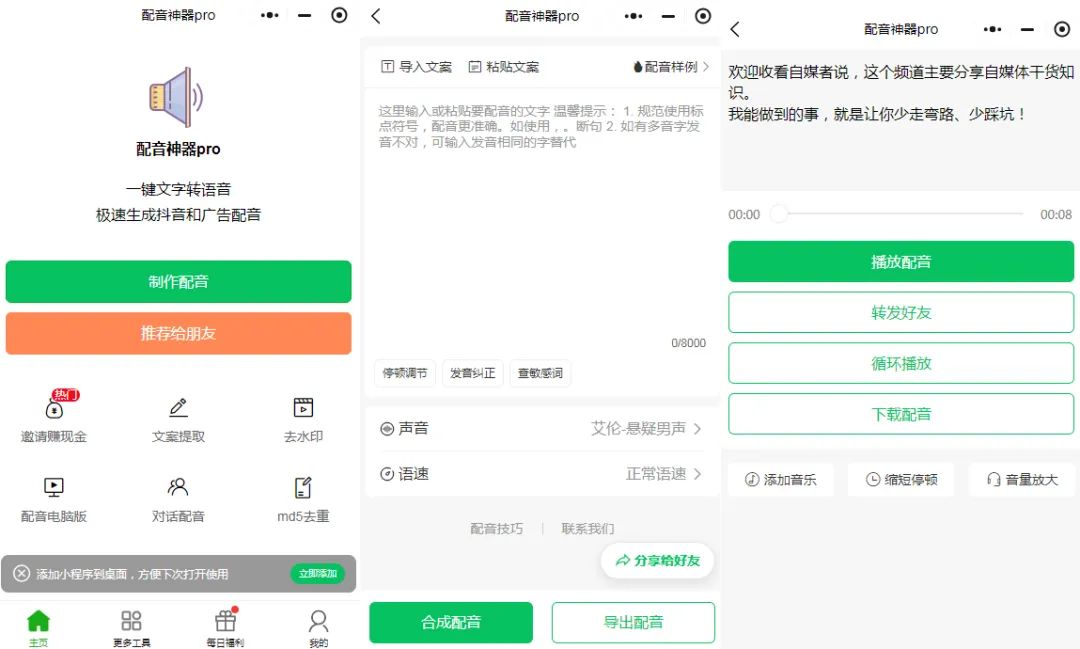
Small program dubbing tool pro, how to use: we open WeChat, click on "Discover", open the small program search "dubbing tool pro", we must look for this icon in the video, open the dubbing software, click on the Open the dubbing program and click on "Create Dubbing". Wait for the dubbing to finish, and then come to the download page, we should not click "download dubbing", because the download needs gold.
At this time, open the recording software, set up the recording system sound, and then start recording. We return to the dubbing download interface, click to start playing, when the dubbing playback is complete, stop recording, so we get the dubbing video, and finally put the recorded dubbing video into the clipping screen, the separation of audio on the line. Through this method, we can use this dubbing software indefinitely.
4. Screen cuts
Cutscene comes with a text dubbing function, and there are a lot of tones that have a very natural tone. If you want to use the vip tones in Cutscene for free, you can also use the same recording method to record the vip tones you have auditioned, and then import them into Cutscene for use.
5. Small program "Dubbing Bee"

Dubbing Peak is a very conscientious dubbing tool, not only free, but also irregularly updated tone library. At present, there are about hundreds of tones in the library, and many of them have characteristics that are comparable to some paid software.
The 5 that we're sharing todayFree Dubbing ToolsIt's enough for everyone to do self-publishing, so don't spend a fortune on a membership.