



Today we're talking aboutDigital Human.
Today this product is a support for free production of digital demo video platform, and support text dubbing, enter the content of a key to generate video.
Here in advance to clarify: this is only to provide a tool, way or technology to realize the digital person, you can go to the trial, and then to assess whether it is suitable for you, whether to meet their own. After all, most of the domestic and foreign software and then use the advanced features to cost, so we have to be careful, careful and careful. Do not spend money not spend money in vain.
The usual rules, no bullshit, no ink, just start the whole thing.
I. Use of tools:
AI Tool Name:Kreado AI, Link. https://www.1ai.net/3087.html
II. Operational steps:
1. Open the platform website.
In the interface we can see a lot of function points, we only talk about the digital person related. Other function points, such as: AI video face change, AI generate character image, etc., you guys will find out by yourself.
Here only: photo digitizers and PPT broadcast digitizers
2. Click on the menu "Digital People" on the left side.

Here, we select the photo digitizer
Click the "Upload Photo Generator" button to generate your own photo. Then click the uploaded photo. The following screen appears:

Then jump to the settings screen

Among them, in the place of inputting the broadcast text content, here is the support of text driver and audio driver, I choose audio driver here, that is, just upload the audio file.
After setting up, you can preview the video, if there is no problem, you can click the "Submit Generate Video" button to generate video operations.
View the digital person video you just generated in the "My Creations" menu.

Let's talk about real-life digital people.
There were 100 digital people to choose from, and we chose one of them to be an Asian woman.
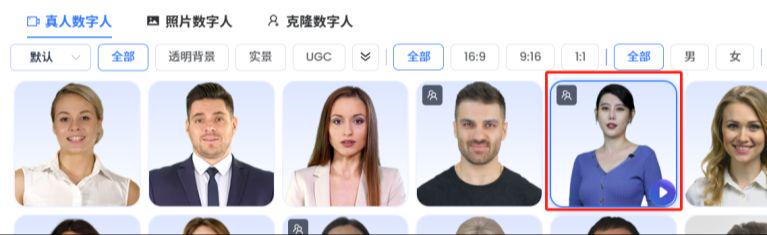
The following screen will appear
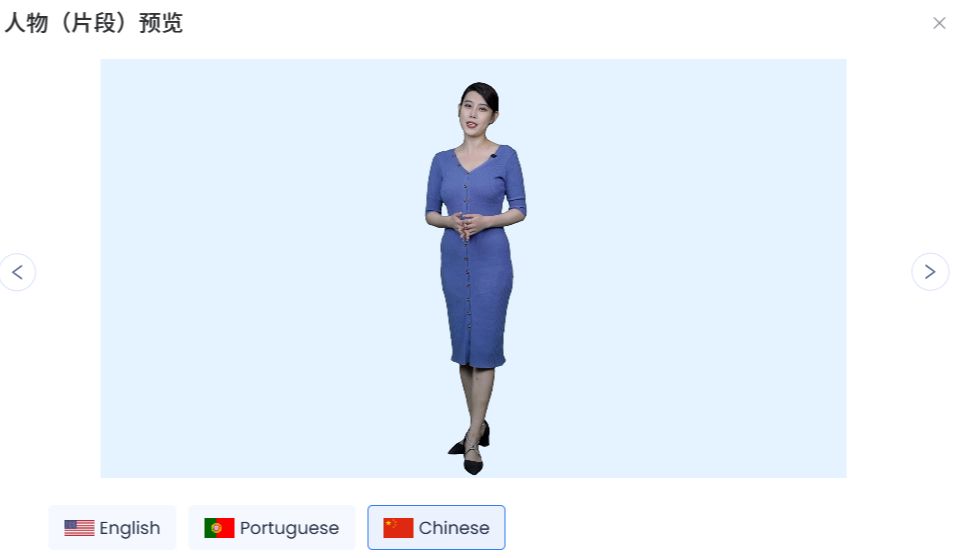
Click the "Create a video with this character" button to proceed, and then select the ratio: 9:16.

Enter the broadcast in the Copy Input text box to the right
After setting, you can click "Preview Video" and "Submit Generated Video" buttons to operate.
Similarly, after submitting the operation, check the generated video in the "My Creations" menu.

After generating click on the video file there is a download video button at the bottom right corner. Click Download.
Now do you feel that it is easier and more convenient to make digital people. However, since the videos generated by normal registered users have logos on the top left corner, if you mind the logo, you can use the free video watermark remover tool I recommend, thanks.
This is the end of the whole process, you can go to try the next bar~~