



Today I'd like to share with you an interesting way to play, hovering 3DGame CardsDisplay, can be rotated in an infinite loop. Trial for all kinds of game props display.
I'm going to take you on a practical exercise.
It's really just 2 steps: text-to-map; map-to-video (first and last frame generation)
step by step
Step 1: Vincennes map (cue word)
Here we share a prompt word template with you, we just modify the attributes and values of the subject marked in red. Characters, weapons, costumes, and monsters are all allowed.
Futuristic props card, rounded corners of the luminous frame holographic projection effect, transparent frosted glass, the center of the card suspended display xxxxxxxx weapon, the top left and right sides of the card display the name of the item "weapon name" and serial number "NO.9901″, the bottom segment display attribute weighted Attack +999" and "Life +500" are displayed at the bottom. Ground mirror reflection shows soft diffuse reflection and particle effects, background deep sky gradient embedded with dark charcoal fiber texture, blurred light and shadow, soft sci-fi lighting effects, dynamic depth of field lens, dark neon color scheme, sci-fi equipment data panel visual, extreme light and shadow effects, ray tracing, super techy ambience, online gaming special effects graphics, Octane rendering.
If you don't know how to use it you can also just use a cue word packet, send it to the language big models DK, KIMI, Beanbag, and enter what you want to do to batch out the cue words.
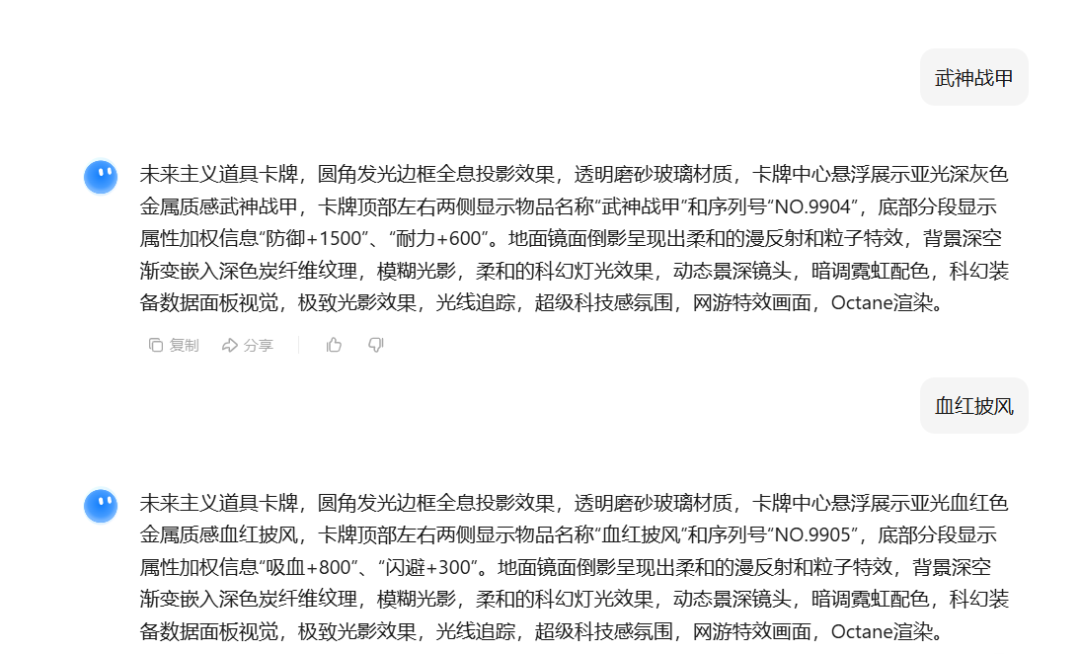
Then we open theDream AI:https://www.1ai.net/10005.html-Click on Image Generation -Click to enter the prompt words we prepared -Click on Model Selection 3.0 -Click on Size 9:16
Take the Heavenly Axe as an example: the center of the card is suspended to display a matte purple-gold metallic axe, the top left and right sides of the card display the name of the item "Heavenly Axe" and the serial number "NO.9901″, and the bottom section displays attribute-weighted information, "Attack +999", "Life +100", "Life +100", "Attack", "Attack", "Life", "Life", "Life", "Life", "Life", "Life", and so on. ", "Life +100".


character model
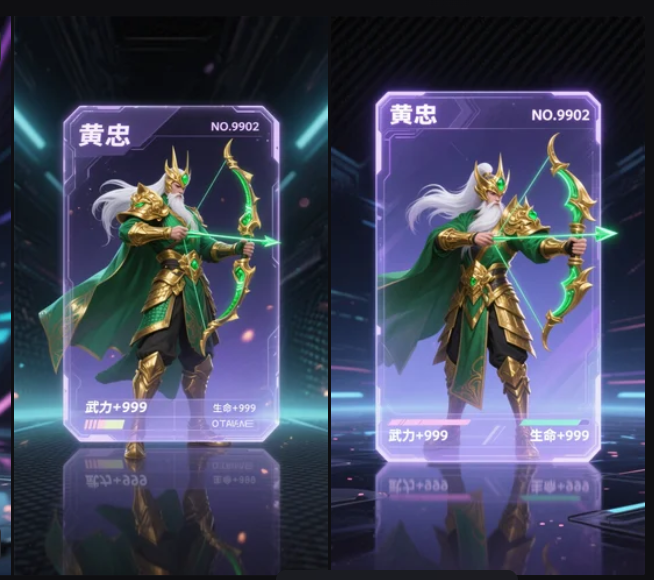
After the picture is generated, we pick our own satisfaction, the canvas without watermarks ultra-high definition export, which the character model generation will be more troublesome, because it is not very good to control inside the deck, sometimes need to draw cards many times.
Step 2: Toussaint Video
Here because that dream 3.0 first and last frames in the gray scale test can not be used, although the effect of the spirit of the best but can not afford to test, here is the demonstration of the VIDU, is also very good to use.
- Open the VIDU:https://www.1ai.net/16856.html
- Select Tucson Video-Model VIDU Q1
- Upload our same prop card image
- Just enter a descriptor to generate it

A fixed lens focuses on a card of transparent material suspended on the ground and slowly rotating, the entire scene is captured by the fixed lens and only the card in the center rotates in the entire frame.
The card completes an elegant 360-degree rotation on a horizontal axis, creating a loop like a spinning coin.
The background and the floor remain stationary, the floor is made of high grade material, presenting a subtle and soft diffuse reflection effect, adding a sense of hierarchy to the picture. Close-up of the card rotating horizontally.
Wait a little while for the generation to complete, of course sometimes there will be a rollover reality, but after testing 90% will not. Everyone can just use the cue word.
Next, download the video to keep it local, if there is a watermark you can deal with it in advance. Then you can start to the third step of the editing effect.
Step 3: Video editing
Open our clipping (cell phone and computer can be), enter the main interface, click [+ Start Creating], the generated clip video imported into the clipping, and then drag the material to the video track. Then we add background music, and some sound effects, copy content, simple editing on the basic.
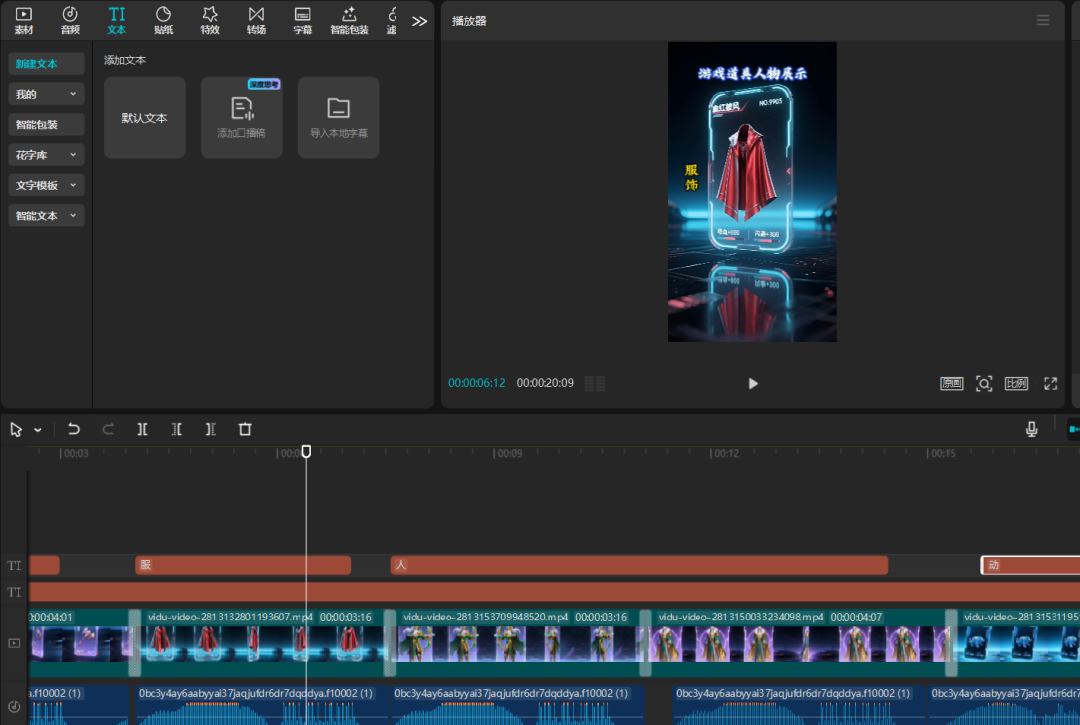
It still looks good, doesn't it?Everyone can get started on the practical, simple to learn, hurry up to try it, although some flaws, but does not affect the learning, to pursue perfection remember to be sure to use can Ling 1.6 or 2.0 high-quality generation ~!