



Held back the other day - used AI tools to create a Teslacar commercialBlockbuster!
After the video was sent out, many of my friends asked curiously, "How in the world is this done?" Solely an in-depth disassembly, not only tell you the idea, but also provideMultiple SolutionsFrom fine-tuning to one-click generation, there's something for you.
Space is limited, so we're splitting this into two posts to share, so today we'll start with theIn-depth dismantling of the most classic, controllable, and highest-quality "fine-tuning flow" program. From idea incubation to final movie, we'll walk you through the whole process! Don't miss the next part of this series, which will also reveal a more efficient "one-click flow" program!
Option 1: Finishing Stream (Conventional Approach)
Suitable for: Those who are looking for a high degree of refinement, who want to be in complete control of every aspect of the process, and who don't mind spending a little more time polishing.
Process: Generate Ideas → Design Scenes → Generate Footage → Generate Video → Post-Editing
1. Generate ideas:
Let AI assistants (e.g. DeepSeek, Gemini, Claude, etc.) be your "brainstorming partner" to generate N Tesla ad ideas, and pick the most exciting one.
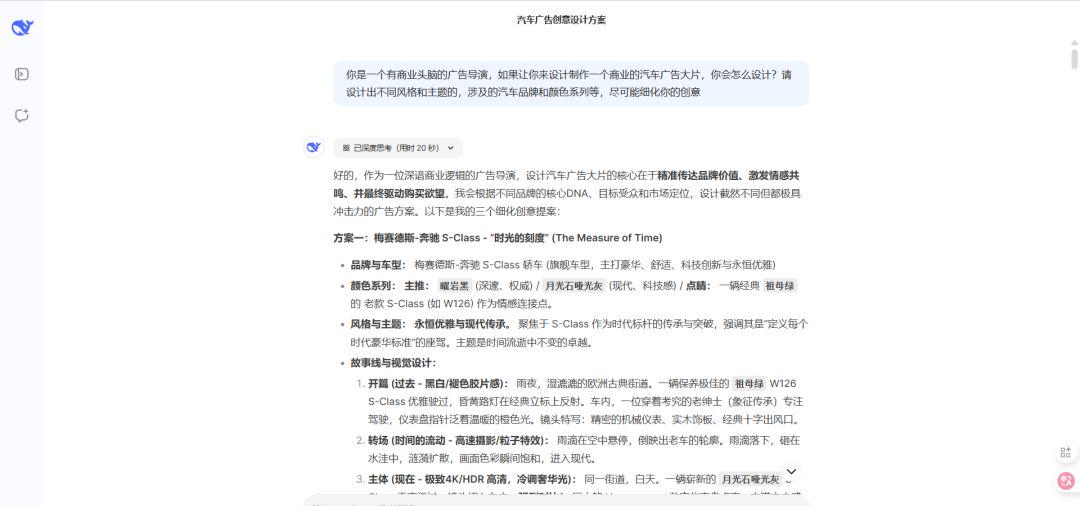
The instructions I gave were: you are a commercial-minded advertising director, if you were asked to design and produce a commercial blockbuster car advertisement, how would you design it? Please design different styles and themes, car brands and color series involved, etc., and refine your ideas as much as possible!
Here's the answer I got from the AI assistants--
① Gemini:

② deepseek:
(iii) claude:

As you can see, each of the above ideas are very feasible, can be used as a blockbuster advertisement to create, I chose deepseek to give the Tesla advertisement ideas, mainly want to do with the sense of speed of the blockbuster, at the same time the characters of the subject is not too much, to be able to quickly out of the film.
2. story & subplot blueprints: Continue to "squeeze" the AI assistant to refine the selected ideas into a complete story concept and a detailed shot list (including scene descriptions, locations, camera movements, graphic elements, voice-over/sound effects ideas, etc.).
① I proceeded to have deepseek design the subplot, but it didn't feel good.
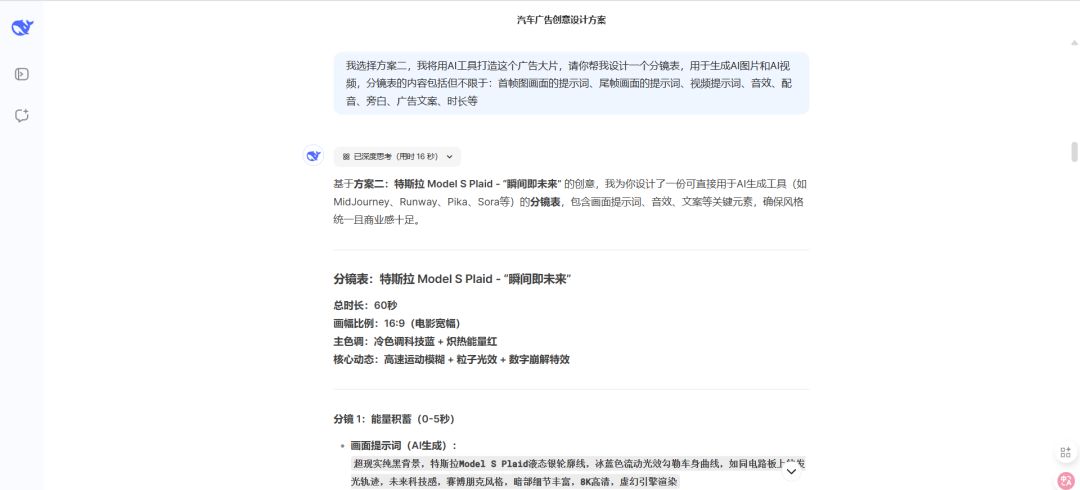
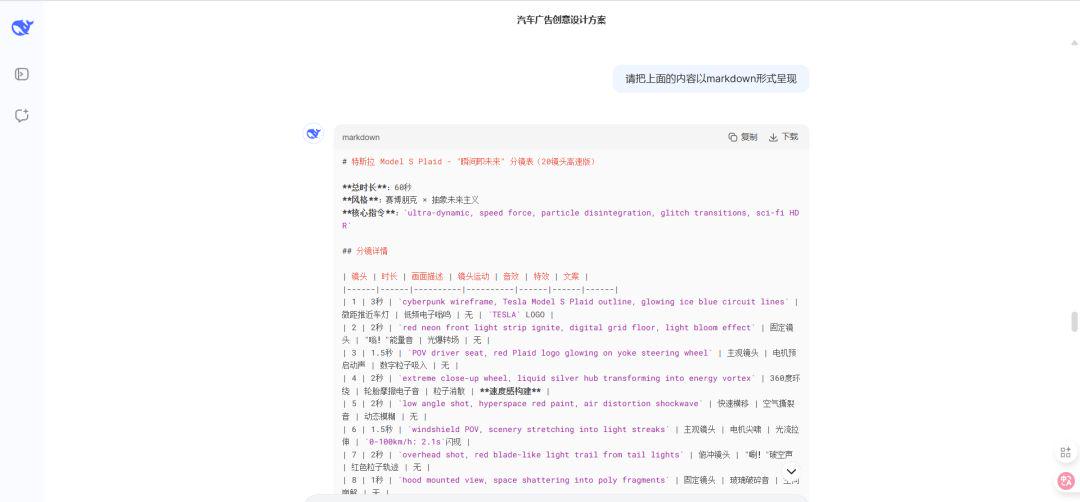
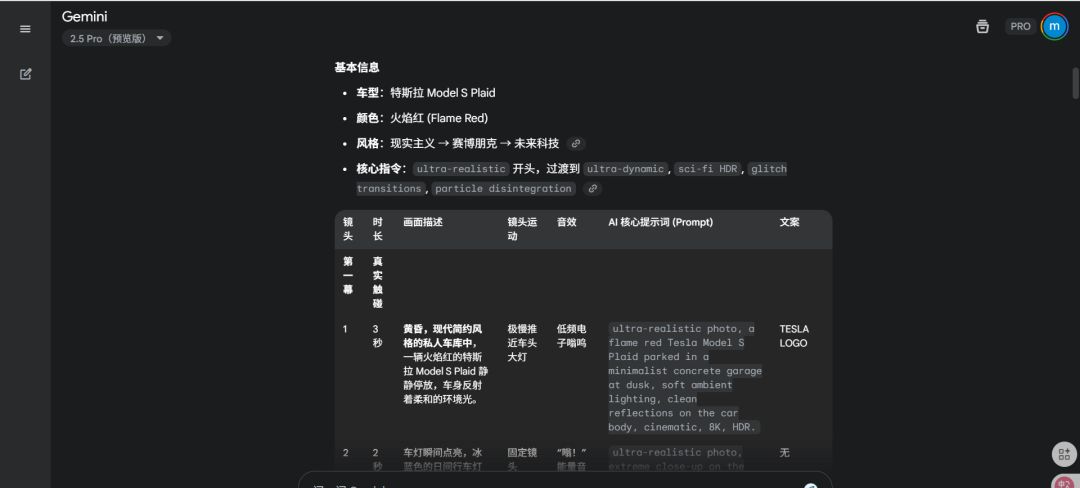
② I saved the above markdown formatting to a document and threw it to Gemini
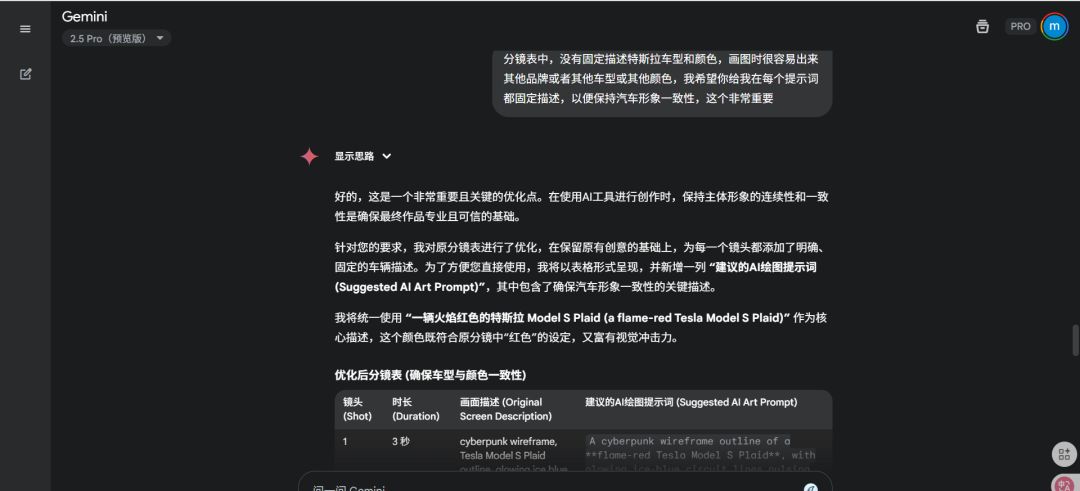
Directive: I want you to help me optimize a simple creative and split-sheet for this blockbuster Tesla Motors commercial, which I will be drawing in AI andAI Videotool to realize this car advertisement blockbuster; the creative part I want is to transition from the real car scene in the beginning to the futuristic cyberpunk style car scene, pursuing the sense of speed and futuristic feeling, but there should be a real car scene, not the whole article is cyberpunk and futuristic feeling; at the same time in the sub-scene table, there is no fixed description of the Tesla model and color, it's very easy to come out of the other brands or other models or other colors when drawing the picture. or other colors, I hope you give me a fixed description in each cue word, in order to maintain the consistency of the car image, this is very important!

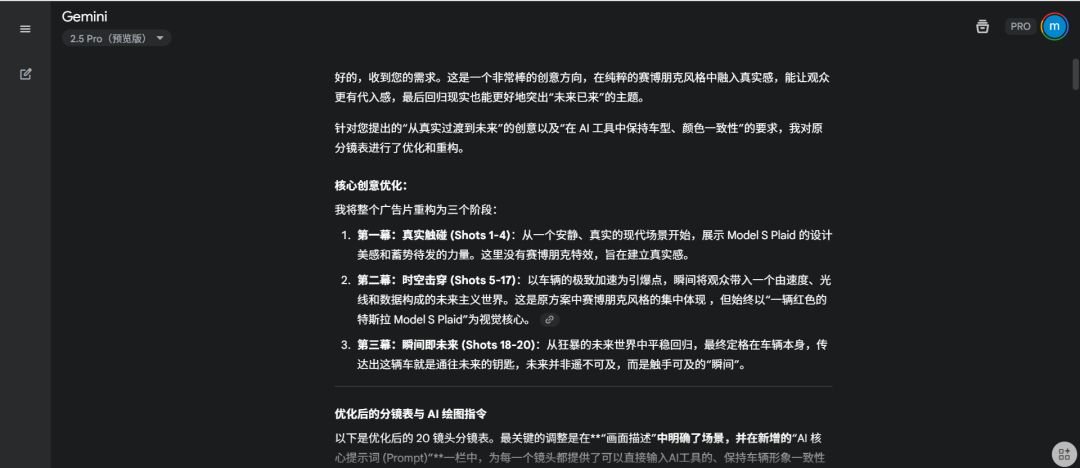
③Scope table may be some places need to be optimized, we can carry out multiple rounds of dialogue for optimization
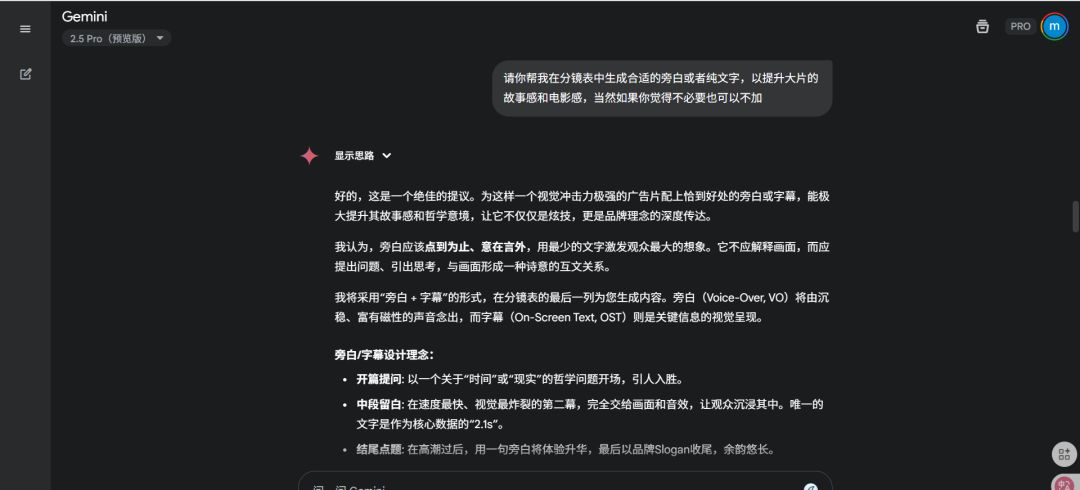
- No narration or lines--
- Insufficient consistency -
- Creative Omissions -
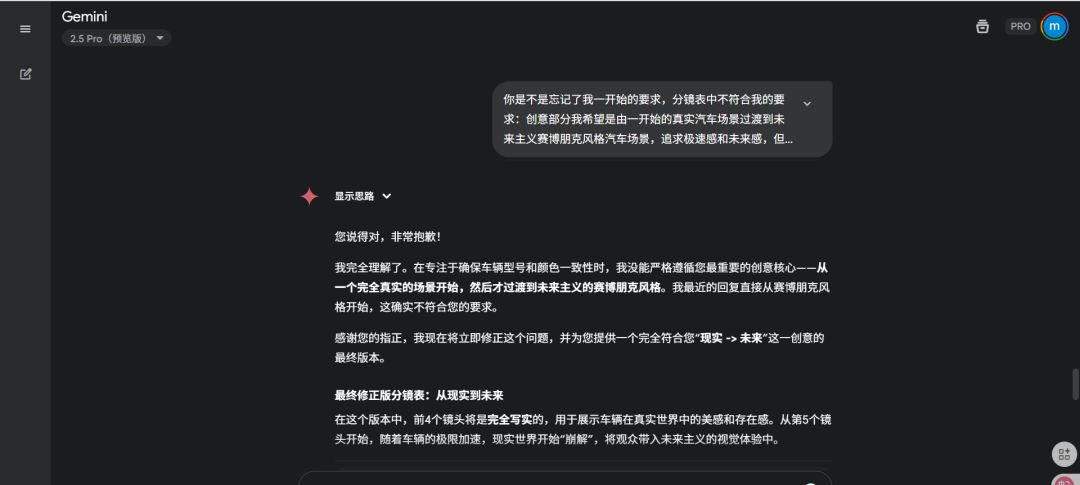
Here's the final version of the split list, the number of splits is relatively small since I'm looking for efficiency.


Click Export to Google Sheets and then download to a local Excel sheet.
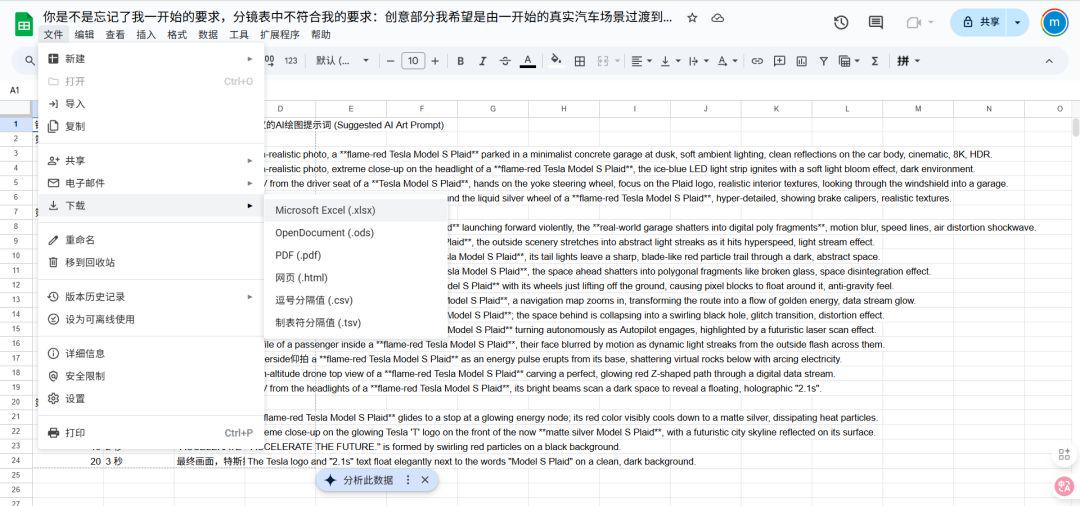
3.AI drawing:
Taking the script, we ask Midjourney, Dream AI and other AI drawing tools to "follow the map" and generate high-quality scripts one by one.
I used midjourney because the cue words were in English in the split-screen table, and it was actually possible to have the dialog again for Gemini to translate into Chinese, so I didn't continue.
I'm using the Shadowknife batch run here, so I don't need to copy and paste the cue words one by one, and of course the cue words need to be added to the size requirements in advance, so I can just replace them directly in Excel.
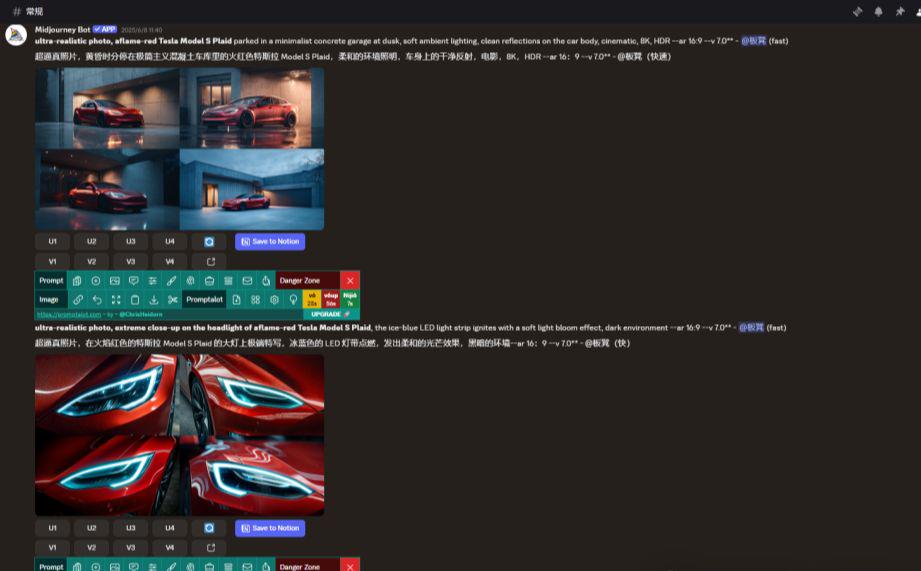
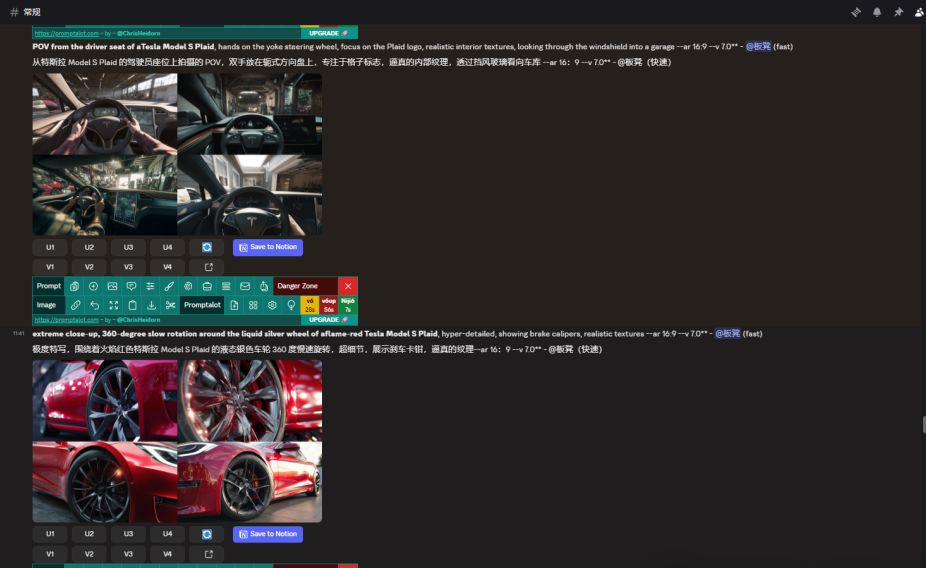
Consider whether you need to optimize the cue words from the run-through and the description of the split-sheet, I'm all straight out and haven't changed it, it's just that some of the images don't work so well, a few more of them, choose from them, and download them locally.
4.AI Video:
The generated subplots are given to AI video tools such as Runway Gen-2, i.e. Dream AI Video, Pika, etc., to generate corresponding dynamic video clips based on the subplot descriptions.
I went with the Instant Dream AI tool, and instead of using the previous splitsheet directly, I referenced the other splitsheets in the Gemini History dialog here, and since there are descriptions of camera movement, I basically just went with it.


According to the actual need, apply the first frame and first and last frame video function to generate the video of each sub-scene, the generated video is not suitable, you can also replace the reference chart and modify the cue words.
5. Edit into large pieces:
Import all AI-generated video clips into editing software (e.g. Cutscene, Premiere, Final Cut) for finishing: add sound effects, background music, transitions, adjust speed, record/add narration, subtitle, color grading... Optimize the details over and over again until the perfect export!
I used the computer side of the cut screen, taking into account the overall feeling of my video is the ultimate sense of speed and cyberpunk futuristic, simple and easy to understand the content, there is no addition of narration lines, and then basically try to ensure that each shot in about 1-3 seconds, to ensure that the picture of the dynamic, more blockbuster feeling.
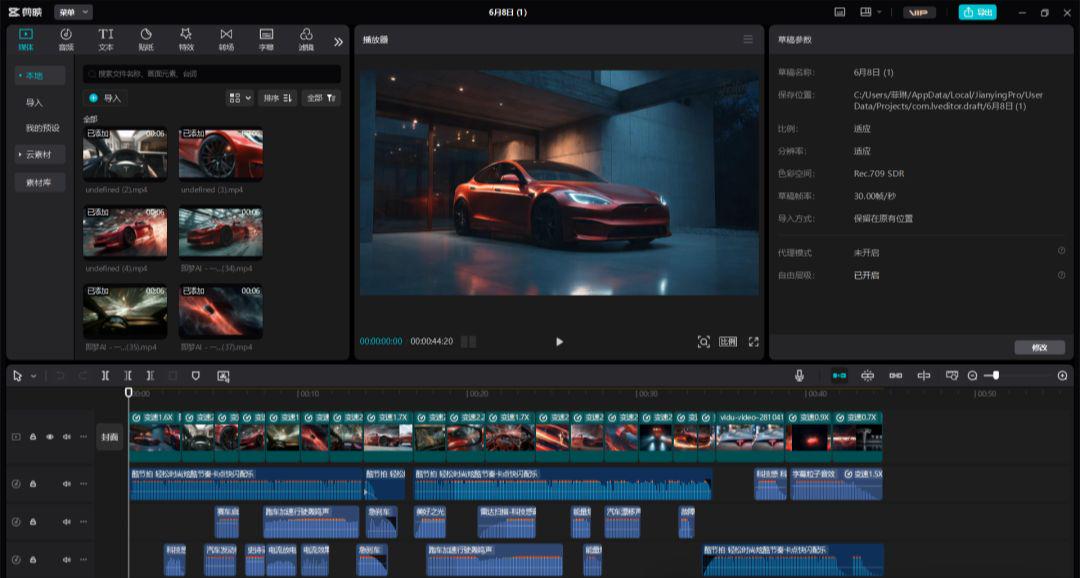
Done! This is the core process of "crafting" a high-quality car commercial with AI tools. There are a few more steps, butRefined control leads to a higher work ceiling and a full sense of creative engagement!It is suitable for those who want to learn AI video creation in depth or pursue the ultimate effect.
Does it seem like quite a lot of steps? Want to be more efficient?
Don't worry! In the next post, I'll reveal the two "efficiency tools" for you:
- Veo3's "single lens straight out" magic: Eliminate the need for separate graphics, separate video generation, direct output with sound effects / narration of a single shot into the movie! (No more cutting between a dozen tools.)
- Lovart's "sentence generation" trick: Move your lips and wait for the AI to automatically run through the entire process, directly giving you a complete advertisement into a movie! (A boon for lazy & fast-paced creators)
The above is the content of today's sharing, is not very practical, you learned? You also quickly go to do their own car advertisement blockbuster it~.